


- @qubes


简介
该用户还未填写简介
擅长的技术栈
可提供的服务
暂无可提供的服务
查看该目录,系统中没有该文件,也没有该目录。idea导入工程后,启动工程,报错。看日志意思是:创建某个日志文件报错。

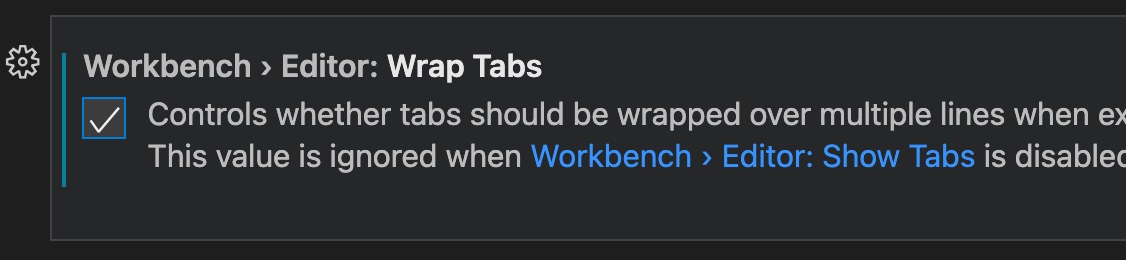
如何 vscode 文件标签栏多行显示?步骤:ctrl + shift + p输入:open workspace settings搜索:wrap勾选:wrap tabs设置之后 第二次打开vscode 还是回一行文件名显示解决办法是:将这个设置写入配置json文件ctrl + shift + p输入:open workspace settings(JSON)添加配置,配置可通过配置界面操作得到{/
enviromentvitevue3set-up modeerrorimport { defineProps, PropType, ref, computed} from "vue";defineProps({titleInfo: {type: Object as PropType<TitleInfo>,required: true,}})errormsg:.vite/vue.js o
error控制台报错:Target container is not a DOM elementreasonjs没找到dom节点,原因是script引入的js代码在head里,先执行script脚本内容,然后渲染dom节点,而js脚本需要用到dom节点,发现没找到,因此报错solutionscript引入的js代码从head中转移放在body的最下方...
reason箭头可能意味着这是一个子模块solution1删除子文件夹里面的.git文件执行git rm --cached [文件夹名]执行git add .执行git commit -m “commit messge”执行git push origin [branch_name]solution2如果文件夹是空的,可能是历史原因造成的。可以这样解决在临时目录 git clone仓库下来 比如是/
在 VSCode 中,按下 tab 按键时,不能自动补全。
本地执行git commit时,会出现很多文件出现diff信息,实际文件并没有修改,通过 gitdiff,出现提示是 warning: in the working copy of ‘vite.config.ts’, LF will be replaced by CRLF the next time Git touches it。是什么原因导致的?怎么解决?

eviroment环境:mac工程已安装局部依赖包npm install webpack webpack-cli -D配置好webpack.config.js文件error但执行webpack报错zsh: command not found: webpackresolution因为当前环境变量中,没有找到对应的命令,解决方法如下:➜ echo ‘export PATH="./node_module
前端post请求下载excel文件,无法打开。
在 VSCode 中,按下 tab 按键时,不能自动补全。