


- @weixin_43818488


简介
该用户还未填写简介
擅长的技术栈
可提供的服务
暂无可提供的服务
如果在vscode中和anaconda prompt中都没有,那大概是 没有增加到虚拟路径,可以查看。如果确实这样,可以增加该envs路径。
第一步,查GitHub的ip网址为https://www.ipaddress.com查询http://github.global.ssl.fastly.net和http://github.com分别发现对应的ip如下:199.232.69.194http://github.global.ssl.fastly.net140.82.112.3http://github.com第二步,hosts文件中添
docker pull continuumio/anaconda3 拉取合适的镜像docker images 查看已经获取的镜像ocker run -d --restart=unless-stopped --name nuumio -it --ip 172.18.0.28 -p 7777:8989 -v /data/detection:/home continuumio/anaconda3 /bi

注意,一定要python的版本 一定要 3.9及以下!!否则一直会出错。

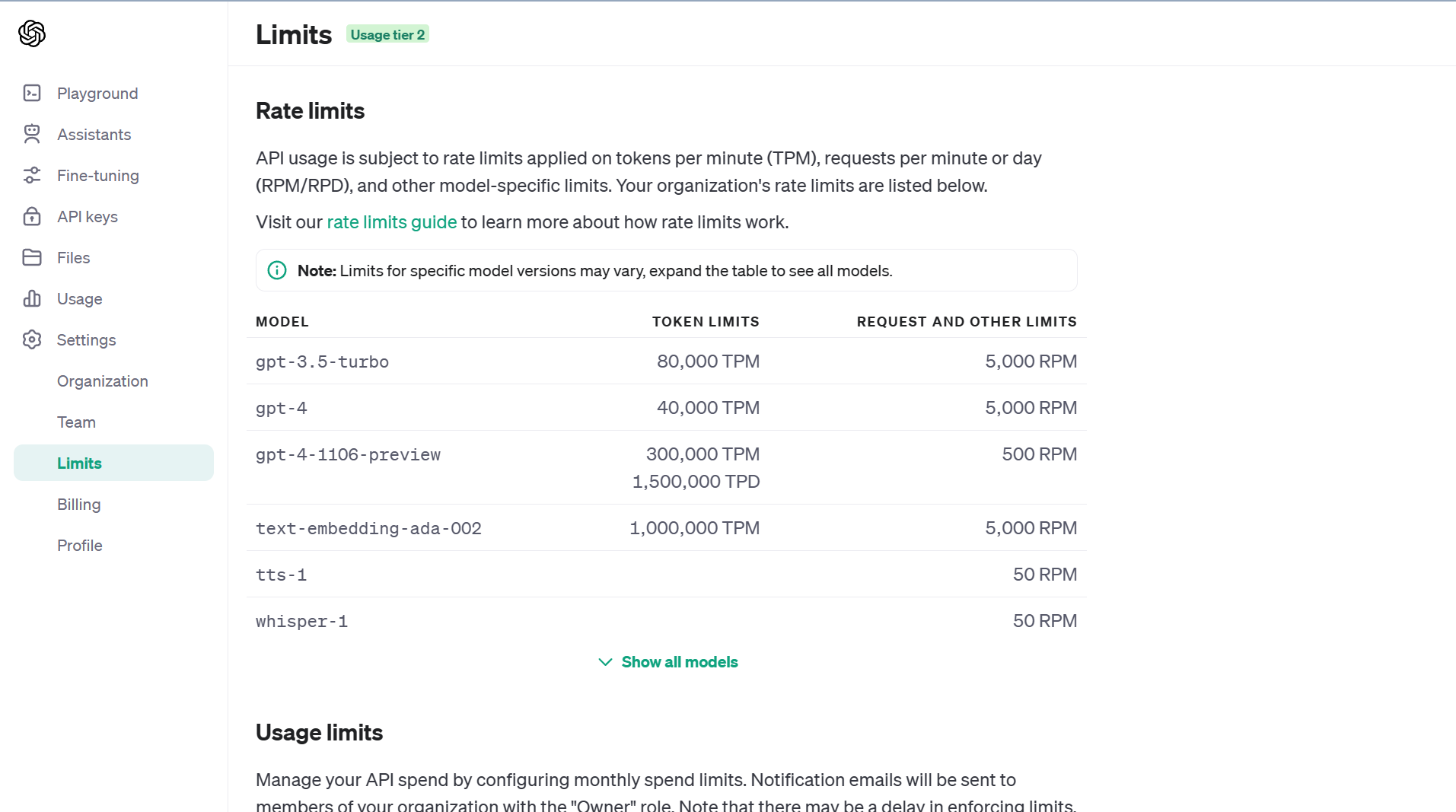
在使用openai的API时,发现有gpt的token限制,很奇怪。
AHPANPFAHPtopsis
docker pull continuumio/anaconda3 拉取合适的镜像docker images 查看已经获取的镜像ocker run -d --restart=unless-stopped --name nuumio -it --ip 172.18.0.28 -p 7777:8989 -v /data/detection:/home continuumio/anaconda3 /bi
注意,一定要python的版本 一定要 3.9及以下!!否则一直会出错。
HTTPS_PROXY 也应该填写 http://127.0.0.1:7890,因为 HTTPS_PROXY 中 HTTPS 代表的是 出口协议,而 http://127.0.0.1:7890 代表和 127.0.0.1:7890 服务器之间的 入口协议 是 HTTP。而之前一直采用的上述错误配置,则会因为旧版本的 python 的 pip 内含的 urllib3 不支持 HTTPS 的 入口协议

在使用openai的API时,发现有gpt的token限制,很奇怪。