


- @MarshalEagle


简介
该用户还未填写简介
擅长的技术栈
可提供的服务
暂无可提供的服务
主要命令:ffmpeg [input_file_options] -i input_file[output_file_options] output_file注意: "-i input_file" 表示输入的文件或设备.输入文件或设备相关的配置必须在"-i input_file"前设定, 在之后写的是用于输出文件的配置.ffmpeg -version//查看ffmpeg版本号,并编译时配置ffmp
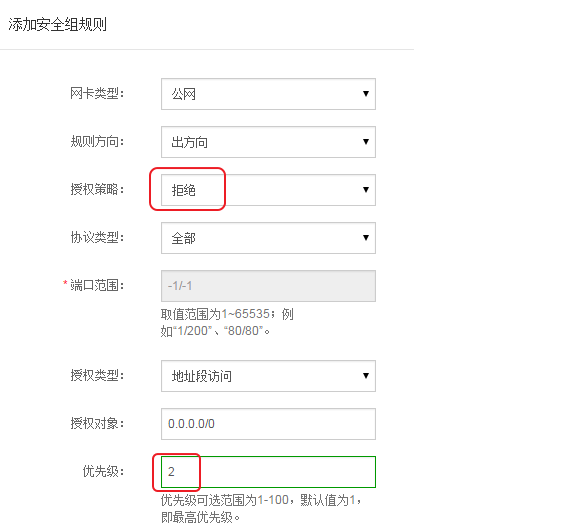
实现阿里云服务器内网互通
一、安装docker[root@localhost home]# yum install -y yum-utils device-mapper-persistent-data lvm2[root@localhost home]# yum-config-manager --add-repo http://mirrors.aliyun.com/docker-ce/linux/centos/docker
1、安装1.1 安装前准备关闭防火墙并禁止开机自启systemctl stop firewalld.servicesystemctl disable firewalld关闭selinux,若不关闭会影响容器查看映射的宿主机文件的权限setenforce 0sed -i 's/SELINUX=enforcing/SELINUX=disabled/g' /etc/sysconfig/selinux1.
1、官网下载linux版本rpm包https://pan.baidu.com/download2、上传到服务进行安装rpm -ivh baidunetdisk-3.5.0.x86_64.rpm会遇到需要依赖包报错,这是使用yum 安装缺失的依赖包。或者yum -y installbaidunetdisk-3.5.0.x86_64.rpm直至安装成功3、启动百度云盘报错提示:libstdc++.so
---nginx安装步骤,不详述,请查看nginx系列篇,安装。---1.下载nginx_upstream_check_module模块 nginx_upstream_check_module-master.zipwget https://codeload.github.com/yaoweibin/nginx_upstream_check_module/zip/master2.将nginx_ups
1.先入为主:1.在spring的controller中,写法必须是同一个请求中只能有一个@RequestBody;同一个请求中,可以有多个@RequestParam;同一个请求可以同时存在@RequestBody和@RequestParam;2.请求中@RequestParam()指定的参数可以是普通元素、数组、集合等等;当@RequestBody 与@RequestParam()同时使...