
曲线轨迹,NS航司,验证码, 图像算法微调
·
目标网址:aHR0cHM6Ly93d3cuaGJoay5jb20uY24vYWNjb3VudA==
NS航司数据与图像处理的结合
- NS航司数据的获取与解析
触发短信验证码接口,新设备会触发风控(触发条件是header里面的deviceCode的值),里面返回了一个url然后请求gen接口带上类型和dfp去获取验证码
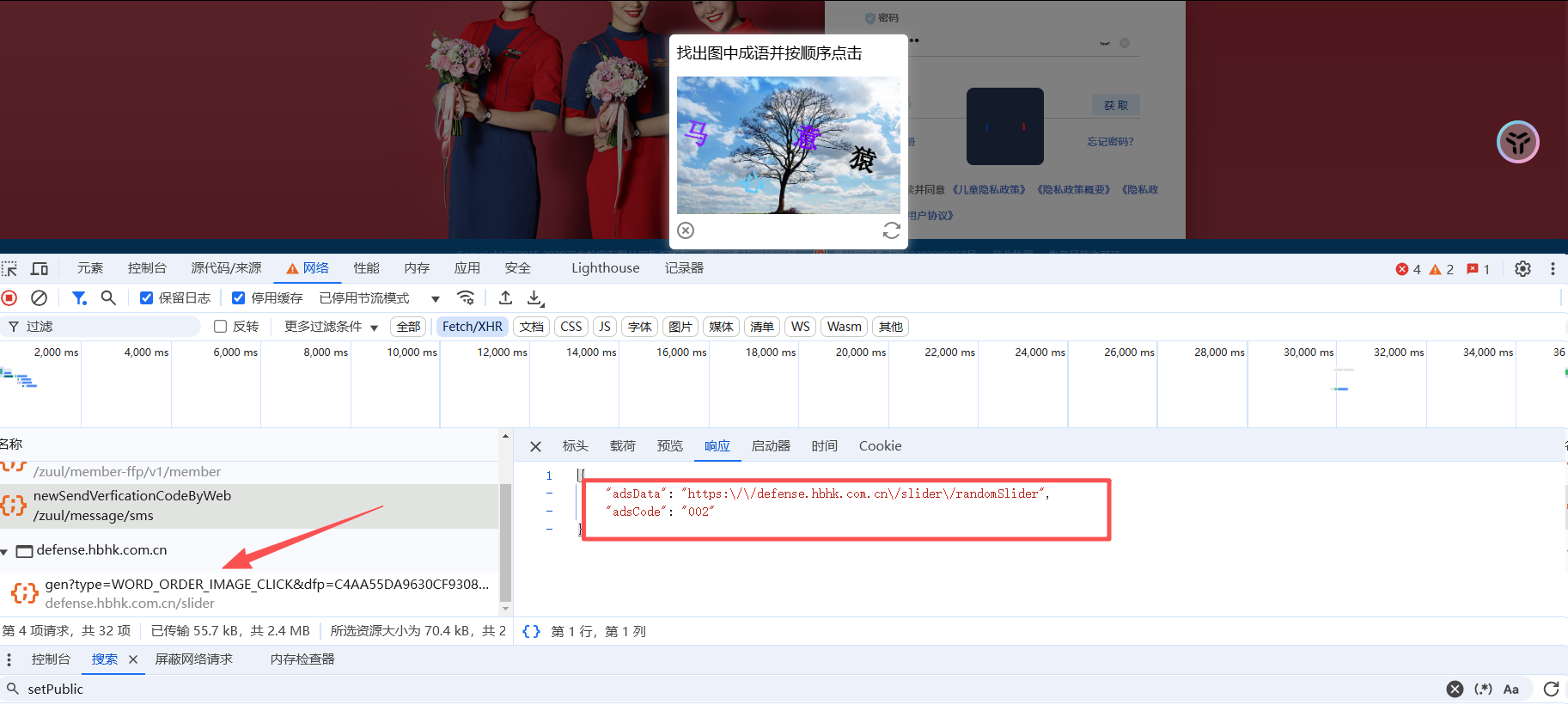
请求短信接口返回的url,里面有风控类型,gen接口的类型就是从这里提取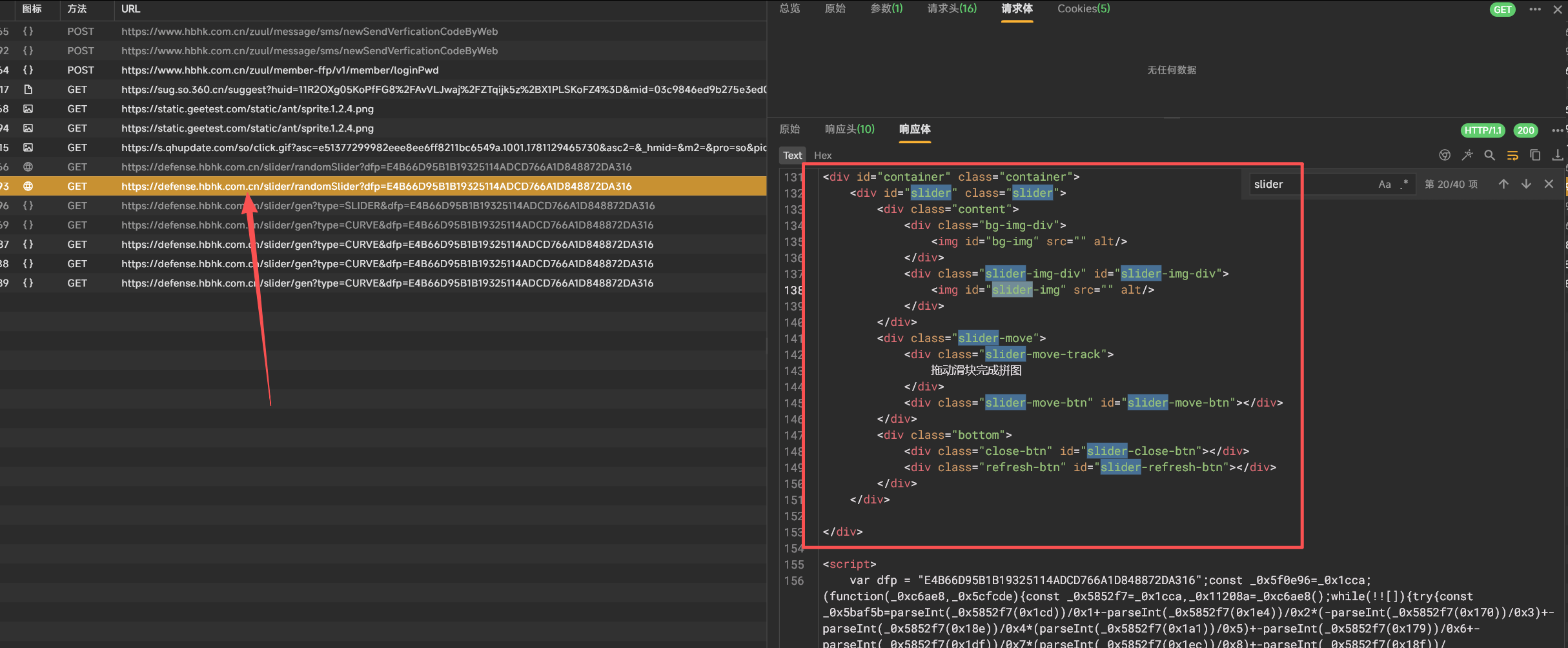
风控类型:Silder,CURVE2,CURVE,WORD,MOBIE,Silder2,一个六种类型随机下发

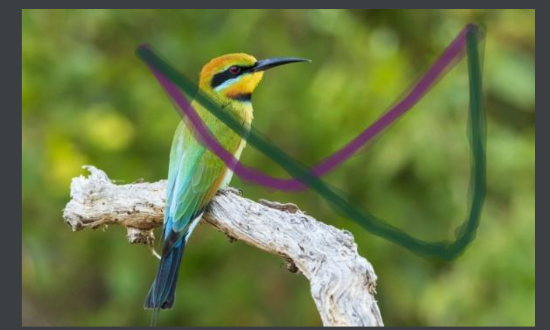
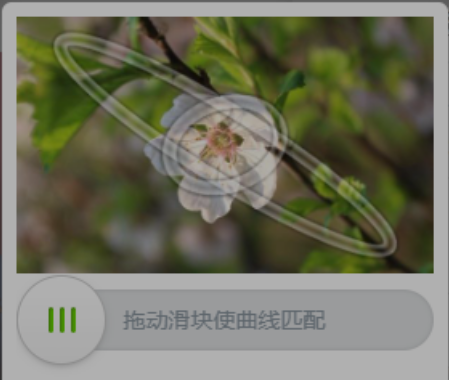


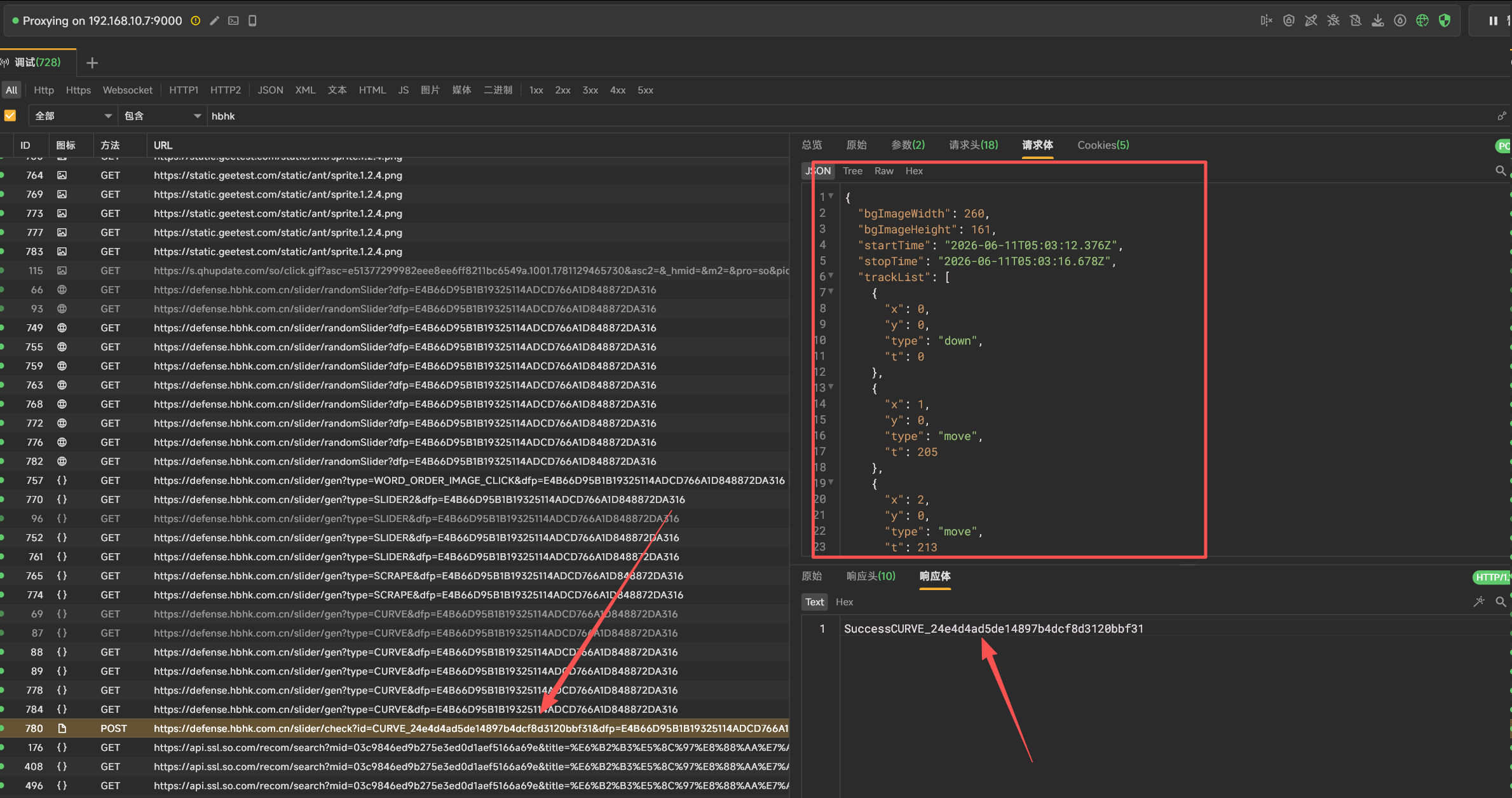
- 滑动图片触发验证接口里面带上了图片的宽高和开始结束时间以及轨迹
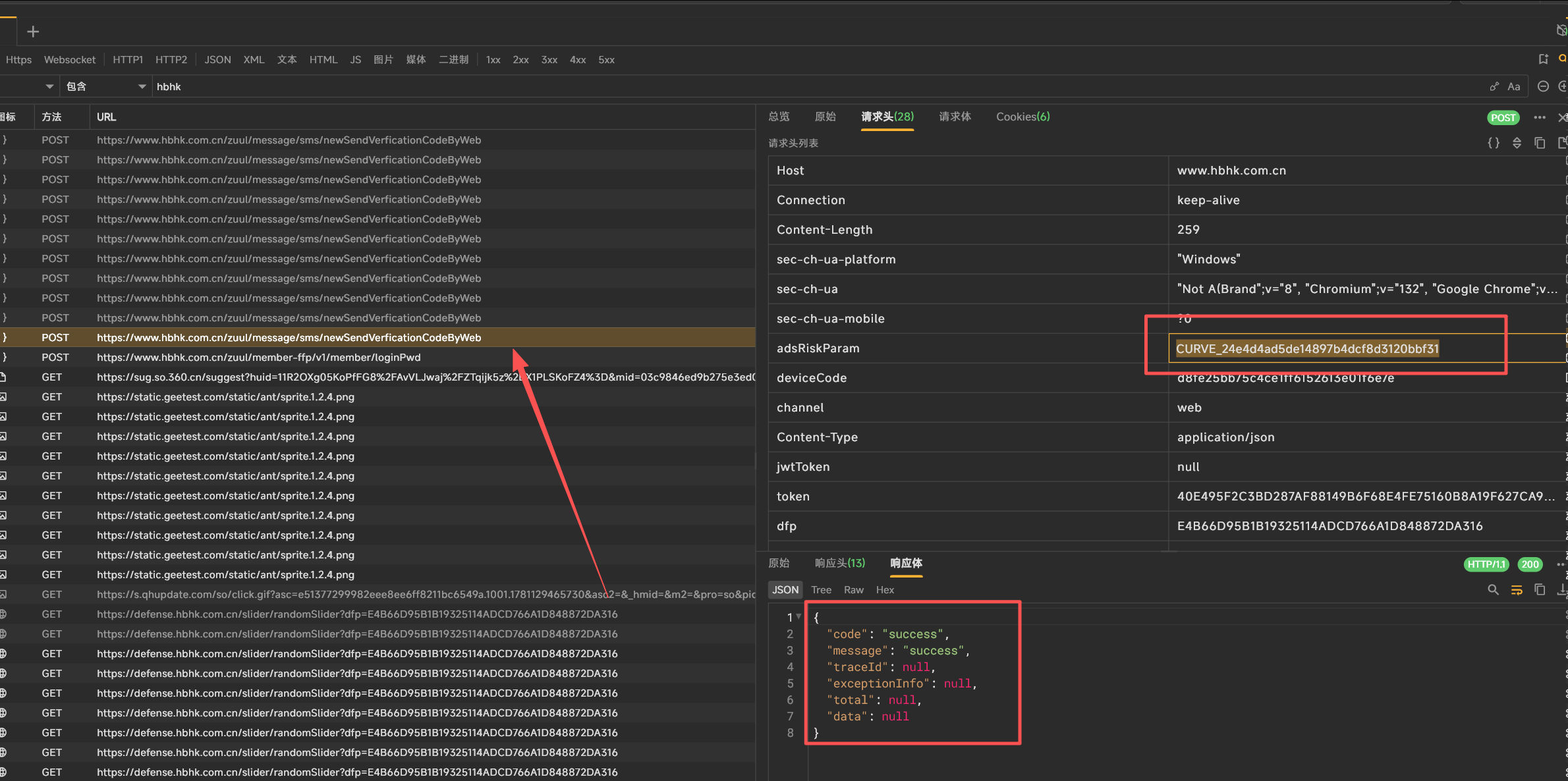
- 将获取的CURVE的值放进header再次重新请求
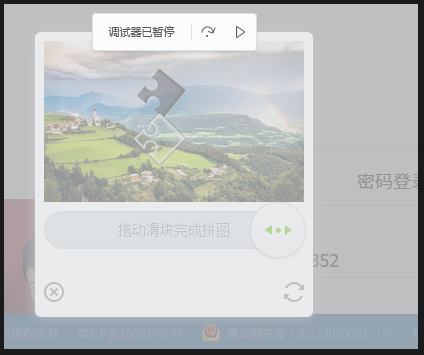
验证码处理
- 这里拿CURVE,CURVE2来讲解
响应解析:响应返回一个base64的背景图,宽高和初始化的p的坐标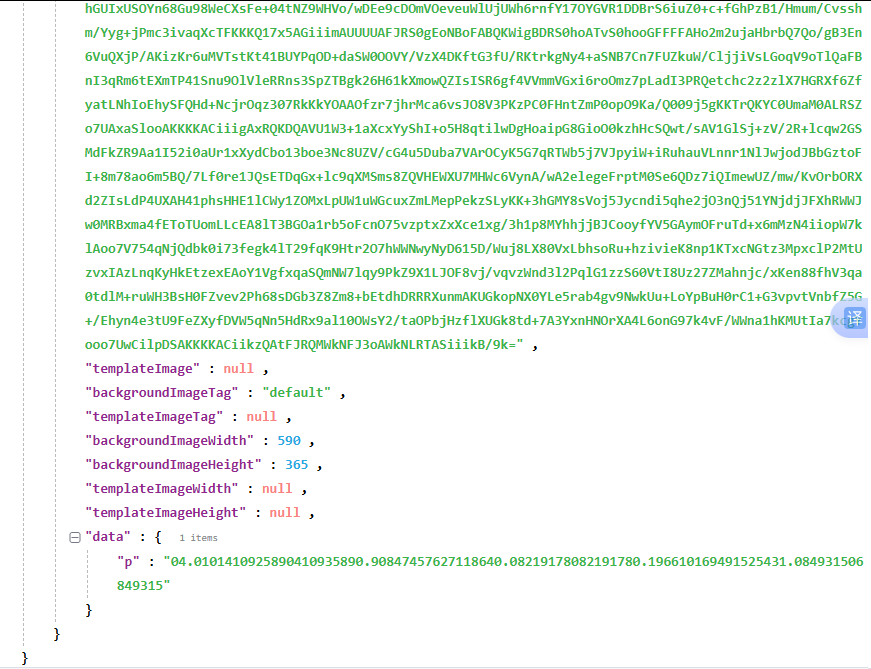
- 图片处理
写一个base64转图片def _save_background(self, captcha): """保存背景图到本地""" img_dir = os.path.join(os.path.dirname(__file__), "iamge") os.makedirs(img_dir, exist_ok=True) b64 = captcha["backgroundImage"] if "," in b64: b64 = b64.split(",", 1)[1] img_path = os.path.join(img_dir, "bg.png") with open(img_path, "wb") as f: f.write(base64.b64decode(b64)) return img_path - 轨迹处理
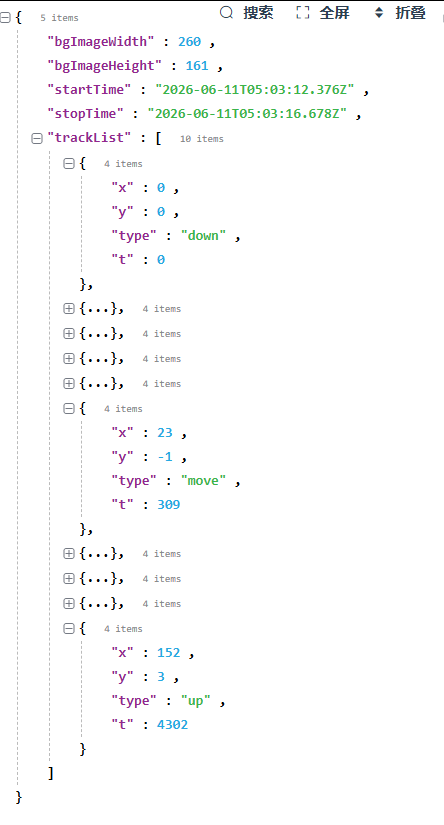
浏览器的真实轨迹是一个x,一个y,加上时间戳。开头是鼠标点击的down,中间是move,最后是鼠标放开的up

图像算法微调方法

- 背景处理
原图的的是rgb三通道,噪点大。不好识别,先进行灰度化,然后裁剪进行降噪降维度img = Image.open(img_path).convert("L") gray_path = os.path.join(os.path.dirname(__file__), "iamge", "bg_gray.png") img.save(gray_path) arr = np.array(img, dtype=np.float32) h, w = arr.shape y0, y1 = int(h * 0.30), int(h * 0.80) strip = arr[y0:y1, :] lo, hi = int(w * 0.35), int(w * 0.92) # ── 保存裁剪后的 strip ── from PIL import Image as PILImage crop_path = os.path.join(os.path.dirname(__file__), "iamge", "bg_crop.png") PILImage.fromarray(strip.astype(np.uint8)).save(crop_path) - 图片检测
利用numpy对处理后的图片进行采集,根据步进的方差来区分缺口和背景。采用缺口检测+局部检测
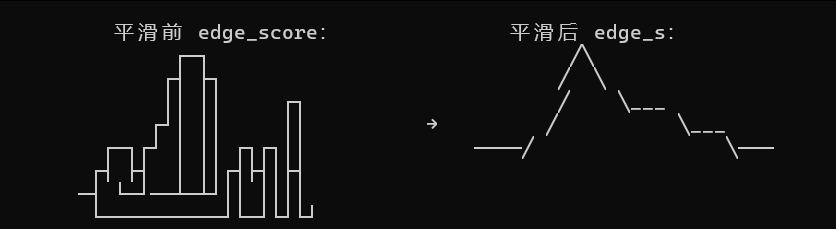
边缘检测:对于采集的方差来,将每行做独立的列差并取绝对值,然后所有行数求和。然后将峰值对比,最大的作为边缘候选grad = np.abs(np.diff(strip.astype(np.float32), axis=1)) edge_score = np.sum(grad, axis=0) # 平滑 + 找峰值 from scipy.ndimage import uniform_filter1d edge_s = uniform_filter1d(np.pad(edge_score, (0, 1), 'edge'), size=4) th = np.mean(edge_s[lo:hi]) + np.std(edge_s[lo:hi]) peaks = [] for x in range(lo + 3, min(hi, w) - 3): if edge_s[x] >= edge_s[x - 1] and edge_s[x] > edge_s[x + 1]: if edge_s[x] > th: peaks.append((int(x), float(edge_s[x]))) peaks.sort(key=lambda p: -p[1]) gap_centers = [] for i in range(min(len(peaks), 12)): for j in range(i + 1, min(len(peaks), 12)): dist = abs(peaks[i][0] - peaks[j][0]) if 25 < dist < 75: cx = (peaks[i][0] + peaks[j][0]) // 2 conf = peaks[i][1] + peaks[j][1] gap_centers.append((cx, conf))如图,将多个峰值进行平滑对比,找出最大的峰值作为边缘候选
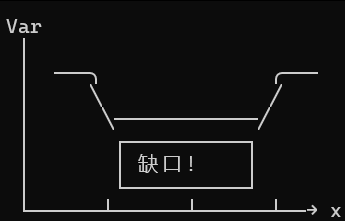
局部检测:将处理后的图片进行多次局部采集,缺口地方的方差会小于背景的方差,像素值会小于背景图,所以将方差低的作为缺口的候选
投票:投票比例是6:4,边缘检测:局部检测min_var_idx = int(np.argmin(local_var)) var_x = lo + min_var_idx var_conf = 1.0 / (local_var[min_var_idx] + 1) votes = {} for cx, conf in gap_centers: votes[cx] = votes.get(cx, 0) + conf # 方差法也投票 votes[var_x] = votes.get(var_x, 0) + var_conf * 50 if votes: best = max(votes, key=votes.get) logger.debug( f"[scan] best={best} conf={votes[best]:.0f} " f"edge_pairs={[(c,int(f)) for c,f in gap_centers[:4]]} " f"var_x={var_x}" )
组装轨迹
- 时间戳处理:采用开头慢,中间快,末尾慢 慢-->快-->慢
n = random.randint(50, 80) total_ms = random.randint(700, 1500) intervals = [] for i in range(n - 1): progress = i / max(n - 2, 1) if progress < 0.15: iv = random.randint(15, 45) elif progress < 0.75: iv = random.randint(5, 20) else: iv = random.randint(12, 38) intervals.append(iv) raw = sum(intervals) if raw > 0: scale = total_ms / raw intervals = [max(4, int(round(i * scale))) for i in intervals] # 累计时间 t_arr = [0] for iv in intervals: t_arr.append(t_arr[-1] + iv) - x距离:根据剩余距离和剩余的帧数进行相除计算,并加入随机抖动
x_seq = [0.0] for i in range(1, n): remaining = target_x - x_seq[-1] remaining_frames = n - i if remaining_frames <= 0: break # 基础步长 = 剩余距离 / 剩余帧数 base_step = remaining / remaining_frames # 末尾步长逐渐减小 if remaining < target_x * 0.2: base_step *= random.uniform(0.4, 0.85) # 叠加 40% 随机抖动 step = base_step * random.uniform(0.6, 1.4) step = max(0.1, min(step, remaining)) nx = x_seq[-1] + step if nx > target_x: nx = target_x x_seq.append(nx) if x_seq[-1] < target_x - 2: x_seq.append(target_x - random.uniform(0, 1.5)) if x_seq[-1] < target_x: x_seq.append(float(target_x)) n = len(x_seq) - y轴距离:根据帧数来随机抖动
y_seq = [0] for _ in range(1, n): y_seq.append(int(round(random.uniform(-2.0, 2.0)))) - 将时间戳加入
if len(t_arr) < n:
   # 追加时间戳
   for _ in range(n - len(t_arr)):
        t_arr.append(t_arr[-1] + random.randint(8, 25))
   t_arr = t_arr[:n]
整体思路图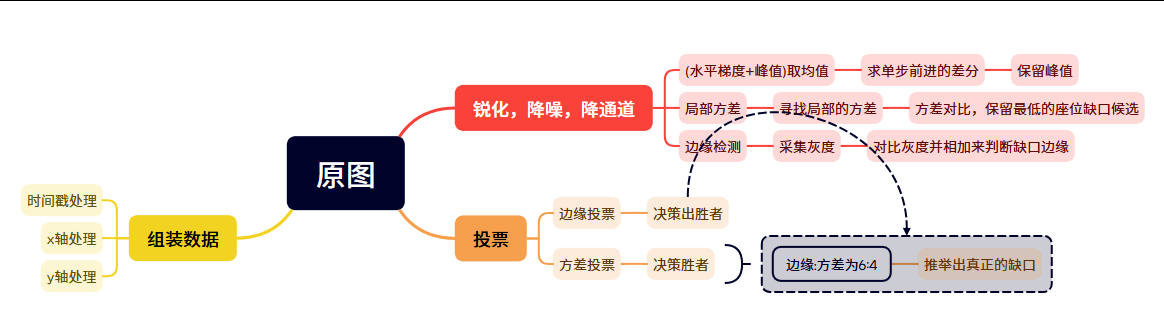
验证
个人声明
- 验证码模型可固定类型请求,成功率在70%-90%之间
- 个人观点,仅供参考。不接受任何商业行为。如有侵权,联系下架

免费领 150 小时云算力,进群参与显卡、AI PC 幸运抽奖
更多推荐


 44
44 0
0- 0


 已为社区贡献1条内容

所有评论(0)