- @m0_47010003


简介
该用户还未填写简介
擅长的技术栈
可提供的服务
暂无可提供的服务
Remote URL test failed: unable to access 'http://192.168.199.110/1111/mytest.git/': Failed to connect to 192.168.199.110 port 80: Timed out
第一步:在注册gitlab-runner时选择docker执行器 第二步: 然后去修改config.toml文件,该文件位置在gitlab-runner内部但是我运行gitlab-runner容器时,挂载了数据卷,如下:所以在/src/gitlab-runner/config目录下,cd命令切换到config目录下输入vi config.toml进入编辑文件 ,修改extra_hosts参数(没有
• ClassPathXmlApplicationContext:从类路径中的XML文件加载上下文中定义的信息,把上下文定义的文件当成类路径资源。• FileSystemXmlApplicationContext:从文件系统中的XML文件加载上下文中定义的信息。• XmlWebApplicationContext:从Web系统中的XML文件加载上下文中定义的信息。applicationcon
Failed to execute goal org.mybatis.generator:mybatis-generator-maven-plugin:1.3.2:generate (default-cli) on project crm-mybatis-generator: Communications link failureThe last packet sent successfully
所以SqlSessionFactoryBean的id不能是sqlSessionFactory吗?3.把applicationContext.xml配置文件重新写了一遍运行成功了。1. database.properties没有问题。2. 把数据库版本提高了,再次运行还是报错。发现只有一个id不一样,离谱啊。
一、idea登录github1.1 Github账户密码登录File–>Settings–>Version Control–>GitHub–>点击加号1.2 报错idea直接使用github用户名和密码登录报错如下1.3 token登录GitHub点击加号弹出的窗口左上角点击Use Token去自己Github上面,点击头像,点击SettingsYour Profile页面
PunchoutLevel的product、shelf、Aisle的区别是什么Aisle、Shelf、Product 不是 Punchout Level 的等级划分,而是 SAP Ariba、cXML 协议定义的Punchout Level 2 及以上场景中,采购系统与供应商商城之间的「跳转粒度 / 商品目录三级层级体系」,也是 Level 2 Punchout 区别于 Level 1 的核心能力
接上一篇maven nexus私服一、下载apache-maven-3.5.2-bin.zip提取码:8hno二、setting.xml的配置路径:C:\MySoftware\maven\apache-maven-3.5.2\conf\settings.xml如下<localRepository>C:\MySoftware\maven\repository_shine</loca
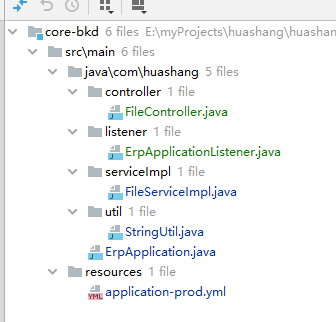
以下代码不要直接复制粘贴到serviceImpl层,是原始代码,需要修改并添加一个引用才能使用。FileServiceImpl是IFileService的实现类,先看实现类,接口放最后了。就是把图片的status属性设置为done,图片显示出来不会一直转圈。只需要修改一下这里就行,是你oss的配置,我这里是阿里的oss。如图可以看到mediaType中我只保留了模版中的image,看不清楚没关系,