
开源Vue组件FormCreate通过 JSON 生成TinyVue表单
·
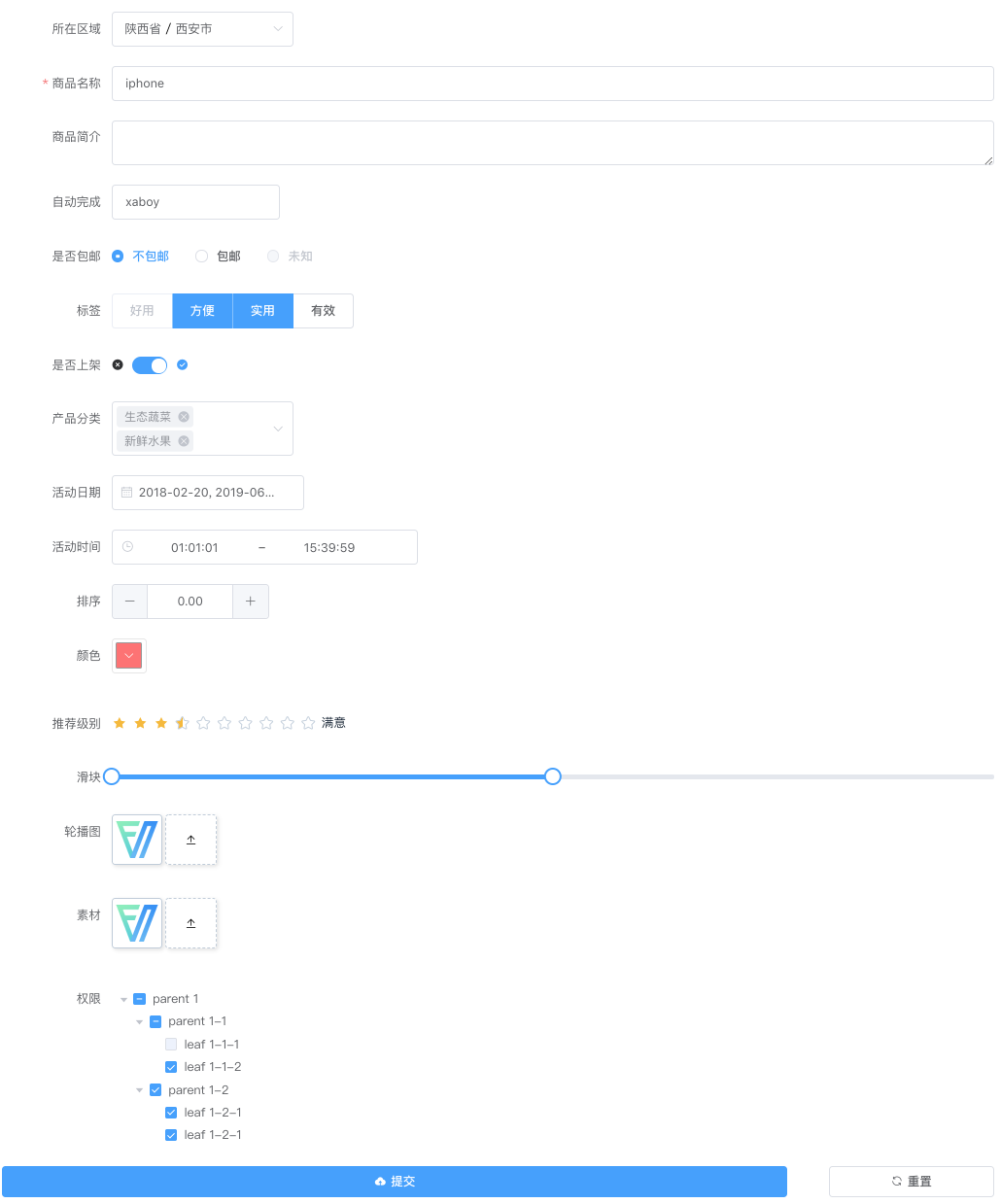
FormCreate 是一个可以通过 JSON 生成具有动态渲染、数据收集、验证和提交功能的低代码表单生成组件。它支持 10 个 UI 框架,适配移动端,并且支持生成任何 Vue 组件。内置 20+ 种常用表单组件和自定义组件,再复杂的表单都可以轻松搞定
使用 npm 安装
通过 npm 安装可以更好地与现代构建工具(如 Webpack、Vite)集成。
npm i @form-create/tiny-vue@^3
npm i @opentiny/vue @opentiny/vue-icon @opentiny/vue-theme
引入和挂载
import { createApp } from 'vue';
import TinyVue from '@opentiny/vue';
import '@opentiny/vue-theme/index.css';
import formCreate from '@form-create/tiny-vue';

const app = createApp({});
app.use(TinyVue);
app.use(formCreate);
app.mount('#app');
高级版FormCreate表单设计器强势登场,让表单设计更简单
CDN 引入
TinyVue 依赖图标包与主题样式,通过 CDN 一键加载往往入口较多、版本易不一致,推荐优先使用 npm。若必须在浏览器侧直连 CDN,请先按 @opentiny/vue 与 @opentiny/vue-theme 的说明引入样式与组件运行时,再加载 FormCreate 的打包文件:
<script src="https://unpkg.com/@form-create/tiny-vue@^3/dist/form-create.min.js"></script>
创建表单
const rule = [
    { type: 'input', field: 'goods_name', title: '商品名称', value: 'form-create' },
    {
        type: 'select',
        field: 'category',
        title: '分类',
        value: 'digital',
        options: [
            { label: '数码', value: 'digital' },
            { label: '家居', value: 'home' },
        ],
    },
    { type: 'switch', field: 'enabled', title: '上架', value: true },
    {
        type: 'checkbox',
        field: 'label',
        title: '标签',
        value: [0, 1],
        options: [
            { label: '好用', value: 0 },
            { label: '快速', value: 1 },
            { label: '高效', value: 2 },
            { label: '全能', value: 3 },
        ],
    },
];
const option = {
    form: {
        labelPosition: 'right',
        labelWidth: '100px',
    },
    row: { gutter: 16 },
    submitBtn: { show: true, innerText: '提交' },
    resetBtn: { show: true, innerText: '重置' },
};
<template>
    <form-create :rule="rule" v-model:api="api" v-model="formData" :option="options" @submit="handleSubmit" />
</template>
<script setup>
    import { ref } from 'vue';
    const api = ref({});
    const formData = ref({});
    const handleSubmit = (formData) => {
        alert(JSON.stringify(formData));
    };
    const options = ref({
        resetBtn: true,
    });
    const rule = ref([
        {
            type: 'input',
            field: 'goods_name',
            title: '商品名称',
            value: 'form-create',
        },
        {
            type: 'checkbox',
            field: 'label',
            title: '标签',
            value: [0, 1, 2, 3],
            options: [
                { label: '好用', value: 0 },
                { label: '快速', value: 1 },
                { label: '高效', value: 2 },
                { label: '全能', value: 3 },
            ],
        },
    ]);
</script>
更多推荐
 4
4 0
0- 0


 已为社区贡献2条内容

所有评论(0)