
Elasticsearch:如何在 workflow 里调用一个 agent
·
在 AI Agent Builder 里,我们可以创建一个 workflow 的工具从而达到调用 workflow 的目的。我们是不是也可以在 workflow 里调用 AI Agent Builder 里所创建的 Agent 呢?答案是肯定的。下面我们来用一个简单的例子来进行展示。
创建一个 agent
我们创建的一个 agent 的名字叫做 generate_audio_product_json。它是用来解析我们的输入,并提区我们所需要的信息。它的创建非常融, 我们甚至不需要使用任何的工具。
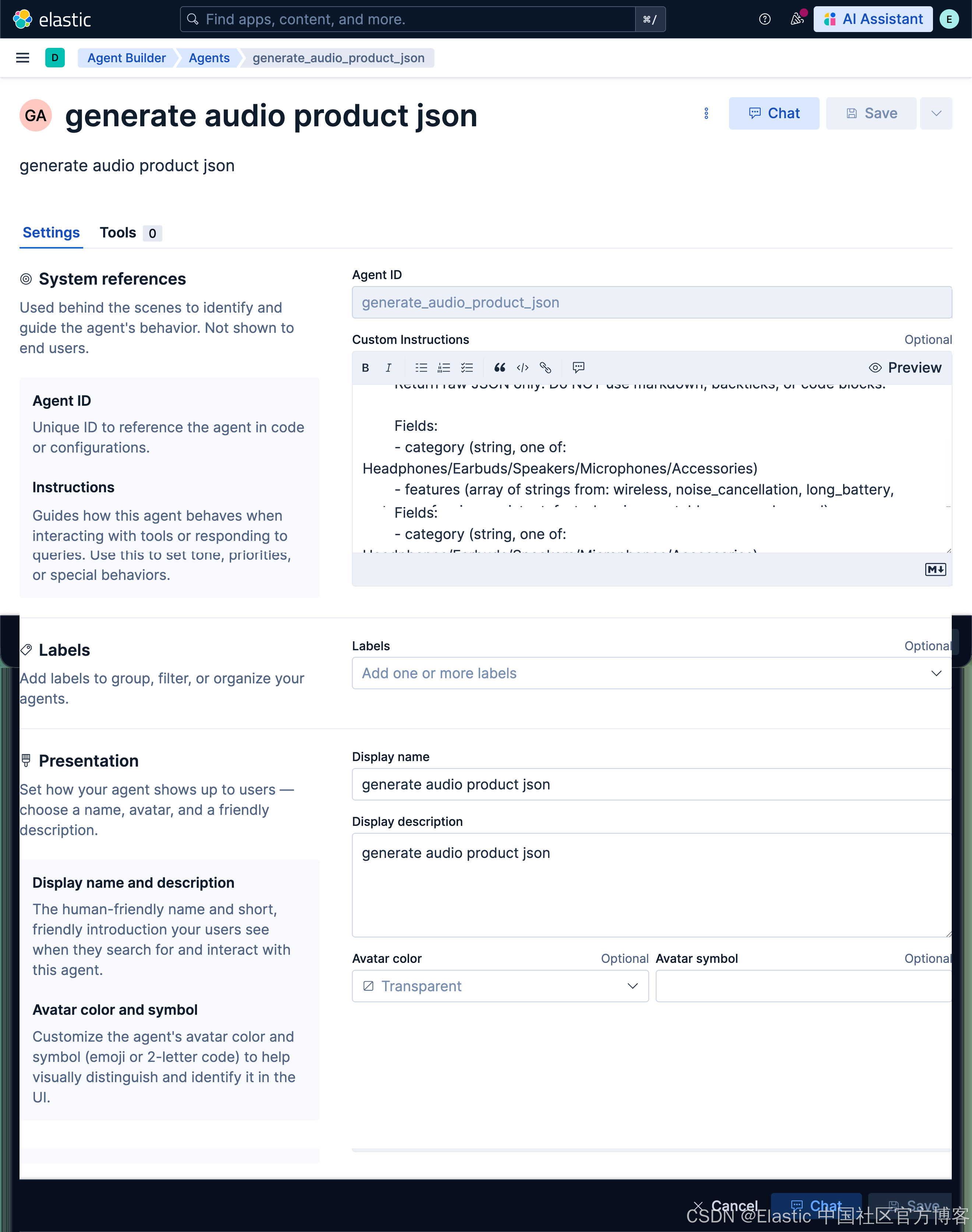
Custom Instructions:
  Extract audio product information from this description.
        Return raw JSON only. Do NOT use markdown, backticks, or code blocks.
         Extract audio product information from this description.
        Return raw JSON only. Do NOT use markdown, backticks, or code blocks.

        Fields:
        - category (string, one of: Headphones/Earbuds/Speakers/Microphones/Accessories)
        - features (array of strings from: wireless, noise_cancellation, long_battery, waterproof, voice_assistant, fast_charging, portable, surround_sound)
        - use_case (string, one of: Travel/Office/Home/Fitness/Gaming/Studio)
我使用一个简单的例子来进行展示:
Premium wireless Bluetooth headphones with active noise cancellation, 30-hour battery life, and premium leather ear cushions. Perfect for travel and office use.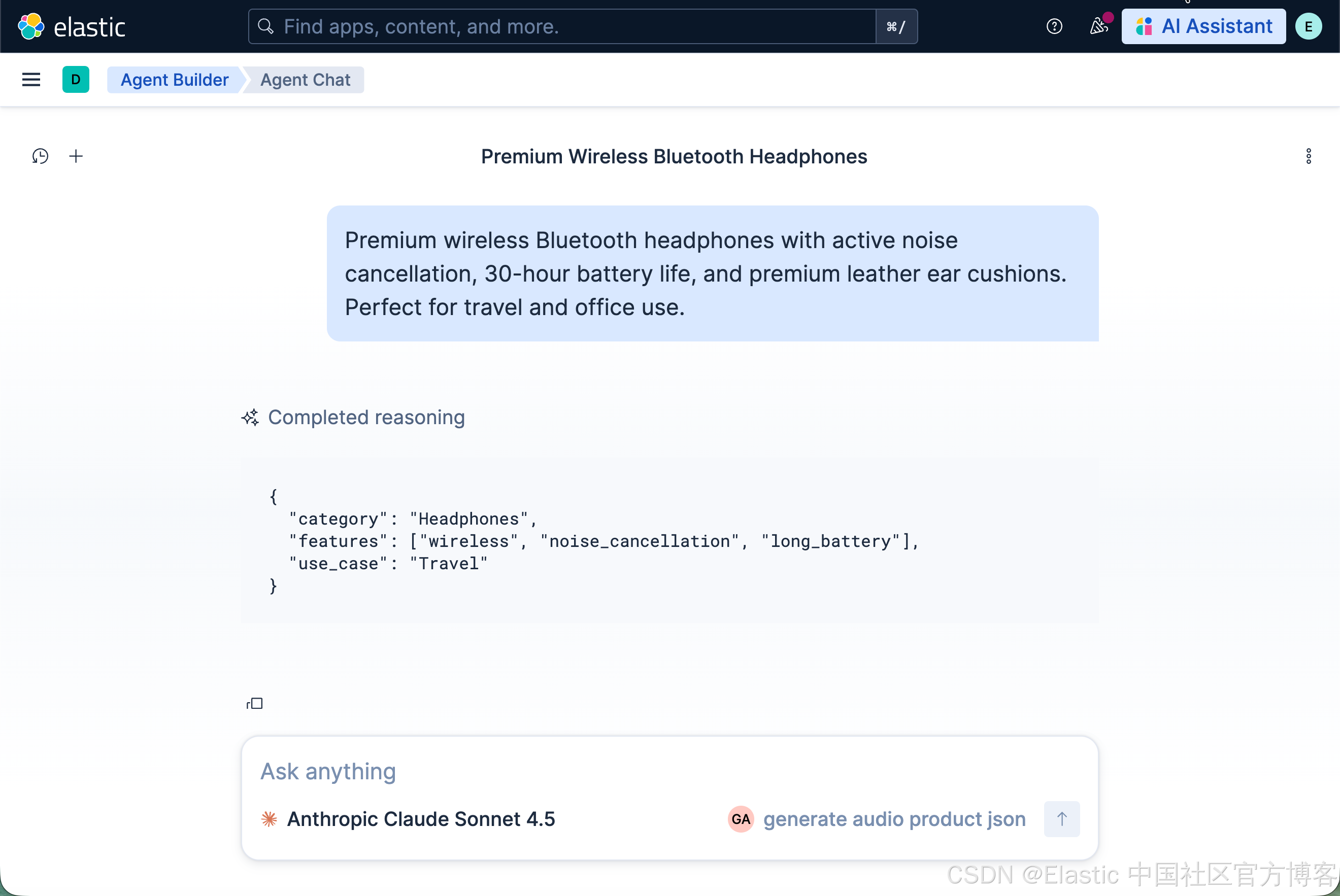
创建一个 workflow 并调用 agent
我们在 workflow 里创建一个如下的 workflow:
version: "1"
name: invoke_audio_product_agent
description: Extract structured product data using an AI agent
enabled: true

triggers:
  - type: manual

inputs:
  - name: product_info
    type: string
    required: true
    description: product descriptions

steps:
  # Step 1: Log input (optional but recommended)
  - name: log_input
    type: console
    with:
      message: "Incoming product info: {{ inputs.product_info }}"

  # Step 2: Invoke your agent
  - name: generate_product_json
    type: ai.agent
    with:
      agent_id: "generate_audio_product_json"
      message: |
        Extract structured product data from the following input.

        Input:
        {{ inputs.product_info }}

        Return ONLY valid JSON.

  # Step 3: Print the result
  - name: print_result
    type: console
    with:
      message: "{{ steps.generate_product_json.output }}"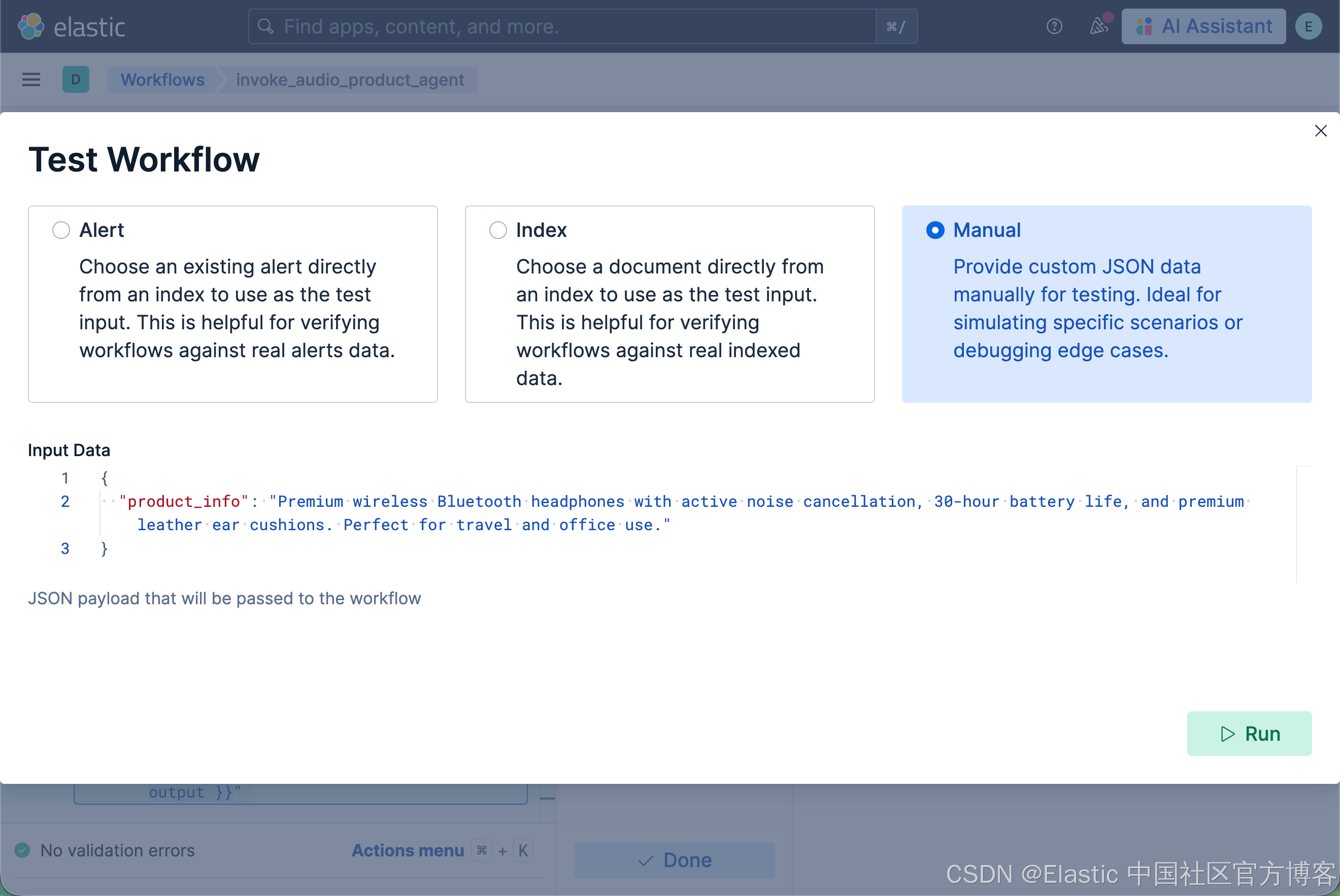
Premium wireless Bluetooth headphones with active noise cancellation, 30-hour battery life, and premium leather ear cushions. Perfect for travel and office use.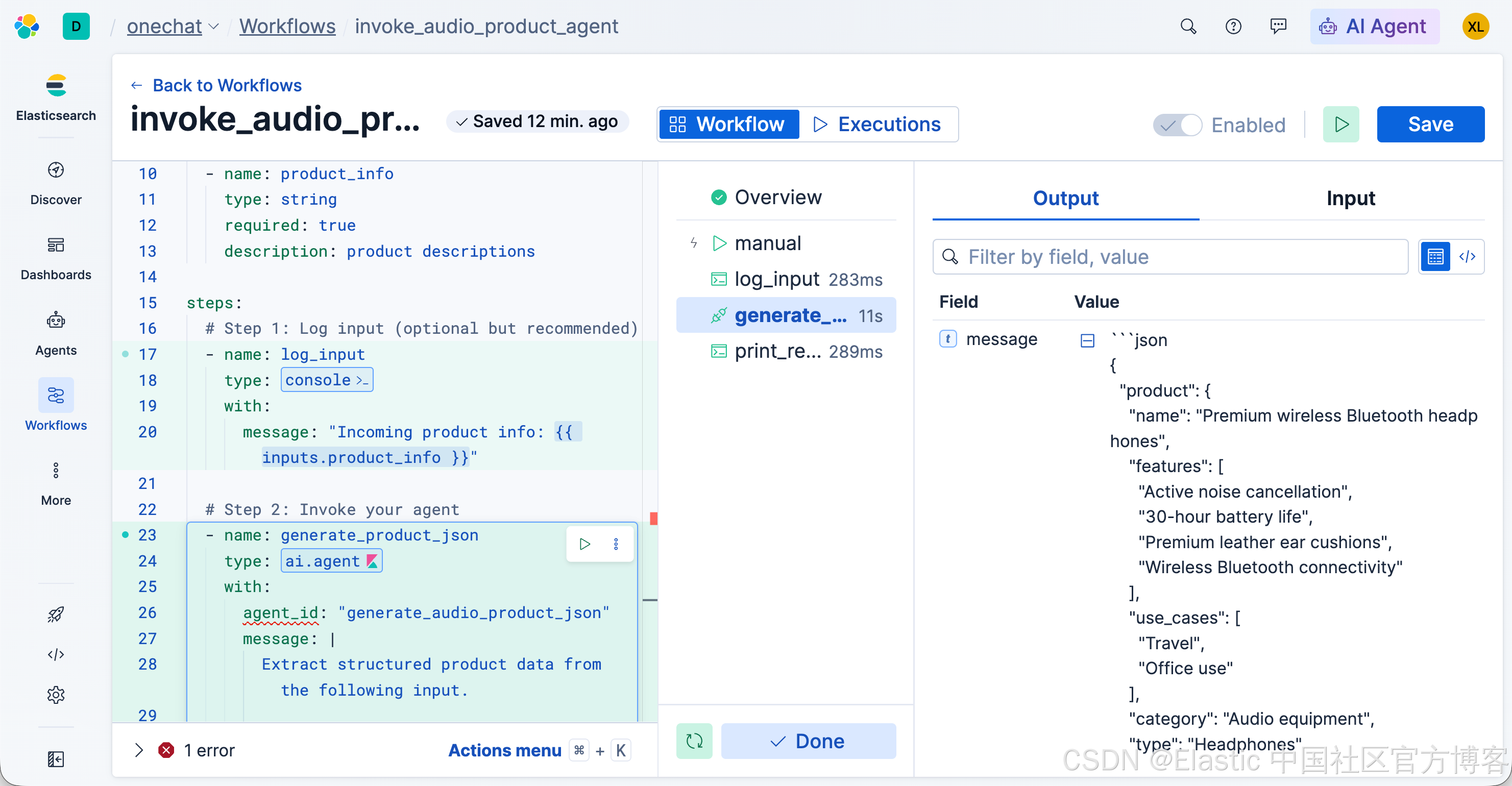
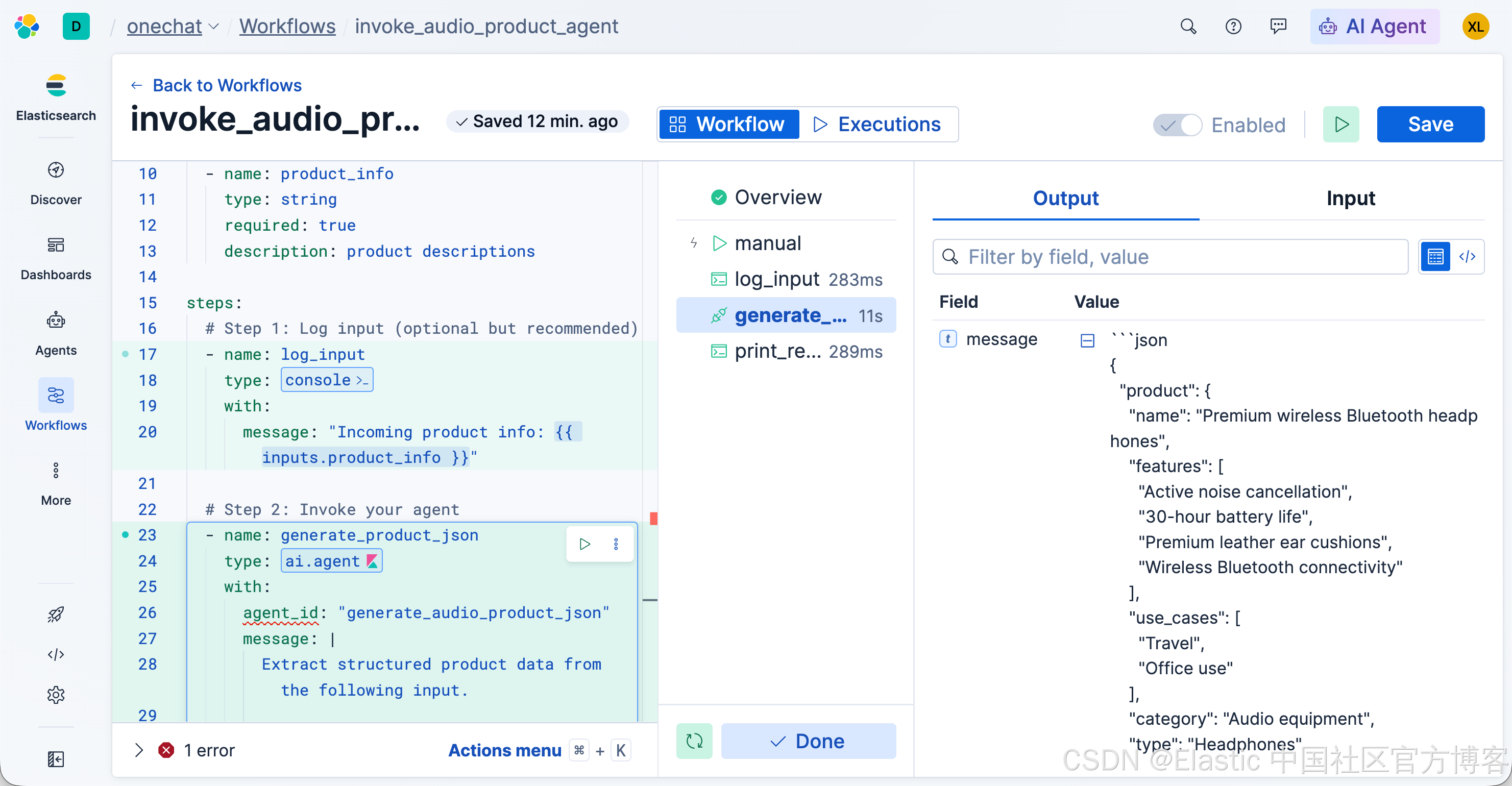
格式化输出
我们也可以在 agent 调用的时候加入数据输出的格式:
version: "1"
name: invoke_agent_example2
description: Shows a way to invoke an agent and return JSON safely
enabled: true

triggers:
  - type: manual

inputs:
  - name: query
    type: string
    default: What is the cheapest air ticket price from China to US and what are the cities?
    required: true
    description: Query a flight index

steps:
  - name: query_flight
    type: ai.agent
    with:
      agent_id: "find_the_cheapest_ticket_from_cn_us"
      message: |
        Query the flight info for this request:
        {{ inputs.query }}

        Return the result **as JSON only**, using this structure.
        Use real values if known, otherwise use null:

        {
          "price": <number or null>,
          "departure_city": "<string or null>",
          "arrival_city": "<string or null>"
        }

  - name: log_result
    type: console
    with:
      message: "Flight info JSON: {{ steps.query_flight.output }}"
如上所示,我们要求的格式是 JSON 输出:
What is the cheapest air ticket price from China to US and what are the cities?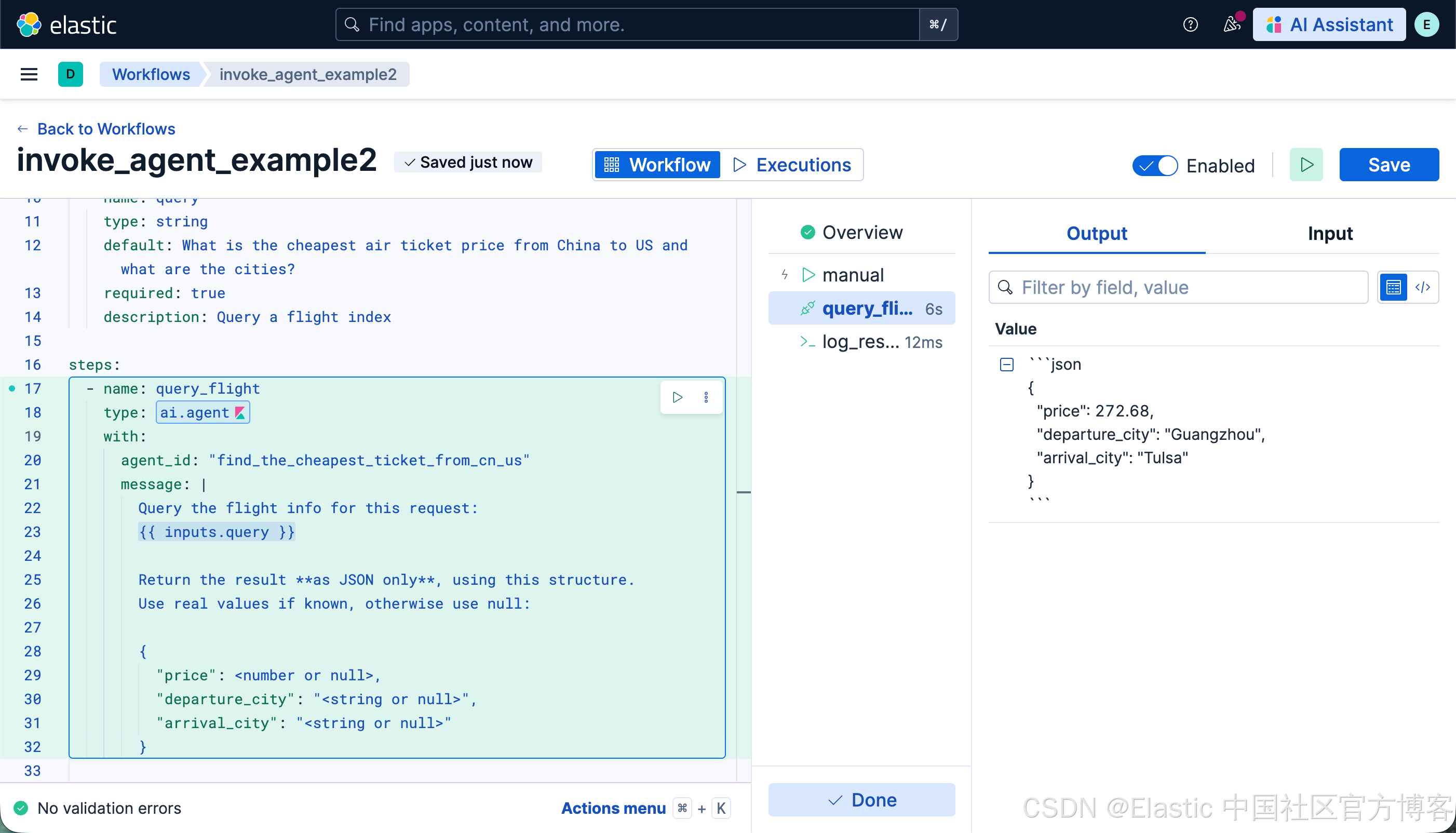
祝大家学习愉快!

小龙虾开发者社区是 CSDN 旗下专注 OpenClaw 生态的官方阵地,聚焦技能开发、插件实践与部署教程,为开发者提供可直接落地的方案、工具与交流平台,助力高效构建与落地 AI 应用
更多推荐

 0
0 0
0- 0


 已为社区贡献22条内容

所有评论(0)