
Ollama本地运行大模型完整教程(亲测有效)
本文详细介绍如何使用Ollama框架在本地运行开源大语言模型。内容包括下载安装Ollama、运行Microsoft的phi-2模型、自定义模型配置,以及实现流式传输、思考能力、结构化输出、视觉任务和工具调用等高级功能。通过Ollama,开发者可以在本地轻松部署LLM,并与各种编排框架集成,便于构建LLM应用。
Ollama Model Zoo
https://ollama.com/search
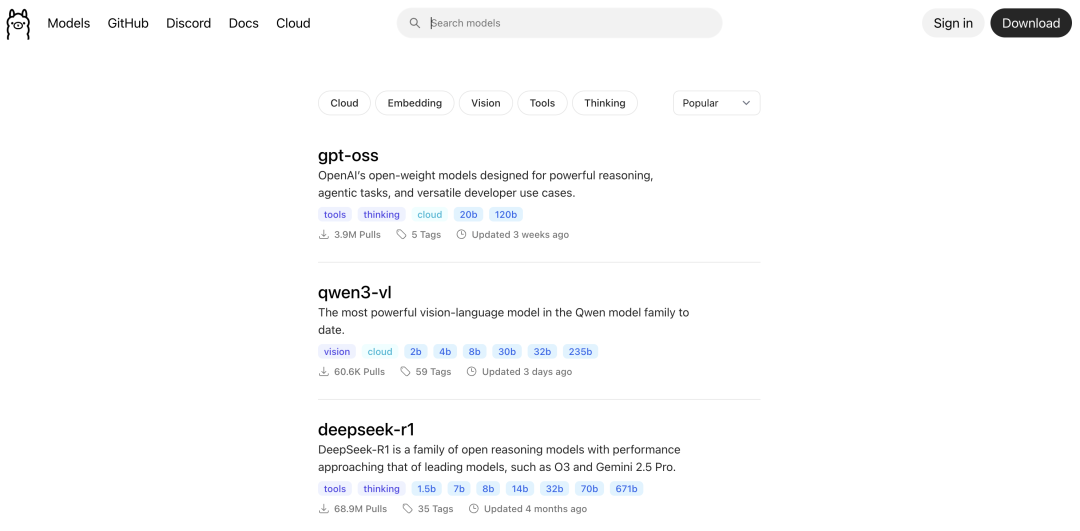
Ollama 实践: 本地运行大模型
在本地运行开源LLM比大多数人想象的要容易得多。今天,我们就来一步一步地进行实际操作演示。最终结果如下:
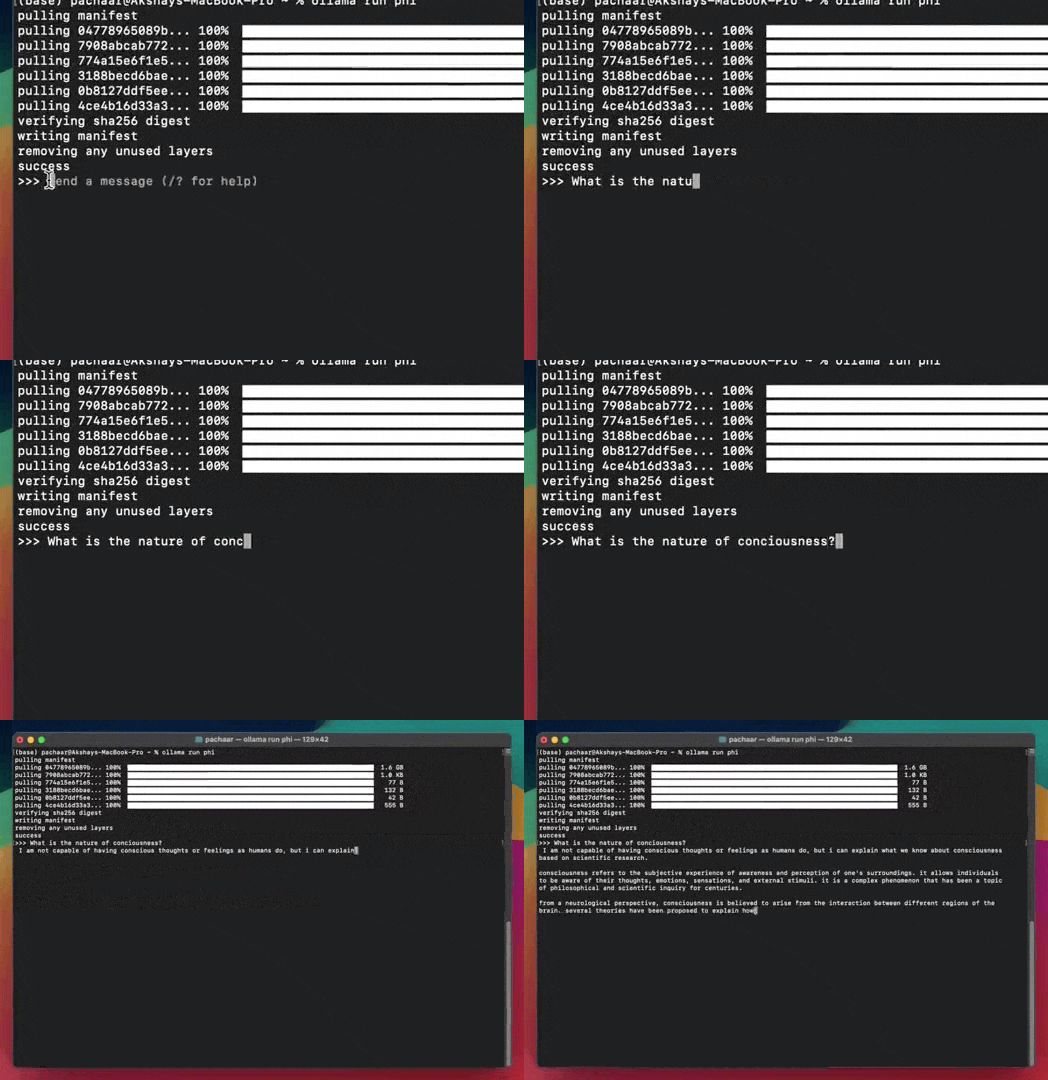
我们将使用 Ollama 运行 Microsoft 的 phi-2,Ollama 是一个框架,可以直接从本地计算机运行开源 LLM(Llama2、Llama3 等)。
下载 Ollama
访问Ollama.com,下载 Ollama 并安装它。
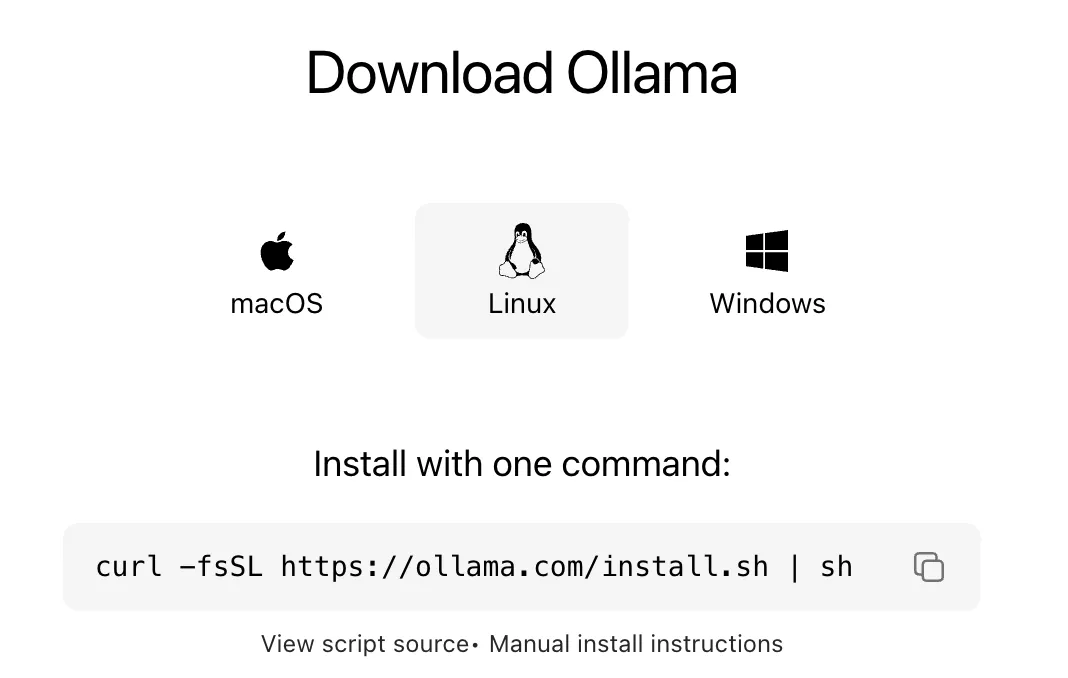
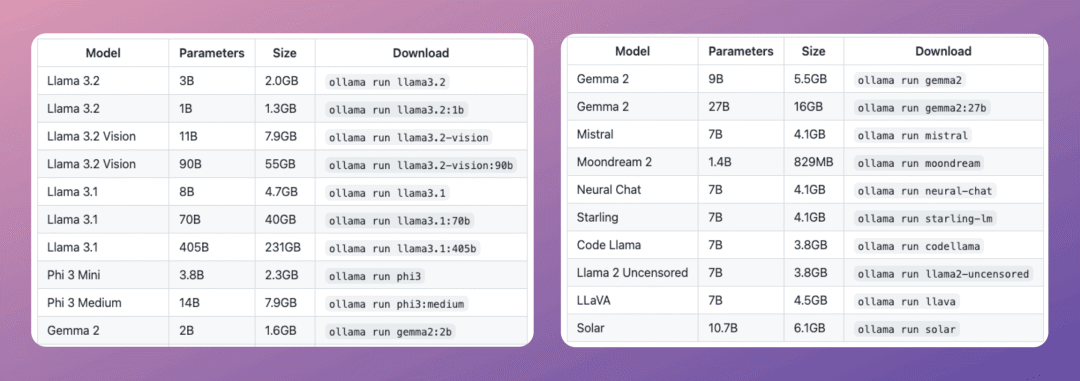
Ollama 支持多种开源模型。以下列出部分模型及其下载命令:
下载 phi-2
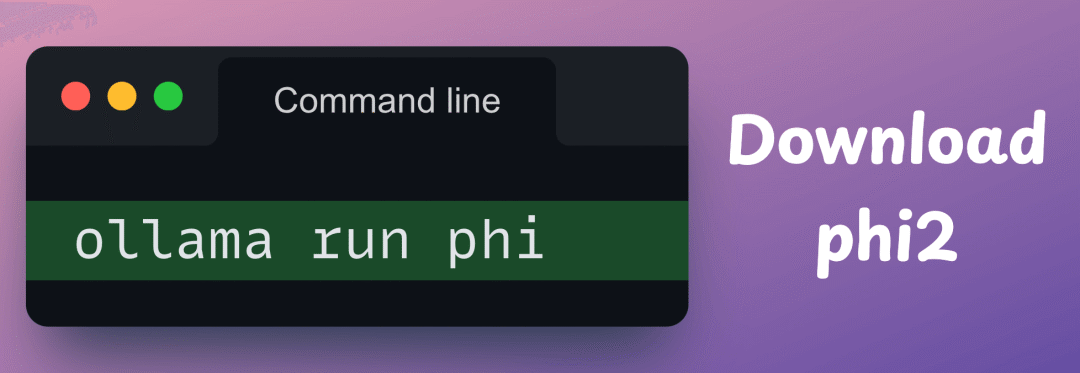
接下来,运行以下命令下载phi-2:
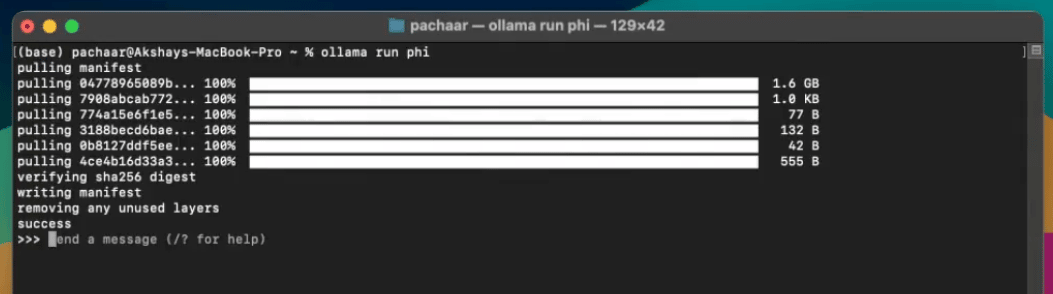
您的终端将显示以下内容:
完毕!
使用本地模型
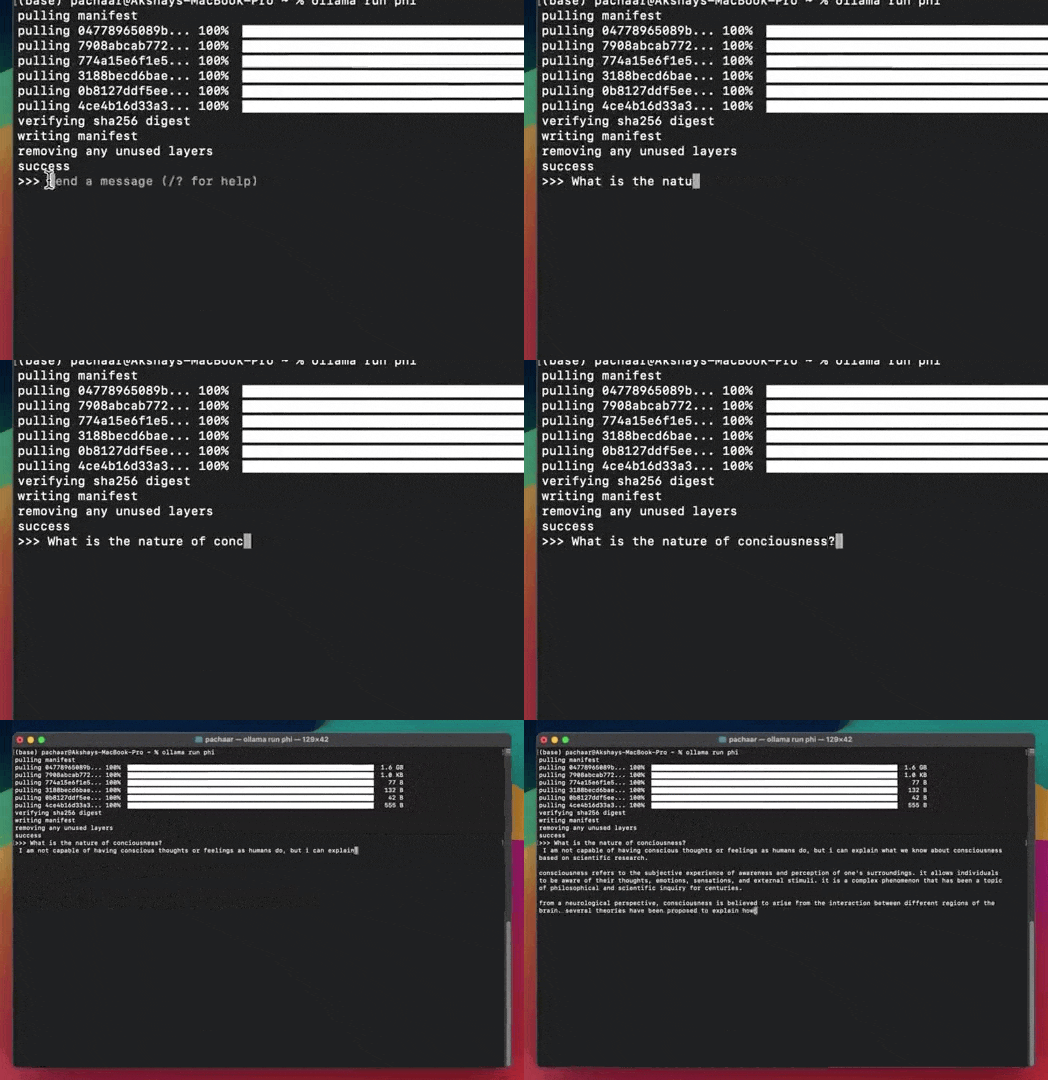
开源 LLM 现在正在您的本地计算机上运行,您可以按如下方式向其发出指令:
定制模型
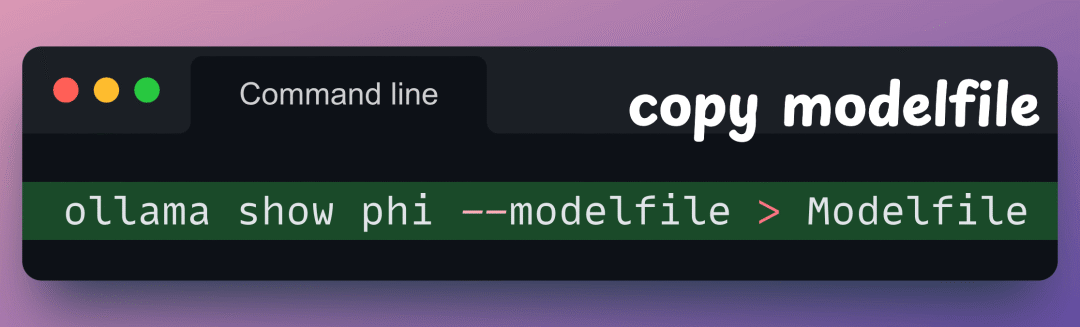
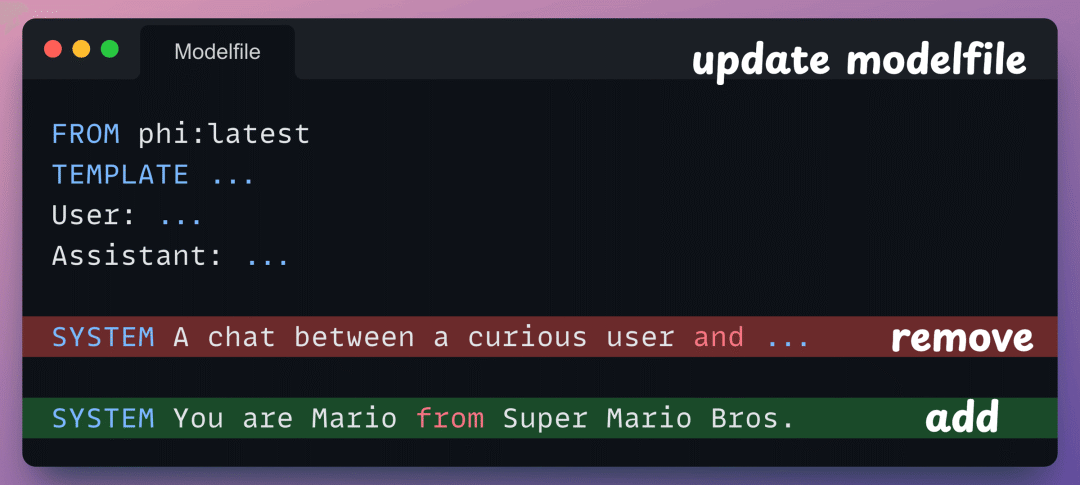
通过 Ollama 运行的模型可以通过提示进行自定义。假设你想自定义 phi-2,让它像马里奥一样说话。复制现有文件modelfile:
接下来,打开新文件并编辑PROMPT设置:
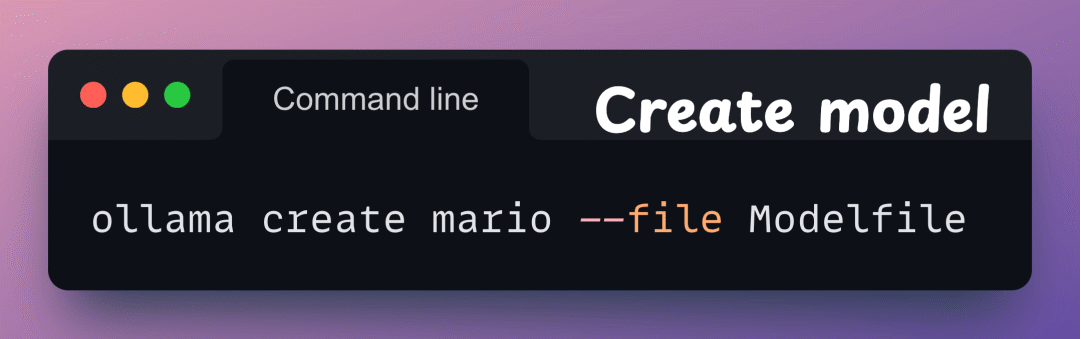
接下来,按如下方式创建您的自定义模型:
完毕!
现在运行mario模型:

这样就可以在本地使用LLM了。也就是说,Ollama 可以与几乎所有 LLM 编排框架(如 LlamaIndex、Langchain 等)优雅地集成,这使得在开源 LLM 上构建 LLM 应用程序变得更加容易。
Streaming & Thinking
**Streaming:**流式传输(Streaming)允许您在模型生成文本的同时渲染文本。REST API 默认启用流式传输,但 SDK 默认禁用流式传输。要在 SDK 中启用流式传输,请将stream参数设置为True。
Thinking:具有思考能力的模型会返回一个thinking字段,该字段将它们的推理过程与最终答案分开。使用此功能可以审核模型步骤、在用户界面中演示模型思考过程,或者在只需要最终响应时完全隐藏跟踪过程。
可以在https://ollama.com/search?c=thinking这里查到所有支持 Thinking 的模型。
- 聊天:流式传输部分助手消息。每个数据块都包含消息,
content以便您可以在消息到达时立即渲染它们。 - 思考:具备思考能力的模型会
thinking在每个数据块中除了常规内容外,还会输出一个字段。在流式数据块中检测此字段,即可在最终答案到达之前显示或隐藏推理过程。 - 工具调用:监视
tool_calls每个数据块中的流,执行请求的工具,并将工具输出附加回对话中。
结构化输出
参考文档:https://docs.ollama.com/capabilities/structured-outputs
from ollama import chatfrom pydantic import BaseModelclass Country(BaseModel): name: str capital: str languages: list[str]response = chat( model='gpt-oss', messages=[{'role': 'user', 'content': 'Tell me about Canada.'}], format=Country.model_json_schema(),)country = Country.model_validate_json(response.message.content)print(country)
输出示例:
name=‘Canada’ capital=‘Ottawa’ languages=[‘English’, ‘French’, ‘Official languages: English and French (French is the majority in Quebec)’]
视觉任务
- Lower the temperature (e.g., set it to
0) for more deterministic completions.
from ollama import chatfrom pydantic import BaseModelfrom typing import Literal, Optionalclass Object(BaseModel): name: str confidence: float attributes: strclass ImageDescription(BaseModel): summary: str objects: list[Object] scene: str colors: list[str] time_of_day: Literal['Morning', 'Afternoon', 'Evening', 'Night'] setting: Literal['Indoor', 'Outdoor', 'Unknown'] text_content: Optional[str] = Noneresponse = chat( model='gemma3', messages=[{ 'role': 'user', 'content': 'Describe this photo and list the objects you detect.', 'images': ['path/to/image.jpg'], }], format=ImageDescription.model_json_schema(), options={'temperature': 0},)image_description = ImageDescription.model_validate_json(response.message.content)print(image_description)
工具调用
from ollama import chatdef get_temperature(city: str) -> str: """Get the current temperature for a city Args: city: The name of the city Returns: The current temperature for the city """ temperatures = { "New York": "22°C", "London": "15°C", "Tokyo": "18°C" } return temperatures.get(city, "Unknown")def get_conditions(city: str) -> str: """Get the current weather conditions for a city Args: city: The name of the city Returns: The current weather conditions for the city """ conditions = { "New York": "Partly cloudy", "London": "Rainy", "Tokyo": "Sunny" } return conditions.get(city, "Unknown")messages = [{'role': 'user', 'content': 'What are the current weather conditions and temperature in New York and London?'}]# The python client automatically parses functions as a tool schema so we can pass them directly# Schemas can be passed directly in the tools list as well response = chat(model='qwen3', messages=messages, tools=[get_temperature, get_conditions], think=True)# add the assistant message to the messagesmessages.append(response.message)if response.message.tool_calls: # process each tool call for call in response.message.tool_calls: # execute the appropriate tool if call.function.name == 'get_temperature': result = get_temperature(**call.function.arguments) elif call.function.name == 'get_conditions': result = get_conditions(**call.function.arguments) else: result = 'Unknown tool' # add the tool result to the messages messages.append({'role': 'tool', 'tool_name': call.function.name, 'content': str(result)}) # generate the final response final_response = chat(model='qwen3', messages=messages, tools=[get_temperature, get_conditions], think=True) print(final_response.message.content)
最后
我在一线科技企业深耕十二载,见证过太多因技术卡位而跃迁的案例。那些率先拥抱 AI 的同事,早已在效率与薪资上形成代际优势,我意识到有很多经验和知识值得分享给大家,也可以通过我们的能力和经验解答大家在大模型的学习中的很多困惑。
我整理出这套 AI 大模型突围资料包:
- ✅AI大模型学习路线图
- ✅Agent行业报告
- ✅100集大模型视频教程
- ✅大模型书籍PDF
- ✅DeepSeek教程
- ✅AI产品经理入门资料
如果你也想通过学大模型技术去帮助自己升职和加薪,可以扫描下方链接【保证100%免费】👇👇
为什么说现在普通人就业/升职加薪的首选是AI大模型?
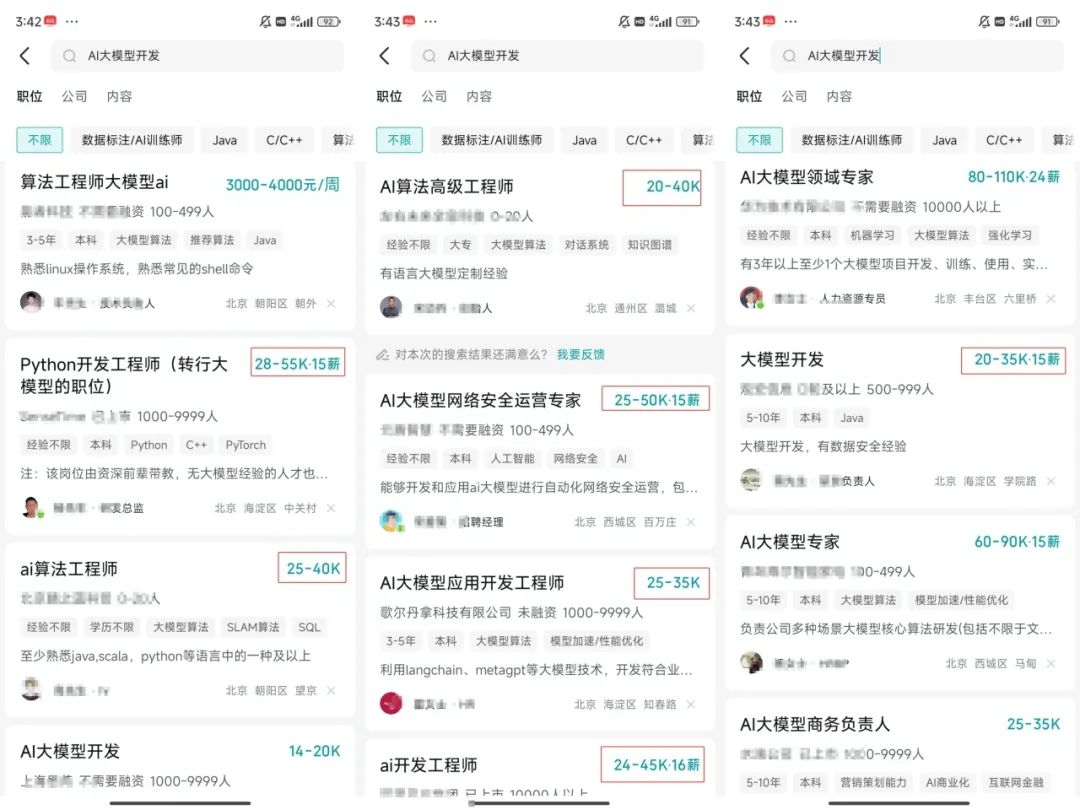
人工智能技术的爆发式增长,正以不可逆转之势重塑就业市场版图。从DeepSeek等国产大模型引发的科技圈热议,到全国两会关于AI产业发展的政策聚焦,再到招聘会上排起的长队,AI的热度已从技术领域渗透到就业市场的每一个角落。
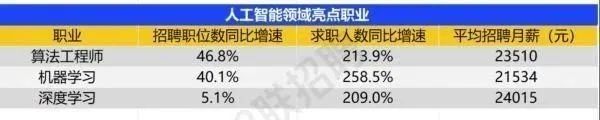
智联招聘的最新数据给出了最直观的印证:2025年2月,AI领域求职人数同比增幅突破200% ,远超其他行业平均水平;整个人工智能行业的求职增速达到33.4%,位居各行业榜首,其中人工智能工程师岗位的求职热度更是飙升69.6%。
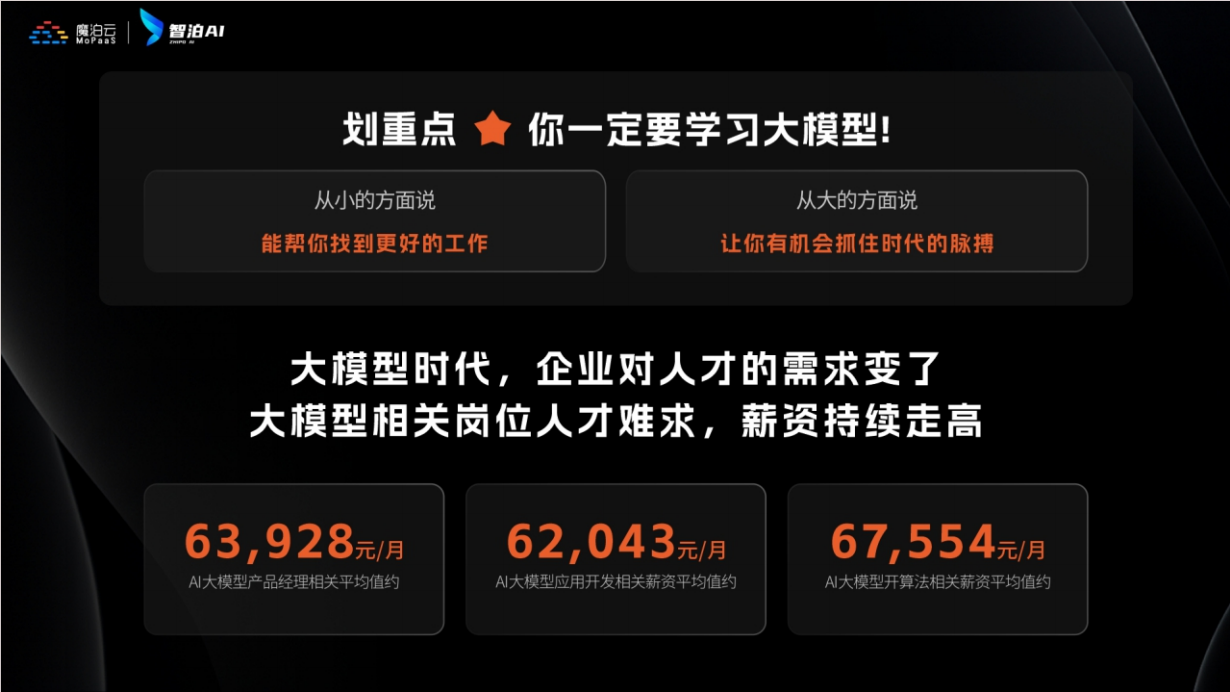
AI产业的快速扩张,也让人才供需矛盾愈发突出。麦肯锡报告明确预测,到2030年中国AI专业人才需求将达600万人,人才缺口可能高达400万人,这一缺口不仅存在于核心技术领域,更蔓延至产业应用的各个环节。
资料包有什么?
①从入门到精通的全套视频教程
包含提示词工程、RAG、Agent等技术点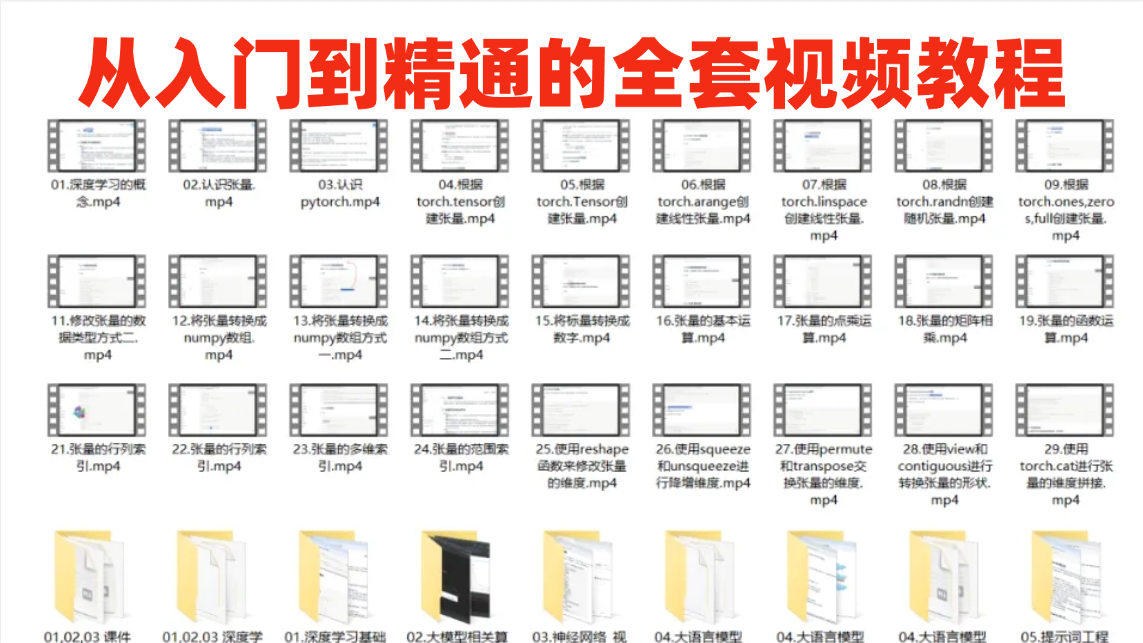
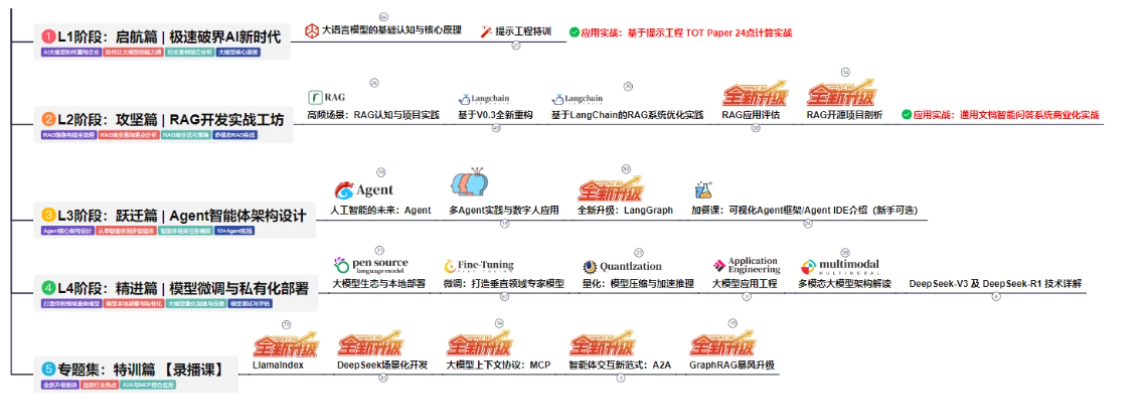
② AI大模型学习路线图(还有视频解说)
全过程AI大模型学习路线
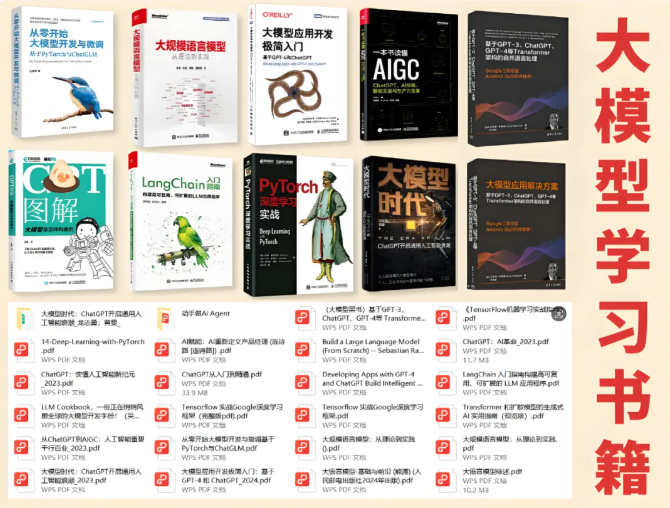
③学习电子书籍和技术文档
市面上的大模型书籍确实太多了,这些是我精选出来的
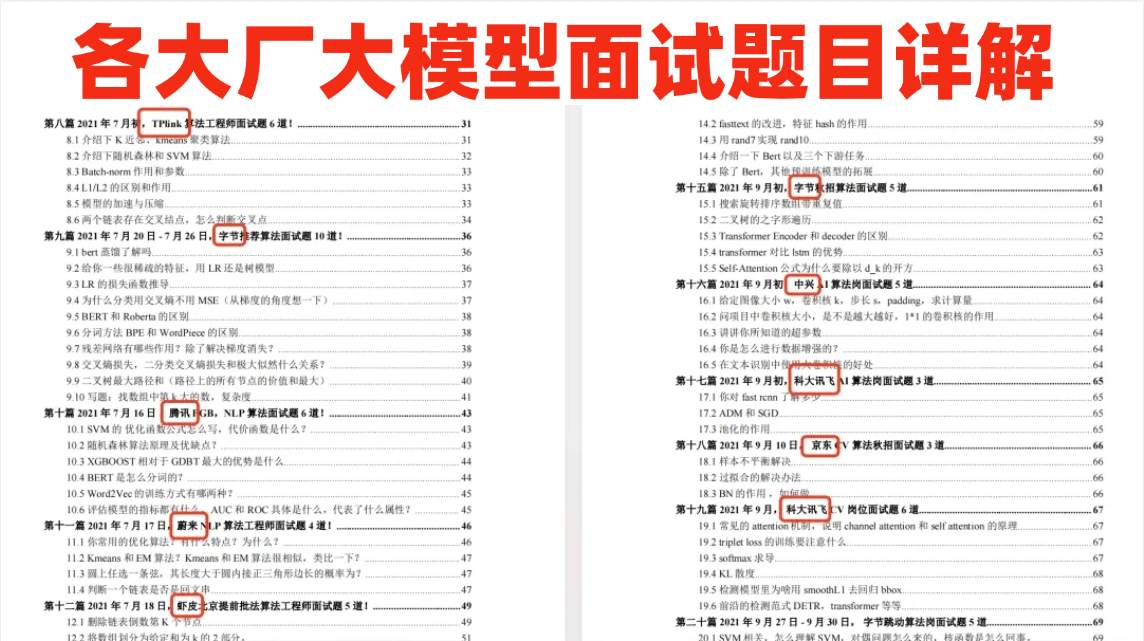
④各大厂大模型面试题目详解
⑤ 这些资料真的有用吗?
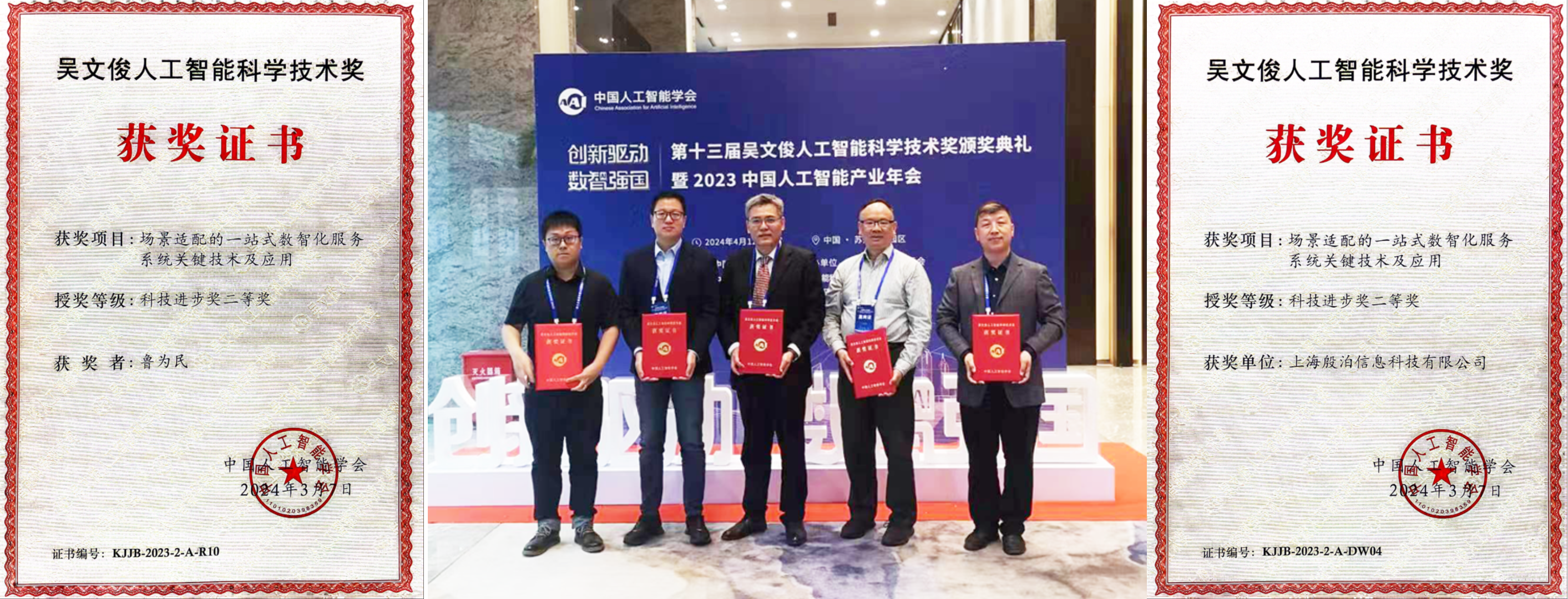
这份资料由我和鲁为民博士共同整理,鲁为民博士先后获得了北京清华大学学士和美国加州理工学院博士学位,在包括IEEE Transactions等学术期刊和诸多国际会议上发表了超过50篇学术论文、取得了多项美国和中国发明专利,同时还斩获了吴文俊人工智能科学技术奖。目前我正在和鲁博士共同进行人工智能的研究。
所有的视频教程由智泊AI老师录制,且资料与智泊AI共享,相互补充。这份学习大礼包应该算是现在最全面的大模型学习资料了。
资料内容涵盖了从入门到进阶的各类视频教程和实战项目,无论你是小白还是有些技术基础的,这份资料都绝对能帮助你提升薪资待遇,转行大模型岗位。
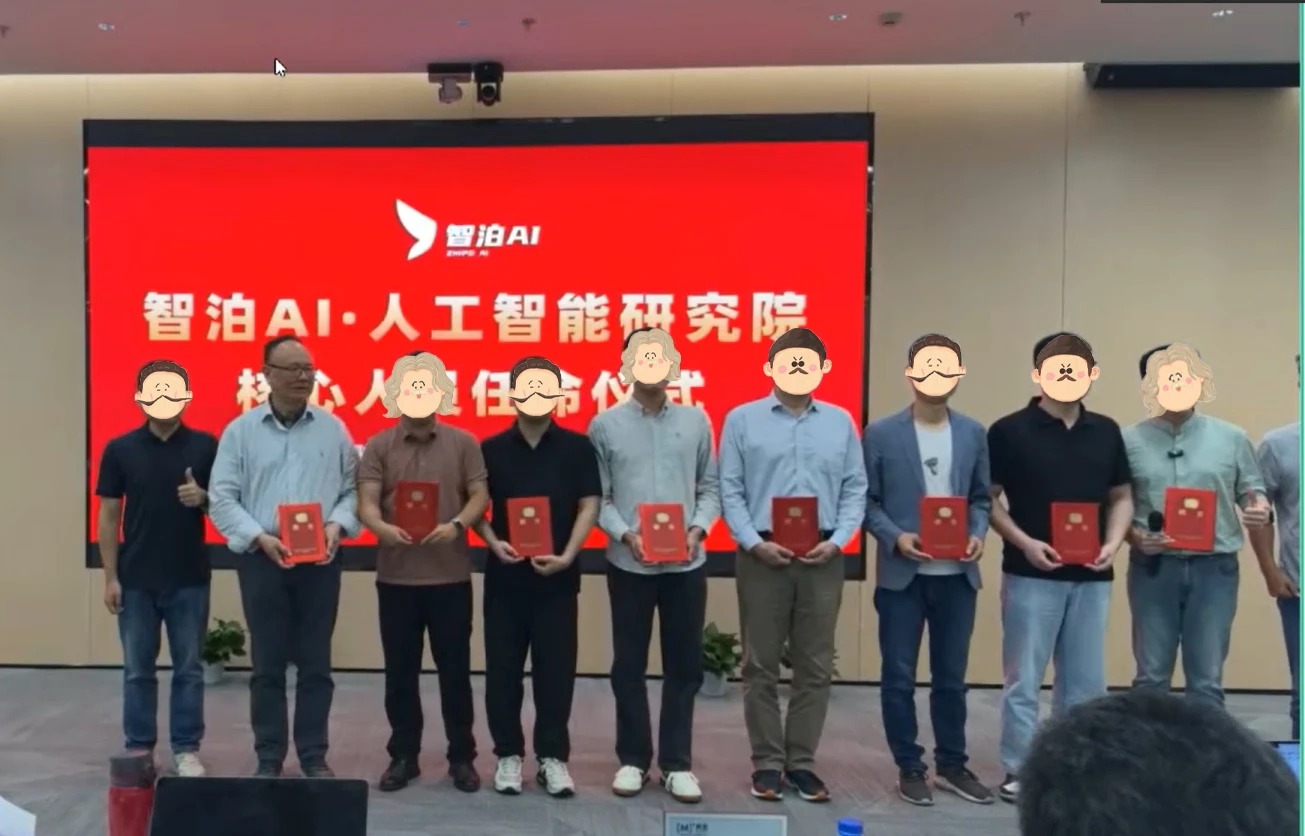
智泊AI始终秉持着“让每个人平等享受到优质教育资源”的育人理念,通过动态追踪大模型开发、数据标注伦理等前沿技术趋势,构建起"前沿课程+智能实训+精准就业"的高效培养体系。
课堂上不光教理论,还带着学员做了十多个真实项目。学员要亲自上手搞数据清洗、模型调优这些硬核操作,把课本知识变成真本事!
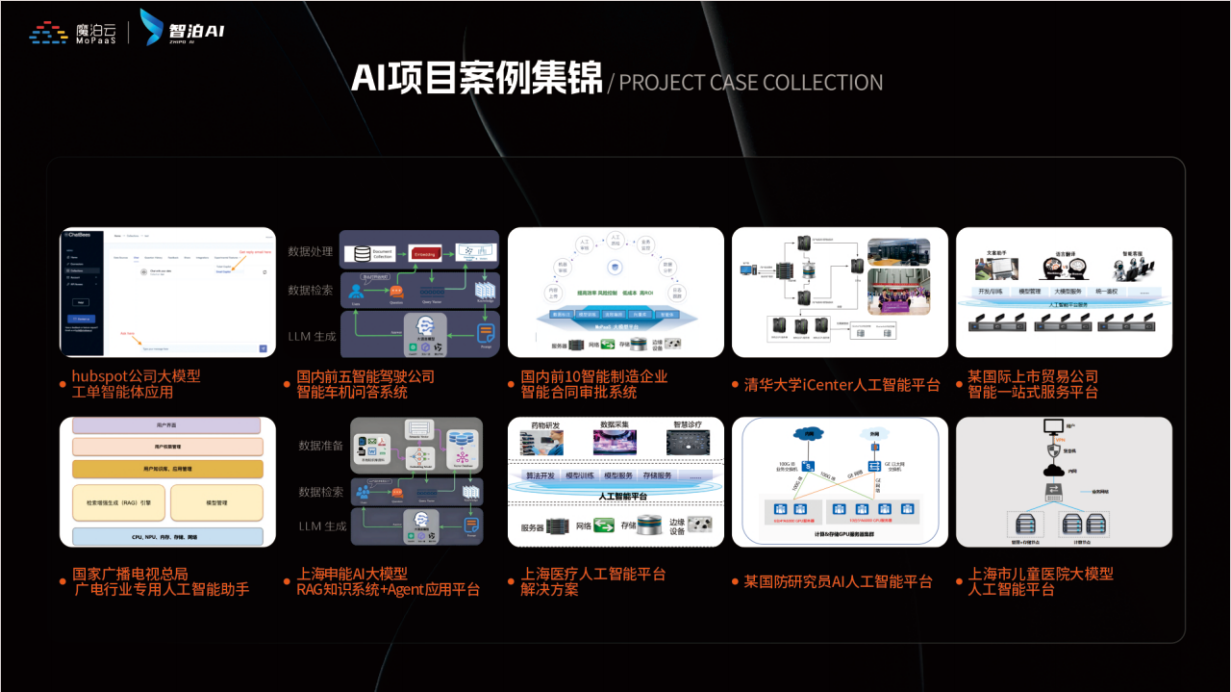
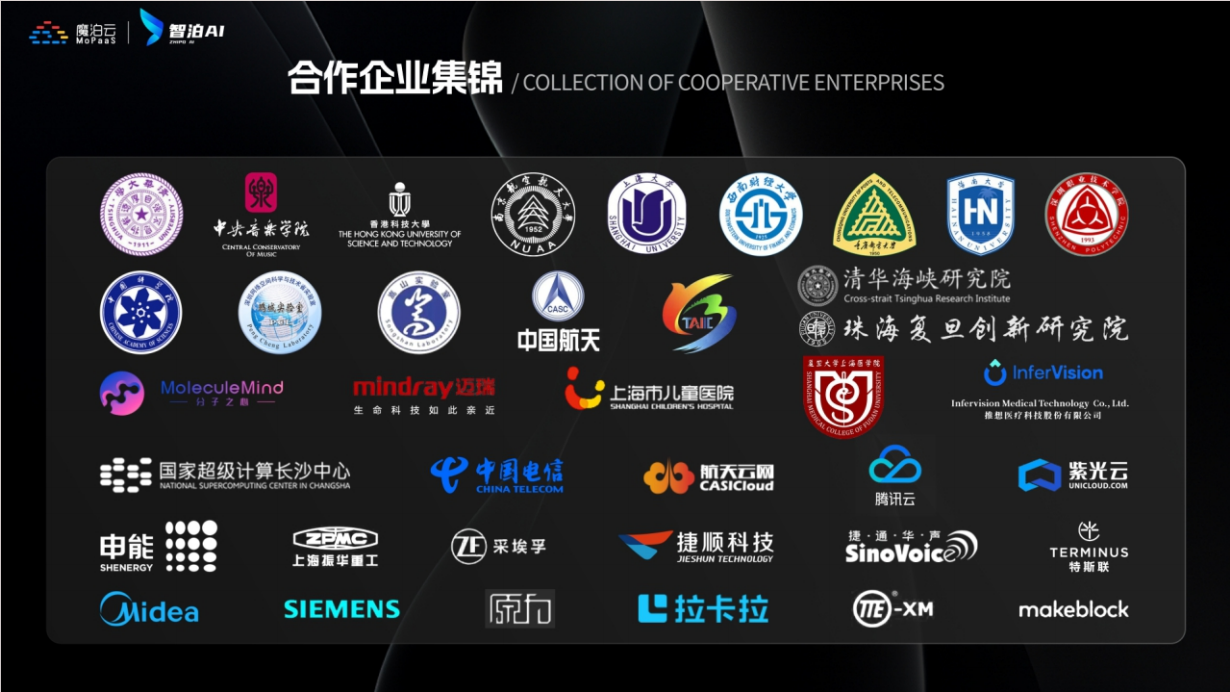
如果说你是以下人群中的其中一类,都可以来智泊AI学习人工智能,找到高薪工作,一次小小的“投资”换来的是终身受益!
应届毕业生:无工作经验但想要系统学习AI大模型技术,期待通过实战项目掌握核心技术。
零基础转型:非技术背景但关注AI应用场景,计划通过低代码工具实现“AI+行业”跨界。
业务赋能 突破瓶颈:传统开发者(Java/前端等)学习Transformer架构与LangChain框架,向AI全栈工程师转型。
👉获取方式:
😝有需要的小伙伴,可以保存图片到wx扫描二v码免费领取【保证100%免费】🆓**
更多推荐
 22
22 0
0- 0


 已为社区贡献325条内容

所有评论(0)