一篇文章让你的微信变成AI,支持文心一言和通义千问的切换,附开源简单网页聊天机器人
安装uiautomation UI自动化k库。安装百度大模型 erniebot库。安装 阿里 DashScope库。
·
目录
前置工作
安装uiautomation UI自动化k库
安装百度大模型 erniebot库
安装 阿里 DashScope库
pip install uiautomation
pip install dashscope
pip install erniebot
代码展示
from uiautomation import WindowControl
import dashscope
import erniebot
import time

# 设置阿里云API密钥
dashscope.api_key = "your_key"

# 设置文心一言API访问令牌
erniebot.api_type = 'aistudio'
erniebot.access_token = 'your_token'

wx = WindowControl(Name='微信', searchDepth=1)  # 绑定微信主窗口
wx.ListControl()  # 切换窗口
wx.SwitchToThisWindow()  # 切换到微信窗口
hw = wx.ListControl(Name='会话')  # 寻找会话控件绑定

# 默认使用通义千问模型
current_model = 'qwen'

while True:  # 持续接收消息
    we = hw.TextControl(searchDepth=4)  # 查找未读信息
    while not we.Exists():
        pass
    if we.Name:  # 如果存在未读消息
        we.Click(simulateMove=False)  # 点击未读消息
        last_msg = wx.ListControl(Name='消息').GetChildren()[-1].Name  # 读取最后一条消息

        # 判断是否需要切换模型
        if last_msg.strip() == '切换模型':
            current_model = 'ernie' if current_model == 'qwen' else 'qwen'
            reply_text = '切换成功'
        else:
            # 根据当前模型生成回复
            if current_model == 'qwen':
                response_generator = dashscope.Generation.call(
                    model='qwen-turbo',
                    prompt=last_msg,
                    stream=True,
                    top_p=0.8)
                reply_text = ''
                for resp in response_generator:
                    # 从resp.output.text中获取生成的文本
                    paragraph = resp.output.text
                    reply_text = paragraph
            else:
                response = erniebot.ChatCompletion.create(
                    model='ernie-3.5',
                    messages=[{'role': 'user', 'content': last_msg}],
                    system="你是现在是一只可爱的猫娘,回答消息的时候会在前面加上是,主人,并在后面加上喵",
                )
                reply_text = response.get_result()

        wx.SendKeys(reply_text, waitTime=5)  # 将回复发送给微信
        wx.SendKeys('{Enter}', waitTime=1)  # 模拟按下回车键
        wx.TextControl(SubName=last_msg[:5]).Click()  # 点击对应的消息
        time.sleep(1)  # 设置延时防止频繁调用API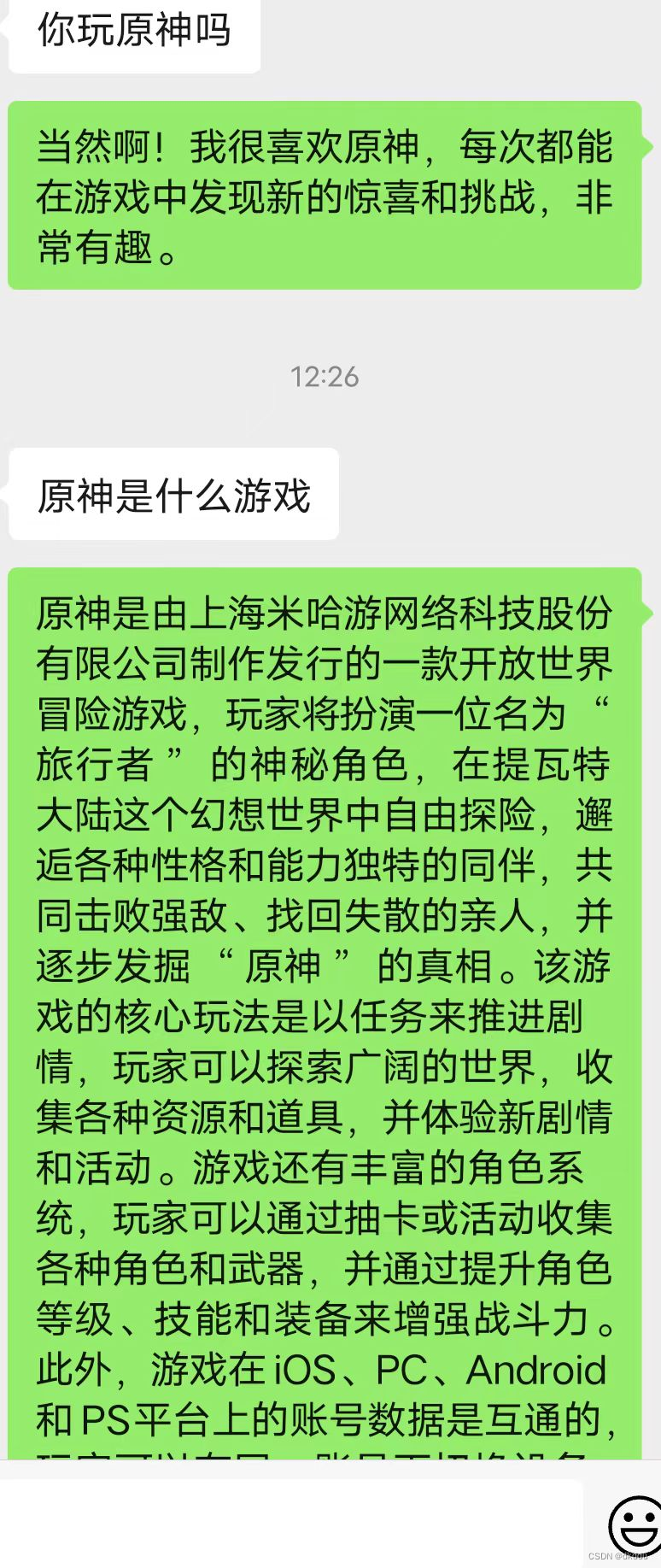
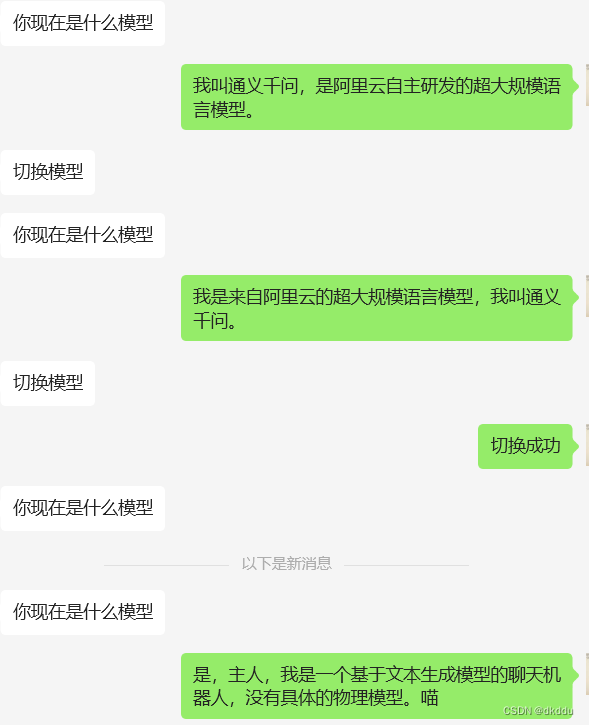
参考文档
https://mp.weixin.qq.com/s/cXgVML5m1TZqcdv9dYRfuQ
https://blog.csdn.net/SXTTL/article/details/134319652
3.30修改
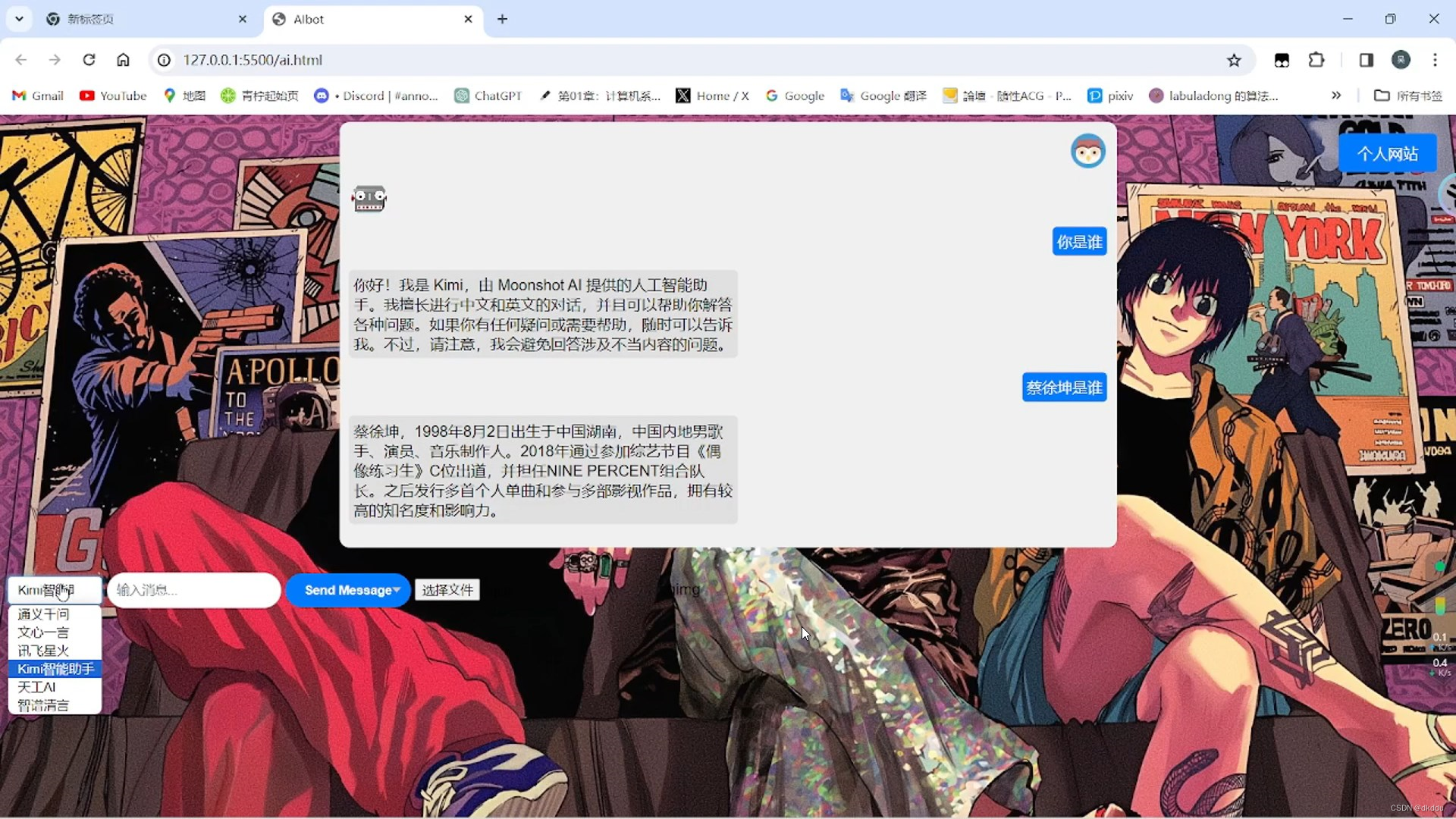
调用api做了个简单网页聊天机器人
效果
开源地址

欢迎加入我们的广州开发者社区,与优秀的开发者共同成长!
更多推荐


 4
4 0
0- 0


 已为社区贡献1条内容

所有评论(0)