
【Flutter】使用 Git 管理 Flutter 源码进行 Windows + MacOS 双端开发 ( Gitee 创建项目 | 生成 SSH 秘钥 | Git 命令 )
文章目录
一、使用 Git 管理 Flutter 代码
1、Gitee 项目创建
在 Gitee 中创建了 client_terminal 项目 , 项目地址如下 :
- https://gitee.com/hanshulaing/client_terminal.git
- git@gitee.com:hanshulaing/client_terminal.git
Git 简易的命令行入门教程:
- Git 全局设置:
git config --global user.name "韩曙亮"
git config --global user.email "8281111+hanshulaing@user.noreply.gitee.com"
- 创建 git 仓库:
mkdir client_terminal
cd client_terminal
git init
touch README.md
git add README.md
git commit -m "first commit"
git remote add origin https://gitee.com/hanshulaing/client_terminal.git
git push -u origin "master"
- 已有仓库?
cd existing_git_repo
git remote add origin https://gitee.com/hanshulaing/client_terminal.git
git push -u origin "master"
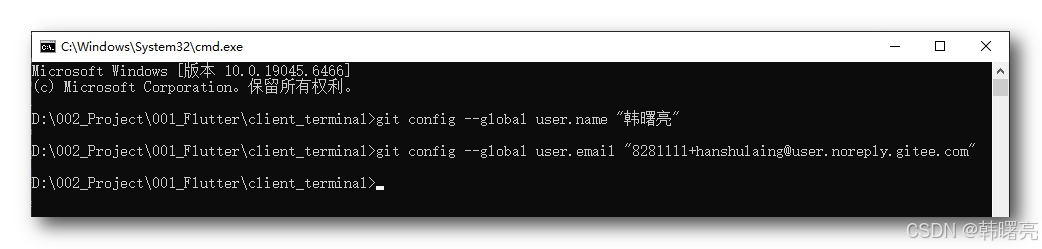
2、设置全局用户和邮箱
D:\002_Project\001_Flutter\client_terminal>git config --global user.name "韩曙亮"

D:\002_Project\001_Flutter\client_terminal>git config --global user.email "8281111+hanshulaing@user.noreply.gitee.com"

D:\002_Project\001_Flutter\client_terminal>
3、生成 SSH 秘钥
生成 Git 秘钥 , 方便提交代码 , 执行
ssh-keygen -t ed25519 -C "8281111+hanshulaing@user.noreply.gitee.com"
命令 , 然后一路回车即可 , 密码也直接回车 , 不需要密码 ;
D:\002_Project\001_Flutter\client_terminal>ssh-keygen -t ed25519 -C "8281111+hanshulaing@user.noreply.gitee.com"
Generating public/private ed25519 key pair.
Enter file in which to save the key (C:\Users\octop/.ssh/id_ed25519):
Enter passphrase (empty for no passphrase):
Enter same passphrase again:
Your identification has been saved in C:\Users\octop/.ssh/id_ed25519
Your public key has been saved in C:\Users\octop/.ssh/id_ed25519.pub
The key fingerprint is:
SHA256:bbh68aJfCHrRmadW3owK75uuU7UannZpwagTczhS36M 8281111+hanshulaing@user.noreply.gitee.com
The key's randomart image is:
+--[ED25519 256]--+
|                 |
|                 |
|                 |
|      .. =.      |
|     .ooS==.     |
|    ..=oBO*+     |
|    ..oO=B++o    |
|     .+=E+=      |
|      +@O=       |
+----[SHA256]-----+

D:\002_Project\001_Flutter\client_terminal>
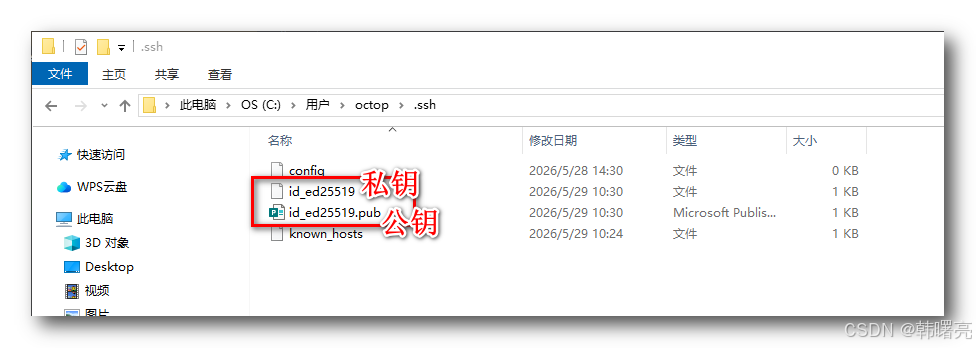
在 " C:\Users\octop.ssh " 目录 , 生成了一个公钥和私钥 , id_ed25519 是 私钥 , id_ed25519.pub 是 公钥 ;
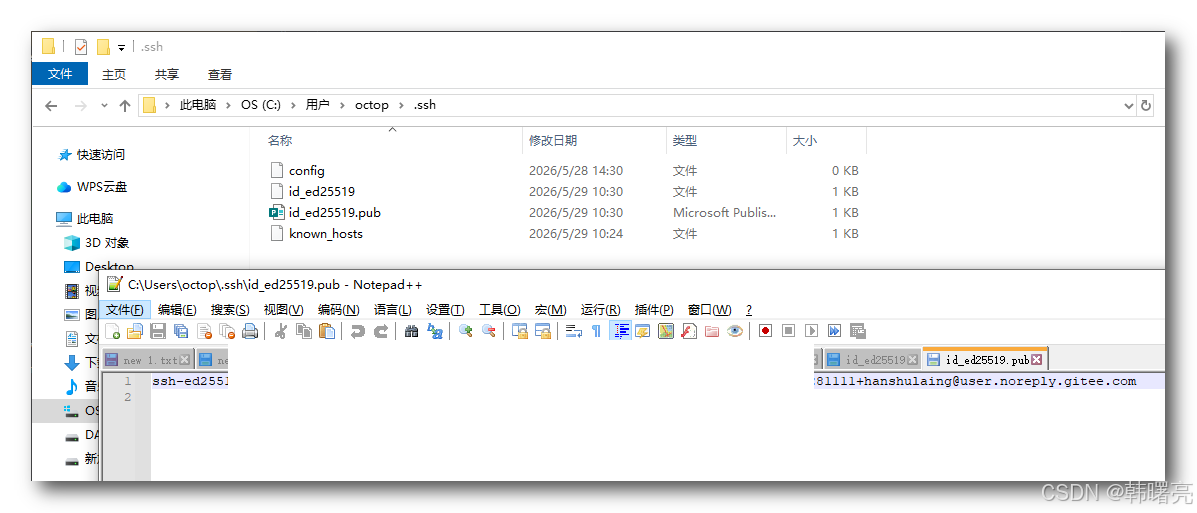
使用记事本打开公钥 , 长这样 , 这个不需要保密 , 可以公开 , 配置到 Gitee 的 公钥配置中 ;
ssh-ed25519 AAAAC3NzaC1lZDI1NTE5AAAAIPLAhjuQHqFC1LdF/eu7DQXYWqGN/dd40F+47rPDV6QA 8281111+hanshulaing@user.noreply.gitee.com
将公钥 配置 到 Gitee 后台 的 SSH 公钥 配置界面 即可 ;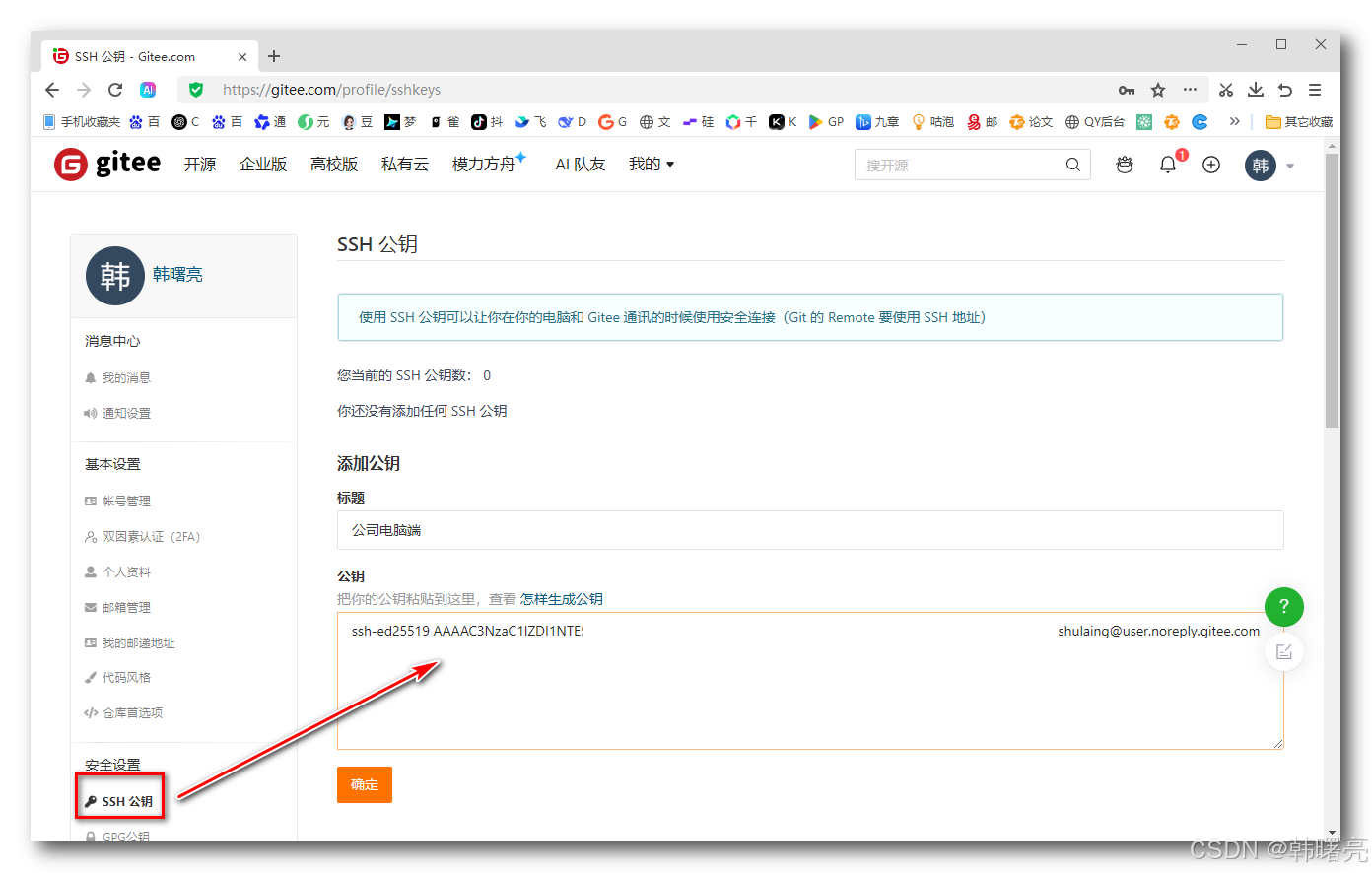
至此 , 本地秘钥配置完毕 ;
4、编写 .gitignore 文件
这是 Flutter 生成的 .gitignore 文件 , 暂时使用该文件控制 Git 代码同步 ;
# Miscellaneous
*.class
*.log
*.pyc
*.swp
.DS_Store
.atom/
.build/
.buildlog/
.history
.svn/
.swiftpm/
migrate_working_dir/

# IntelliJ related
*.iml
*.ipr
*.iws
.idea/

# The .vscode folder contains launch configuration and tasks you configure in
# VS Code which you may wish to be included in version control, so this line
# is commented out by default.
#.vscode/

# Flutter/Dart/Pub related
**/doc/api/
**/ios/Flutter/.last_build_id
.dart_tool/
.flutter-plugins-dependencies
.pub-cache/
.pub/
/build/
/coverage/

# Symbolication related
app.*.symbols

# Obfuscation related
app.*.map.json

# Android Studio will place build artifacts here
/android/app/debug
/android/app/profile
/android/app/release
5、初始化 Git 目录
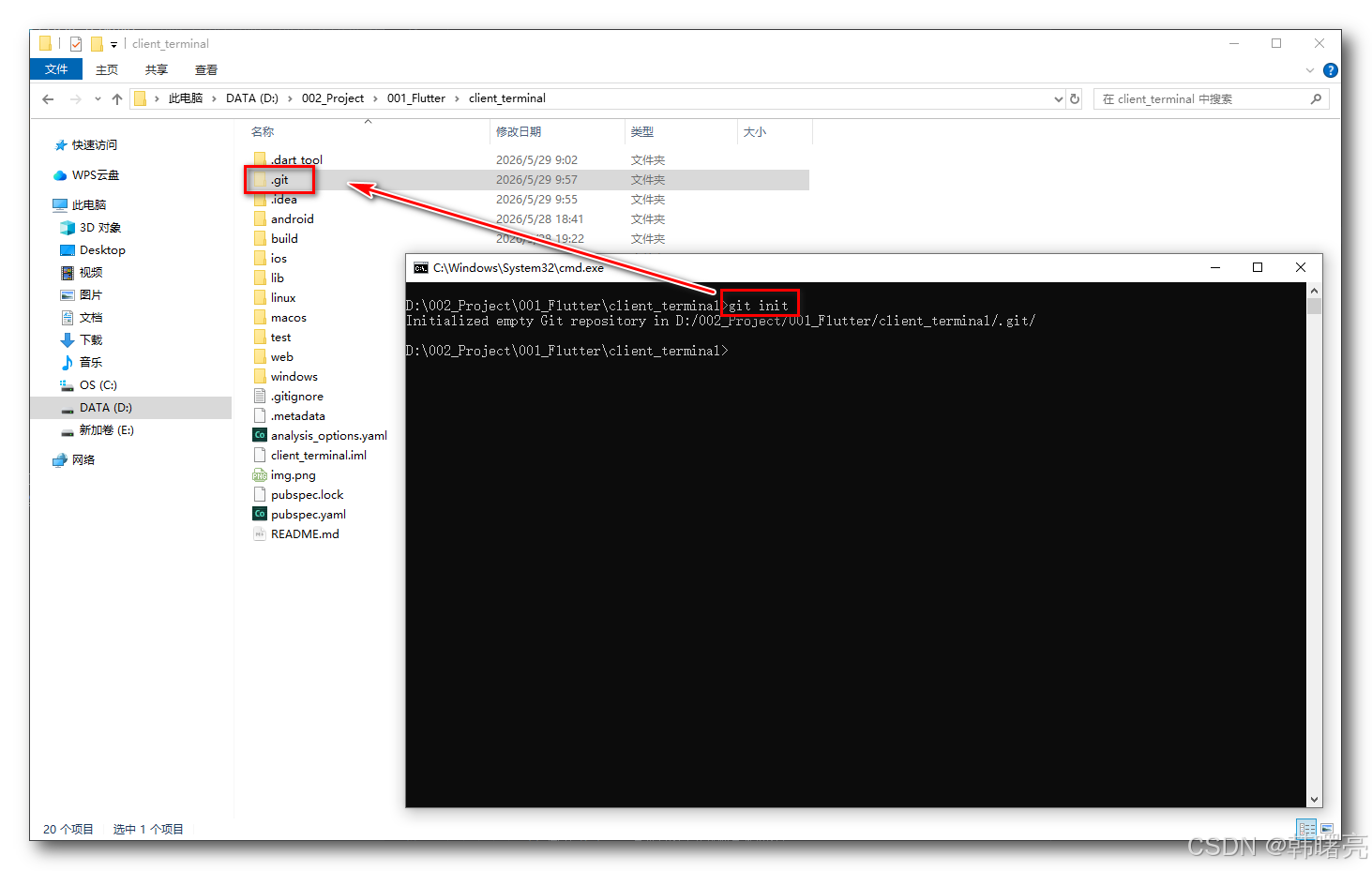
执行 git init 命令 , 创建 Git 管理目录 ;
D:\002_Project\001_Flutter\client_terminal>git init
Initialized empty Git repository in D:/002_Project/001_Flutter/client_terminal/.git/
6、添加文件到暂存区
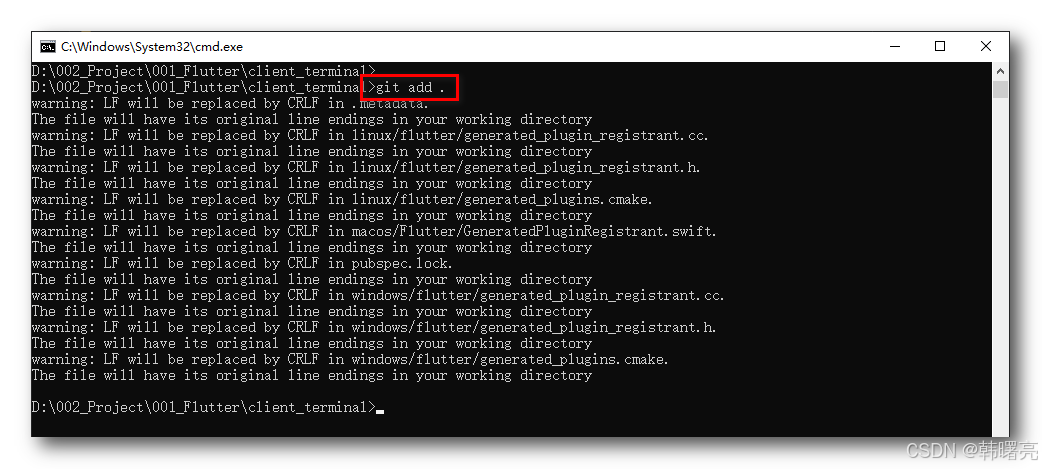
执行 git add . 命令 , 将 client_terminal 目录下的所有文件放入到 Git 暂存区 , 该命令会自动考虑并跳过 .gitignore 里写的忽略文件 , 不会把它们加入暂存区 ;
下面的 警告 是因为 Windows 和 Mac / Linux 中的 换行符不一样导致的 ,
- Windows 用:CRLF 换行符
- Mac/Linux/Flutter 生成的文件用:LF 换行符
D:\002_Project\001_Flutter\client_terminal>git add .
warning: LF will be replaced by CRLF in .metadata.
The file will have its original line endings in your working directory
warning: LF will be replaced by CRLF in linux/flutter/generated_plugin_registrant.cc.
The file will have its original line endings in your working directory
warning: LF will be replaced by CRLF in linux/flutter/generated_plugin_registrant.h.
The file will have its original line endings in your working directory
warning: LF will be replaced by CRLF in linux/flutter/generated_plugins.cmake.
The file will have its original line endings in your working directory
warning: LF will be replaced by CRLF in macos/Flutter/GeneratedPluginRegistrant.swift.
The file will have its original line endings in your working directory
warning: LF will be replaced by CRLF in pubspec.lock.
The file will have its original line endings in your working directory
warning: LF will be replaced by CRLF in windows/flutter/generated_plugin_registrant.cc.
The file will have its original line endings in your working directory
warning: LF will be replaced by CRLF in windows/flutter/generated_plugin_registrant.h.
The file will have its original line endings in your working directory
warning: LF will be replaced by CRLF in windows/flutter/generated_plugins.cmake.
The file will have its original line endings in your working directory

D:\002_Project\001_Flutter\client_terminal>
7、Windows / MacOS / Linux 换行符问题
为了 Windows 和 Mac 双端开发 , 这里做出一个约定 , 仓库中始终使用 LF 换行 , 也就是 Mac 的 LF 换行模式 ,
Windows 端执行 如下命令 :
git config --global core.autocrlf true
- 提交时:把 CRLF → LF ( 仓库里永远是 LF )
- 检出时:把 LF → CRLF ( Windows 本地用 CRLF,编辑器舒服 )
Mac 端执行 如下命令 :
git config --global core.autocrlf input
- 提交时:把 CRLF → LF ( 仓库统一 LF )
- 检出时:不转换,保持 LF ( Mac 原生就是 LF )
这样操作 , 仓库里永远是 LF , Windows 本地是 CRLF , Mac 本地是 LF , 两边互相拉代码都不会乱、不会产生大量虚假修改 ;
同时在 文件根目录 添加 .gitattributes 文件 :
# 默认所有文本文件统一 LF
* text=auto eol=lf

# 明确文本类型 ( 强制 LF )
*.dart text
*.yaml text
*.md text
*.java text
*.swift text
*.h text
*.cc text
*.cmake text

# 二进制文件不碰
*.png binary
*.jpg binary
*.jpeg binary
*.gif binary
*.zip binary
已经出现上述问题 , 赶紧补救 :
- 首先 , 执行
git config --global core.autocrlf true命令 ; - 然后 , 添加
.gitattributes文件 ; - 最后 , 执行
git add --renormalize .命令 , 重新归一化所有文件 , 索引变成 LF,本地不变 ; - 查看操作效果 , 执行
git status查看修改效果 ; - 提交 : 执行
git commit -m "first commit, 统一换行符为LF"命令 , 提交到仓库 , 此时全都是 LF ;
8、绑定远程地址
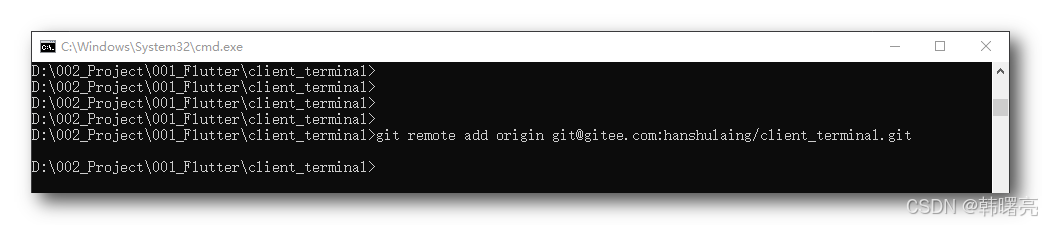
给本地仓库 绑定远程地址 , 执行
git remote add origin git@gitee.com:hanshulaing/client_terminal.git
命令 即可 ;
9、推送代码到远程仓库
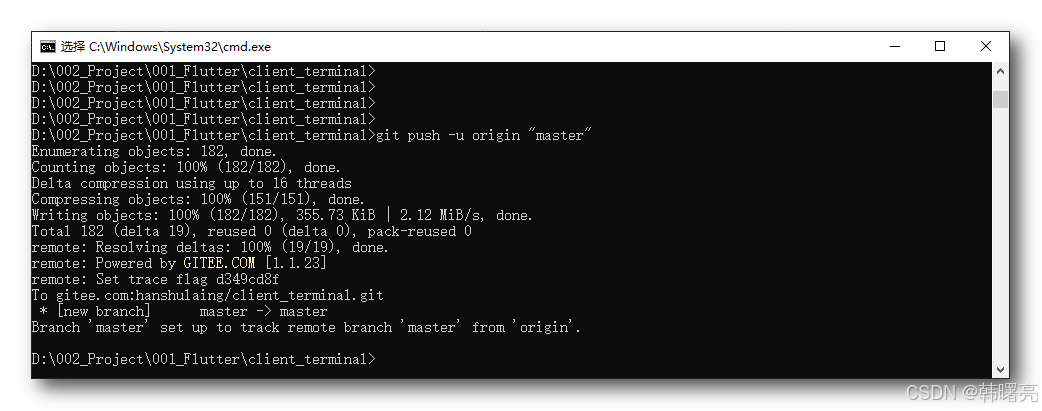
提交代码到远程仓库 , 执行
git push -u origin "master"
命令 , 将代码提交到远程仓库 ;
D:\002_Project\001_Flutter\client_terminal>git push -u origin "master"
Enumerating objects: 182, done.
Counting objects: 100% (182/182), done.
Delta compression using up to 16 threads
Compressing objects: 100% (151/151), done.
Writing objects: 100% (182/182), 355.73 KiB | 2.12 MiB/s, done.
Total 182 (delta 19), reused 0 (delta 0), pack-reused 0
remote: Resolving deltas: 100% (19/19), done.
remote: Powered by GITEE.COM [1.1.23]
remote: Set trace flag d349cd8f
To gitee.com:hanshulaing/client_terminal.git
 * [new branch]      master -> master
Branch 'master' set up to track remote branch 'master' from 'origin'.
二、获取 Git 代码
在 Gitee 中创建了 client_terminal 项目 , 项目地址如下 :
- https://gitee.com/hanshulaing/client_terminal.git
- git@gitee.com:hanshulaing/client_terminal.git
在 Windows 端上传了 Flutter 代码到远程 Git 仓库 , 在 Mac 端获取对应的代码 ;
1、设置全局用户和邮箱
首先进行 Git 全局设置:
git config --global user.name "韩曙亮"
git config --global user.email "8281111+hanshulaing@user.noreply.gitee.com"
配置过程 :
hsl@hanshuliangdeMacBook-Air 008_Flutter % git config --global user.name "韩曙亮"
hsl@hanshuliangdeMacBook-Air 008_Flutter % git config --global user.email "8281111+hanshulaing@user.noreply.gitee.com"
2、Mac 中配置 Gitee 秘钥
执行
ssh-keygen -t ed25519 -C "8281111+hanshulaing@user.noreply.gitee.com"
命令 , 生成 Gitee 秘钥 , 下面的所有步骤 , 直接回车 ;
- 提示保存位置:直接回车 ( 默认~/.ssh/id_ed25519 )
- 提示输入密码:直接回车 ( 不要设密码,方便 )
- 再次确认密码:直接回车
生成后会有两个文件:
- 私钥:/Users/hsl/.ssh/id_ed25519 , 这是私钥 , 必须保密 , 不要给任何人 ;
- 公钥:/Users/hsl/.ssh/id_ed25519.pub , 这个公钥无所谓 , 要放到 Gitee 的公钥配置中 ;
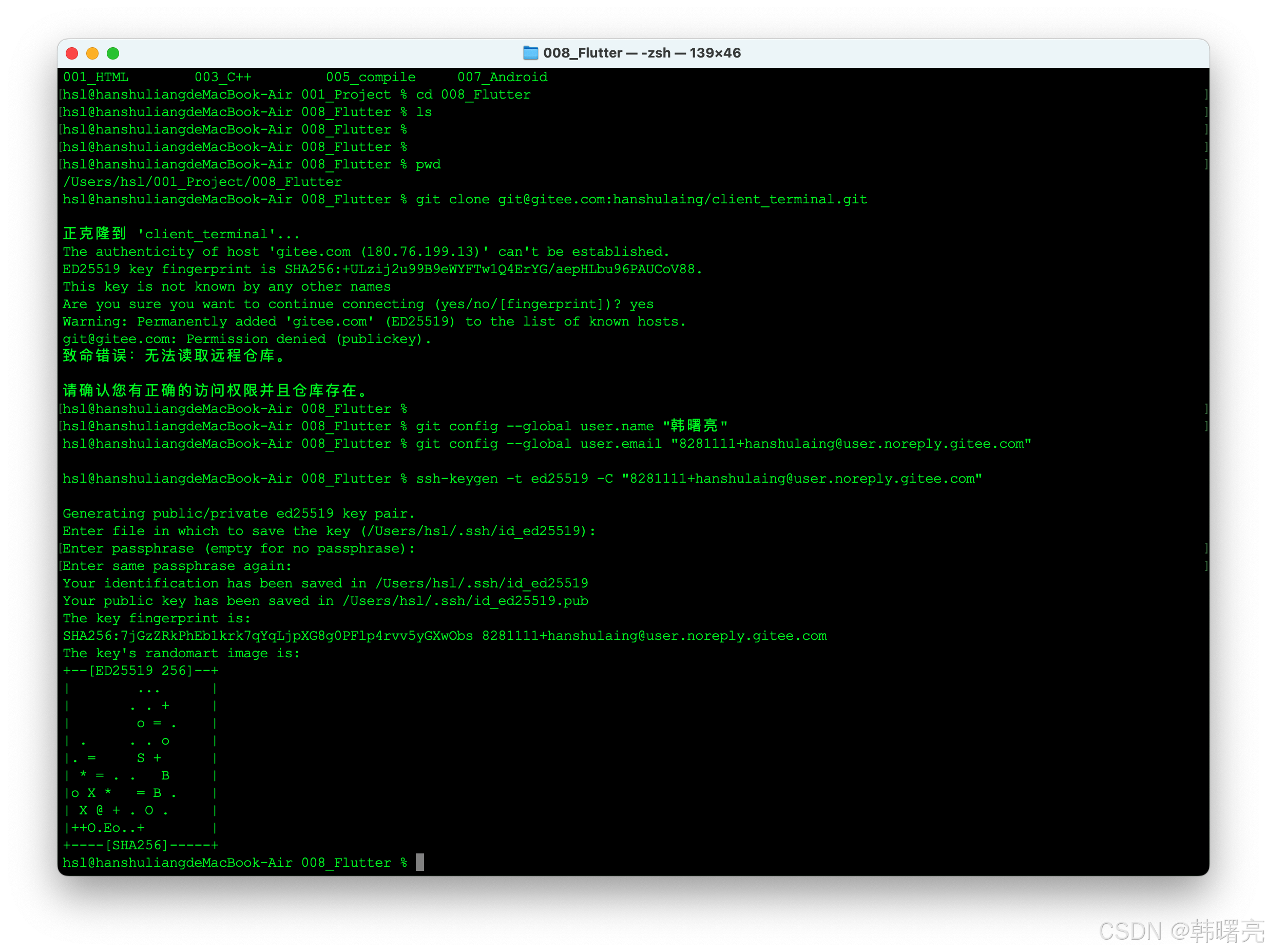
hsl@hanshuliangdeMacBook-Air 008_Flutter % ssh-keygen -t ed25519 -C "8281111+hanshulaing@user.noreply.gitee.com"

Generating public/private ed25519 key pair.
Enter file in which to save the key (/Users/hsl/.ssh/id_ed25519):
Enter passphrase (empty for no passphrase):
Enter same passphrase again:
Your identification has been saved in /Users/hsl/.ssh/id_ed25519
Your public key has been saved in /Users/hsl/.ssh/id_ed25519.pub
The key fingerprint is:
SHA256:7jGzZRkPhEb1krk7qYqLjpXG8g0PFlp4rvv5yGXwObs 8281111+hanshulaing@user.noreply.gitee.com
The key's randomart image is:
+--[ED25519 256]--+
|        ...      |
|       . . +     |
|        o = .    |
| .     . . o     |
|. =     S +      |
| * = . .   B     |
|o X *   = B .    |
| X @ + . O .     |
|++O.Eo..+        |
+----[SHA256]-----+
hsl@hanshuliangdeMacBook-Air 008_Flutter %
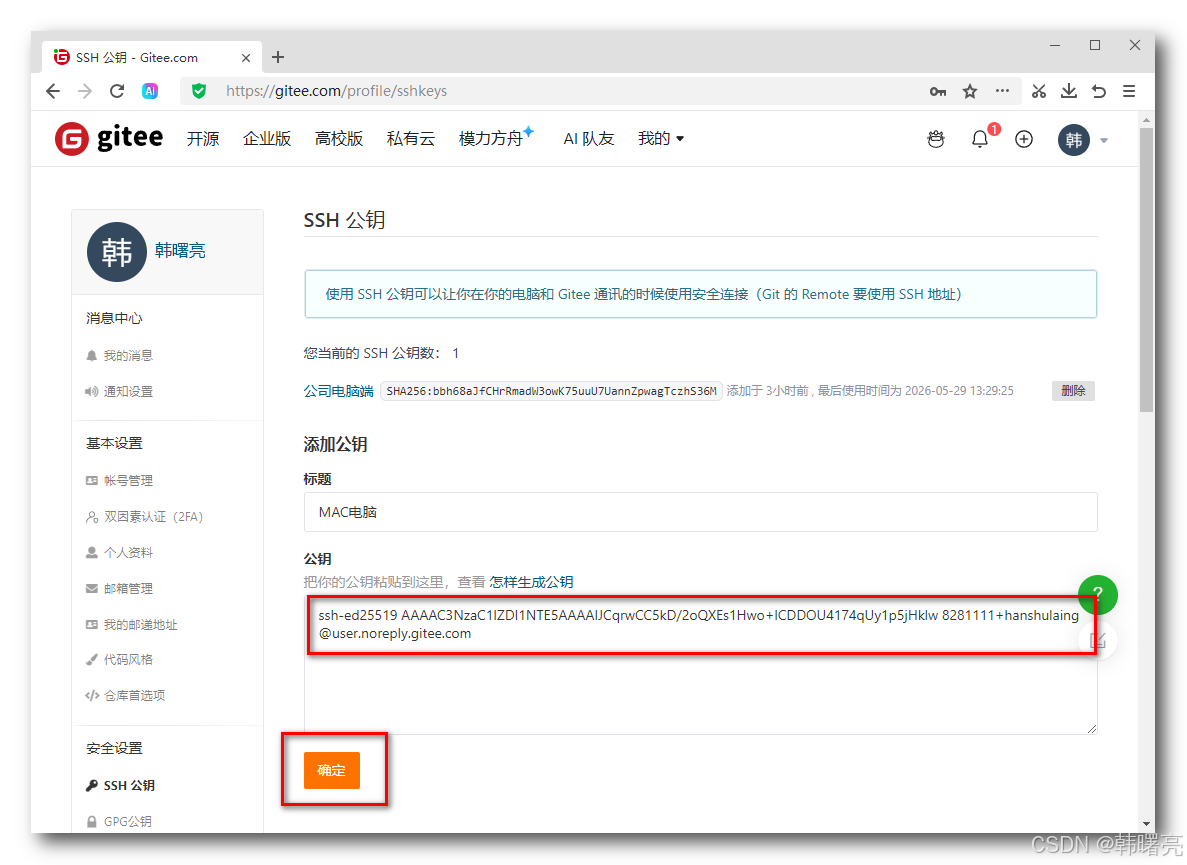
执行 cat /Users/hsl/.ssh/id_ed25519.pub 命令 , 查看公钥 ;
hsl@hanshuliangdeMacBook-Air 008_Flutter % cat /Users/hsl/.ssh/id_ed25519.pub
ssh-ed25519 AAAAC3NzaC1lZDI1NTE5AAAAIJCqrwCC5kD/2oQXEs1Hwo+lCDDOU4174qUy1p5jHklw 8281111+hanshulaing@user.noreply.gitee.com
公钥为 ssh-ed25519 AAAAC3NzaC1lZDI1NTE5AAAAIJCqrwCC5kD/2oQXEs1Hwo+lCDDOU4174qUy1p5jHklw 8281111+hanshulaing@user.noreply.gitee.com ;
将其配置到 Gitee 的 公钥配置 中 ;
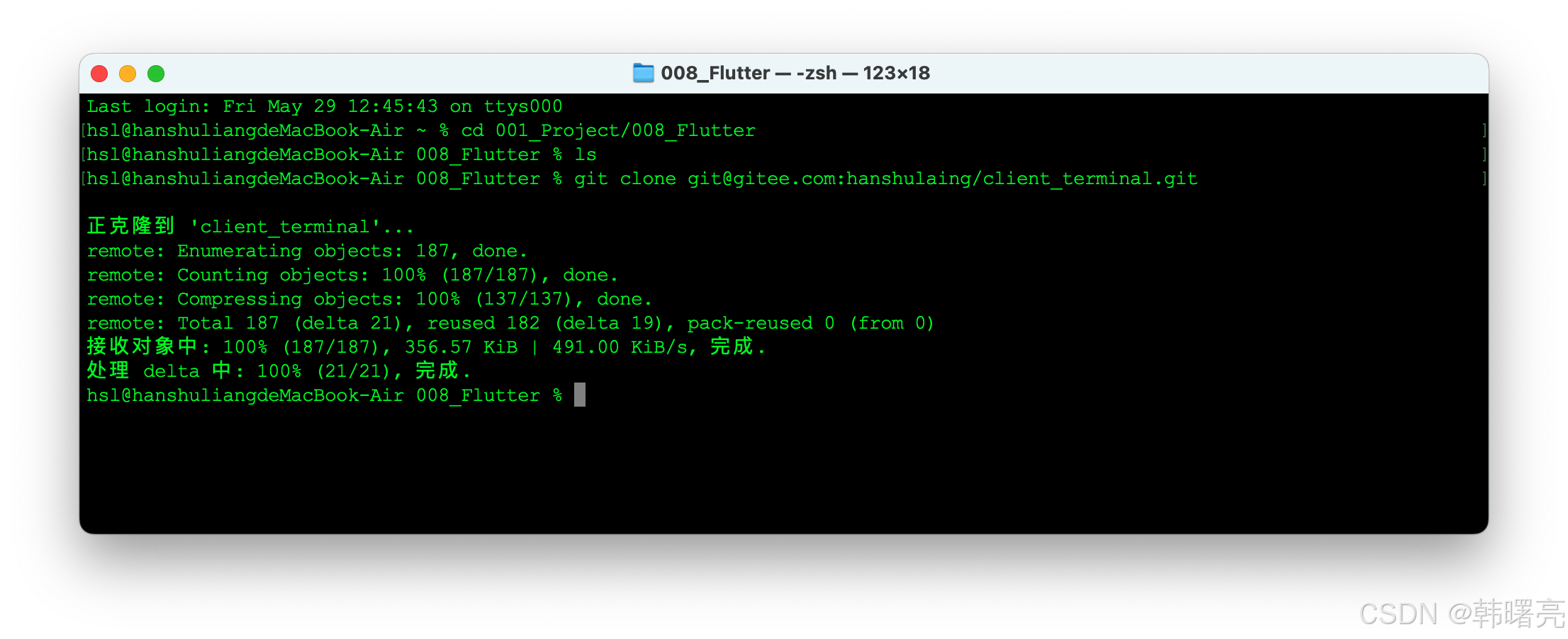
3、Mac 中 clone 远程仓库 Flutter 源码到本地
进入 Flutter 项目的上一级目录 , 执行
git clone git@gitee.com:hanshulaing/client_terminal.git
命令 , 将 Flutter 源码 克隆到本地 , 会自动创建 client_terminal 目录 ;
Last login: Fri May 29 12:45:43 on ttys000
hsl@hanshuliangdeMacBook-Air ~ % cd 001_Project/008_Flutter
hsl@hanshuliangdeMacBook-Air 008_Flutter % ls
hsl@hanshuliangdeMacBook-Air 008_Flutter % git clone git@gitee.com:hanshulaing/client_terminal.git

正克隆到 'client_terminal'...
remote: Enumerating objects: 187, done.
remote: Counting objects: 100% (187/187), done.
remote: Compressing objects: 100% (137/137), done.
remote: Total 187 (delta 21), reused 182 (delta 19), pack-reused 0 (from 0)
接收对象中: 100% (187/187), 356.57 KiB | 491.00 KiB/s, 完成.
处理 delta 中: 100% (21/21), 完成.
hsl@hanshuliangdeMacBook-Air 008_Flutter %
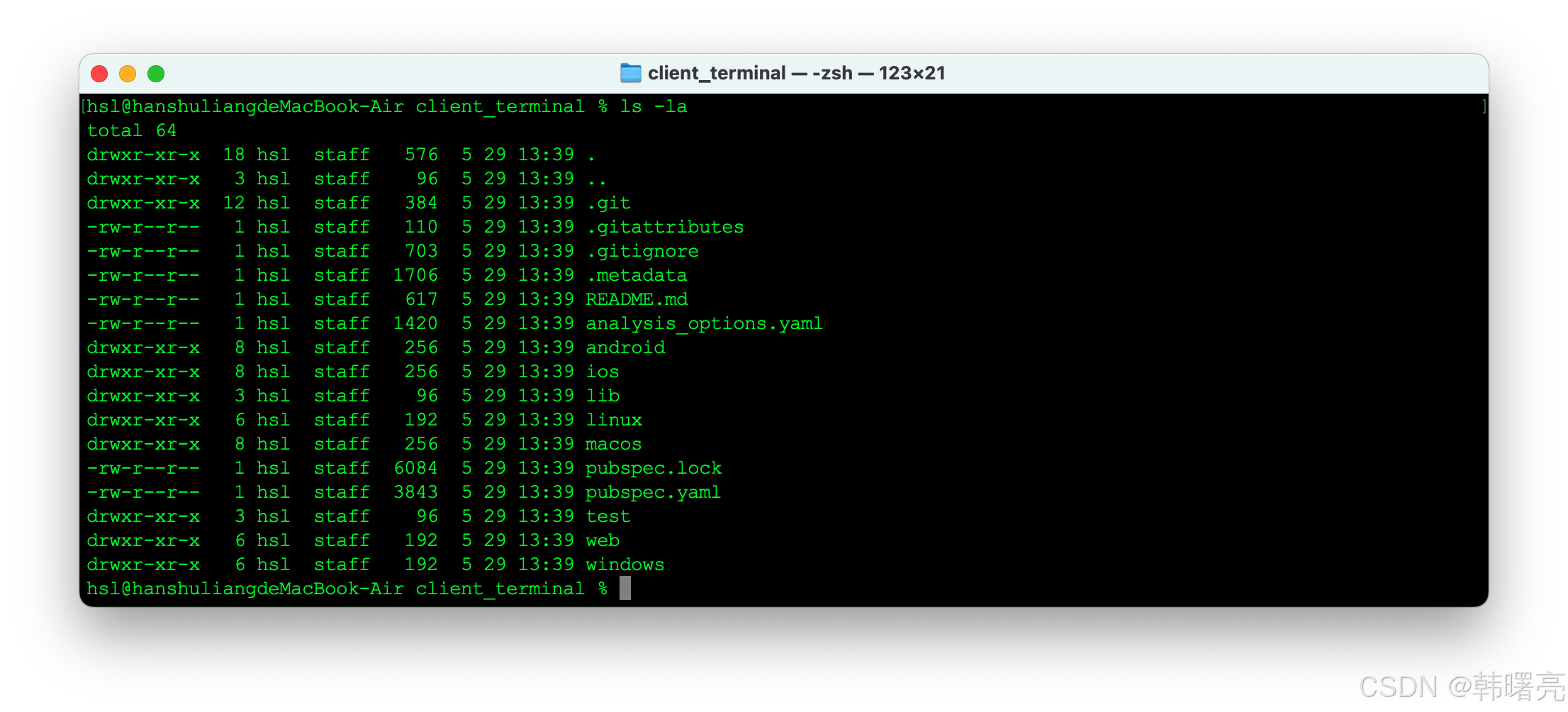
拉取的 Flutter 源码 内容如下 :
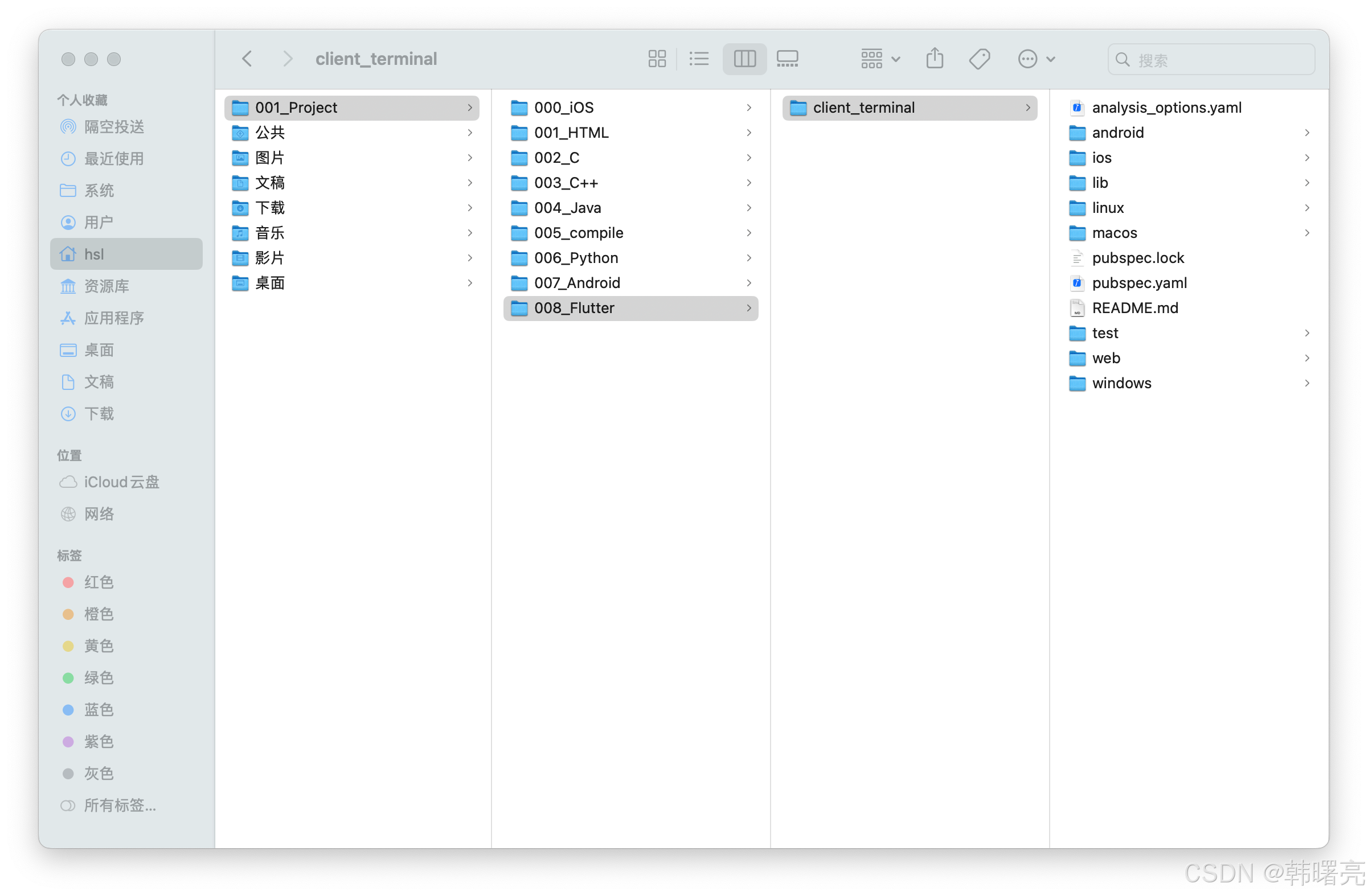
在 finder 目录中 使用 Command + Shift + . 快捷键 , 可以查看隐藏文件 ;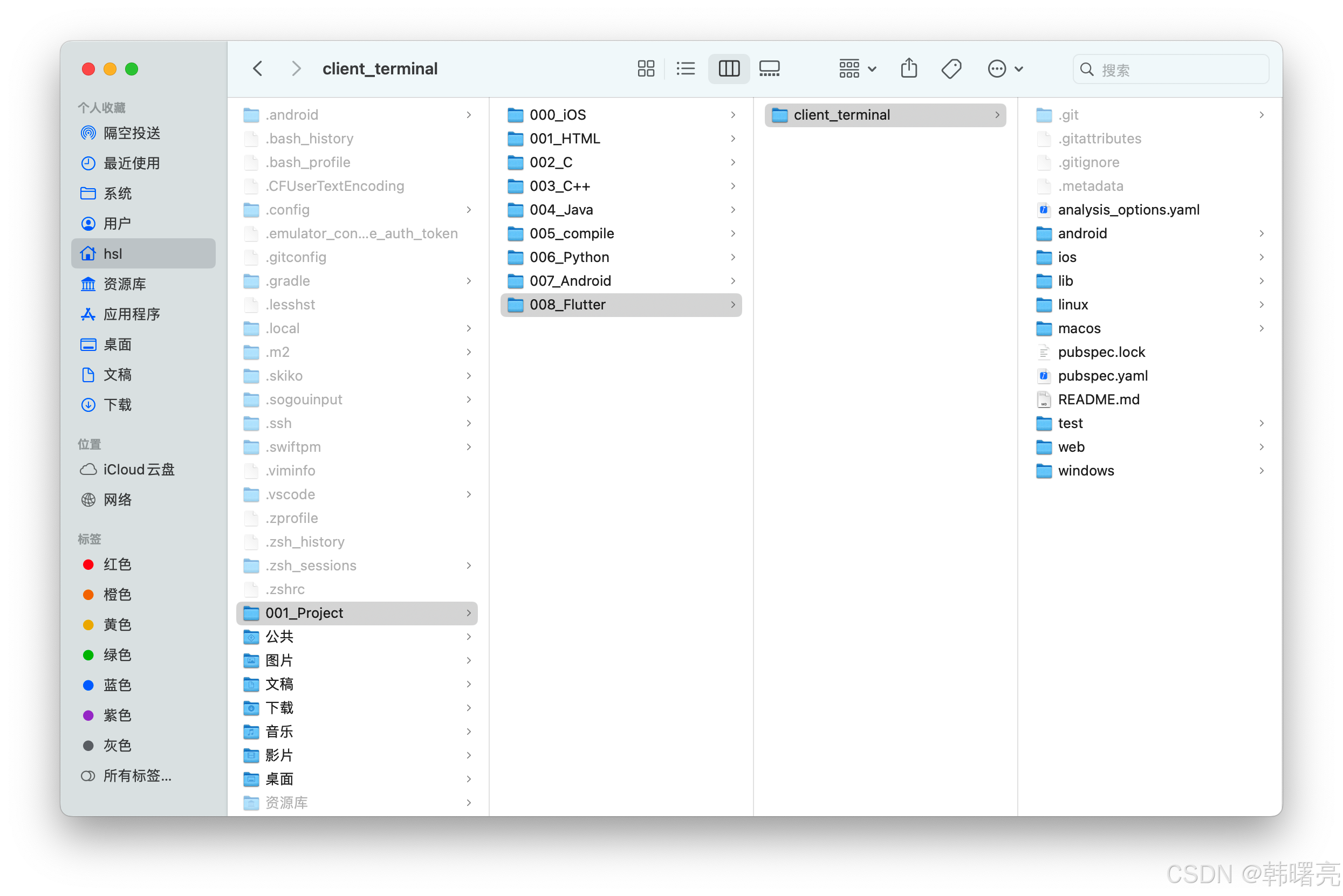
执行 ls- la 命令 , 查看隐藏文件 ;
如果没有配置秘钥 , 会报错 :
hsl@hanshuliangdeMacBook-Air 008_Flutter % git clone git@gitee.com:hanshulaing/client_terminal.git

正克隆到 'client_terminal'...
The authenticity of host 'gitee.com (180.76.199.13)' can't be established.
ED25519 key fingerprint is SHA256:+ULzij2u99B9eWYFTw1Q4ErYG/aepHLbu96PAUCoV88.
This key is not known by any other names
Are you sure you want to continue connecting (yes/no/[fingerprint])? yes
Warning: Permanently added 'gitee.com' (ED25519) to the list of known hosts.
git@gitee.com: Permission denied (publickey).
致命错误:无法读取远程仓库。

请确认您有正确的访问权限并且仓库存在。
hsl@hanshuliangdeMacBook-Air 008_Flutter %
4、Mac 中编译导致的文件修改
hsl@hanshuliangdeMacBook-Air ~ % cd 001_Project/008_Flutter/client_terminal
hsl@hanshuliangdeMacBook-Air client_terminal % git status
位于分支 master
您的分支与上游分支 'origin/master' 一致。

尚未暂存以备提交的变更:
  (使用 "git add <文件>..." 更新要提交的内容)
  (使用 "git restore <文件>..." 丢弃工作区的改动)
	修改:     ios/Flutter/Debug.xcconfig
	修改:     ios/Flutter/Release.xcconfig
	修改:     ios/Runner.xcodeproj/project.pbxproj
	修改:     ios/Runner.xcworkspace/contents.xcworkspacedata
	修改:     lib/main.dart
	修改:     macos/Flutter/Flutter-Debug.xcconfig
	修改:     macos/Flutter/Flutter-Release.xcconfig

未跟踪的文件:
  (使用 "git add <文件>..." 以包含要提交的内容)
	ios/Podfile
	ios/Podfile.lock
	macos/Podfile

修改尚未加入提交(使用 "git add" 和/或 "git commit -a")
hsl@hanshuliangdeMacBook-Air client_terminal %
hsl@hanshuliangdeMacBook-Air client_terminal % git pull
已经是最新的。
hsl@hanshuliangdeMacBook-Air client_terminal %
iOS 可配置 如下 忽略目录 :
ios/Flutter/
ios/Pods/
ios/.symlinks/
ios/Runner/GeneratedPluginRegistrant.*
ios/**/xcuserdata/
ios/Runner.xcworkspace/xcuserdata/
三、双端开发流程
1、正常流程
Mac + Windows 双端开发流程 :
- 开始写代码前 → 先拉取 ( pull )
git pull
- 写完代码提交前 → 先拉取 ( pull )
git pull
- 提交 ( commit ) → 推送 ( push )
git add .
git commit -m "修改内容"
git push
2、出现冲突
出现文件冲突 , 按照下面的流程处理 ;
hsl@hanshuliangdeMacBook-Air client_terminal % git pull
remote: Enumerating objects: 7, done.
remote: Counting objects: 100% (7/7), done.
remote: Compressing objects: 100% (4/4), done.
remote: Total 4 (delta 3), reused 0 (delta 0), pack-reused 0 (from 0)
展开对象中: 100% (4/4), 539 字节 | 179.00 KiB/s, 完成.
来自 gitee.com:hanshulaing/client_terminal
   3c1659a..0be29e2  master     -> origin/master
更新 3c1659a..0be29e2
错误:您对下列文件的本地修改将被合并操作覆盖:
	pubspec.lock
请在合并前提交或贮藏您的修改。
正在终止
hsl@hanshuliangdeMacBook-Air client_terminal %
把本地修改暂存起来 , 然后再拉取代码 ;
# 把你本地修改临时藏起来
git stash

# 正常拉取代码
git pull

# 如果有需要 , 把刚才的修改拿回来,自动合并
git stash pop
更多推荐

 10
10 0
0- 0


 已为社区贡献21条内容

所有评论(0)