
Python(FastAPI)中使用redis缓存数据
·
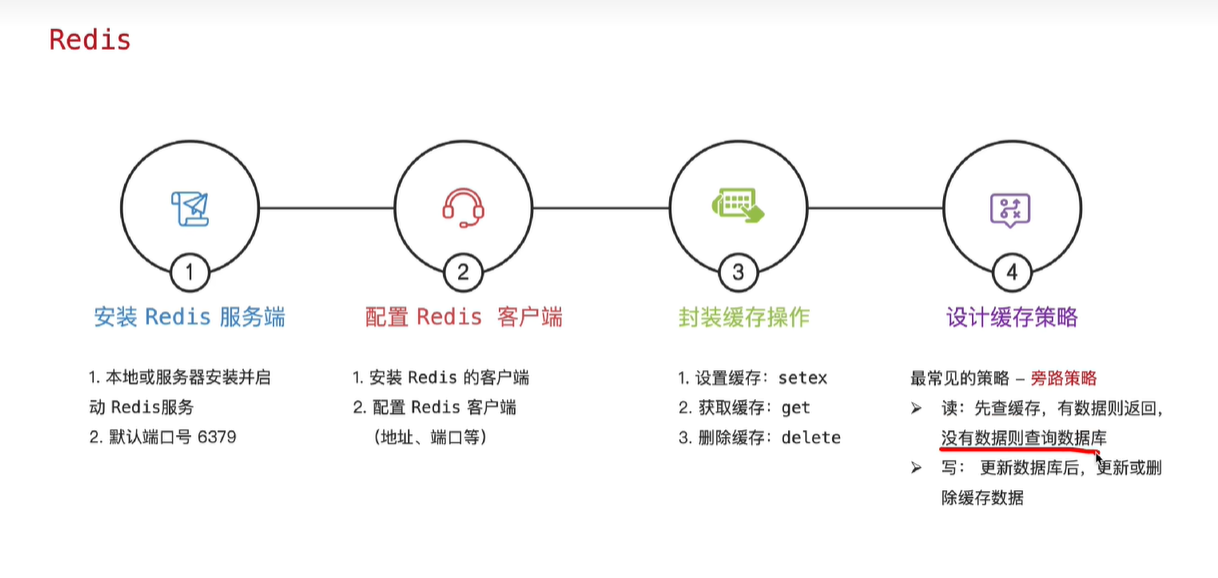
2.安装好后,进入到安装目录下启动redis
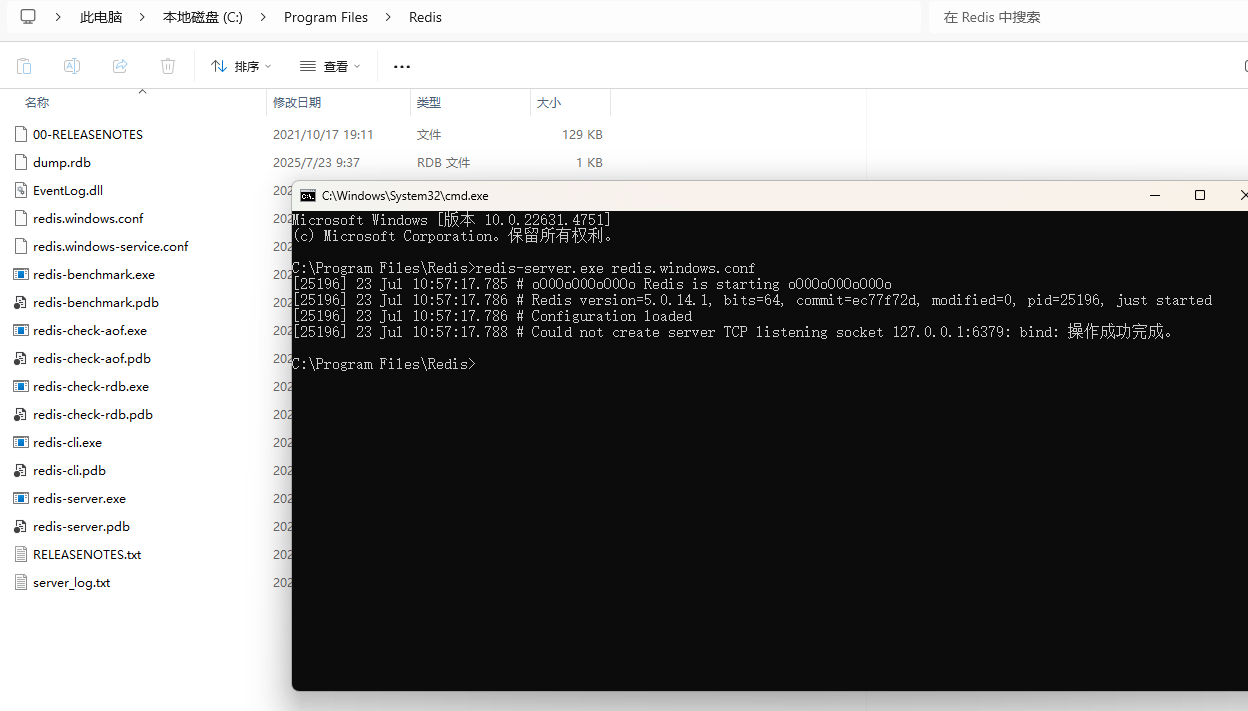
执行启动:
redis-server.exe redis.windows.conf
2.配置redis客户端
项目中安装redis
pip install redis
配置连接参数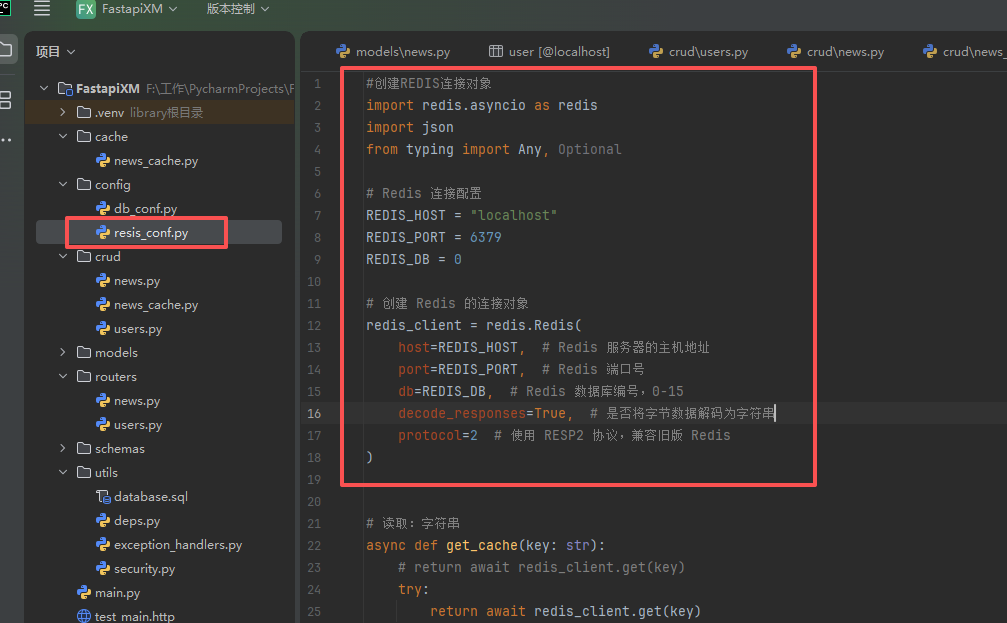
#创建REDIS连接对象
import redis.asyncio as redis
import json
from typing import Any, Optional

# Redis 连接配置
REDIS_HOST = "localhost"
REDIS_PORT = 6379
REDIS_DB = 0

# 创建 Redis 的连接对象
redis_client = redis.Redis(
    host=REDIS_HOST,  # Redis 服务器的主机地址
    port=REDIS_PORT,  # Redis 端口号
    db=REDIS_DB,  # Redis 数据库编号,0-15
    decode_responses=True,  # 是否将字节数据解码为字符串
    protocol=2  # 使用 RESP2 协议,兼容旧版 Redis
)
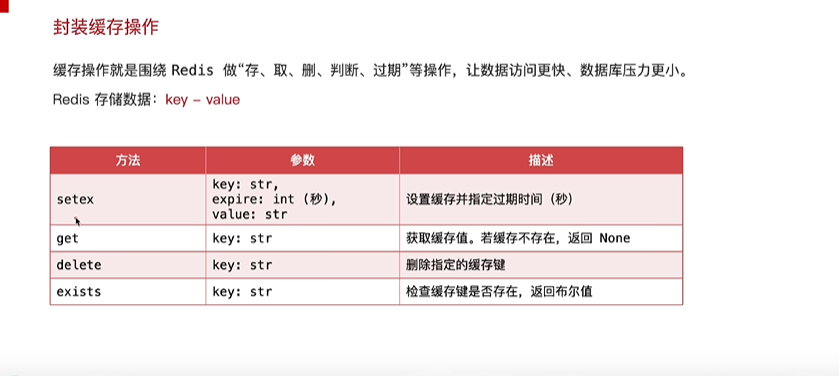
3.封装缓存方法
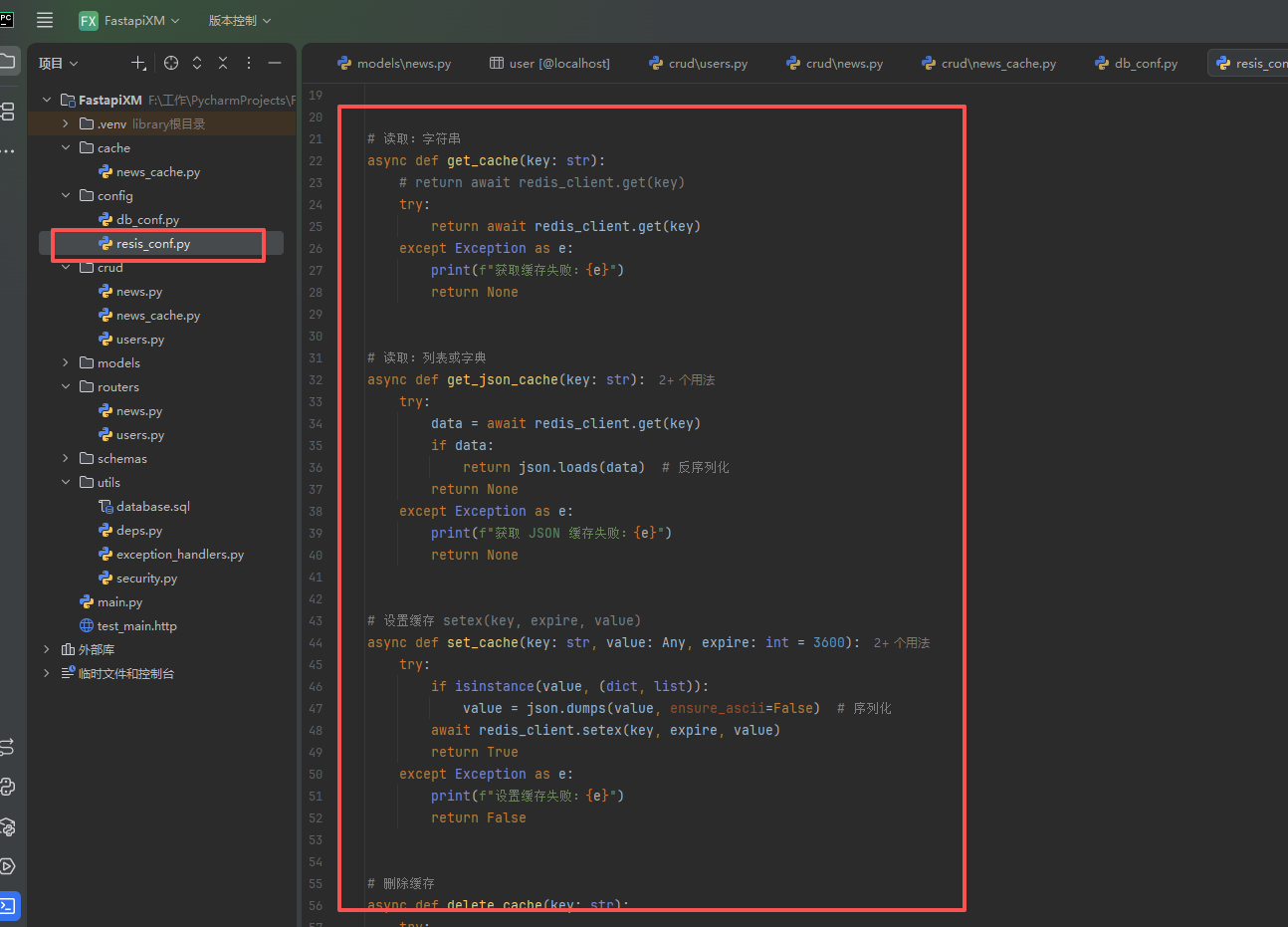
#创建REDIS连接对象
import redis.asyncio as redis
import json
from typing import Any, Optional

# Redis 连接配置
REDIS_HOST = "localhost"
REDIS_PORT = 6379
REDIS_DB = 0

# 创建 Redis 的连接对象
redis_client = redis.Redis(
    host=REDIS_HOST,  # Redis 服务器的主机地址
    port=REDIS_PORT,  # Redis 端口号
    db=REDIS_DB,  # Redis 数据库编号,0-15
    decode_responses=True,  # 是否将字节数据解码为字符串
    protocol=2  # 使用 RESP2 协议,兼容旧版 Redis
)


# 读取:字符串
async def get_cache(key: str):
    # return await redis_client.get(key)
    try:
        return await redis_client.get(key)
    except Exception as e:
        print(f"获取缓存失败:{e}")
        return None


# 读取:列表或字典
async def get_json_cache(key: str):
    try:
        data = await redis_client.get(key)
        if data:
            return json.loads(data)  # 反序列化
        return None
    except Exception as e:
        print(f"获取 JSON 缓存失败:{e}")
        return None


# 设置缓存 setex(key, expire, value)
async def set_cache(key: str, value: Any, expire: int = 3600):
    try:
        if isinstance(value, (dict, list)):
            value = json.dumps(value, ensure_ascii=False)  # 序列化
        await redis_client.setex(key, expire, value)
        return True
    except Exception as e:
        print(f"设置缓存失败:{e}")
        return False


# 删除缓存
async def delete_cache(key: str):
    try:
        await redis_client.delete(key)
        return True
    except Exception as e:
        print(f"删除缓存失败:{e}")
        return False
4.设计缓存实现缓存功能
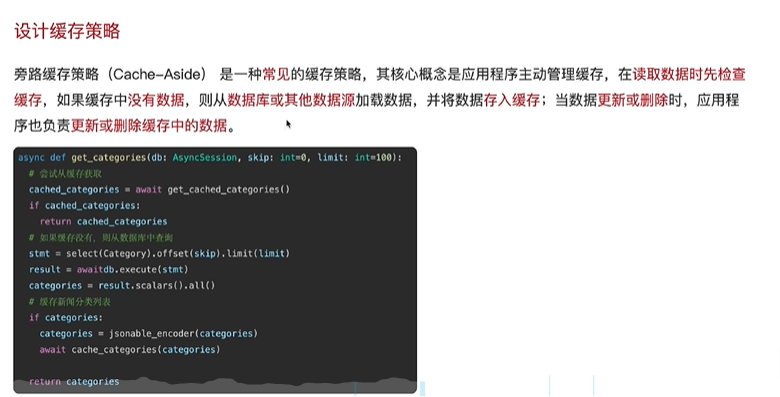
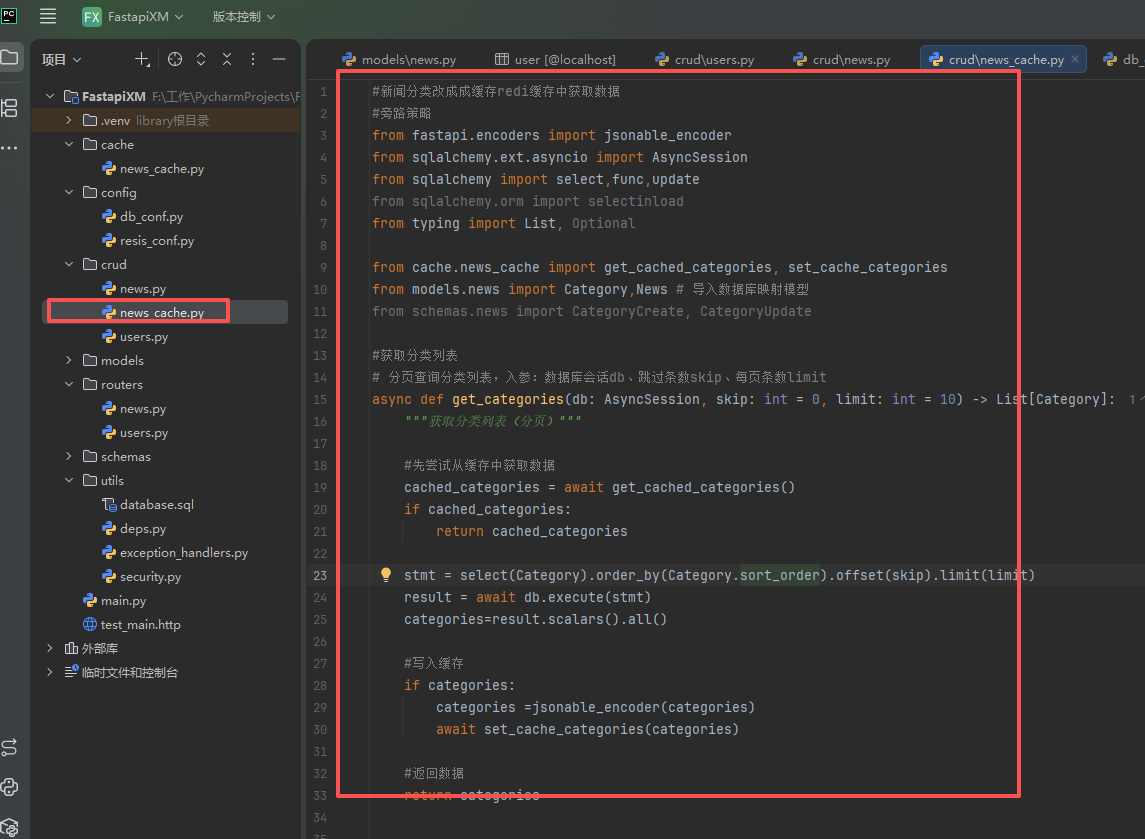
#新闻分类改成成缓存redi缓存中获取数据
#旁路策略
from fastapi.encoders import jsonable_encoder
from sqlalchemy.ext.asyncio import AsyncSession
from sqlalchemy import select,func,update
from sqlalchemy.orm import selectinload
from typing import List, Optional

from cache.news_cache import get_cached_categories, set_cache_categories
from models.news import Category,News # 导入数据库映射模型
from schemas.news import CategoryCreate, CategoryUpdate

#获取分类列表
# 分页查询分类列表,入参:数据库会话db、跳过条数skip、每页条数limit
async def get_categories(db: AsyncSession, skip: int = 0, limit: int = 10) -> List[Category]:
    """获取分类列表(分页)"""

    #先尝试从缓存中获取数据
    cached_categories = await get_cached_categories()
    if cached_categories:
        return cached_categories

    stmt = select(Category).order_by(Category.sort_order).offset(skip).limit(limit)
    result = await db.execute(stmt)
    categories=result.scalars().all()

    #写入缓存
    if categories:
        categories =jsonable_encoder(categories)
        await set_cache_categories(categories)

    #返回数据
    return categories
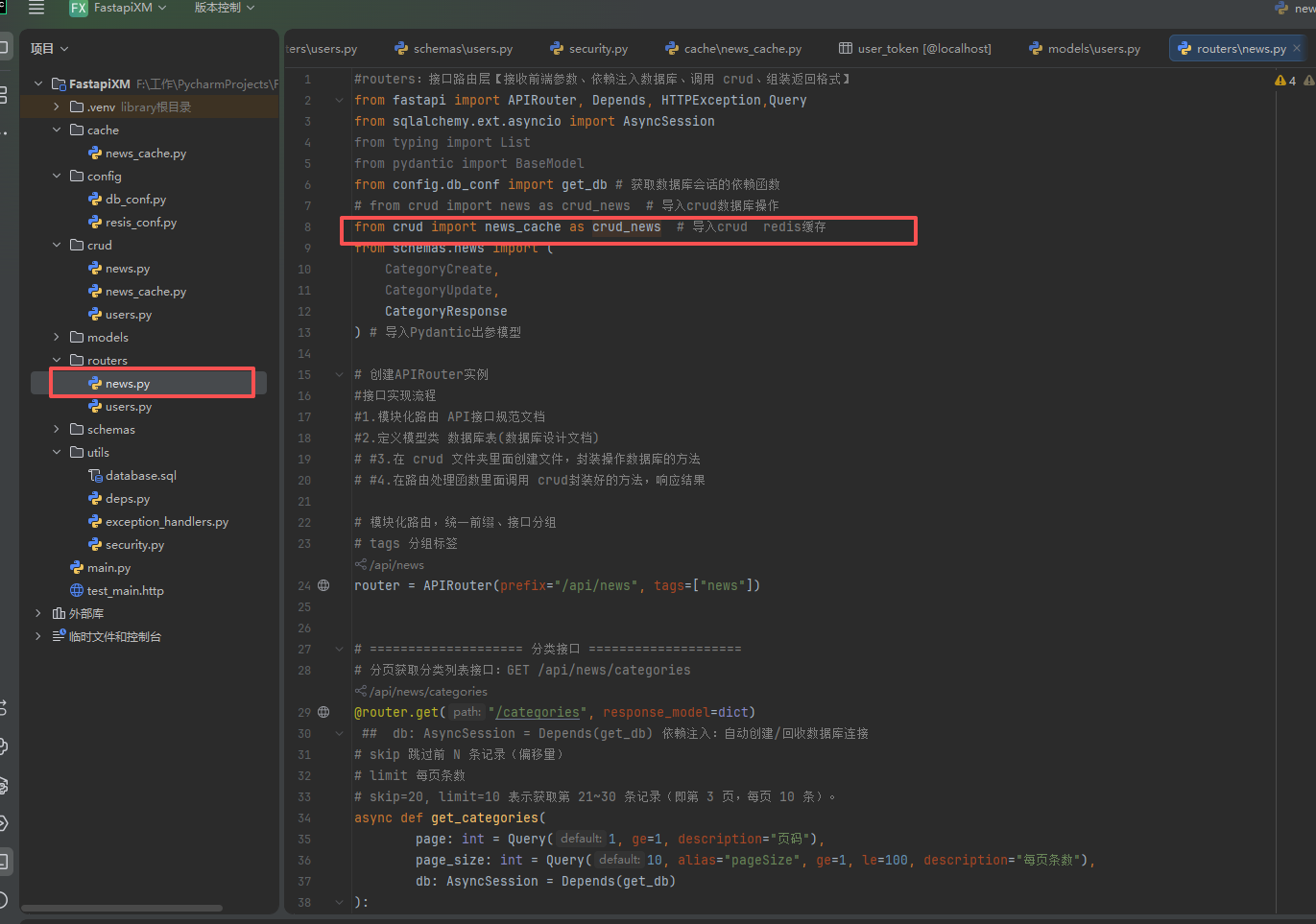
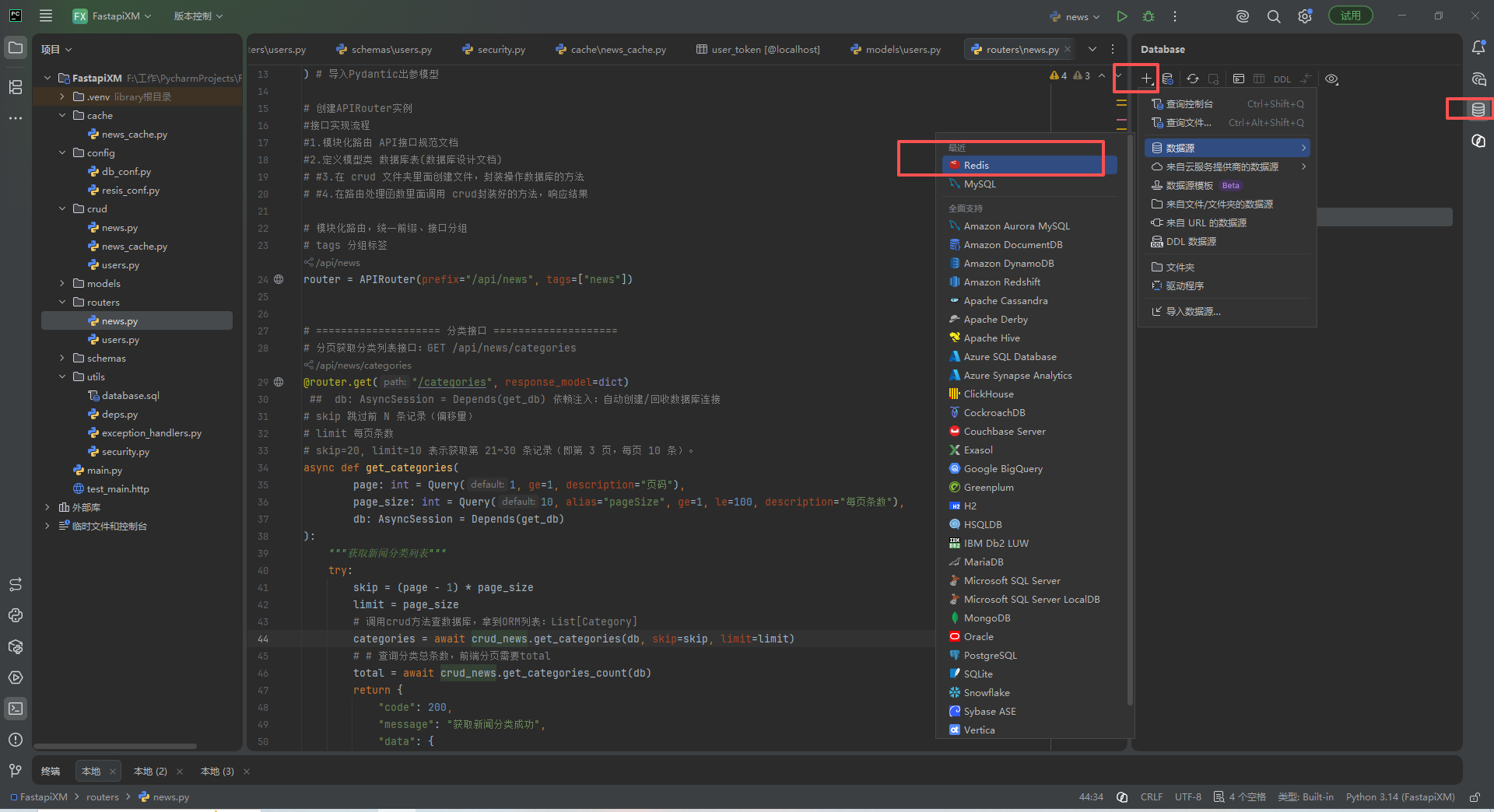
调音接口测试
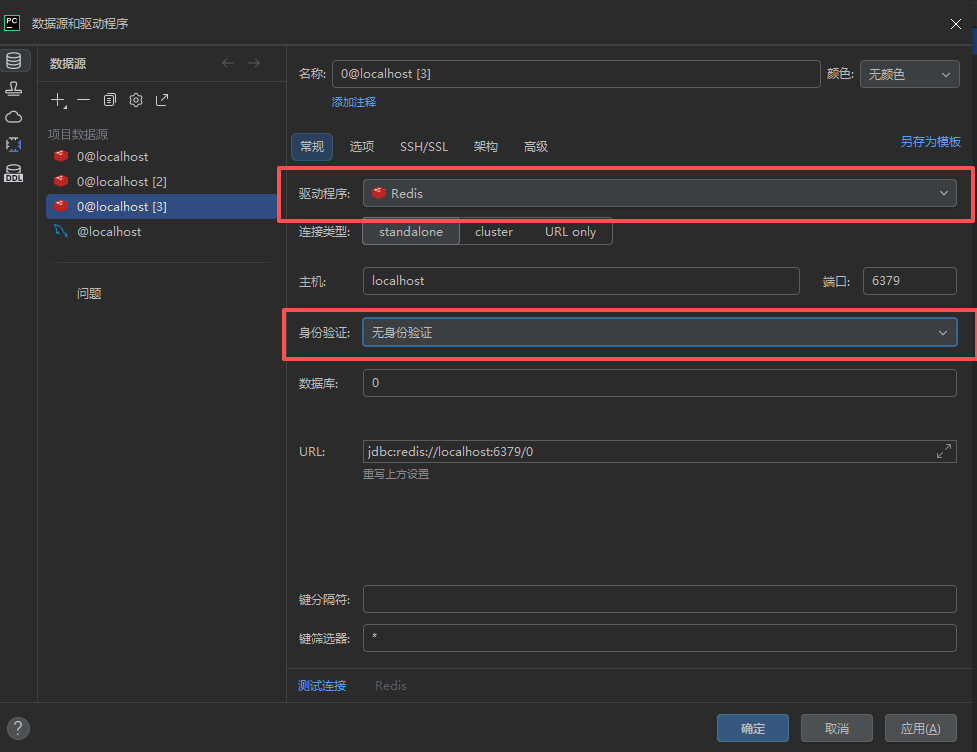
注意:redis版本设置1.5版本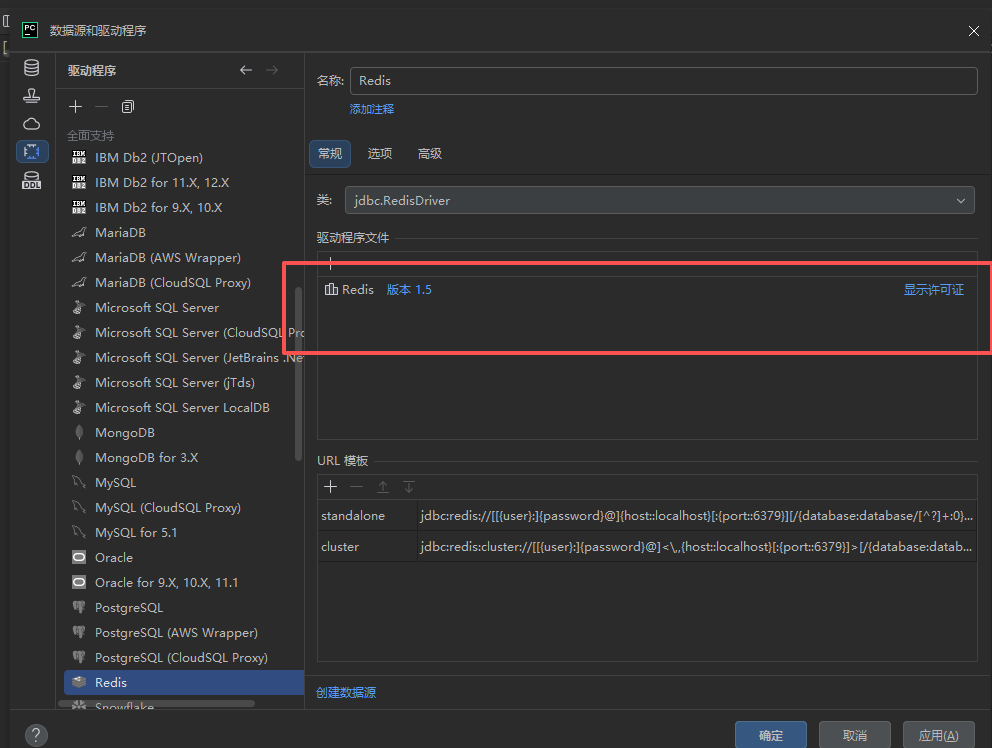
测试接口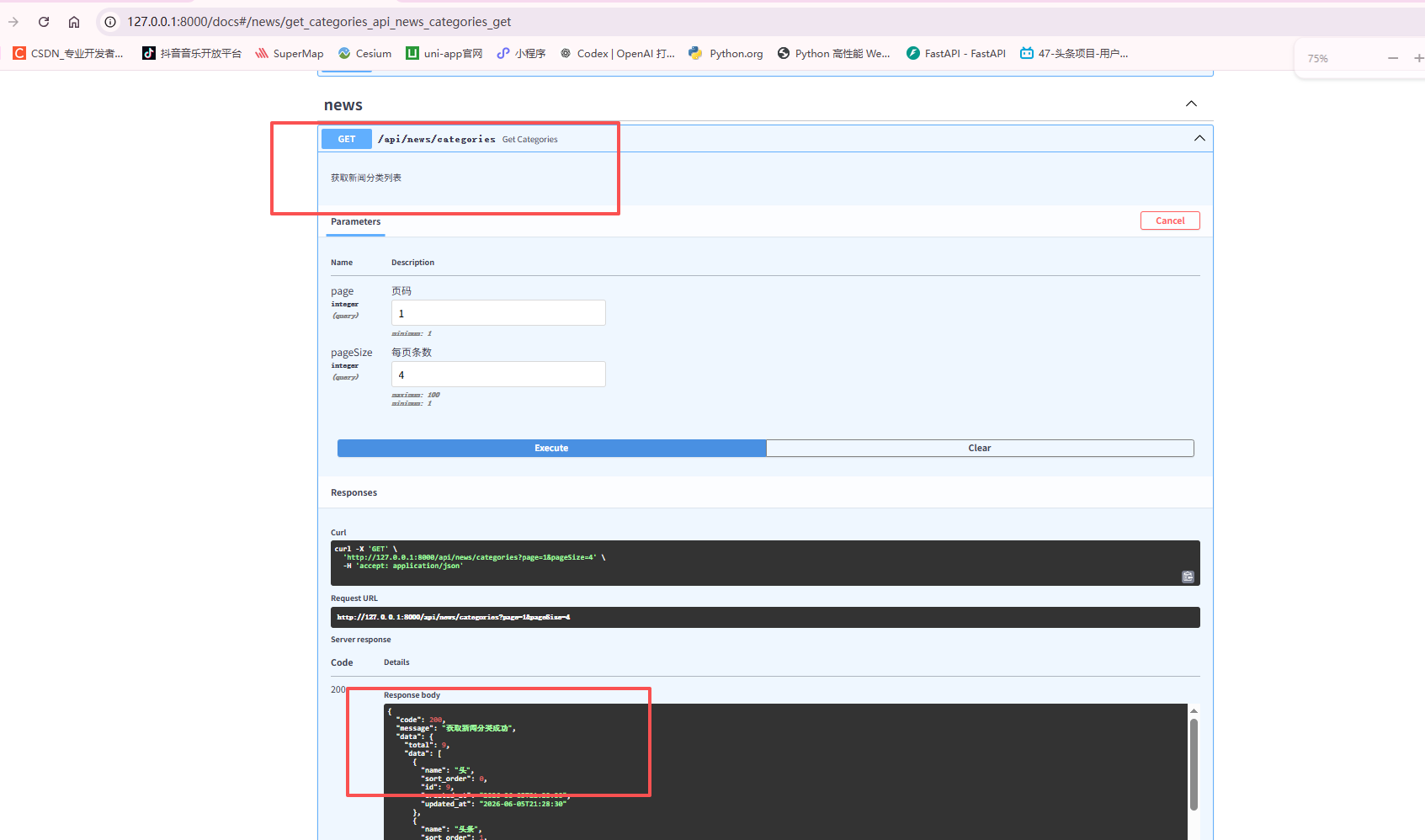
以存入redis中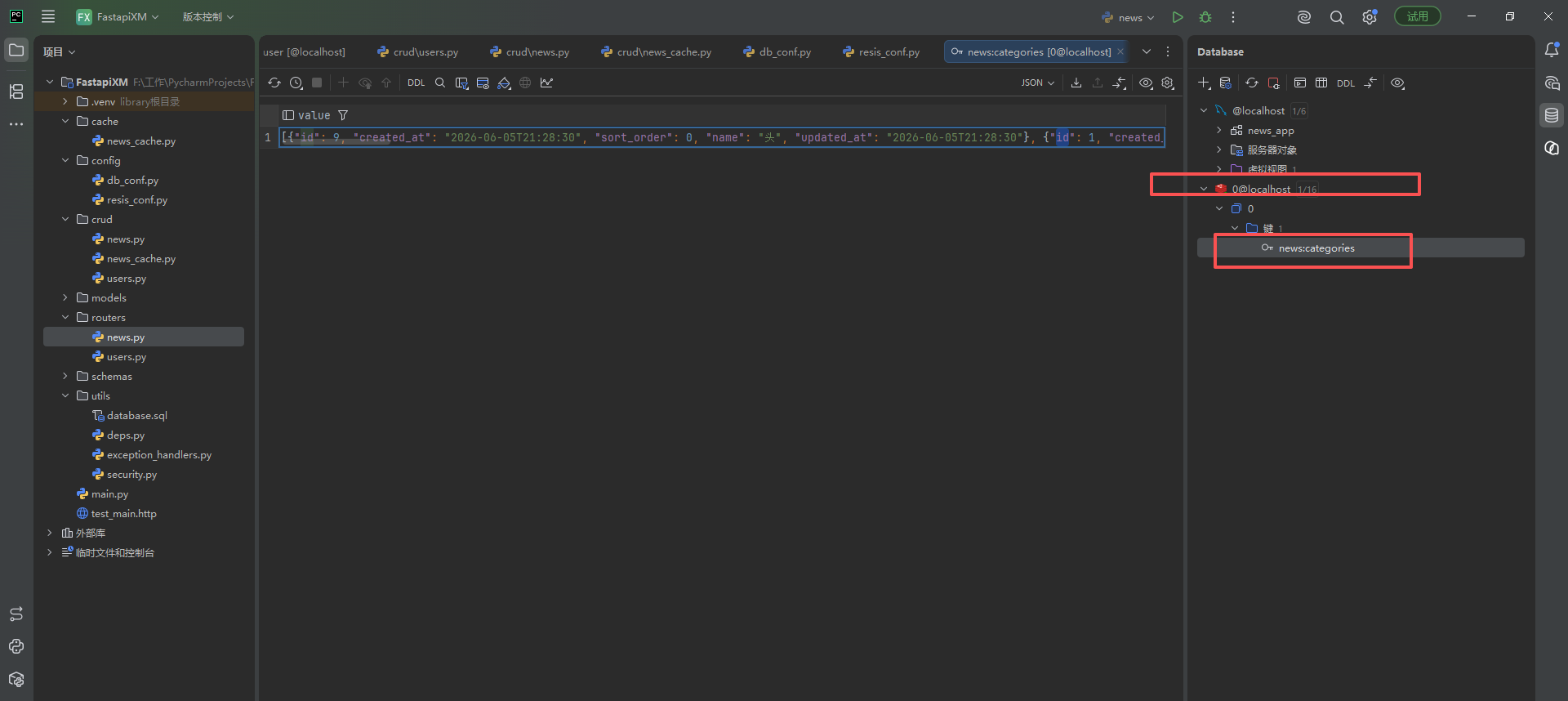
更多推荐
 0
0 0
0- 0


 已为社区贡献11条内容

所有评论(0)