
零成本搭建 Hermes Agent!Ollama 本地 + Ollama Cloud 双方案,附官方定价全拆解
提示:本人并非专业开发者,仅业余。本文章为感兴趣的读者提供一条可行的本地部署AI为自己打工的方案。用intel i5的MacBookPro进行演示。
I am not a professional developer, writing this is just for interest. This article provides a practical approach for locally deploy AI agent to work for you. Using a MacBookPro with Intel i5 chip to demonstrate.
文章目录 ContentView
前言 Preview
从2022年开始飞速发展的只有“脑子”、“耳朵”和“嘴”的人工智能,在最近几个月进化出了“手”,也就是智能体运行壳。本篇用尽量简洁的语言讲述使用ollama作为模型提供商,用Hermes作为运行壳,在Mac中部署agent的方法。包含快速上手指南和优点缺点阐述。
AI (artificial intelligence), which undergone explosive growth since 2022 only in its cognitive, audio input and speech output capabilities, has gained a functional “hand” in recent months: the runtime shell for intelligent agents. This article concisely introduces how to deploy an agent on MacOS with Ollama as the model backend and Hermes as the agent runtime, including a quick-start guide as well as an analysis of pros and cons.
一、前置科普:为什么选 Ollama+Hermes? Firstly, why choosing Ollama + Hermes
关于Hermes和Ollama的搭配使用和本地部署的硬件要求
Hermes 我心目中是目前开源 Agent 天花板,原生深度适配 Ollama;Ollama 一边能本地拉模型白嫖算力,一边官方上线 Ollama Cloud 订阅服务,彻底告别 OpenAI 按 Token 扣费无底洞,M1/M2/M3 Mac 更能高效地跑AI。
Hermes is the best open-source agent in my mind: it can directly connect to Ollama. And Ollama can enable users to get access to local models and cloud models for free. Ollama also has its pricing for advanced usages, making users’ AI agent more money-saving as they do not need to be worried about the bit sent by OpenAI. The Apple M chips can run these local AI effectively.
但是对于老款的Intel x64架构MacBook,本地部署的效果并不理想:没有M系列芯片的算力和MLX的内存传导效率,2 GHz Quad-Core Intel Core i5,Intel Iris Plus Graphics 1536 MB + 16 GB 3733 MHz LPDDR4X内存的MacBookPro在本地跑0.5B的Qwen大模型,虽然吞吐量能去到102.60 tokens/s,但是参数量太小,无法正常解决大部分问题。而切换到参数量大的模型,例如DeepSeek-R1,这种真正能解决问题的大模型,吞吐量就下降到可悲的6.2 tokens/s,根本达不到深度使用的需求。
While older Intel x64-based MacBook models deliver subpar local deployment performance. Lacking the computational horsepower of Apple’s M-series chips and the efficient memory transfer capabilities enabled by MLX, a MacBook Pro equipped with a 2 GHz Quad-Core Intel Core i5, 1536 MB Intel Iris Plus Graphics and 16 GB 3733 MHz LPDDR4X RAM can hit a throughput of 102.60 tokens/s when running the 0.5B-parameter Qwen model locally. However, such a small parameter size renders it incapable of handling most practical tasks. When switching to larger-capacity models like DeepSeek-R1—models competent enough to resolve complex problems—the throughput plummets to a mere 6.2 tokens/s, far too slow for intensive daily usage requirements.
Qwen:0.5B
DeepSeek-R1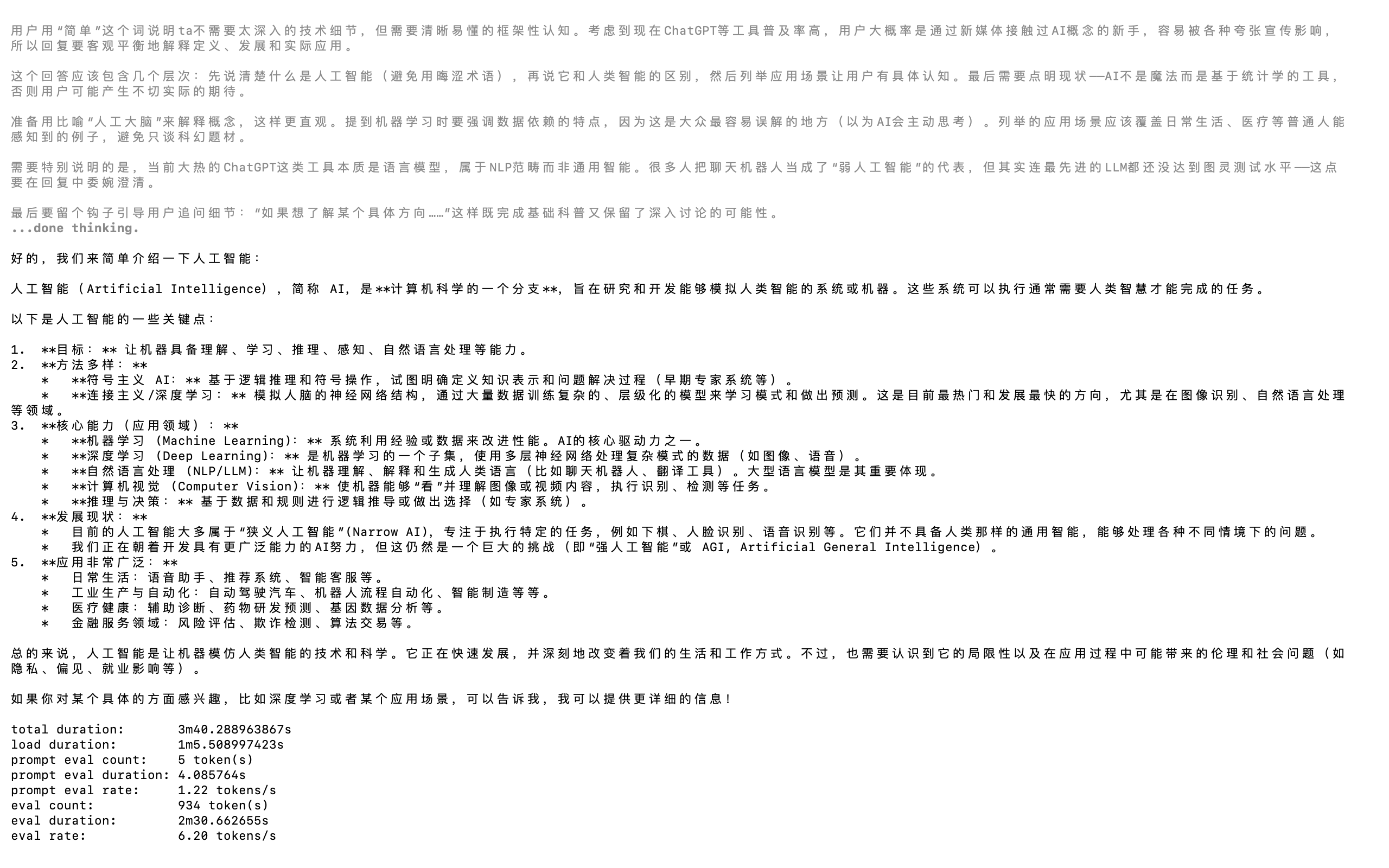
我认为的Hermes的最大优点和一个显著缺点 The most significant advantages and a little drawback of Hermes to me
优点|Advantages
记忆管控优异:限制 MEMORY.md 存储上限,自动精简淘汰冗余内容,杜绝上下文无限膨胀溢出;分层冷热记忆,海量历史存入冷数据库,仅按需调取,区别于 OpenClaw 无上限堆叠日志。
会话管理完善:自动持久保存全量会话记录,退出后可随时重启恢复历史会话,接续此前任务。
终端交互直观:TUI 终端面板实时可视化展示任务拆分、执行进度、步骤状态,任务进程一目了然。
自动化能力强:任务完成后自动提炼流程生成可复用技能,自主优化记忆内容,减少人工维护。
模型调度灵活:支持 Ollama 本地模型 + 云端 API 混合部署,可分开配置主管、工作子模型,适配 Intel Mac 低配硬件。
配置轻量化:命令行快捷修改参数,绑定 Ollama 一键接入本地大模型,部署上手简便。
Excellent memory management: It caps the file size of MEMORY.md, automatically trims useless content to avoid unlimited context bloat; hot-cold memory isolation stores bulk history in cold database and loads relevant records on demand, unlike OpenClaw’s endless log accumulation.
Complete session persistence: All chat sessions are automatically saved, users can resume previous unfinished tasks after restarting the program anytime.
Clear terminal visualization: Built-in TUI interface displays task breakdown and real-time execution progress directly in terminal for easy monitoring.
High automation: Automatically summarizes finished workflows into reusable skills and optimizes memory rules without frequent manual edits.
Flexible model routing: Supports hybrid deployment of local Ollama models and cloud API, separate settings for supervisor & worker LLMs to fit low-spec Intel Mac hardware.
User-friendly configuration: Quick CLI configuration commands and seamless integration with Ollama for fast local LLM deployment.
缺点|Disadvantages
默认内置主题配色不适合在白色终端背景下运行,界面元素辨识度极低;我个人认为 Hermes 原生自带主题美观度欠佳,使用时必须手动更换主题配色或修改终端底色才能正常使用。
English
The default built-in theme has poor visibility against white terminal backgrounds. In my opinion, Hermes’s original theme design is unattractive, requiring users to either switch alternative themes or modify the terminal background color for proper display.
为什么不选很火的OpenClaw? Why not the hot OpenClaw?
最先掀起agent热潮的OpenClaw,在最近逐渐淡出了大家的视野。我做了一个OpenClaw和Hermes的对比,帮大家直观感受为什么我特别推荐Hermes。
OpenClaw, the project that first sparked the mainstream runtime shell boom, has gradually faded from the community spotlight. Below is a breakdown explaining why Hermes stands out as the preferred alternative.
一、记忆机制
- OpenClaw 记忆缺陷 Problem of Memory of OpenClaw
OpenClaw 采用无限追加式 MEMORY.md,无原生字符 / Token 上限,所有历史信息持续堆叠写入文件:
OpenClaw appends all historical data endlessly into a single MEMORY.md file with no native token or character cap:
- MEMORY.md 随使用时间持续膨胀,数月可达数万字符,每次启动全量加载整份文件进系统 Prompt,上下文不断臃肿、极易溢出超限、关键指令被无用信息挤占丢失;
- The MEMORY.md file bloats indefinitely over long-term use, often ballooning to tens of thousands of characters after months. The entire file is fully loaded into the core prompt on every launch, causing bloat in context windows, frequent context overflow, and critical prompts being buried beneath redundant records.
- 无自动压缩逻辑,仅靠被动会话压缩,压缩易丢失关键记录,长期形成上下文腐化 (Context Rot),Token 成本逐月暴涨;
- No built-in automatic compression; context reduction only occurs reactively. Forced compression frequently erases vital history, leading to chronic context rot and steadily rising token consumption over time.
- 用户偏好、项目配置混在单一 MEMORY.md,内容杂乱无分区。
- User preferences and project configurations are jumbled together within one unpartitioned MEMORY.md.
- Hermes 优势(固定限额防溢出)
Hermes’ Core Advantage: Hard-Capped Memory Limits Prevent Overflow
Hermes有硬性双文件容量锁死机制,能从根源杜绝上下文溢出
Hermes enforces strict size caps split across two separate files to eliminate runaway context from the ground up:- MEMORY.md固定字符上限、USER.md(用户偏好独立拆分)也有固定字符上限,常驻 Prompt 的温记忆总长度永久可控,每轮注入 Token 固定,不会随使用无限变大;
- Fixed character limits apply to both MEMORY.md and standalone USER.md (reserved exclusively for user preferences). The total warm memory injected into the base prompt remains bounded permanently, with a fixed token footprint per inference round and no unbounded file growth.
- 新增内容超限时不会静默乱写入,主动返回超限报错,由 Agent 自动合并、精简、淘汰老旧低价值条目后再存入,强制留存高密度关键信息。
- New entries trigger an explicit overflow warning once capacity is reached. The Agent automatically merges, condenses, and prunes low-value outdated records before saving new content, preserving only high-density critical information.
一句话:OpenClaw 全量堆进 Prompt 越用越炸,Hermes 常驻记忆封顶、海量历史按需调取,彻底解决 MEMORY 无限膨胀溢出痛点。
Summary: OpenClaw dumps full history into prompts and degrades over time with unchecked bloat; Hermes caps resident memory and pulls archived history on demand to eliminate overflow entirely
二、 另外还有
- 记忆:Hermes 限死 MEMORY 体积防溢出,OpenClaw 无限堆叠爆上下文;
- 技能:Hermes 自学沉淀,OpenClaw 只能用人写好的技能;
- 成本:Hermes 分层按需加载省 Token,OpenClaw 全量加载越用越费钱;
- 自动化:Hermes 自主运维,OpenClaw 重度依赖人工配置。
Supplementary Comparison Points
- Memory management: Hermes imposes strict size limits on memory storage to prevent context overflow, whereas OpenClaw endlessly appends records, resulting in bloated, corrupted context windows.
- Skill system: Hermes autonomously learns and accumulates reusable skills from completed tasks; OpenClaw can only execute pre-written skills developed manually by users or the community.
- Token cost control: Hermes loads historical content hierarchically on demand to cut redundant token consumption; OpenClaw loads the entire memory file in full, driving up token expenses progressively over prolonged use.
- Automation level: Hermes features self-governing background operation; OpenClaw relies heavily on manual setup and ongoing maintenance.
二、Ollama Cloud 官方定价 Second, Pricing of Ollama Cloud
之所以选择Ollama作为本地部署的选择,是因为它支持本地一键部署,并且能一键启动hermes,直接让agent接入Ollama的接口,免去了修改config文件或者在终端中用指令配置模型的麻烦。
The reason why I choose Ollama to make the local deployment is that it offers one-click deployment, and it helps preparing Hermes, connecting to Hermes directly, avoiding the troubles of editing config file and setting up language models in terminal by instructions.
而Ollama也提供很多能免费本地部署的开源大模型,包括DeeSeek-R1在内的很多模型的处理能力完全可以胜任大部分日常任务。
Ollama offers free open-source AI choices as well, including potent models which can handle most of the basic daily tasks such as DeepSeek-R1.
Ollama免费版提供的接口tokens额度很少,一个小任务就能耗完所有的用量。用量每4小时刷新一次。
The Ollama free plan offers only a tiny usage of API tokens, a small tasks can use them up. The tokens usage refreshes every 4 hours.
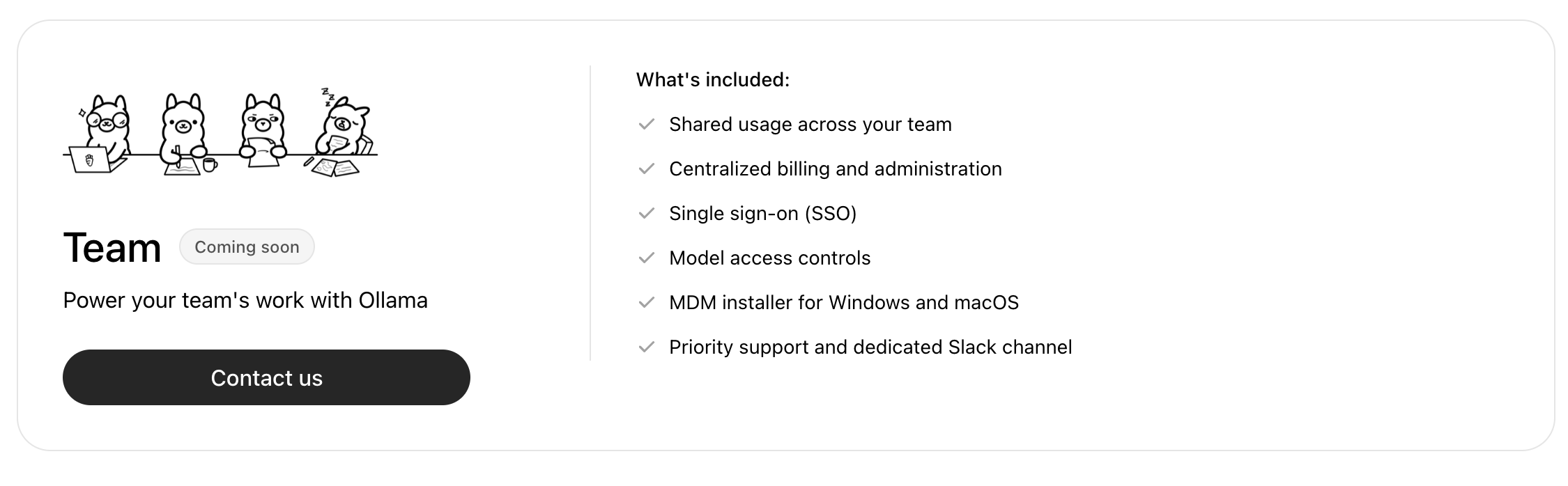
下图是Ollama的定价,Ollama官网是https://ollama.com/
Here is the pricing of Ollama, its official website is https://ollama.com/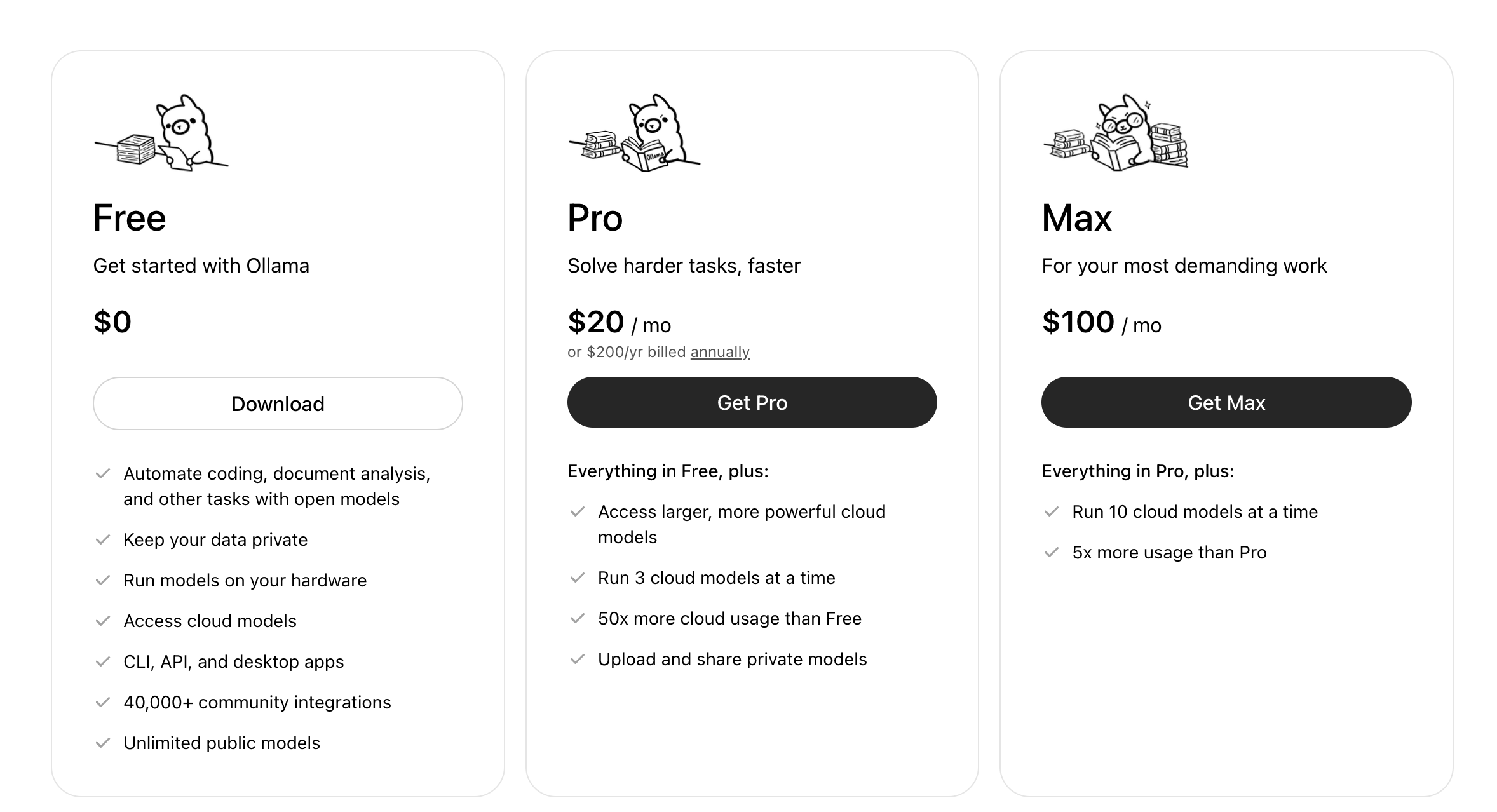
三、具体实现 Third, how to make it done (直接开始的话看这里)Quick start
安装Ollama install Ollama
Ollama的官方应用下载网址在:https://ollama.com/download
The official application downloading website is https://ollama.com/download
你可以在官网上下载dmg安装文件来安装GUI的软件(这个新手友好一点)。
You can download the dmg installation file to install a GUI application, which is more easy to use for green-hands.
或者直接复制下面命令在终端中运行,安装CLI应用。
Or copy this command to terminal and run it to install the CLI version.
curl -fsSL https://ollama.com/install.sh | sh
要调用终端,在MacOS中搜索软件“终端”,打开后是深灰色背景命令行界面(command + 空格调出聚焦搜索)
To use terminal in MacOS, search for ‘terminal’, a CLI application with default dark grey background.(Press command + space for spotlight searching)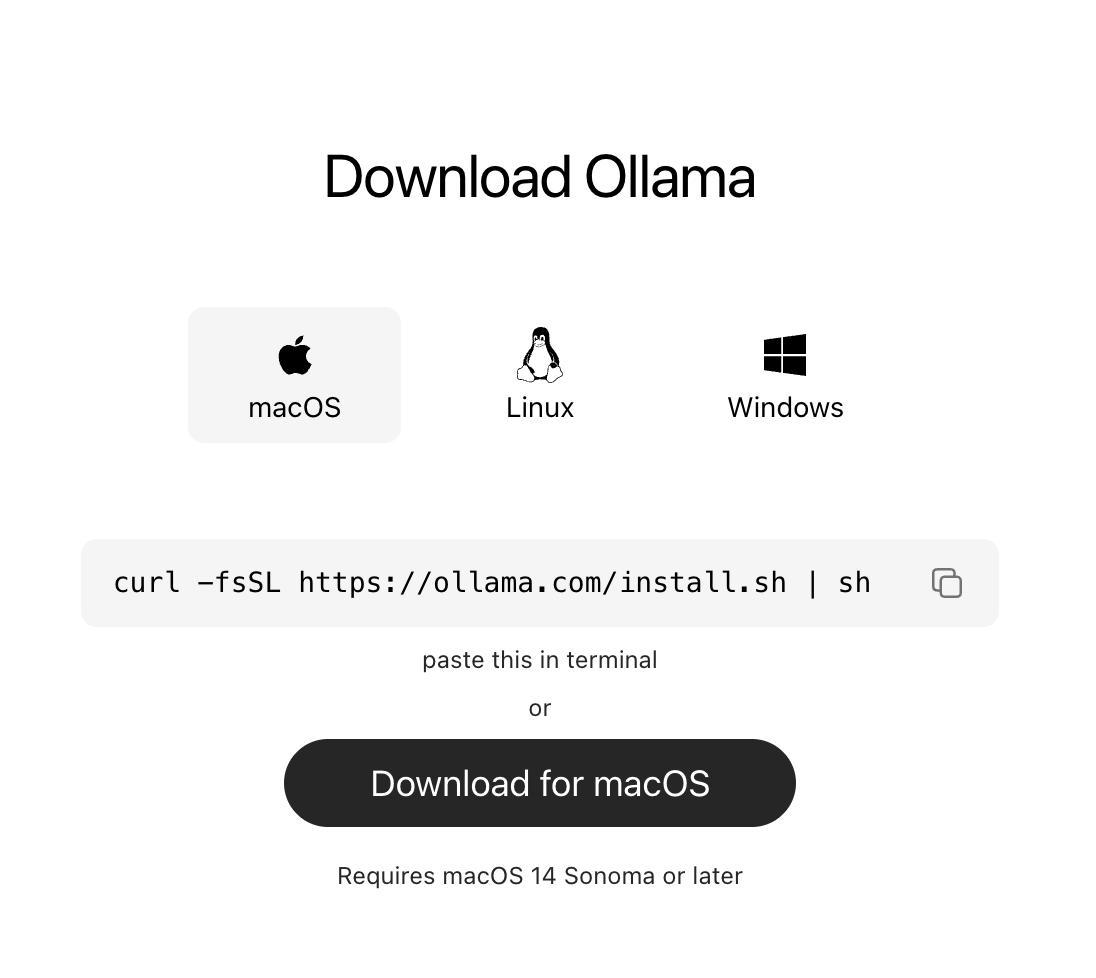
安装好后可以在终端输入指令来检查安装状态和版本。
Using the following instruction to check installation and version.
ollama --version
成功的安装应返回应用版本。
Successful install will give the version number.
Ollama本地部署AI – GUI Ollama locally deploy AI – GUI
在Ollama对话窗口中,会显示支持本地部署的AI,我这里已经部署了一些了,部署完后右侧没有下载表示说明安装过
In the chat box of Ollama, available AI models are listed. I have already deployed some models, after deployment, the download sign will disappear.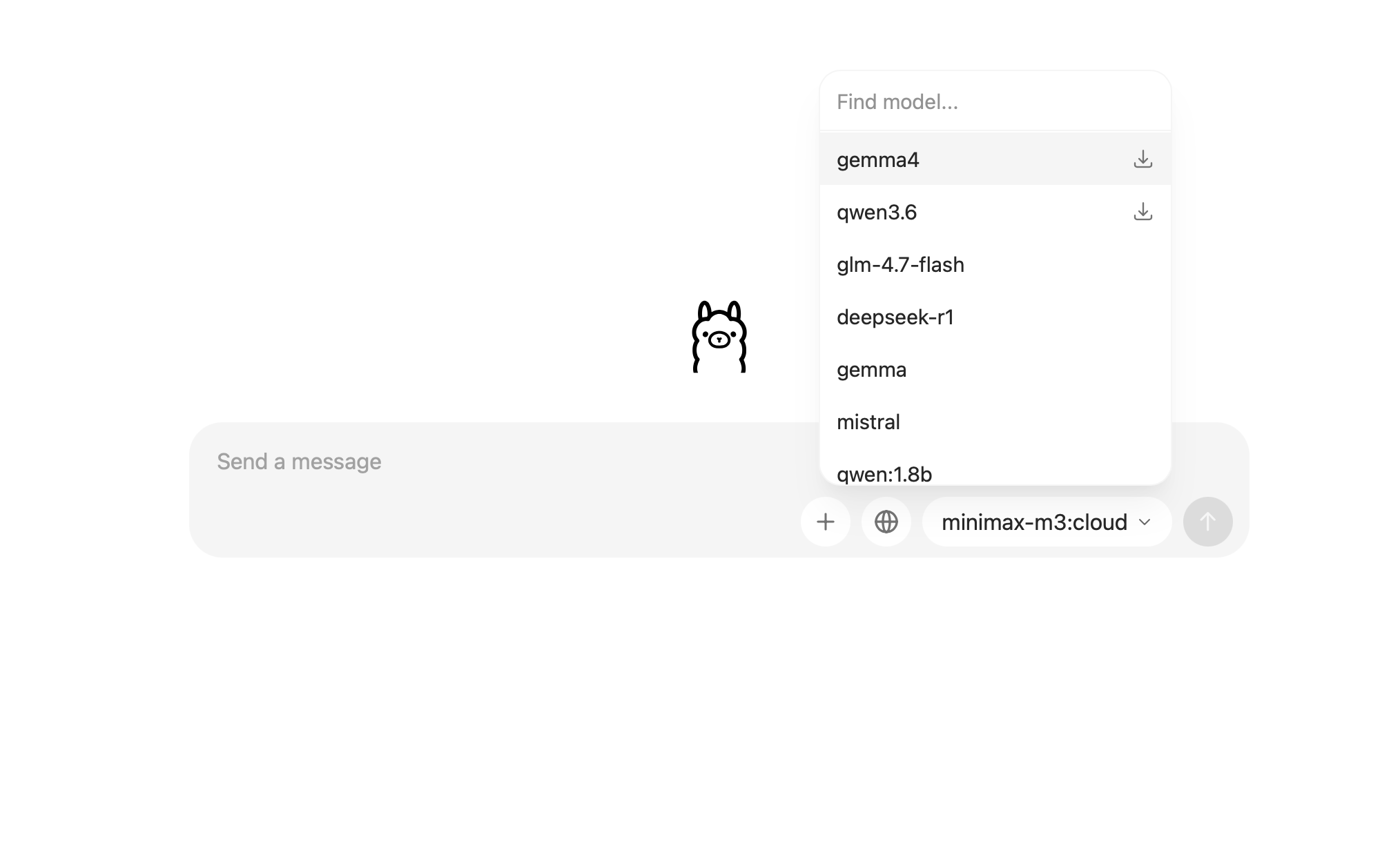
Ollama本地部署AI – CLI Ollama locally deploy AI – CLI
在终端中使用指令下载模型。
Run this command in terminal to download models.
ollama pull model_name
例如下载千问3.5,9B大模型。
For instance, download Qwen3.5, 9B model.
ollama pull qwen3.5:9b
若要在终端中启动对话,使用命令
Run this command to chat to AI in terminal.
ollama run model_name
例如
For instance
ollama run qwen3.5:9b
查看安装的模型,使用命令
To check downloaded models, run this command
ollama list
安装Hermes运行时 Install Hermes runtime
Ollama 从0.21版本开始提供一键安装Hermes的指令。
Ollama offers Hermes installation instruction since version 0.21
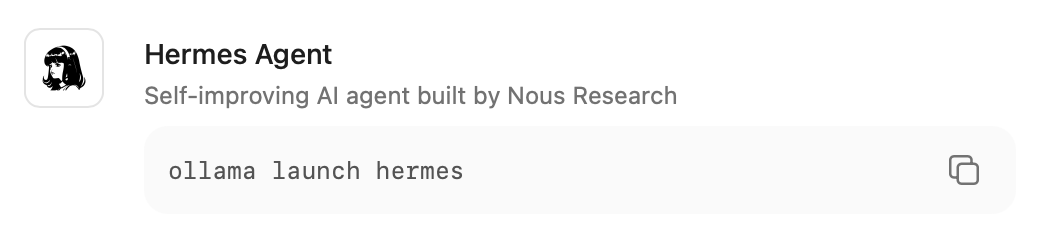
在终端中运行这个指令,Ollama会自行安装Hermes运行时。这提供了极大的便利。
Run this command in terminal, Ollama will then download and install Hermes runtime automatically. This gives large convenience.
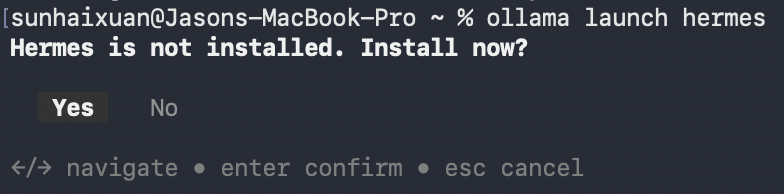
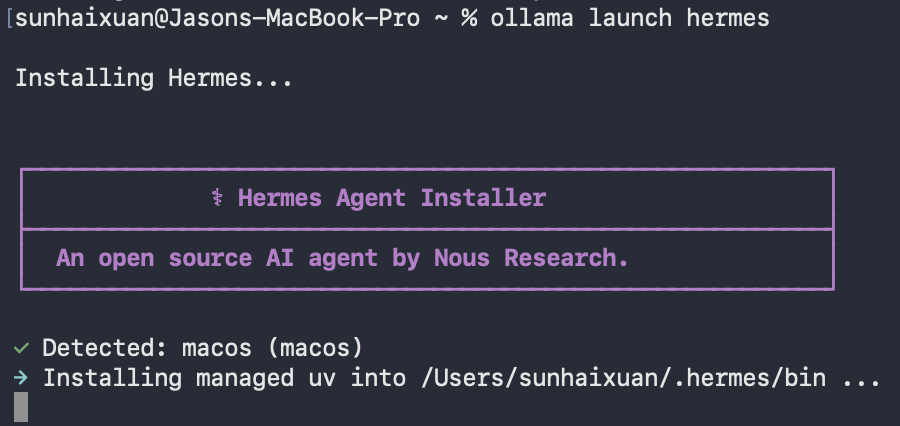
所需依赖会一并下载,在安装完成之后再次运行指令,Hermes会自动接入Ollama的API。免去了用户自己配置API的麻烦。
All the required dependancies will be downloaded. After downloading, run the command again, Hermes will connect to Ollama API automatically. And users do not have to configure API themselves.
如果你卡在了Unicode这一步,按下control + c退出进程。等待程序自动继续运行完成。
If you are locked at the unicode step, press control + c to exit progress, waiting for the program to continue running.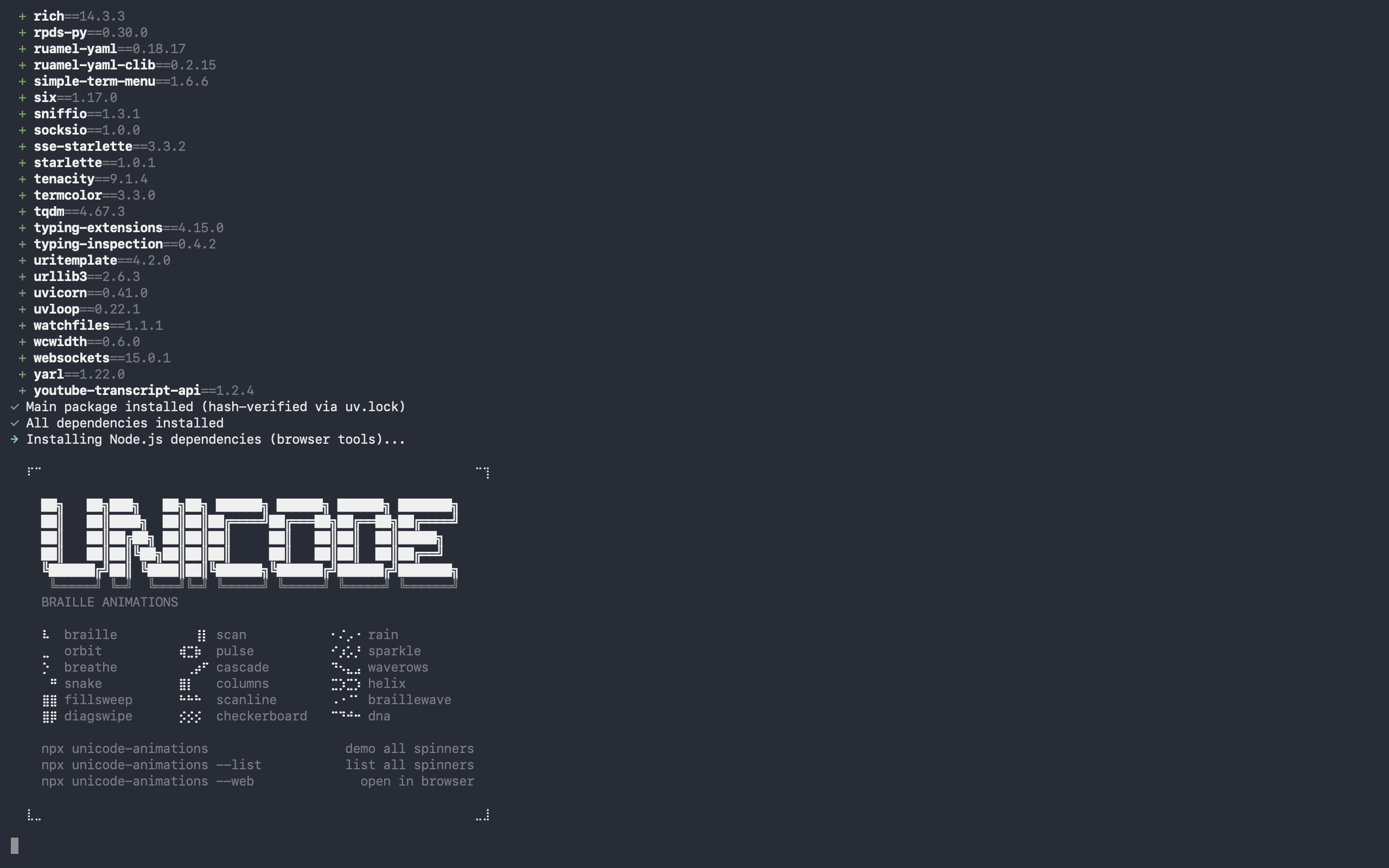
安装完成的提示如下
instruction of finishing installation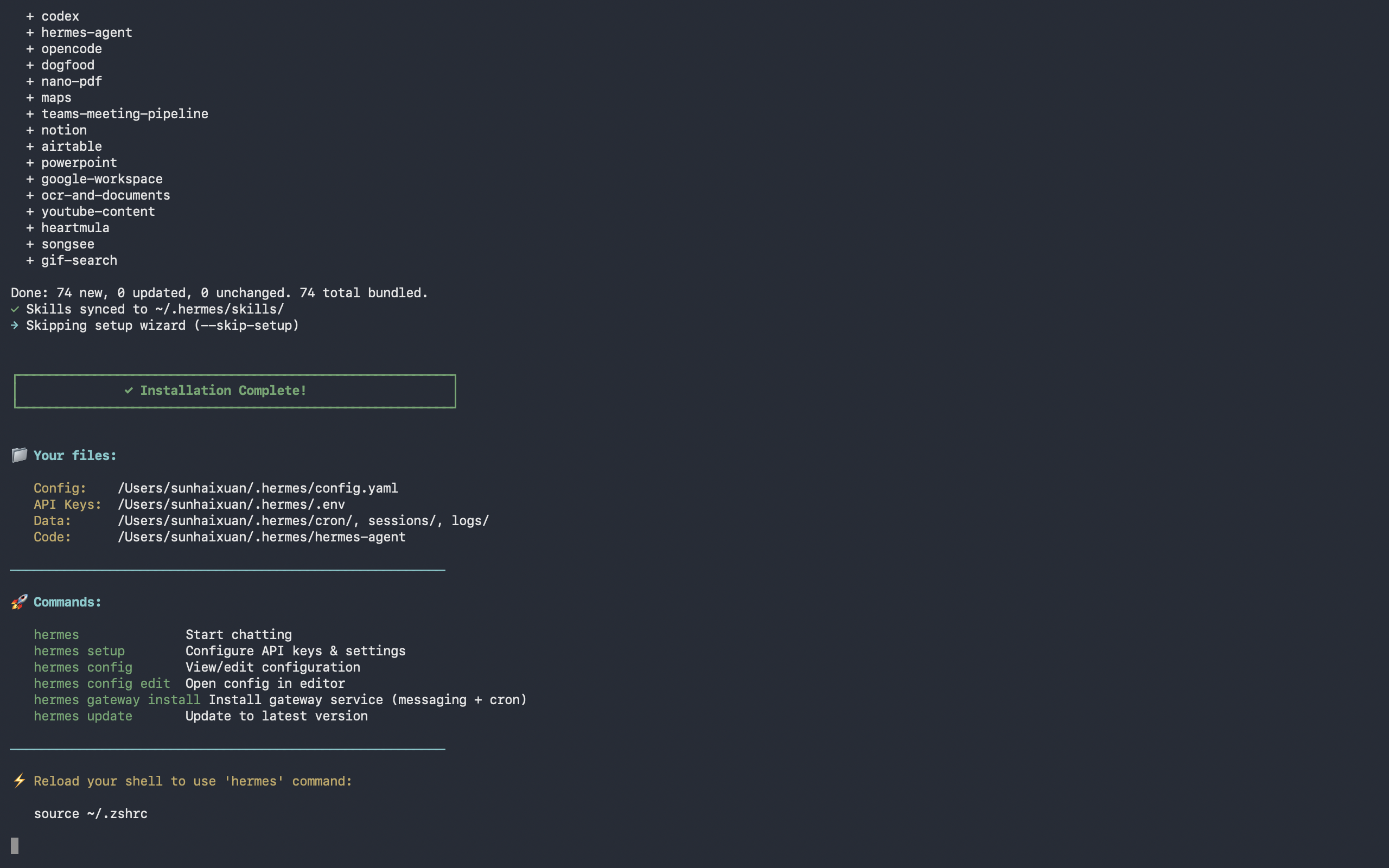
在那之后,重新运行来配置API
After that, run this again to configure API
ollama launch hermes
终端会显示本地部署的模型和目前方案的Ollama支持的云端模型。订阅后会有更多模型选择和更多用量额度。
Terminal will show all the available local and cloud models for your current Ollama plan. After subscribing, more models and larger tokens limitation will be available.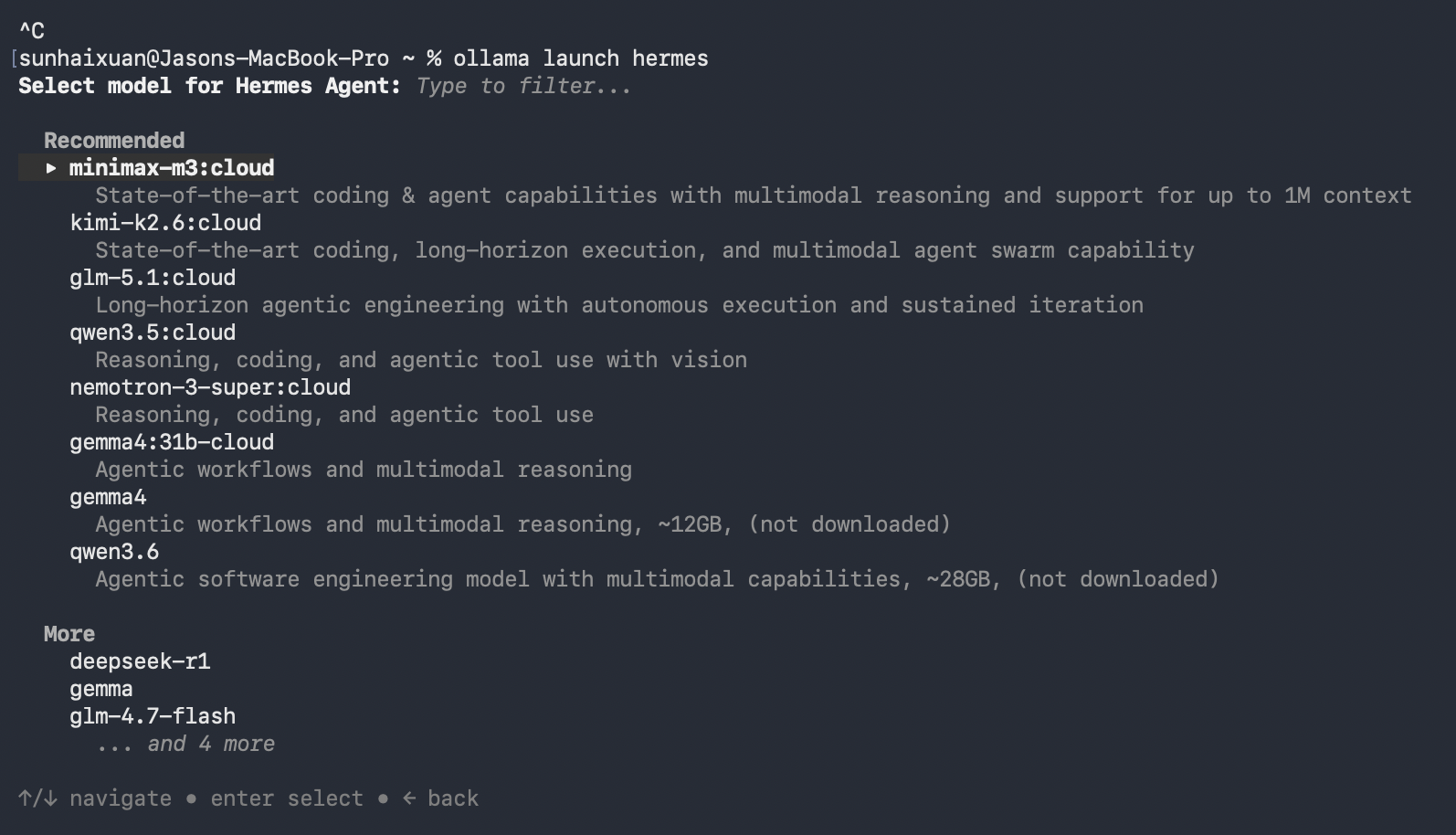 之后就可以在终端中跟agnet对话了
And then you can chat to agent in terminal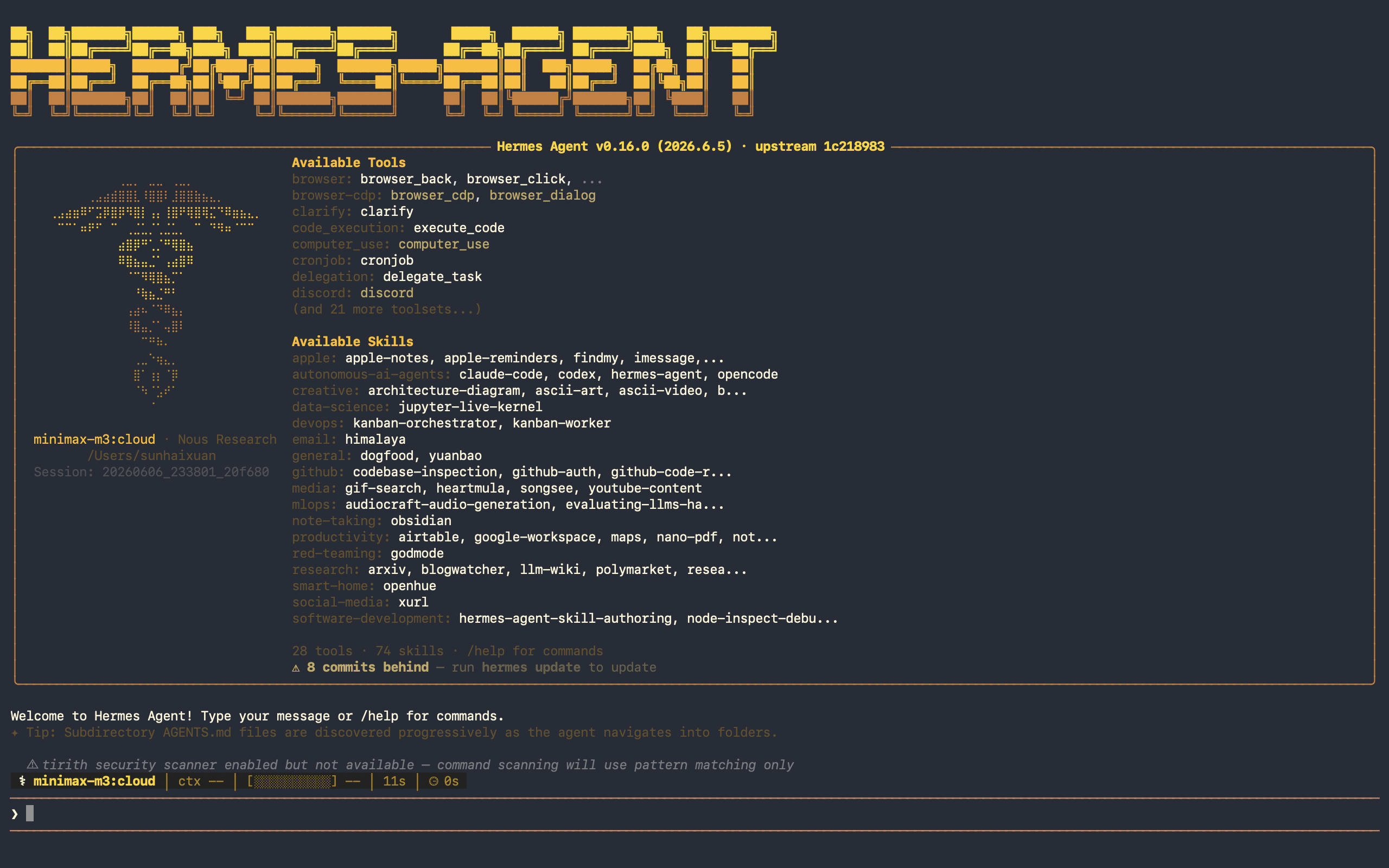
四、使用示范 Demonstration
这里我调用云端模型minimax来帮我整理保存在桌面的截屏素材。
Here I use the cloud model minimax to clear up my screen shots on my desktop.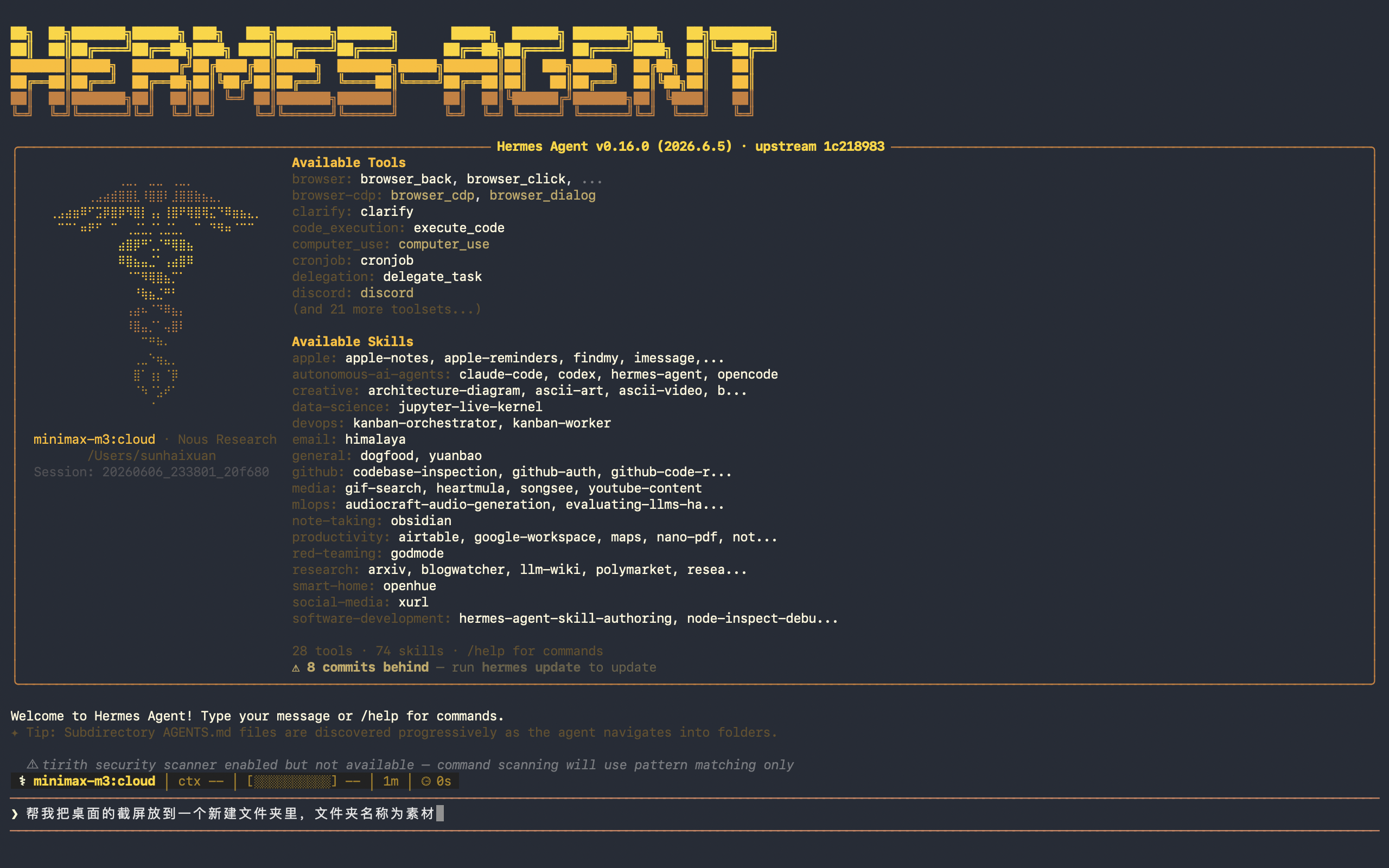
Hermes会把任务的执行步骤列得非常详细。
Hermes lists up the steps clearly.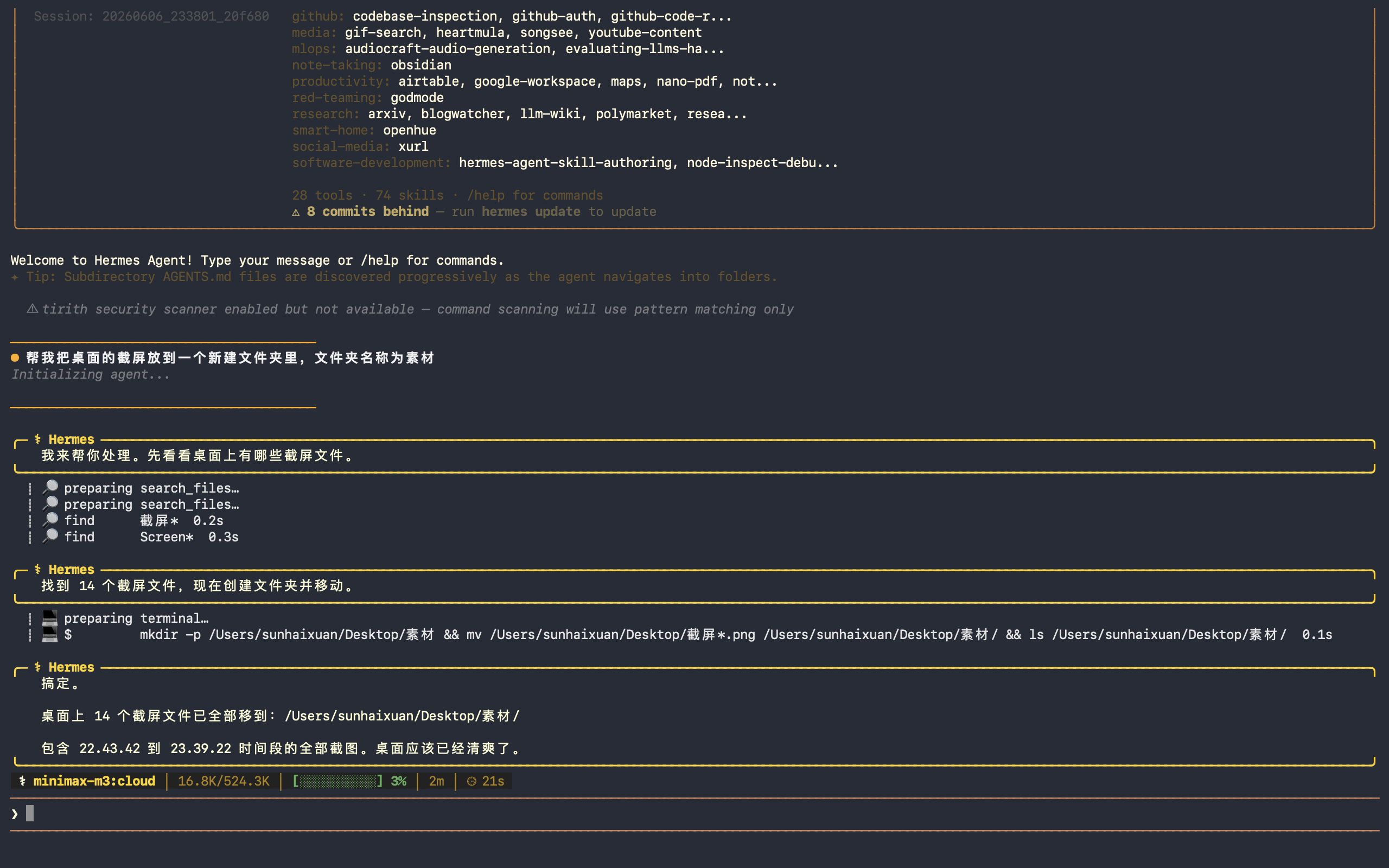
在按下control + c 退出会话后,也可以直接用它给的指令重启会话
After pressing control + c to exit, you can also resume the session with the given command.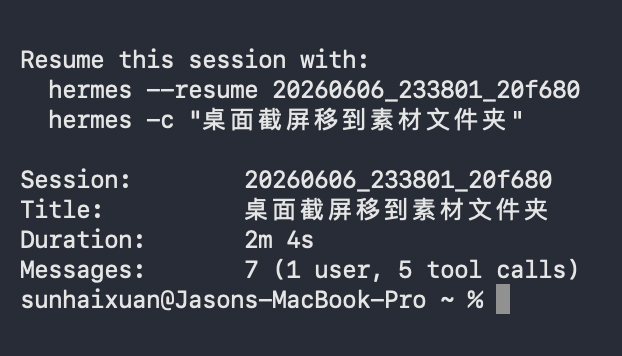
总结 Overview
本文基于Intel i5架构老款MacBook Pro,完整实操演示了Ollama+Hermes开源AI智能体的本地部署方案,相较于热门的OpenClaw,这套组合展现出更适配长期使用的稳定性与实用性,非常适合业余爱好者低成本搭建专属本地AI工具,实现AI自主办公、自动化处理日常任务。
硬件层面,Intel架构Mac虽无M系列芯片的高效算力加持,运行小参数量模型速度尚可,但大模型推理速度受限、难以满足深度使用需求。而Ollama支持本地模型+云端API混合部署的模式,完美弥补了老旧Mac硬件的短板,无需高端设备,也能借助云端模型实现高质量AI任务处理,大幅降低了普通用户部署AI智能体的硬件门槛。同时Ollama提供免费本地模型资源与分级订阅服务,摆脱了传统AI服务按Token高额扣费的弊端,性价比优势显著。
工具适配层面,Hermes凭借优秀的内存管控、会话管理和自动化能力,成为开源AI智能体的优质选择。其独有的双文件容量限制机制,从根源解决了内存文件无限膨胀、上下文溢出、Token成本递增等核心痛点,冷热分层记忆、自主沉淀复用技能、持久化会话等特性,远优于记忆堆叠、高度依赖人工维护的OpenClaw。搭配Ollama一键部署、一键接入的便捷特性,全程无需复杂配置,新手也能快速完成部署上手。
整体而言,Ollama+Hermes是一套低成本、低门槛、高稳定、可落地的本地AI智能体部署方案。虽Hermes原生终端主题存在显示瑕疵、免费版Ollama云端额度有限,但均可通过简单优化规避,不影响核心功能使用。对于普通业余用户,这套方案足以实现文件整理、内容处理、代码辅助等日常自动化工作,让AI真正落地为个人高效生产力工具。
This article presents a complete and practical local deployment solution for open-source and cloud AI agents based on Ollama and Hermes, demonstrated on an older Intel i5-based MacBook Pro. Compared with the popular OpenClaw, this combination delivers better long-term stability and practicality, enabling amateur users to build personal local AI tools at low cost and realize automatic daily work processing.
Although Intel-based Macs lack the powerful computing performance of Apple’s M-series chips and struggle with the inference speed of large parameter models, Ollama’s hybrid deployment mode of local models and cloud APIs perfectly compensates for hardware limitations. It allows ordinary users to access high-quality AI capabilities without high-end devices and avoids the high token costs of traditional AI services.
With excellent memory management, complete session persistence and high automation, Hermes effectively solves the core pain points of unlimited context bloat and excessive token consumption that plague OpenClaw. Combined with Ollama’s one-click deployment and seamless API connection, the overall deployment process is simple and friendly for beginners.
In conclusion, the Ollama + Hermes stack is a low-cost, low-threshold, stable and fully implementable local AI agent solution. Its minor flaws such as imperfect default themes and limited free cloud tokens can be easily optimized. It is fully capable of handling daily automated tasks and serves as an efficient personal productivity tool for ordinary users.

免费领 200 小时云算力,进群参与显卡、AI PC 幸运抽奖
更多推荐

 6
6 0
0- 0


 已为社区贡献1条内容

所有评论(0)