


- @qq_45479398


简介
该用户还未填写简介
擅长的技术栈
可提供的服务
暂无可提供的服务
uniapp获取openidwx.login({success: function(res) {console.log('resCode', res)//发起网络请求wx.request({url: 接口地址,data: {code: res.code},success: res => {conso
uni-app实现微信小程序支付var data = {'out_trade_no': 订单号,'WIDsubject': 商品名字,'WIDtotal_fee': 价格,'openid': openid,'appid': 'APPID','callBackUrl': 'url地址',};console.log('支付data',data)GetServerData('/webserv
uniapp分包最近写小程序发现上传报错,,提示包过大,无法编译通过。分包能减小体积分包新建分包pages.jsonpages.jsonmanifest.json静态资源(图片)图片必须是放在static下面分包的文件按照图片地址引入就OK,分包后效果这样每个包都没有超过2M,就可以上传了...
【代码】vue上传pdf并预览。

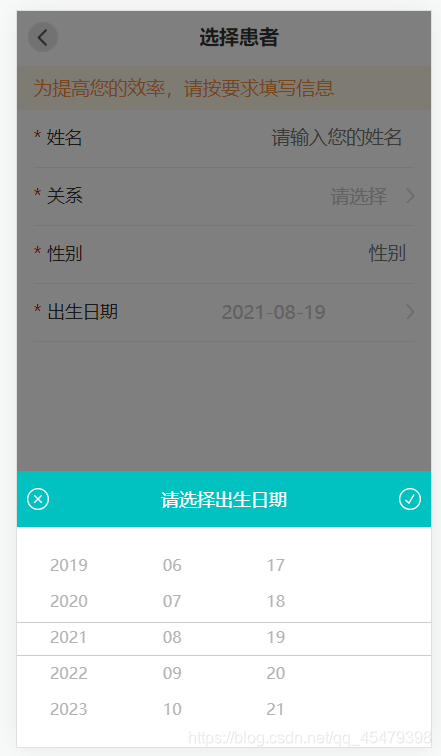
vue滚动时间选择器先看效果图<div class="addlist sp-date" @click="getTimestamp"><i>*</i><span>出生日期</span><!-- <p>{{birth}}</p> --><input style="float: right;margin
uni-app适配刘海屏问题先看问题解决后在css里面添加样式padding-top: var(--status-bar-height); //是计算状态栏的高度padding-top: calc(var(--status-bar-height) + 13px);//如果不可以可以按照这个加或者减一些高度...
uniapp获取路由传参在跳转的页面接受参数onLoad(option){console.log(option)}
uniapp动态图片加载不出来var aa=‘data:image/JPEG ;base64,’+res;//res是base64的格式this.url=aa.replace(/[\r\n]/g, “”)这样就出来了
uniapp动态修改页面的标题第一种方法{"path": "pages/login/login-form","style": {"navigationStyle": "custom" //自定义头部}},第二种方法onLoad(options) {console.log('options',options)this.name=options.namethis.label=options.label
uni-app实现纵向滑动和横向滑动<text>纵向滚动</text><view><scroll-view:scroll-top="scrollTop"scroll-y="true"class="scroll-Y"@scrolltoupper="upper"@scrolltolower="lower"