

This is a quick guide on how to clone/fork a django project from github.
Requirements
- You will need to have a version of python 3 installed.
check this by using the following command
python3 --version
Installation
First let's clone the git repo, click on the code and copy the url. Heres an example of where to find that url:
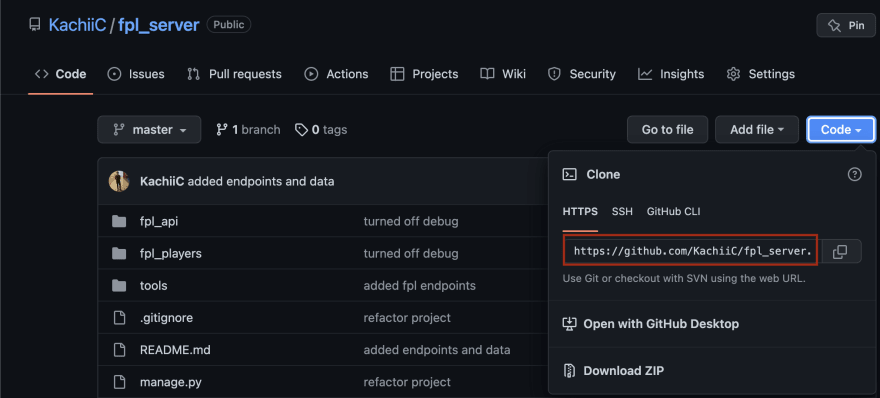
Then open your terminal and navigate to the directory you wish to store the project and run the following commands:
git clone https://github.com/REPONAME.git
(replace the url your own url)
Once you've cloned the repository, navigate into the repository.
Create a virtual environment and activate it using the following commands:
python3 -m venv venv
source venv/bin/activate
Once you've activated your virtual environment install your python packages by running:
pip install -r requirements.txt
Now let's migrate our django project:
python manage.py migrate
If there are no hitches here you should now be able to open your server by running:
python manage.py runserver
Quick and painless. If there are any issues or problems, leave a comment below!



 已为社区贡献126445条内容

所有评论(0)