npm install alway failed on jenkins build job (error code EPIPE)
·
Answer a question
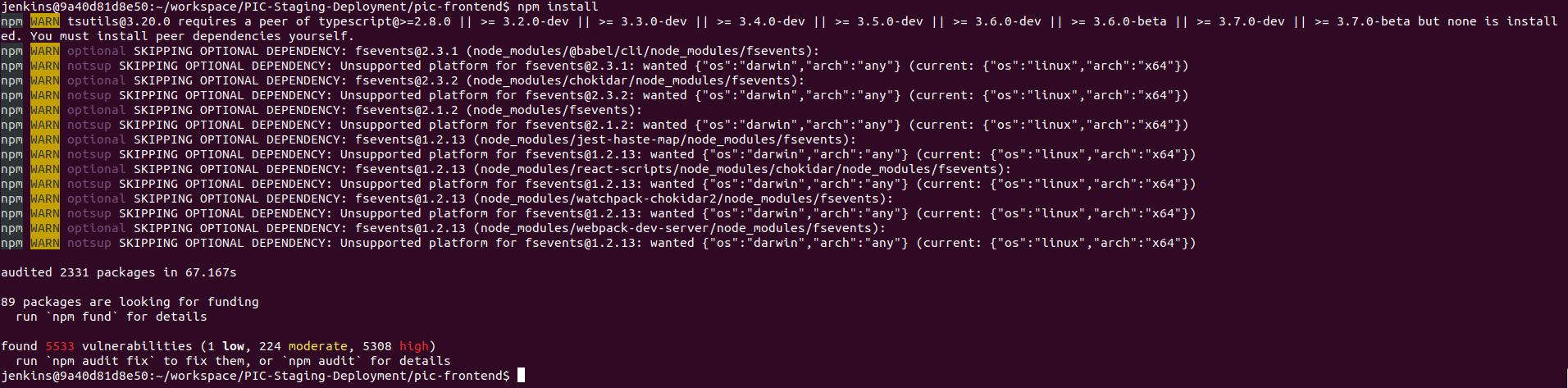
It's very strange since it just works for a long time but now when I trigger the build job, it's always failed. But when I connect to the jenkins host via ssh and build by command line, it works without any error
My jenkins config:
cd pic-frontend
npm install --verbose
npm run build-staging
It's failed at npm install
Here is the jenkins log:
Started by user root
Rebuilds build #155
Running as SYSTEM
[EnvInject] - Loading node environment variables.
Building on master in workspace /var/lib/jenkins/workspace/PIC-Staging-Deployment
using credential aaa
 > /usr/bin/git rev-parse --is-inside-work-tree # timeout=10
Fetching changes from the remote Git repository
 > /usr/bin/git config remote.origin.url git@gitlab.com:epic4/pic-backend.git # timeout=10
Fetching upstream changes from git@gitlab.com:epic4/pic-backend.git
 > /usr/bin/git --version # timeout=10
using GIT_SSH to set credentials aaa
 > /usr/bin/git fetch --tags --progress -- git@gitlab.com:epic4/pic-backend.git +refs/heads/*:refs/remotes/origin/* # timeout=10
 > /usr/bin/git rev-parse refs/remotes/origin/master^{commit} # timeout=10
 > /usr/bin/git rev-parse refs/remotes/origin/origin/master^{commit} # timeout=10
Checking out Revision ef4181ffa267fa10e8ca074a81048bb1ac18e0f6 (refs/remotes/origin/master)
 > /usr/bin/git config core.sparsecheckout # timeout=10
 > /usr/bin/git checkout -f ef4181ffa267fa10e8ca074a81048bb1ac18e0f6 # timeout=10
Commit message: "Merge branch 'busy-time' into 'master'"
 > /usr/bin/git rev-list --no-walk ef4181ffa267fa10e8ca074a81048bb1ac18e0f6 # timeout=10
using credential aaa
 > /usr/bin/git rev-parse --is-inside-work-tree # timeout=10
Fetching changes from the remote Git repository
 > /usr/bin/git config remote.origin.url git@gitlab.com:epic4/pic-frontend.git # timeout=10
Fetching upstream changes from git@gitlab.com:epic4/pic-frontend.git
 > /usr/bin/git --version # timeout=10
using GIT_SSH to set credentials aaa
 > /usr/bin/git fetch --tags --progress -- git@gitlab.com:epic4/pic-frontend.git +refs/heads/*:refs/remotes/origin/* # timeout=10
 > /usr/bin/git rev-parse refs/remotes/origin/master^{commit} # timeout=10
 > /usr/bin/git rev-parse refs/remotes/origin/origin/master^{commit} # timeout=10
Checking out Revision 28f5e1eaa374f407738e7aaf8254e9a22bcd1627 (refs/remotes/origin/master)
 > /usr/bin/git config core.sparsecheckout # timeout=10
 > /usr/bin/git checkout -f 28f5e1eaa374f407738e7aaf8254e9a22bcd1627 # timeout=10
Commit message: "Merge branch 'Ql-dao-tao' into 'master'"
 > /usr/bin/git rev-list --no-walk 28f5e1eaa374f407738e7aaf8254e9a22bcd1627 # timeout=10
[PIC-Staging-Deployment] $ /bin/sh -xe /tmp/jenkins7625098248618834599.sh
+ cd pic-frontend
+ npm install --verbose
npmBuild step 'Execute shell' marked build as failure
Finished: FAILURE
And npm log:
0 info it worked if it ends with ok
1 verbose cli [ '/usr/bin/node', '/usr/bin/npm', 'install', '--verbose' ]
2 info using npm@6.14.13
3 info using node@v14.17.0
4 verbose npm-session 34549561e0a4df44
5 silly install runPreinstallTopLevelLifecycles
6 verbose stack Error: write EPIPE
6 verbose stack     at afterWriteDispatched (internal/stream_base_commons.js:156:25)
6 verbose stack     at writeGeneric (internal/stream_base_commons.js:147:3)
6 verbose stack     at Socket._writeGeneric (net.js:785:11)
6 verbose stack     at Socket._write (net.js:797:8)
6 verbose stack     at writeOrBuffer (internal/streams/writable.js:358:12)
6 verbose stack     at Socket.Writable.write (internal/streams/writable.js:303:10)
6 verbose stack     at EventEmitter.log.write (/usr/lib/node_modules/npm/node_modules/npmlog/log.js:271:10)
6 verbose stack     at EventEmitter.<anonymous> (/usr/lib/node_modules/npm/node_modules/npmlog/log.js:235:12)
6 verbose stack     at Array.forEach (<anonymous>)
6 verbose stack     at EventEmitter.log.emitLog (/usr/lib/node_modules/npm/node_modules/npmlog/log.js:232:28)
6 verbose stack     at EventEmitter.<anonymous> (/usr/lib/node_modules/npm/node_modules/npmlog/log.js:214:8)
6 verbose stack     at EventEmitter.<anonymous> (/usr/lib/node_modules/npm/node_modules/npmlog/log.js:286:23)
6 verbose stack     at Object.<anonymous> (/usr/lib/node_modules/npm/lib/config/figgy-config.js:13:5)
6 verbose stack     at Module._compile (internal/modules/cjs/loader.js:1068:30)
6 verbose stack     at Object.Module._extensions..js (internal/modules/cjs/loader.js:1097:10)
6 verbose stack     at Module.load (internal/modules/cjs/loader.js:933:32)
7 verbose cwd /var/lib/jenkins/workspace/PIC-Staging-Deployment/pic-frontend
8 verbose Linux 3.10.0-957.21.3.el7.x86_64
9 verbose argv "/usr/bin/node" "/usr/bin/npm" "install" "--verbose"
10 verbose node v14.17.0
11 verbose npm  v6.14.13
12 error code EPIPE
13 error syscall write
14 error errno -32
15 error write EPIPE
16 verbose exit [ -32, true ]
Answers
Hard to provide one answer, so here are few possible solutions. Please test each one, in next order, and comment about what works for you.
-
CI npm installation
cd pic-frontend npm ci npm run build-staging -
Add permission flags (ref)
cd pic-frontend
npm install --unsafe-perm=true --allow-root --verbose
npm run build-staging
If issue still reproducing, provide next info:
- what node and npm version do you have on Jenkins? Please check it in two ways: by running CI and through ssh connection.
- do you use caching for node_modules on Jenkins?

CI/CD社区为您提供最前沿的新闻资讯和知识内容
更多推荐
 0
0 0
0- 0


 已为社区贡献13070条内容

所有评论(0)