

Apache Druid
Apache Druid is a real-time analytical database designed for rapid query analysis ("OLAP" queries) on large data sets. Druid is most often used as a database to support application scenarios of real-time ingestion, high-performance query and high stable operation. At the same time, Druid is also usually used to help the graphical interface of analytical applications, or as a high concurrency back-end API that needs rapid aggregation. Druid is most suitable for event oriented data.
Druid features
Column storage: Druid uses column storage, which means that it only needs to query specific columns in a specific data query, which greatly improves the performance of some column query scenarios. In addition, each column of data is optimized for specific data types to support rapid scanning and aggregation.
As a scalable distributed system, Druid is usually deployed in a cluster of dozens to hundreds of servers, and can provide the receiving rate of millions of records per second, the reserved storage of trillions of records, and the query delay of sub second to several seconds.
Large scale parallel processing, Druid can process queries in parallel in the whole cluster.
Real time or batch ingestion, Druid can ingest data in real time (the data that has been ingested can be used for query immediately) or in batch.
It is self-healing, self balancing and easy to operate. As a cluster operation and maintenance operator, if you want to scale the cluster, you only need to add or delete services, and the cluster will automatically rebalance itself in the background without causing any downtime. If any Druid server fails, the system will automatically bypass the damage. Druid is designed for 7 * 24-hour operation without planned downtime for any reason, including configuration changes and software updates.
Cloud native fault-tolerant architecture that will not lose data. Once Druid ingests data, Replicas are safely stored on deep storage media (usually cloud storage, HDFS or shared file system). Even if a druid service fails, your data can be recovered from deep storage. For limited failures that affect only a few Druid services, replicas ensure that queries can still be made during system recovery.
Index for fast filtering. Druid uses the compact or roaming bitmap index to create an index to support fast filtering and cross column search.
For time-based partitioning, Druid first partitions the data according to time. In addition, Druid can partition according to other fields at the same time. This means that time-based queries will only access partitions that match the query time range, which will greatly improve the performance of time-based data.
Approximate algorithm, Druid applies the algorithms of approximate count distinct, approximate sorting, approximate histogram and quantile calculation. These algorithms take up limited memory usage and are usually much faster than accurate calculations. For scenes where accuracy is more important than speed, Druid also provides accurate count distinct and accurate sorting.
Automatic summary and aggregation during ingestion. Druid supports optional data summary in the data ingestion stage. This summary will partially aggregate your data in advance, which can save a lot of cost and improve performance.
In what scenario should Druid be used
The data insertion frequency is high, but the data is rarely updated

Most query scenarios are aggregate query and group query( GroupBy),At the same time, there must be retrieval and scanning query

Locate the data query delay target between 100 milliseconds and a few seconds

Data has a time attribute( Druid (optimized and designed for time)

In the multi table scenario, each query hits only one large distributed table, and the query may hit multiple smaller distributed tables lookup surface

The scene contains high base dimension data columns (for example URL,user ID And need to quickly count and sort them

Need from Kafka,HDFS,Object storage (e.g Amazon S3)Load data in
Druid is usually applied to the following scenarios:
Click stream analysis( Web End and mobile end)
Network monitoring analysis (network performance monitoring)
Service indicator storage
 Supply chain analysis (manufacturing indicators)
Application performance index analysis
 Digital advertising analysis
 Business intelligence / OLAP
architecture design
Druid has a multi process, distributed architecture designed to be cloud friendly and easy to operate. Each Druid process can be configured and expanded independently, providing maximum flexibility on the cluster. This design also provides enhanced fault tolerance: an interruption of one component does not immediately affect other components.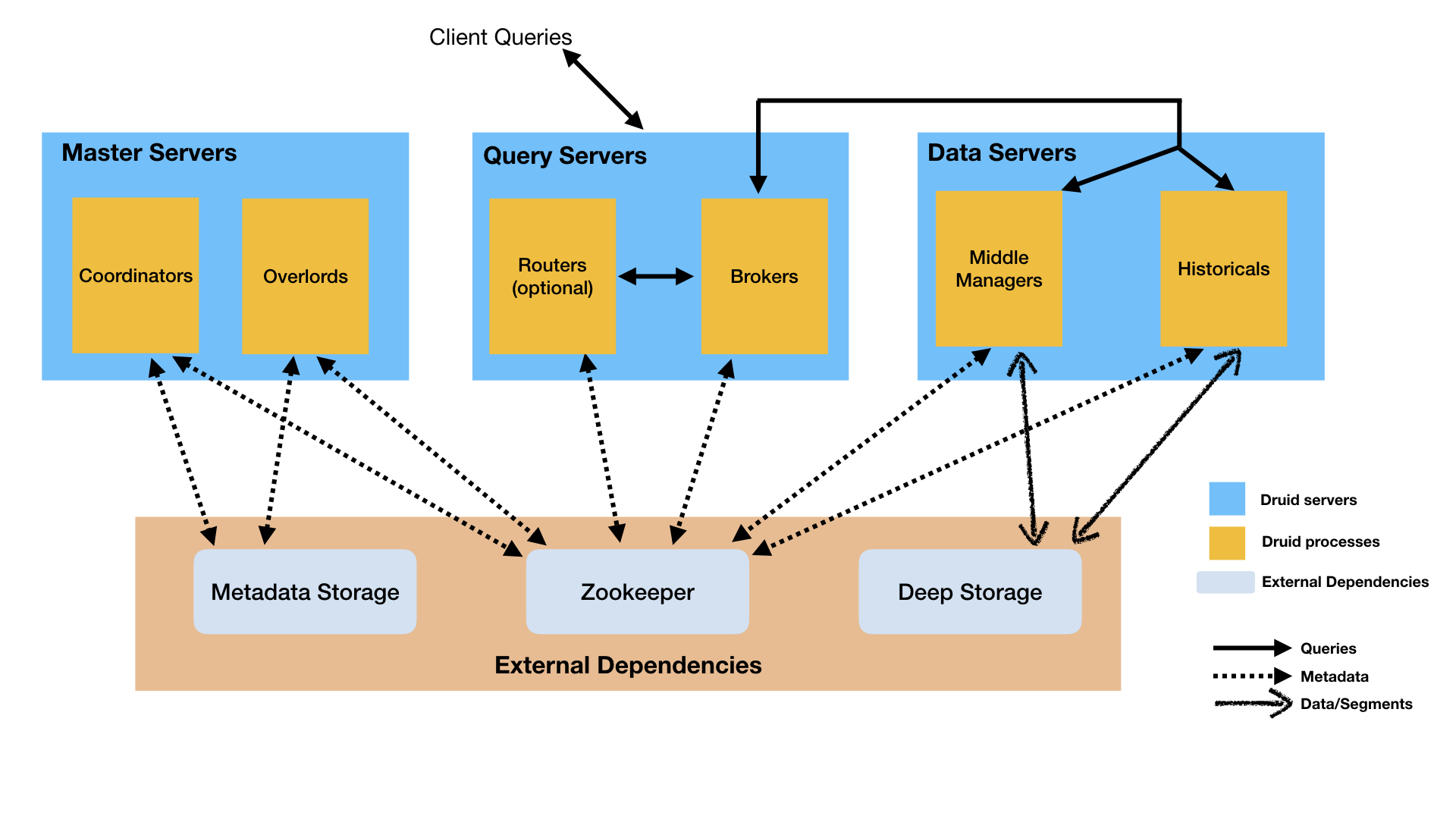
Processes and services
Druid has several different types of processes, which are briefly described as follows:
Coordinator Data availability in process management cluster

Overlord Process control data ingestion load distribution

Broker The process processes query requests from external clients

Router Process is an optional process that routes requests to Brokers,Coordinators and Overlords

Historical The process stores queryable data

MiddleManager The process is responsible for ingesting data
Druid processes can be deployed as you like, but for ease of deployment, it is recommended to organize them into three server types: Master, Query and Data.
Master: function Coordinator and Overlord Process, manage data availability and ingestion

Query: function Broker And optional Router Process to process requests from external clients

Data: function Historical and MiddleManager Process, execute load ingestion and store all queryable data
Storage design
For more overview, please refer to the Chinese website: http://www.apache-druid.cn/ …
Install Jdk
Druid service operation depends on Java 8
https://www.oracle.com/java/technologies/downloads/#java8
Unzip to the appropriate directory
tar -zxvf jdk-8u311-linux-x64.tar.gz -C /usr/local/
cd /usr/local
mv jdk1.8.0_311 jdk1.8
Setting environment variables
export JAVA_HOME=/usr/local/jdk1.8
export PATH=$JAVA_HOME/bin:$PATH
Configuration effective command
source /etc/profile
Verify that the installation was successful
java

javac

java -version
Install Druid
Refer to Chinese website for installation and use: http://www.apache-druid.cn/
# wget https://archive.apache.org/dist/druid/0.17.0/apache-druid-0.17.0-bin.tar.gz
Download 0 from document.17 There is a problem with the version in use. It has been a pit for a long time. Download the latest version 0 from the official website.22.1 No problem has been found yet.
Official website: https://druid.apache.org/
Each version set: https://archive.apache.org/dist/druid/
tar -zxvf apache-druid-0.17.0-bin.tar.gz

mv apache-druid-0.17.0/ druid

[root@administrator program]# cd druid
[root@administrator druid]# ls
bin  conf  extensions  hadoop-dependencies  lib  LICENSE  licenses  NOTICE  quickstart  README
The following files are in the installation package:
bin  Start stop and other scripts

conf   Sample configuration for single node deployment and cluster deployment

extensions  Druid Core extension

hadoop-dependencies  Druid Hadoop rely on

lib  Druid Core libraries and dependencies

quickstart Configuration files, sample data, and other files in the quick start textbook
Single server reference configuration
Nano-Quickstart: 1 CPU, 4GB Memory
 Start command: bin/start-nano-quickstart
 configure directory: conf/druid/single-server/nano-quickstart

Micro-Quickstart: 4 CPU, 16GB Memory
 Start command: bin/start-micro-quickstart
 configure directory: conf/druid/single-server/micro-quickstart

Small: 8 CPU, 64GB Memory (~i3.2xlarge)
Start command: bin/start-small
 configure directory: conf/druid/single-server/small

Medium: 16 CPU, 128GB Memory (~i3.4xlarge)
Start command: bin/start-medium
 configure directory: conf/druid/single-server/medium

Large: 32 CPU, 256GB Memory (~i3.8xlarge)
Start command: bin/start-large
 configure directory: conf/druid/single-server/large

X-Large: 64 CPU, 512GB Memory (~i3.16xlarge)
Start command: bin/start-xlarge
 configure directory: conf/druid/single-server/xlarge
[root@administrator druid]# ./bin/start-nano-quickstart
[Fri Dec 24 10:52:06 2021] Running command[zk], logging to[/usr/local/program/druid/var/sv/zk.log]: bin/run-zk conf
[Fri Dec 24 10:52:06 2021] Running command[coordinator-overlord], logging to[/usr/local/program/druid/var/sv/coordinator-overlord.log]: bin/run-druid coordinator-overlord conf/druid/single-server/nano-quickstart
[Fri Dec 24 10:52:06 2021] Running command[broker], logging to[/usr/local/program/druid/var/sv/broker.log]: bin/run-druid broker conf/druid/single-server/nano-quickstart
[Fri Dec 24 10:52:06 2021] Running command[router], logging to[/usr/local/program/druid/var/sv/router.log]: bin/run-druid router conf/druid/single-server/nano-quickstart
[Fri Dec 24 10:52:06 2021] Running command[historical], logging to[/usr/local/program/druid/var/sv/historical.log]: bin/run-druid historical conf/druid/single-server/nano-quickstart
[Fri Dec 24 10:52:06 2021] Running command[middleManager], logging to[/usr/local/program/druid/var/sv/middleManager.log]: bin/run-druid middleManager conf/druid/single-server/nano-quickstart
Access: IP:8888
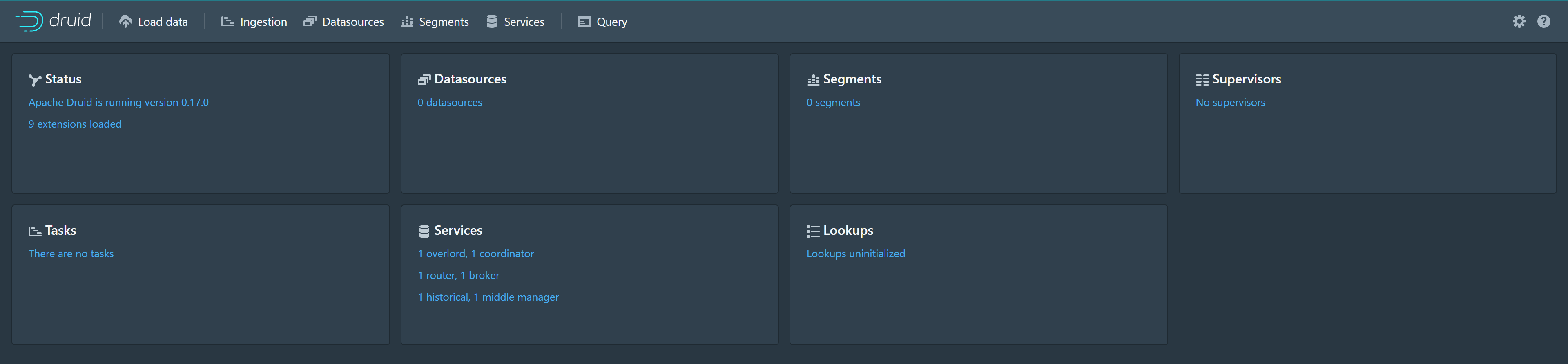
Data loading
Use the Data Loader to load data
Click Load data to enter the Load data page, select Local disk, and then click Connect data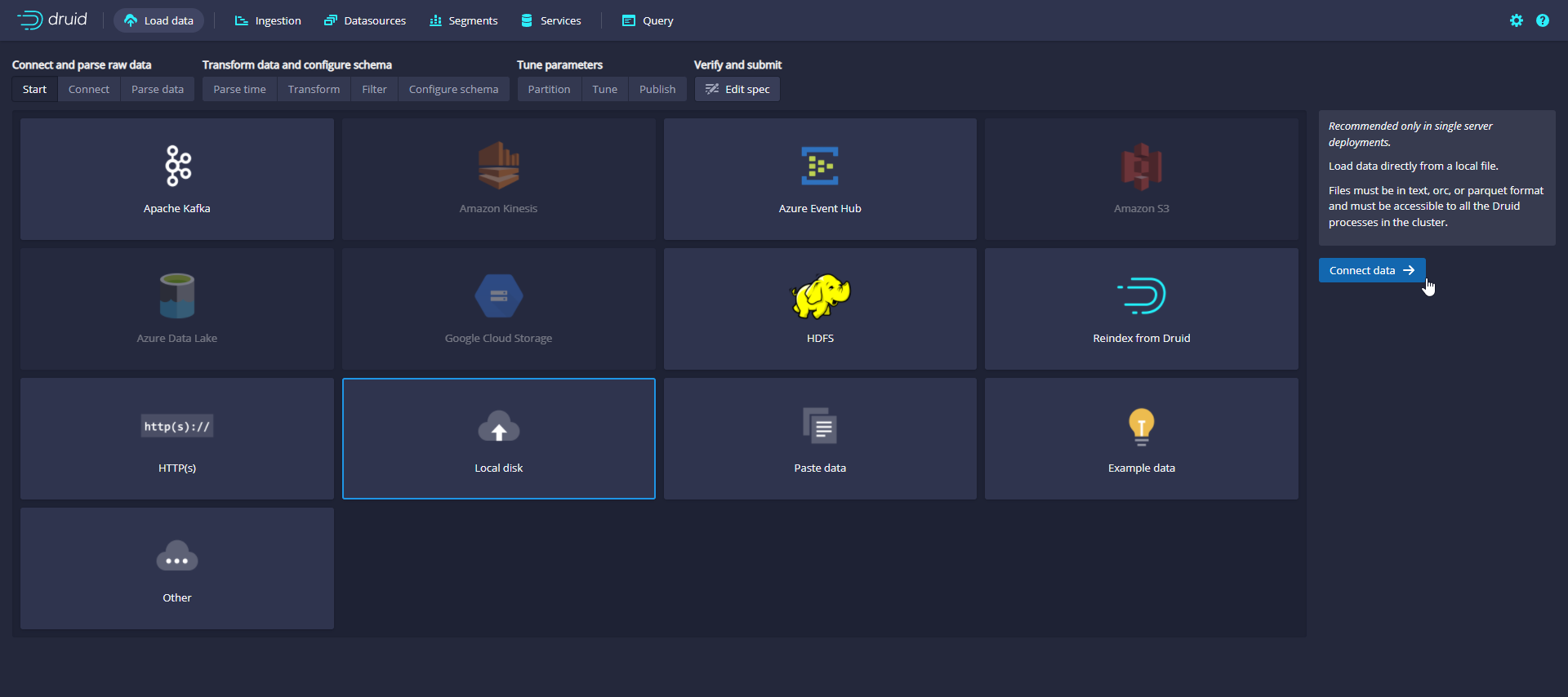
An example data file is officially provided, which contains the Wikipedia page editing event on September 12, 2015. The sample data is located in QuickStart / tutorial / wikiticker-2015-09-12-sampled. In the root directory of Druid package json. GZ, page editing events are stored as JSON objects in text files.
[root@administrator druid]# ll ./quickstart/tutorial/
Total consumption 2412
-rw-r--r-- 1 501 wheel     295 1 June 22, 2020 compaction-day-granularity.json
-rw-r--r-- 1 501 wheel    1428 1 June 22, 2020 compaction-init-index.json
.........
-rw-r--r-- 1 501 wheel 2366222 1 June 22, 2020 wikiticker-2015-09-12-sampled.json.gz
[root@administrator druid]#
Enter quickstart/tutorial / in the Base directory and select wikipicker-2015-09-12-sampled in the File filter json. GZ or enter the file name and click Apply to make sure the data you see is correct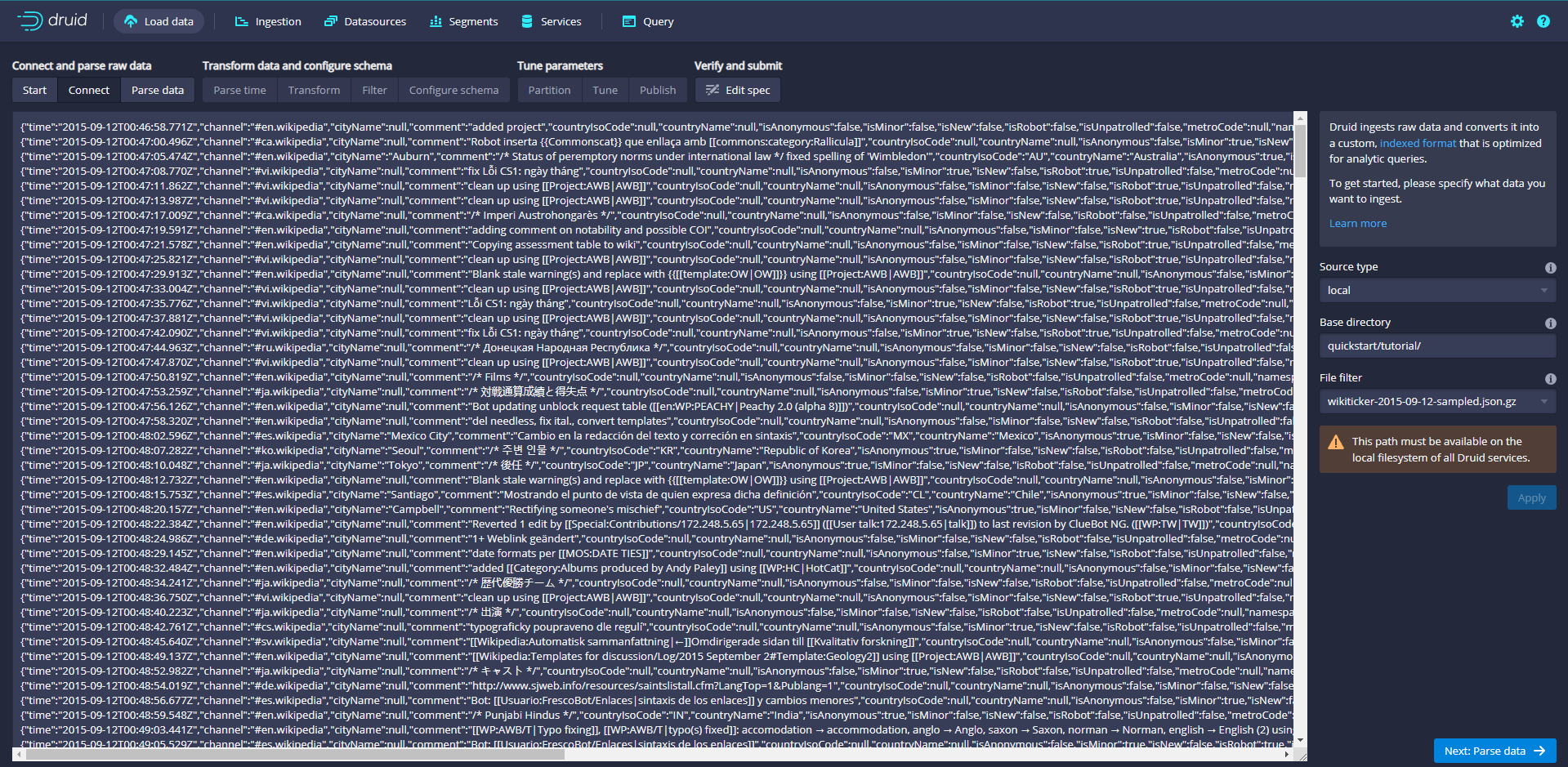
Click Next:Parse data
The data loader will attempt to automatically determine the correct parser for the data. In this case, it will successfully determine the json. Feel free to use different parser options to preview how Druid parses your data.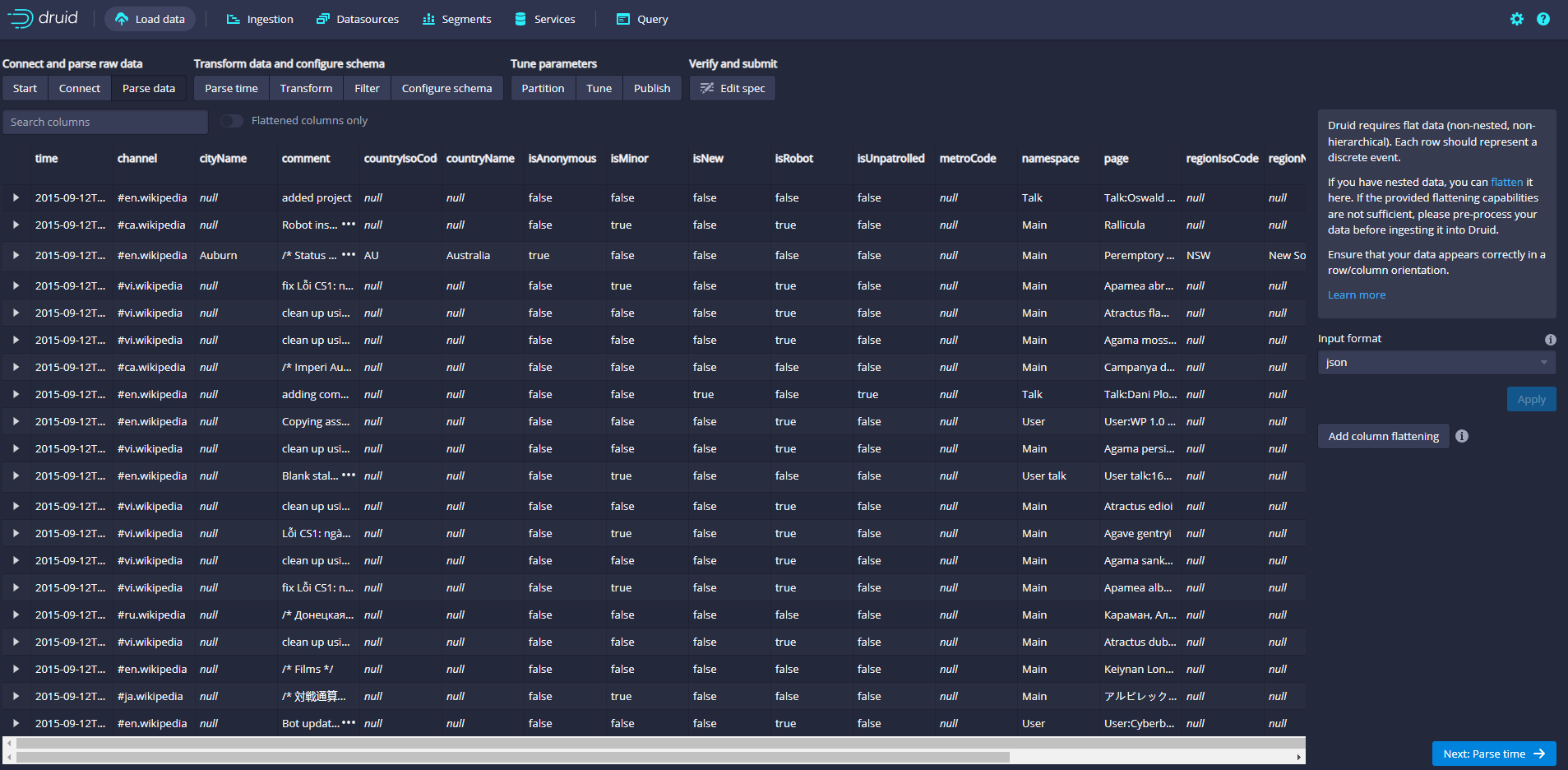
Click Next:Parse time to determine the main time column
Druid's architecture requires a primary time column (internally stored as a column named _time). If your data does not have a timestamp, select a Constant Value. In our example, the data loader will determine that the time column in the original data is the only candidate that can be used as the primary time column.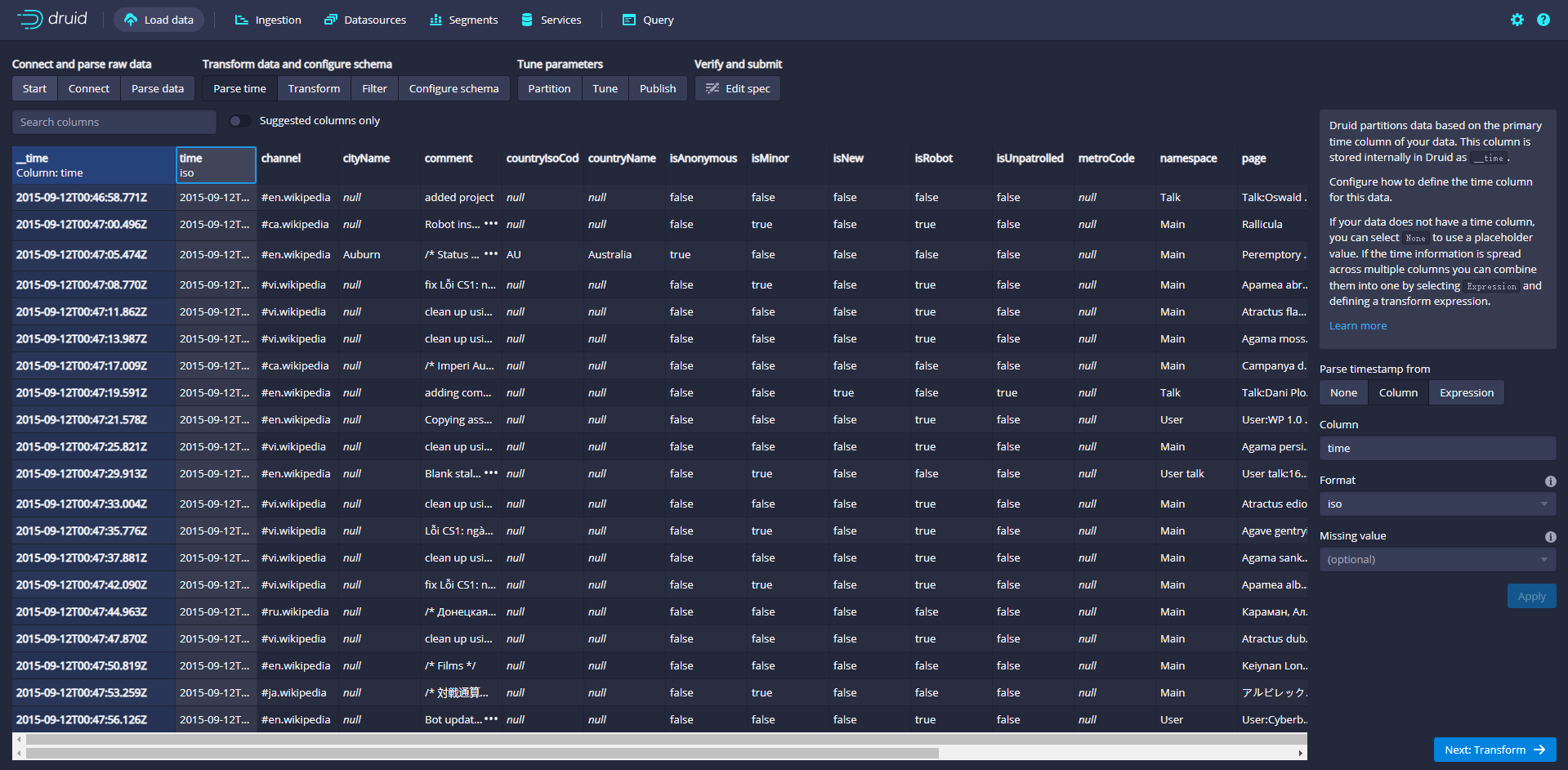
Click Next:Transform to set the use of ingestion time transformation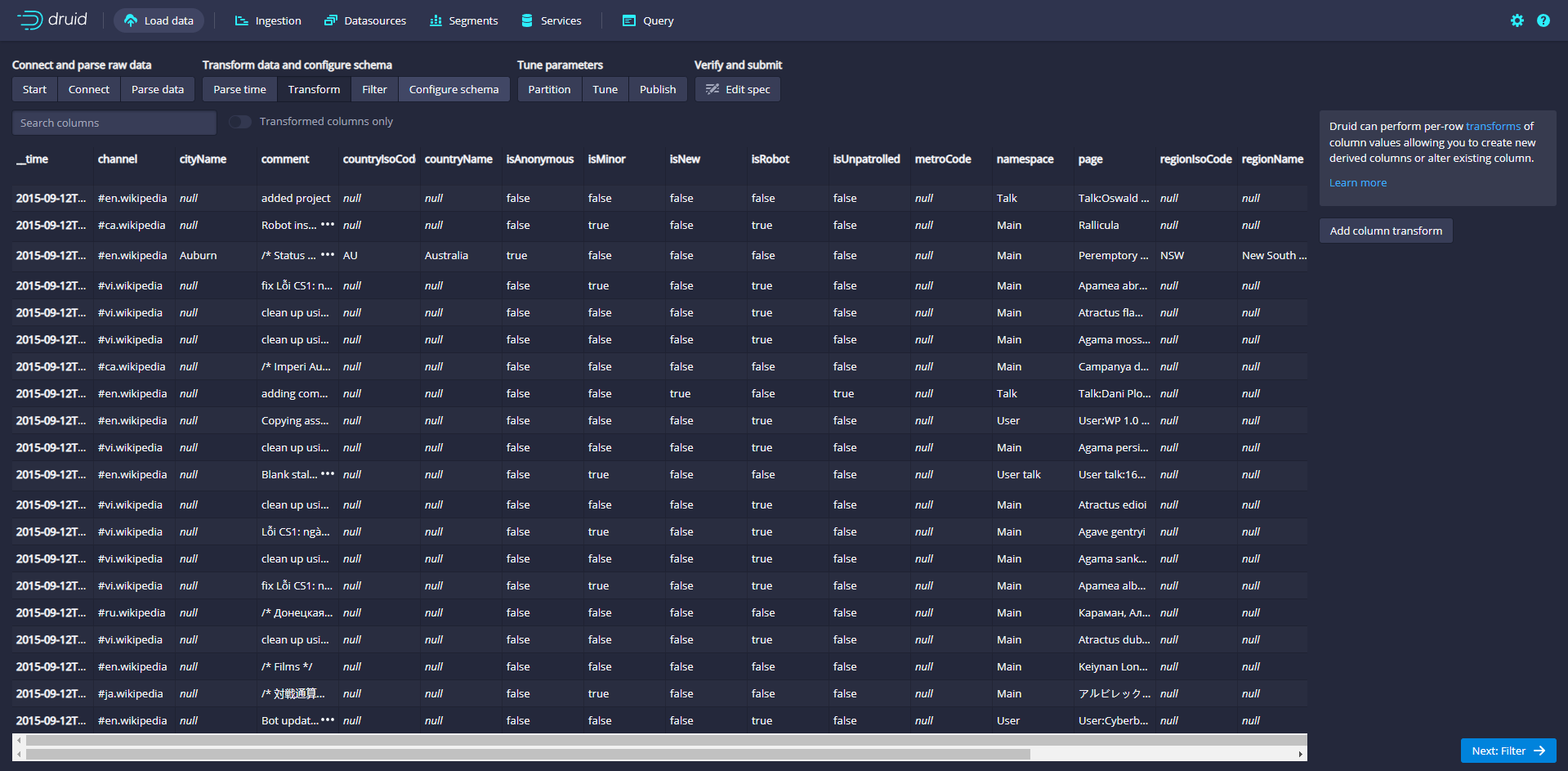
Click Next:Filter to set the filter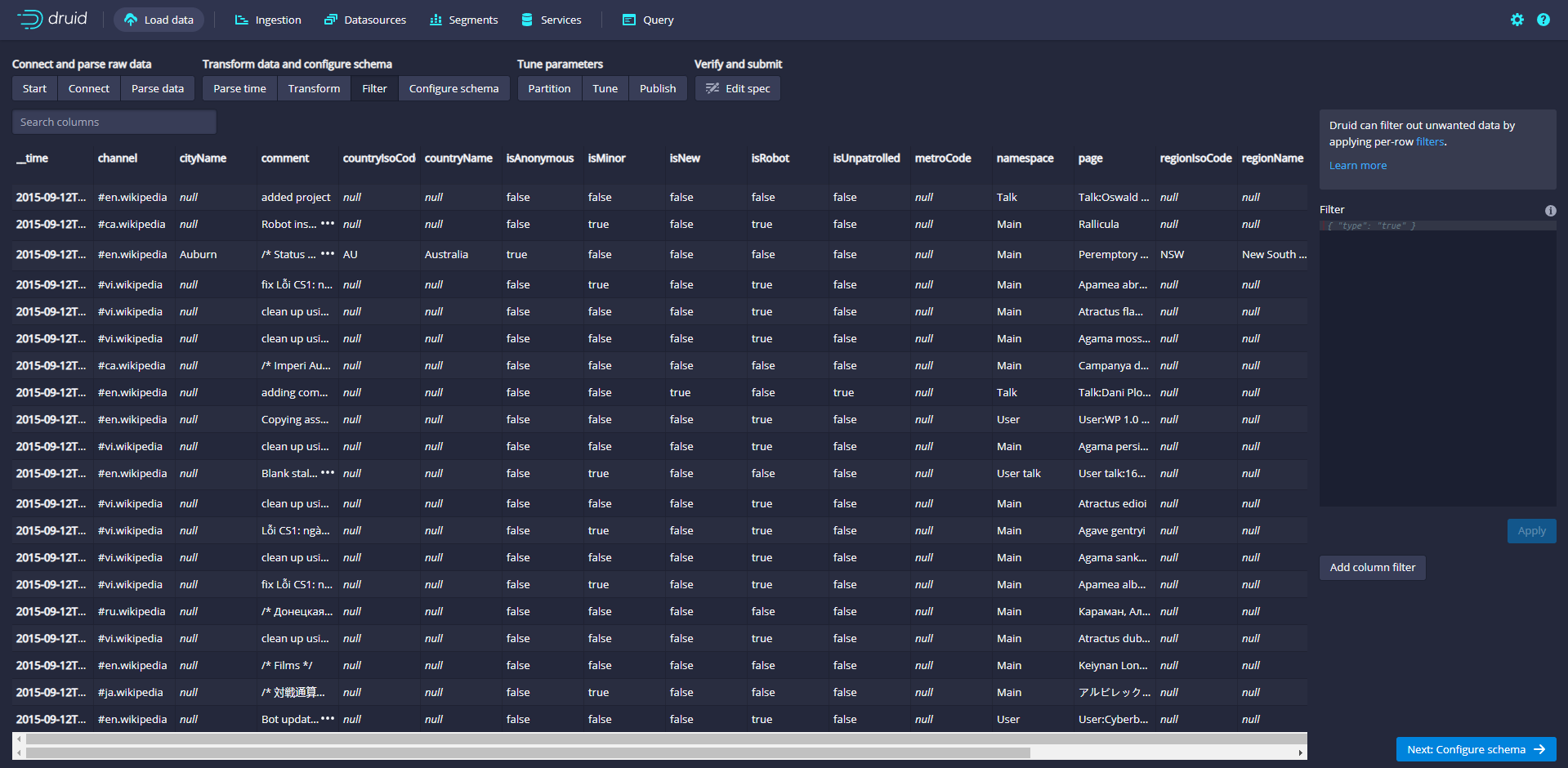
Click Next:Configure schema
Configure which dimensions and indicators will be ingested into Druid, which is what the data will look like after being ingested in Druid. Since the dataset is very small, turn off rollup and confirm the changes.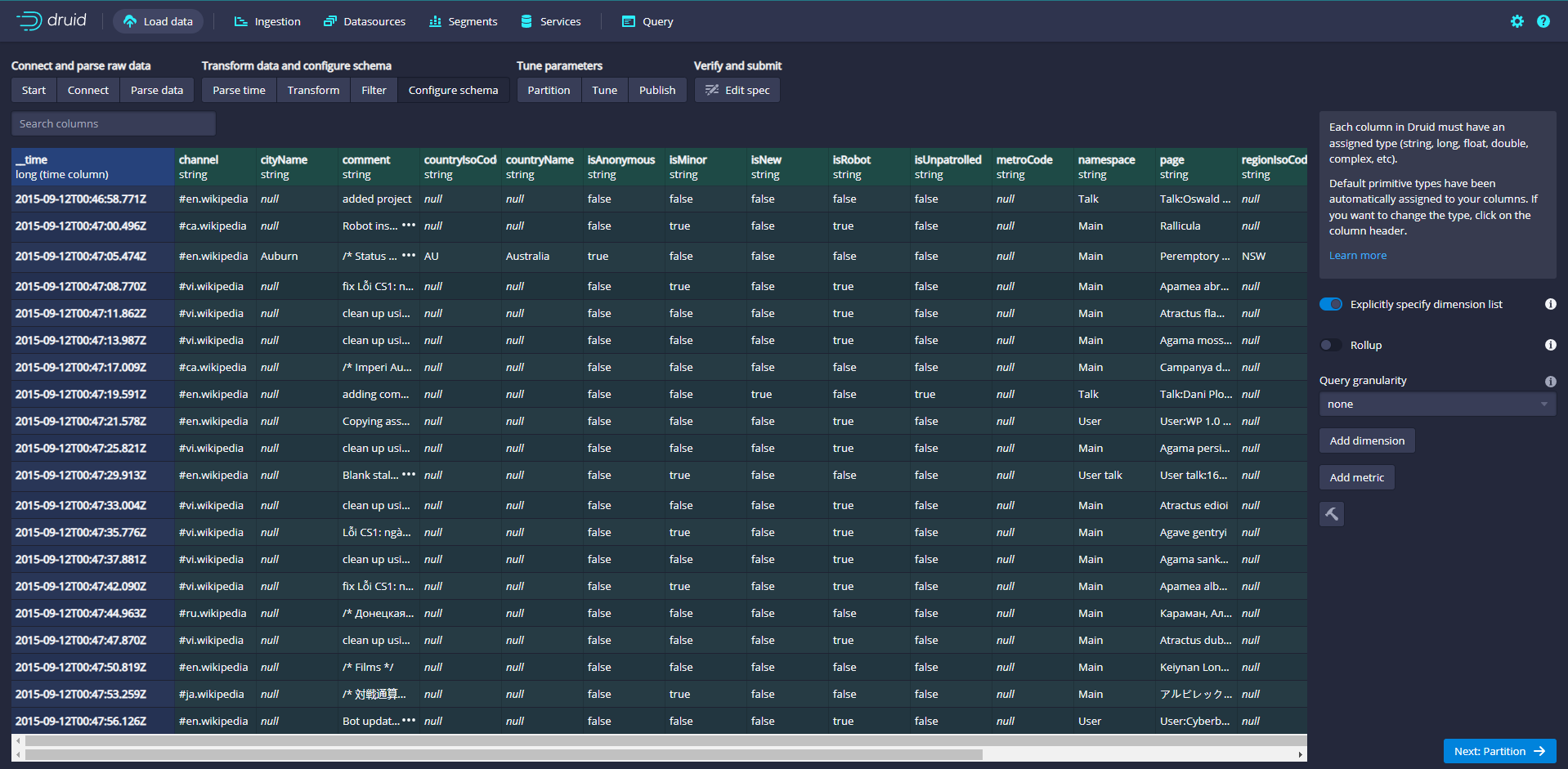
Click Next:Partition to adjust how the data is divided into segment files
Adjust how data is split into segments in Druid. Since this is a small dataset, no adjustments are required in this step.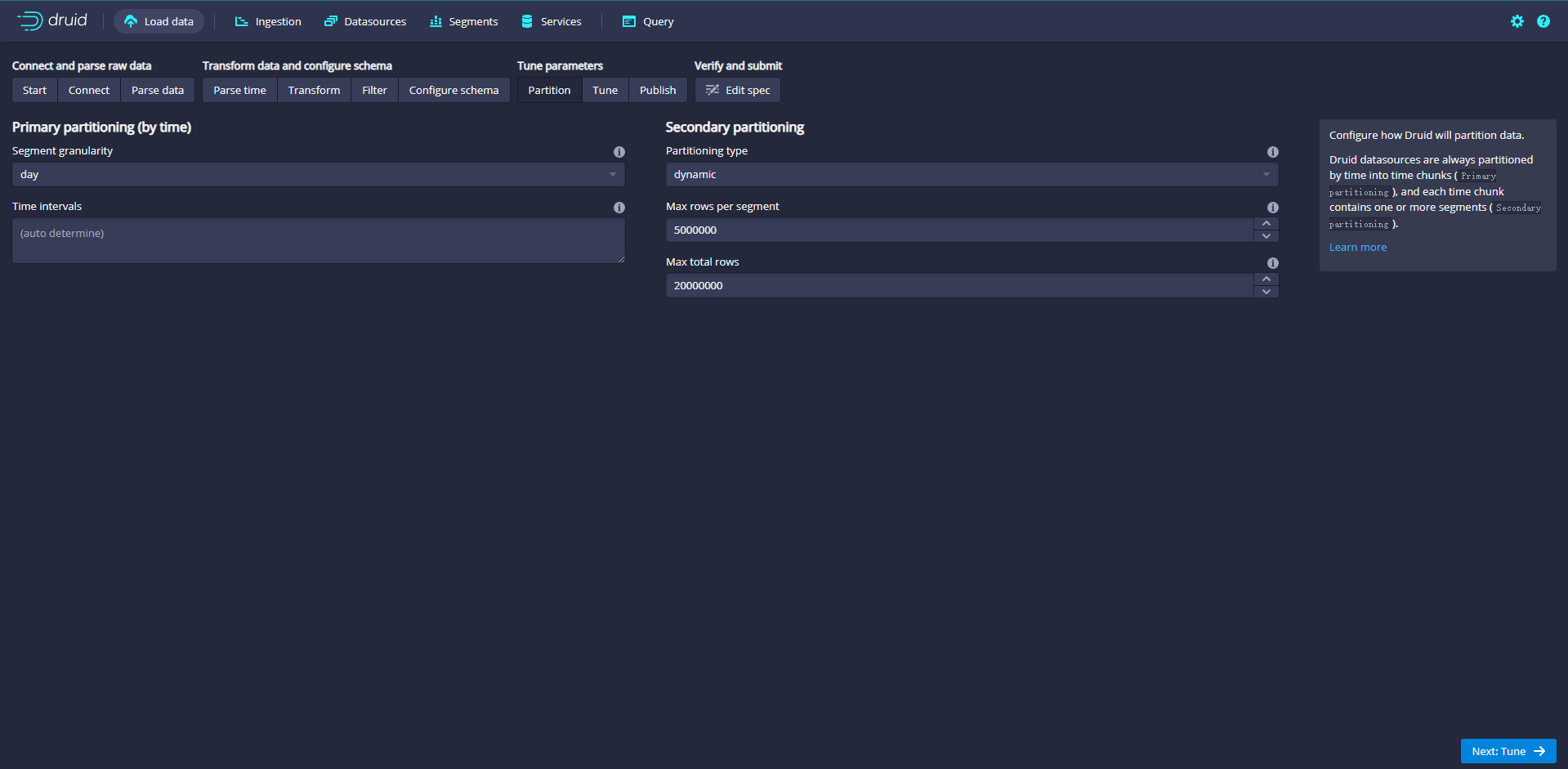
Click Next:Tune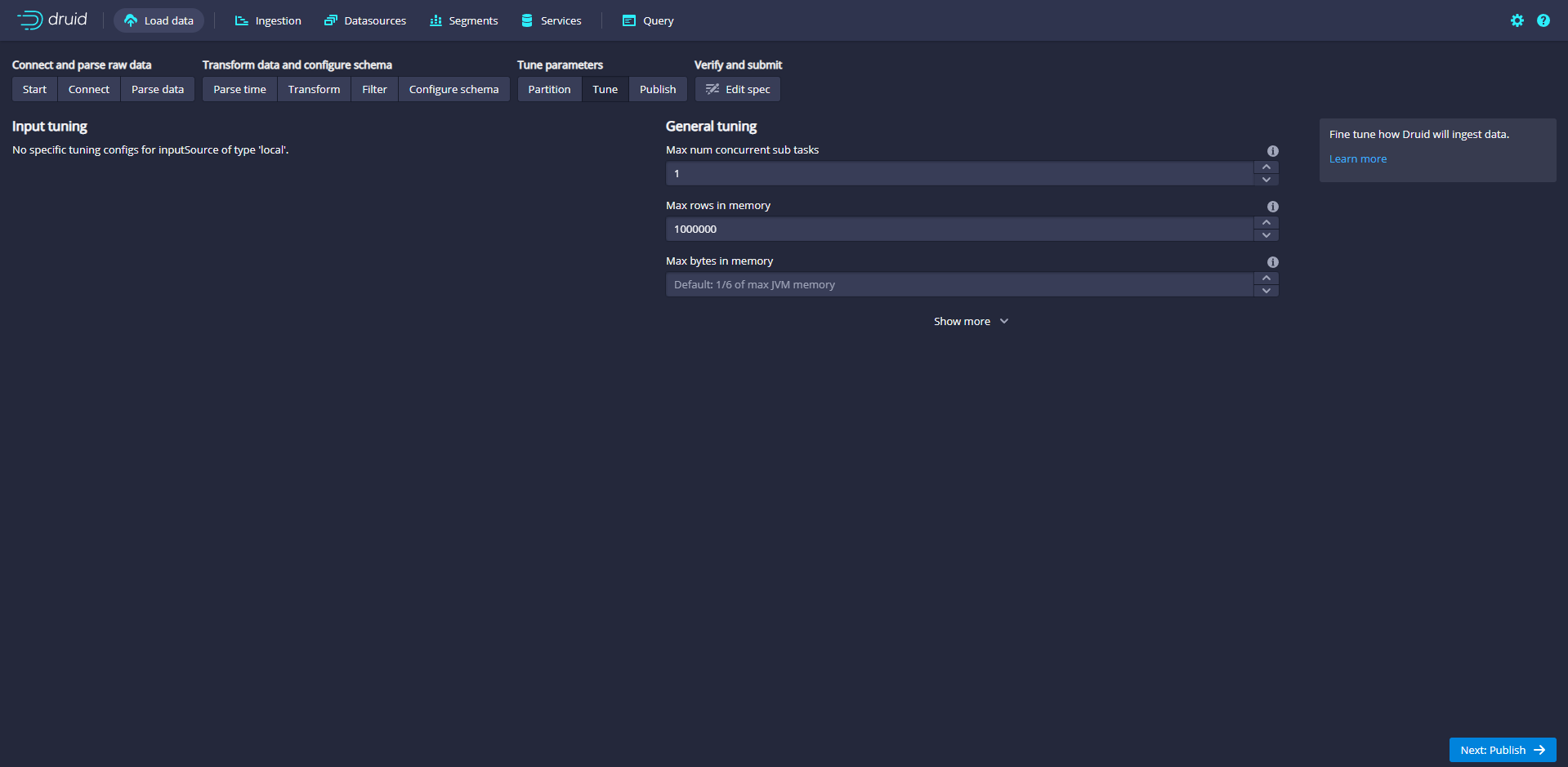
Click Next:Publish
Specify the name of the data source in Druid and name the data source wikiticker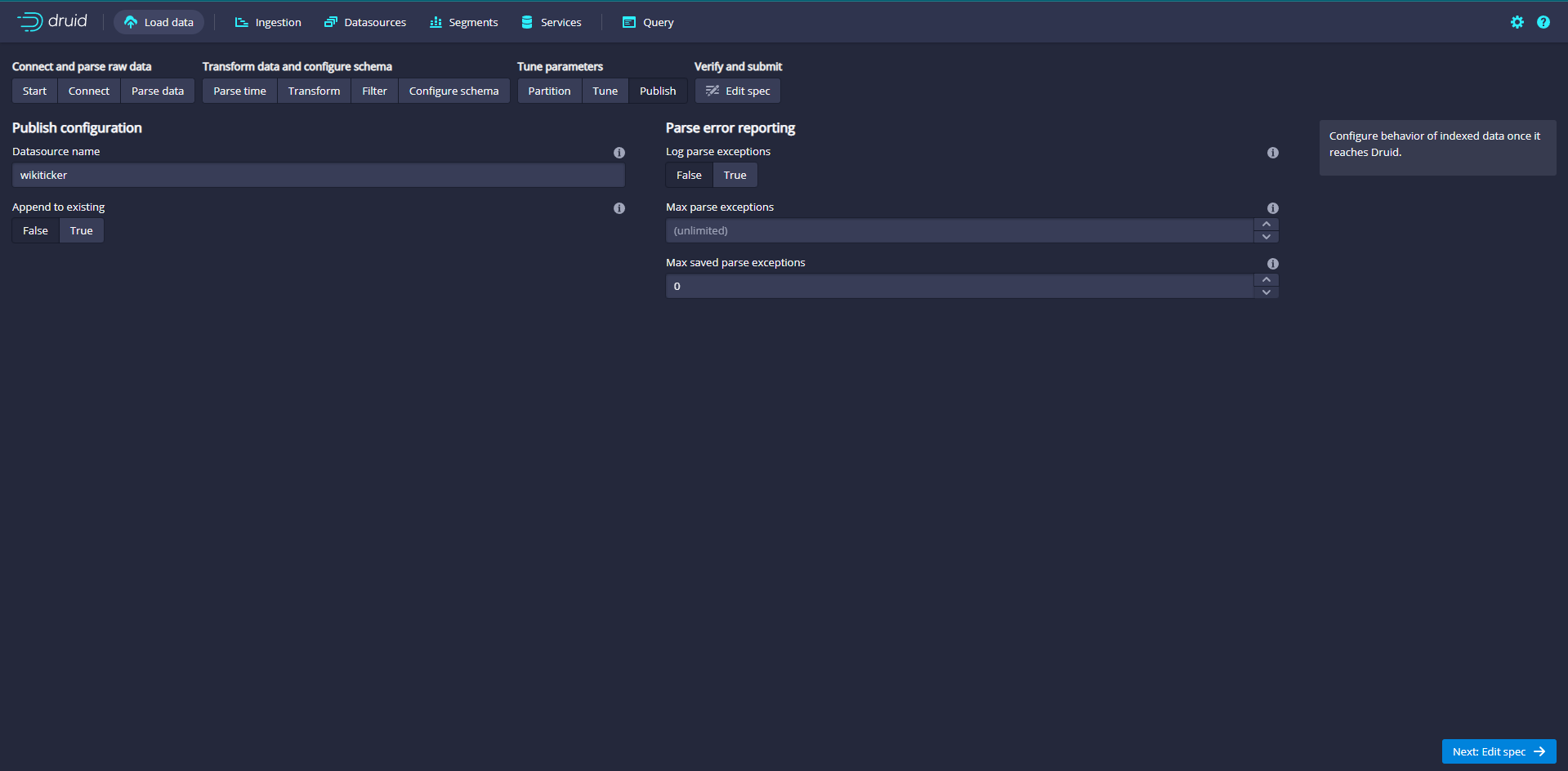
Click Next:Edit JSON spec to view the ingestion specification
Get the data intake specification JSON, and finally generate the current JSON data from the parameters set on each previous page.
The JSON is the built specification. In order to see how the specification will be updated, you can go back to the previous steps to make changes. Similarly, you can edit the specification directly and see it in the previous steps.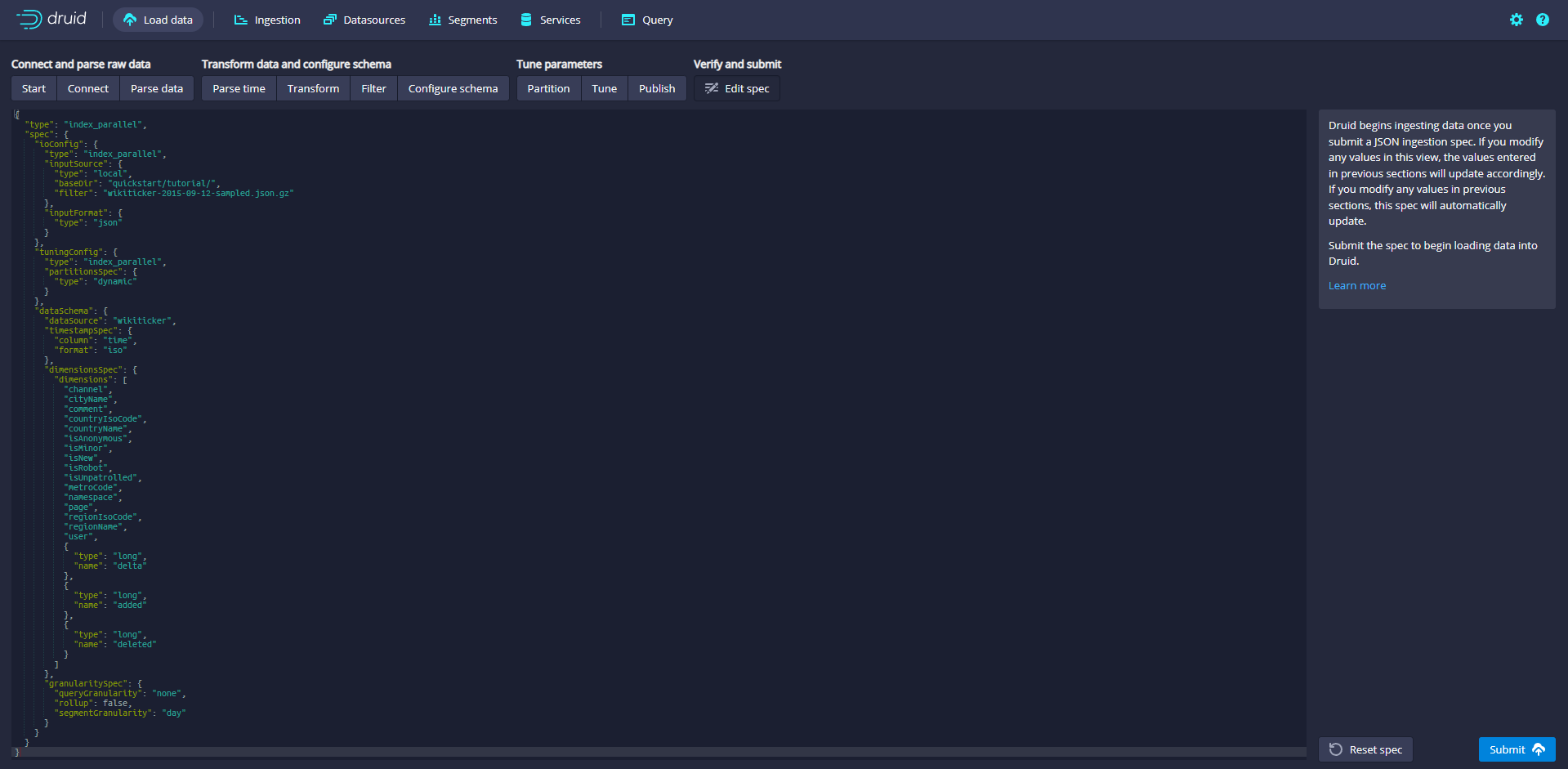
When you are satisfied with the ingestion specification, click Submit, and then you will create a data ingestion task and jump to the task page
When a task completes successfully, it means that it has established one or more segments that will now be received by the Data server.
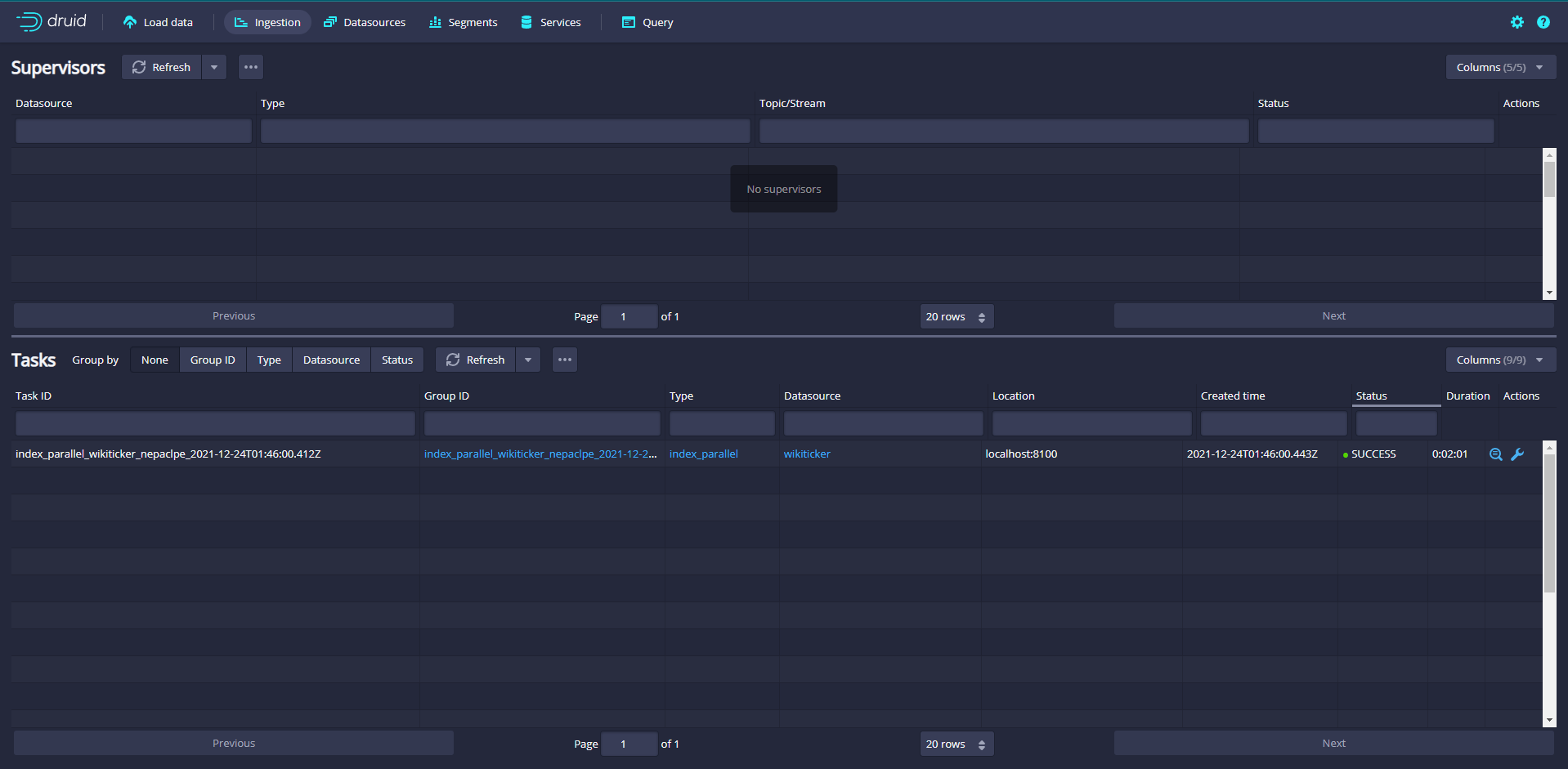
After the task is completed, click data sources to enter the data source page, and you can see the wikiticker data source
Wait until the data source (wikipicker) appears. It may take a few seconds to load the segment. Once you see the green (fully available) circle, you can Query the data source. At this time, you can go to the Query view to run SQL Query against the data source.
Click Query to enter the data Query page to Query the data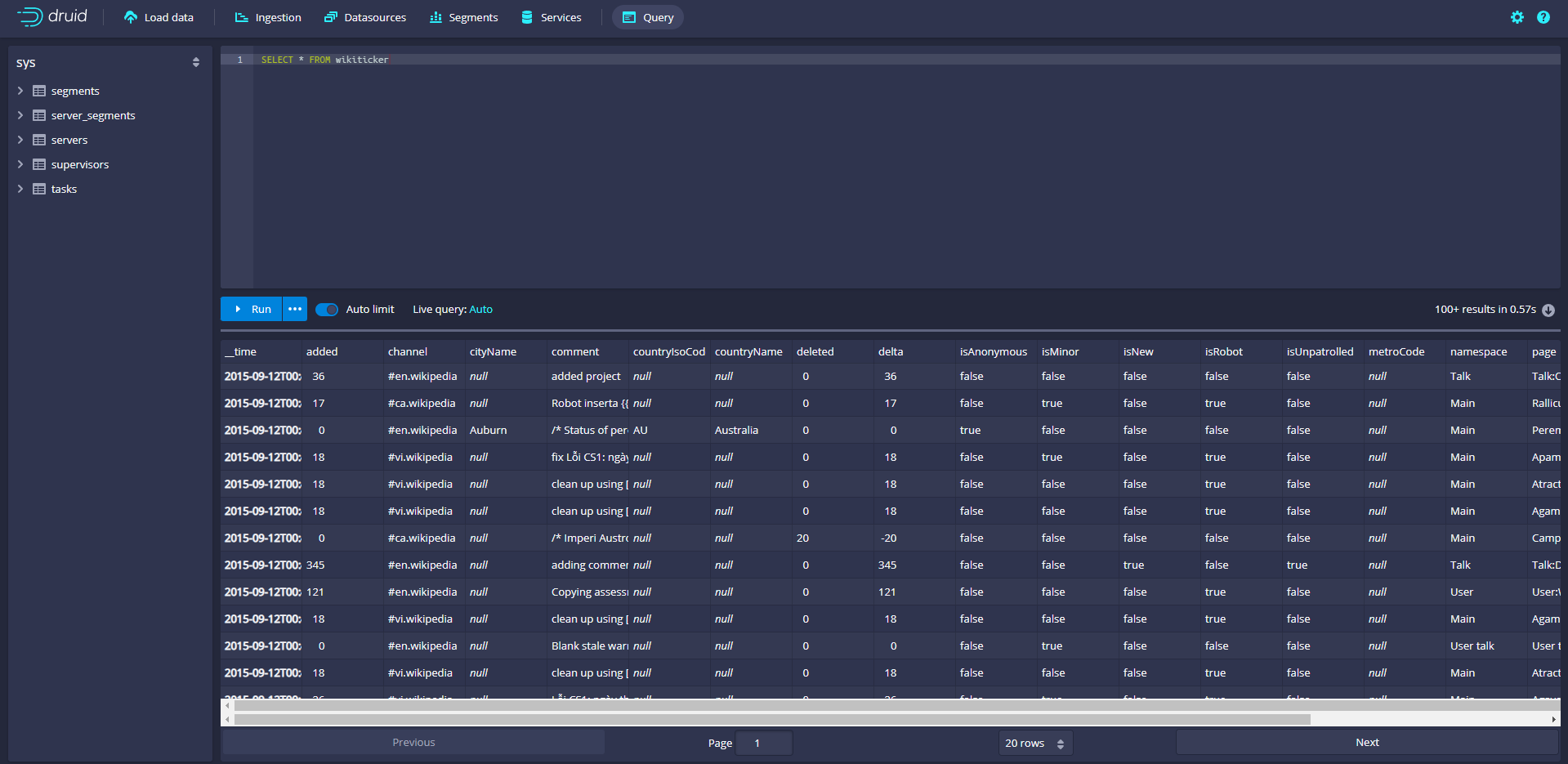
Loading data using spec (via console)
Druid's installation package is in QuickStart / tutorial / Wikipedia index The JSON file contains an example of a local batch ingestion task specification. The specification has been configured to read QuickStart / tutorial / wikiticker-2015-09-12-sampled json. GZ input file.
The specification will create a data source named "wikipedia"
[root@administrator druid]# cat ./quickstart/tutorial/wikipedia-index.json
{
  "type" : "index_parallel",
  "spec" : {
    "dataSchema" : {
      "dataSource" : "wikipedia",
      "timestampSpec": {
        "column": "time",
        "format": "iso"
      },
      "dimensionsSpec" : {
        "dimensions" : [
          "channel",
          "cityName",
          "comment",
          "countryIsoCode",
          "countryName",
          "isAnonymous",
          "isMinor",
          "isNew",
          "isRobot",
          "isUnpatrolled",
          "metroCode",
          "namespace",
          "page",
          "regionIsoCode",
          "regionName",
          "user",
          { "name": "added", "type": "long" },
          { "name": "deleted", "type": "long" },
          { "name": "delta", "type": "long" }
        ]
      },
      "metricsSpec" : [],
      "granularitySpec" : {
        "type" : "uniform",
        "segmentGranularity" : "day",
        "queryGranularity" : "none",
        "intervals" : ["2015-09-12/2015-09-13"],
        "rollup" : false
      }
    },
    "ioConfig" : {
      "type" : "index_parallel",
      "inputSource" : {
        "type" : "local",
        "baseDir" : "quickstart/tutorial/",
        "filter" : "wikiticker-2015-09-12-sampled.json.gz"
      },
      "inputFormat" : {
        "type" : "json"
      },
      "appendToExisting" : false
    },
    "tuningConfig" : {
      "type" : "index_parallel",
      "maxRowsPerSegment" : 5000000,
      "maxRowsInMemory" : 25000
    }
  }
}
[root@administrator druid]#
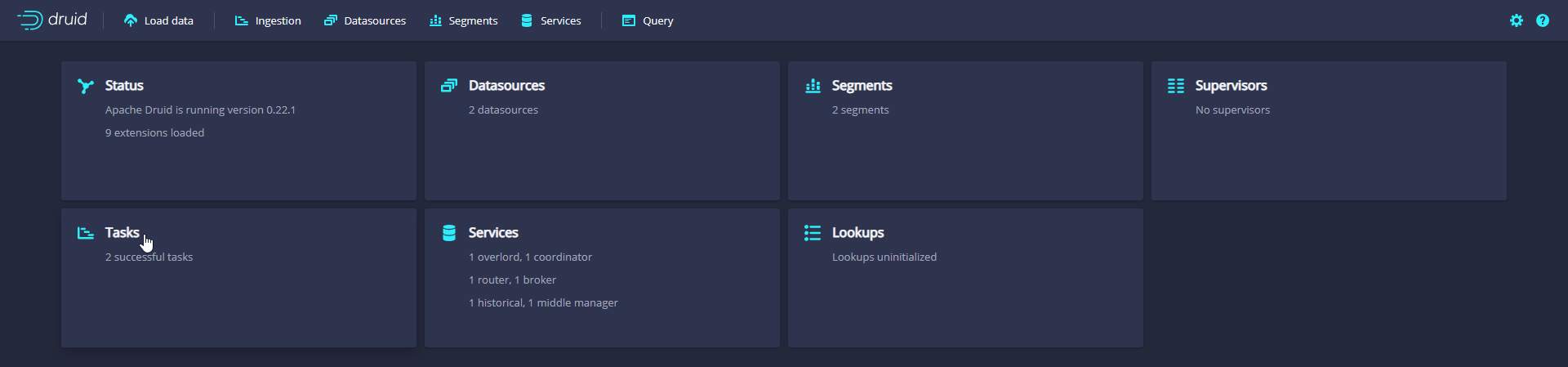
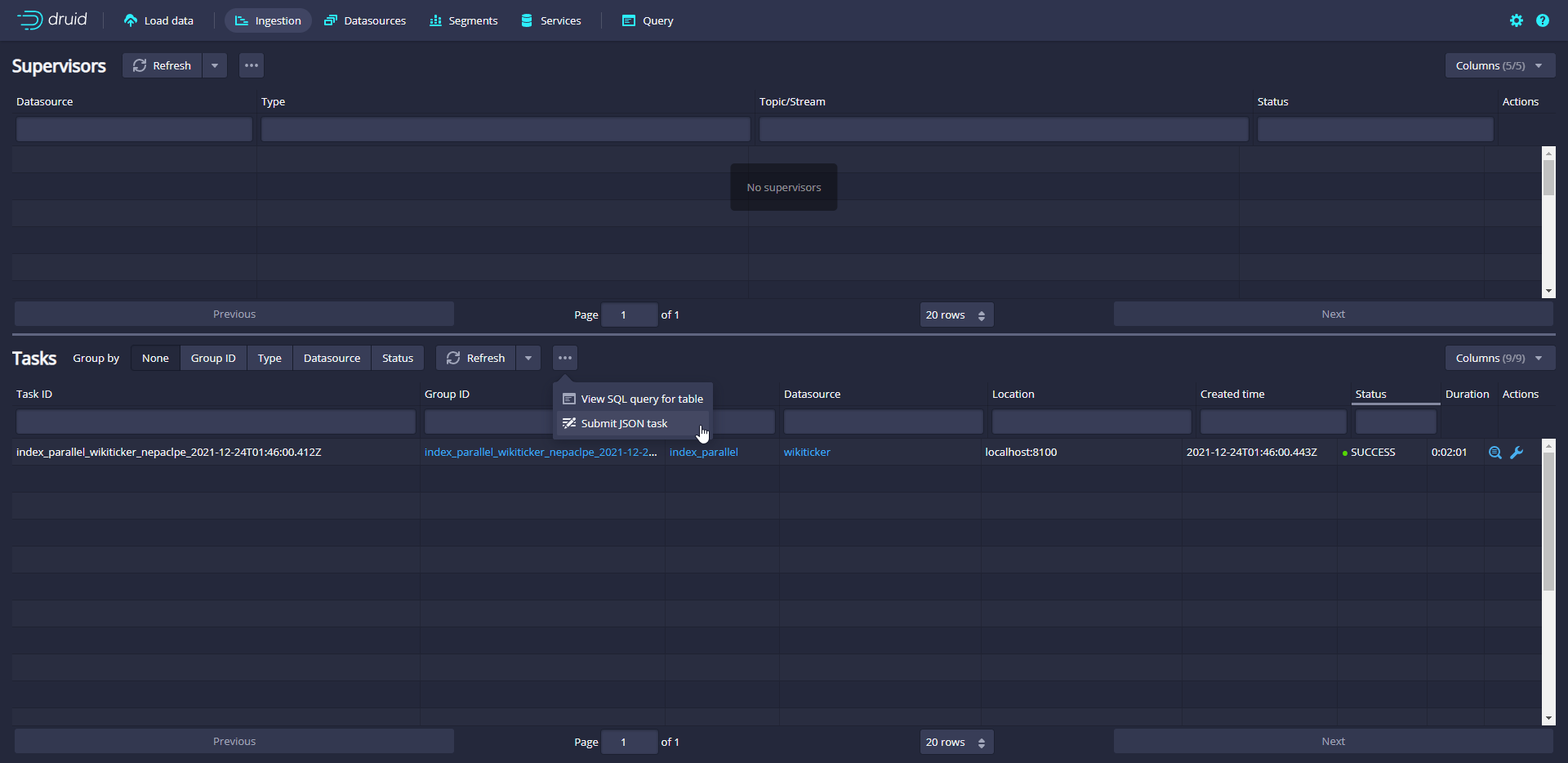
On the "Tasks" page, click Submit task and select Raw JSON task
Enter the data extraction specification in the input box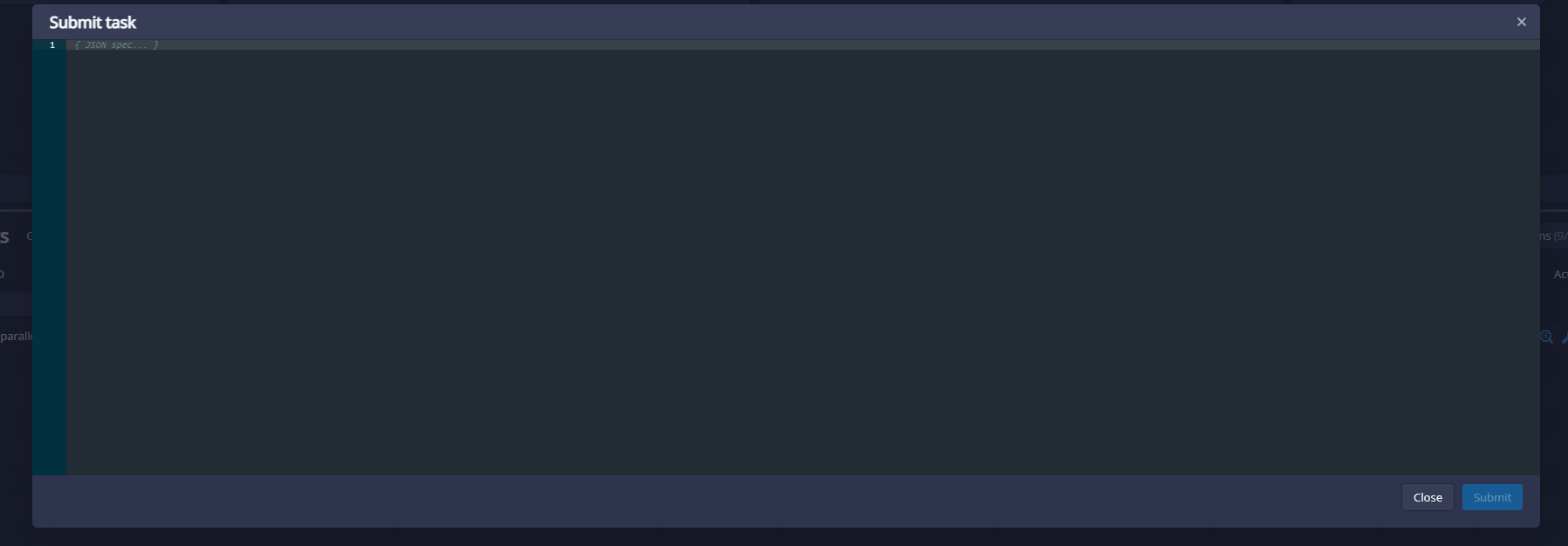
After submitting the task specification, wait for data loading according to the same specification above, and then query.
Loading data using spec (from the command line)
A batch ingestion help script bin / post index task is provided in Druid's package
The script publishes the data ingestion task to the Druid overload and polls the Druid until the data can be queried.
Run the following command in the Druid root directory:
bin/post-index-task --file quickstart/tutorial/wikipedia-index.json --url http://localhost:8081
[root@administrator druid]# bin/post-index-task --file quickstart/tutorial/wikipedia-index.json --url http://localhost:8081
Beginning indexing data for wikipedia
Task started: index_parallel_wikipedia_hiapdgph_2021-12-24T02:22:25.778Z
Task log:     http://localhost:8081/druid/indexer/v1/task/index_parallel_wikipedia_hiapdgph_2021-12-24T02:22:25.778Z/log
Task status:  http://localhost:8081/druid/indexer/v1/task/index_parallel_wikipedia_hiapdgph_2021-12-24T02:22:25.778Z/status
Task index_parallel_wikipedia_hiapdgph_2021-12-24T02:22:25.778Z still running...
Task index_parallel_wikipedia_hiapdgph_2021-12-24T02:22:25.778Z still running...
Task index_parallel_wikipedia_hiapdgph_2021-12-24T02:22:25.778Z still running...
Task index_parallel_wikipedia_hiapdgph_2021-12-24T02:22:25.778Z still running...
Task index_parallel_wikipedia_hiapdgph_2021-12-24T02:22:25.778Z still running...
Task finished with status: SUCCESS
Completed indexing data for wikipedia. Now loading indexed data onto the cluster...
wikipedia is 0.0% finished loading...
wikipedia is 0.0% finished loading...
wikipedia is 0.0% finished loading...
wikipedia is 0.0% finished loading...
wikipedia is 0.0% finished loading...
wikipedia is 0.0% finished loading...
wikipedia is 0.0% finished loading...
wikipedia is 0.0% finished loading...
wikipedia is 0.0% finished loading...
wikipedia is 0.0% finished loading...
wikipedia is 0.0% finished loading...
wikipedia loading complete! You may now query your data
[root@administrator druid]#

Do not use scripts to load data
curl -X 'POST' -H 'Content-Type:application/json' -d @quickstart/tutorial/wikipedia-index.json http://localhost:8081/druid/indexer/v1/task
Data cleaning
Data cleaning needs to shut down the service and cluster, and reset the service and cluster status by deleting the contents of var directory under druid package
Load data from Kafka
Installing Zookeeper
because Kafka Also required Zookeeper,So will Zookeeper Stand alone deployment and installation
docker run -id --name zk -p 2181:2181 -v /etc/localtime:/etc/localtime zookeeper:latest

docker logs -f zk
kafka installation
Pull image
docker pull wurstmeister/kafka
Start container
docker run -id --name kafka -p 9092:9092 -e KAFKA_BROKER_ID=0 -e KAFKA_ZOOKEEPER_CONNECT=IP:2181 -e KAFKA_ADVERTISED_LISTENERS=PLAINTEXT://IP:9092 -e KAFKA_LISTENERS=PLAINTEXT://0.0.0.0:9092 -v /etc/localtime:/etc/localtime wurstmeister/kafka
Parameter description
-e KAFKA_BROKER_ID=0  stay kafka In the cluster, each kafka There is one BROKER_ID To distinguish yourself

-e KAFKA_ZOOKEEPER_CONNECT=IP:2181 to configure zookeeper Administration kafka Path of

-e KAFKA_ADVERTISED_LISTENERS=PLAINTEXT://IP:9092 register the address port of kafka with zookeeper

-e KAFKA_LISTENERS=PLAINTEXT://0.0. 0.0:9092 configure the listening port of kafka

-v /etc/localtime:/etc/localtime Container time synchronizes the time of the virtual machine
View container log
docker logs -f kafka
View zookeeper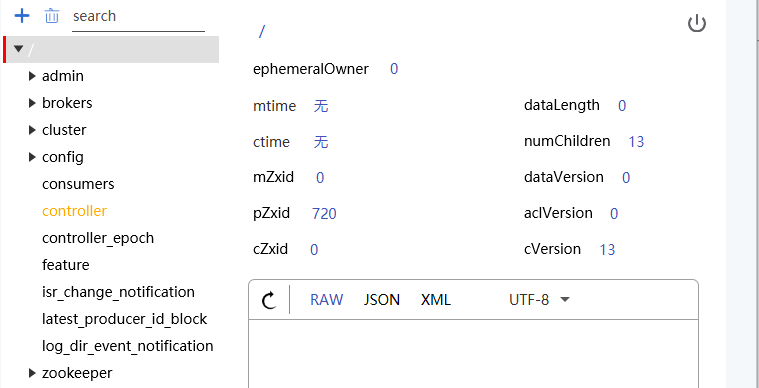
Enter container
docker exec -it kafka /bin/bash
Enter the bin directory
bash-5.1# cd /opt/kafka_2.13-2.8.1/bin/
bash-5.1# ls
connect-distributed.sh               kafka-consumer-perf-test.sh          kafka-producer-perf-test.sh          kafka-verifiable-producer.sh
connect-mirror-maker.sh              kafka-delegation-tokens.sh           kafka-reassign-partitions.sh         trogdor.sh
connect-standalone.sh                kafka-delete-records.sh              kafka-replica-verification.sh        windows
kafka-acls.sh                        kafka-dump-log.sh                    kafka-run-class.sh                   zookeeper-security-migration.sh
kafka-broker-api-versions.sh         kafka-features.sh                    kafka-server-start.sh                zookeeper-server-start.sh
kafka-cluster.sh                     kafka-leader-election.sh             kafka-server-stop.sh                 zookeeper-server-stop.sh
kafka-configs.sh                     kafka-log-dirs.sh                    kafka-storage.sh                     zookeeper-shell.sh
kafka-console-consumer.sh            kafka-metadata-shell.sh              kafka-streams-application-reset.sh
kafka-console-producer.sh            kafka-mirror-maker.sh                kafka-topics.sh
kafka-consumer-groups.sh             kafka-preferred-replica-election.sh  kafka-verifiable-consumer.sh
bash-5.1#
Create a Kafka topic / queue named "wikipedia" for sending data. This queue has one copy and one partition
bash-5.1# kafka-topics.sh --create --zookeeper IP:2181 --replication-factor 1 --partitions 1 --topic wikipedia
Created topic wikipedia.
bash-5.1#
View created queues
bash-5.1# kafka-topics.sh -list -zookeeper IP:2181
wikipedia
bash-5.1#
Test whether message sending and receiving are normal
# Start the consumer and listen to the wikipedia queue
bash-5.1# kafka-console-consumer.sh --bootstrap-server IP:9092 --topic wikipedia --from-beginning

hello kafka

# Open a new command window, start the producer and send messages to the wikipedia queue
bash-5.1# kafka-console-producer.sh --broker-list IP:9092 --topic wikipedia
>hello kafka
>
Modify Druid
Due to independent use Zookeeper,So it needs to be closed Druid Associated Zookeeper to configure
Note Zookeeper configuration
[root@administrator druid]# cat  conf/supervise//single-server/nano-quickstart.conf
:verify bin/verify-java
:verify bin/verify-default-ports
:kill-timeout 10

# notes! p10 zk bin/run-zk conf
# !p10 zk bin/run-zk conf
coordinator-overlord bin/run-druid coordinator-overlord conf/druid/single-server/nano-quickstart
broker bin/run-druid broker conf/druid/single-server/nano-quickstart
router bin/run-druid router conf/druid/single-server/nano-quickstart
historical bin/run-druid historical conf/druid/single-server/nano-quickstart
!p90 middleManager bin/run-druid middleManager conf/druid/single-server/nano-quickstart
Remove the detection of 2181 port
[root@administrator druid]# cat bin/verify-default-ports
#!/usr/bin/env perl

# Licensed to the Apache Software Foundation (ASF) under one
# or more contributor license agreements.  See the NOTICE file
# distributed with this work for additional information
# regarding copyright ownership.  The ASF licenses this file
# to you under the Apache License, Version 2.0 (the
# "License"); you may not use this file except in compliance
# with the License.  You may obtain a copy of the License at
#
#   http://www.apache.org/licenses/LICENSE-2.0
#
# Unless required by applicable law or agreed to in writing,
# software distributed under the License is distributed on an
# "AS IS" BASIS, WITHOUT WARRANTIES OR CONDITIONS OF ANY
# KIND, either express or implied.  See the License for the
# specific language governing permissions and limitations
# under the License.

use strict;
use warnings;
use Socket;

sub try_bind {
  my ($port, $addr) = @_;

  socket(my $sock, PF_INET, SOCK_STREAM, Socket::IPPROTO_TCP) or die "socket: $!";
  setsockopt($sock, SOL_SOCKET, SO_REUSEADDR, pack("l", 1)) or die "setsockopt: $!";
  if (!bind($sock, sockaddr_in($port, $addr))) {
    print STDERR <<"EOT";
Cannot start up because port $port is already in use.

If you need to change your ports away from the defaults, check out the
configuration documentation:

  https://druid.apache.org/docs/latest/configuration/index.html

If you believe this check is in error, or if you have changed your ports away
from the defaults, you can skip this check using an environment variable:

  export DRUID_SKIP_PORT_CHECK=1

EOT
    exit 1;
  }
  shutdown($sock, 2);
}

my $skip_var = $ENV{'DRUID_SKIP_PORT_CHECK'};
if ($skip_var && $skip_var ne "0" && $skip_var ne "false" && $skip_var ne "f") {
  exit 0;
}

my @ports = @ARGV;
if (!@ports) {
# Port monitoring
#  @ports = (1527, 2181, 8081, 8082, 8083, 8090, 8091, 8100, 8200, 8888);
  @ports = (1527, 8081, 8082, 8083, 8090, 8091, 8100, 8200, 8888);
}

for my $port (@ports) {
  try_bind($port, INADDR_ANY);
  try_bind($port, inet_aton("127.0.0.1"));
}
[root@administrator druid]#
Modify public configuration
[root@administrator druid]# cat conf/druid/single-server/nano-quickstart/_common/common.runtime.properties
#
# Licensed to the Apache Software Foundation (ASF) under one
# or more contributor license agreements.  See the NOTICE file
# distributed with this work for additional information
# regarding copyright ownership.  The ASF licenses this file
# to you under the Apache License, Version 2.0 (the
# "License"); you may not use this file except in compliance
# with the License.  You may obtain a copy of the License at
#
#   http://www.apache.org/licenses/LICENSE-2.0
#
# Unless required by applicable law or agreed to in writing,
# software distributed under the License is distributed on an
# "AS IS" BASIS, WITHOUT WARRANTIES OR CONDITIONS OF ANY
# KIND, either express or implied.  See the License for the
# specific language governing permissions and limitations
# under the License.
#

# Extensions specified in the load list will be loaded by Druid
# We are using local fs for deep storage - not recommended for production - use S3, HDFS, or NFS instead
# We are using local derby for the metadata store - not recommended for production - use MySQL or Postgres instead

# If you specify `druid.extensions.loadList=[]`, Druid won't load any extension from file system.
# If you don't specify `druid.extensions.loadList`, Druid will load all the extensions under root extension directory.
# More info: https://druid.apache.org/docs/latest/operations/including-extensions.html
druid.extensions.loadList=["druid-hdfs-storage", "druid-kafka-indexing-service", "druid-datasketches"]

# If you have a different version of Hadoop, place your Hadoop client jar files in your hadoop-dependencies directory
# and uncomment the line below to point to your directory.
#druid.extensions.hadoopDependenciesDir=/my/dir/hadoop-dependencies


#
# Hostname
#
# It's not enough to use IP here
druid.host=localhost

#
# Logging
#

# Log all runtime properties on startup. Disable to avoid logging properties on startup:
druid.startup.logging.logProperties=true

#
# Zookeeper
#

# druid.zk.service.host=localhost
# Fill in the IP address of the independently deployed zookeeper
druid.zk.service.host=IP
druid.zk.paths.base=/druid

#
# Metadata storage
#

# For Derby server on your Druid Coordinator (only viable in a cluster with a single Coordinator, no fail-over):
druid.metadata.storage.type=derby
druid.metadata.storage.connector.connectURI=jdbc:derby://localhost:1527/var/druid/metadata.db;create=true
druid.metadata.storage.connector.host=localhost
druid.metadata.storage.connector.port=1527

# For MySQL (make sure to include the MySQL JDBC driver on the classpath):
#druid.metadata.storage.type=mysql
#druid.metadata.storage.connector.connectURI=jdbc:mysql://db.example.com:3306/druid
#druid.metadata.storage.connector.user=...
#druid.metadata.storage.connector.password=...

# For PostgreSQL:
#druid.metadata.storage.type=postgresql
#druid.metadata.storage.connector.connectURI=jdbc:postgresql://db.example.com:5432/druid
#druid.metadata.storage.connector.user=...
#druid.metadata.storage.connector.password=...

#
# Deep storage
#

# For local disk (only viable in a cluster if this is a network mount):
druid.storage.type=local
druid.storage.storageDirectory=var/druid/segments

# For HDFS:
#druid.storage.type=hdfs
#druid.storage.storageDirectory=/druid/segments

# For S3:
#druid.storage.type=s3
#druid.storage.bucket=your-bucket
#druid.storage.baseKey=druid/segments
#druid.s3.accessKey=...
#druid.s3.secretKey=...

#
# Indexing service logs
#

# For local disk (only viable in a cluster if this is a network mount):
druid.indexer.logs.type=file
druid.indexer.logs.directory=var/druid/indexing-logs

# For HDFS:
#druid.indexer.logs.type=hdfs
#druid.indexer.logs.directory=/druid/indexing-logs

# For S3:
#druid.indexer.logs.type=s3
#druid.indexer.logs.s3Bucket=your-bucket
#druid.indexer.logs.s3Prefix=druid/indexing-logs

#
# Service discovery
#

druid.selectors.indexing.serviceName=druid/overlord
druid.selectors.coordinator.serviceName=druid/coordinator

#
# Monitoring
#

druid.monitoring.monitors=["org.apache.druid.java.util.metrics.JvmMonitor"]
druid.emitter=noop
druid.emitter.logging.logLevel=info

# Storage type of double columns
# ommiting this will lead to index double as float at the storage layer

druid.indexing.doubleStorage=double

#
# Security
#
druid.server.hiddenProperties=["druid.s3.accessKey","druid.s3.secretKey","druid.metadata.storage.connector.password"]


#
# SQL
#
druid.sql.enable=true

#
# Lookups
#
druid.lookup.enableLookupSyncOnStartup=false
[root@administrator druid]#
Restart the project to view Zookeeper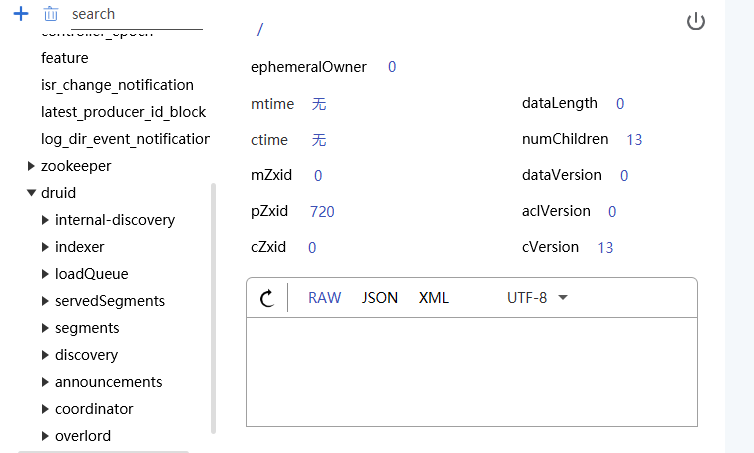
Send data to Kafka
cd quickstart/tutorial

gunzip -c wikiticker-2015-09-12-sampled.json.gz > wikiticker-2015-09-12-sampled.json

docker cp ./wikiticker-2015-09-12-sampled.json kafka:/opt/kafka_2.13-2.8.1/bin

bash-5.1# kafka-console-producer.sh --broker-list IP:9092 --topic wikipedia < ./wikiticker-2015-09-12-sampled.json
bash-5.1#
Console using data loader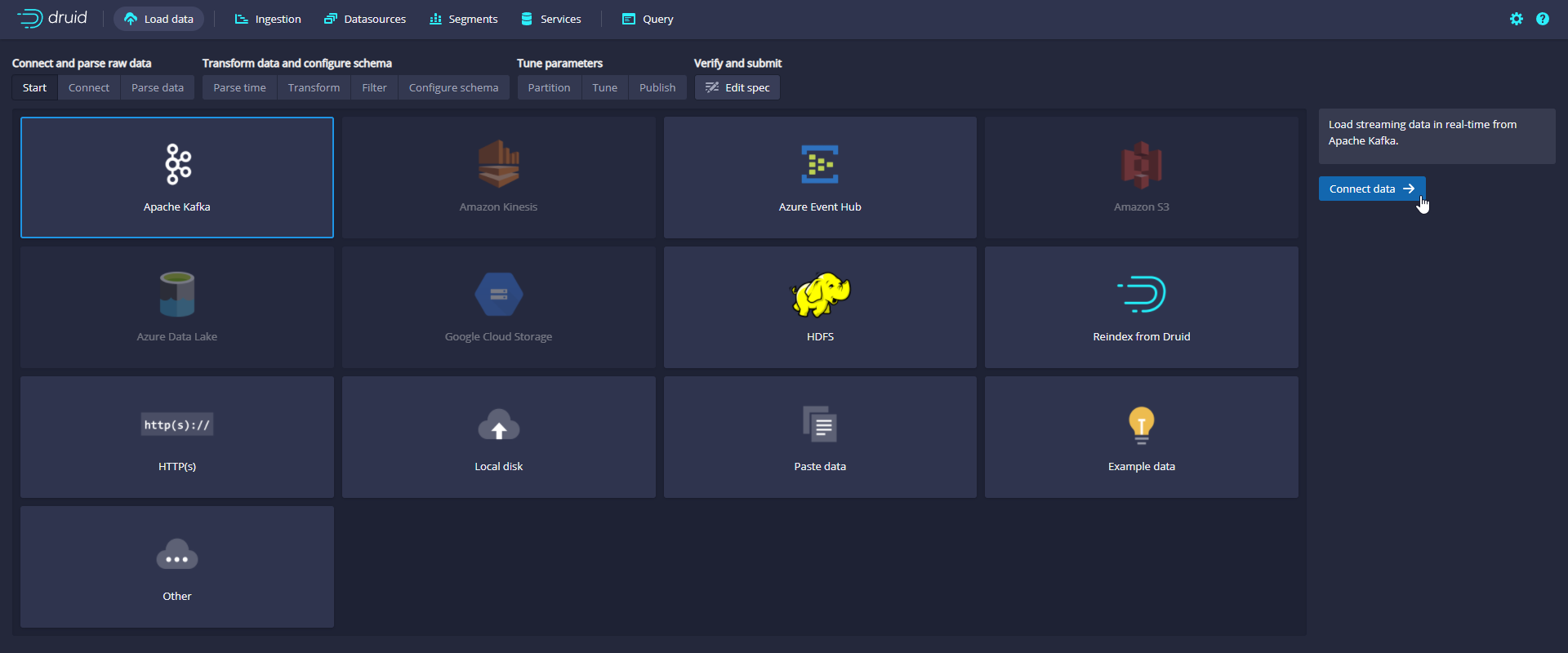
Enter IP:9092 in Bootstrap servers and wikipedia in Topic
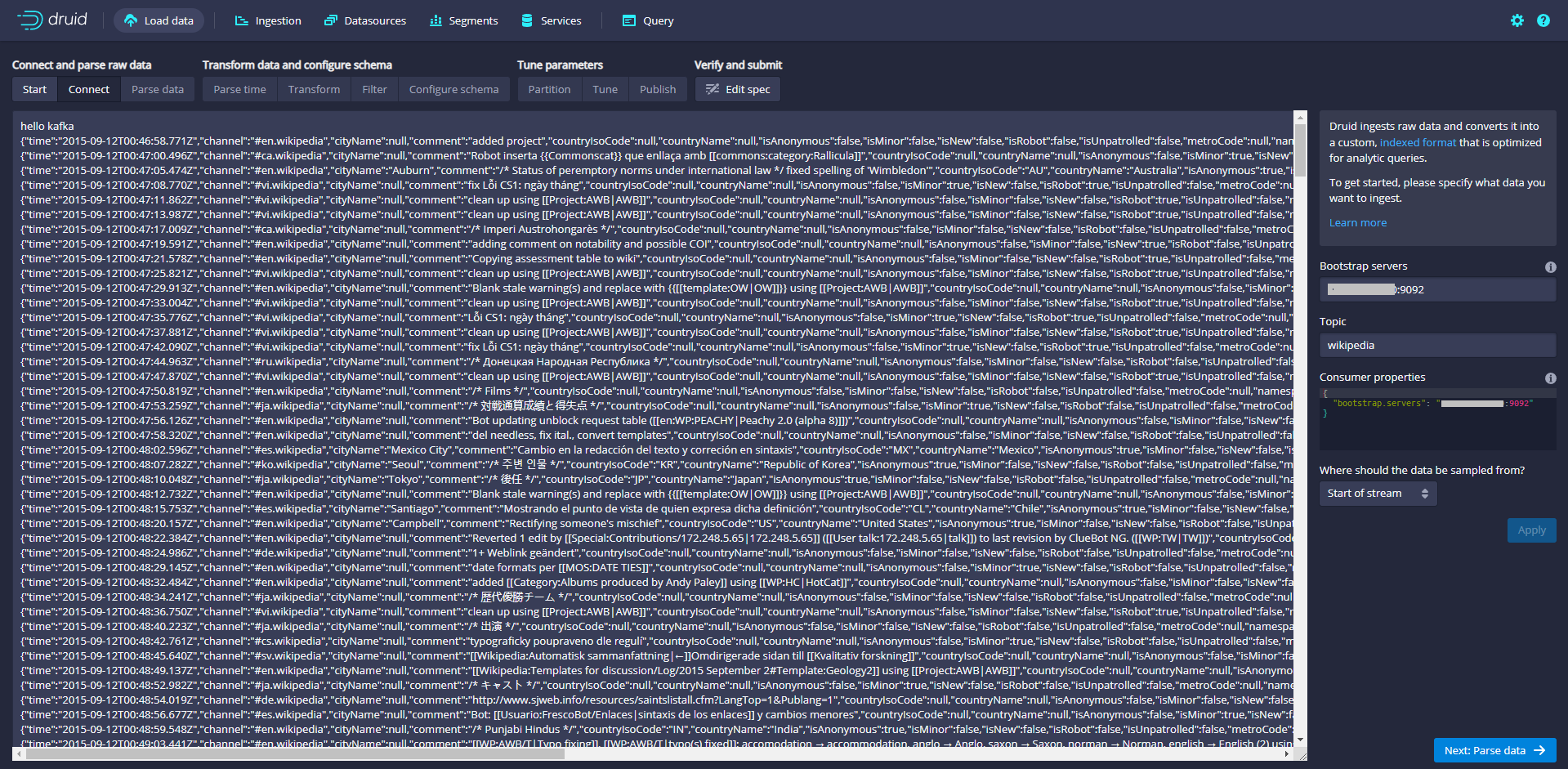
In the Tune step, it is important to set use early offset to True because you need to consume data from the beginning of the flow.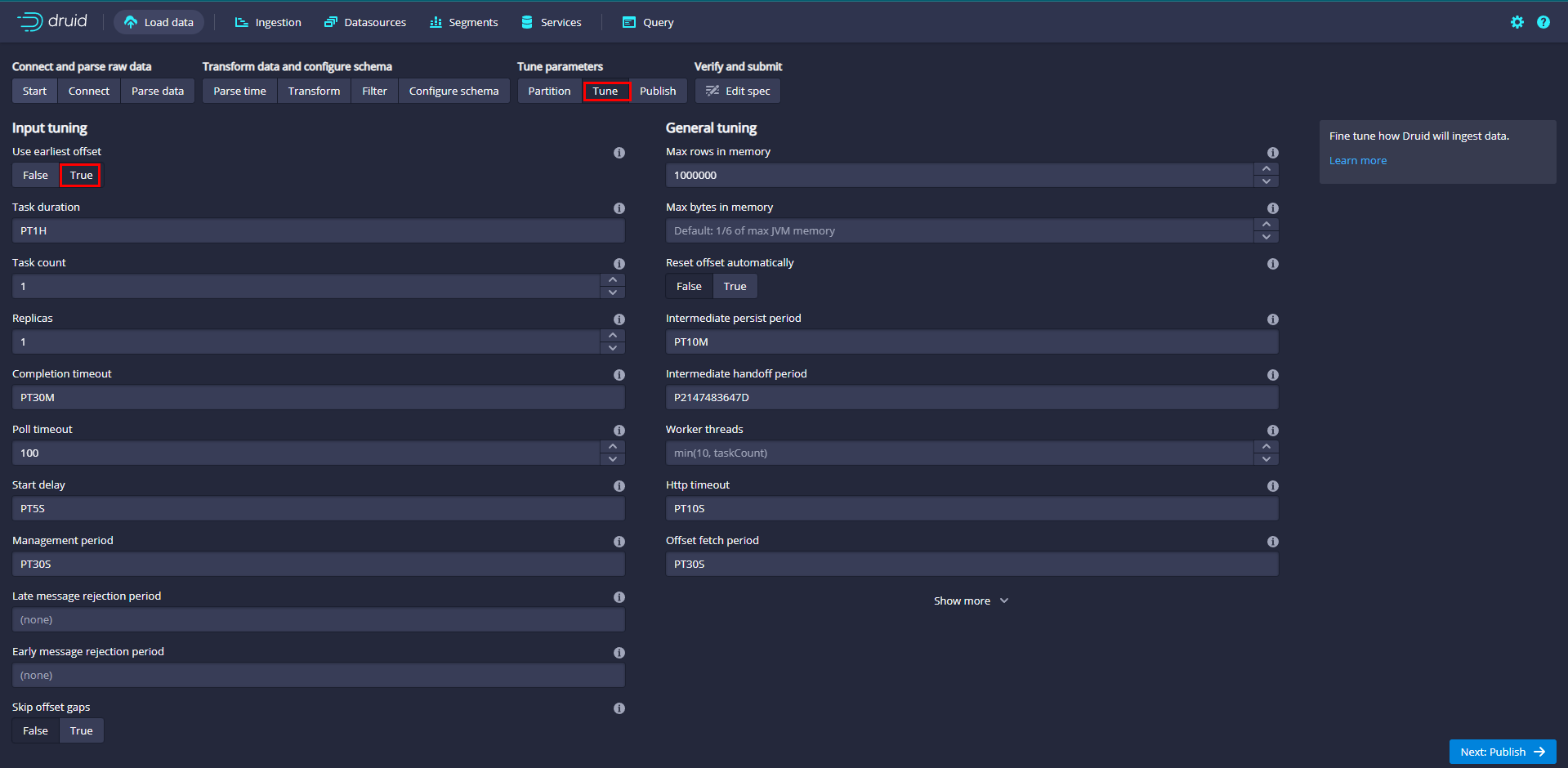
Name the data source kafkadata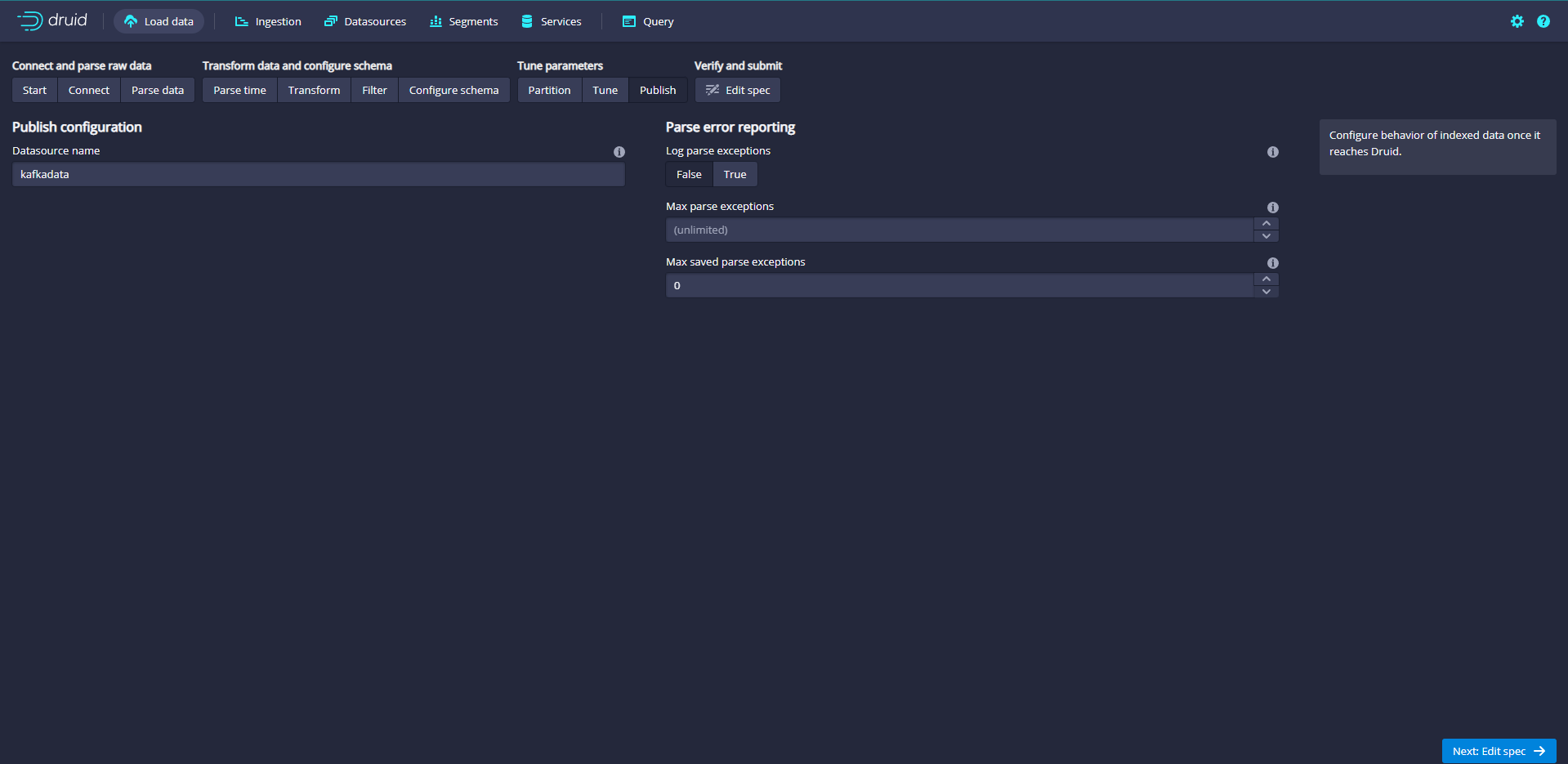
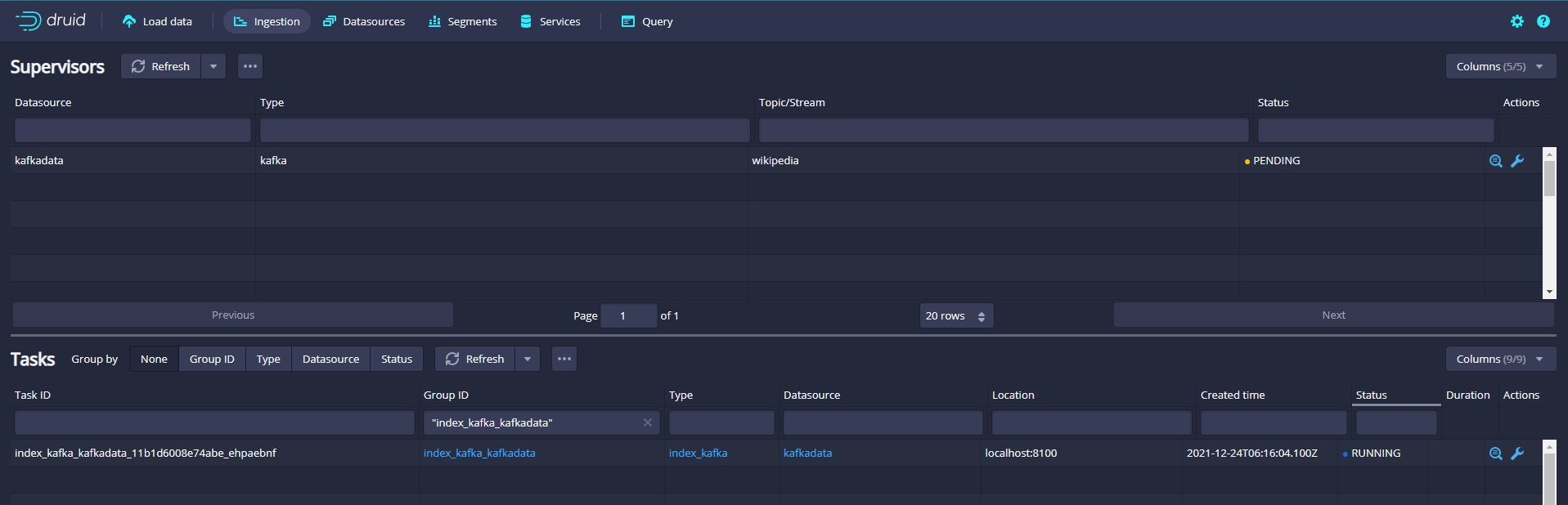
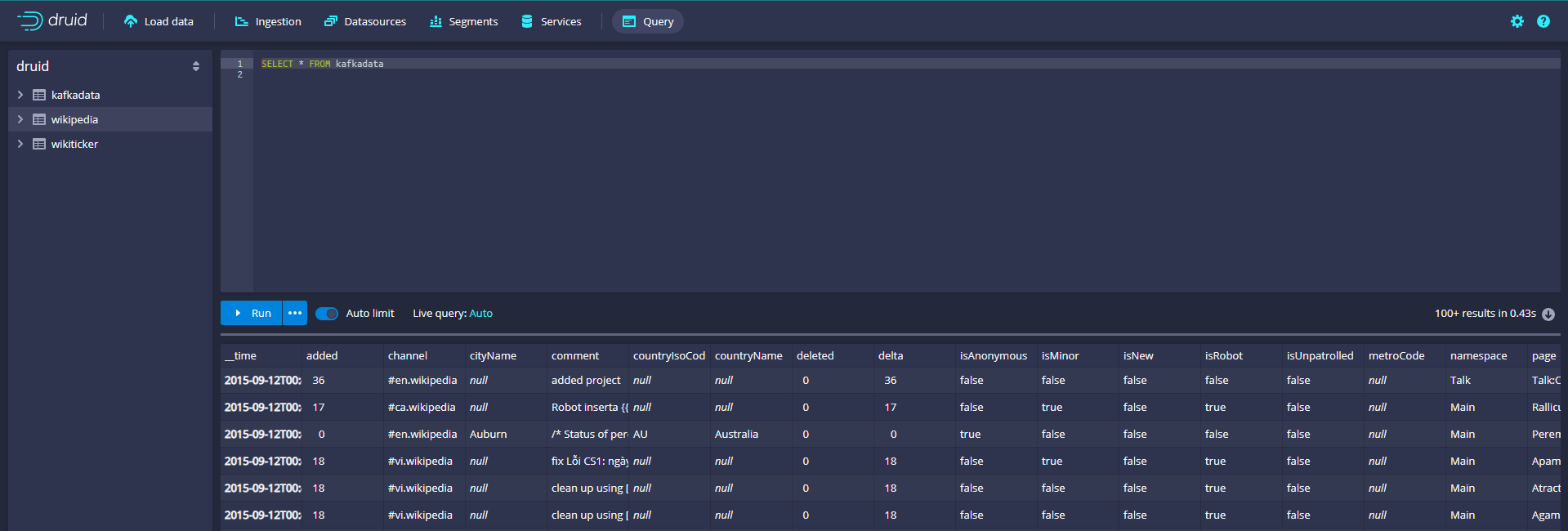
Submit supervisor via console
Click the Tasks button to enter the task page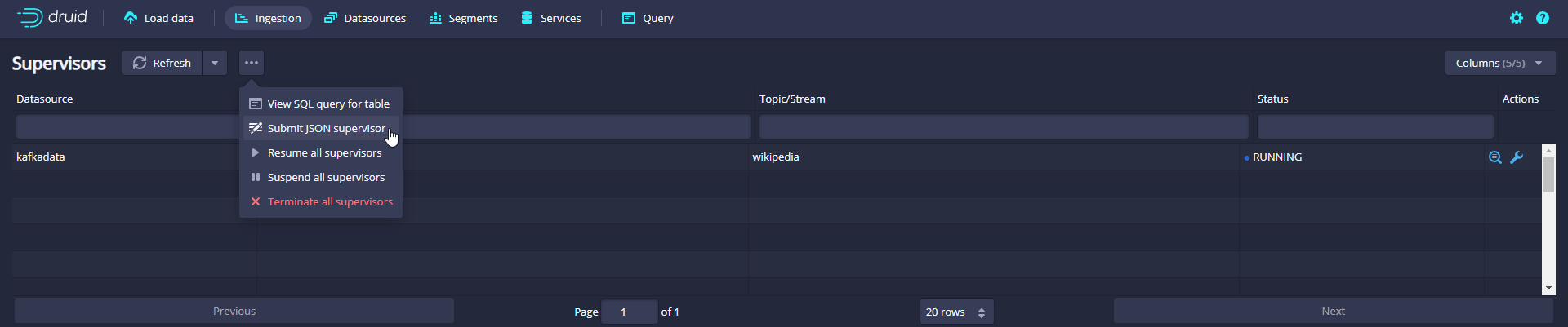
Click Submit after pasting the specification, which will start the supervisor, which will then generate some tasks, which will start listening to the incoming data.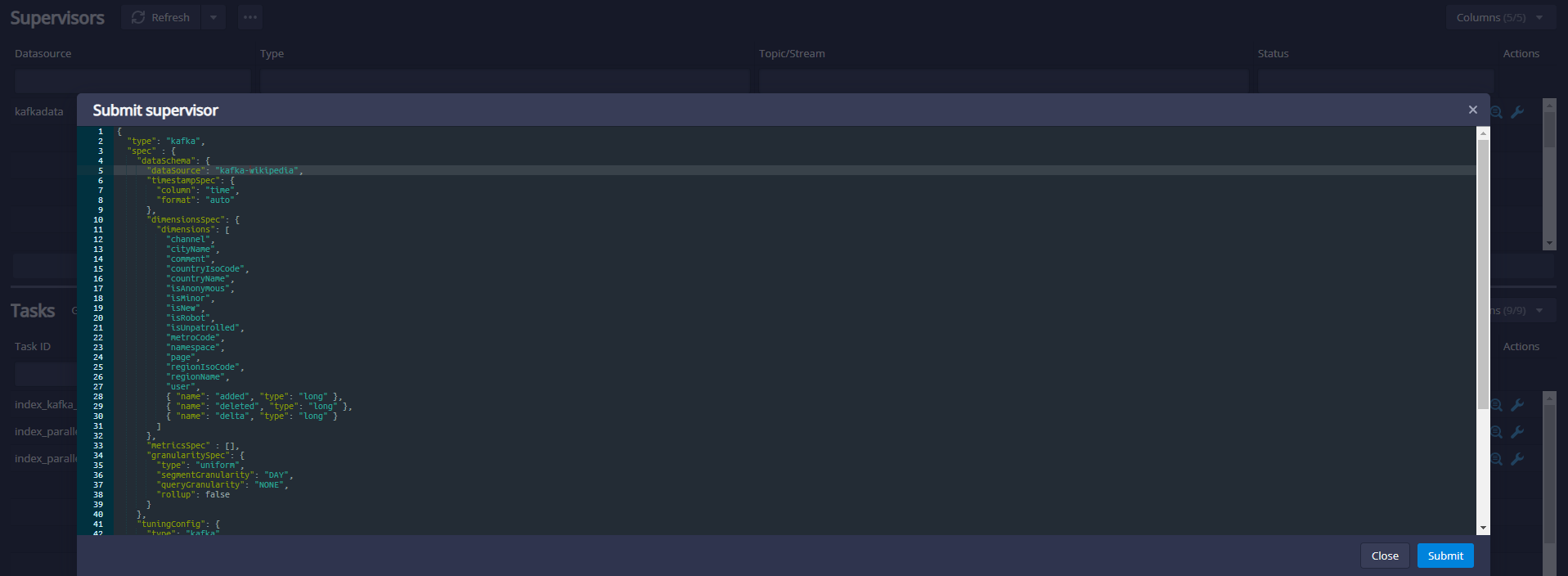
Submit supervisor directly
In order to start the service directly, we can run the following command in the root directory of druid to submit a supervisor specification to Druid Overlord
curl -XPOST -H'Content-Type: application/json' -d @quickstart/tutorial/wikipedia-kafka-supervisor.json http://localhost:8081/druid/indexer/v1/supervisor
Java client operation druid
        <dependency>
            <groupId>org.apache.calcite.avatica</groupId>
            <artifactId>avatica-core</artifactId>
            <version>1.19.0</version>
        </dependency>
	@Test
    public void test throws Exception{
        Class.forName("org.apache.calcite.avatica.remote.Driver");
        Connection connection = DriverManager.getConnection("jdbc:avatica:remote:url=http://IP:8888/druid/v2/sql/avatica/");

        Statement st = null;
        ResultSet rs = null;
        try {
            st = connection.createStatement();
            rs = st.executeQuery("select * from wikipedia");
            ResultSetMetaData rsmd = rs.getMetaData();
            List<Map> resultList = new ArrayList();
            while (rs.next()) {
                Map map = new HashMap();
                for (int i = 0; i < rsmd.getColumnCount(); i++) {
                    String columnName = rsmd.getColumnName(i + 1);
                    map.put(columnName, rs.getObject(columnName));
                }
                resultList.add(map);
            }
            System.out.println("resultList = " + resultList.size());
        } catch (Exception e) {
            e.printStackTrace();
        } finally {
            try {
                connection.close();
            } catch (SQLException e) {
            }
        }
    }
Kafka sends data to Druid
        <dependency>
            <groupId>org.apache.calcite.avatica</groupId>
            <artifactId>avatica-core</artifactId>
            <version>1.19.0</version>
        </dependency>
        <dependency>
            <groupId>org.springframework.kafka</groupId>
            <artifactId>spring-kafka</artifactId>
            <version>2.8.0</version>
        </dependency>
spring:
  kafka:
    # kafka address
    bootstrap-servers: IP:9092
    # Specifies the number of threads in the listener container to increase concurrency
    listener:
      concurrency: 5
    producer:
      # retry count
      retries: 3
      # Number of messages sent per batch
      batch-size: 1000
      # Buffer size
      buffer-memory: 33554432
      # Specifies the encoding and decoding methods of the message key and message body, and the serialization and deserialization classes provided by Kafka
      key-serializer: org.apache.kafka.common.serialization.StringSerializer
      value-serializer: org.apache.kafka.common.serialization.StringSerializer
    consumer:
      # Specify the default consumer group id
      group-id: kafka-test
      # Specifies the encoding and decoding method of the message key and message body
      key-deserializer: org.apache.kafka.common.serialization.StringSerializer
      value-deserializer: org.apache.kafka.common.serialization.StringSerializer
@Component
@Slf4j
public class KafkaSender {
    public final static String MSG_TOPIC = "my_topic";

    @Autowired
    private KafkaTemplate<String, String> kafkaTemplate;

    /**
     * Send message to kafka queue
     *
     * @param topic
     * @param message
     * @return
     */
    public boolean send(String topic, String message) {
        try {
            kafkaTemplate.send(topic, message);
            log.info("Message sent successfully:{} , {}", topic, message);
        } catch (Exception e) {
            log.error("Message sending failed:{} , {}", topic, message, e);
            return false;
        }
        return true;
    }
}
@RestController
@Slf4j
public class KafkaController {

    @Autowired
    private  KafkaSender kafkaSender;

    @PostMapping(value = "/send")
    public Object send(@RequestBody JSONObject jsonObject) {
        kafkaSender.send(KafkaSender.MSG_TOPIC, jsonObject.toJSONString());
        return "success";
    }
}
INFO 73032 --- [nio-8888-exec-1] o.a.k.clients.producer.ProducerConfig    : ProducerConfig values:
	acks = 1
	batch.size = 1000
	bootstrap.servers = [IP:9092]
	buffer.memory = 33554432
	client.dns.lookup = default
	client.id = producer-1
	compression.type = none
	connections.max.idle.ms = 540000
	delivery.timeout.ms = 120000
	enable.idempotence = false
	interceptor.classes = []
	key.serializer = class org.apache.kafka.common.serialization.StringSerializer
	linger.ms = 0
	max.block.ms = 60000
	max.in.flight.requests.per.connection = 5
	max.request.size = 1048576
	metadata.max.age.ms = 300000
	metadata.max.idle.ms = 300000
	metric.reporters = []
	metrics.num.samples = 2
	metrics.recording.level = INFO
	metrics.sample.window.ms = 30000
	partitioner.class = class org.apache.kafka.clients.producer.internals.DefaultPartitioner
	receive.buffer.bytes = 32768
	reconnect.backoff.max.ms = 1000
	reconnect.backoff.ms = 50
	request.timeout.ms = 30000
	retries = 0
	retry.backoff.ms = 100
	sasl.client.callback.handler.class = null
	sasl.jaas.config = null
	sasl.kerberos.kinit.cmd = /usr/bin/kinit
	sasl.kerberos.min.time.before.relogin = 60000
	sasl.kerberos.service.name = null
	sasl.kerberos.ticket.renew.jitter = 0.05
	sasl.kerberos.ticket.renew.window.factor = 0.8
	sasl.login.callback.handler.class = null
	sasl.login.class = null
	sasl.login.refresh.buffer.seconds = 300
	sasl.login.refresh.min.period.seconds = 60
	sasl.login.refresh.window.factor = 0.8
	sasl.login.refresh.window.jitter = 0.05
	sasl.mechanism = GSSAPI
	security.protocol = PLAINTEXT
	security.providers = null
	send.buffer.bytes = 131072
	ssl.cipher.suites = null
	ssl.enabled.protocols = [TLSv1.2]
	ssl.endpoint.identification.algorithm = https
	ssl.key.password = null
	ssl.keymanager.algorithm = SunX509
	ssl.keystore.location = null
	ssl.keystore.password = null
	ssl.keystore.type = JKS
	ssl.protocol = TLSv1.2
	ssl.provider = null
	ssl.secure.random.implementation = null
	ssl.trustmanager.algorithm = PKIX
	ssl.truststore.location = null
	ssl.truststore.password = null
	ssl.truststore.type = JKS
	transaction.timeout.ms = 60000
	transactional.id = null
	value.serializer = class org.apache.kafka.common.serialization.StringSerializer

  INFO 73032 --- [nio-8888-exec-1] o.a.kafka.common.utils.AppInfoParser     : Kafka version: 2.5.0
  INFO 73032 --- [nio-8888-exec-1] o.a.kafka.common.utils.AppInfoParser     : Kafka commitId: 66563e712b0b9f84
  INFO 73032 --- [nio-8888-exec-1] o.a.kafka.common.utils.AppInfoParser     : Kafka startTimeMs: 1640330631065
  INFO 73032 --- [ad | producer-1] org.apache.kafka.clients.Metadata        : [Producer clientId=producer-1] Cluster ID: DCSWcLrOTLuv6M_hwSCSmg
  INFO 73032 --- [nio-8888-exec-1] cn.ybzy.demo.druid.KafkaSender           : Message sent successfully: my_topic , {"businessId":"123456","content":"kafka test"}
View Druid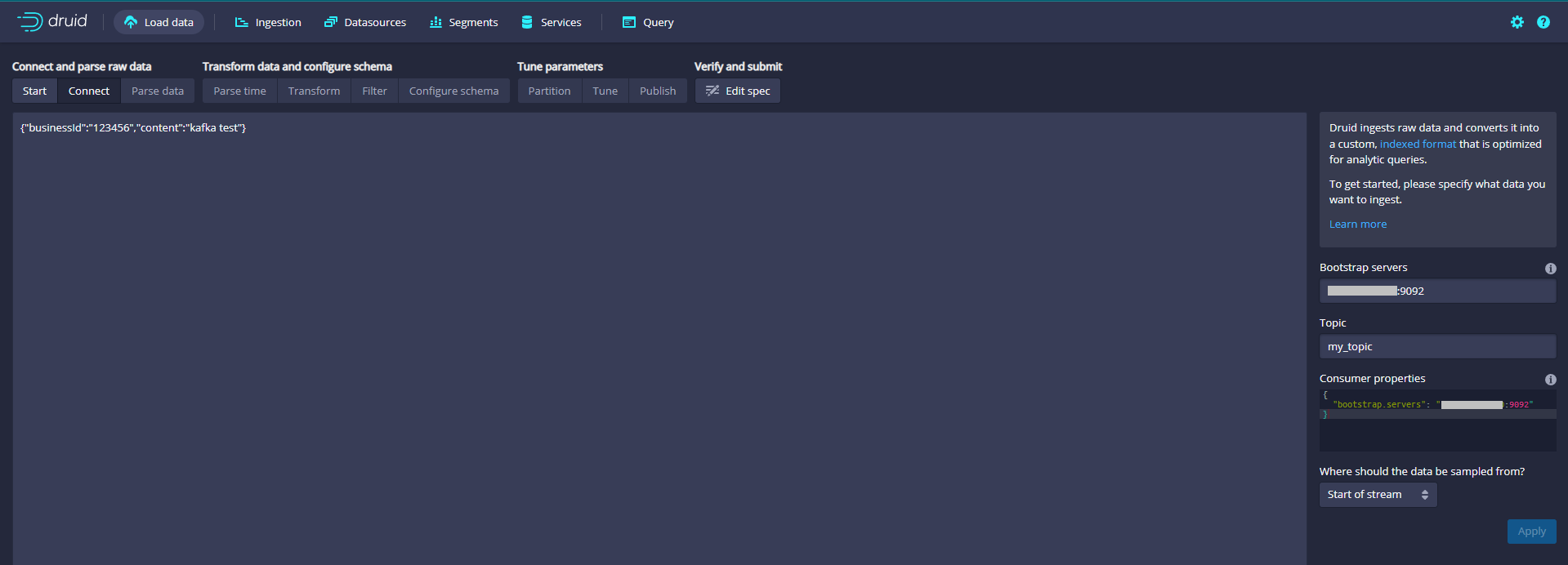



 已为社区贡献20427条内容

所有评论(0)