
大模型应用开发必备技能,从零开始构建RAG系统
这篇文章详细介绍了如何从零实现RAG系统,包括文档解析、文本分块、向量数据库搭建、语义检索和LLM接入等关键步骤。相比现成框架,自己实现提供完全控制权,便于问题定位和业务定制,同时加深对RAG原理的理解。文章还提供了对话记忆、指代消解和优化技巧,帮助开发者构建高效准确的检索增强生成系统。
RAG(检索增强生成)本质上就是给AI模型外挂一个知识库。平常用ChatGPT只能基于训练数据回答问题,但RAG可以让它查阅你的专有文档——不管是内部报告、技术文档还是业务资料,都能成为AI的参考资源。
很多人第一反应是用LangChain或LlamaIndex这些现成框架,确实能快速搭起来。但自己实现的核心价值在于:你能清楚知道文档是怎么被切分的、向量是怎么生成的、检索逻辑具体怎么跑的。
当系统出现检索不准确、回答质量差、成本过高这些问题时,你能精确定位到是哪个环节的问题。比如是分块策略不合适,还是embedding模型选择有问题,或者是检索参数需要调整。用框架的话,很多时候只能盲目调参数,治标不治本。
另外业务场景往往有特殊需求:PDF表格要特殊处理、某些文档类型需要提取特定元数据、检索结果要按业务规则重排序等等。自己实现就能在任何环节做针对性优化,而不是被框架的设计限制住。
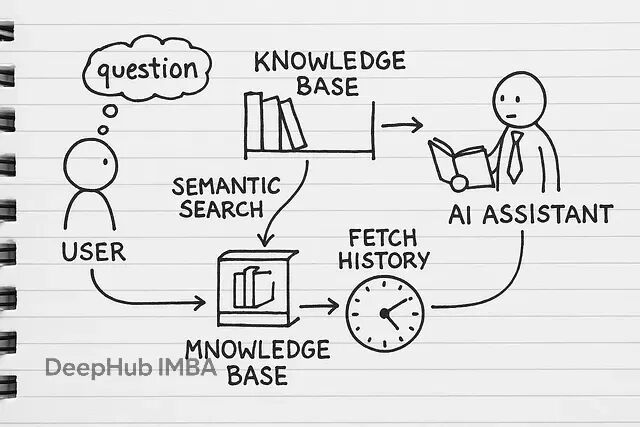
下面我们开始一步一步的进行:
文档解析:让机器能读懂你的文件
做RAG第一步是把各种格式的文档统一处理成纯文本。PDF、Word、txt这些常见格式各有各的解析方式。
import os


import PyPDF2


import docx


def load_plain_text(file_path: str) -> str:


    """Load and return the full contents of a .txt file."""


    with open(file_path, 'r', encoding='utf-8') as fp:


        return fp.read()


def extract_text_from_pdf(file_path: str) -> str:


    """Read every page of a PDF and stitch the text together."""


    texts = []


    with open(file_path, 'rb') as fp:


        reader = PyPDF2.PdfReader(fp)


        for pg in reader.pages:


            # ensure we don't end up with None


            page_txt = pg.extract_text() or ""


            texts.append(page_txt)


    # separate pages with a newline


    return "\n".join(texts)


def extract_text_from_docx(file_path: str) -> str:


    """Grab all paragraphs from a .docx document."""


    doc = docx.Document(file_path)


    paras = [p.text for p in doc.paragraphs]


    return "\n".join(paras)
然后写个统一的路由器,根据文件后缀调用对应的解析函数:
import os


def load_document(file_path: str):


    """Load a document's text based on its file extension."""


    _, extension = os.path.splitext(file_path)


    extension = extension.lower()


    if extension == '.txt':


        return read_text_file(file_path)


    elif extension == '.pdf':


        return read_pdf_file(file_path)


    elif extension == '.docx':


        return read_docx_file(file_path)


    else:


        raise ValueError(f"Unsupported file type: {extension}")
这样设计的好处是:文档结构保持完整(用换行符分隔段落),支持各种大小写的文件扩展名,不支持的格式会给出明确提示。
文本分块:把长文档切成合适的片段
因为有上下文的的限制,所以直接把整篇文档丢给LLM就像让人一口吃下整个pizza——不现实。所以需要把文档切成适当大小的块。
def chunk_sentences(text: str, max_length: int = 500) -> list[str]:


    """Split text into size-limited chunks, breaking only at sentence boundaries."""


    # Normalize whitespace and split on basic sentence delimiter


    segments = text.replace('\n', ' ').split('. ')


    blocks = []


    buffer = []


    buffer_len = 0


    for segment in segments:


        seg = segment.strip()


        if not seg:


            continue  # skip empty strings


        # Make sure each segment ends with a period


        if not seg.endswith('.'):


            seg += '.'


        seg_len = len(seg)


        # If adding this segment would exceed max_length, flush the buffer first


        if buffer and buffer_len + seg_len > max_length:


            blocks.append(' '.join(buffer))


            buffer = [seg]


            buffer_len = seg_len


        else:


            buffer.append(seg)


            buffer_len += seg_len


    # Append any remaining sentences


    if buffer:


        blocks.append(' '.join(buffer))


    return blocks
块大小选择是个权衡问题。小块(200-500字符)适合精确匹配,像索引卡一样;中等块(500-1000字符)能保留更多上下文;大块(1000+字符)上下文丰富但可能模糊焦点。技术文档通常用小块效果更好,叙述性内容可以用大一些的块,并且分块还可以有很多策略可选,在以前的文章中都有总结。
搭建向量数据库:用ChromaDB存储语义信息
文档切块后需要存到向量数据库里,这样才能做语义搜索。ChromaDB是个不错的选择,轻量但功能够用。
import chromadb


from chromadb.utils import embedding_functions


# Persistent storage - saves data between sessions


client = chromadb.PersistentClient(path="chroma_db")


# Our "brain" for understanding text meaning


sentence_transformer_ef = embedding_functions.SentenceTransformerEmbeddingFunction(


    model_name="all-MiniLM-L6-v2"  # Compact but powerful


)


# Create our knowledge repository


collection = client.get_or_create_collection(


    name="documents_collection",


    embedding_function=sentence_transformer_ef


)
这里用了几个核心组件:PersistentClient确保数据持久化存储,重启程序后数据还在;SentenceTransformerEmbeddingFunction把文本转成向量,让机器理解语义;all-MiniLM-L6-v2是个轻量级但效果不错的embedding模型。
文档索引:批量处理和元数据管理
接下来要把文档批量处理成可检索的格式。每个文本块都需要唯一ID和元数据,方便后续溯源。
def build_knowledge_units(path: str):


    """Ingest a file, break it into chunks, and tag each piece with metadata."""


    try:


        # Pull in the raw text


        raw = load_document(path)


        # Break the text into bite-sized segments


        segments = partition_text(raw)


        # Grab just the filename for provenance


        name = os.path.basename(path)


        # Assemble metadata dicts for each segment


        metadata_records = [


            {"source_file": name, "segment_index": idx}


            for idx in range(len(segments))


        ]


        # Generate a stable ID for each piece


        unique_keys = [


            f"{name}_seg_{idx}"


            for idx in range(len(segments))


        ]


        return unique_keys, segments, metadata_records


    except Exception as err:


        print(f"Failed to process '{path}': {err}")


        # Return empty lists so downstream code can continue safely


        return [], [], []
为了提高效率,批量插入比单条插入快很多:
def batch_insert_into_store(store, record_ids, contents, metadata_list):


    """Insert items into the vector store in optimized batches."""


    batch_size = 100  # tuned for ChromaDB throughput


    for start_idx in range(0, len(contents), batch_size):


        stop_idx = min(start_idx + batch_size, len(contents))


        store.add(


            documents=contents[start_idx:stop_idx],     # text chunks


            metadatas=metadata_list[start_idx:stop_idx],# chunk metadata


            ids=record_ids[start_idx:stop_idx]          # unique chunk IDs


        )


def ingest_folder(store, directory: str):


    """Walk a directory, process each file, and load into the store."""


    # gather only regular files


    entries = [


        os.path.join(directory, name)


        for name in os.listdir(directory)


        if os.path.isfile(os.path.join(directory, name))


    ]


    for path in entries:


        filename = os.path.basename(path)


        print(f"► Processing {filename} …")


        ids, contents, metadata_list = process_document(path)


        if contents:


            batch_insert_into_store(store, ids, contents, metadata_list)


            print(f"✔ Loaded {len(contents)} chunks from {filename}")
实际运行时你会看到这样的输出:
► Processing customer_faqs.pdf …


✔ Loaded 51 chunks from customer_faqs.pdf


► Processing onboarding_guide.docx …


✔ Loaded 20 chunks from onboarding_guide.docx
语义检索:找到最相关的内容块
有了向量数据库,就能进行语义搜索了。不是简单的关键词匹配,而是理解查询的语义含义。
def run_semantic_query(collection, query: str, top_k: int = 2):


    """Run a semantic search to find the most relevant chunks."""


    return collection.query(


        query_texts=[query],      # The actual search query


        n_results=top_k           # Number of matches to return


    )


def build_context_and_citations(results):


    """Combine matched chunks and reference their original sources."""


    combined_text = "\n\n".join(results['documents'][0])


    references = [


        f"{meta['source']} (chunk {meta['chunk']})"


        for meta in results['metadatas'][0]


    ]


    return combined_text, references
想了解底层发生了什么,可以看看搜索结果的详细信息:
def display_search_hits(results):


    """Nicely formatted display of search output for readability."""


    print("\nTop Matches\n" + "=" * 50)


    hits = results['documents'][0]


    metadata = results['metadatas'][0]


    scores = results['distances'][0]


    for idx in range(len(hits)):


        snippet = hits[idx]


        info = metadata[idx]


        score = scores[idx]


        print(f"\nMatch #{idx + 1}")


        print(f"From: {info['source']} — Chunk {info['chunk']}")


        print(f"Similarity Score: {1 - score:.2f} / 1.00")


        print(f"Excerpt: {snippet[:150]}...\n")
搜索结果会显示相似度分数和来源文档,帮你判断检索质量。
接入LLM:让模型基于检索内容回答
检索到相关内容后,就要让LLM基于这些内容生成回答。关键是构造好的prompt,确保模型只基于提供的上下文回答。
import os


from openai import OpenAI


# Initialize the OpenAI client


client = OpenAI()


# Set your OpenAI API key


os.environ["OPENAI_API_KEY"] = "your_api_key"  # Replace this with your actual key


def build_prompt(context: str, question: str) -> str:


    """Construct a focused prompt using context and a user question."""


    return f"""You are a helpful assistant. Use only the context provided below to answer.


If the answer cannot be found in the context, reply with "I don't have that information."


Context:


{context}


Question: {question}


Answer:"""


def ask_openai(question: str, context: str) -> str:


    """Send the prompt to OpenAI and return the generated response."""


    prompt = build_prompt(context, question)


    try:


        reply = client.chat.completions.create(


            model="gpt-4-turbo",


            messages=[


                {"role": "system", "content": "You answer based strictly on the context provided."},


                {"role": "user", "content": prompt}


            ],


            temperature=0.3,


            max_tokens=300


        )


        return reply.choices[0].message.content


    except Exception as err:


        return f"Error: {str(err)}"
temperature参数控制生成的随机性:0.0最保守只输出事实,0.5平衡事实和表达,1.0最有创造性。对RAG来说,0.0到0.3比较合适,保证回答基于文档内容。
对话记忆:让AI记住聊天历史
ChatGPT能记住对话上下文,我们的RAG系统也需要这个能力。实现起来其实不复杂,就是维护一个会话状态。
import uuid


from datetime import datetime


# In-memory chat log (swap with persistent storage in production)


chat_sessions = {}


def start_new_session() -> str:


    """Initialize a fresh conversation session with a unique ID."""


    session_id = str(uuid.uuid4())


    chat_sessions[session_id] = []


    return session_id


def log_message(session_id: str, sender: str, message: str):


    """Add a message to the session history."""


    if session_id not in chat_sessions:


        chat_sessions[session_id] = []


    chat_sessions[session_id].append({


        "role": sender,


        "content": message,


        "timestamp": datetime.now().isoformat()


    })


def fetch_recent_messages(session_id: str, limit: int = 5):


    """Return the last few messages from a session."""


    msgs = chat_sessions.get(session_id, [])


    return msgs[-limit:]


def prepare_history_for_model(messages: list) -> str:


    """Convert messages into a single formatted string."""


    return "\n".join(


        f"{msg['role'].capitalize()}: {msg['content']}"


        for msg in messages


    )
这样设计后,每个用户的对话都有独立的session_id,每条消息都会记录到历史中,生成回答时可以参考最近的几条消息作为上下文。
解决指代消解:理解"它"、"那个"指的是什么
用户经常会问一些不完整的问题,比如先问"LaunchPad项目是什么",接着问"它什么时候开始的"。这里的"它"显然指LaunchPad,但AI不知道。需要把后续问题重写成独立完整的问题。
def rewrite_query_with_context(query: str, chat_log: str, client: OpenAI) -> str:


    """Rewrites a follow-up query as a full standalone question using prior conversation."""


    prompt = f"""Rephrase follow-up questions to be fully self-contained.


Refer to the chat history as needed. Return only the rewritten question.


Chat History:


{chat_log}


Follow-up: {query}


Standalone Question:"""


    try:


        response = client.chat.completions.create(


            model="gpt-3.5-turbo",  # Fast, cheap, reliable


            messages=[{"role": "user", "content": prompt}],


            temperature=0  # Keep output consistent


        )


        return response.choices[0].message.content


    except Exception as err:


        print(f"Failed to contextualize query: {err}")


        return query  # Return original if there's an error
这样"它什么时候开始的"就能自动变成"LaunchPad项目什么时候开始的",确保搜索能找到正确的内容。
完整的对话流程:把所有组件串起来
最后把所有功能整合成一个完整的对话式RAG系统:
def handle_conversational_query(


    collection,


    query: str,


    session_id: str,


    n_chunks: int = 3


):


    """Orchestrates the full RAG-based QA flow in a chat session."""


    # Step 1: Pull session history and prep it for context injection


    chat_log = get_conversation_history(session_id)


    prior_messages = format_history(chat_log)


    # Step 2: Resolve pronouns or unclear references in the query


    refined_query = contextualize_query(query, prior_messages, client)


    print(f"[Refined Query] {refined_query}")


    # Step 3: Retrieve relevant knowledge from the vector DB


    search_results = run_semantic_query(collection, refined_query, n_chunks)


    retrieved_text, citations = build_context_and_citations(search_results)


    # Step 4: Generate an answer grounded in retrieved content


    answer = generate_response(refined_query, retrieved_text)


    # Step 5: Save both user input and AI reply into memory


    add_message(session_id, "user", query)


    add_message(session_id, "assistant", answer)


    return answer, citations
实际使用时的对话流程:
session = start_conversation()


# 初始查询


q1 = "LaunchPad是做什么的?"


reply, refs = smart_retrieval(collection, q1, session)


print(f"Answer: {reply}\nSources: {refs}")


# 后续查询


q2 = "它什么时候开始的?"


reply, refs = smart_retrieval(collection, q2, session)


print(f"Answer: {reply}\nSources: {refs}")
系统会自动处理指代消解,输出类似这样:
Contextualized:LaunchPad是做什么的?


Answer:LaunchPad帮助初创公司快速原型设计和验证产品想法。


Sources:['program_overview.pdf (chunk 1)']


Contextualized:LaunchPad项目什么时候开始的?


Answer:LaunchPad项目始于2018年。


Sources:['timeline_notes.txt (chunk 3)']
几个实用的优化技巧
做完基础功能后,还有一些进阶优化可以考虑。
1、混合搜索能结合语义搜索和元数据过滤:
# 在语义搜索中添加元数据过滤


collection.query(


    query_texts=[query],


    n_results=5,


    where={"department": "HR"}  # 只搜索HR部门的文档


)
2、自动添加来源引用让用户知道答案的出处:
# 在回答后自动添加来源链接


def enhance_response(response, sources):


    return f"{response}\n\n来源:\n" + "\n".join(


        f"- {source}" for source in sources


    )
3、根据文档类型调整分块策略:
# 根据文档类型动态调整块大小


if "financial" in file_name:


    chunks = split_text(content, chunk_size=300)  # 财务文档用小块


else:


    chunks = split_text(content, chunk_size=600)  # 其他文档用大块
4、长对话需要压缩历史:
# 当对话历史太长时自动摘要


def summarize_history(history):


    prompt = f"总结以下对话的关键信息:\n{history}"


    return client.chat.completions.create(/*...*/).choices[0].message.content
总结
从零实现RAG系统确实比用现成框架麻烦一些,但带来的好处很明显。
你对每个环节都有完全控制权,可以根据具体需求精确调优。出了问题能快速定位,不用在框架的抽象层里瞎猜。成本也更透明,每个API调用、每个token都在你掌控之中。更重要的是你真正理解了RAG的工作原理,而不是只会调用几个封装好的函数。这种理解在遇到复杂场景时价值巨大。
虽然初期投入的时间多一些,但长期来看绝对值得。特别是对于有特定需求的业务场景,自实现的灵活性是框架无法比拟的。
如何系统学习掌握AI大模型?
AI大模型作为人工智能领域的重要技术突破,正成为推动各行各业创新和转型的关键力量。抓住AI大模型的风口,掌握AI大模型的知识和技能将变得越来越重要。
学习AI大模型是一个系统的过程,需要从基础开始,逐步深入到更高级的技术。
这里给大家精心整理了一份
全面的AI大模型学习资源,包括:AI大模型全套学习路线图(从入门到实战)、精品AI大模型学习书籍手册、视频教程、实战学习、面试题等,资料免费分享!
1. 成长路线图&学习规划
要学习一门新的技术,作为新手一定要先学习成长路线图,方向不对,努力白费。
这里,我们为新手和想要进一步提升的专业人士准备了一份详细的学习成长路线图和规划。可以说是最科学最系统的学习成长路线。

2. 大模型经典PDF书籍
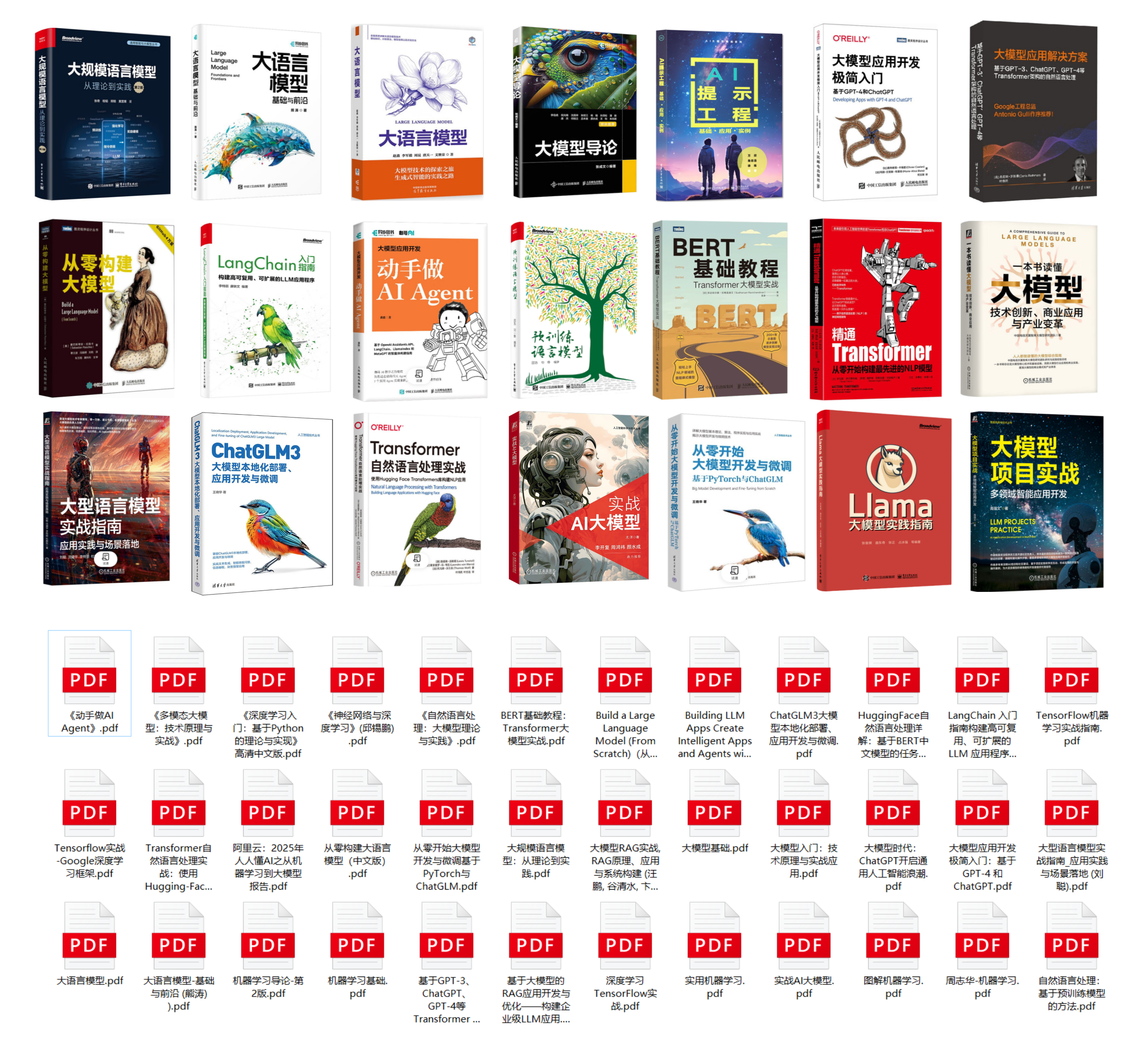
书籍和学习文档资料是学习大模型过程中必不可少的,我们精选了一系列深入探讨大模型技术的书籍和学习文档,它们由领域内的顶尖专家撰写,内容全面、深入、详尽,为你学习大模型提供坚实的理论基础。(书籍含电子版PDF)
3. 大模型视频教程
对于很多自学或者没有基础的同学来说,书籍这些纯文字类的学习教材会觉得比较晦涩难以理解,因此,我们提供了丰富的大模型视频教程,以动态、形象的方式展示技术概念,帮助你更快、更轻松地掌握核心知识。

4. 大模型行业报告
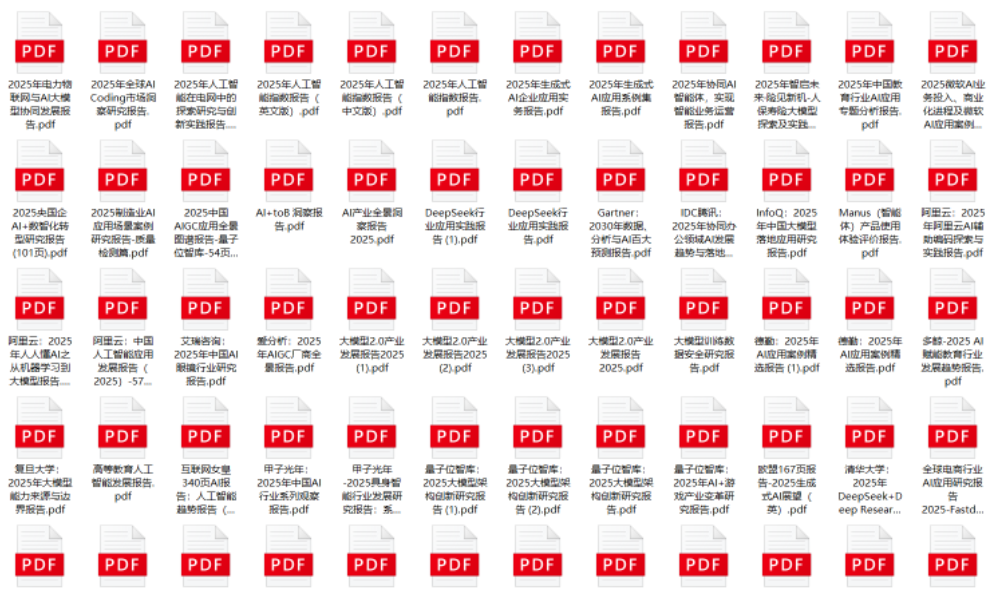
行业分析主要包括对不同行业的现状、趋势、问题、机会等进行系统地调研和评估,以了解哪些行业更适合引入大模型的技术和应用,以及在哪些方面可以发挥大模型的优势。
5. 大模型项目实战
学以致用 ,当你的理论知识积累到一定程度,就需要通过项目实战,在实际操作中检验和巩固你所学到的知识,同时为你找工作和职业发展打下坚实的基础。

6. 大模型面试题
面试不仅是技术的较量,更需要充分的准备。
在你已经掌握了大模型技术之后,就需要开始准备面试,我们将提供精心整理的大模型面试题库,涵盖当前面试中可能遇到的各种技术问题,让你在面试中游刃有余。

全套的AI大模型学习资源已经整理打包,有需要的小伙伴可以
微信扫描下方CSDN官方认证二维码,免费领取【保证100%免费】
更多推荐

 26
26 0
0- 0


 已为社区贡献7条内容

所有评论(0)