
ubuntu虚拟环境中安装python包,报错
ubuntu虚拟环境中,安装python包报错:
问题1.在虚拟环境中安装好依赖,执行某个python文件,报错无某个python包:
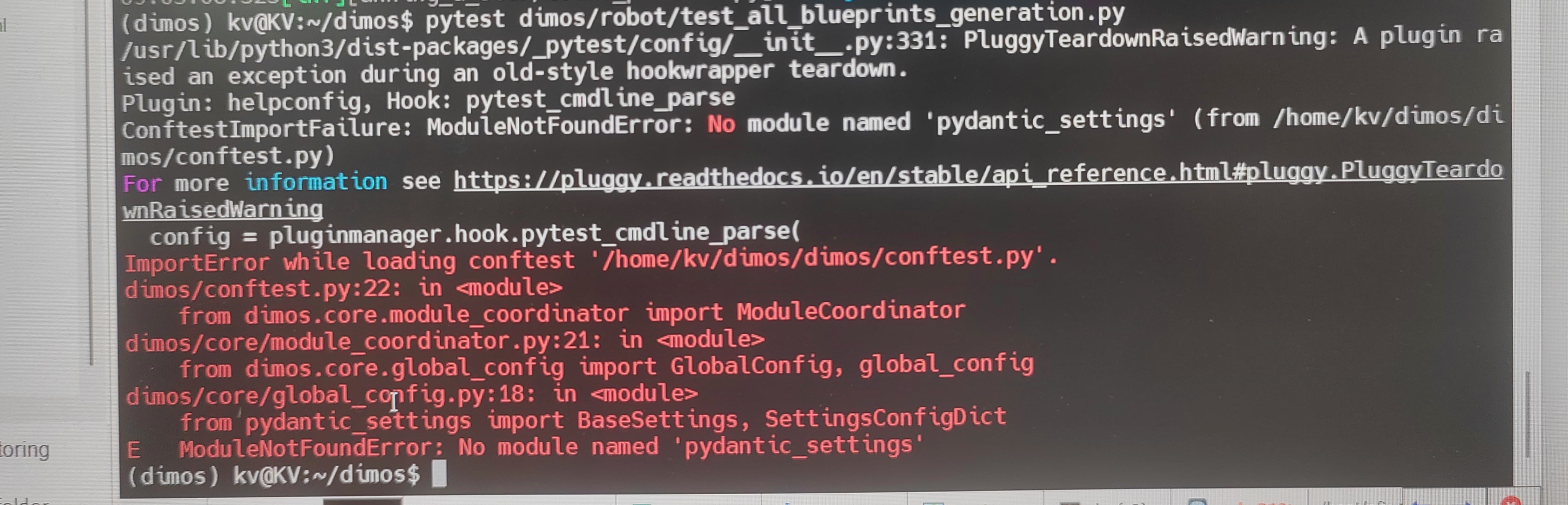
解决方法: 安装此python包
1.执行命令
source .venv/bin/activate   #激活虚拟环境
2.安装包
pip install pydantic-settings   # 或
pip3 install pydantic-settings
在安装包pydantic-setting后,若返回successful,则表示,安装包成功,可以继续运行代码,若出现问题2,请看如下解决方案.
问题2.执行pip安装包命令后,出现如下报错:
(dimos) kv@KV:~/dimos$ pip3 install pydantic-settings
error: externally-managed-environment × This environment is externally managed ╰─> To install Python packages system-wide, try apt install python3-xyz, where xyz is the package you are trying to install. If you wish to install a non-Debian-packaged Python package, create a virtual environment using python3 -m venv path/to/venv. Then use path/to/venv/bin/python and path/to/venv/bin/pip. Make sure you have python3-full installed. If you wish to install a non-Debian packaged Python application, it may be easiest to use pipx install xyz, which will manage a virtual environment for you. Make sure you have pipx installed. See /usr/share/doc/python3.12/README.venv for more information. note: If you believe this is a mistake, please contact your Python installation or OS distribution provider. You can override this, at the risk of breaking your Python installation or OS, by passing --break-system-packages. hint: See PEP 668 for the detailed specification.
解决方法:
1.激活环境
source .venv/bin/activate
2.快速临时安装包
pip3 install pydantic-settings --break-system-packages
# --break-system-packages    这个方法可能破坏系统Python,只建议临时测试用。

或

3.全局安装
sudo apt update
sudo apt install pipx -y
pipx install pydantic-settings
注:仅本人解决问题经验,如有更好的方法,欢迎评论.
更多推荐
 14
14 0
0- 0


 已为社区贡献1条内容

所有评论(0)