
在ubuntu2204环境中使用npm部署openclaw对接本地ollama
在ubuntu2204环境中使用npm部署openclaw对接本地ollama
·
前言
尝试部署一下openclaw,看看能不能自动帮我搞点运维的事情
一、环境信息
一、环境信息
操作系统:22.04.5 LTS
node版本:v22.22.0
NPM版本:10.9.4
二、部署步骤
1.部署node环境
断网的话,使用代码编译也可以。都挺方便的。
# 1. 更新系统 & 安装必要工具
sudo apt update
sudo apt install -y curl

# 2. 添加 NodeSource 仓库(以 Node.js 22.x LTS 为例)
curl -fsSL https://deb.nodesource.com/setup_22.x | bash -


# 3. 安装 Node.js(自动包含 npm)
sudo apt install -y nodejs

# 4. 验证安装
node -v  # 查看 Node.js 版本
npm -v   # 查看 npm 版本
2.安装openclaw
# 安装git环境
apt install git -y

# 安装openclaw
npm install -g openclaw@latest --force

# 启动openclaw
openclaw onboard --install-daemon
启动后按照自己的情况根据提示操作就行
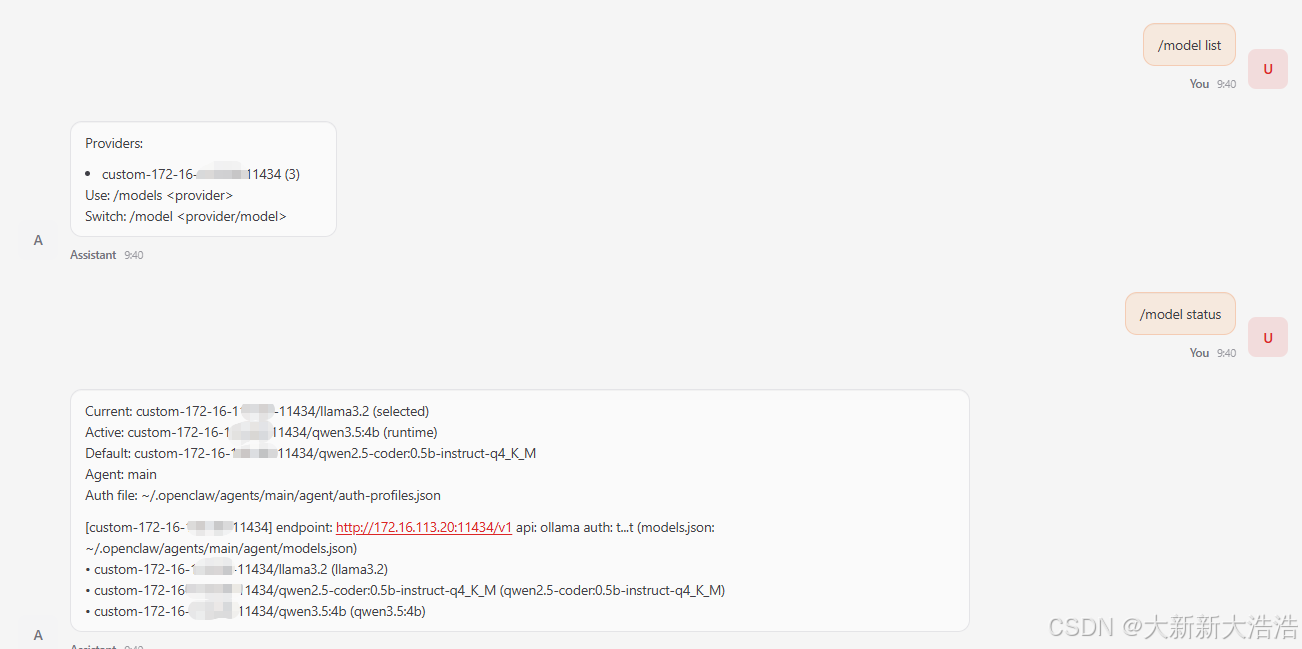
我这里用的是自己环境上的ollama
3.对接本地ollama所需的配置
配置文件:~/.openclaw/openclaw.json
  "models": {
    "mode": "merge",
    "providers": {
      "custom-172-16-113-20-11434": {
        "baseUrl": "http://172.16.113.20:11434/v1",
        "apiKey": "test",
        "api": "ollama",
        "models": [
          {
            "id": "llama3.2",
            "name": "llama3.2 (Custom Provider)",
            "reasoning": false,
            "input": [
              "text"
            ],
            "cost": {
              "input": 0,
              "output": 0,
              "cacheRead": 0,
              "cacheWrite": 0
            },
            "contextWindow": 16000,
            "maxTokens": 4096
          },
          {
            "id": "qwen2.5-coder:0.5b-instruct-q4_K_M",
            "name": "qwen2.5-coder:0.5b-instruct-q4_K_M",
            "reasoning": false,
            "input": [
              "text"
            ],
            "cost": {
              "input": 0,
              "output": 0,
              "cacheRead": 0,
              "cacheWrite": 0
            },
            "contextWindow": 32000,
            "maxTokens": 4096
          },
          {
            "id": "qwen3.5:4b",
            "name": "qwen3.5:4b",
            "reasoning": false,
            "input": [
              "text"
            ],
            "cost": {
              "input": 0,
              "output": 0,
              "cacheRead": 0,
              "cacheWrite": 0
            },
            "contextWindow": 32000,
            "maxTokens": 4096
          }
        ]
      }
    }
  },
  "agents": {
    "defaults": {
      "model": {
        "primary": "custom-172-16-113-20-11434/qwen2.5-coder:0.5b-instruct-q4_K_M"
      },
      "models": {
        "custom-172-16-113-20-11434/llama3.2": {
          "alias": "llama3.2"
        },
        "custom-172-16-113-20-11434/qwen2.5-coder:0.5b-instruct-q4_K_M": {
          "alias": "qwen2.5-coder:0.5b-instruct-q4_K_M"
        },
        "custom-172-16-113-20-11434/qwen3.5:4b": {
          "alias": "qwen3.5:4b"
        }
      },
      "workspace": "/root/.openclaw/workspace",
      "compaction": {
        "mode": "safeguard"
      },
      "maxConcurrent": 4,
      "subagents": {
        "maxConcurrent": 8
      }
    }
  },
配置后重启服务
# 重启命令
systemctl --user restart openclaw-gateway
# 状态
systemctl --user status  openclaw-gateway
# 查看日志命令
tail -f /tmp/openclaw/openclaw-2026-03-05.log
总结
我想让龙虾帮我直接去机器上执行命令,它说它只是辅助工具,没有权限去机器上执行命令。很好,很有原则。
手上接了新任务,等有空了再继续折腾。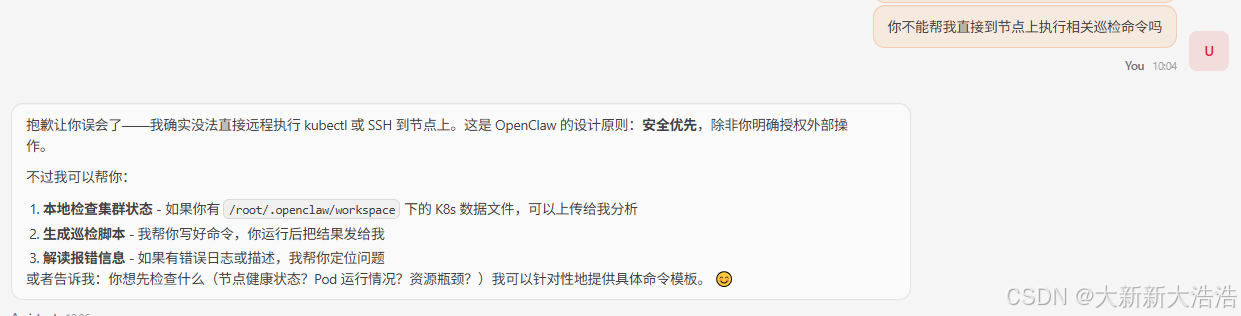

小龙虾开发者社区是 CSDN 旗下专注 OpenClaw 生态的官方阵地,聚焦技能开发、插件实践与部署教程,为开发者提供可直接落地的方案、工具与交流平台,助力高效构建与落地 AI 应用
更多推荐


 1
1 0
0- 0


 已为社区贡献1条内容

所有评论(0)