How to click on open application alert using Selenium
·
Answer a question
I am trying to click on open application alert using Selenium, and I am getting this error
NoAlertPresentException: Message: no such alert
So basically I am trying to open zoom application from the browser
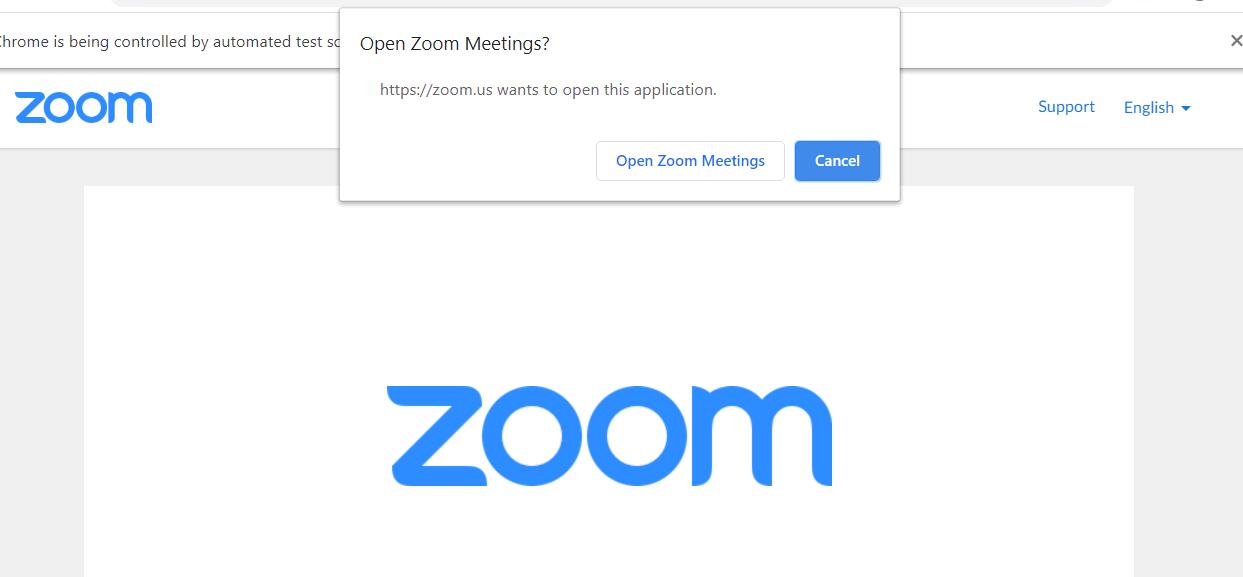
And here is my code:
from selenium import webdriver
from selenium.webdriver.support.ui import WebDriverWait
from selenium.webdriver.support import expected_conditions as EC
from selenium.common.exceptions import TimeoutException

driver = webdriver.Chrome(executable_path='chromedriver/chromedriver')
driver.get("https://zoom.us/j/93459172503?pwd=QkhnMEQ0ZTRZd0grUVJkT2NudmlFZz09")

try:
    WebDriverWait(driver, 5).until(EC.alert_is_present(), 'Timed out waiting for alerts to appear')
    alert = driver.switch_to.alert
    alert.accept()
    print("alert accepted")
except TimeoutException:
    print("no alert")
Answers
Because this is not a browser Alert, rather OS App selector, you cannot interact with it within Selenium.
See: Selenium C# How to handle Alert "Open Pick an app"?
You can prevent these App selectors by default by using the --disable-default-apps flag when starting up Chrome.

Python社区为您提供最前沿的新闻资讯和知识内容
更多推荐

 0
0 0
0- 0


 已为社区贡献126445条内容

所有评论(0)