Error 500 while running a Python Flask application on IIS. How to get the actual error
Answer a question
I try to get a Flask application running on an IIS on windows.
The reason is to get single-sign-on with windows authentication done using the IIS mechanisms.
I got it running on my development machine. But it doesn't work in the actual production environment. I get a error 500 for some reasons, but I don't see the actual Flask error message.
I saw the python error message ones during the setup, before I set the rights to write to the log file. It told me about the missing rights. That should mean FastCGI is configured the right way, I guess.
Now after I set the write access, I get a IIS error 500 page that tells me that something went wrong with the FastCGI. But I don't get any log entry, even if I set the rights to write them. No log files and no entries in the windows event logs. Nothing.
Do you know a way to get the actual error message?
[Update] After enabling the failed request trace, I get the following error:
<RenderingInfo Culture="en-US">
  <Opcode>FASTCGI_UNKNOWN_ERROR</Opcode>
  <Keywords>
   <Keyword>FastCGI</Keyword>
  </Keywords>
  <freb:Description Data="ErrorCode">The directory name is invalid.
(0x8007010b)</freb:Description>
</RenderingInfo>
The web.config looks like this:
<?xml version="1.0" encoding="utf-8"?>
<configuration>
<appSettings>
<add key="PYTHONPATH" value="C:\inetpub\wwwroot\app_name" />
<!-- The handler here is specific to Bottle; see the next section. -->
<add key="WSGI_HANDLER" value="main.app" />
<add key="WSGI_LOG" value="C:\inetpub\wwwroot\app_name\LogFiles\wfastcgi.log" />
</appSettings>
<system.web>
<customErrors mode="Off" />
</system.web>
<system.webServer>
<handlers>
<clear />
<add name="Python FastCGI" path="*" verb="*" modules="FastCgiModule"
scriptProcessor=""c:\program files\python37\python.exe"|"c:\program files\python37\lib\site-packages\wfastcgi.py""
resourceType="Unspecified" requireAccess="Script" />
</handlers>
<security>
<authentication>
<anonymousAuthentication enabled="false" />
<windowsAuthentication enabled="true" />
</authentication>
</security>
</system.webServer>
</configuration>
If I would guess, the path to the "program files" folder with the blank inside would cause the error.
Answers
To configure python flask app in iis you could follow the below steps:
- First, you need to install the python,wfastcgi, and flask at your server.
- You can download the python from below link:
https://www.python.org/downloads/
note: if possible please use python version above 3.6.
after installing python install the wfastcgi.run the command prompt as administrator and run below command:
pip install wfastcgi

wfastcgi-enable
below is my flask example:
from flask import Flask
app = Flask(__name__)
@app.route("/")
def hello():
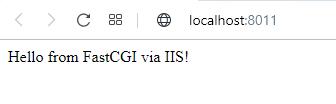
    return "Hello from FastCGI via IIS!"
if __name__ == "__main__":
    app.run()
after creating an application to run it use below command:
python app.py
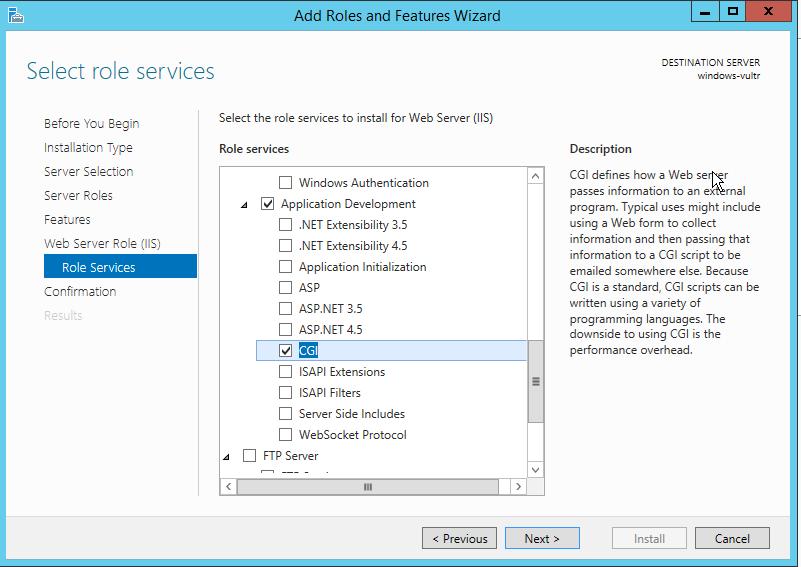
now enable the cgi feature of iis:
- now open iis.
- right-click on the server name and select add site.
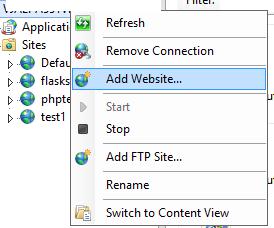
- enter the site name physical path and the site binding.
- after adding site select the site name and select the handler mapping feature from the middle pane.

- Click “Add Module Mapping”

executable path value:
C:\Python37-32\python.exe|C:\Python37-32\Lib\site-packages\wfastcgi.py
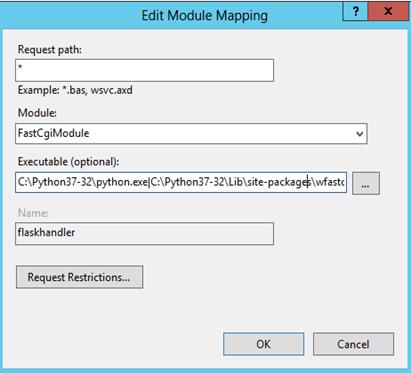
- Click “Request Restrictions”. Make sure “Invoke handler only if the request is mapped to:” checkbox is unchecked:
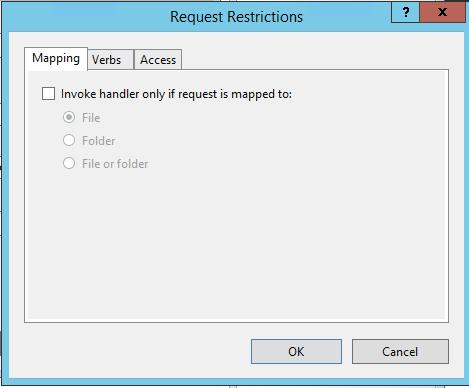
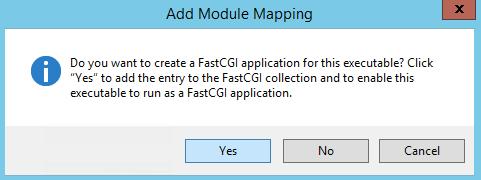
- Click “Yes” here:
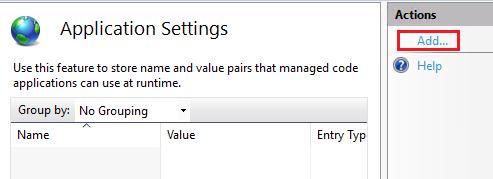
- now go back and select the application setting feature.

- click add from the action pane.
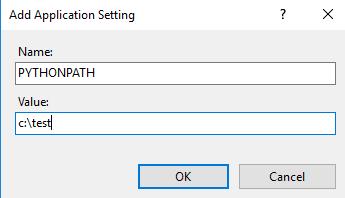
- Set the PYTHONPATH variable(which is your site folder path):
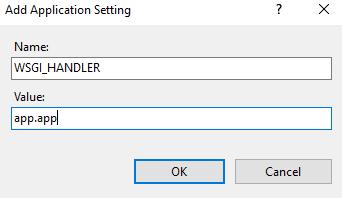
- And the WSGI_HANDLER (my Flask app is named app.py so the value is app.app — if yours is named site.py it would be site.app or similar):
- Click OK and browse to your site.

Python社区为您提供最前沿的新闻资讯和知识内容
更多推荐

 0
0 0
0- 0


 已为社区贡献126445条内容

所有评论(0)