

I'm trying to run a python file in VSCode using python3.
I know I can fix by simply setting to run using integrated terminal like it says in the microsoft vscode tutorial on python. However, I would like the program to print in the output tab and not take up the terminal window.
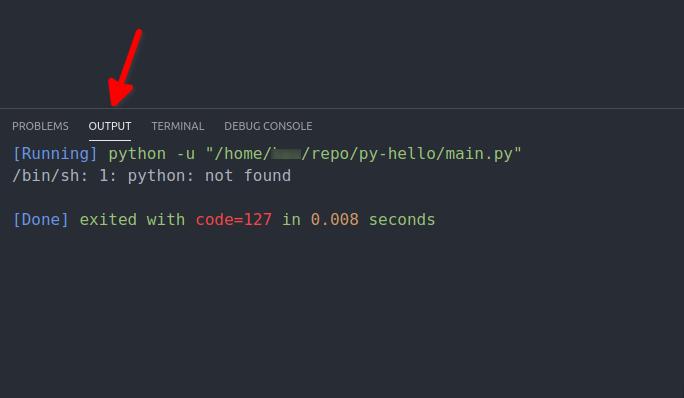
The standard coder runner launch.json looks like this;
"version": "0.2.0",
"configurations": [
    {
        "name": "Python: Current File",
        "type": "python",
        "request": "launch",
        "program": "${file}",
        "console": "integratedTerminal"
    }
]
I've tried to set my python path in VSCode in settings.json
...
"python.pythonPath": "python3",
"code-runner.executorMap": {
    "python3": "/usr/bin/python3"
}
I've also set an alias for python -> python3 (as my ubuntu 20.04 doesn't come with python2 anymore)
alias python="python3"
However, I keep getting the above error. Any Ideas?



 已为社区贡献126445条内容

所有评论(0)