I have got two questions on reading and writing Python objects from/to Azure blob storage.
-
Can someone tell me how to write Python dataframe as csv file directly into Azure Blob without storing it locally?
I tried using the functions create_blob_from_text and create_blob_from_stream but none of them works.
Converting dataframe to string and using create_blob_from_text function writes the file into the blob but as a plain string but not as csv.
df_b = df.to_string()
block_blob_service.create_blob_from_text('test', 'OutFilePy.csv', df_b)
-
How to directly read a json file in Azure blob storage directly into Python?
- Can someone tell me how to write Python dataframe as csv file directly into Azure Blob without storing it locally?
You could use pandas.DataFrame.to_csv method.
Sample code:
from azure.storage.blob import (
    BlockBlobService
)
import pandas as pd
import io

output = io.StringIO()
head = ["col1" , "col2" , "col3"]
l = [[1 , 2 , 3],[4,5,6] , [8 , 7 , 9]]
df = pd.DataFrame (l , columns = head)
print(df)
output = df.to_csv (index_label="idx", encoding = "utf-8")
print(output)

accountName = "***"
accountKey = "***"
containerName = "test1"
blobName = "test3.json"

blobService = BlockBlobService(account_name=accountName, account_key=accountKey)

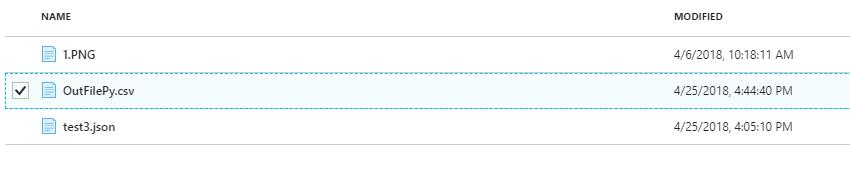
blobService.create_blob_from_text('test1', 'OutFilePy.csv', output)
Output result:
2.How to directly read a json file in Azure blob storage directly into Python?
Sample code:
from azure.storage.blob import (
    BlockBlobService
)

accountName = "***"
accountKey = "***"
containerName = "test1"
blobName = "test3.json"

blobService = BlockBlobService(account_name=accountName, account_key=accountKey)

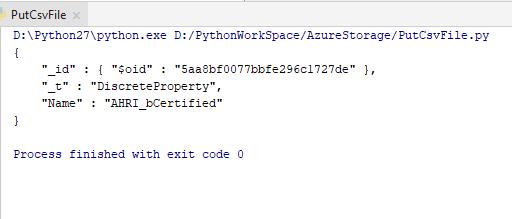
result = blobService.get_blob_to_text(containerName,blobName)

print(result.content)
Output result:
Hope it helps you.





 已为社区贡献126445条内容

所有评论(0)