

This problem has been driving me nuts. I am trying to import a class from a file in the same directory. PyCharm is giving me the "Unresolved reference" error. MyClass is defined in file.py.

I have found these questions:
- Unresolved reference issue in PyCharm
- Pycharm: "unresolved reference" error on the IDE when opening a working project
- PyCharm shows unresolved references error for valid code
- Unresolved reference when importing from sibling sub-package with
I have the following project structure:
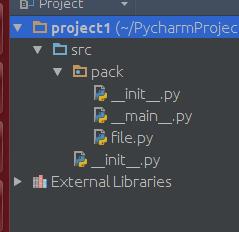
I have marked src as the sources root...
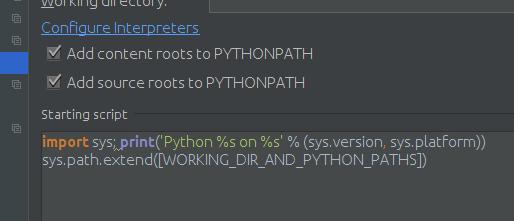
I have set the "Add source roots to PYTHONPATH":
I have tried File -> Invalidate Caches / Restart.. (I even restarted the computer).
If I try to run it, I get the following error in the console: ImportError: cannot import name 'MyClass'
The interpreter is a virtualenv on Python 3.4 on Ubuntu x64 14.04.
If I install and import any 3rd party packages, they work fine.
If I try echo $PYTHONPATH in the terminal it returns nothing (same with env | grep PYTHONPATH. I have the appropriate virtualenv active when I try these.
Any clues?



 已为社区贡献126445条内容

所有评论(0)