在 OpenCV 中绘制有角度的矩形
·
回答问题
我正在使用 OpenCV 和 python 来处理一个涉及身体跟踪的项目,并且我正在使用 HSV 值来查找肤色,然后在它周围画一个框。
但是,虽然我可以找到被跟踪的对象并在其周围绘制一个框,但矩形始终是垂直的,我想知道矩形是否有角度,以便它们更好地显示检测到的对象,有点像 minEnclosureCircle 函数,但使用长方形
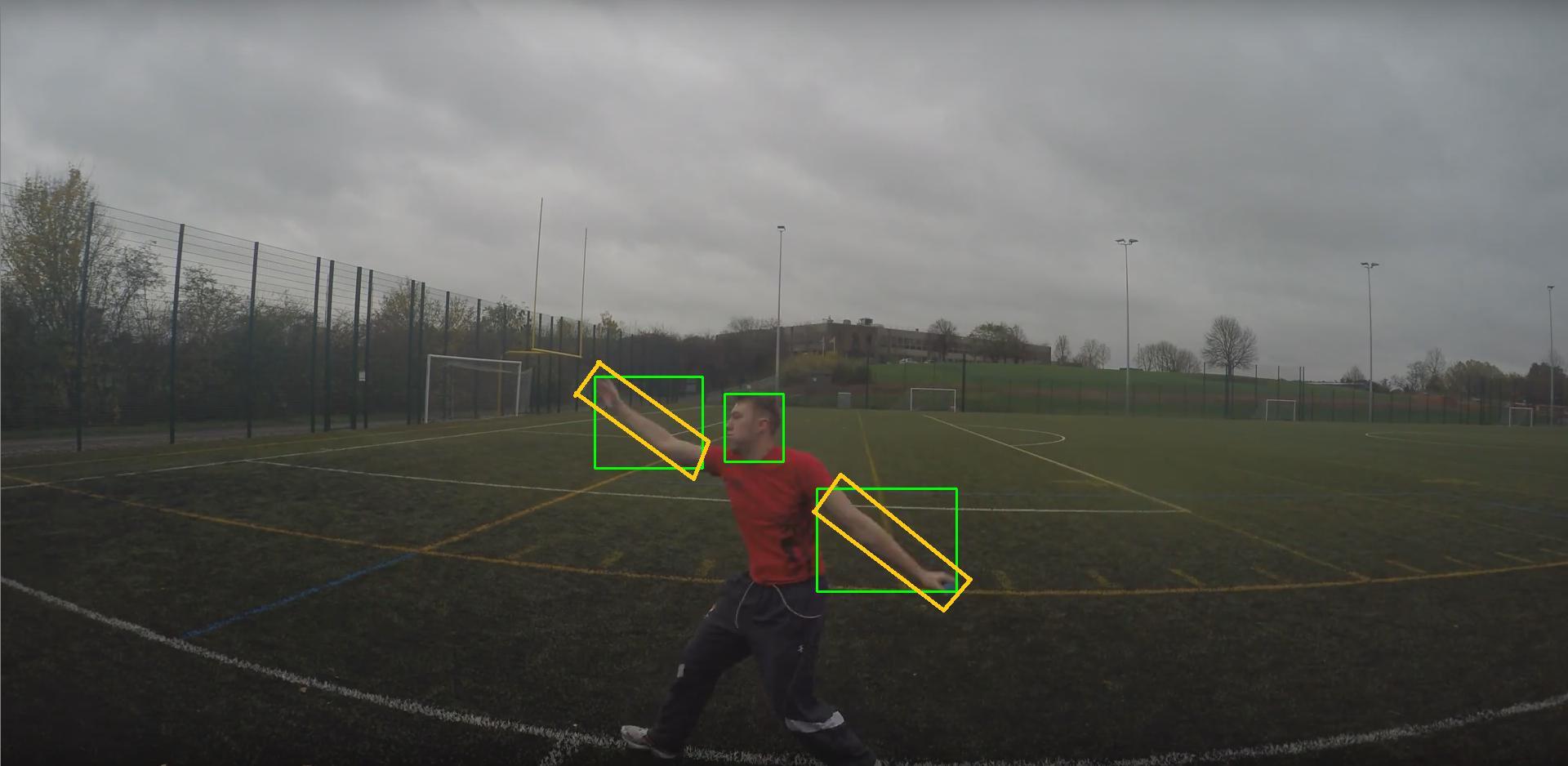
这些图像可能更好地解释了我在寻找什么。我得到的盒子是绿色的,我正在寻找的东西是黄色的。如您所见,蒙版显示和有角度的矩形也将更好地包含所选区域。我还包括了原始图像。
我的代码是:
import numpy as np
import cv2

# Input image
image = cv2.imread('TestIn.png')

# Converts to grey for better reulsts
gray = cv2.cvtColor(image, cv2.COLOR_BGR2GRAY)

# Converts to HSV
hsv = cv2.cvtColor(image, cv2.COLOR_BGR2HSV)

# HSV values
lower_skin = np.array([5,36,53])
upper_skin = np.array([19,120,125])

mask = cv2.inRange(hsv, lower_skin, upper_skin)

mask = cv2.erode(mask, None, iterations=2)
mask = cv2.dilate(mask, None, iterations=2)

# Finds contours
im2, cnts, hierarchy = cv2.findContours(mask.copy(), cv2.RETR_TREE, cv2.CHAIN_APPROX_SIMPLE)

# Draws contours
for c in cnts:
    if cv2.contourArea(c) < 3000:
        continue

    (x, y, w, h) = cv2.boundingRect(c)
    cv2.rectangle(image, (x,y), (x+w,y+h), (0, 255, 0), 2)

cv2.imshow('mask', mask)
cv2.imshow('image', image)
cv2.waitKey(0)
cv2.destroyAllWindows()
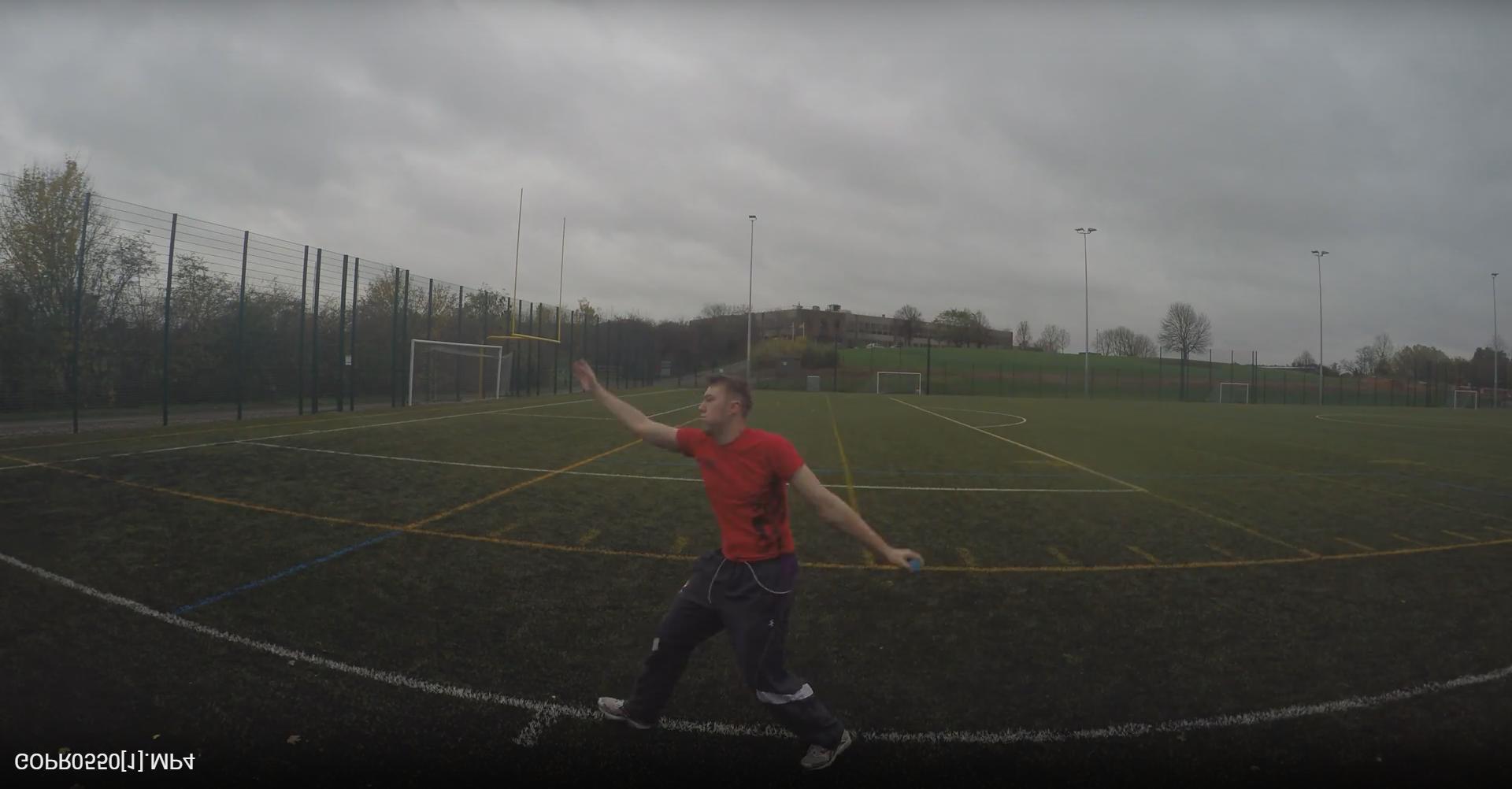
输入图像:
输出图像(绿色输出框,黄色所需框):
Answers
You need to use cv2.minAreaRect(...) and then cv2.boxPoints(...) to obtain a sequence of points representing the polygon in a format that can be used by other OpenCV drawing functions, such as cv2.drawContours(...) or cv2.polylines(...).
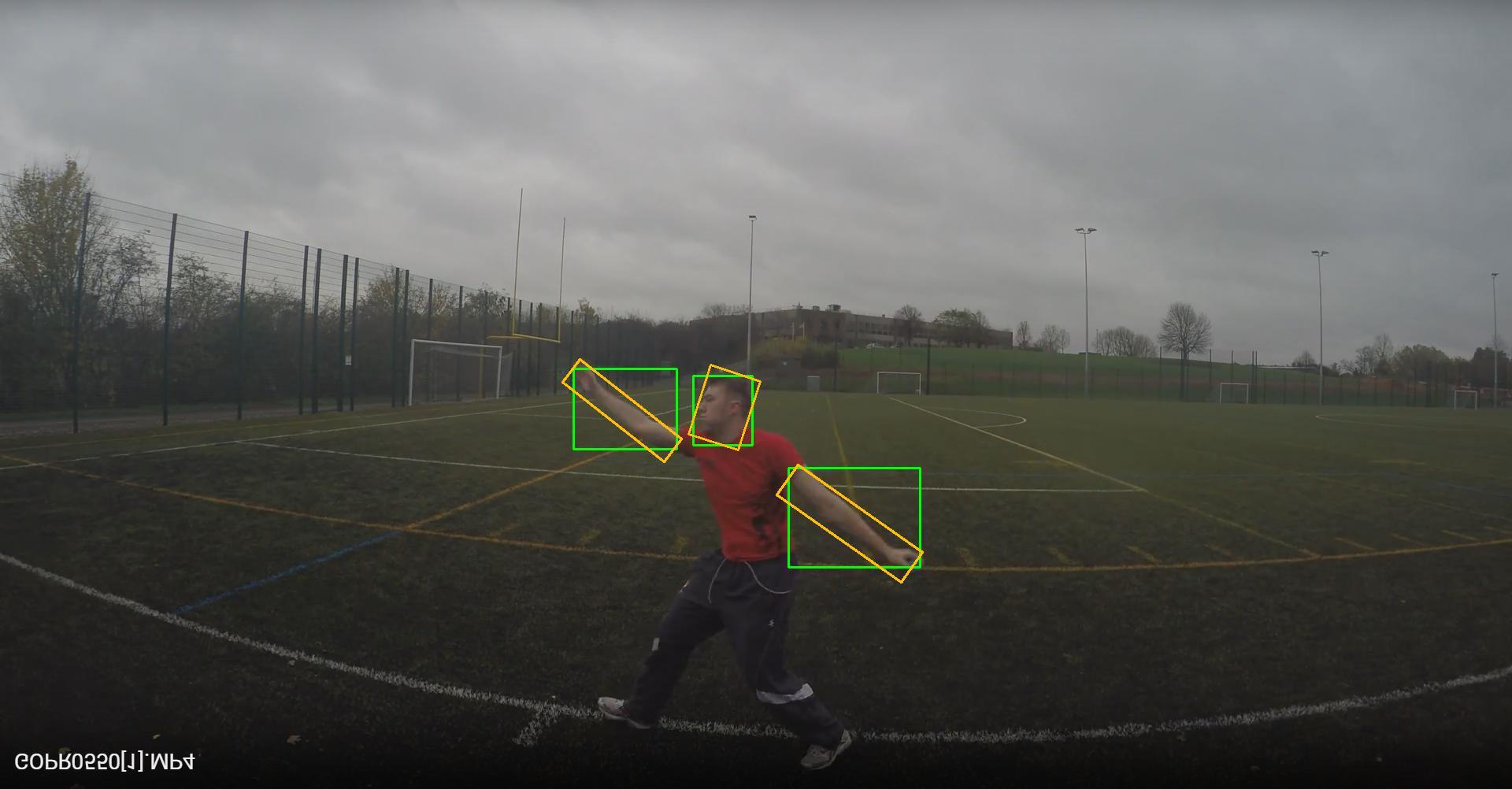
基于 OpenCV 文档中的示例我在您的代码中添加了一些语句以实现所需的结果:
import numpy as np
import cv2

# Input image
image = cv2.imread('oaHUs.jpg')

# Converts to grey for better reulsts
gray = cv2.cvtColor(image, cv2.COLOR_BGR2GRAY)

# Converts to HSV
hsv = cv2.cvtColor(image, cv2.COLOR_BGR2HSV)

# HSV values
lower_skin = np.array([5,36,53])
upper_skin = np.array([19,120,125])

mask = cv2.inRange(hsv, lower_skin, upper_skin)

mask = cv2.erode(mask, None, iterations=2)
mask = cv2.dilate(mask, None, iterations=2)

# Finds contours
im2, cnts, hierarchy = cv2.findContours(mask.copy(), cv2.RETR_TREE, cv2.CHAIN_APPROX_SIMPLE)

# Draws contours
for c in cnts:
    if cv2.contourArea(c) < 3000:
        continue

    (x, y, w, h) = cv2.boundingRect(c)
    cv2.rectangle(image, (x,y), (x+w,y+h), (0, 255, 0), 2)

    ## BEGIN - draw rotated rectangle
    rect = cv2.minAreaRect(c)
    box = cv2.boxPoints(rect)
    box = np.int0(box)
    cv2.drawContours(image,[box],0,(0,191,255),2)
    ## END - draw rotated rectangle

cv2.imwrite('out.png', image)
输出:

Python社区为您提供最前沿的新闻资讯和知识内容
更多推荐

 0
0 0
0- 0


 已为社区贡献126445条内容

所有评论(0)