There is the image I'm importing :
look_1 = pygame.image.load('data\\png\\look1.png').convert_alpha()
And what I tried to get its size reduce was this :
pygame.transform.scale()
But this seems not to be the right way to do it.
There is the image I'm importing :
look_1 = pygame.image.load('data\\png\\look1.png').convert_alpha()
And what I tried to get its size reduce was this :
pygame.transform.scale()
But this seems not to be the right way to do it.
You have to decide if you want to use Use pygame.transform.smoothscale or pygame.transform.scale. While pygame.transform.scale performs a fast scaling with the nearest pixel, pygame.transform.smoothscale scales a surface smoothly to any size with interpolation of the pixels.
Scaling up a Surface with pygame.transform.scale() will result in a jagged result. When downscaling you lose information (pixels). In comparison, pygame.transform.smoothscale blurs the Surface.
pygame.transform.scale() and pygame.transform.smoothscale are used in the same way. They do not scale the input Surface itself. It creates a new surface and does a scaled "blit" to the new surface. The new surface is returned by the return value. They:
newSurface) with size (width, height).Surface to newSurface.newSurface.look_1 = pygame.image.load('data\\png\\look1.png').convert_alpha()
look_1 = pygame.transform.scale(look_1, (new_width, new_height))
or
look_1 = pygame.image.load('data\\png\\look1.png').convert_alpha()
look_1 = pygame.transform.smoothscale(look_1, (new_width, new_height))
See also Transform scale and zoom surface
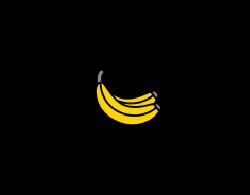
Minimal example:  replit.com/@Rabbid76/PyGame-ScaleCenter
import pygame

class ScaleSprite(pygame.sprite.Sprite):
    def __init__(self, center, image):
        super().__init__()
        self.original_image = image
        self.image = image
        self.rect = self.image.get_rect(center = center)
        self.mode = 1
        self.grow = 0

    def update(self):
        if self.grow > 100:
            self.mode = -1
        if self.grow < 1:
            self.mode = 1
        self.grow += 1 * self.mode

        orig_x, orig_y = self.original_image.get_size()
        size_x = orig_x + round(self.grow)
        size_y = orig_y + round(self.grow)
        self.image = pygame.transform.scale(self.original_image, (size_x, size_y))
        self.rect = self.image.get_rect(center = self.rect.center)

pygame.init()
window = pygame.display.set_mode((300, 300))
clock = pygame.time.Clock()

sprite = ScaleSprite(window.get_rect().center, pygame.image.load("Banana64.png"))
group = pygame.sprite.Group(sprite)

run = True
while run:
    clock.tick(60)
    for event in pygame.event.get():
        if event.type == pygame.QUIT:
            run = False

    group.update()

    window.fill(0)
    group.draw(window)
    pygame.display.flip()

pygame.quit()
exit()

Python社区为您提供最前沿的新闻资讯和知识内容
更多推荐
 0
0 0
0

 已为社区贡献126445条内容



所有评论(0)