

AWS Security group is like a virtual firewall within a VPC that acts at the instance level and not at a subnet level. Security groups have a set of rules to allow/disallow incoming/outgoing traffic to an instance.
Creating a security group is a fairly simple task. From the EC2 Console, select "Security Groups" under the Network & Security section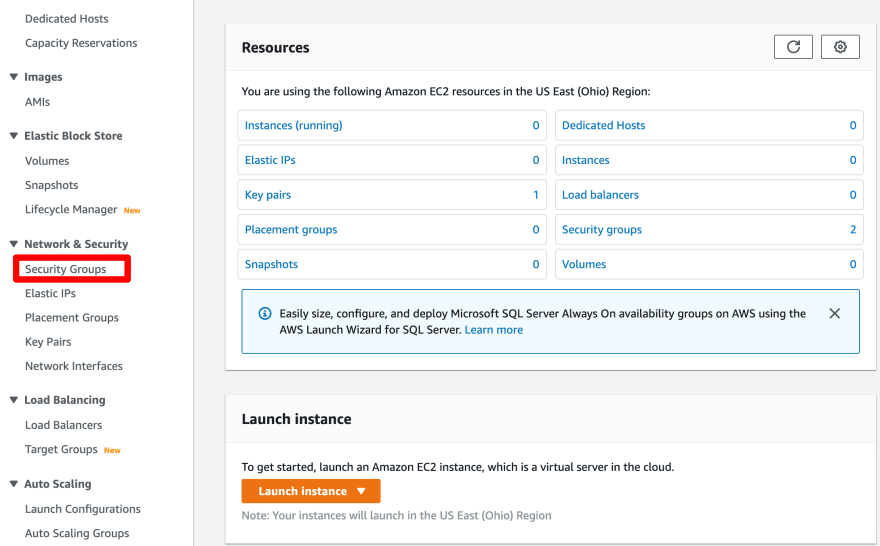
Click 'Create security group'
Give any meaningful name and a description, enter in the ID of the VPC in which you want to create the security group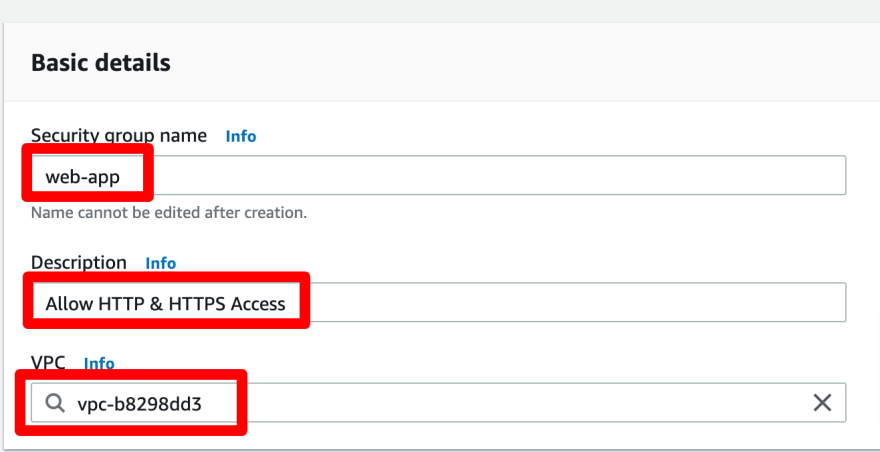
Click 'Add rule' within the Inbound rules section and add HTTP and HTTPS and set the source to 'Anywhere' in both
Leave the Outbound rules section as it is (unless you want to change something) and click 'Create security group'
Let's connect:
Linkedin: https://www.linkedin.com/in/mubbashir10/
Twitter: https://twitter.com/mubbashir100


 已为社区贡献22912条内容

所有评论(0)