

It's a bit annoying to type the cd command every time whenever someone wants to change the directory, especially when they use the command line a lot. But luckily, there is a simple way to get into the directory by typing only the directory name.
In this article, we are going to discuss how we can achieve this functionality in an easy way
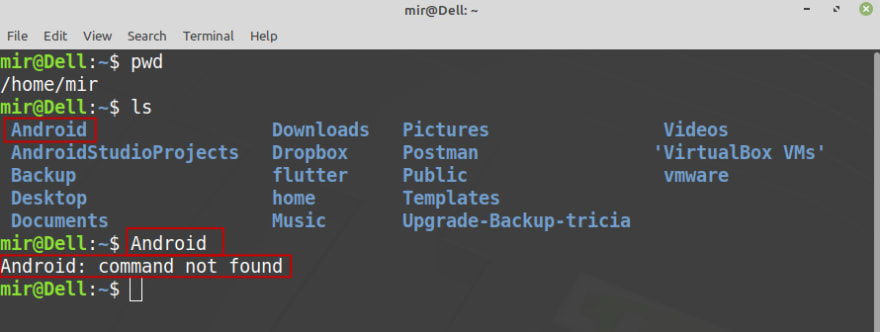
In this picture, you can see I have a folder named Android in the user's Home directory. If I directly type the folder name (In my case which is Android), It will throw command not found
Let's come to the second picture
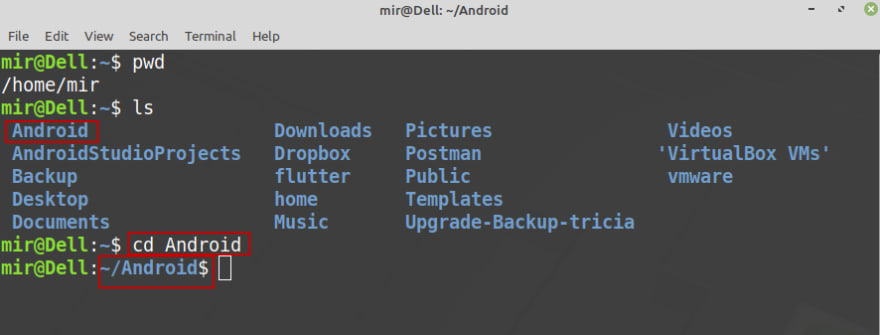
Now, if I type cd Android, it will allow me to get into the Android directory
Here is the most important part. Open your terminal again and execute the following line of code
echo 'shopt -s autocd' >> ~/.bashrc ; . ~/.bashrc

Now you can see, I can easily get into the directory by just typing the directory name only
How cool is it? Isn't it?
What's this command is doing?
In a simple way, this command is used to be set shopt -s autocd in your .bashrc file. Ultimately which is responsible for this action.
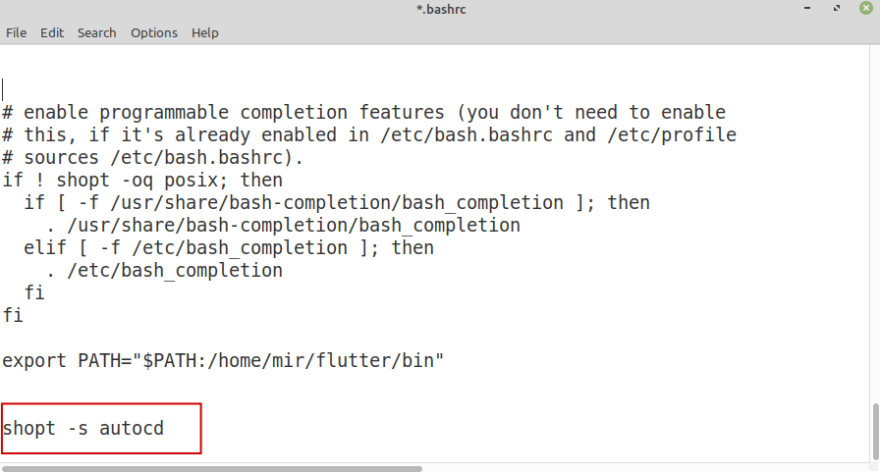
Drawbacks
However, there are some drawbacks also. As an example, if I use any command name as a folder name, it would be turned into a conflict
Let's understand it with a picture
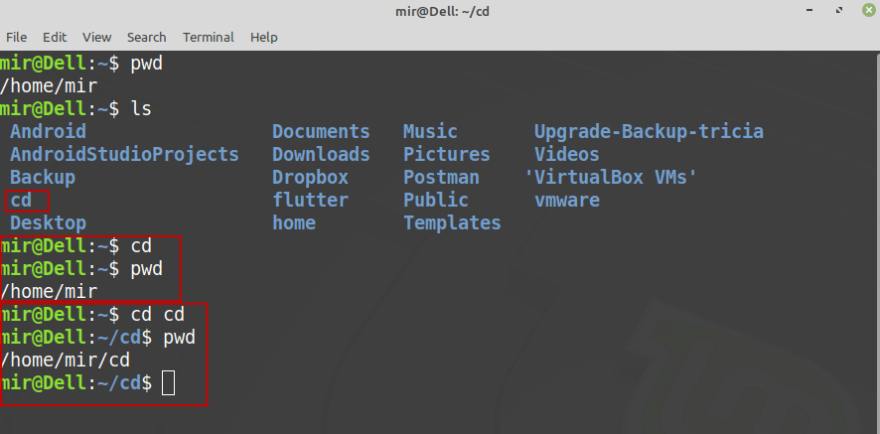
As you can see I have a directory named cd. Now, if I type cd nothing would happen because the cd (Change Directory) is also a command name and that's creating a conflict between them.
If I type cd cd, it would work. Because the first cd considered as a command name and the second cd considered as a directory name
References
This solution is provided by Abelisto on a StackOverflow post.
Feel free to share your opinion on this in the comment section below.
Thanks for reading. Have a great day :)
Coffee https://www.buymeacoffee.com/rahedmir


 已为社区贡献22912条内容

所有评论(0)