
大模型加速黑科技:KV缓存与分页注意力机制深度剖析!
随着大型语言模型(LLMs)规模和复杂度的持续增长,高效推理变得愈发关键。优化 LLM 推理的两项核心技术——KV(键值)缓存与分页注意力机制应运而生。本文将深入解析这些概念,探讨其重要性,并揭示它们在纯解码器模型中的底层运作原理。
常规推理机制解析
让我们通过一个简单示例来理解 Transformer 推理的典型工作流程。假设需要生成以下短语:
“The quick brown fox jumped”
以下是常规推理的简化实现:
import numpy as np
# Simple embeddings for demonstration

embeddings = {
'The': np.array([1, 0, 0, 0]),
'quick': np.array([0, 1, 0, 0]),
'brown': np.array([0, 0, 1, 0]),
'fox': np.array([0, 0, 0, 1]),
'jumped': np.array([1, 1, 0, 0])
}

# Weight matrices (simplified)
W_Q = W_K = W_V = np.array([[1, 0],
 [0, 1],
 [0, 0],
 [0, 0]])

def compute_attention(self, input_words):
# Convert words to embeddings
    E = np.array([embeddings[word] for word in input_words])

# Compute K, V for all tokens
    K = E @ W_K  # Shape: (seq_len, 2)
    V = E @ W_V  # Shape: (seq_len, 2)

# Compute Q for the last token
    Q = E[-1] @ W_Q  # Shape: (1, 2)

# Compute scaled attention scores
    scale = np.sqrt(2)  # sqrt of key/query dimension (2 in this case)
    scores = (Q @ K.T) / scale  # Shape: (1, seq_len)

# Apply softmax to get attention weights
    attention_weights = self.softmax(scores)  # Shape: (1, seq_len)

# Apply attention weights to values
    output = attention_weights @ V  # Shape: (1, 2)

return output
让我们一步步看看这是如何工作的:
# Step 1: Generate "brown"
input_words_step1 = ['The', 'quick']
output_step1 = compute_attention(input_words_step1)
# Step 2: Generate "fox"
input_words_step2 = ['The', 'quick', 'brown']
output_step2 = compute_attention(input_words_step2)
# Step 3: Generate "jumped"
input_words_step3 = ['The', 'quick', 'brown', 'fox']
output_step3 = compute_attention(input_words_step3)
问题所在:冗余计算
观察上述代码,可以发现针对每个新词元:
- 我们需要为所有历史词元重新计算 K 和 V 矩阵
- 矩阵的维度会随着词元数量增长而不断扩大
- 大量计算存在不必要的重复
如果你也想通过学大模型技术去帮助就业和转行,可以扫描下方链接👇👇
大模型重磅福利:入门进阶全套104G学习资源包免费分享!

KV 缓存的威力
使用 Transformer 模型生成文本时,通过缓存键(K)和值(V)矩阵可以显著优化这一过程。让我们通过可视化方式来理解:
Press enter or click to view image in full size
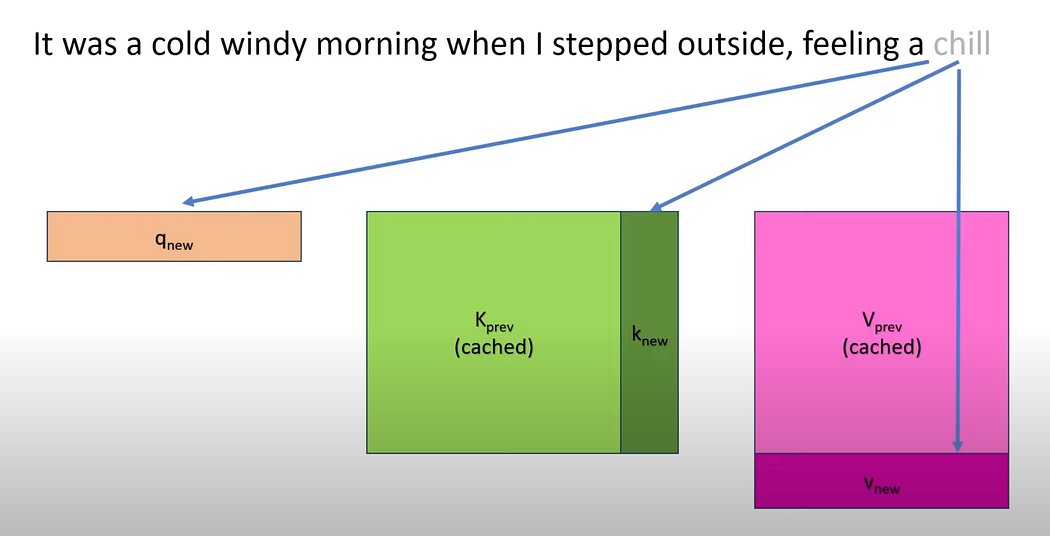
在此可视化图中:
q\_new代表最新词元的查询向量K\_prev和V\_prev是从先前计算中缓存的值- 仅针对新令牌计算
k\_new和v\_new - 蓝色箭头展示了如何同时使用缓存值和新值来计算注意力
以下是扩展先前代码以实现 KV 缓存的方法:
def compute_attention_with_cache(self, input_words):
"""Compute attention using KV cache"""
# Get the new token (last word in sequence)
    new_word = input_words[-1]
    e_new = embeddings[new_word]

# Compute K and V for new token
    K_new = e_new @ W_K  # Shape: (2,)
    V_new = e_new @ W_V  # Shape: (2,)

# Update cached K and V
if self.cached_K isNone:
        self.cached_K = K_new.reshape(1, -1)  # Shape: (1, 2)
        self.cached_V = V_new.reshape(1, -1)  # Shape: (1, 2)
else:
        self.cached_K = np.vstack([self.cached_K, K_new])  # Shape: (seq_len, 2)
        self.cached_V = np.vstack([self.cached_V, V_new])  # Shape: (seq_len, 2)

# Compute Q for the last token
    Q = e_new @ W_Q  # Shape: (2,)

# Compute scaled attention scores using cached K
    scale = np.sqrt(2)  # sqrt of key/query dimension (2 in this case)
    scores = (Q @ self.cached_K.T) / scale  # Shape: (1, seq_len)

# Apply softmax to get attention weights
    attention_weights = self.softmax(scores)  # Shape: (1, seq_len)

# Compute attention output using cached V
    output = attention_weights @ self.cached_V  # Shape: (1, 2)

return output
让我们一步步来看这是如何运作的:
# Step 1: Generate "brown"
input_words_step1 = ['The', 'quick']
output_step1 = compute_attention_with_cache(input_words_step1)
# Step 2: Generate "fox"
input_words_step2 = ['The', 'quick', 'brown']
output_step2 = compute_attention_with_cache(input_words_step2)
# Step 3: Generate "jumped"
input_words_step3 = ['The', 'quick', 'brown', 'fox']
output_step3 = compute_attention_with_cache(input_words_step3)
Press enter or click to view image in full size
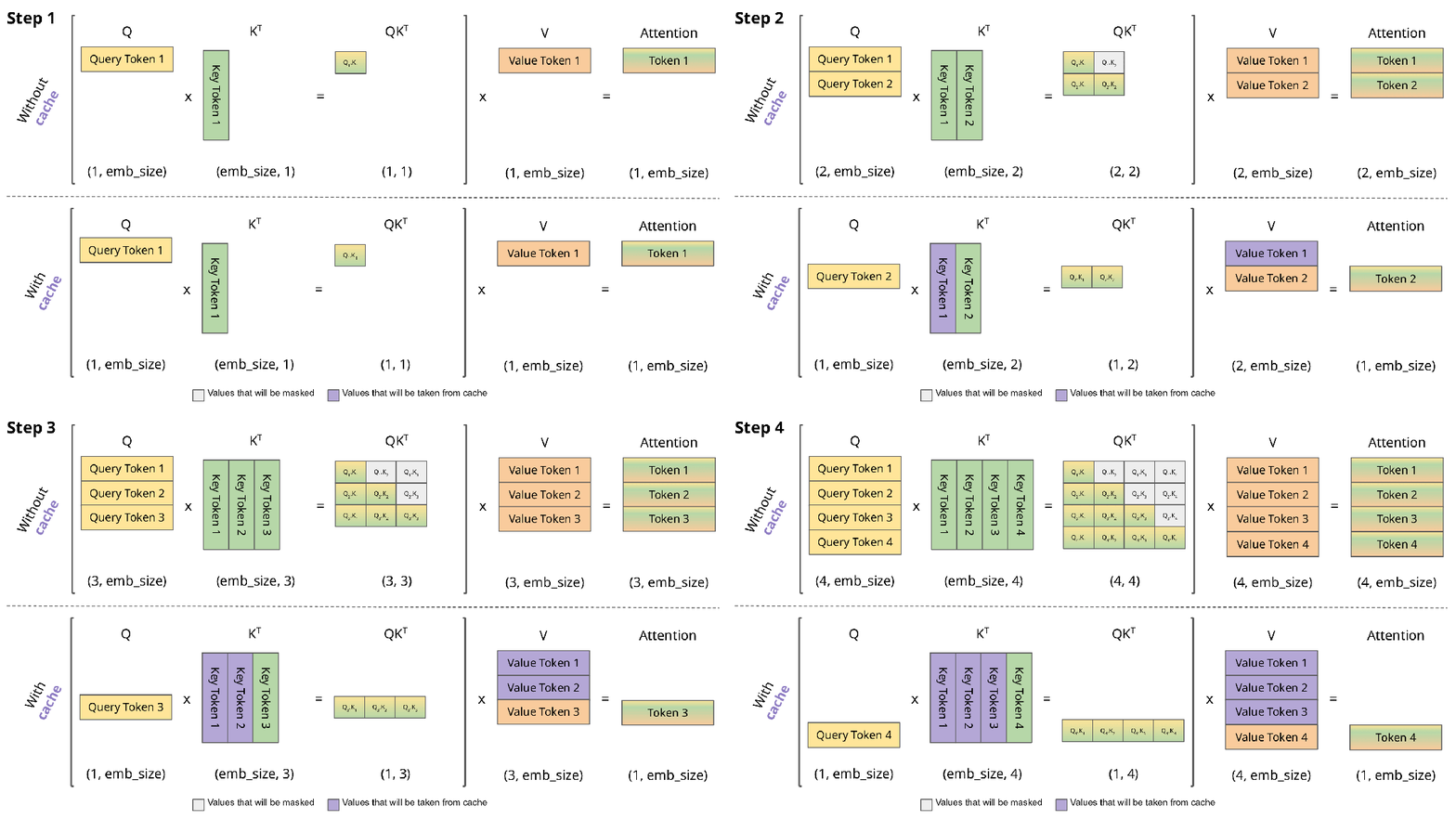
比较使用和不使用 KV 缓存的推理计算
内存需求与挑战
让我们通过一个典型模型参数的实际例子来看:
- 序列长度:4096
- 层数:32
- 头数:32
- 头维度:128
- 精度:FP16(2 字节)
每个令牌所需内存:
KV 缓存_每令牌 = 2×层数×(头数×头维度)×精度
=2×32×(32×128)×2字节
=2×32×4096×2 字节
=524,288 字节
≈0.5 MB
内存挑战:KV 缓存的低效问题
KV 缓存虽能显著提升计算效率,但自身也带来了内存管理的难题。我们来看三种主要的内存低效类型:
Press enter or click to view image in full size
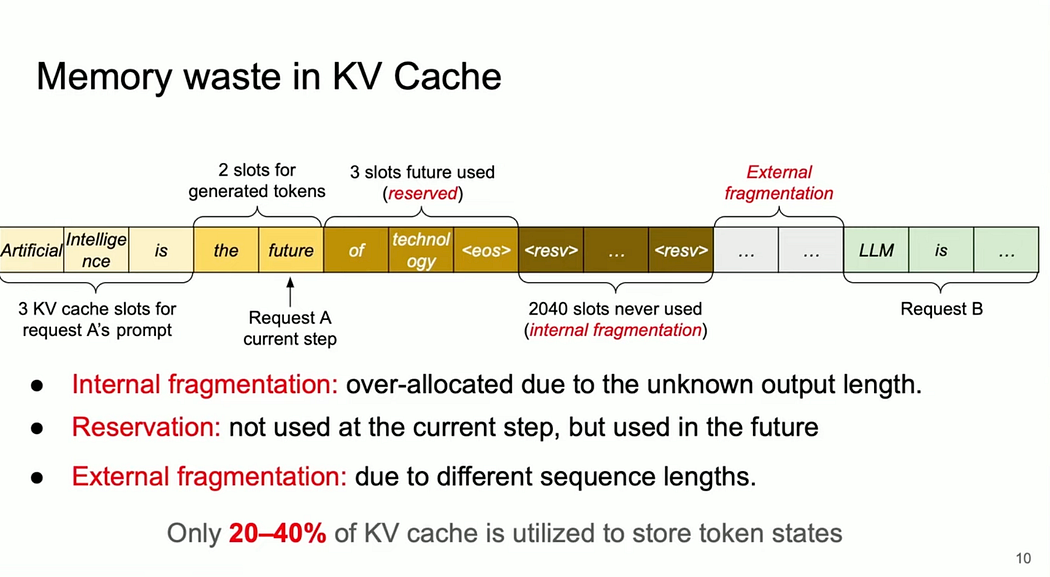
1. 内部碎片化- 因输出长度未知导致的过量分配引发
- 图示案例中,2040个槽位始终未被使用
- 影响:可能浪费高达60-80%的已分配内存
- 解决方案:更精确的输出长度预估或动态分配策略
2. 预留浪费- 为未来 token 生成预留的内存空间
- 图中显示为“未来预留3个槽位”
- 维持生成连续性所必需的代价
- 可通过更精准预测未来所需槽位来优化
3. 外部碎片- 处理不同序列长度多请求时的结果
- 在不同请求之间产生内存间隙
- 解决方案包括内存碎片整理和智能请求批处理
如图所示,通常只有 20–40% 的 KV 缓存用于存储实际的 token 状态。
分页注意力(Paged Attention):解决内存效率低下的方案
为了解决这些内存挑战,我们可以实施分页注意力机制。
这是一种在 Transformer 模型中高效处理长序列的技术,通过将注意力计算分割成更小、更易管理的“页”或“块”来实现。这种方法减少了内存消耗和计算复杂度,使得处理原本因过大而无法放入内存的序列成为可能。
def compute_attention_with_paging(self, input_words):
"""Compute attention using paged KV cache"""
# Get the new token (last word in sequence)
    new_word = input_words[-1]
    e_new = embeddings[new_word]

# Compute K and V for new token
    K_new = e_new @ W_K  # Shape: (2,)
    V_new = e_new @ W_V  # Shape: (2,)

# Determine the current page
    total_tokens = sum(len(K_page) for K_page in self.cached_K_pages) + 1
    current_page_idx = (total_tokens - 1) // PAGE_SIZE

# Initialize new page if needed
if len(self.cached_K_pages) <= current_page_idx:
        self.cached_K_pages.append([])
        self.cached_V_pages.append([])

# Add to current page cache
    self.cached_K_pages[current_page_idx].append(K_new)
    self.cached_V_pages[current_page_idx].append(V_new)

# Compute Q for current token
    Q = e_new @ W_Q  # Shape: (2,)

# Compute attention within current page only
    K_current_page = np.array(self.cached_K_pages[current_page_idx])
    V_current_page = np.array(self.cached_V_pages[current_page_idx])

# Add scaling factor for dot-product attention
    scale = np.sqrt(2)  # sqrt of key/query dimension (2 in this case)
    scores = (Q @ K_current_page.T) / scale

# Apply softmax to get attention weights
    attention_weights = self.softmax(scores)  # Shape: (1, current_page_size)

# Apply attention weights to values in current page
    output = attention_weights @ V_current_page

return output
让我们一步步看看这是如何工作的:
# Step 1: Generate "brown"
input_words_step1 = ['The', 'quick']
output_step1 = compute_attention_with_paging(input_words_step1)
# Step 2: Generate "fox"
input_words_step2 = ['The', 'quick', 'brown']
output_step2 = compute_attention_with_paging(input_words_step2)
# Step 3: Generate "jumped"
input_words_step3 = ['The', 'quick', 'brown', 'fox']
output_step3 = compute_attention_with_paging(input_words_step3)
为什么需要它?
- 内存限制:由于注意力矩阵的存在,Transformer 模型在序列长度上具有二次方的内存复杂度,这可能导致内存占用过大而无法处理。
- 长序列:在语言建模或文档摘要等任务中,序列可能会非常长
- 效率:通过分页处理注意力机制,我们可以使内存使用量与序列长度无关,保持恒定。
分页注意力是如何工作的?
- 序列分块:将输入序列分割为较小的块或页面
- 局部注意力:在每个页面内部计算注意力
- 跨页面注意力(可选):允许页面间有限的注意力计算以捕捉依赖关系
- 滑动窗口:采用重叠页面确保连续性
上述实现仅针对局部注意力,跨页和滑动窗口的实现不在本文讨论范围内,后续将在另一篇博客中详细介绍。
分页注意力的优势
- 内存效率: 注意力计算被限制在页面大小范围内,无论总序列长度如何,内存使用量都保持恒定。
- 计算效率: 降低了注意力计算的计算复杂度。
- 可扩展性: 能够处理因内存限制而无法容纳的超长序列。
权衡与考量
- 上下文受限:模型会丢失跨页面的部分依赖关系,这对需要全局上下文的任务可能至关重要。
潜在解决方案:
- 重叠页面:允许页面之间以特定数量的标记重叠,重叠区域的标记可关注前一页面的标记。
- 分层注意力机制:使用高层级注意力机制实现跨页面信息关联。
重叠页面、分层注意力、跨页面和滑动窗口的具体实现不在本文讨论范围内,以下实现仅捕获局部注意力,不可应用于实际场景。
完整实现如下:
# This implementation is a very simplified view for illustration and understanding only
# Real world implementation needs to be much more efficient and scalable.

import numpy as np

embeddings = {
'The': np.array([1, 0, 0, 0]),
'quick': np.array([0, 1, 0, 0]),
'brown': np.array([0, 0, 1, 0]),
'fox': np.array([0, 0, 0, 1]),
'jumped': np.array([1, 1, 0, 0])
}

W_Q = W_K = W_V = np.array([[1, 0],
                            [0, 1],
                            [0, 0],
                            [0, 0]])

PAGE_SIZE = 2# Small page size for demonstration

classAttentionWithCache:
def __init__(self):
        self.cached_K = None# Shape: (seq_len, 2)
        self.cached_V = None# Shape: (seq_len, 2)
        self.cached_K_pages = []  # List of pages containing K vectors
        self.cached_V_pages = []  # List of pages containing V vectors

def softmax(self, x, axis=-1):
"""
        Compute softmax values for each set of scores in x.
        Includes numerical stability improvements.
        """
# Apply max subtraction for numerical stability
        x_max = np.max(x, axis=axis, keepdims=True)
        exp_x = np.exp(x - x_max)
return exp_x / np.sum(exp_x, axis=axis, keepdims=True)

def compute_attention(self, input_words):
# Convert words to embeddings
        E = np.array([embeddings[word] for word in input_words])

# Compute K, V for all tokens
        K = E @ W_K  # Shape: (seq_len, 2)
        V = E @ W_V  # Shape: (seq_len, 2)

# Compute Q for the last token
        Q = E[-1] @ W_Q  # Shape: (1, 2)

# Compute scaled attention scores
        scale = np.sqrt(2)  # sqrt of key/query dimension (2 in this case)
        scores = (Q @ K.T) / scale  # Shape: (1, seq_len)

# Apply softmax to get attention weights
        attention_weights = self.softmax(scores)  # Shape: (1, seq_len)

# Apply attention weights to values
        output = attention_weights @ V  # Shape: (1, 2)

return output

def compute_attention_with_cache(self, input_words):
"""Compute attention using KV cache"""
# Get the new token (last word in sequence)
        new_word = input_words[-1]
        e_new = embeddings[new_word]

# Compute K and V for new token
        K_new = e_new @ W_K  # Shape: (2,)
        V_new = e_new @ W_V  # Shape: (2,)

# Update cached K and V
if self.cached_K isNone:
            self.cached_K = K_new.reshape(1, -1)  # Shape: (1, 2)
            self.cached_V = V_new.reshape(1, -1)  # Shape: (1, 2)
else:
            self.cached_K = np.vstack([self.cached_K, K_new])  # Shape: (seq_len, 2)
            self.cached_V = np.vstack([self.cached_V, V_new])  # Shape: (seq_len, 2)

# Compute Q for the last token
        Q = e_new @ W_Q  # Shape: (2,)

# Compute scaled attention scores using cached K
        scale = np.sqrt(2)  # sqrt of key/query dimension (2 in this case)
        scores = (Q @ self.cached_K.T) / scale  # Shape: (1, seq_len)

# Apply softmax to get attention weights
        attention_weights = self.softmax(scores)  # Shape: (1, seq_len)

# Compute attention output using cached V
        output = attention_weights @ self.cached_V  # Shape: (1, 2)

return output

def compute_attention_with_paging(self, input_words):
"""Compute attention using paged KV cache"""
# Get the new token (last word in sequence)
        new_word = input_words[-1]
        e_new = embeddings[new_word]

# Compute K and V for new token
        K_new = e_new @ W_K  # Shape: (2,)
        V_new = e_new @ W_V  # Shape: (2,)

# Determine the current page
        total_tokens = sum(len(K_page) for K_page in self.cached_K_pages) + 1
        current_page_idx = (total_tokens - 1) // PAGE_SIZE

# Initialize new page if needed
if len(self.cached_K_pages) <= current_page_idx:
            self.cached_K_pages.append([])
            self.cached_V_pages.append([])

# Add to current page cache
        self.cached_K_pages[current_page_idx].append(K_new)
        self.cached_V_pages[current_page_idx].append(V_new)

# Compute Q for current token
        Q = e_new @ W_Q  # Shape: (2,)

# Compute attention within current page only
        K_current_page = np.array(self.cached_K_pages[current_page_idx])
        V_current_page = np.array(self.cached_V_pages[current_page_idx])

# Add scaling factor for dot-product attention
        scale = np.sqrt(2)  # sqrt of key/query dimension (2 in this case)
        scores = (Q @ K_current_page.T) / scale

# Apply softmax to get attention weights
        attention_weights = self.softmax(scores)  # Shape: (1, current_page_size)

# Apply attention weights to values in current page
        output = attention_weights @ V_current_page

return output

def compare_implementations():
print("Original Implementation:")
    attention1 = AttentionWithCache()

# Process sequence with KV cache
for i inrange(len(['The', 'quick', 'brown', 'fox'])):
        words = ['The', 'quick', 'brown', 'fox'][:i + 1]
        output = attention1.compute_attention(words)
print(f"After processing {words}:")
print(f"Output: {output}")

print("\nKV Cache Implementation:")
    attention2 = AttentionWithCache()

# Process sequence with KV cache
for i inrange(len(['The', 'quick', 'brown', 'fox'])):
        words = ['The', 'quick', 'brown', 'fox'][:i + 1]
        output = attention2.compute_attention_with_cache(words)
print(f"After processing {words}:")
print(f"Output: {output}")

print("\nPaged Attention Implementation:")
    attention3 = AttentionWithCache()

# Process sequence with paged attention
for i inrange(len(['The', 'quick', 'brown', 'fox'])):
        words = ['The', 'quick', 'brown', 'fox'][:i + 1]
        output = attention3.compute_attention_with_paging(words)
print(f"After processing {words}:")
print(f"Output: {output}")
print(f"Number of pages: {len(attention3.cached_K_pages)}")
print(f"Current page size: {len(attention3.cached_K_pages[-1])}\n")

if __name__ == "__main__":
    compare_implementations()
结论
KV 缓存和分页注意力是两项强大的技术,能够显著提升 LLM 推理的效率和可扩展性。KV 缓存通过消除冗余计算来优化运算过程,而分页注意力则解决了处理长序列时的内存限制问题。
随着模型规模和复杂度的持续增长,这些优化技术在实际应用中变得愈发关键。有效理解并实施这些技术,能够极大提升 LLM 部署的性能与效率。
上文及代码仅是对 KV 缓存和分页注意力的极简说明,如需了解更深入的技术细节、具体实现方法以及如何应用于实际场景,请参阅vllm项目。
AI大模型从0到精通全套学习大礼包
我在一线互联网企业工作十余年里,指导过不少同行后辈。帮助很多人得到了学习和成长。
只要你是真心想学AI大模型,我这份资料就可以无偿共享给你学习。大模型行业确实也需要更多的有志之士加入进来,我也真心希望帮助大家学好这门技术,如果日后有什么学习上的问题,欢迎找我交流,有技术上面的问题,我是很愿意去帮助大家的!
如果你也想通过学大模型技术去帮助就业和转行,可以扫描下方链接👇👇
大模型重磅福利:入门进阶全套104G学习资源包免费分享!
01.从入门到精通的全套视频教程
包含提示词工程、RAG、Agent等技术点

02.AI大模型学习路线图(还有视频解说)
全过程AI大模型学习路线


03.学习电子书籍和技术文档
市面上的大模型书籍确实太多了,这些是我精选出来的

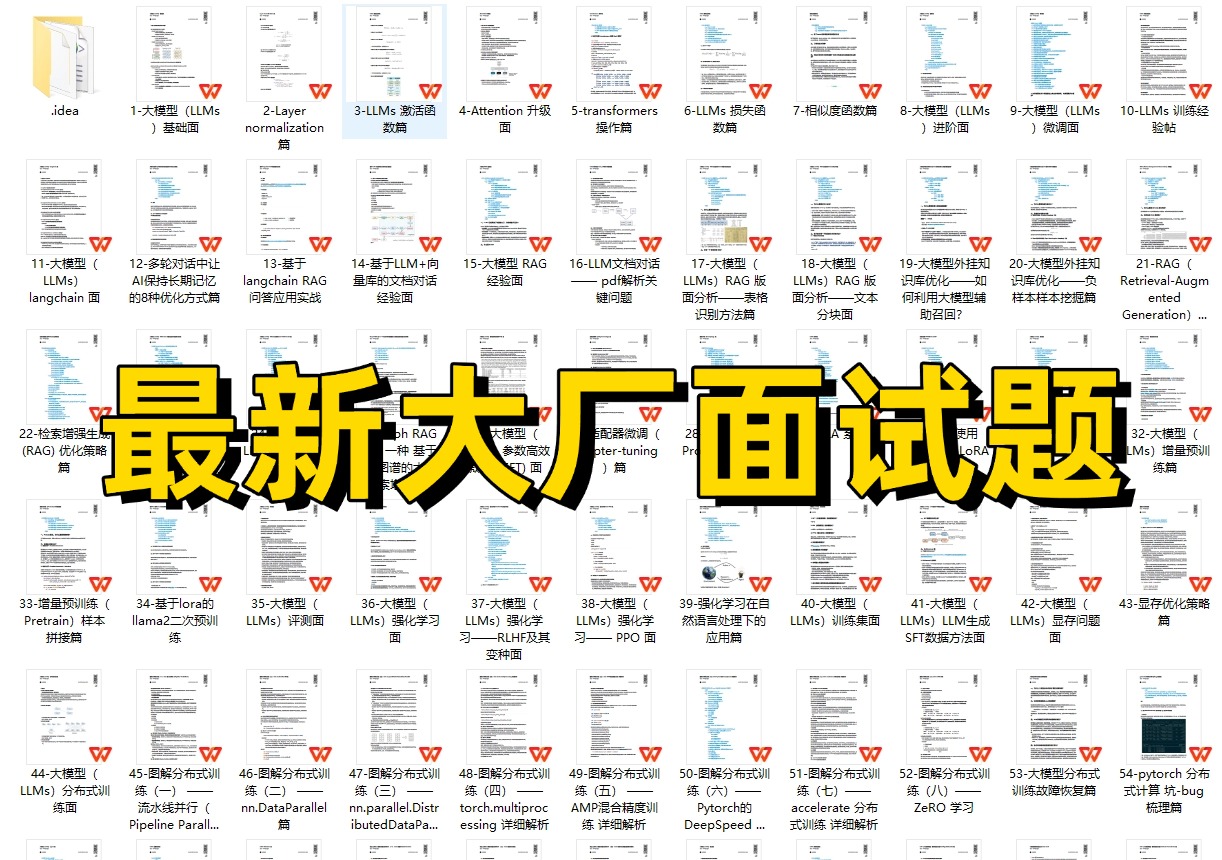
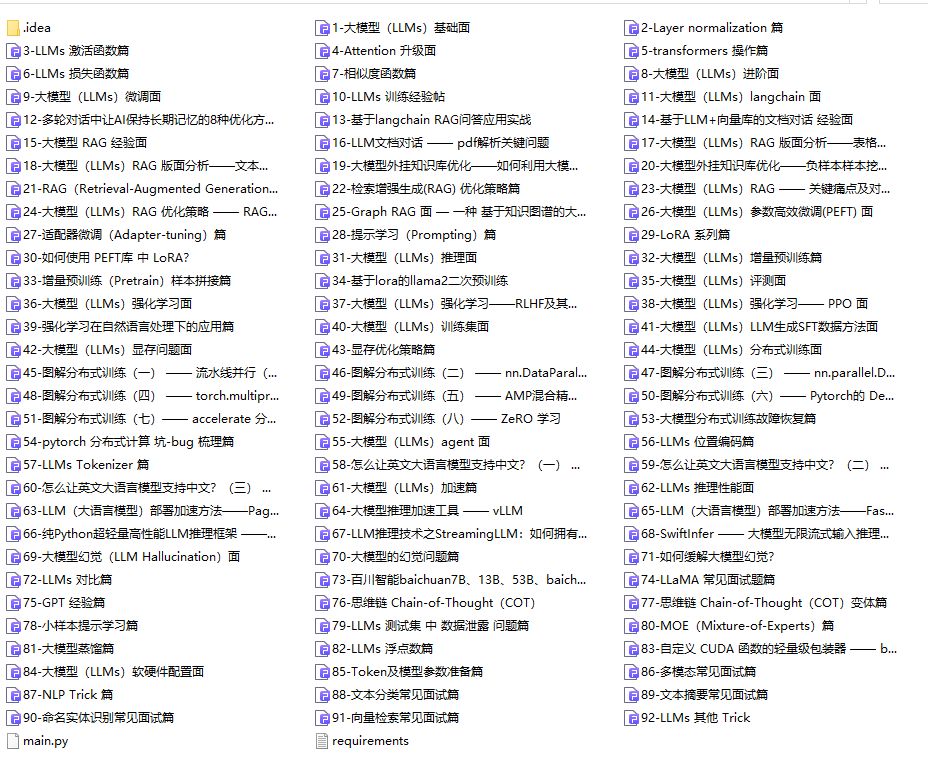
04.大模型面试题目详解
05.这些资料真的有用吗?
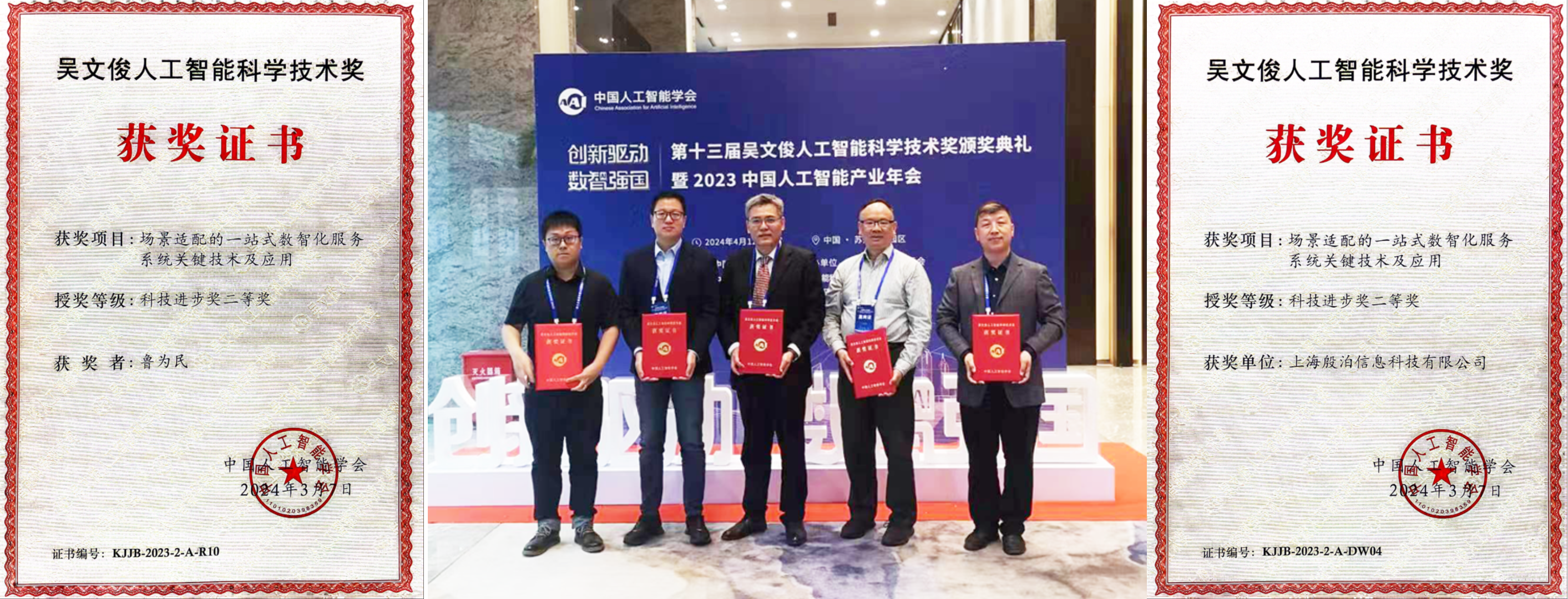
这份资料由我和鲁为民博士共同整理,鲁为民博士先后获得了北京清华大学学士和美国加州理工学院博士学位,在包括IEEE Transactions等学术期刊和诸多国际会议上发表了超过50篇学术论文、取得了多项美国和中国发明专利,同时还斩获了吴文俊人工智能科学技术奖。目前我正在和鲁博士共同进行人工智能的研究。
所有的视频由智泊AI老师录制,且资料与智泊AI共享,相互补充。这份学习大礼包应该算是现在最全面的大模型学习资料了。
资料内容涵盖了从入门到进阶的各类视频教程和实战项目,无论你是小白还是有些技术基础的,这份资料都绝对能帮助你提升薪资待遇,转行大模型岗位。

智泊AI始终秉持着“让每个人平等享受到优质教育资源”的育人理念,通过动态追踪大模型开发、数据标注伦理等前沿技术趋势,构建起"前沿课程+智能实训+精准就业"的高效培养体系。
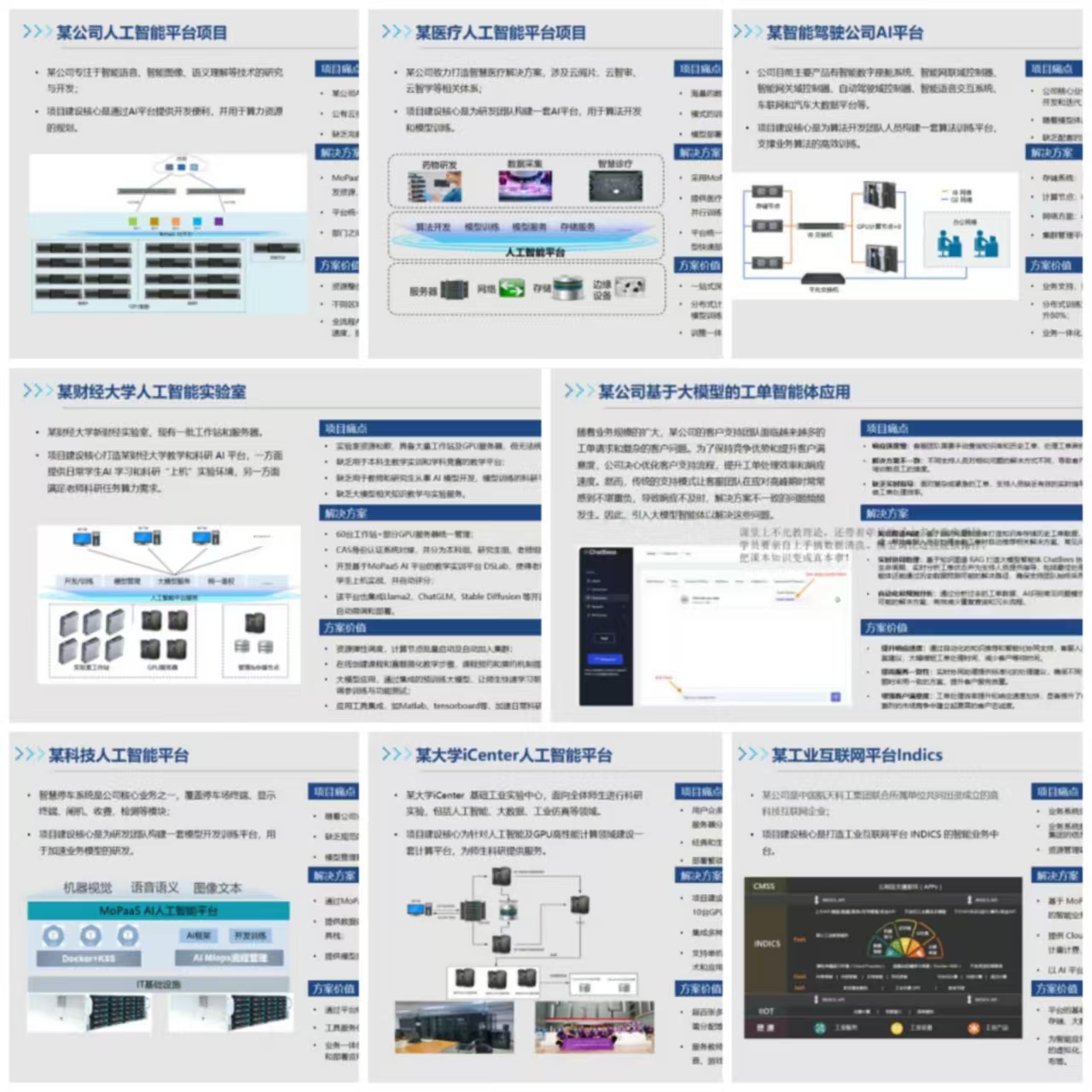
课堂上不光教理论,还带着学员做了十多个真实项目。学员要亲自上手搞数据清洗、模型调优这些硬核操作,把课本知识变成真本事!
如果说你是以下人群中的其中一类,都可以来智泊AI学习人工智能,找到高薪工作,一次小小的“投资”换来的是终身受益!
应届毕业生:无工作经验但想要系统学习AI大模型技术,期待通过实战项目掌握核心技术。
零基础转型:非技术背景但关注AI应用场景,计划通过低代码工具实现“AI+行业”跨界。
业务赋能 突破瓶颈:传统开发者(Java/前端等)学习Transformer架构与LangChain框架,向AI全栈工程师转型。
👉获取方式:
😝有需要的小伙伴,可以保存图片到wx扫描二v码免费领取【保证100%免费】🆓

更多推荐
 11
11 0
0- 0


 已为社区贡献458条内容

所有评论(0)