
使用VSCODE和DAPLink开发STM32
·
下载安装arm-none-eabi-gdb
Prebuilt GNU toolchain for ARM
下载安装openocd
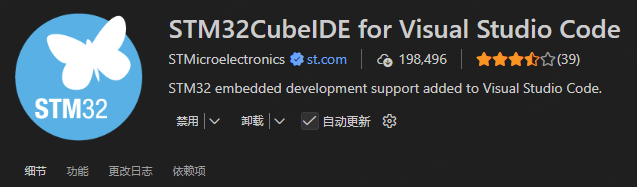
安装VSCODE插件
在根目录先创建一个文件,命名为“openocd.cfg”,并在此文件中添加下面的两行代码。
source [find interface/cmsis-dap.cfg]

source [find target/stm32g4x.cfg]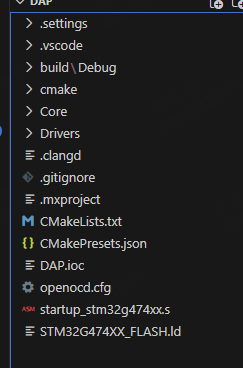
在launch。json中添加
        {

            "name": "STM32 Debug (DAP)",

            "type": "cortex-debug",

            "request": "launch",

            "servertype": "openocd",

            "serverpath": "C:/Program Files (x86)/OpenOCD-20260121-0.12.0/bin/openocd.exe", // OPENOCD的位置

            "cwd": "${workspaceFolder}",

            "executable": "build/Debug/DAP.elf", // ELF文件位置

            "configFiles": [

                "${workspaceFolder}/openocd.cfg"

            ],

            "runToEntryPoint": "main",

            "device": "STM32G474CETx", // 芯片型号

            "svdFile": "${workspaceFolder}/STM32G4.svd" //提供寄存器视图

        }
然后就可以正常调试了,在调试前一定要确认设备链接状态良好。
更多推荐
 1
1 0
0- 0


 已为社区贡献1条内容

所有评论(0)