
修改AndroidStudio的Boot Java Runtime for the IDE后,AndroidStudio启动就报错
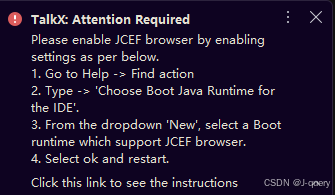
我选择了jdk11,重启Android Studio结果就报错了
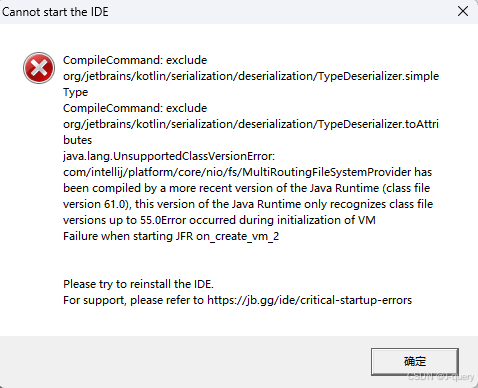
Cannot start the IDE
CompileCommand: exclude
org/jetbrains/kotlin/serialization/deserialization/TypeDeserializer.simple
Type
CompileCommand:exclude
org/jetbrains/kotlin/serialization/deserialization/TypeDeserializer.toAttributes
java.lang.UnsupportedClassVersionError:com/intellij/platform/core/nio/fs/MultiRoutingFileSystemProvider hasbeen compiled by a more recent version of the Java Runtime (class fileversion 61.0), this version of the Java Runtime only recognizes class fileversions up to 55.0Error occurred during initialization of VMFailure when starting JFR on_create_vm 2
Please try to reinstall the IDE.For support, please refer to https://jb.gg/ide/critical-startup-errors
问题在重装后仍未解决
尝试修改idea.properties和studio64.exe.vmoptions配置均无效
从错误提示可以明确看出是JDK版本不匹配导致的
解决方案有两种:
-
删除配置文件:
- 路径:C:\Users\用户名\AppData\Roaming\Google\AndroidStudio(版本号)\studio64.exe.jdk
- 直接删除该文件即可
-
升级JDK版本:
- 修改为更高版本的JDK路径,例如: C:\Users\Administrator.jdks\corretto-17.0.15
更多推荐

 8
8 0
0- 0


 已为社区贡献1条内容

所有评论(0)