
[从0开始学Java|第二十八天]IO流(字节流&字符流)
·
IO流的概述
什么是IO流?

IO流的分类
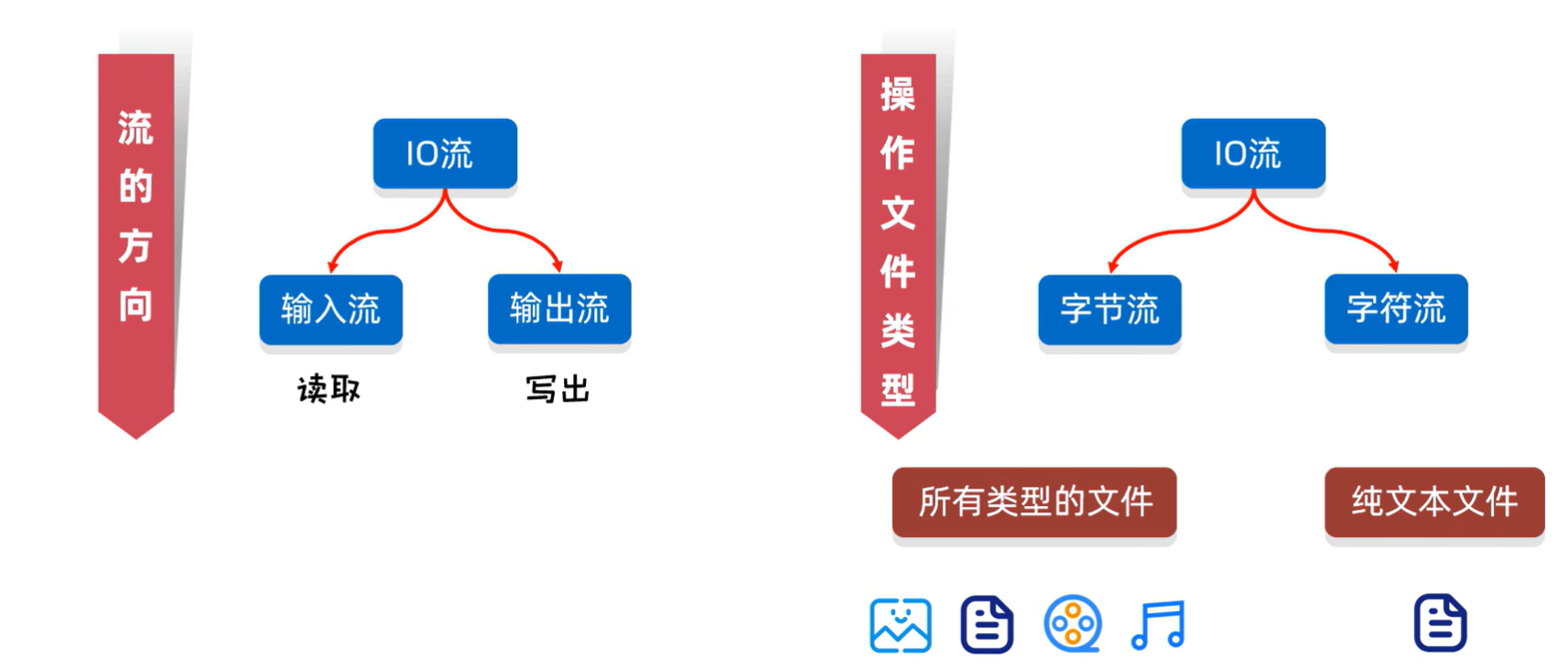
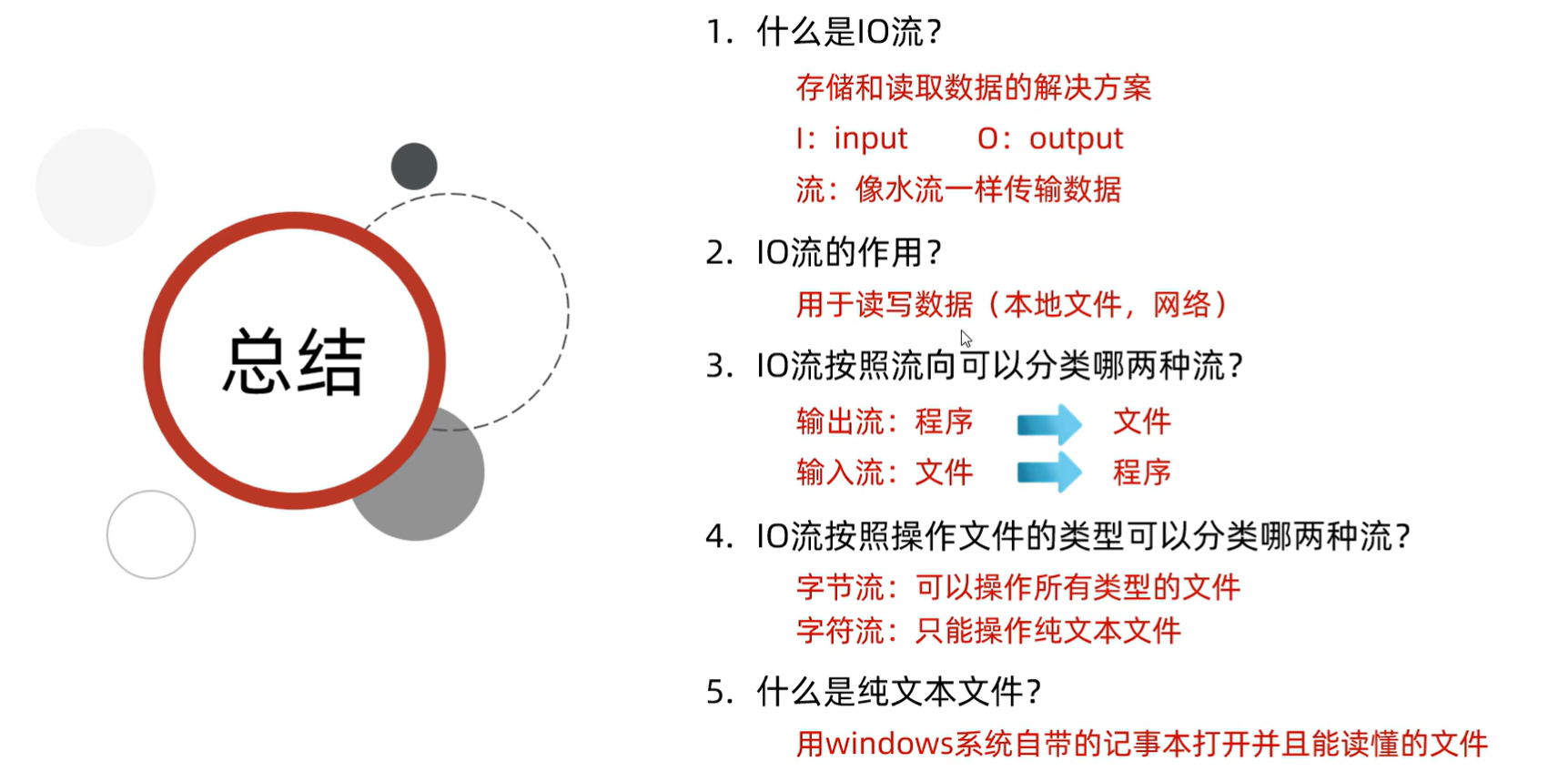
纯文本文件:Windows自带的记事本打开能读懂
总结
IO流的体系和字节流基本用法
IO流的体系
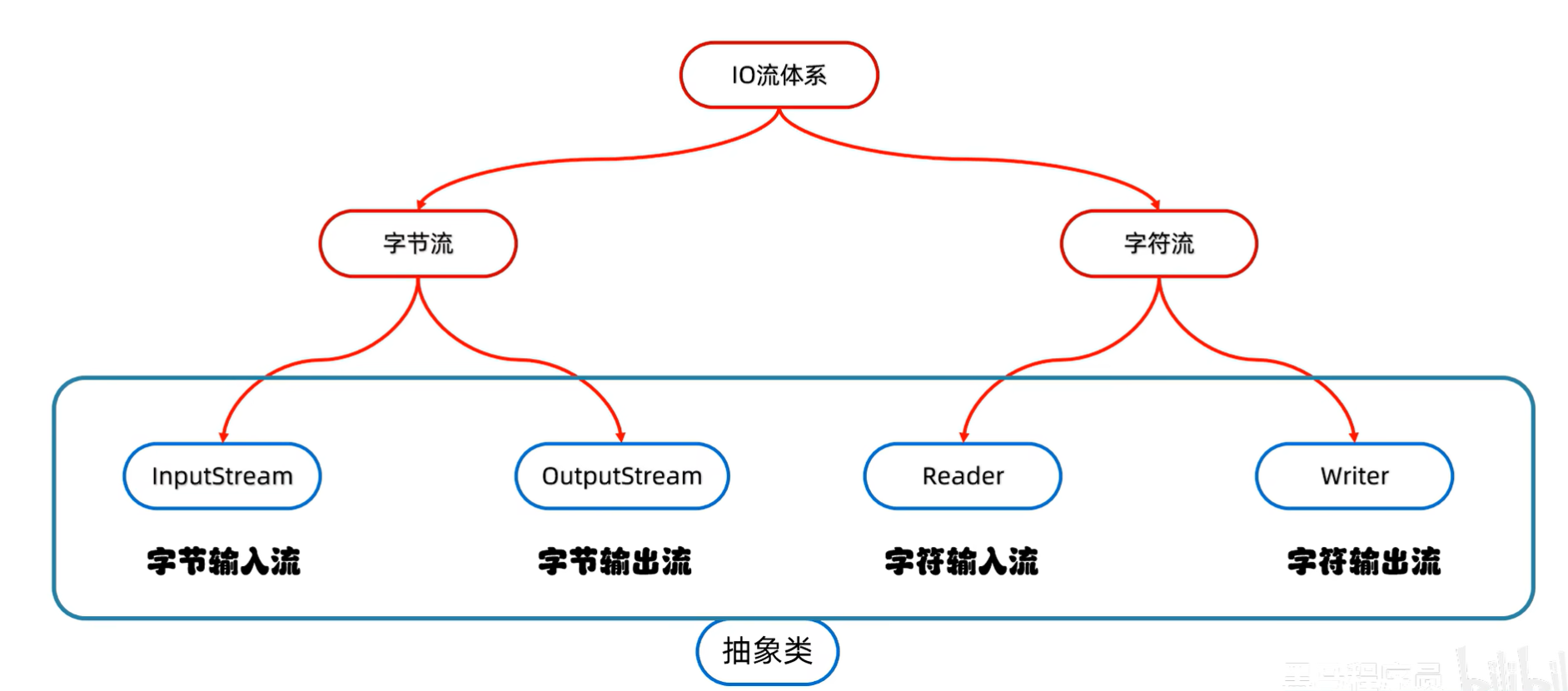
字节流
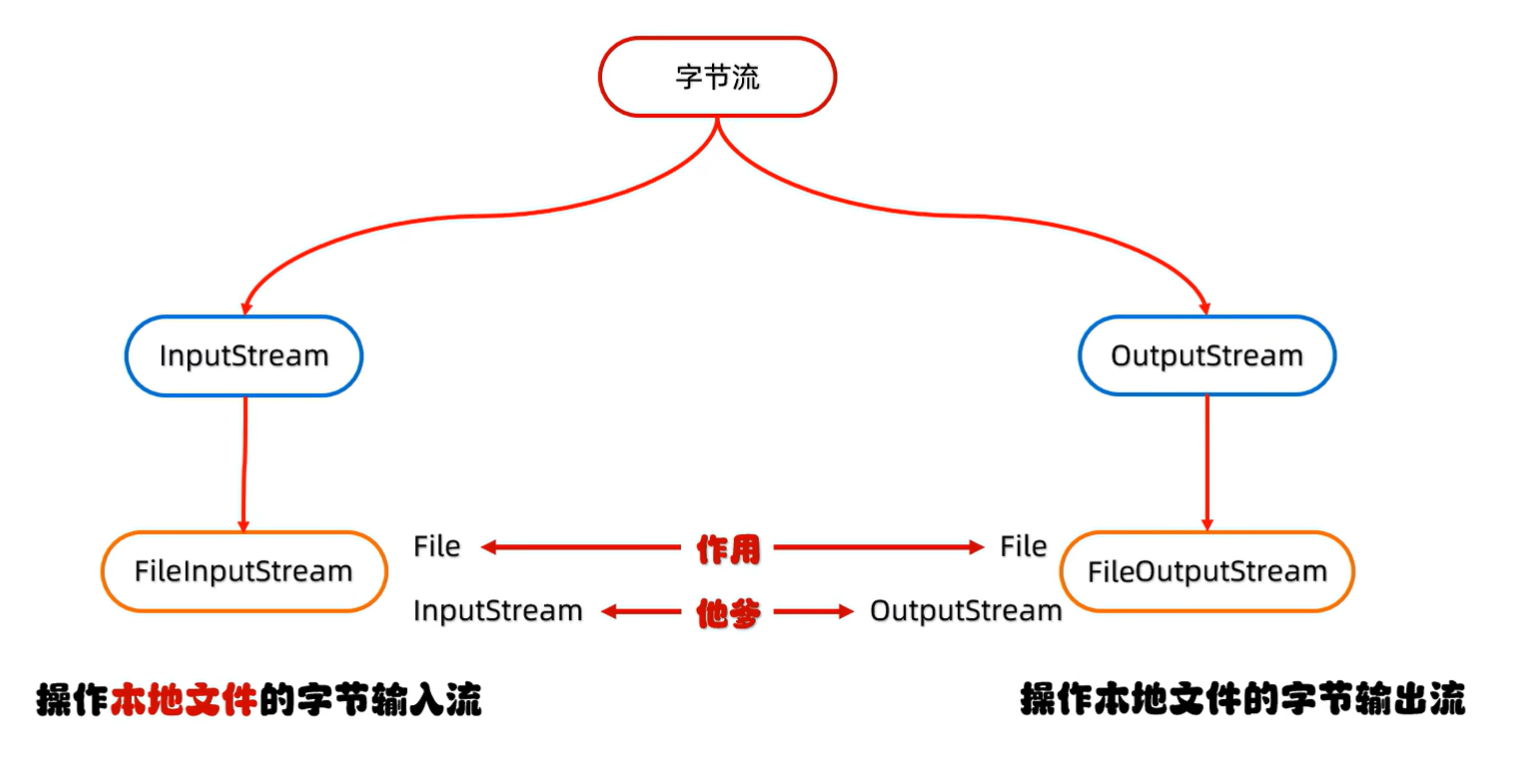
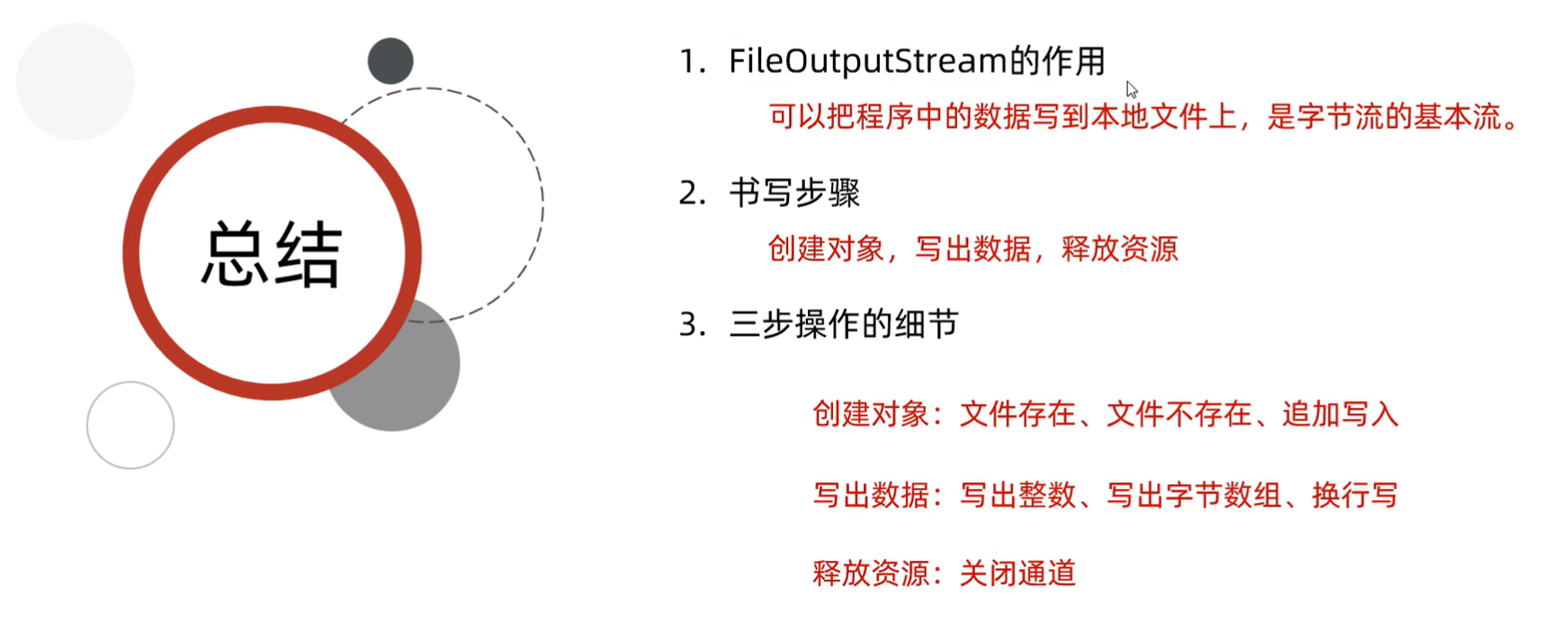
字节输出流基本用法
FileOutputStream
操作本地文件的字节输出流,可以把程序中的数据写到本地文件中
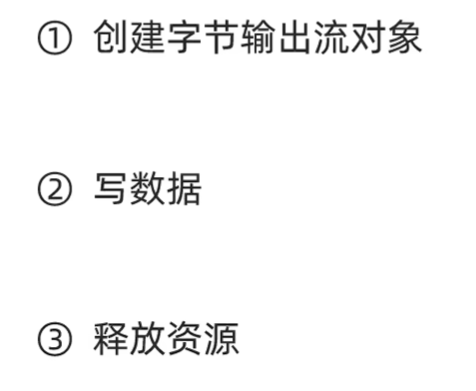
步骤:
例如:
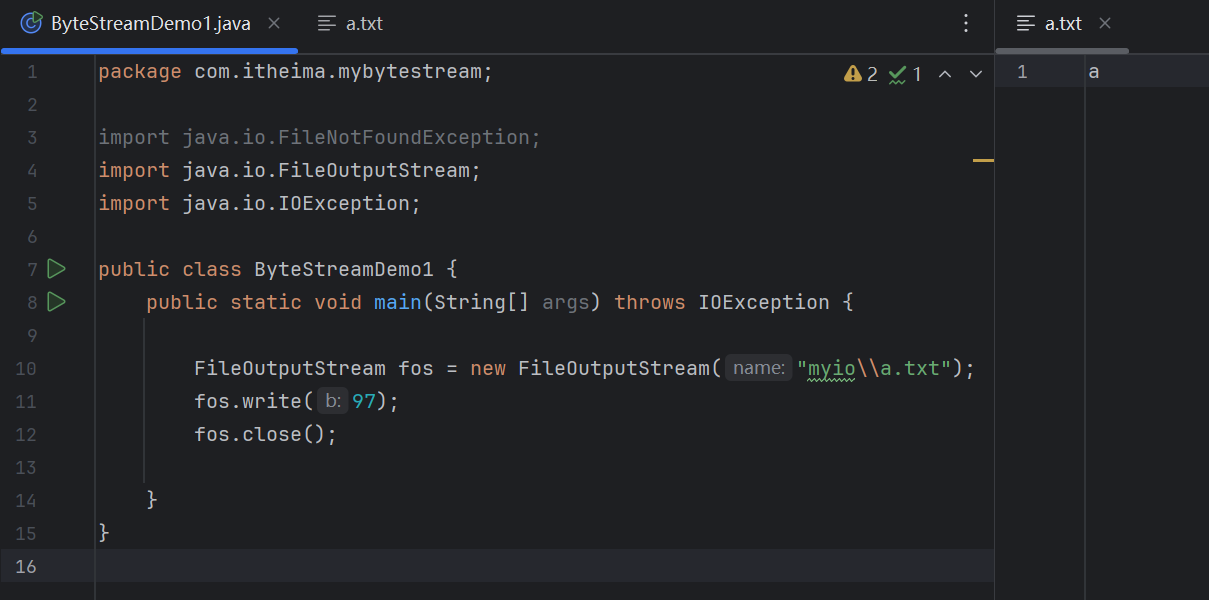
(源代码)
package com.itheima.mybytestream;

import java.io.FileNotFoundException;
import java.io.FileOutputStream;
import java.io.IOException;

public class ByteStreamDemo1 {
    public static void main(String[] args) throws IOException {

        FileOutputStream fos = new FileOutputStream("myio\\a.txt");
        fos.write(97);
        fos.close();

    }
}
(运行结果截图)
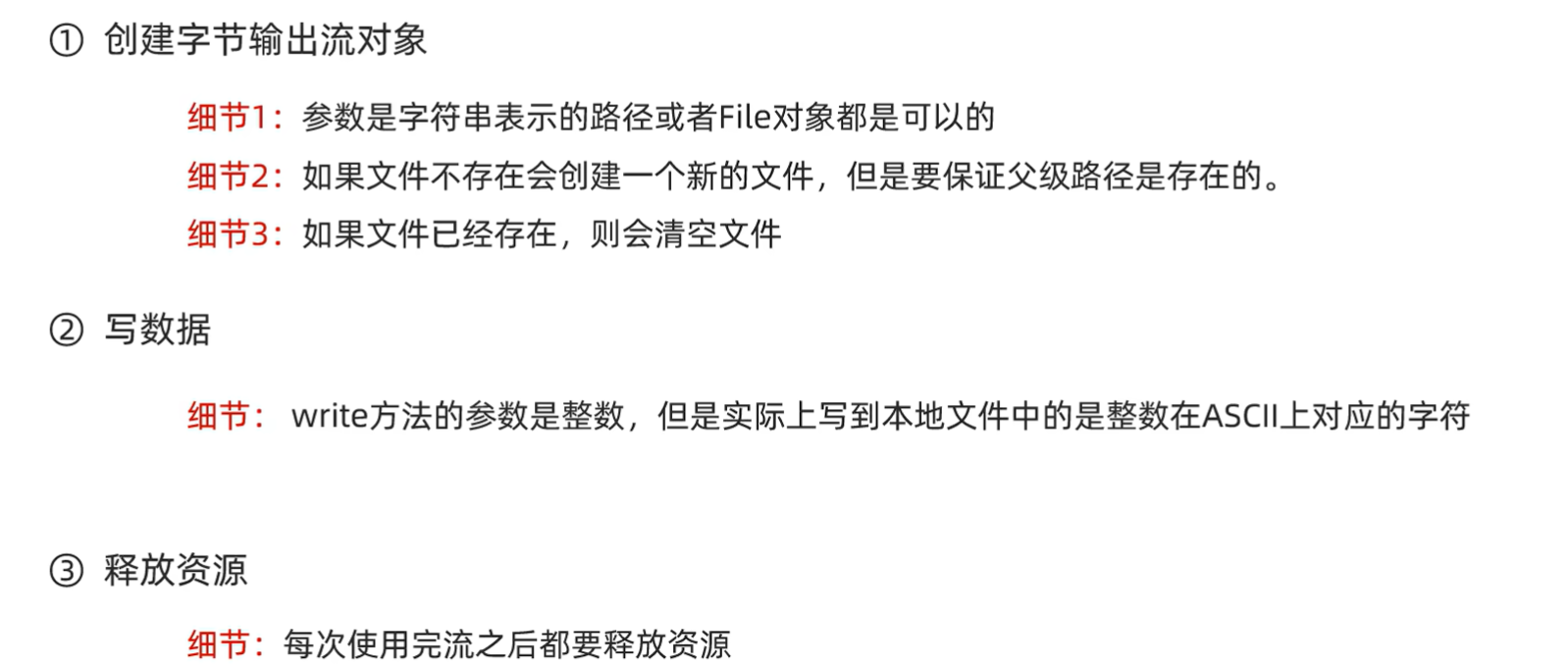
FileOutputStream书写细节
字节输出流写出数据的三种方式

例如:
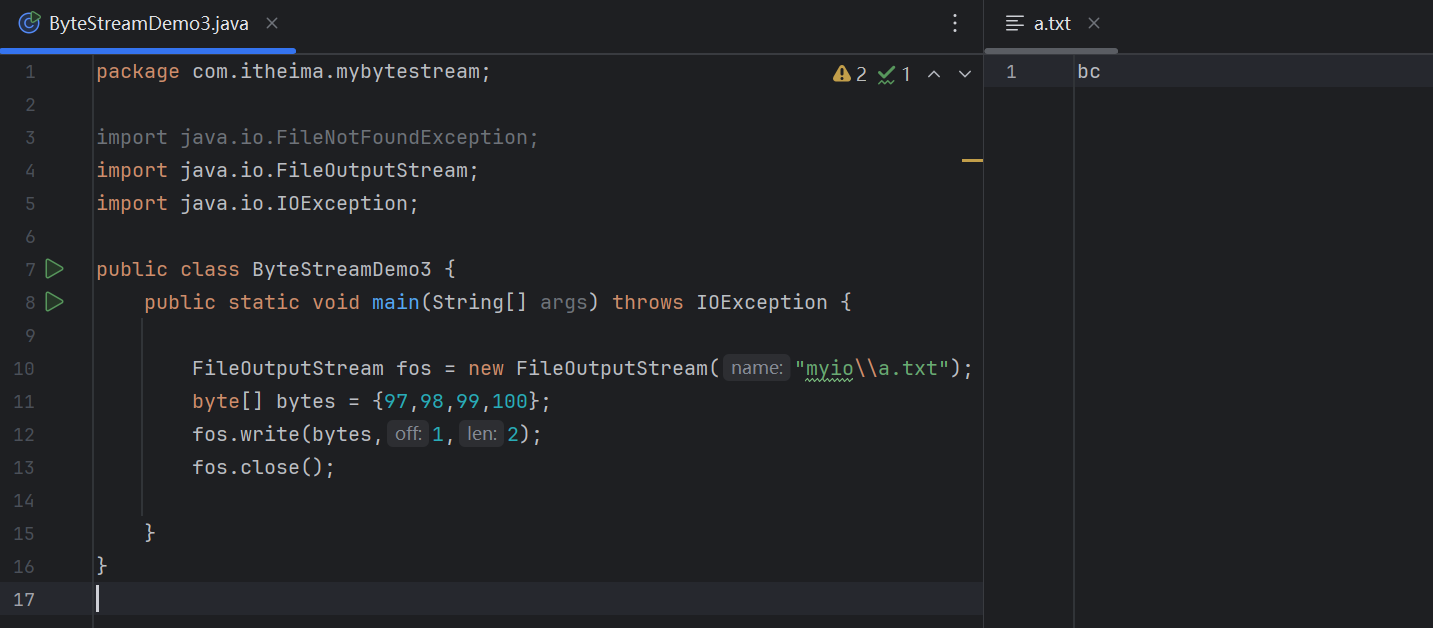
(源代码)
package com.itheima.mybytestream;

import java.io.FileNotFoundException;
import java.io.FileOutputStream;
import java.io.IOException;

public class ByteStreamDemo3 {
    public static void main(String[] args) throws IOException {

        FileOutputStream fos = new FileOutputStream("myio\\a.txt");
        byte[] bytes = {97,98,99,100};
        fos.write(bytes,1,2);
        fos.close();

    }
}
(运行结果截图)
换行和续写
换行写:
    再次写出一个换行符就可以了
    windows: \r\n
    Linux:    \n
    Mac:      \r
细节:
    在windows操作系统当中,java对回车换行进行了优化。
    虽然完整的是\r\n,但是我们写其中一个\r或者\n,
    java也可以实现换行,因为java在底层会补全。
建议:
    不要省略,还是写全了。


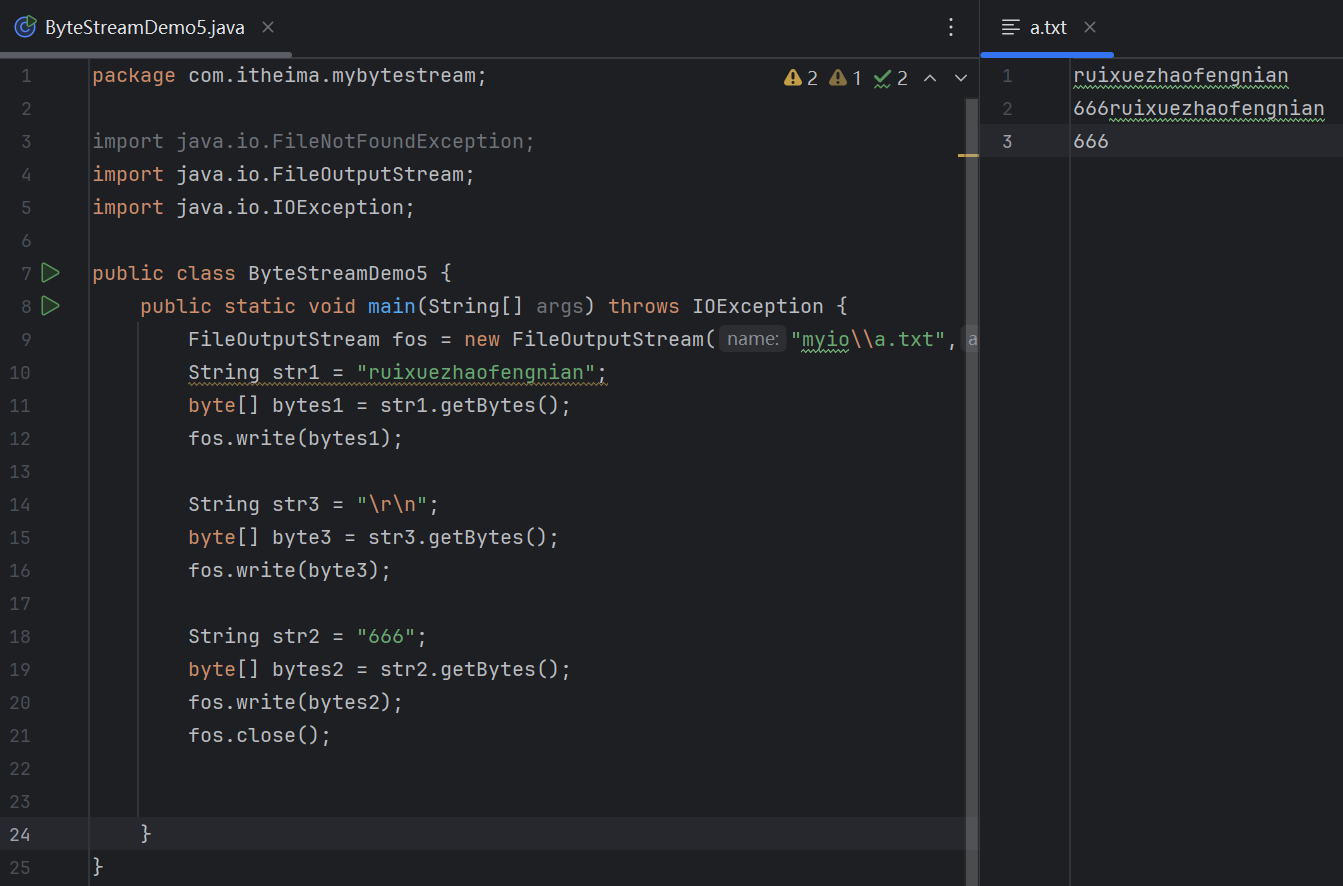
续写:
    如果想要续写,打开续写开关即可
    开关位置:创建对象的第二个参数
    默认false:表示关闭续写,此时创建对象会清空文件
    手动传递true:表示打开续写,此时创建对象不会清空文件
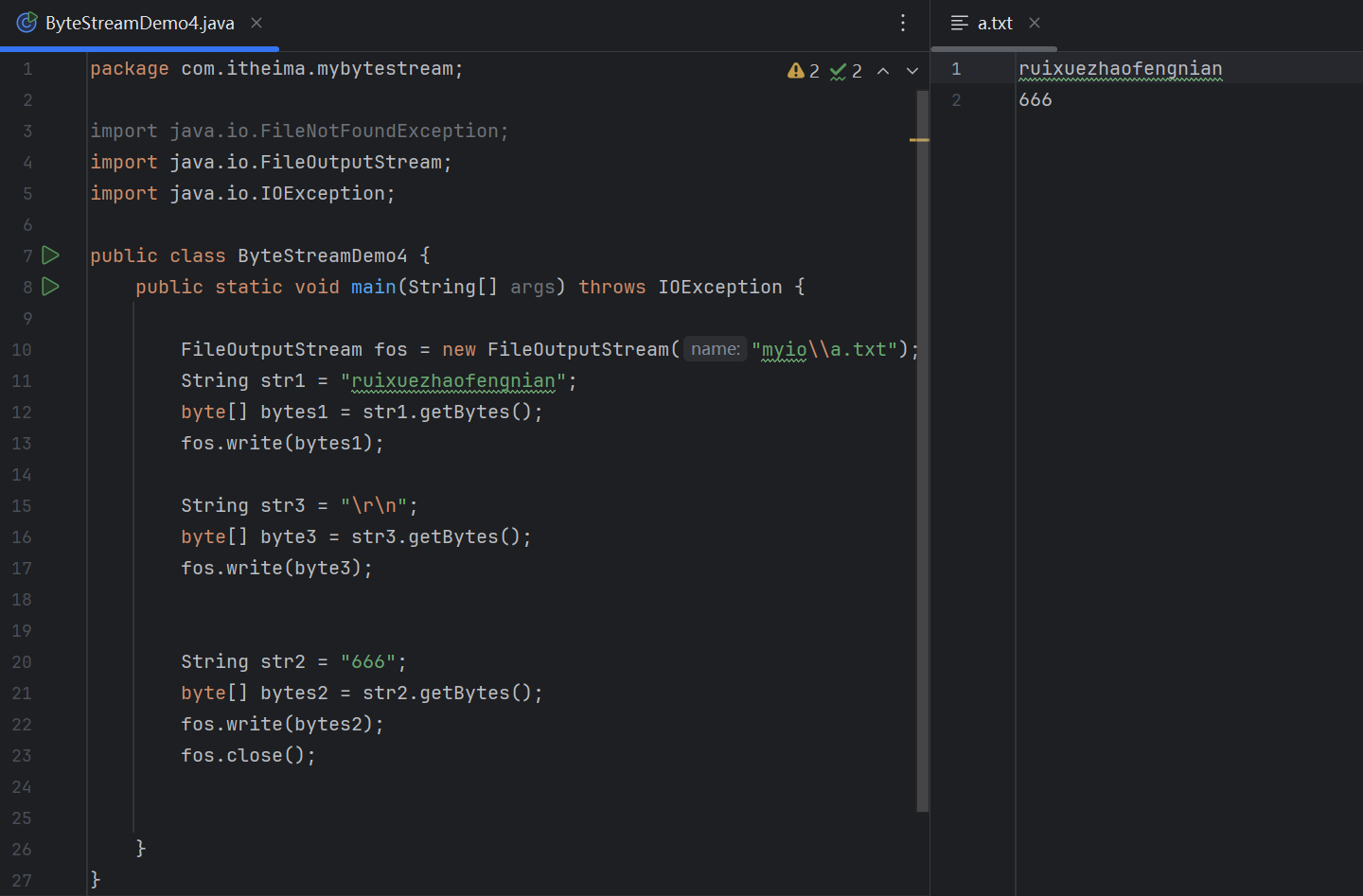
换行
(源代码)
package com.itheima.mybytestream;

import java.io.FileNotFoundException;
import java.io.FileOutputStream;
import java.io.IOException;

public class ByteStreamDemo4 {
    public static void main(String[] args) throws IOException {

        FileOutputStream fos = new FileOutputStream("myio\\a.txt");
        String str1 = "ruixuezhaofengnian";
        byte[] bytes1 = str1.getBytes();
        fos.write(bytes1);

        String str3 = "\r\n";
        byte[] byte3 = str3.getBytes();
        fos.write(byte3);


        String str2 = "666";
        byte[] bytes2 = str2.getBytes();
        fos.write(bytes2);
        fos.close();


    }
}
(运行结果截图)
续写
(源代码)
package com.itheima.mybytestream;

import java.io.FileNotFoundException;
import java.io.FileOutputStream;
import java.io.IOException;

public class ByteStreamDemo5 {
    public static void main(String[] args) throws IOException {
        FileOutputStream fos = new FileOutputStream("myio\\a.txt",true);
        String str1 = "ruixuezhaofengnian";
        byte[] bytes1 = str1.getBytes();
        fos.write(bytes1);

        String str3 = "\r\n";
        byte[] byte3 = str3.getBytes();
        fos.write(byte3);

        String str2 = "666";
        byte[] bytes2 = str2.getBytes();
        fos.write(bytes2);
        fos.close();


    }
}
(运行结果截图)
总结
字节输入流的基本用法
FileInputStream
操作本地文件的字节输出流,可以把程序中的数据读取到本地文件中
步骤:
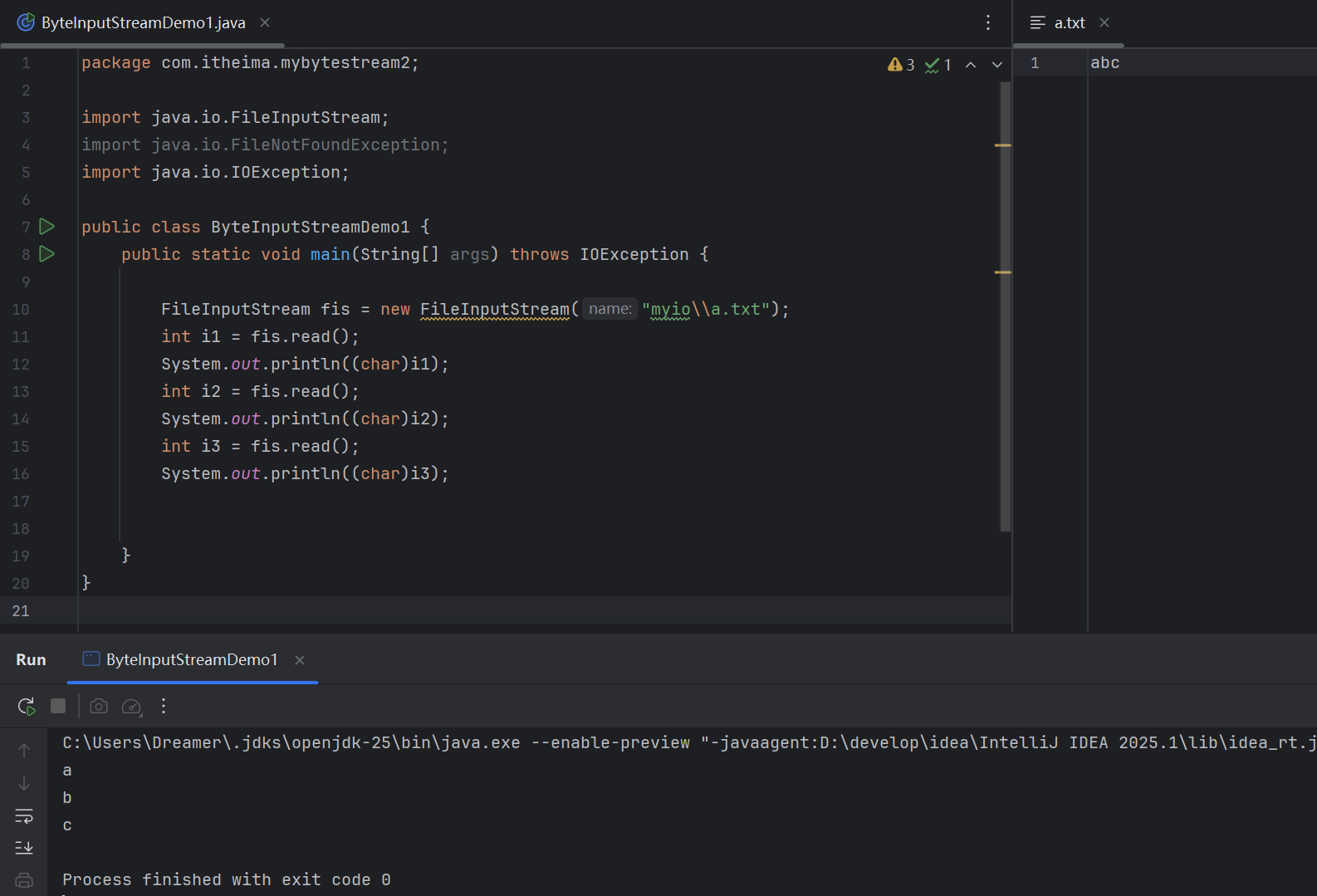
例如:
(源代码)
package com.itheima.mybytestream2;

import java.io.FileInputStream;
import java.io.FileNotFoundException;
import java.io.IOException;

public class ByteInputStreamDemo1 {
    public static void main(String[] args) throws IOException {

        FileInputStream fis = new FileInputStream("myio\\a.txt");
        int i1 = fis.read();
        System.out.println((char)i1);
        int i2 = fis.read();
        System.out.println((char)i2);
        int i3 = fis.read();
        System.out.println((char)i3);


    }
}
(运行结果截图)
FileInputStream书写细节
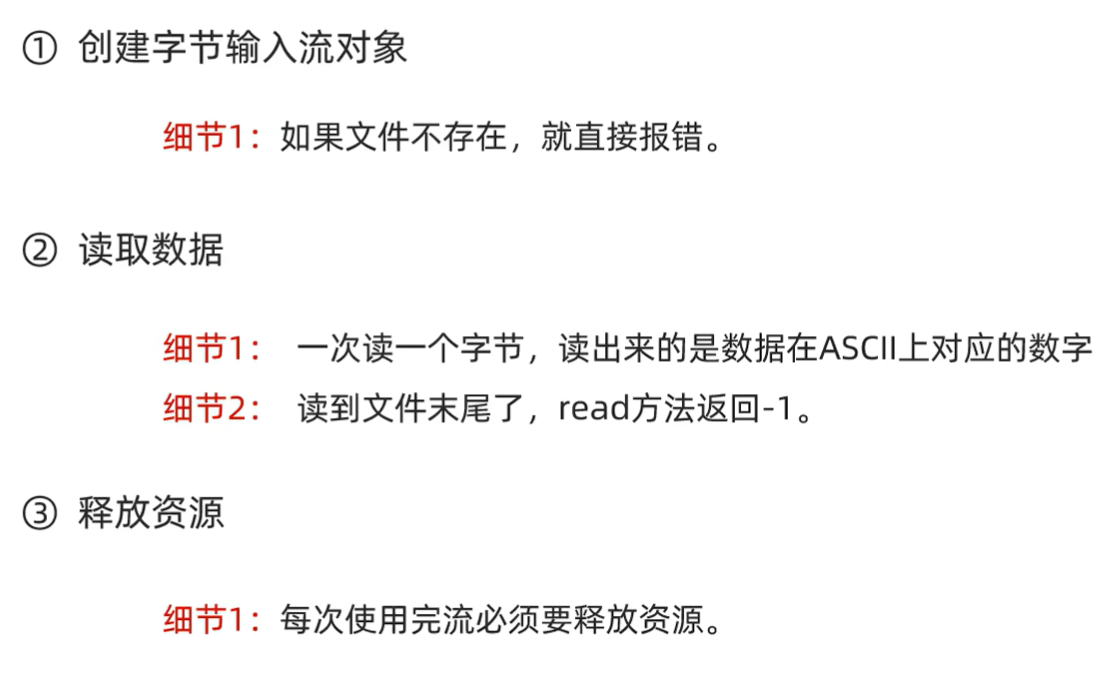
字节输入流循环读取
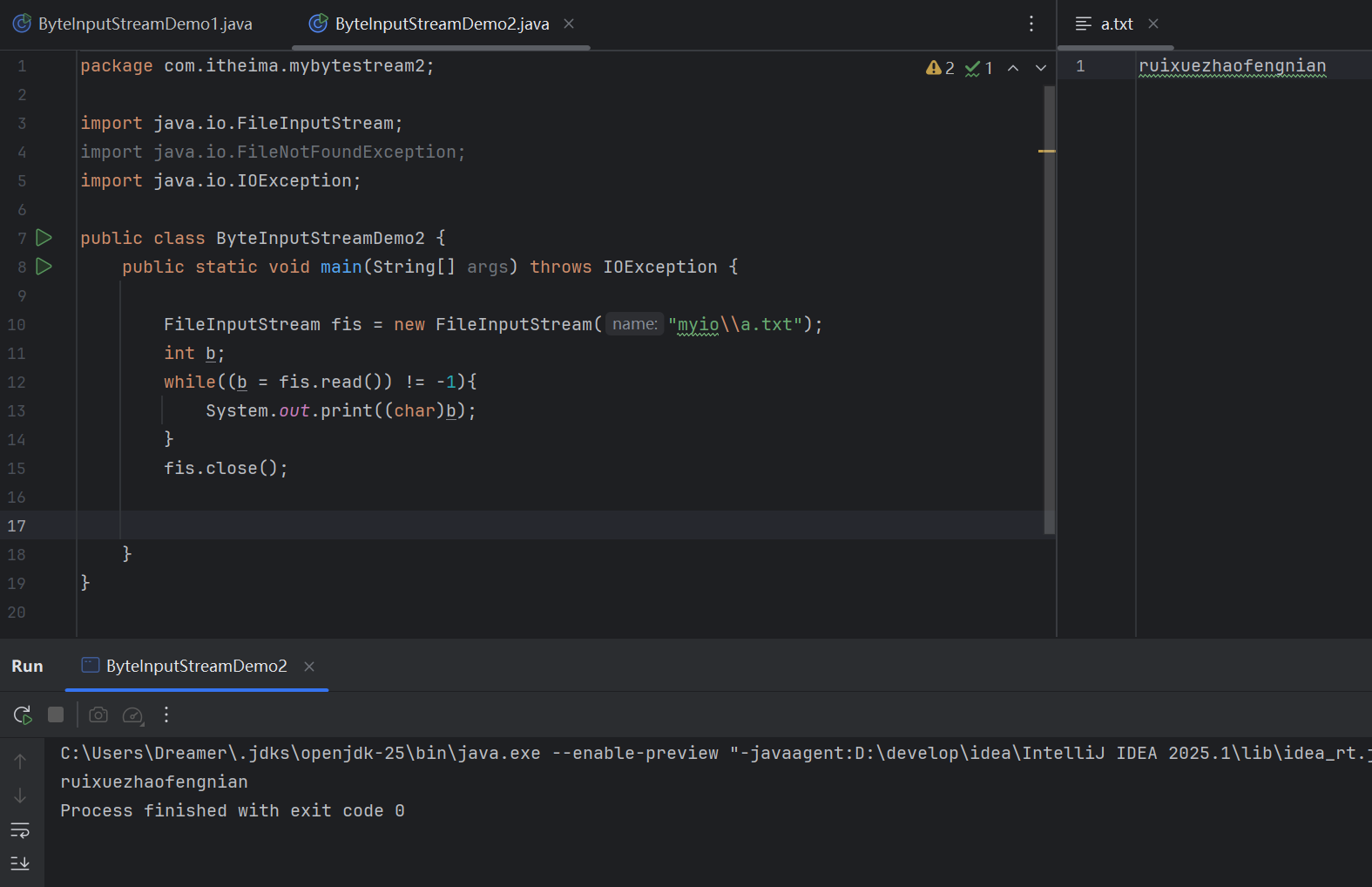
(源代码)
package com.itheima.mybytestream2;

import java.io.FileInputStream;
import java.io.FileNotFoundException;
import java.io.IOException;

public class ByteInputStreamDemo2 {
    public static void main(String[] args) throws IOException {

        FileInputStream fis = new FileInputStream("myio\\a.txt");
        int b;
        while((b = fis.read()) != -1){
            System.out.print((char)b);
        }
        fis.close();


    }
}
(运行结果截图)
文件拷贝
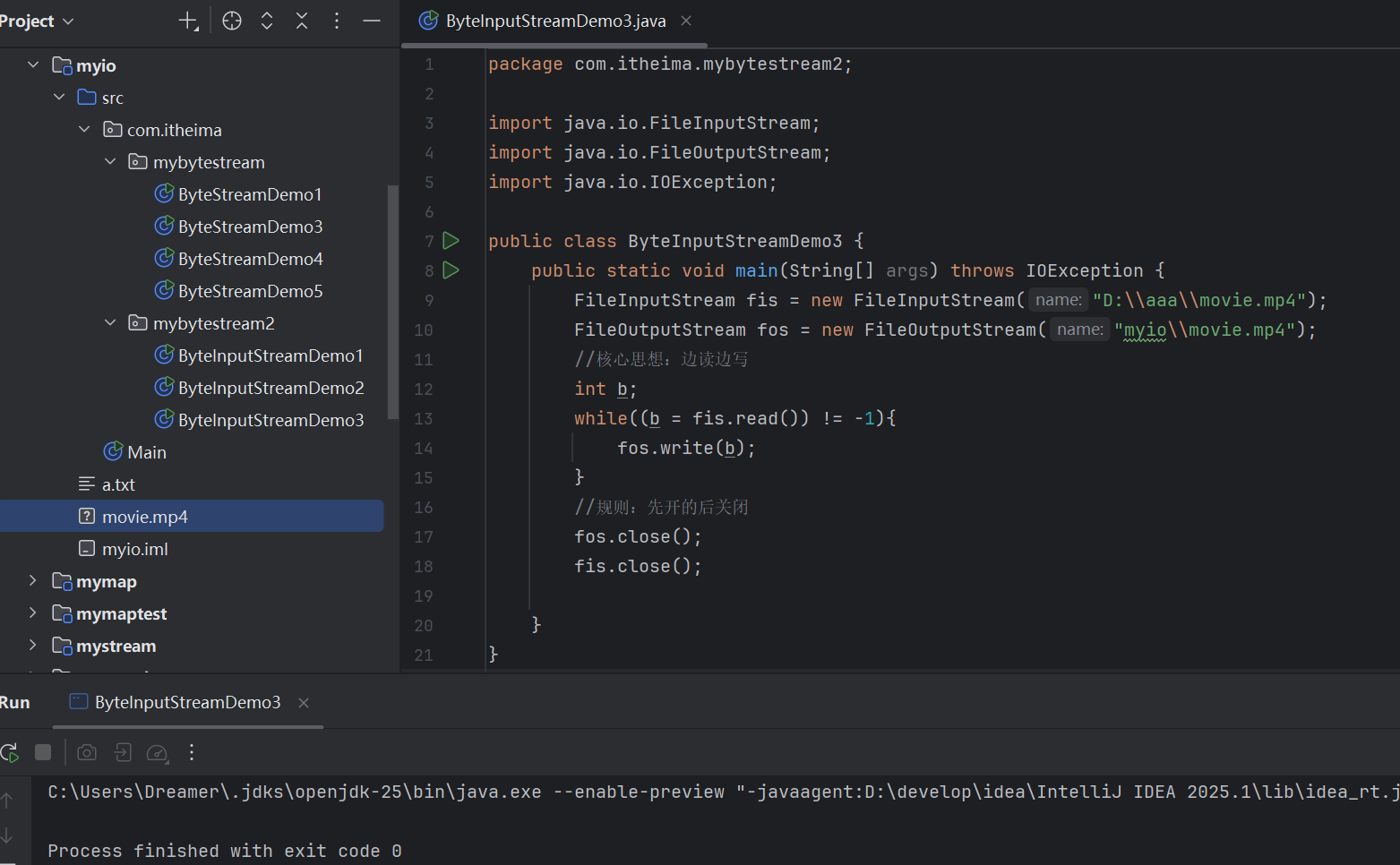
文件拷贝的基本代码
(源代码)
package com.itheima.mybytestream2;

import java.io.FileInputStream;
import java.io.FileOutputStream;
import java.io.IOException;

public class ByteInputStreamDemo3 {
    public static void main(String[] args) throws IOException {
        FileInputStream fis = new FileInputStream("D:\\aaa\\movie.mp4");
        FileOutputStream fos = new FileOutputStream("myio\\movie.mp4");
        //核心思想:边读边写
        int b;
        while((b = fis.read()) != -1){
            fos.write(b);
        }
        //规则:先开的后关闭
        fos.close();
        fis.close();

    }
}
(运行结果截图)
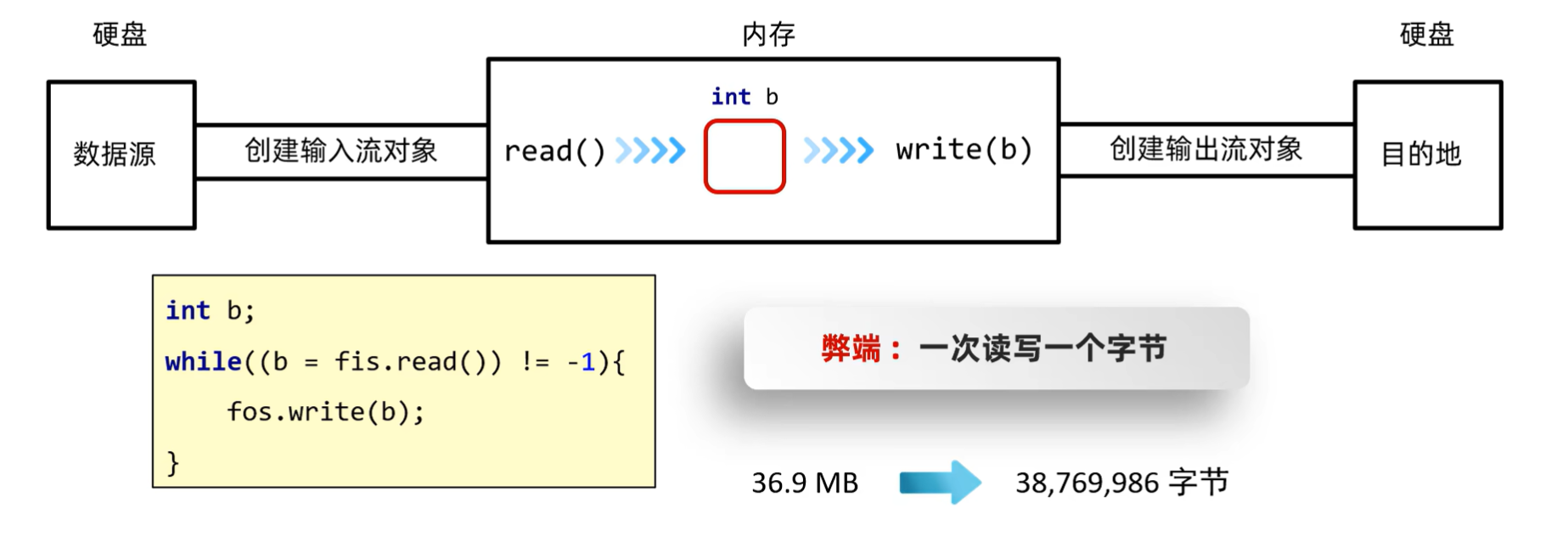
文件拷贝的弊端和解决方案
弊端
解决方案

注意:
一次读一个字节数组的数据,每次读取会尽可能地把数据装满
例如:
(源代码)
package com.itheima.mybytestream2;

import java.io.FileInputStream;
import java.io.FileNotFoundException;
import java.io.IOException;

public class ByteInputStreamDemo4 {
    public static void main(String[] args) throws IOException {

        FileInputStream fis = new FileInputStream("myio\\a.txt");
        byte[] bytes = new byte[2];
        int len1 = fis.read(bytes);
        String str1 = new String(bytes,0,len1);
        System.out.println(str1);

        int len2 = fis.read(bytes);
        String str2 = new String(bytes,0,len2);
        System.out.println(str2);

        int len3 = fis.read(bytes);
        String str3 = new String(bytes,0,len3);
        System.out.println(str3);

        fis.close();


    }
}
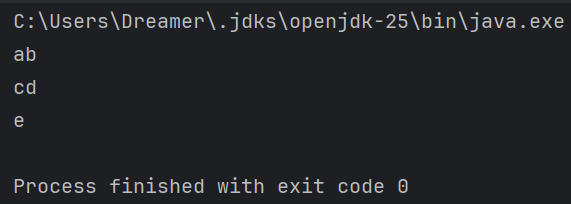
(运行结果截图)
文件拷贝改写
(源代码)
package com.itheima.mybytestream2;

import java.io.FileInputStream;
import java.io.FileNotFoundException;
import java.io.FileOutputStream;
import java.io.IOException;

public class ByteInputStreamDemo5 {
    public static void main(String[] args) throws IOException {

        FileInputStream fis = new FileInputStream("D:\\aaa\\movie.mp4");
        FileOutputStream fos = new FileOutputStream("myio\\movie2.mp4");

        int len;
        byte[] bytes = new byte[1024 * 1024 * 5];
        while((len = fis.read(bytes)) != -1){
            fos.write(bytes,0,len);
        }

        fos.close();
        fis.close();

    }
}
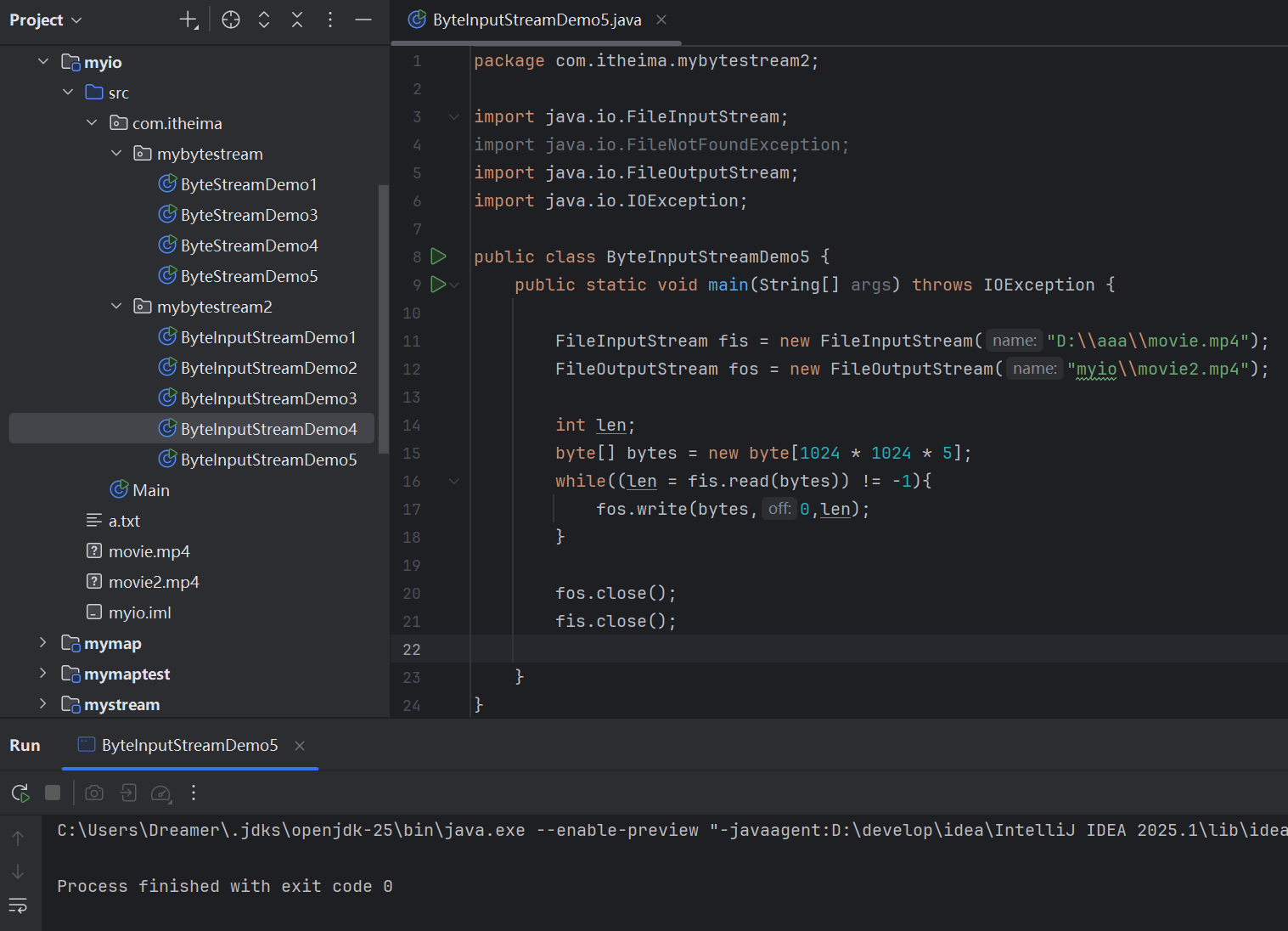
(运行结果截图)
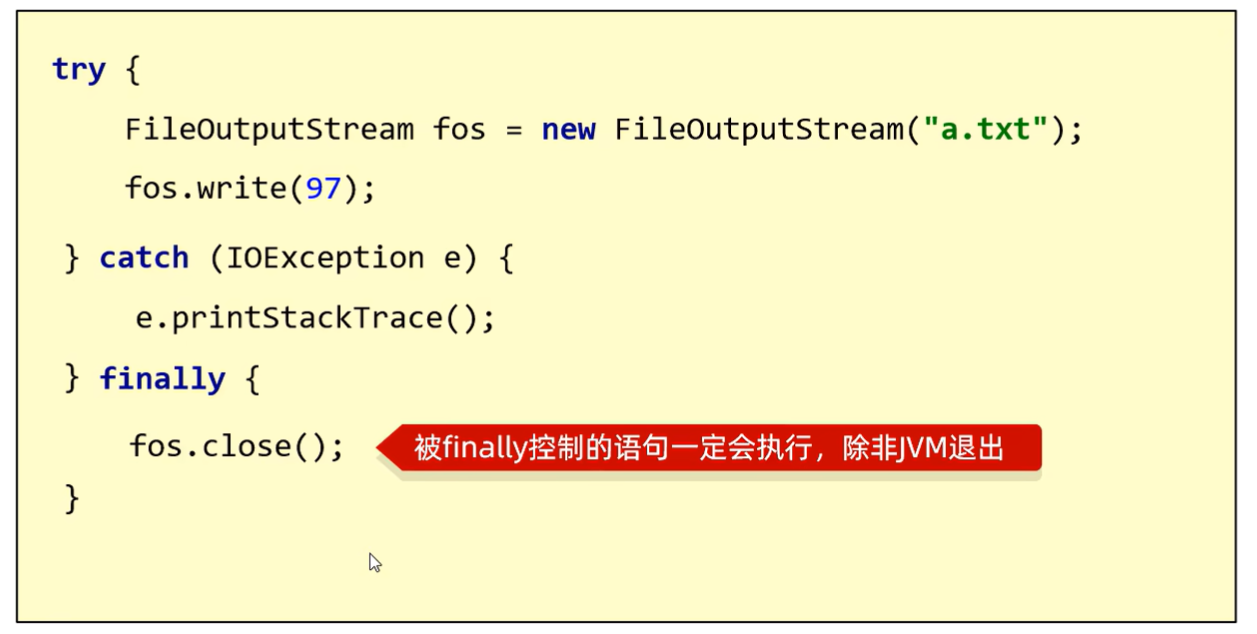
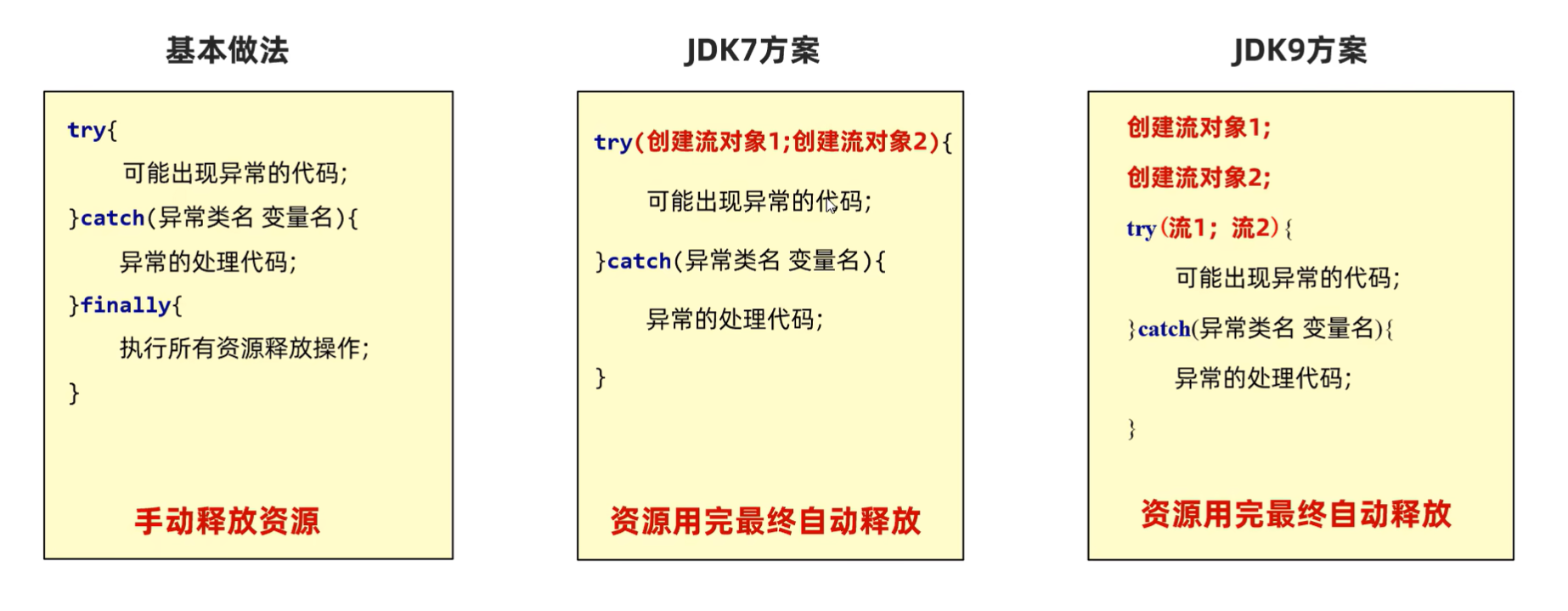
IO流中不同版本捕获异常的方式
try...catch异常处理
接口:AutoCloseable
特点:特定情况下,可以自动释放资源
字符集
字符集详解(ASCII,GBK)
计算机的存储规则(英文)
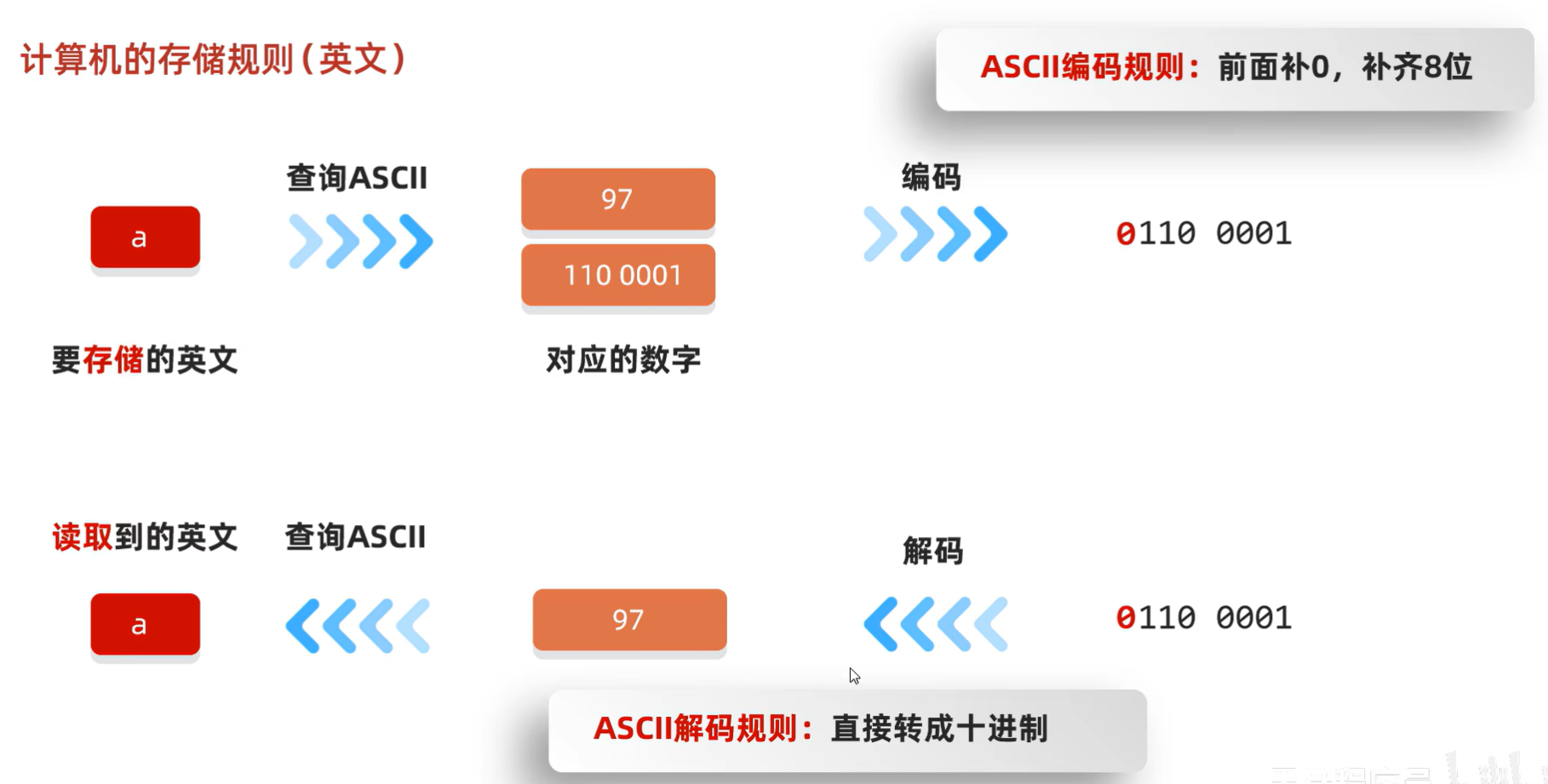
计算机的存储规则
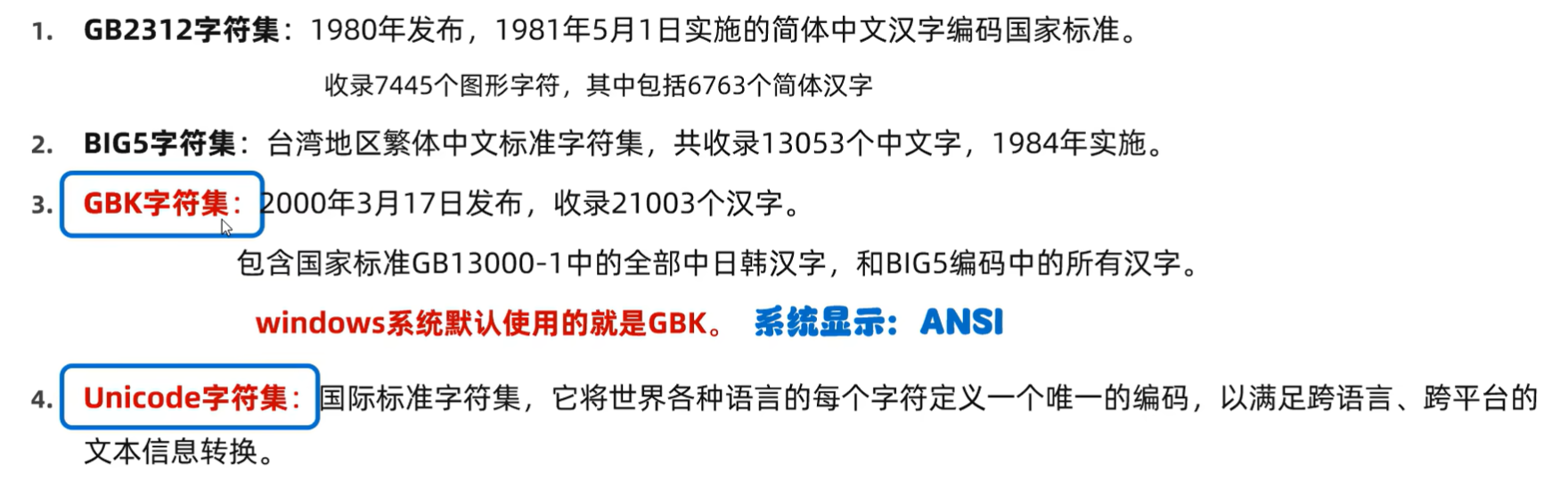
计算机的存储规则(英文)(GBK)
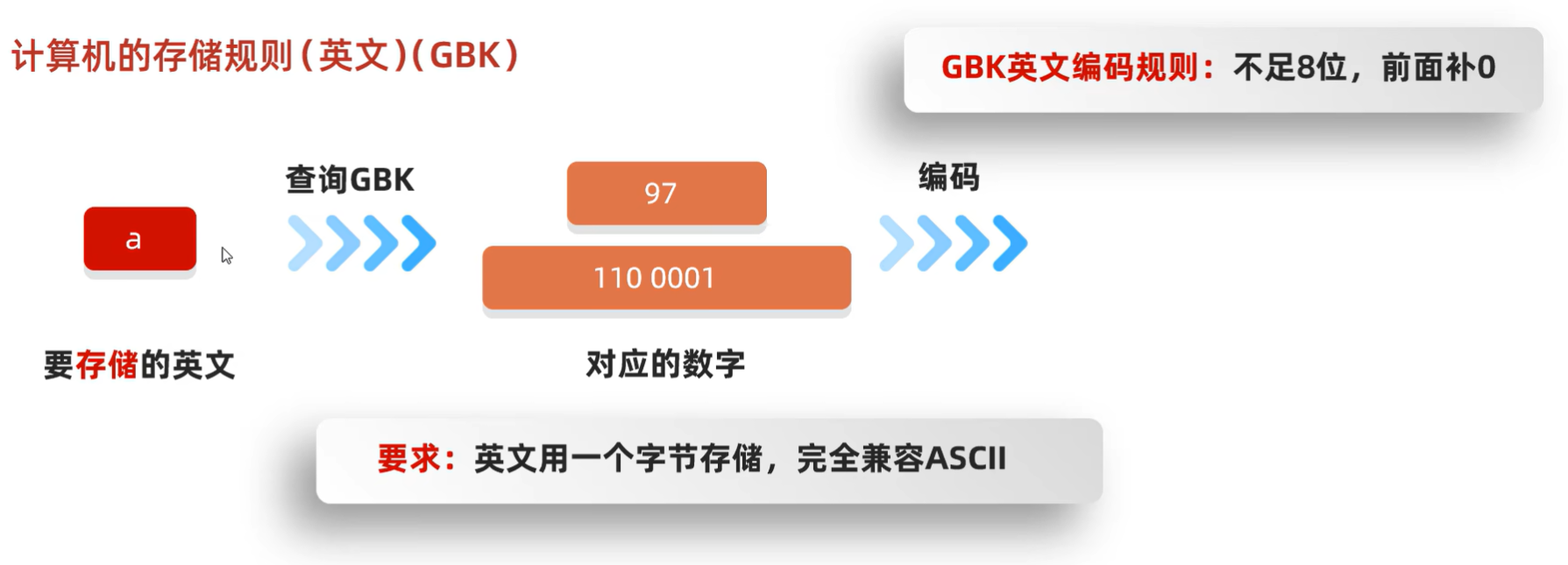
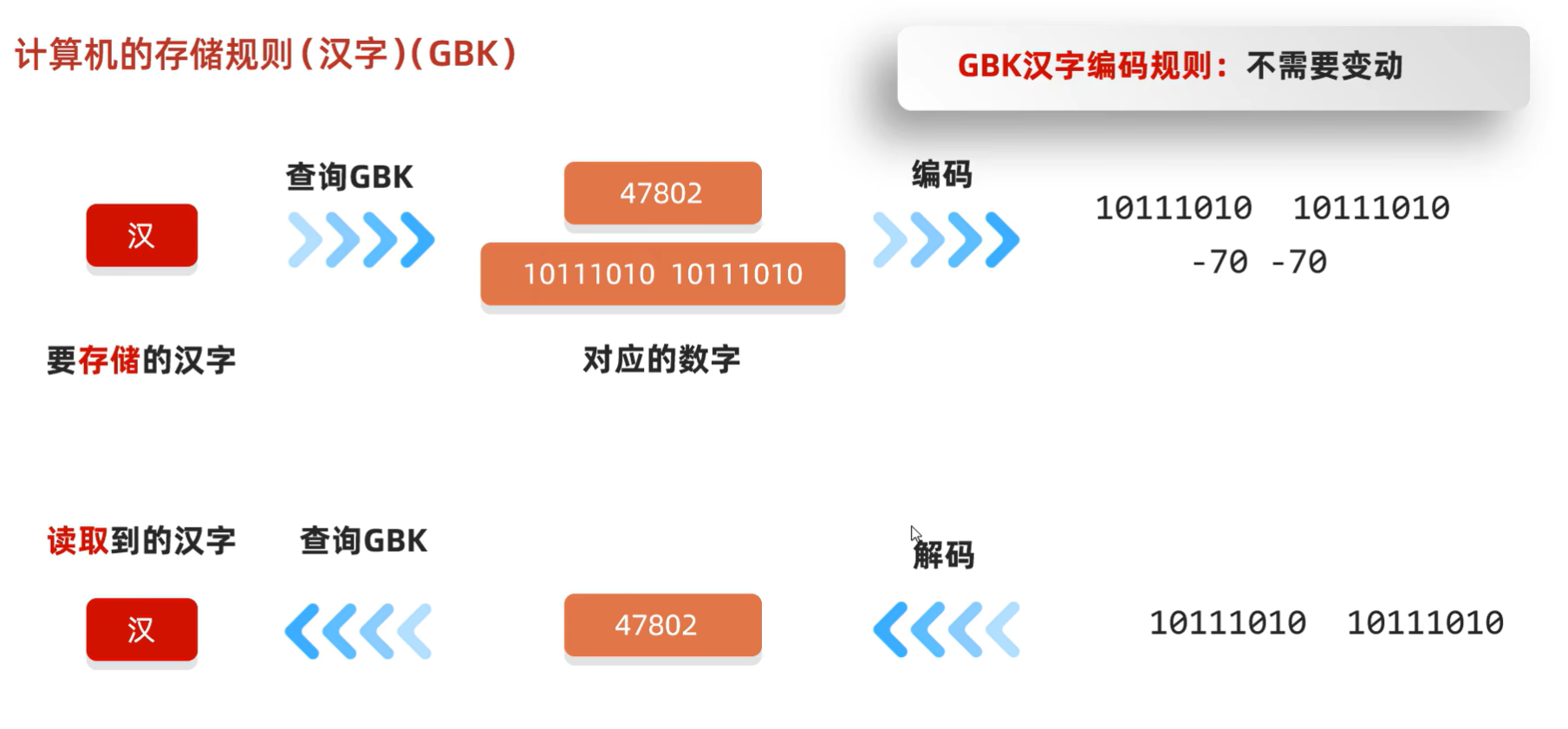
计算机的存储规则(中文)(GBK)
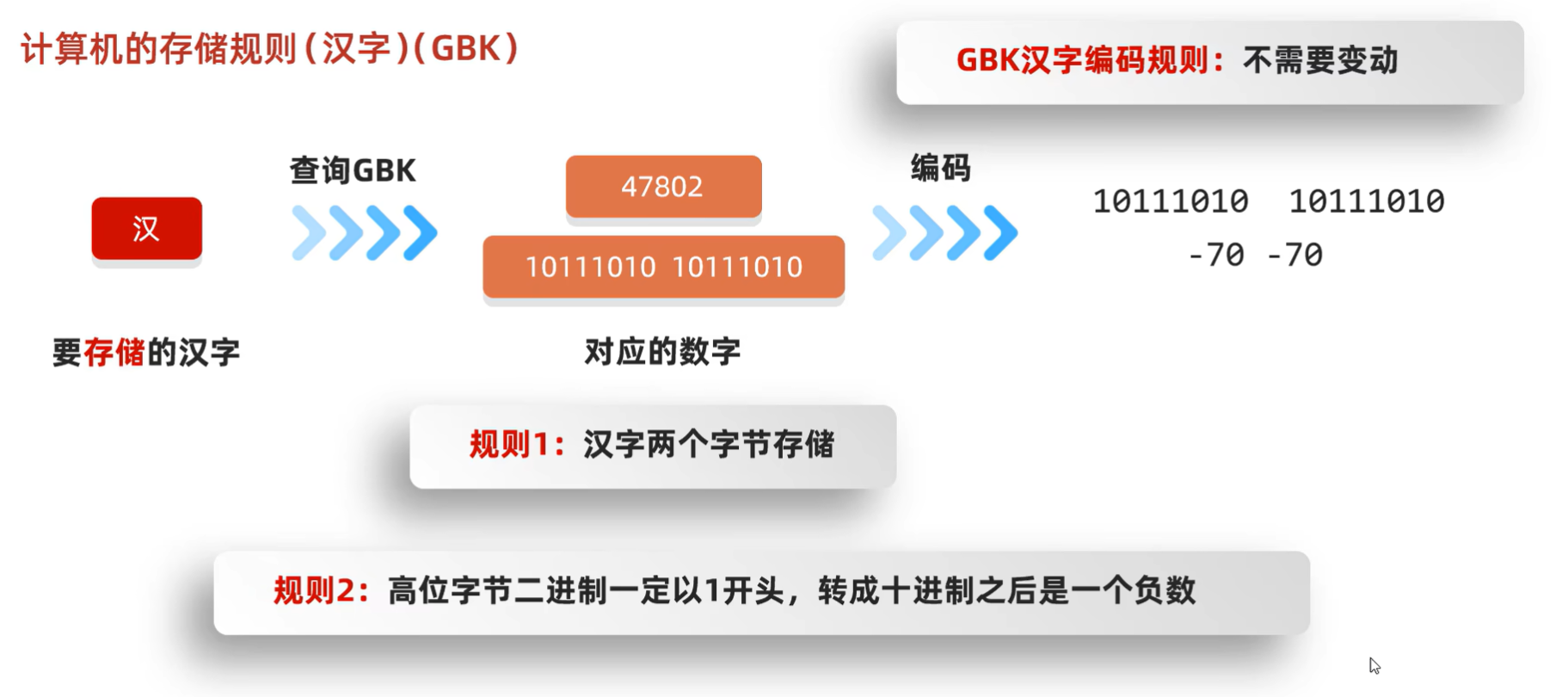
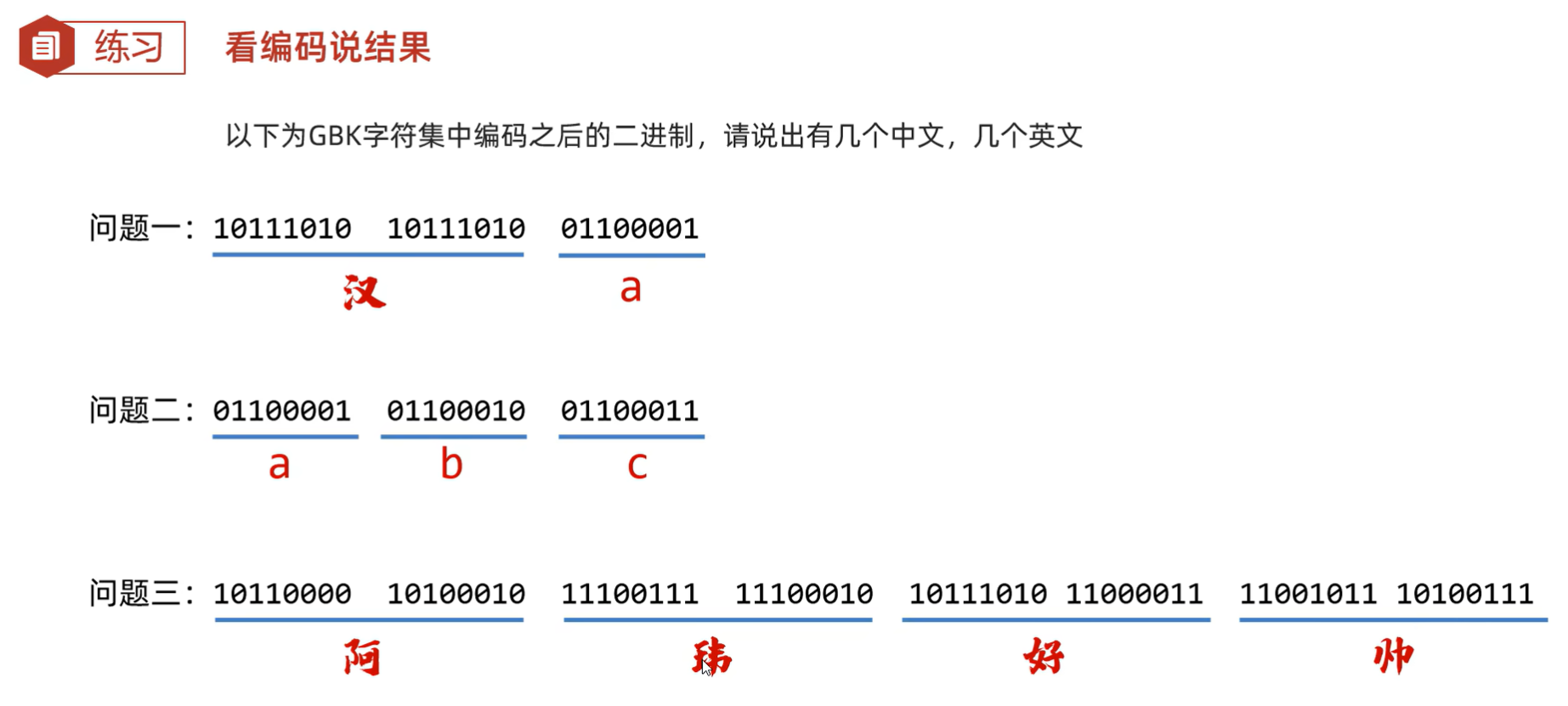
练习:看编码说结果
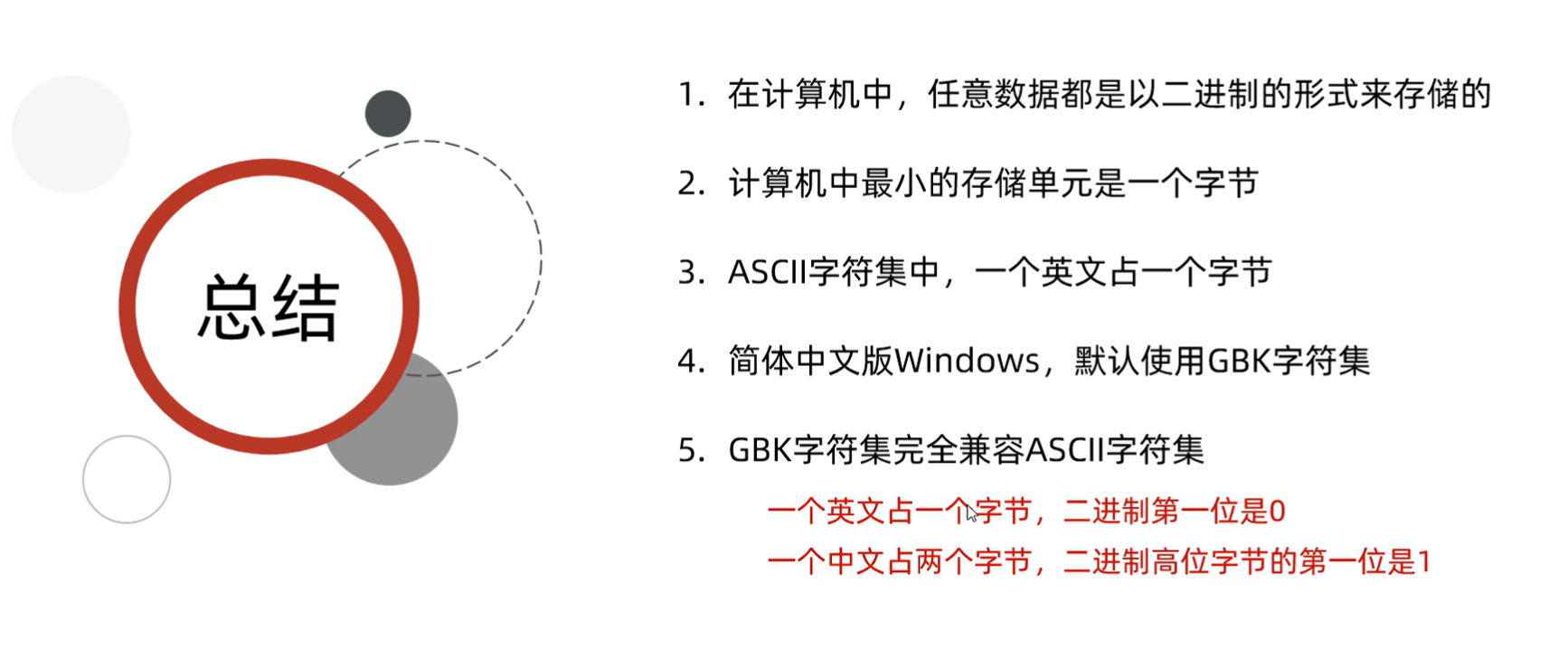
总结
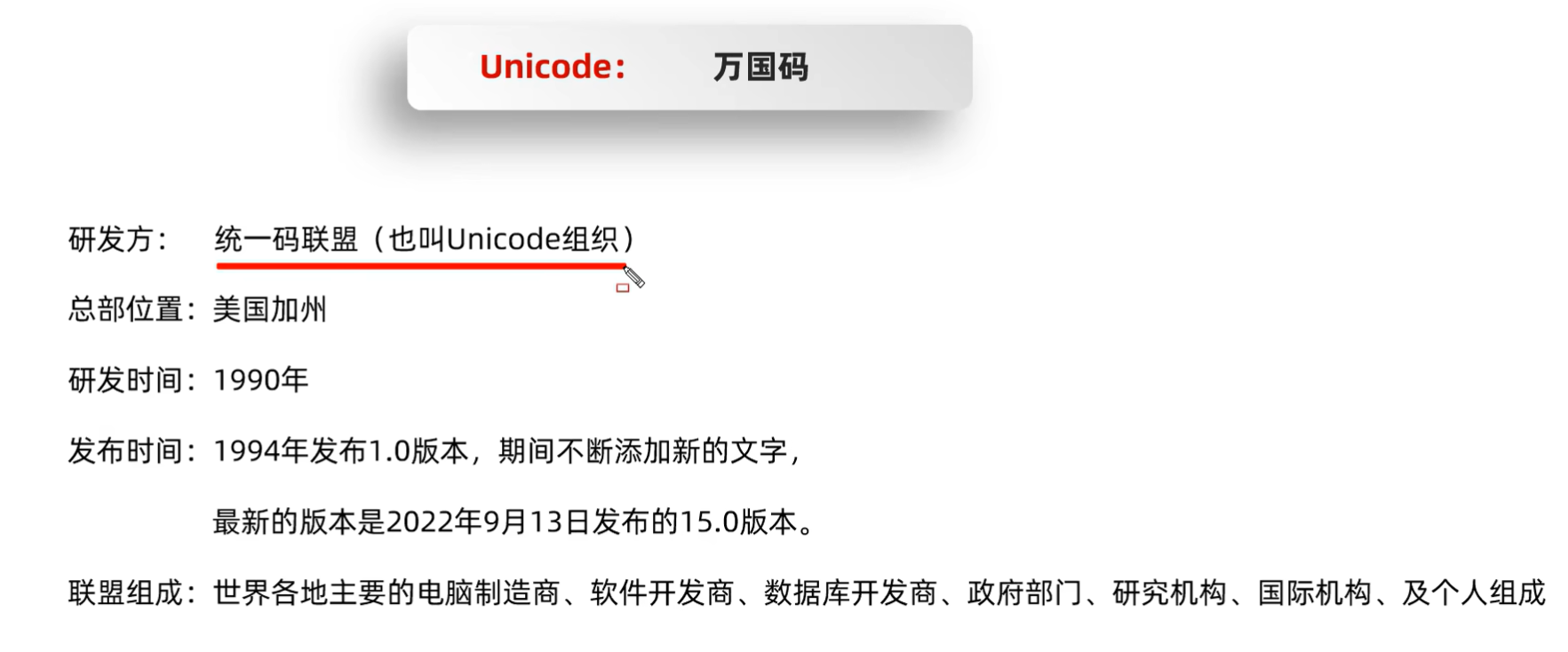
字符集详解(Unicode)
计算机的存储规则
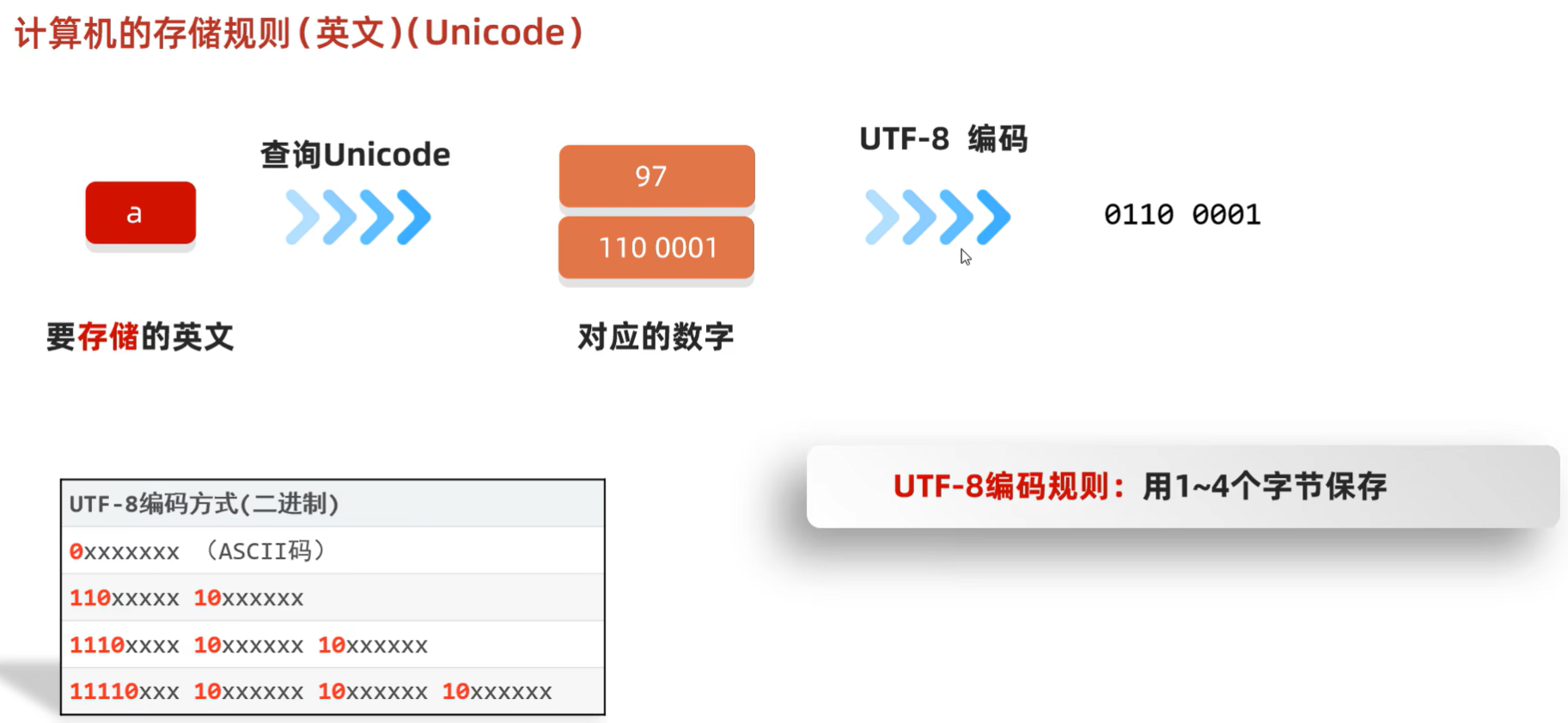
计算机的存储规则(英文)(Unicode)
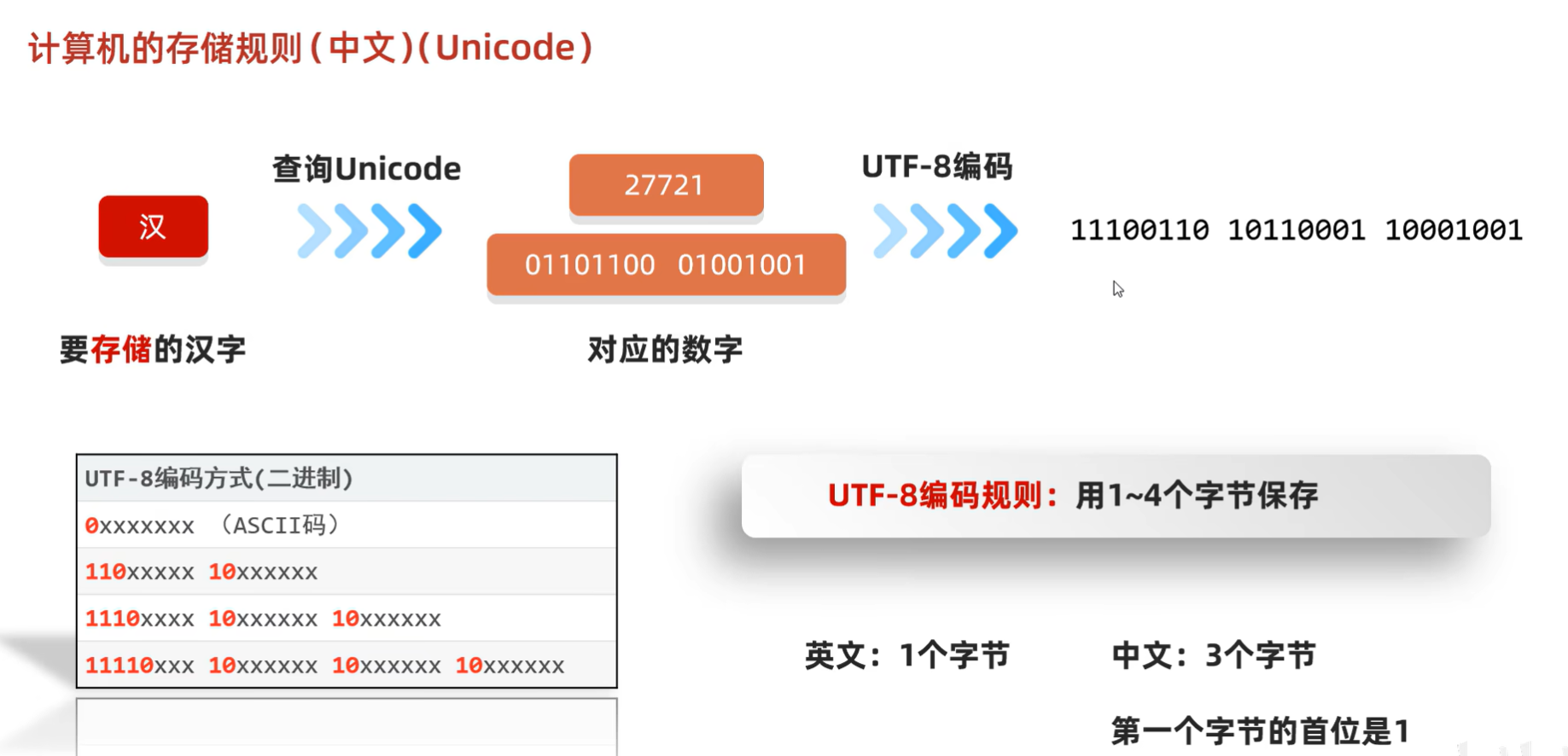
计算机的存储规则(中文)(Unicode)
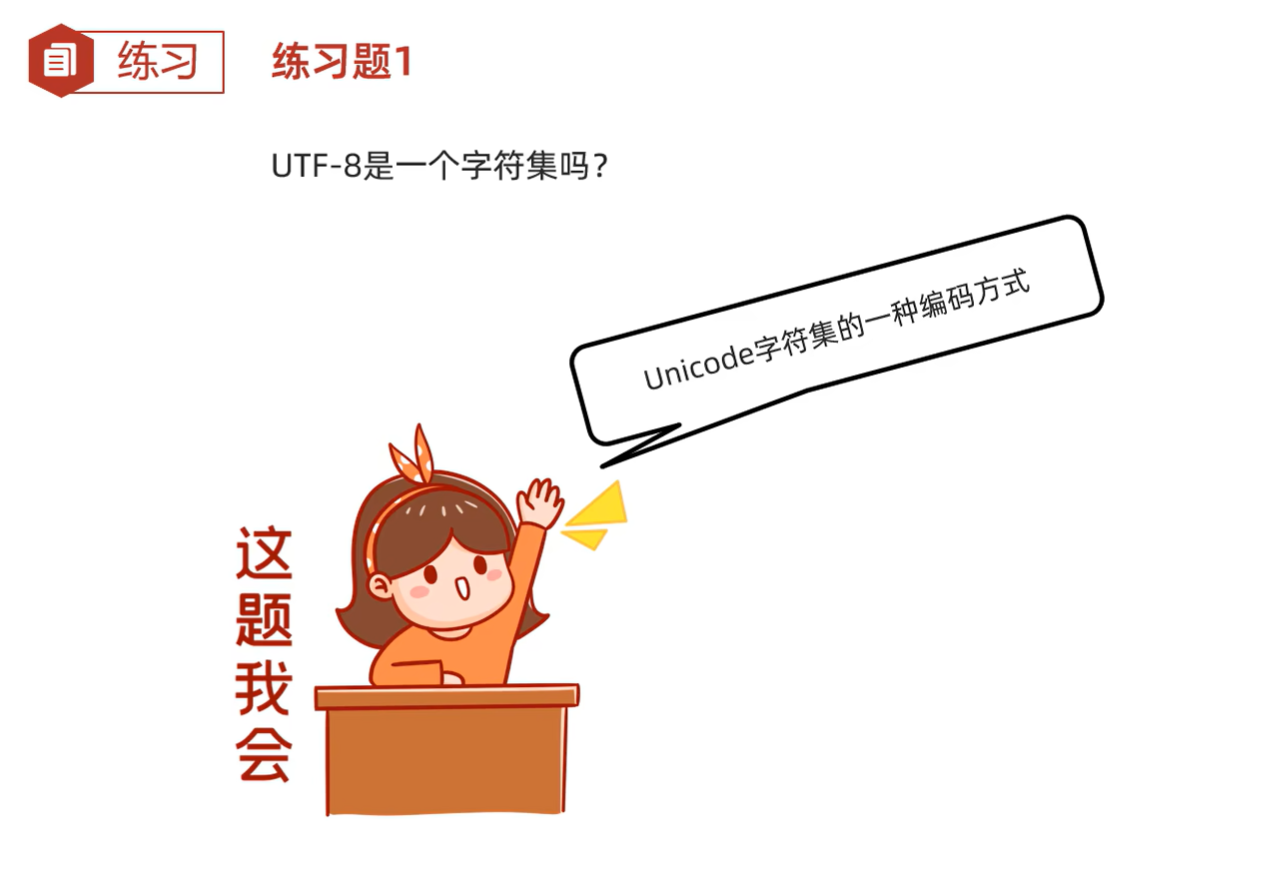
练习题1
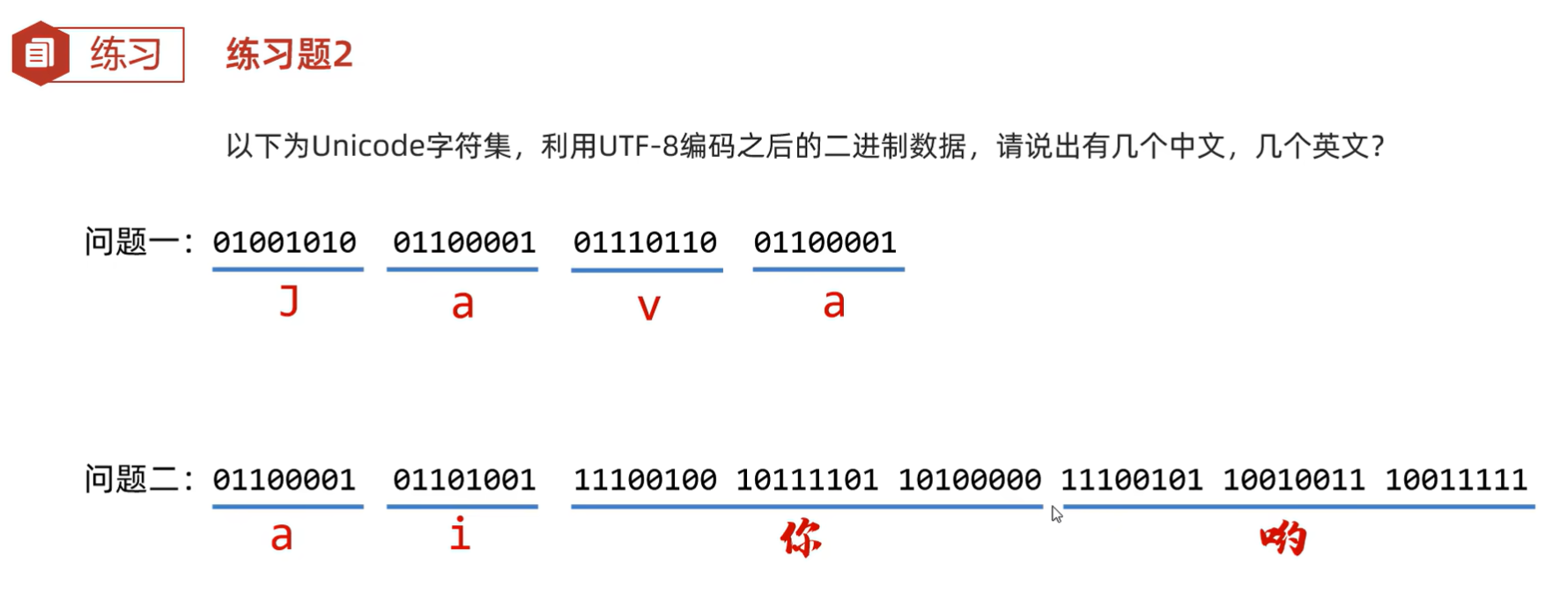
练习题2
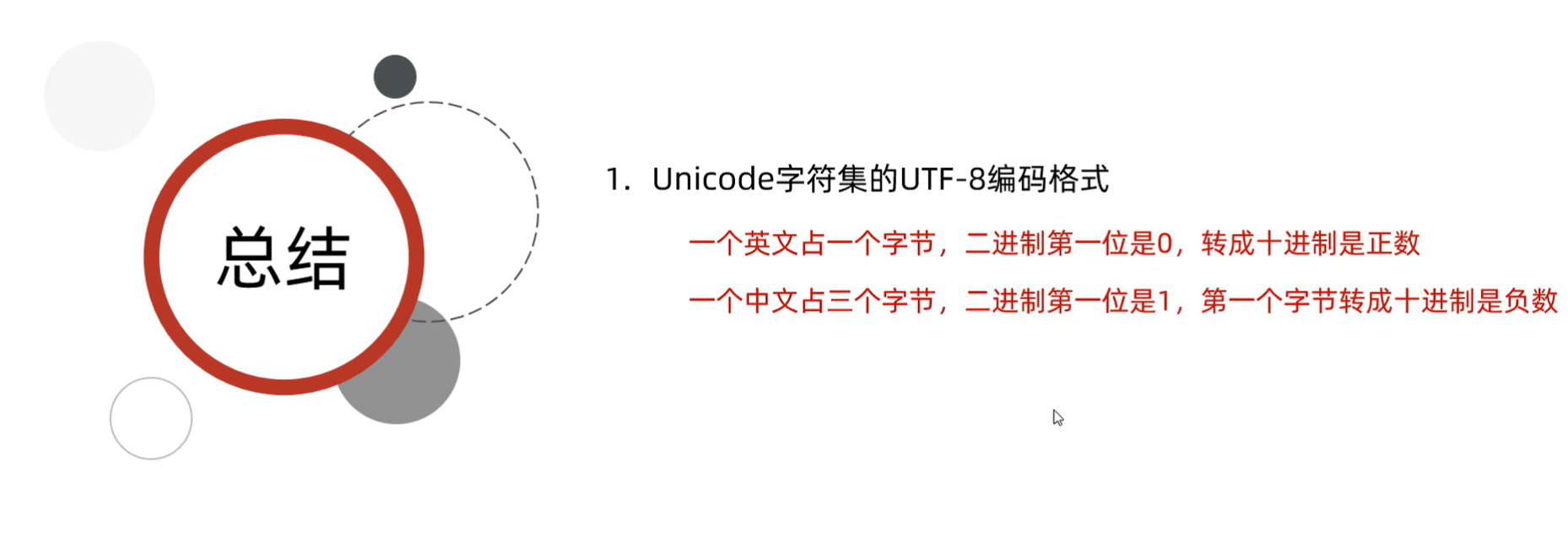
总结
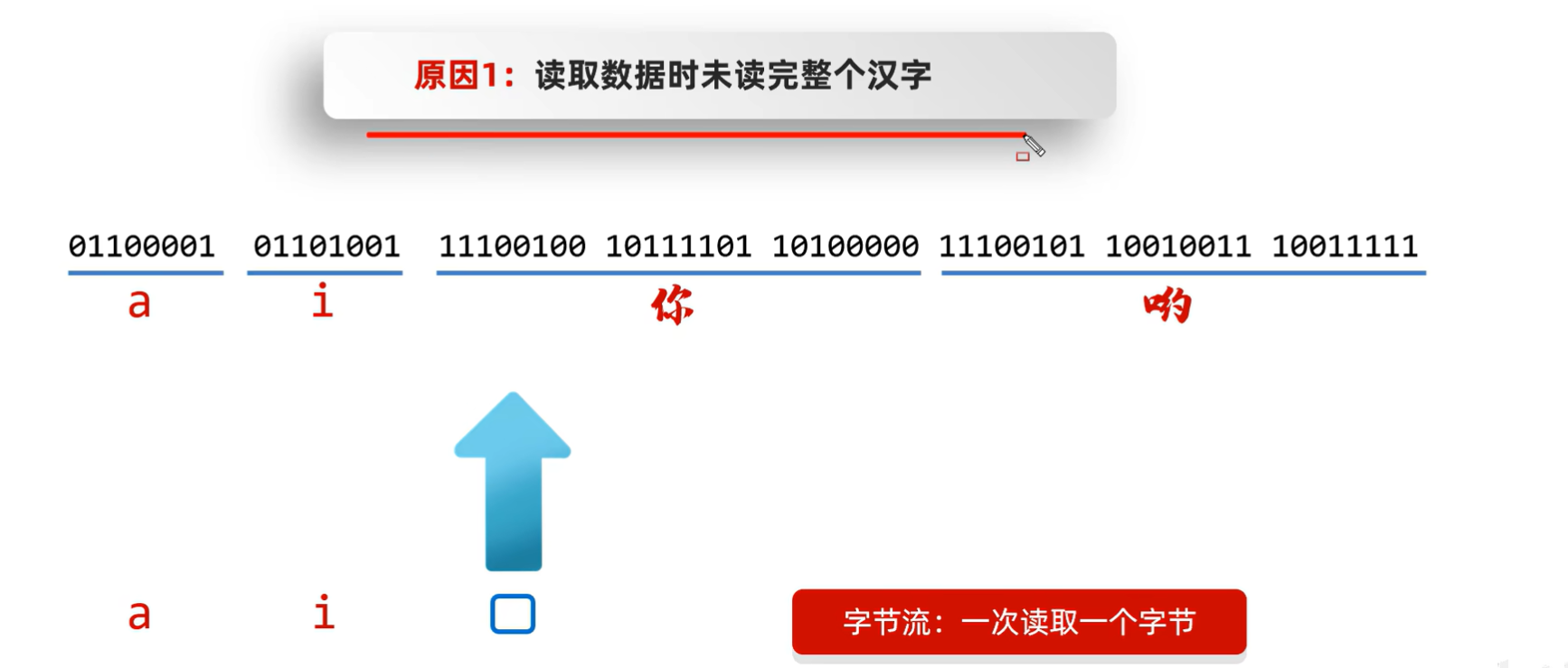
乱码
为什么会有乱码?
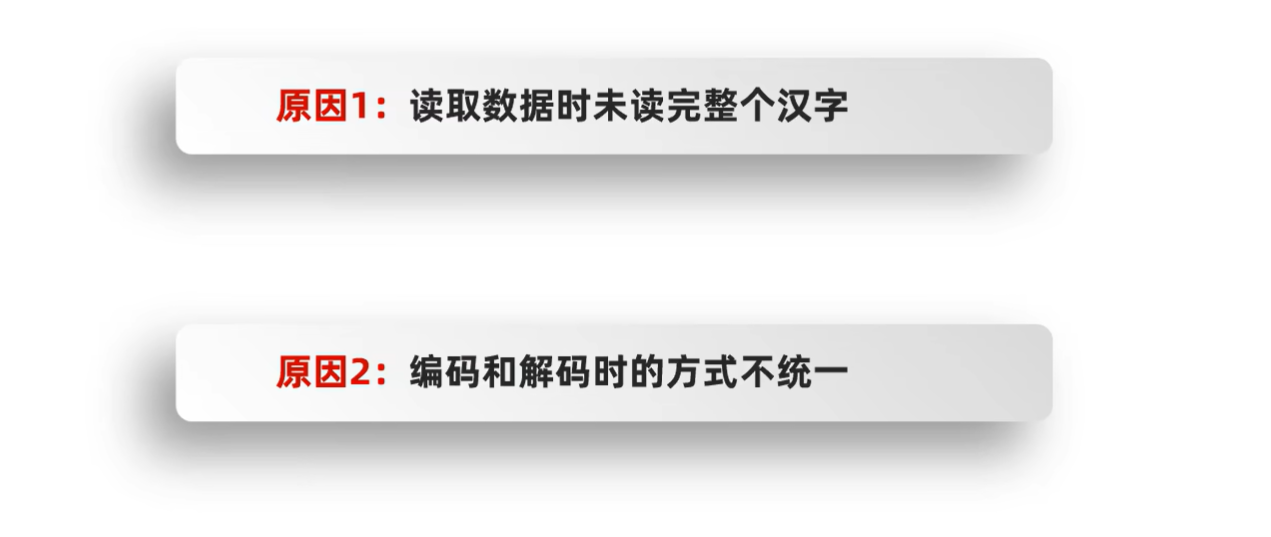
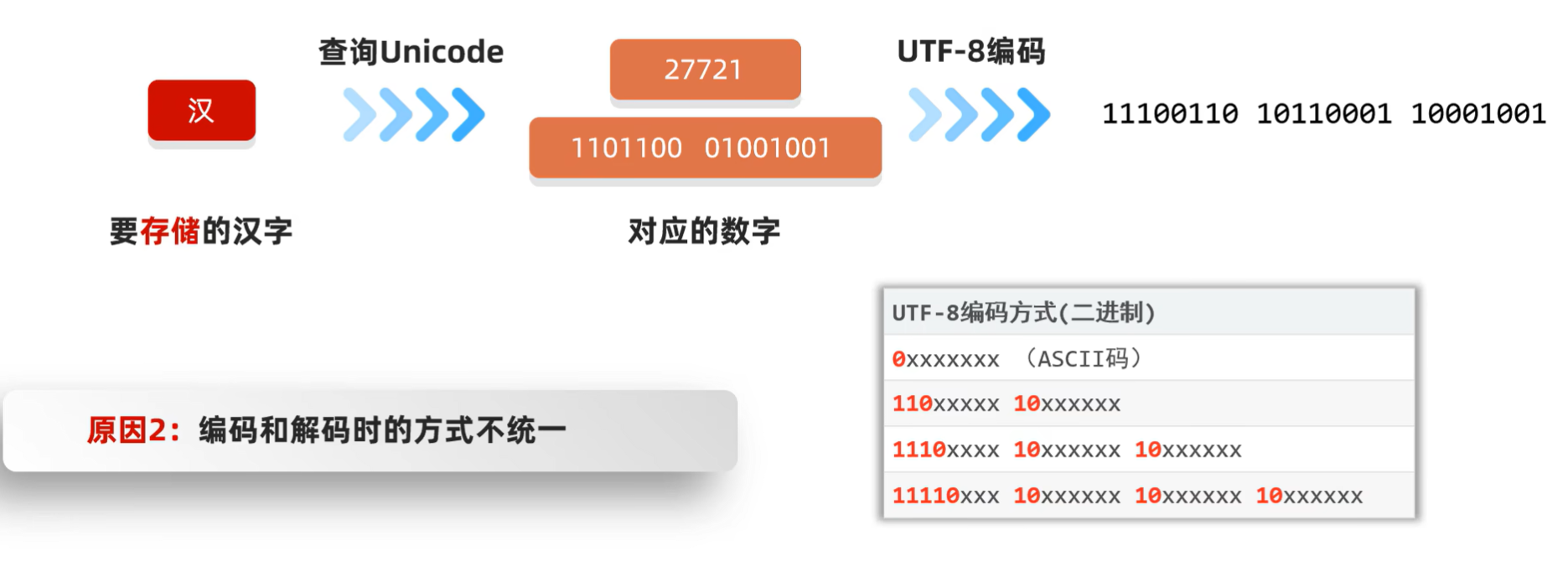
如何不产生乱码?

Java中编码和解码的代码实现
Java中编码的方法

Java中解码的方法

例如:
(源代码)
package com.itheima.mycharset;

import java.io.UnsupportedEncodingException;
import java.util.Arrays;

public class CharSetDemo1 {
    public static void main(String[] args) throws UnsupportedEncodingException {

        //1.编码
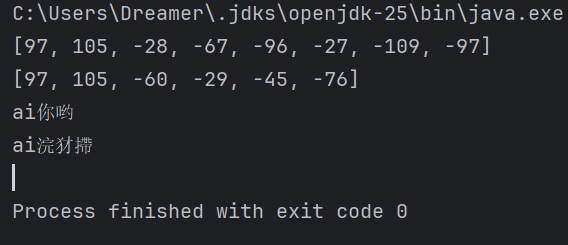
        String str = "ai你哟";
        byte[] bytes1 = str.getBytes();
        System.out.println(Arrays.toString(bytes1));//[97, 105, -28, -67, -96, -27, -109, -97]

        byte[] bytes2 = str.getBytes("GBK");
        System.out.println(Arrays.toString(bytes2));//[97, 105, -60, -29, -45, -76]

        //2.解码
        String str1 = new String(bytes1);
        System.out.println(str1);//ai你哟

        String str2 = new String(bytes1, "GBK");
        System.out.println(str2);//ai浣犲摕


    }
}
(运行结果截图)
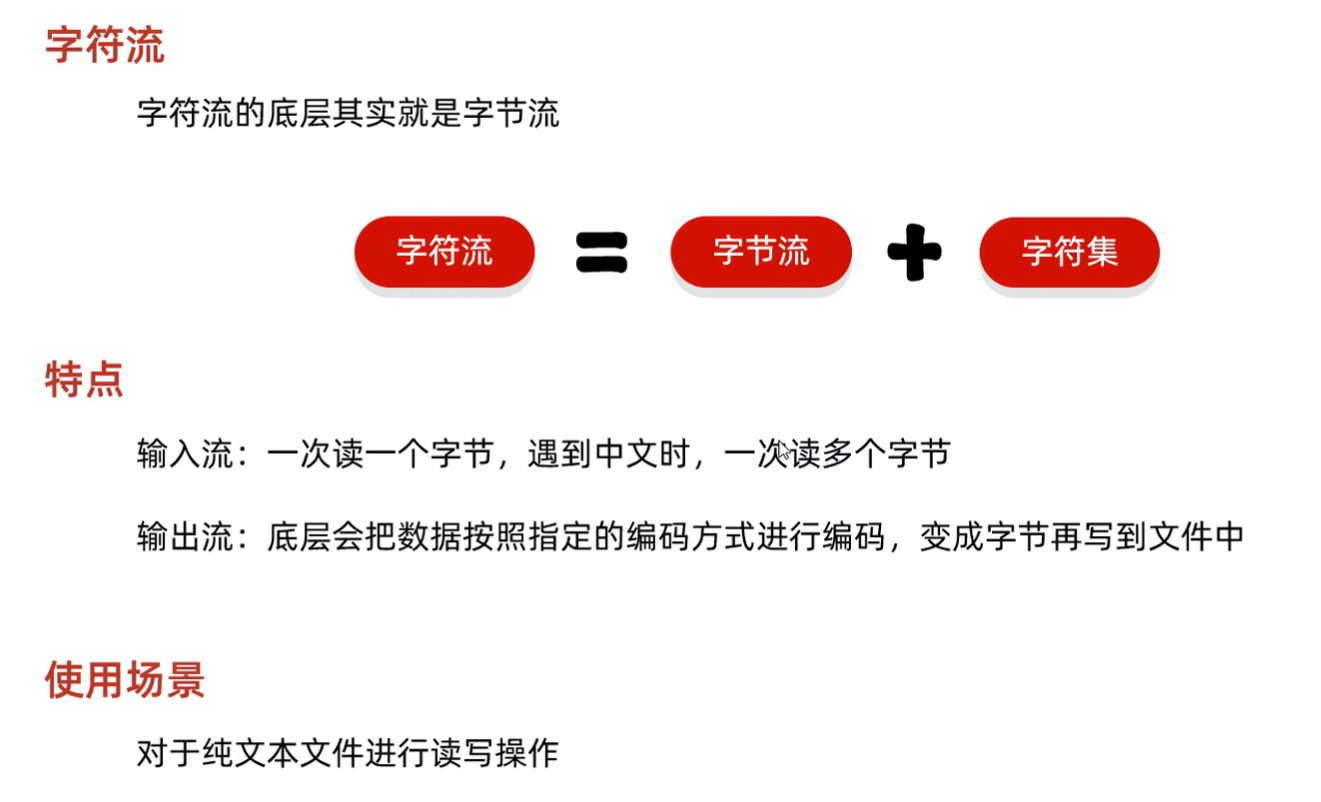
字符流
字符流
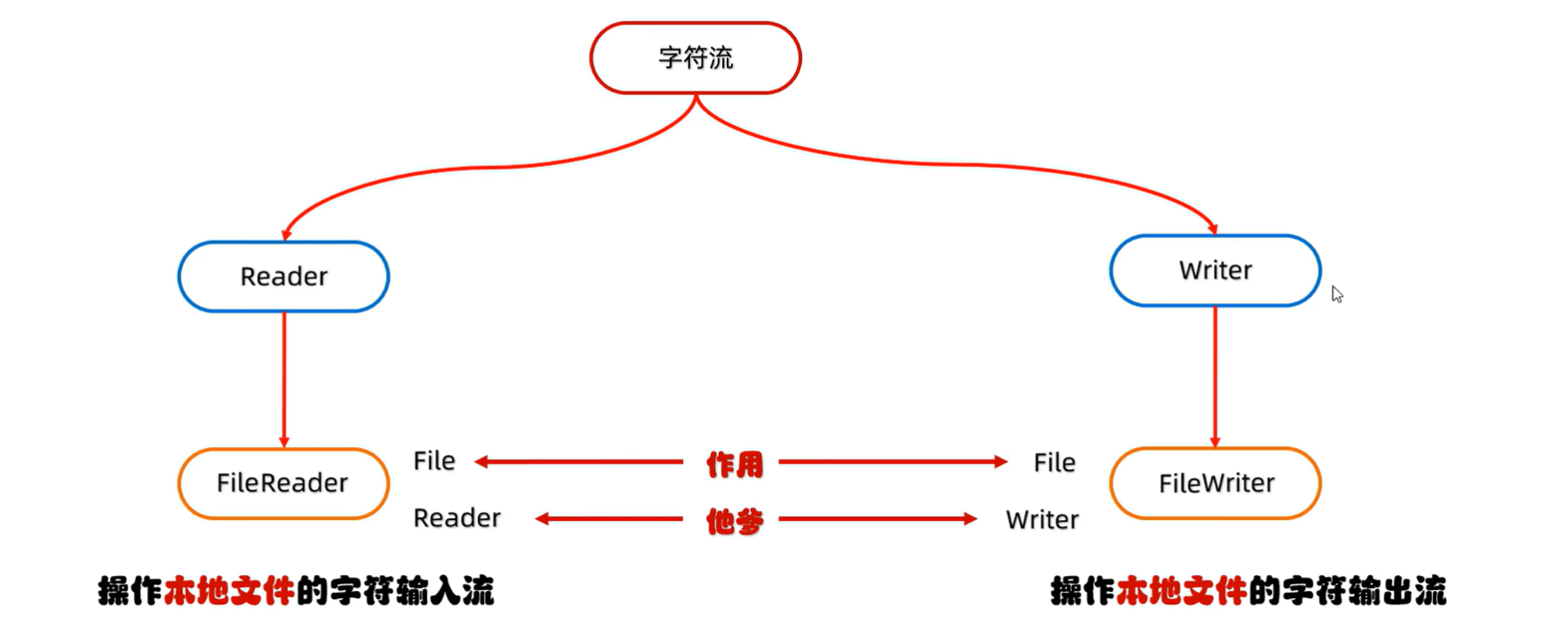
字符输出流基本用法
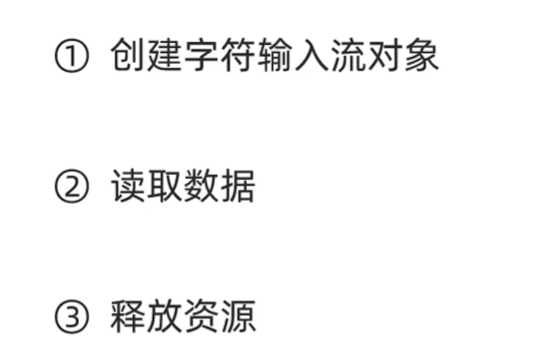
创建字符输入流对象

读取数据
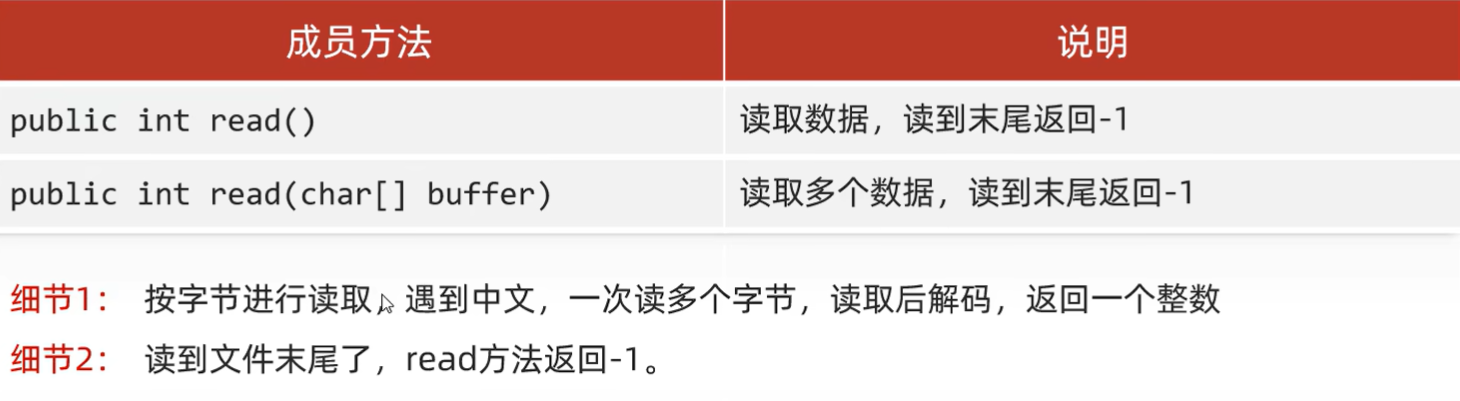
释放资源

例如:
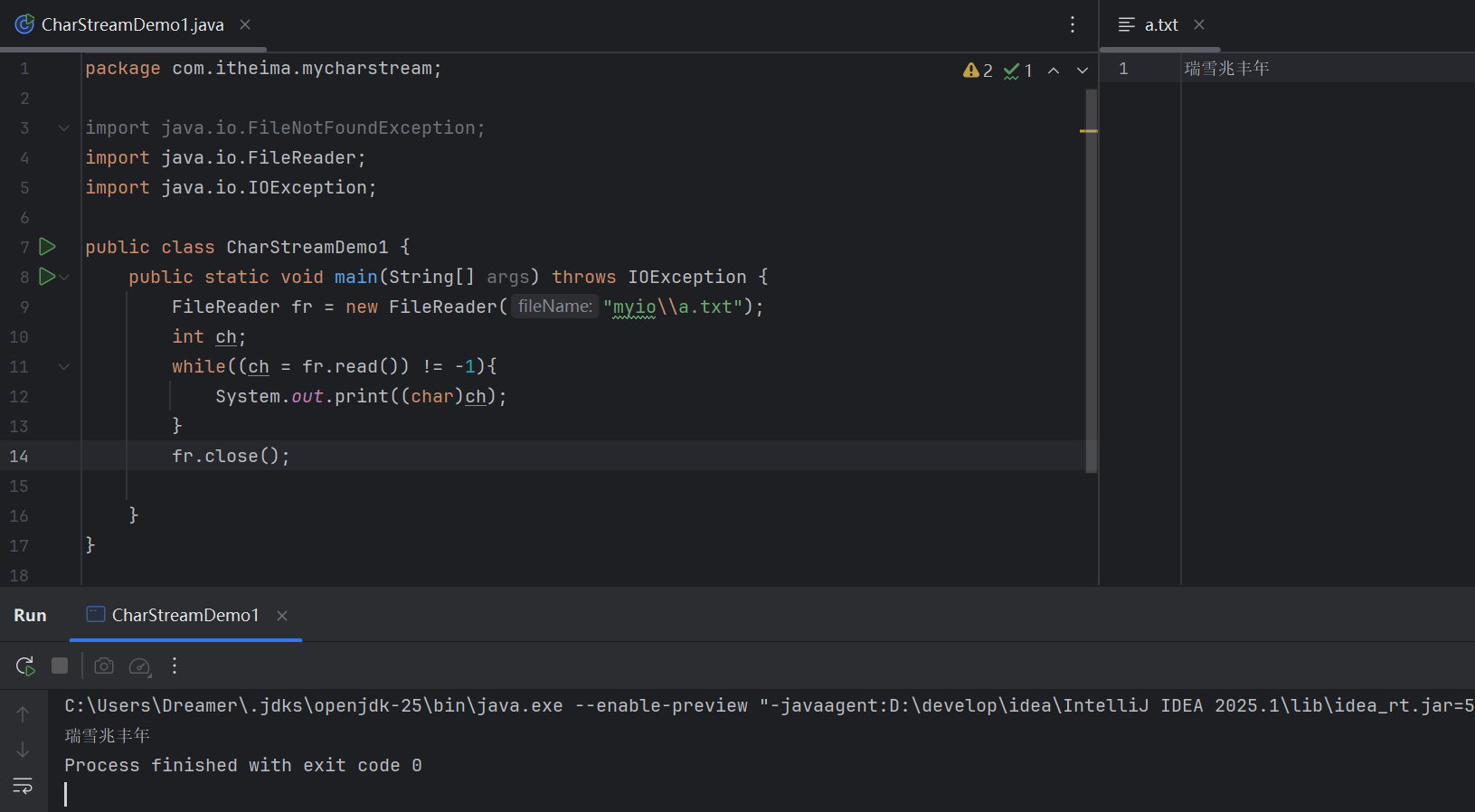
【空参Read方法详解】
(源代码)
package com.itheima.mycharstream;

import java.io.FileNotFoundException;
import java.io.FileReader;
import java.io.IOException;

public class CharStreamDemo1 {
    public static void main(String[] args) throws IOException {
        FileReader fr = new FileReader("myio\\a.txt");
        int ch;
        while((ch = fr.read()) != -1){
            System.out.print((char)ch);
        }
        fr.close();

    }
}
(运行结果截图)
【有参Read方法详解】
(源代码)
package com.itheima.mycharstream;

import java.io.FileNotFoundException;
import java.io.FileReader;
import java.io.IOException;

public class CharStreamDemo2 {
    public static void main(String[] args) throws IOException {

        FileReader fr = new FileReader("myio\\a.txt");
        char[] chrs = new char[2];
        int len;
        while((len = fr.read(chrs)) != -1){
            System.out.print(new String(chrs,0,len));
        }
        fr.close();

    }
}
(运行结果截图)

字节输入流基本用法
FileWriter构造方法
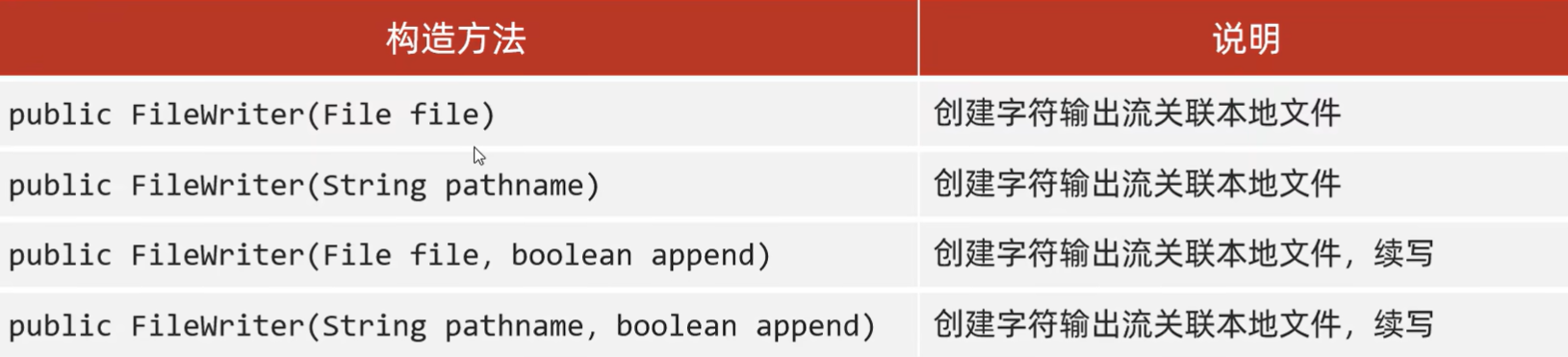
FileWriter成员方法
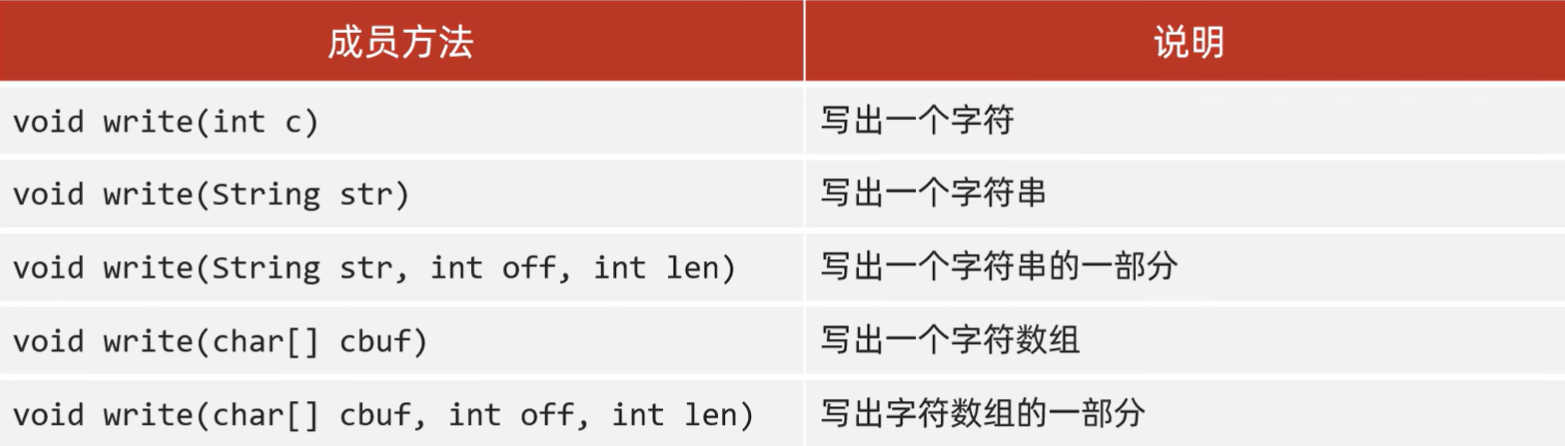
FileWriter书写细节
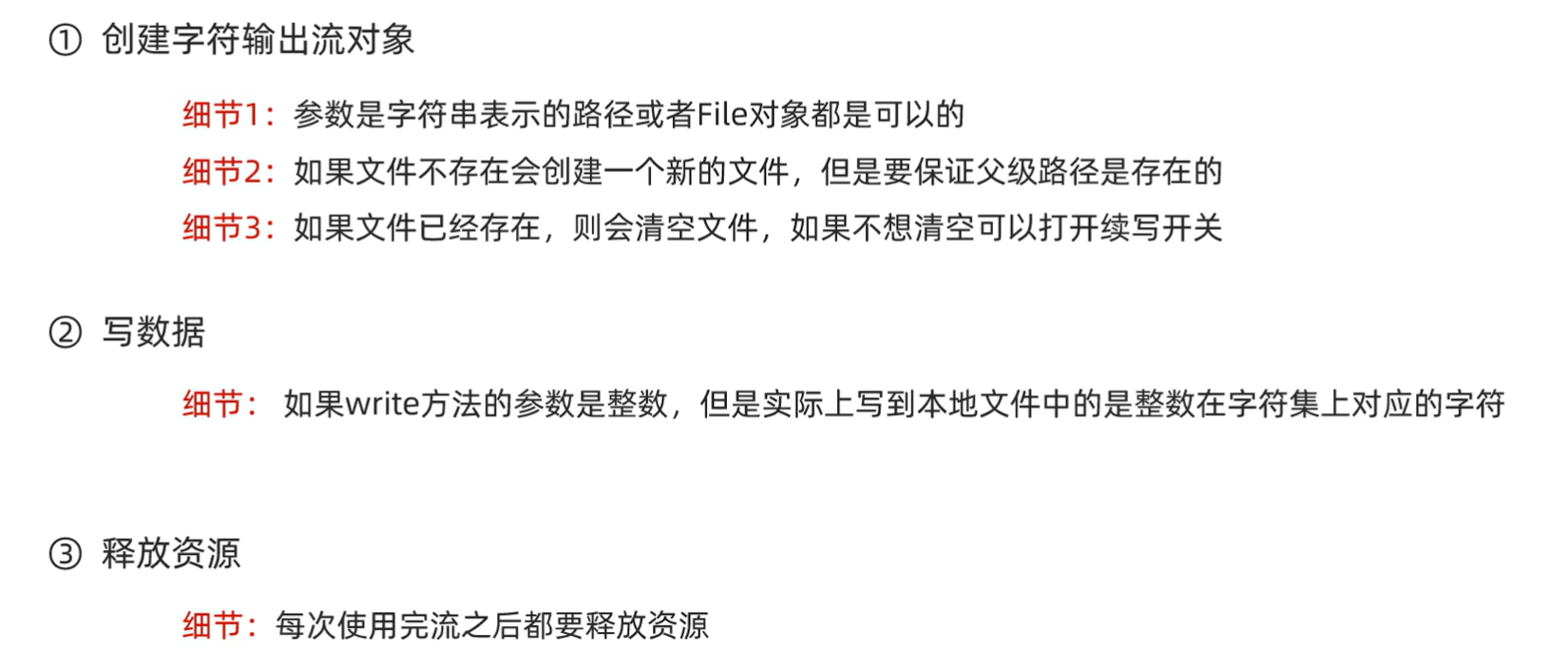
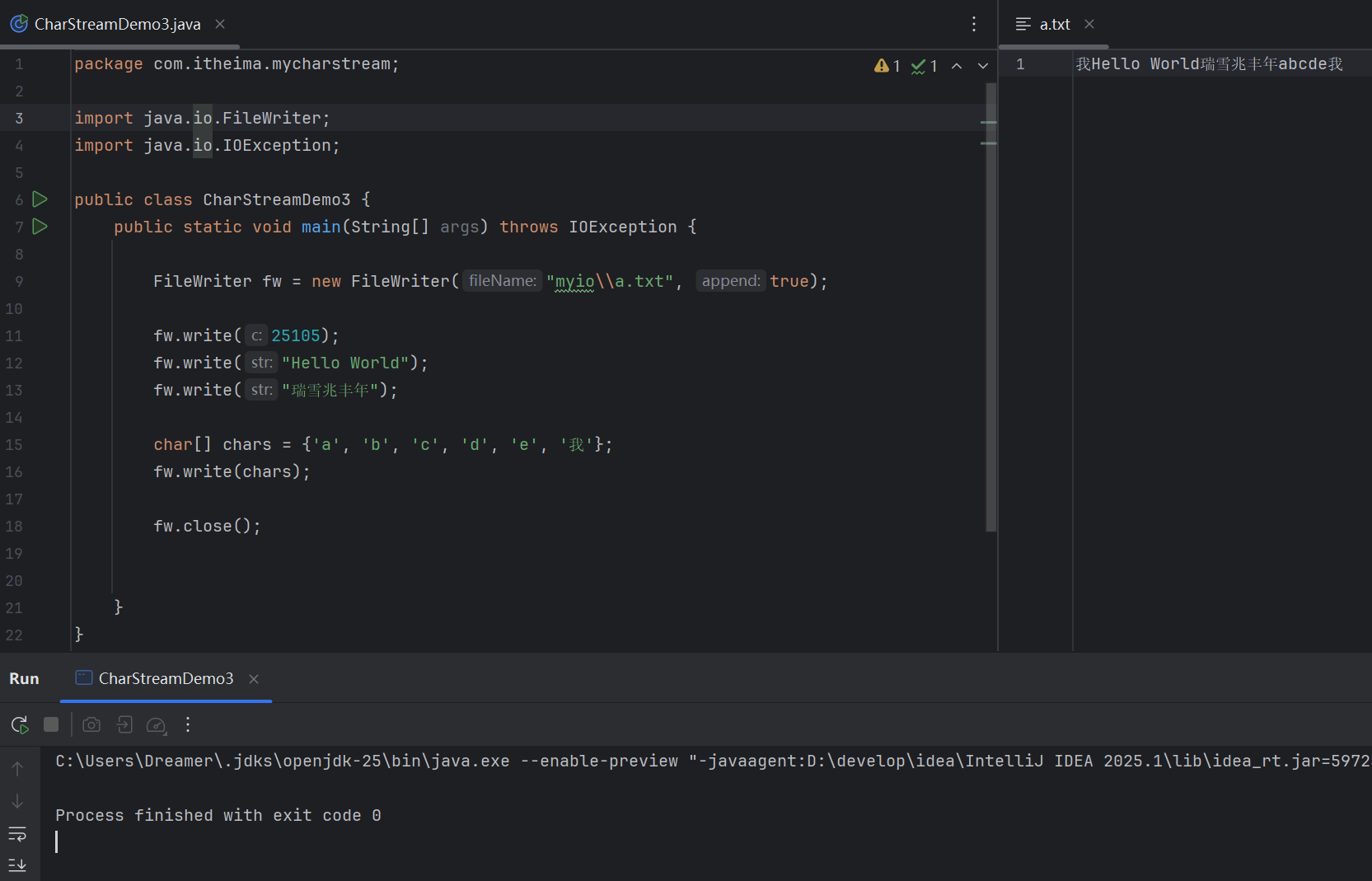
例如:
(源代码)
package com.itheima.mycharstream;

import java.io.FileWriter;
import java.io.IOException;

public class CharStreamDemo3 {
    public static void main(String[] args) throws IOException {

        FileWriter fw = new FileWriter("myio\\a.txt", true);

        fw.write(25105);
        fw.write("Hello World");
        fw.write("瑞雪兆丰年");

        char[] chars = {'a', 'b', 'c', 'd', 'e', '我'};
        fw.write(chars);

        fw.close();


    }
}
(运行结果截图)
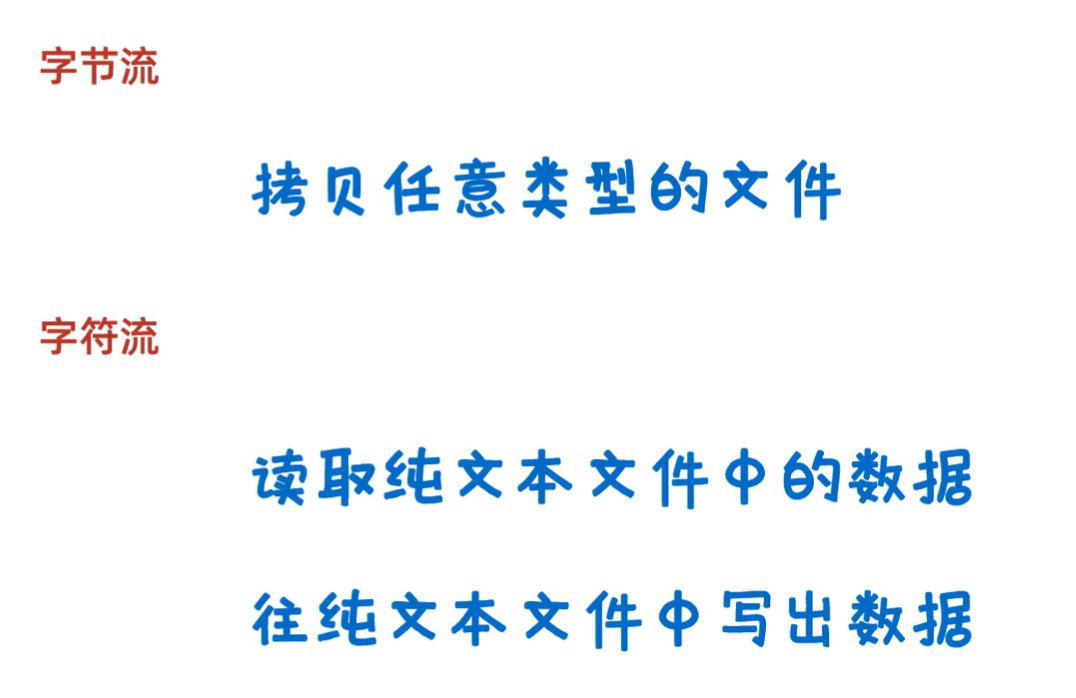
字节流和字符流的使用场景
更多推荐
 5
5 0
0- 0


 已为社区贡献9条内容

所有评论(0)