
[从0开始学Java|第二十九天]IO流(其他流)
·
IO流体系
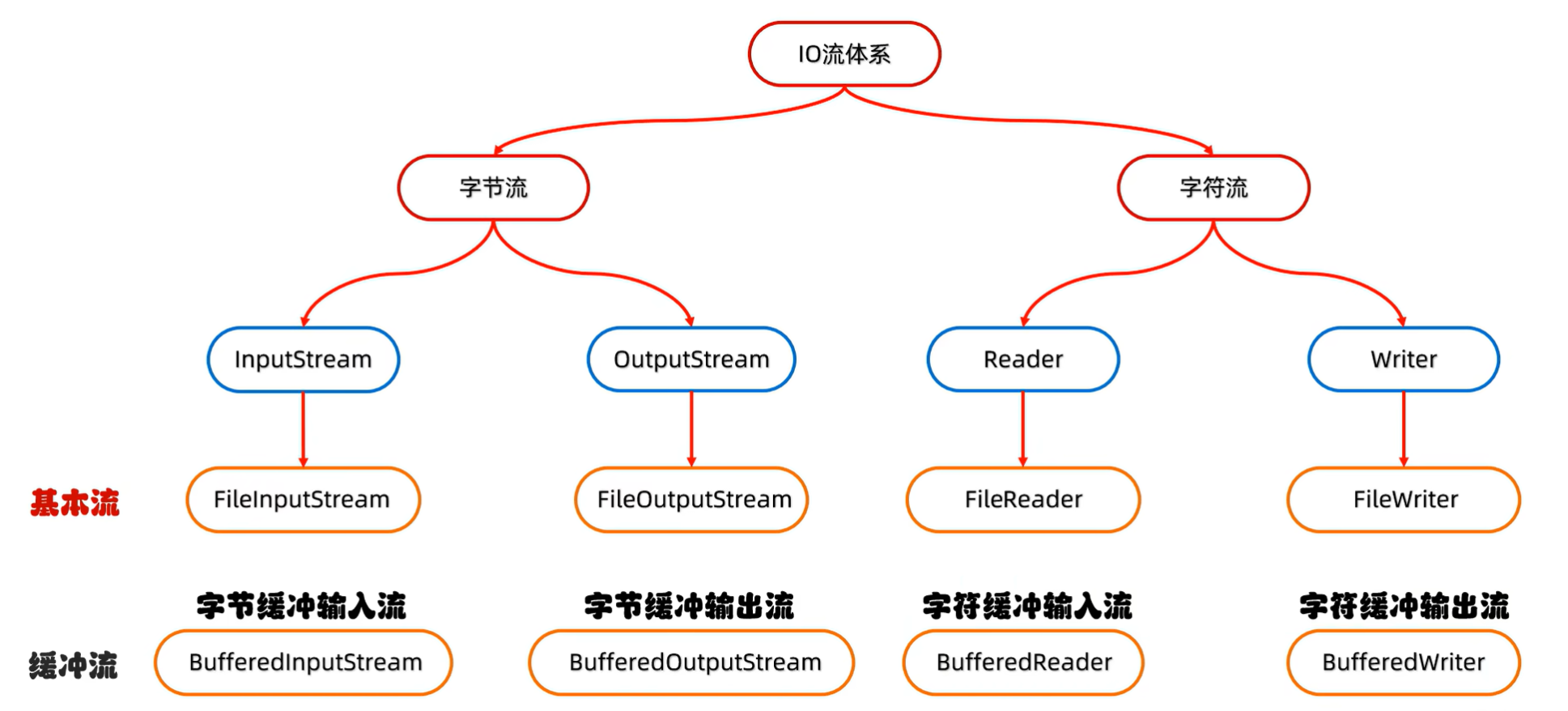
缓冲流
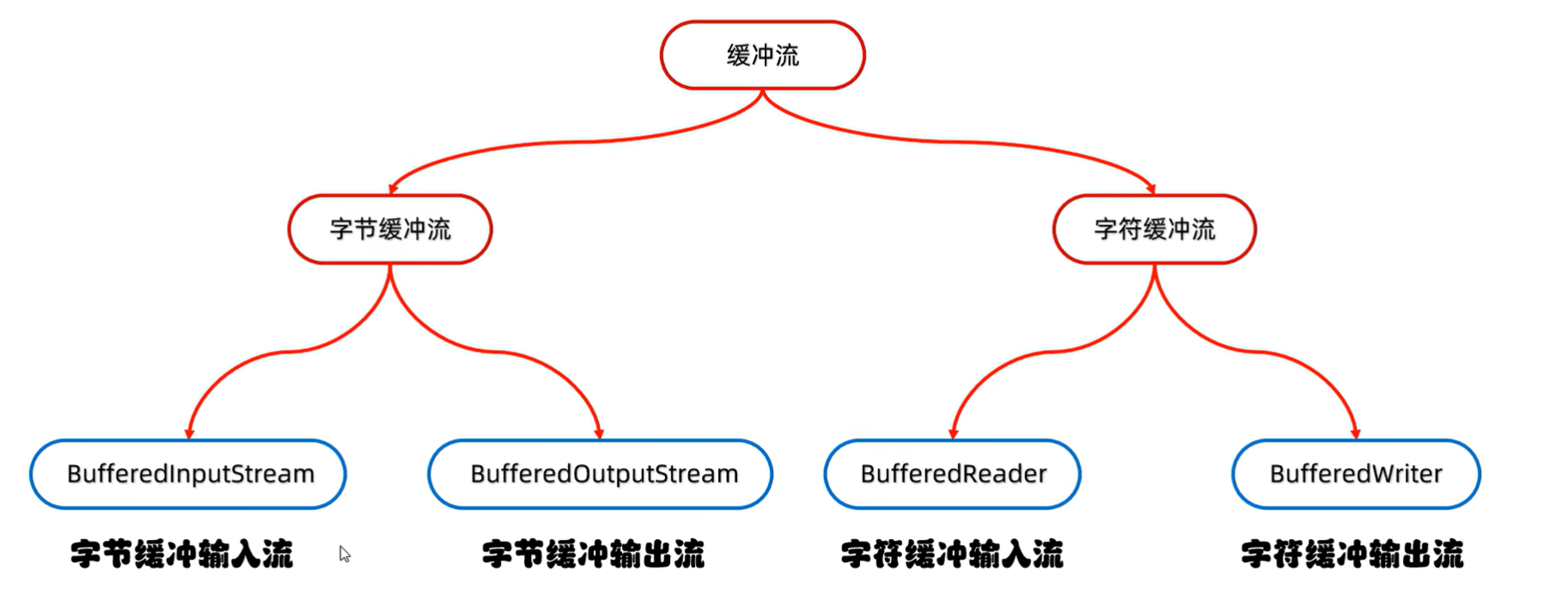
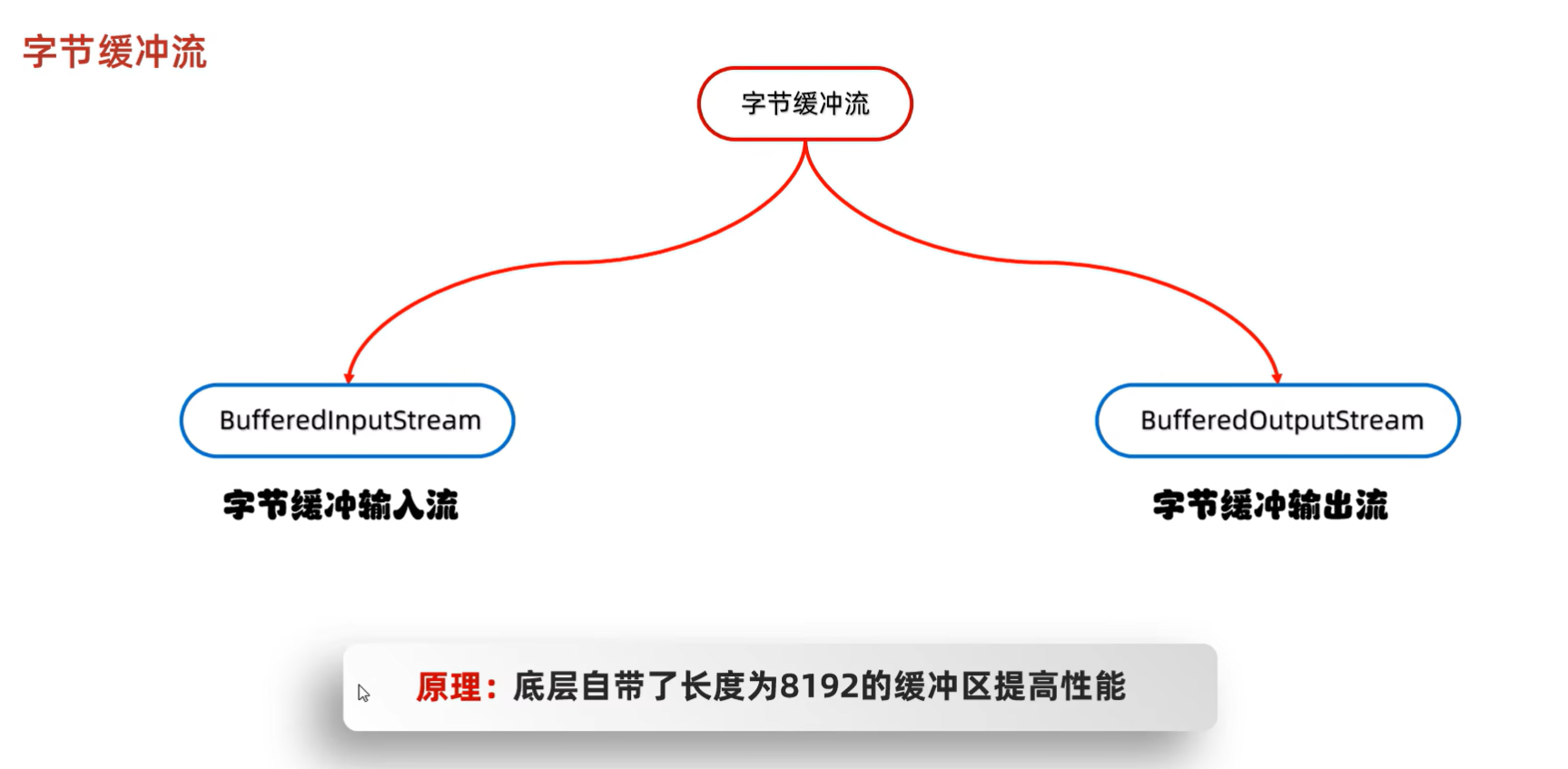
字节缓冲流
字节缓冲流构造方法

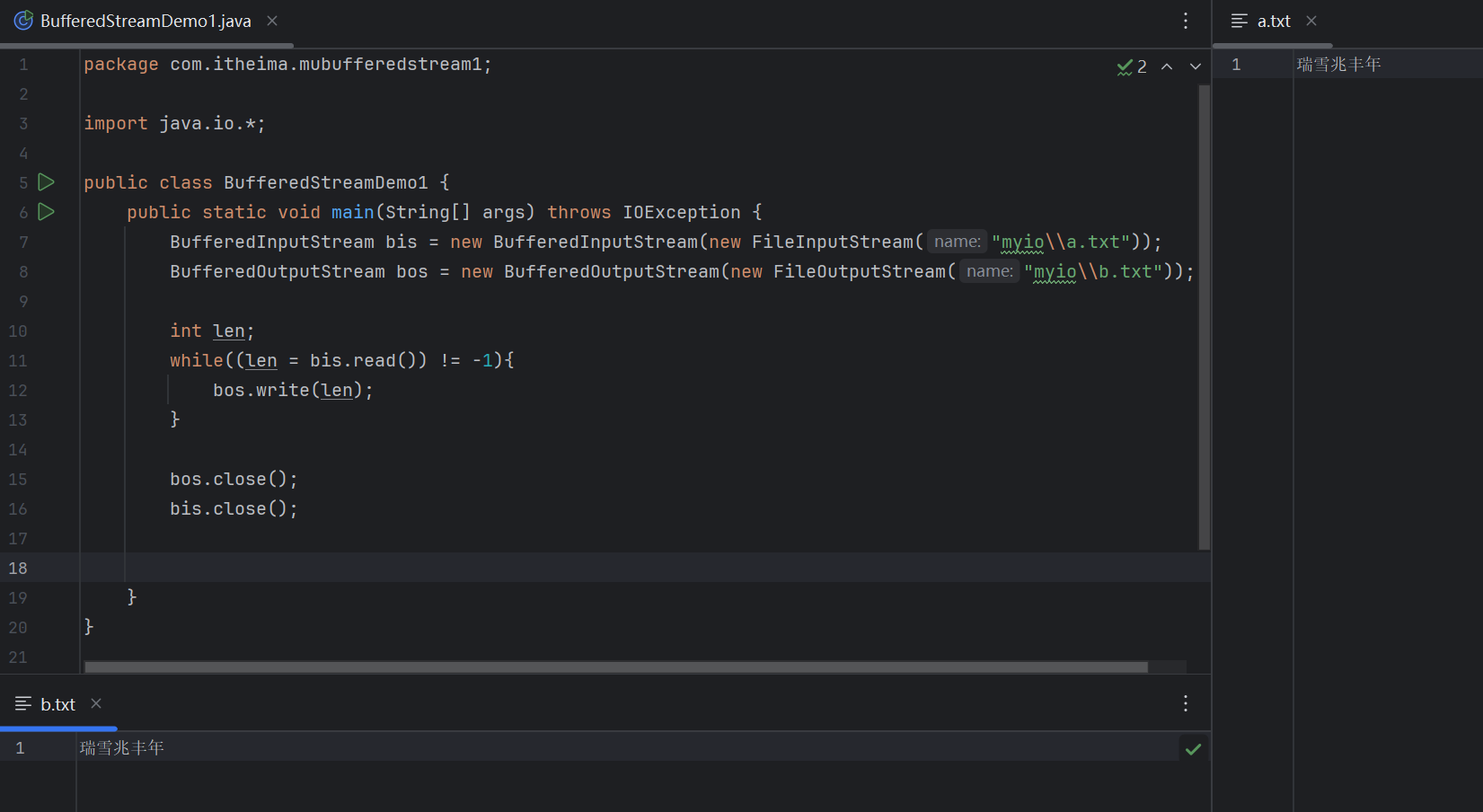
字节缓冲流拷贝文件(一次读写一个字节)
(源代码)
package com.itheima.mubufferedstream1;

import java.io.*;

public class BufferedStreamDemo1 {
    public static void main(String[] args) throws IOException {
        BufferedInputStream bis = new BufferedInputStream(new FileInputStream("myio\\a.txt"));
        BufferedOutputStream bos = new BufferedOutputStream(new FileOutputStream("myio\\b.txt"));

        int len;
        while((len = bis.read()) != -1){
            bos.write(len);
        }

        bos.close();
        bis.close();


    }
}
(运行结果截图)
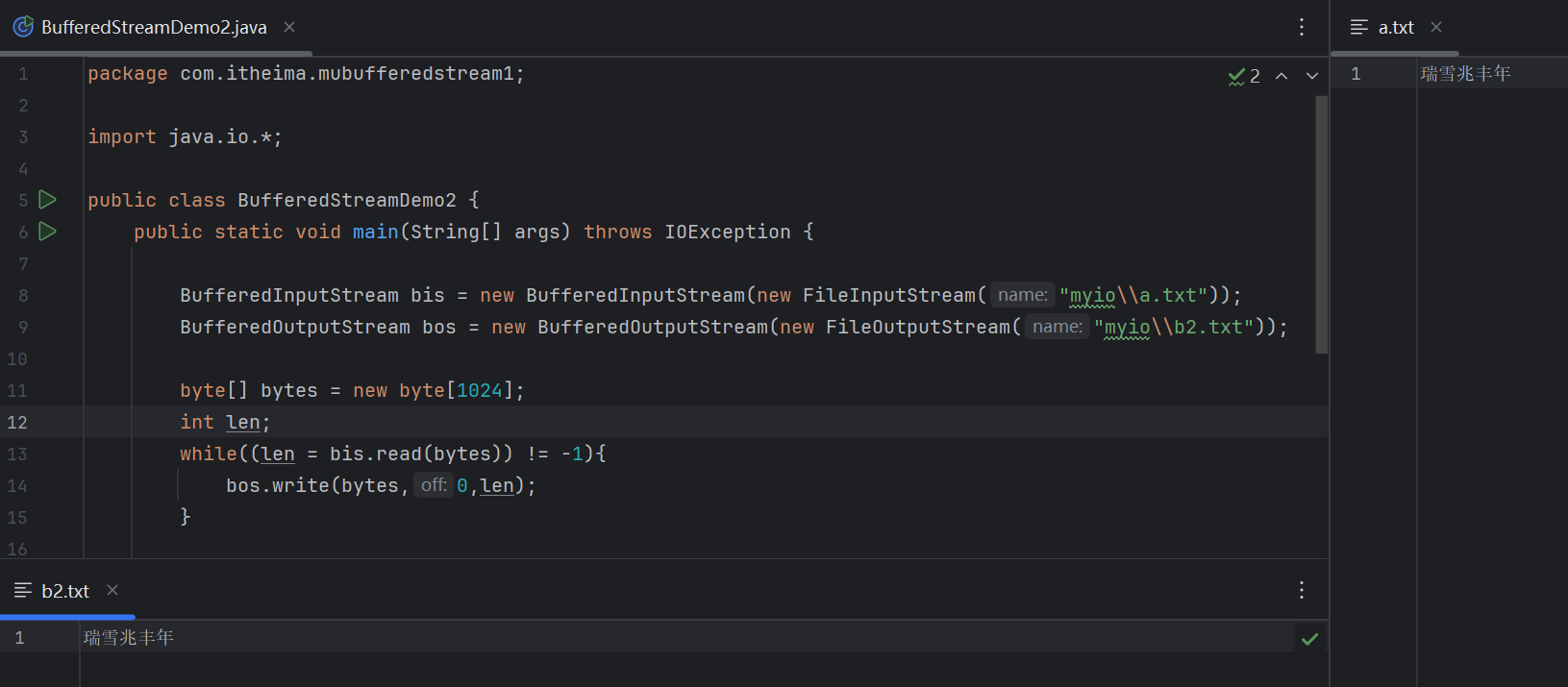
字节缓冲流拷贝文件(一次读写一个字节数组)
(源代码)
package com.itheima.mubufferedstream1;

import java.io.*;

public class BufferedStreamDemo2 {
    public static void main(String[] args) throws IOException {

        BufferedInputStream bis = new BufferedInputStream(new FileInputStream("myio\\a.txt"));
        BufferedOutputStream bos = new BufferedOutputStream(new FileOutputStream("myio\\b2.txt"));

        byte[] bytes = new byte[1024];
        int len;
        while((len = bis.read(bytes)) != -1){
            bos.write(bytes,0,len);
        }

        bos.close();
        bis.close();


    }
}
(运行结果截图)
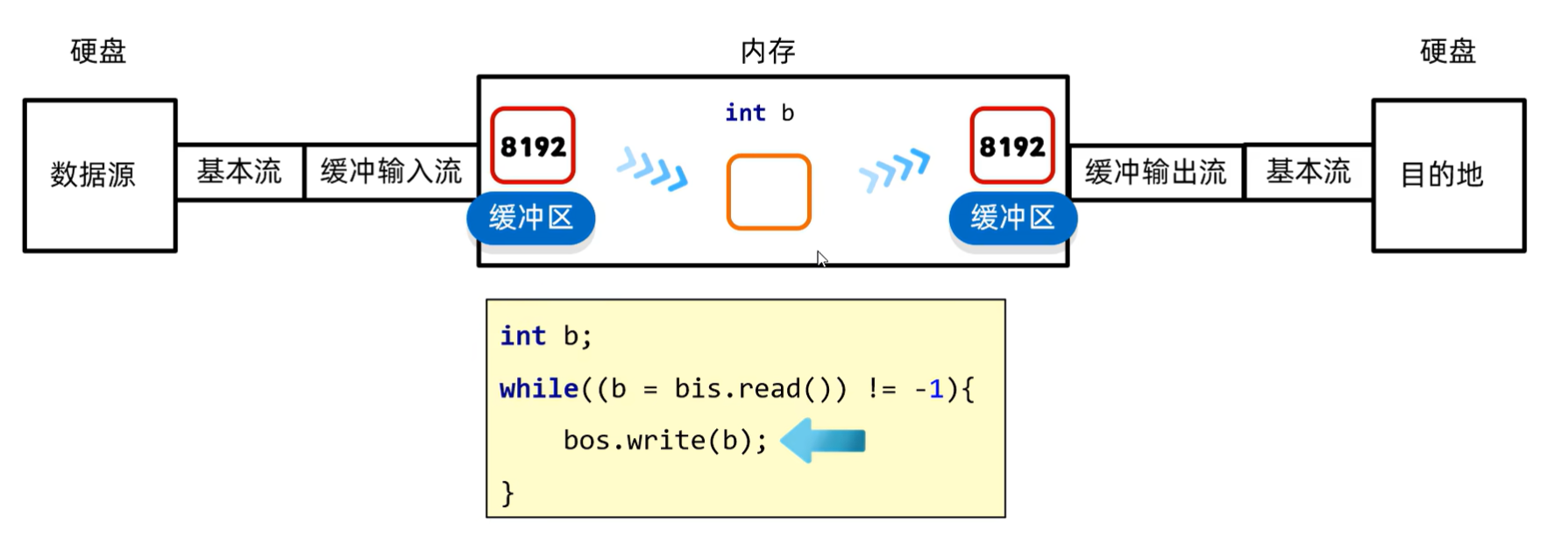
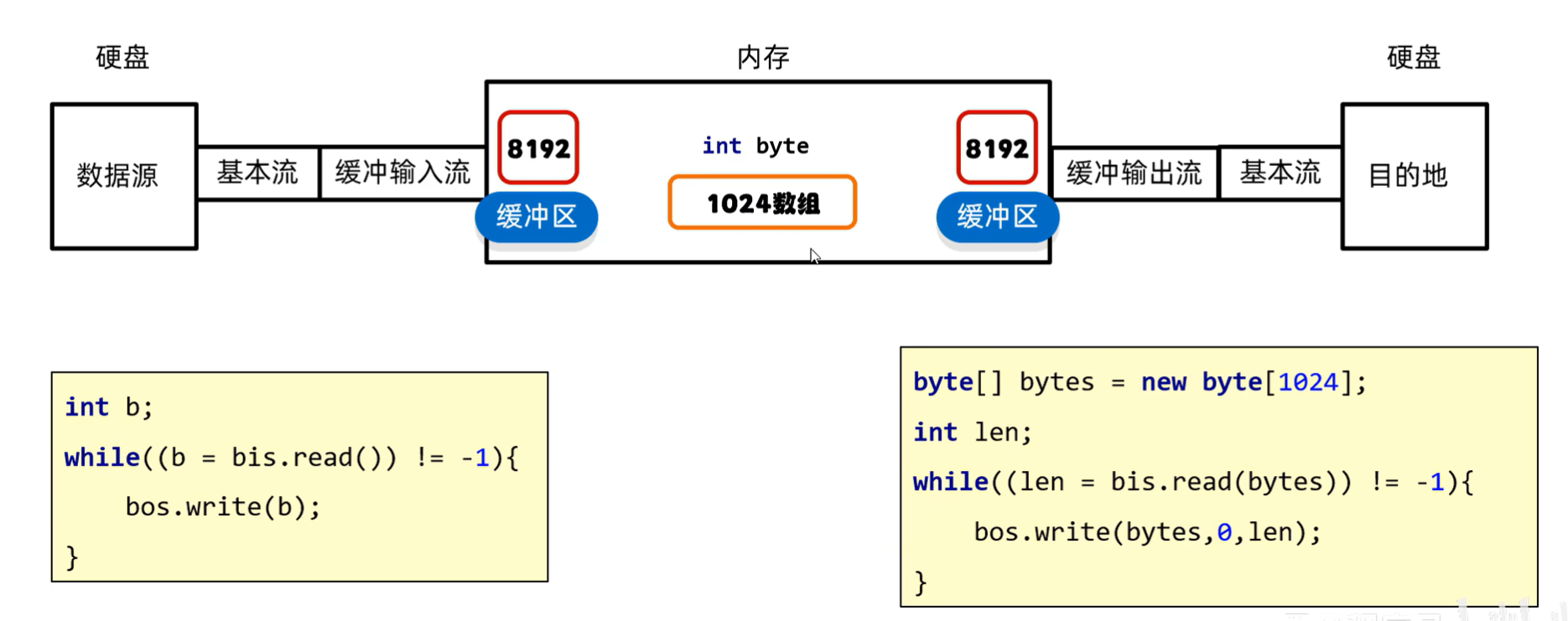
字节缓冲流的读写原理
字符缓冲流
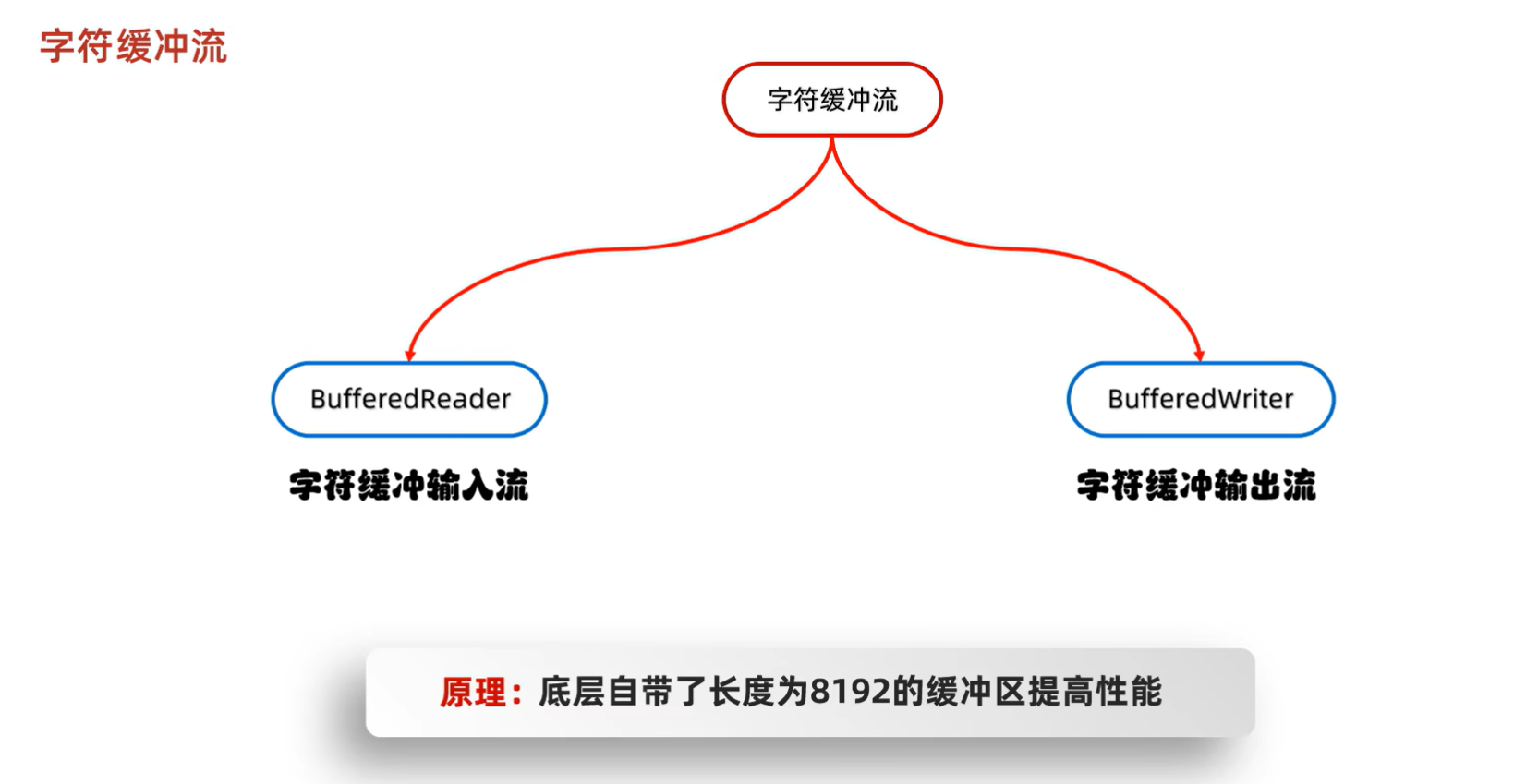
字符缓冲流构造方法

字符缓冲流特有方法
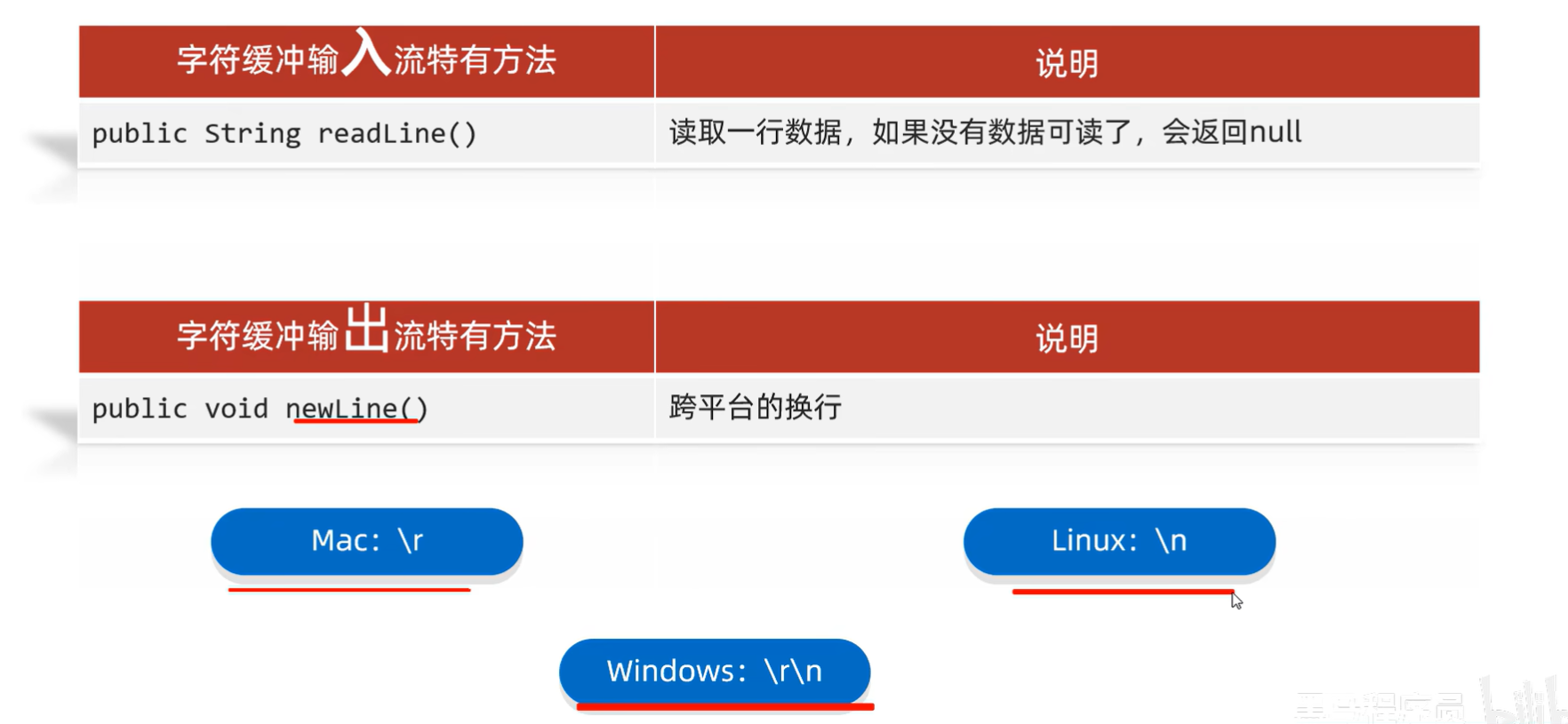
【字节输入流特有方法】
例如:
(源代码)
package com.itheima.mubufferedstream1;

import java.io.BufferedReader;
import java.io.FileNotFoundException;
import java.io.FileReader;
import java.io.IOException;

public class BufferedStreamDemo3 {
    public static void main(String[] args) throws IOException {
        BufferedReader br = new BufferedReader(new FileReader("myio\\a.txt"));
        String str1 = br.readLine();
        System.out.println(str1);

        String str2 = br.readLine();
        System.out.println(str2);
        System.out.println("-------------------------------");

        String line;
        while((line = br.readLine()) != null){
            System.out.println(line);
        }

        br.close();


    }
}
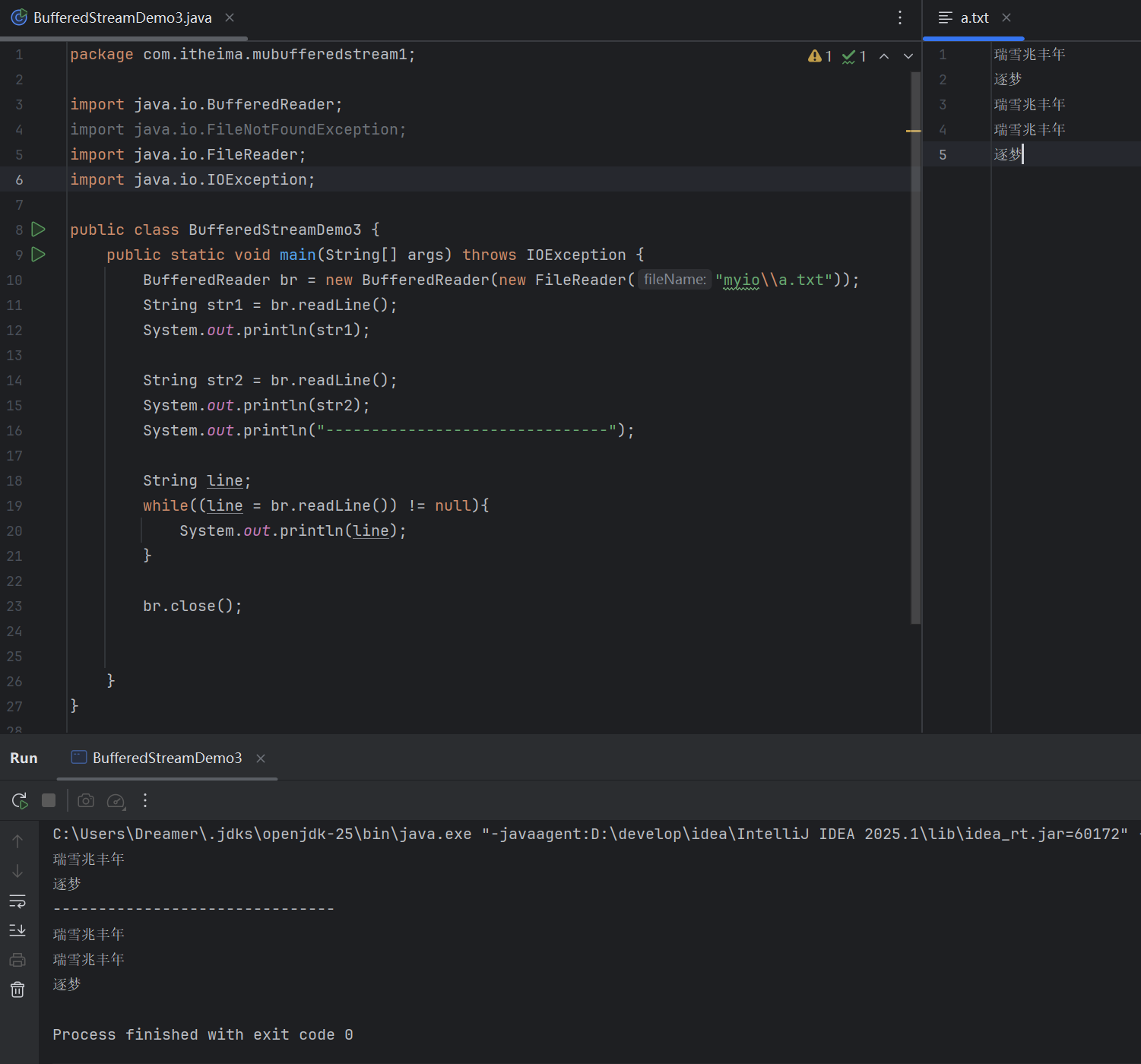
(运行结果截图)
【字节输出流特有方法】
例如:
(源代码)
package com.itheima.mubufferedstream1;

import java.io.BufferedReader;
import java.io.FileNotFoundException;
import java.io.FileReader;
import java.io.IOException;

public class BufferedStreamDemo3 {
    public static void main(String[] args) throws IOException {
        BufferedReader br = new BufferedReader(new FileReader("myio\\a.txt"));
        String str1 = br.readLine();
        System.out.println(str1);

        String str2 = br.readLine();
        System.out.println(str2);
        System.out.println("-------------------------------");

        String line;
        while((line = br.readLine()) != null){
            System.out.println(line);
        }

        br.close();


    }
}
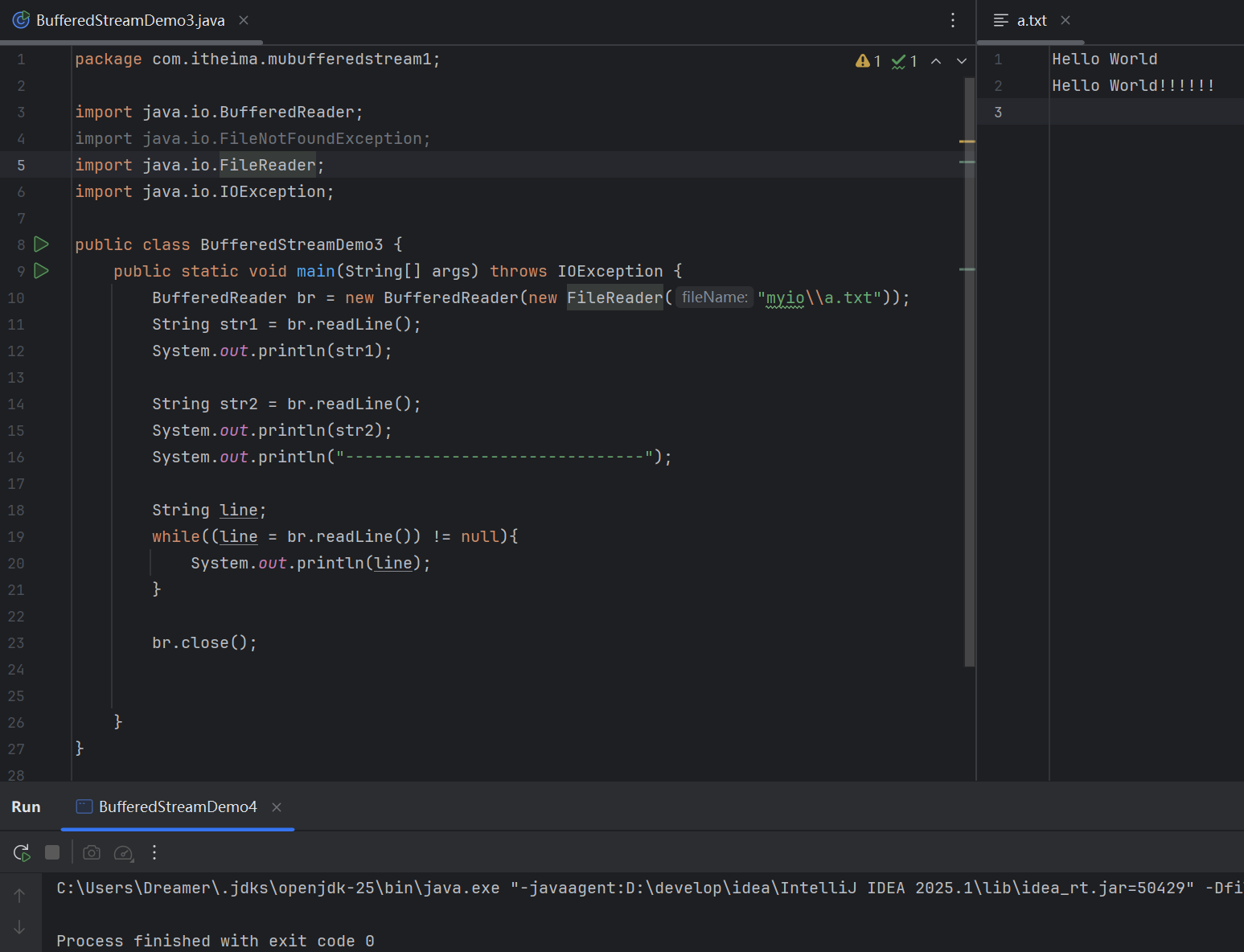
(运行结果截图)
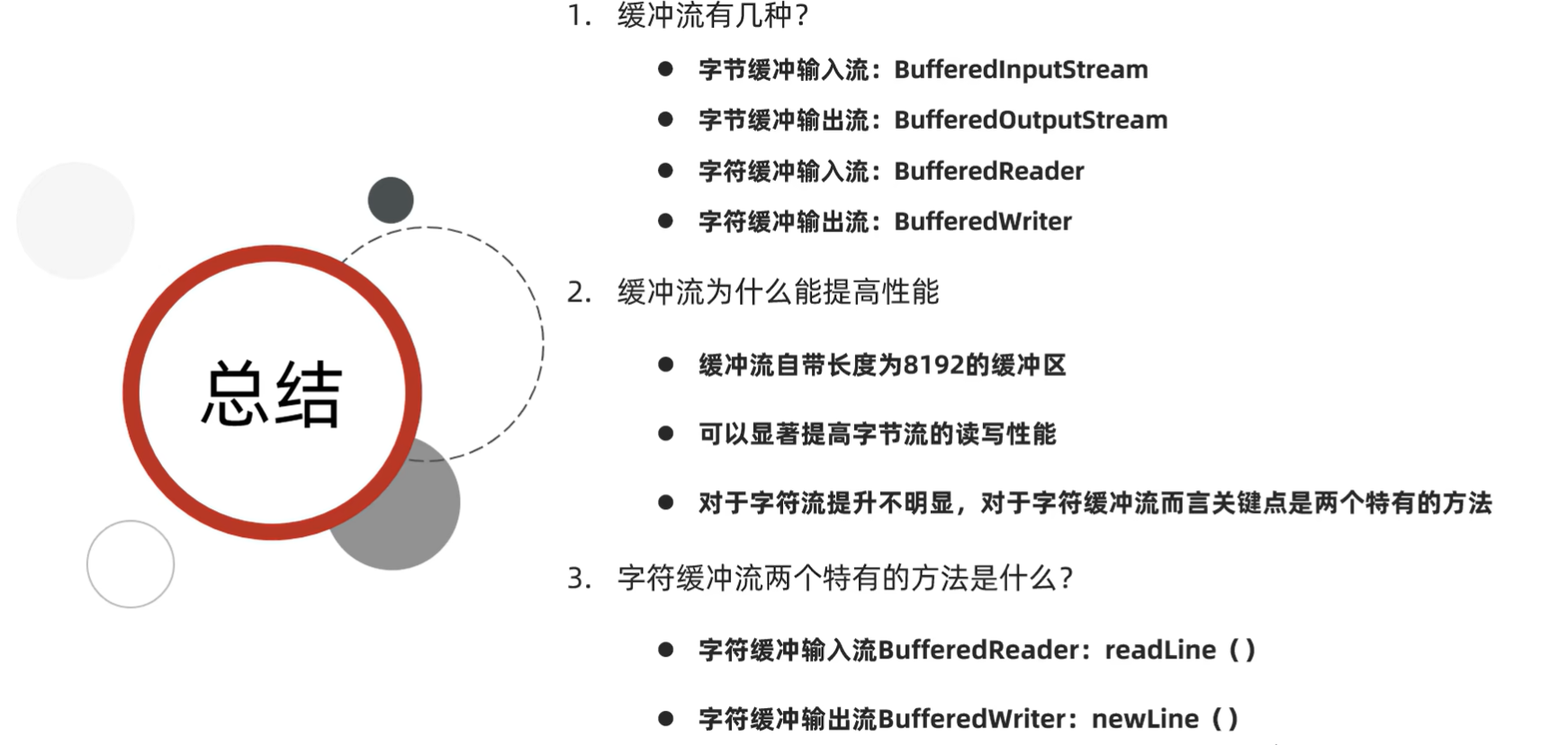
总结
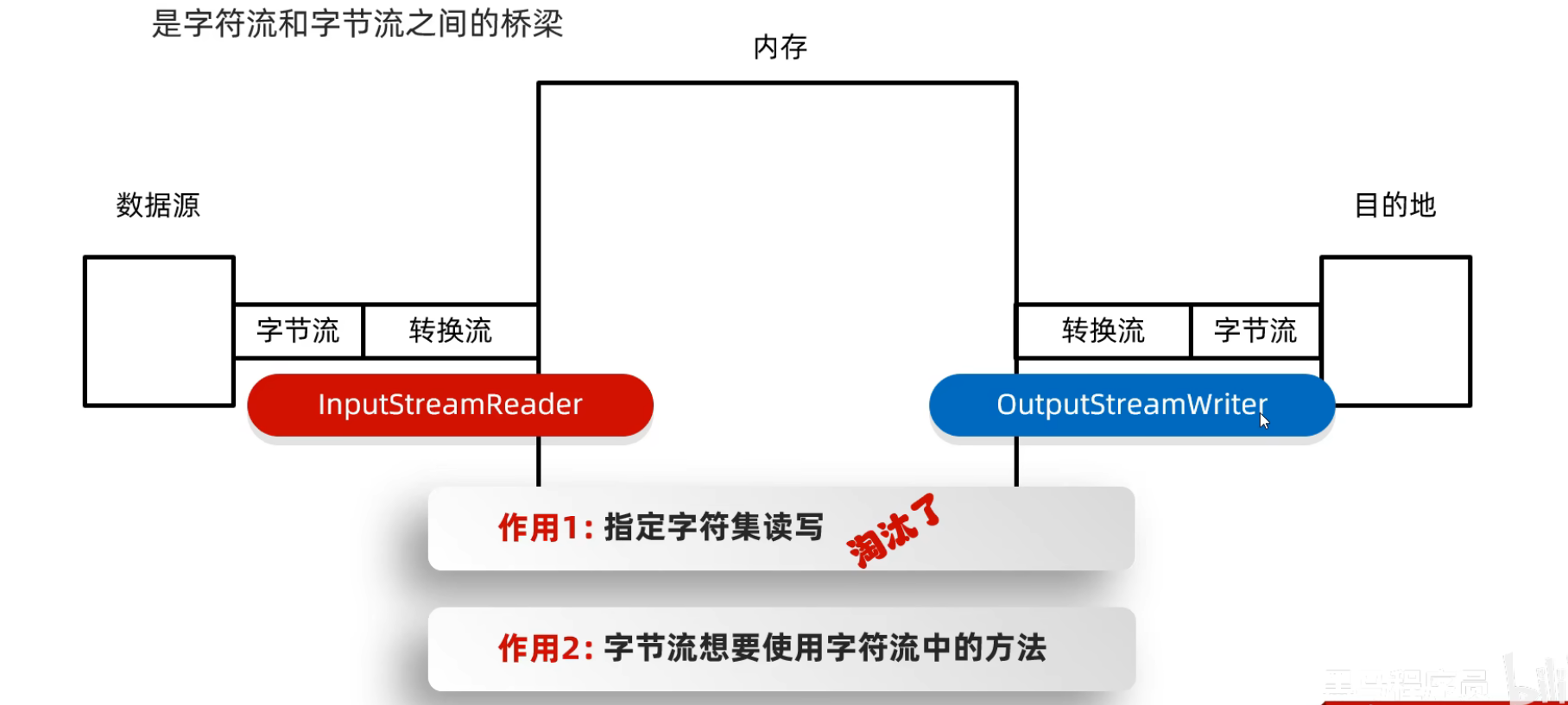
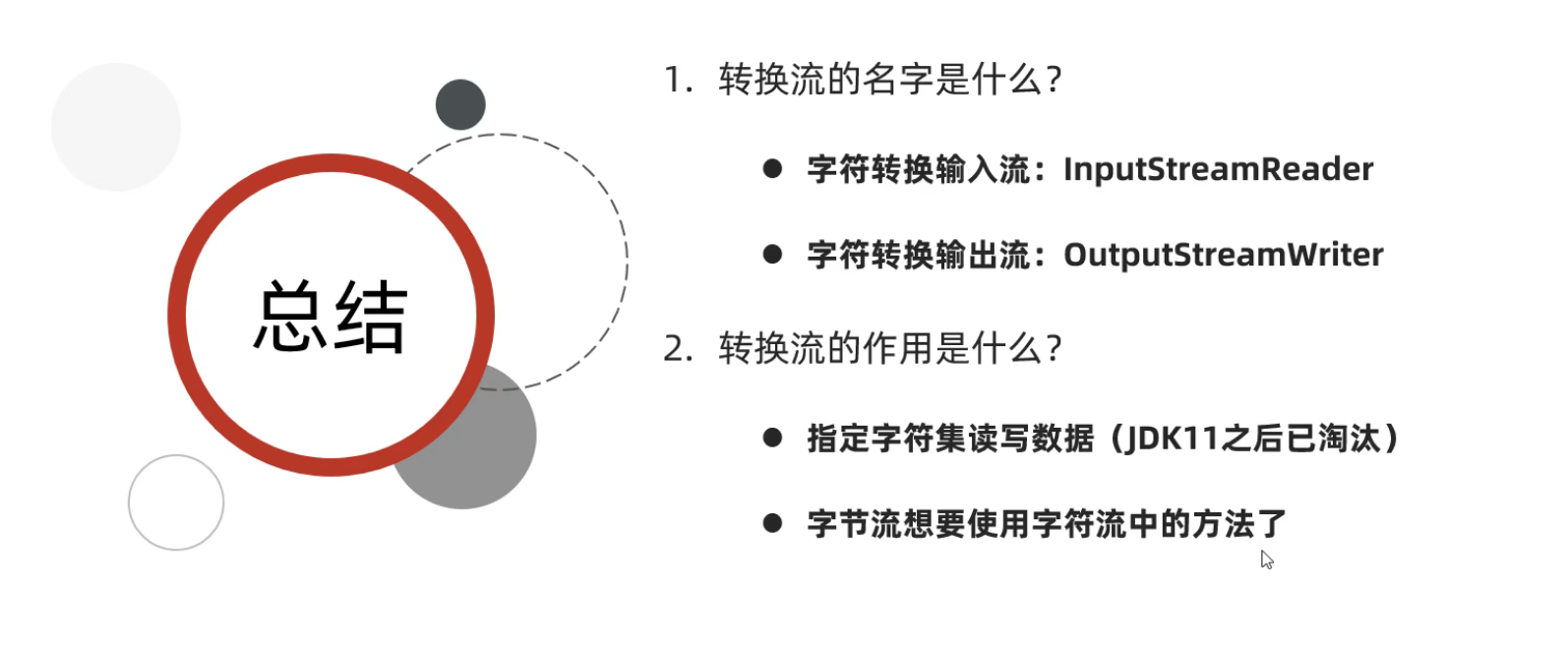
转换流
什么是转换流
步骤:转换文件编码
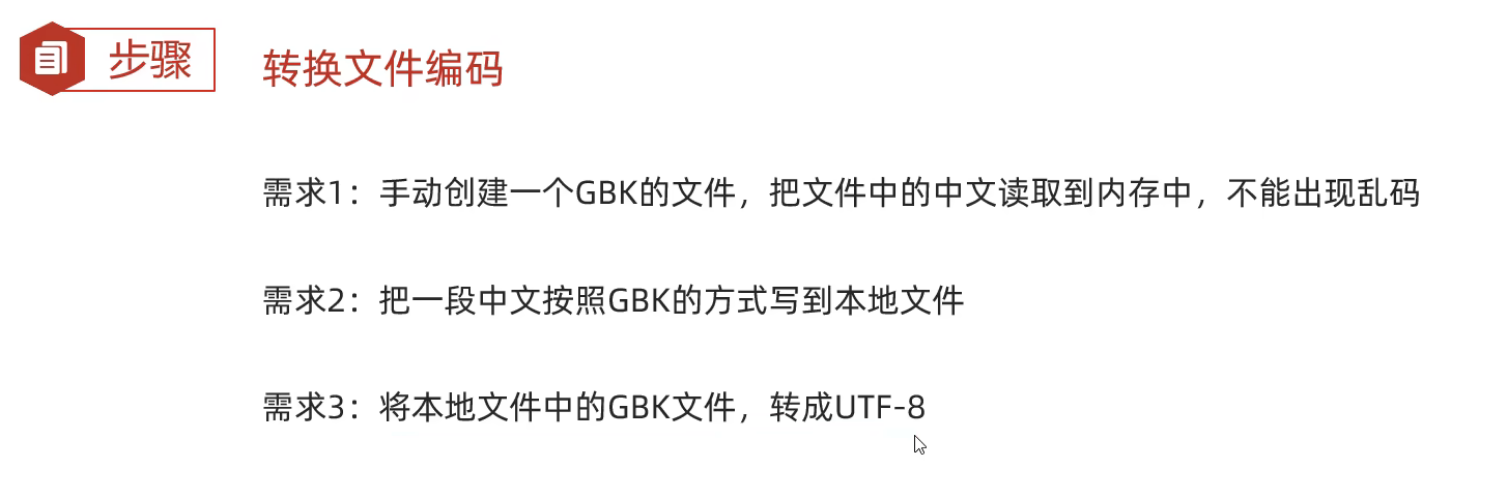
需求1:
(源代码)
package com.itheima.myconvertstream;

import java.io.*;
import java.nio.charset.Charset;

public class ConvertStreamDemo1 {
    public static void main(String[] args) throws IOException {

        //方法已经淘汰
        InputStreamReader isr =new InputStreamReader(new FileInputStream("myio\\gbkfile.txt"),"GBK");
        int ch1;
        while((ch1 = isr.read()) != -1){
            System.out.print((char)ch1);
        }
        isr.close();

        System.out.println();
        System.out.println("--------------------------");

        FileReader fr = new FileReader("myio\\gbkfile.txt", Charset.forName("GBK"));
        int ch2;
        while((ch2 = fr.read()) != -1){
            System.out.print((char)ch2);
        }
        fr.close();


    }
}
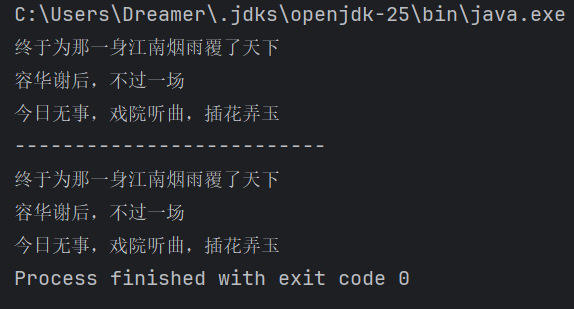
(运行结果截图)
需求2:
package com.itheima.myconvertstream;

import java.io.*;
import java.nio.charset.Charset;

public class ConvertStreamDemo2 {
    public static void main(String[] args) throws IOException {
        //已经淘汰
        OutputStreamWriter osw = new OutputStreamWriter(new FileOutputStream("myio\\b.txt"),"GBK");
        osw.write("你好你好你好");
        osw.close();

        System.out.println();
        System.out.println("--------------------------");

        FileWriter fw = new FileWriter("myio\\b.txt", Charset.forName("GBK"));
        fw.write("你好你好你好");
        fw.close();

    }
}
需求3:
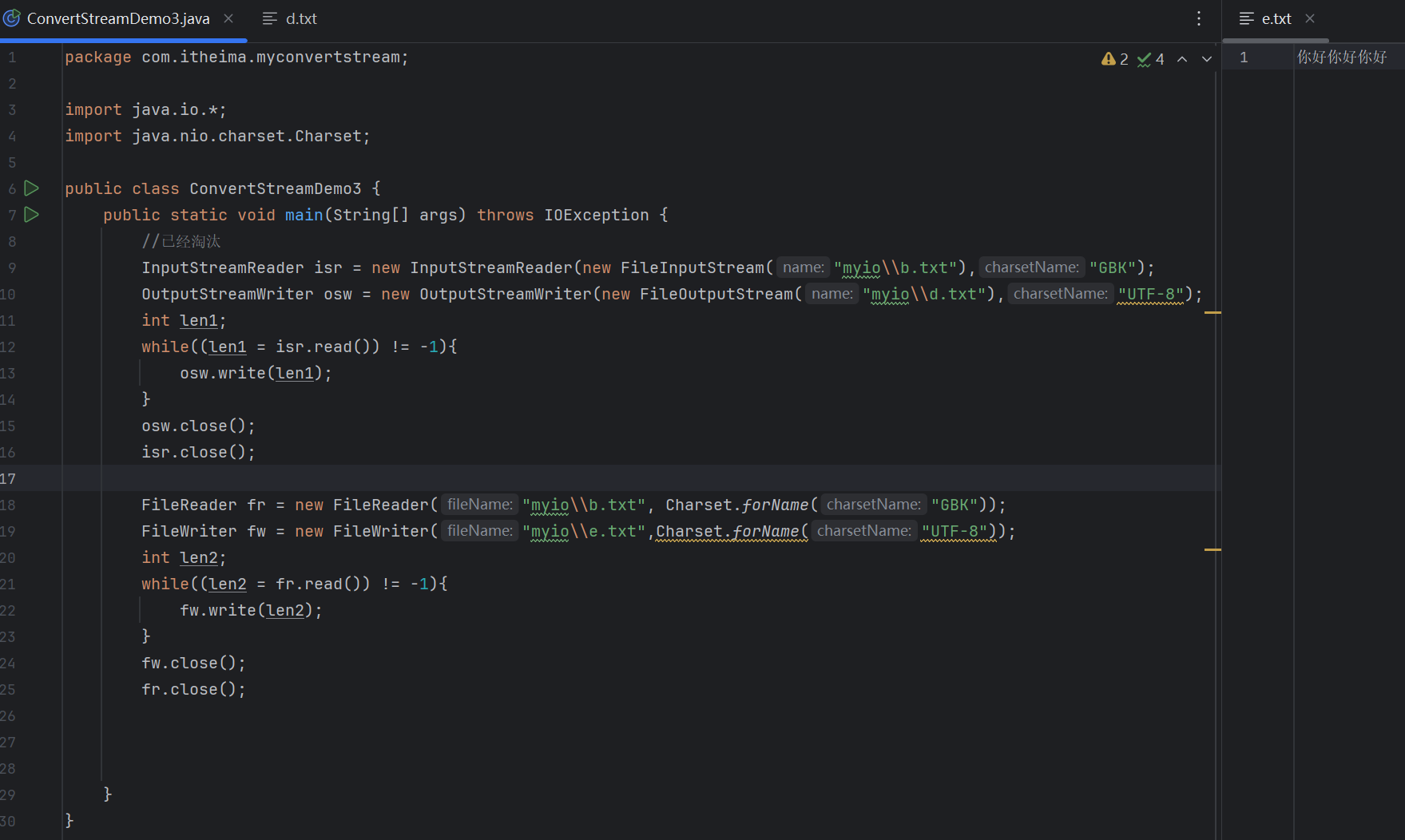
(源代码)
package com.itheima.myconvertstream;

import java.io.*;
import java.nio.charset.Charset;

public class ConvertStreamDemo3 {
    public static void main(String[] args) throws IOException {
        //已经淘汰
        InputStreamReader isr = new InputStreamReader(new FileInputStream("myio\\b.txt"),"GBK");
        OutputStreamWriter osw = new OutputStreamWriter(new FileOutputStream("myio\\d.txt"),"UTF-8");
        int len1;
        while((len1 = isr.read()) != -1){
            osw.write(len1);
        }
        osw.close();
        isr.close();

        FileReader fr = new FileReader("myio\\b.txt", Charset.forName("GBK"));
        FileWriter fw = new FileWriter("myio\\e.txt",Charset.forName("UTF-8"));
        int len2;
        while((len2 = fr.read()) != -1){
            fw.write(len2);
        }
        fw.close();
        fr.close();


    }
}
(运行结果截图)
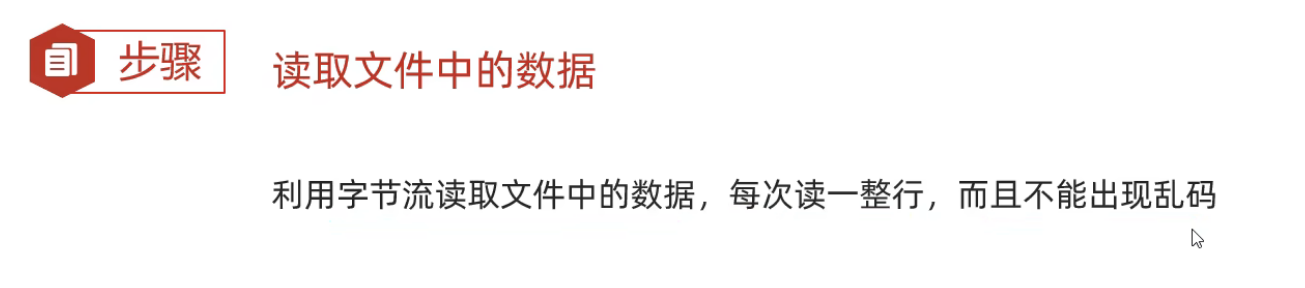
步骤:读取文件中的数据
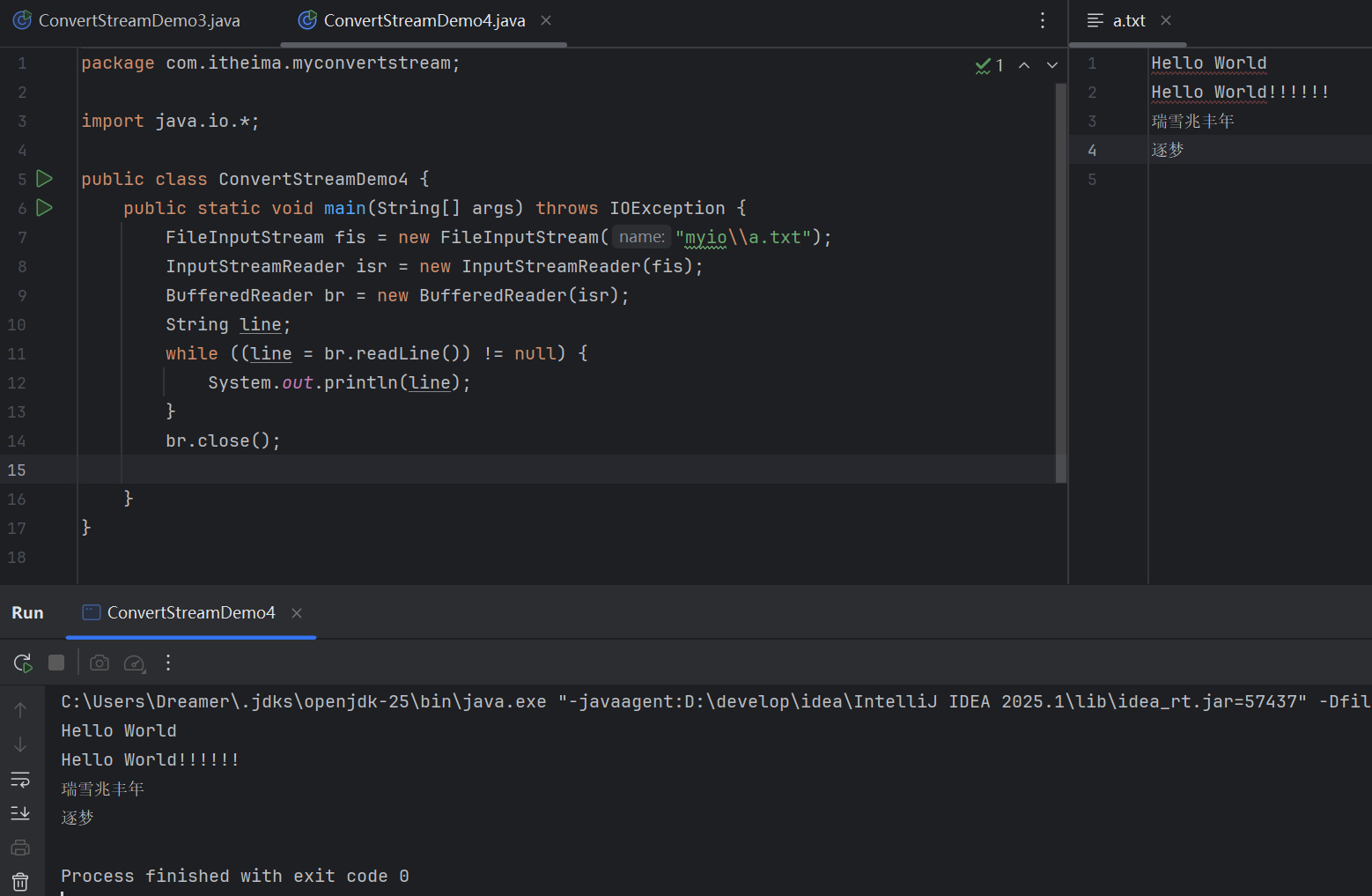
(源代码)
package com.itheima.myconvertstream;

import java.io.*;

public class ConvertStreamDemo4 {
    public static void main(String[] args) throws IOException {
        FileInputStream fis = new FileInputStream("myio\\a.txt");
        InputStreamReader isr = new InputStreamReader(fis);
        BufferedReader br = new BufferedReader(isr);
        String line;
        while ((line = br.readLine()) != null) {
            System.out.println(line);
        }
        br.close();

    }
}
(运行结果截图)
总结
序列化流 (对象操作输出流)
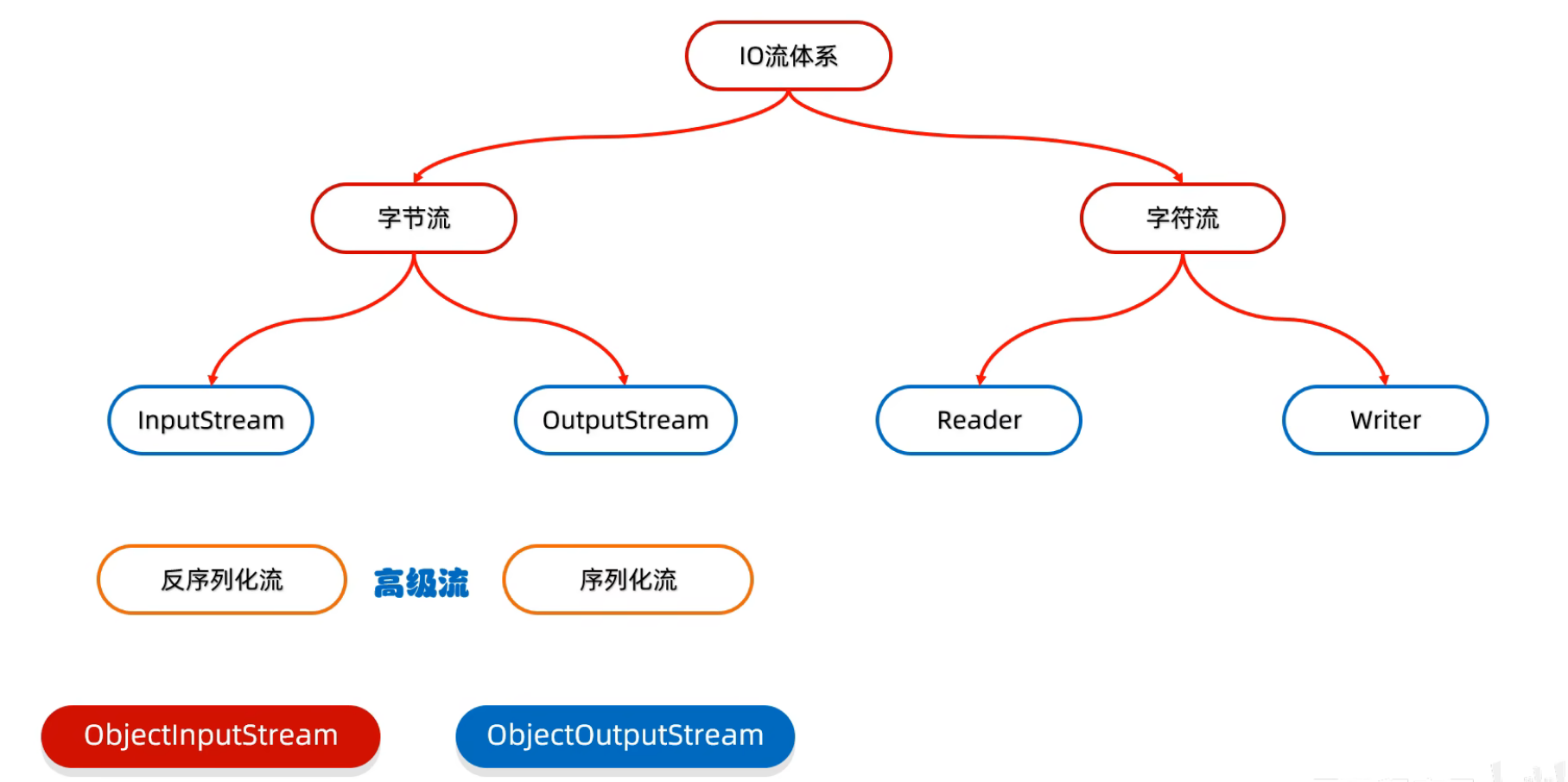
什么是序列化流?
可以把JAava中的对象写到本地文件中
构造方法与成员方法
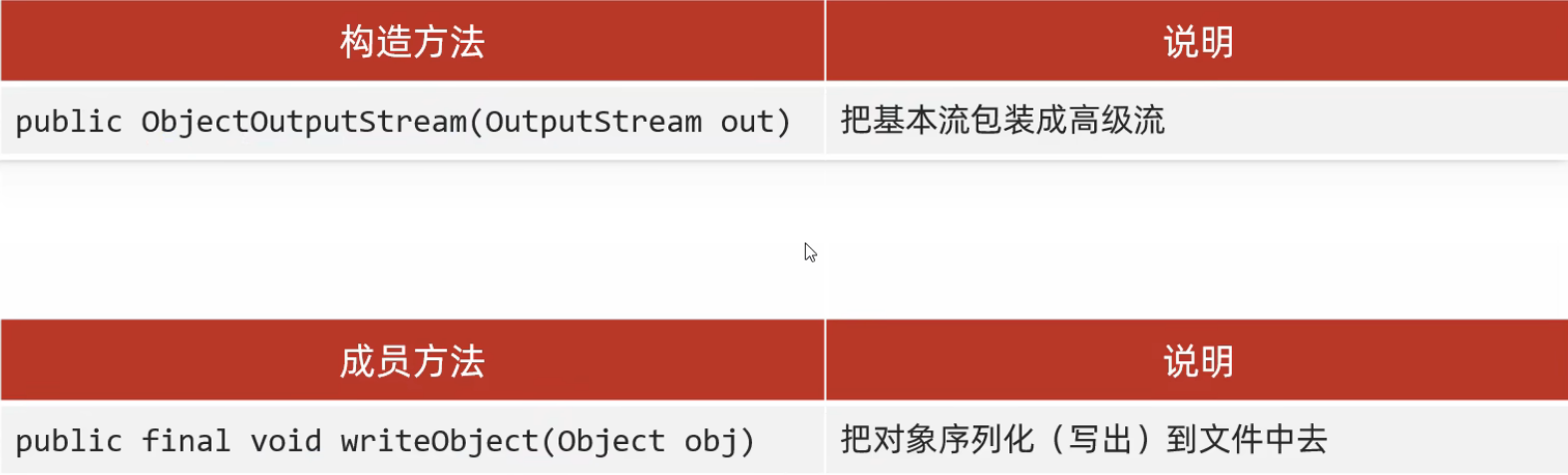
序列化流的小细节
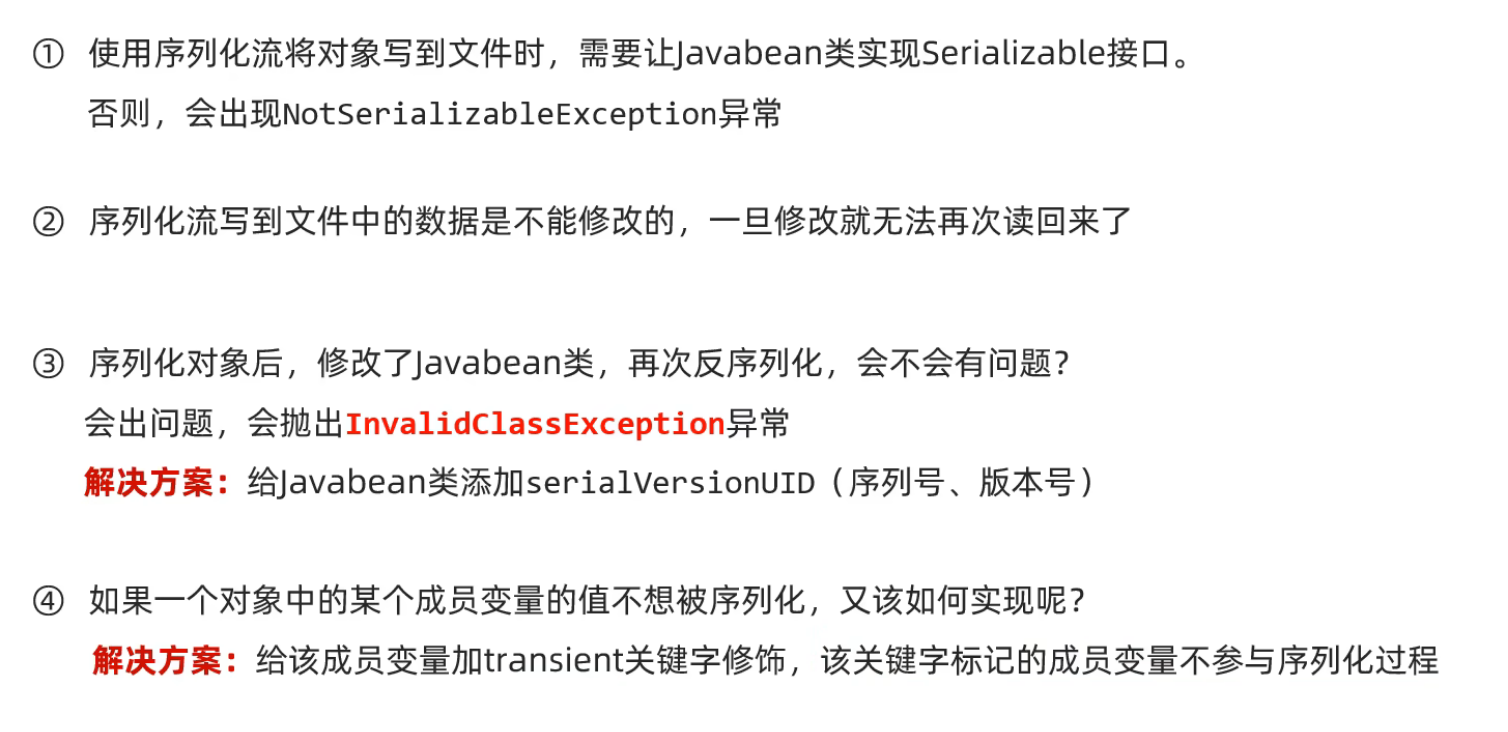
使用对象输出流将对象保存在文件时会出现NotSerializableException异常
解决方案:需要让Javabean类实现Serializable接口
例如:
(源代码)
[ObjectStreamDemo1]
package com.itheima.myobjectstream;

import java.io.*;

public class ObjectStreamDemo1 {
    public static void main(String[] args) throws IOException {
        Student student = new Student("张三",23);

        ObjectOutputStream oos = new ObjectOutputStream(new FileOutputStream("myio\\a.txt"));

        oos.writeObject(student);

        oos.close();


    }
}
[Student]
package com.itheima.myobjectstream;

import java.io.Serializable;


//Serializable接口里面没有抽象方法,标记型接口
//一旦实现了这个接口,就表示Student类可以被序列化
public class Student implements Serializable {
    private String name;
    private int age;

    public Student() {
    }

    public Student(String name, int age) {
        this.name = name;
        this.age = age;
    }

    /**
     * 获取
     * @return name
     */
    public String getName() {
        return name;
    }

    /**
     * 设置
     * @param name
     */
    public void setName(String name) {
        this.name = name;
    }

    /**
     * 获取
     * @return age
     */
    public int getAge() {
        return age;
    }

    /**
     * 设置
     * @param age
     */
    public void setAge(int age) {
        this.age = age;
    }

    public String toString() {
        return "Student{name = " + name + ", age = " + age + "}";
    }
}
(运行结果截图)

反序列化流(对象操作输入流)
什么是反序列化流?
可以把序列化到本地文件中的对象,读取到程序中来
构造方法与成员方法
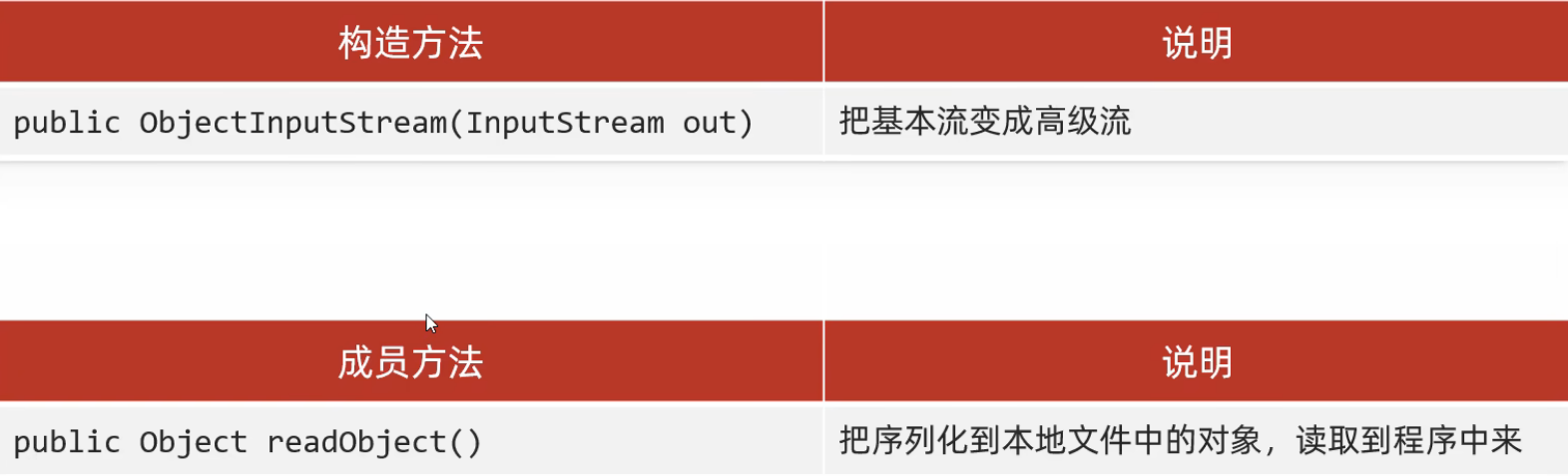
例如:
(源代码)
package com.itheima.myobjectstream;

import java.io.FileInputStream;
import java.io.FileNotFoundException;
import java.io.IOException;
import java.io.ObjectInputStream;

public class ObjectStreamDemo2 {
    public static void main(String[] args) throws IOException, ClassNotFoundException {
        ObjectInputStream ois = new ObjectInputStream(new FileInputStream("myio\\a.txt"));

        Object o = ois.readObject();;

        System.out.println(o);

        ois.close();

    }
}
(运行结果截图)
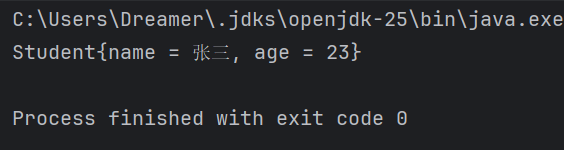
序列化流和反序列化流的使用细节
例如:
给Javabean类添加版本号serialVersionUID(序列号、版本号)
package com.itheima.myobjectstream;

import java.io.Serial;
import java.io.Serializable;


//Serializable接口里面没有抽象方法,标记型接口
//一旦实现了这个接口,就表示Student类可以被序列化
public class Student implements Serializable {

    @Serial
    private static final long serialVersionUID = 1L;

    private String name;
    private int age;

    public Student() {
    }

    public Student(String name, int age) {
        this.name = name;
        this.age = age;
    }

    /**
     * 获取
     * @return name
     */
    public String getName() {
        return name;
    }

    /**
     * 设置
     * @param name
     */
    public void setName(String name) {
        this.name = name;
    }

    /**
     * 获取
     * @return age
     */
    public int getAge() {
        return age;
    }

    /**
     * 设置
     * @param age
     */
    public void setAge(int age) {
        this.age = age;
    }

    public String toString() {
        return "Student{name = " + name + ", age = " + age + "}";
    }
}
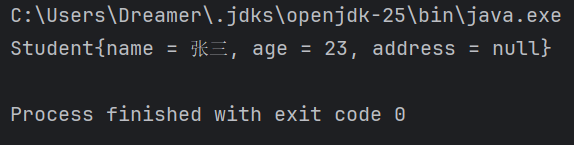
给成员变量添加transient关键字,使其不参加序列化过程
例如:
(源代码)
[ObjectStreamDemo1]
package com.itheima.myobjectstream;

import java.io.*;

public class ObjectStreamDemo1 {
    public static void main(String[] args) throws IOException {
        Student student = new Student("张三",23,"天津");

        ObjectOutputStream oos = new ObjectOutputStream(new FileOutputStream("myio\\a.txt"));

        oos.writeObject(student);

        oos.close();


    }
}
[ObjectStreamDemo2]
package com.itheima.myobjectstream;

import java.io.FileInputStream;
import java.io.FileNotFoundException;
import java.io.IOException;
import java.io.ObjectInputStream;

public class ObjectStreamDemo2 {
    public static void main(String[] args) throws IOException, ClassNotFoundException {
        ObjectInputStream ois = new ObjectInputStream(new FileInputStream("myio\\a.txt"));

        Object o = ois.readObject();;

        System.out.println(o);

        ois.close();

    }
}[Student]
package com.itheima.myobjectstream;

import java.io.Serial;
import java.io.Serializable;


//Serializable接口里面没有抽象方法,标记型接口
//一旦实现了这个接口,就表示Student类可以被序列化
public class Student implements Serializable {

    @Serial
    private static final long serialVersionUID = 1L;

    private String name;
    private int age;
    private transient String address;


    public Student() {
    }

    public Student(String name, int age, String address) {
        this.name = name;
        this.age = age;
        this.address = address;
    }

    /**
     * 获取
     * @return name
     */
    public String getName() {
        return name;
    }

    /**
     * 设置
     * @param name
     */
    public void setName(String name) {
        this.name = name;
    }

    /**
     * 获取
     * @return age
     */
    public int getAge() {
        return age;
    }

    /**
     * 设置
     * @param age
     */
    public void setAge(int age) {
        this.age = age;
    }

    /**
     * 获取
     * @return address
     */
    public String getAddress() {
        return address;
    }

    /**
     * 设置
     * @param address
     */
    public void setAddress(String address) {
        this.address = address;
    }

    public String toString() {
        return "Student{name = " + name + ", age = " + age + ", address = " + address + "}";
    }
}
(运行结果截图)
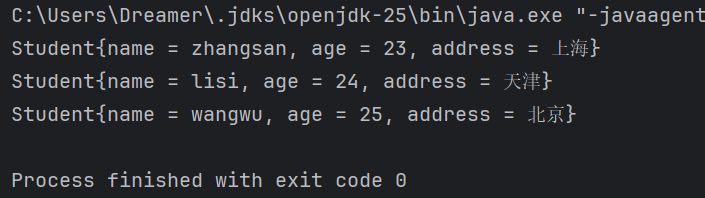
练习:用对象流读写多个对象

(源代码)
[Test1]
package com.itheima.mytest;

import java.io.FileNotFoundException;
import java.io.FileOutputStream;
import java.io.IOException;
import java.io.ObjectOutputStream;
import java.util.ArrayList;

public class Test1 {
    public static void main(String[] args) throws IOException {
        Student s1 = new Student("zhangsan",23,"上海");
        Student s2 = new Student("lisi",24,"天津");
        Student s3 = new Student("wangwu",25,"北京");

        ArrayList<Student> list = new ArrayList<Student>();
        list.add(s1);
        list.add(s2);
        list.add(s3);

        ObjectOutputStream oos = new ObjectOutputStream(new FileOutputStream("myio\\a.txt"));
        oos.writeObject(list);
        oos.close();


    }
}
[Test2]
package com.itheima.mytest;

import java.io.FileInputStream;
import java.io.FileNotFoundException;
import java.io.IOException;
import java.io.ObjectInputStream;
import java.util.ArrayList;

public class Test2 {
    public static void main(String[] args) throws IOException, ClassNotFoundException {

        ObjectInputStream ois = new ObjectInputStream(new FileInputStream("myio\\a.txt"));
        ArrayList<Student> list = (ArrayList<Student>) ois.readObject();
        for (Student student : list) {
            System.out.println(student);
        }
        ois.close();

    }
}
[Student]
package com.itheima.mytest;

import java.io.Serial;
import java.io.Serializable;

public class Student implements Serializable {
    @Serial
    private static final long serialVersionUID = 8447688314497035445L;
    private String name;
    private int age;
    private String address;


    public Student() {
    }

    public Student(String name, int age, String address) {
        this.name = name;
        this.age = age;
        this.address = address;
    }

    /**
     * 获取
     * @return name
     */
    public String getName() {
        return name;
    }

    /**
     * 设置
     * @param name
     */
    public void setName(String name) {
        this.name = name;
    }

    /**
     * 获取
     * @return age
     */
    public int getAge() {
        return age;
    }

    /**
     * 设置
     * @param age
     */
    public void setAge(int age) {
        this.age = age;
    }

    /**
     * 获取
     * @return address
     */
    public String getAddress() {
        return address;
    }

    /**
     * 设置
     * @param address
     */
    public void setAddress(String address) {
        this.address = address;
    }

    public String toString() {
        return "Student{name = " + name + ", age = " + age + ", address = " + address + "}";
    }
}
(运行结果截图)
打印流
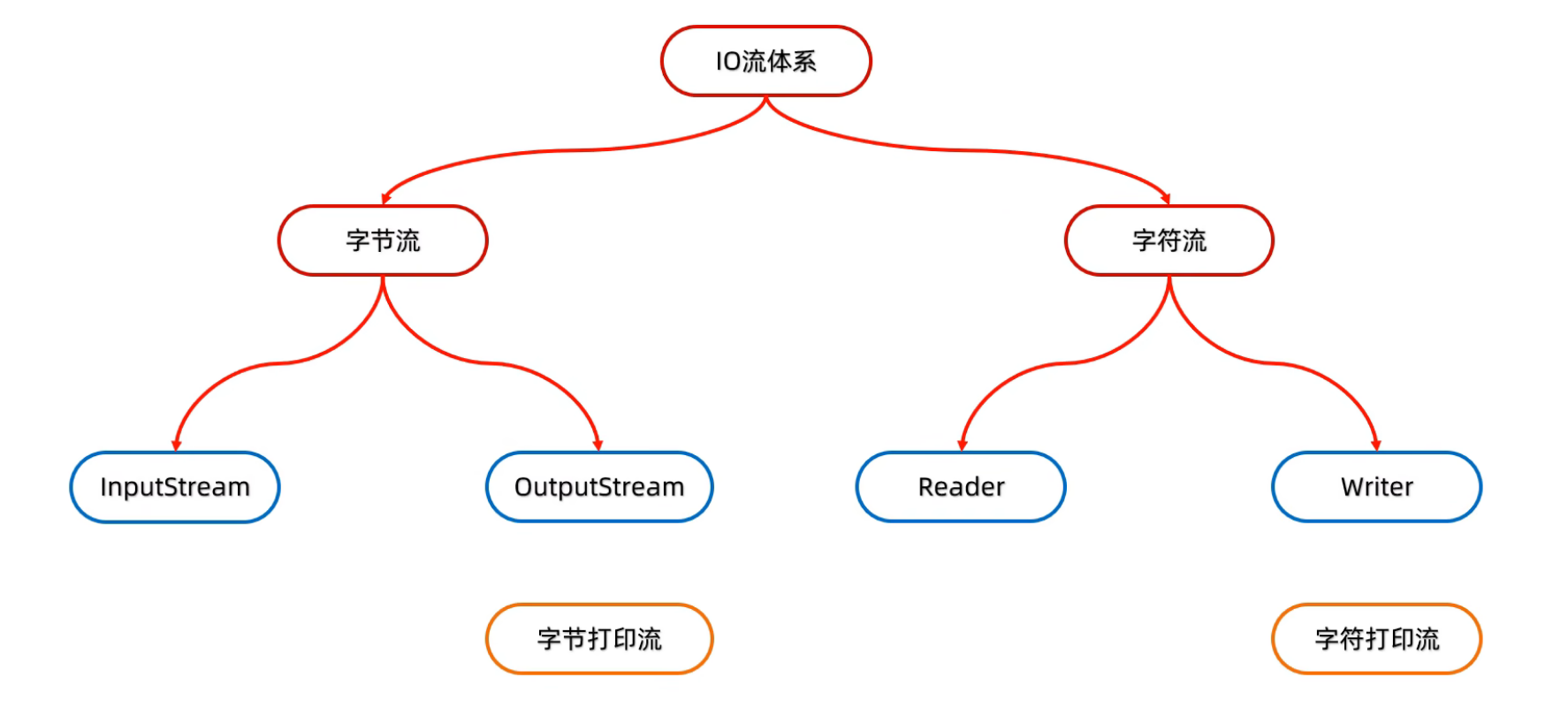
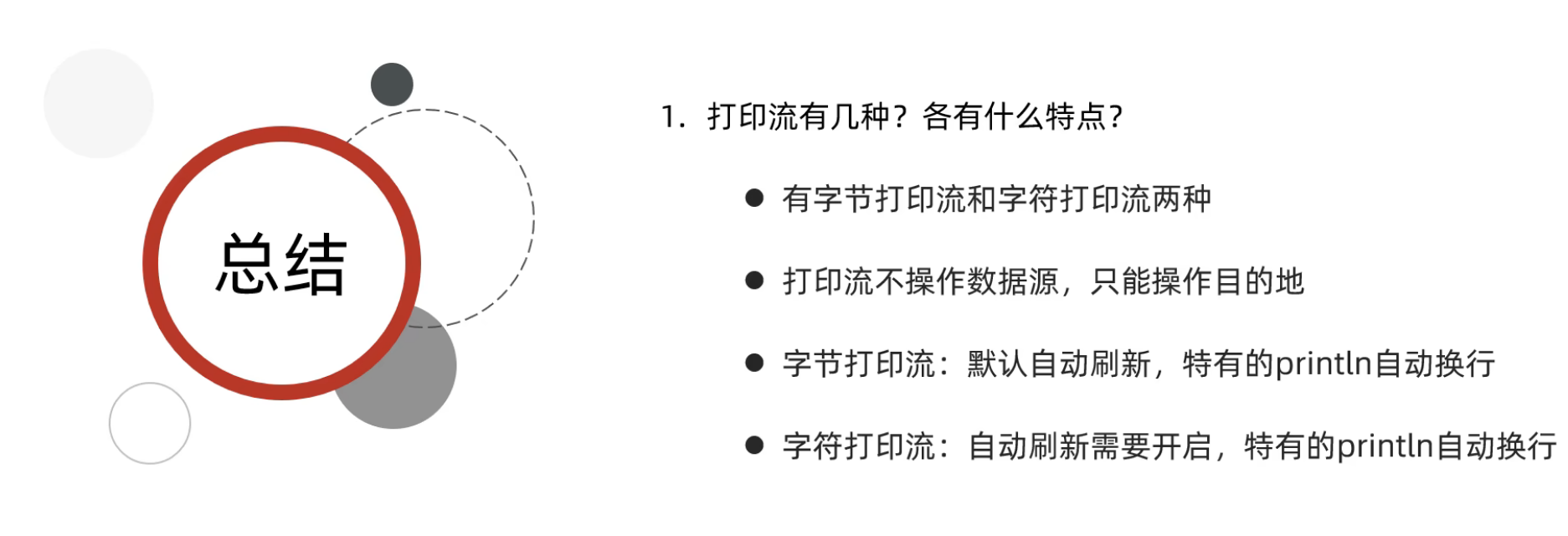
什么是打印流?
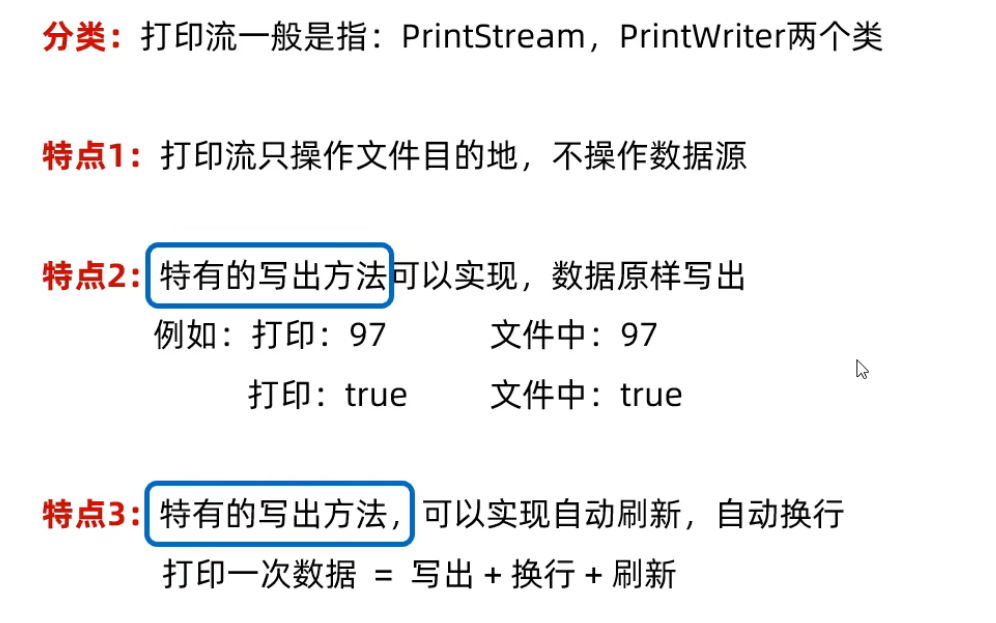
字节打印流
构造方法
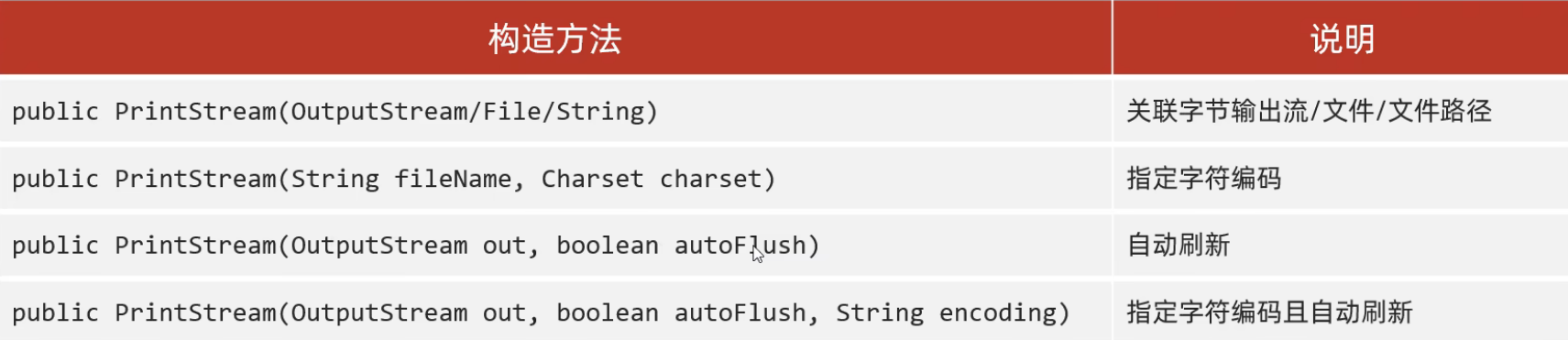
注:字节流底层没有缓冲区,开不开自动刷新都一样
成员方法
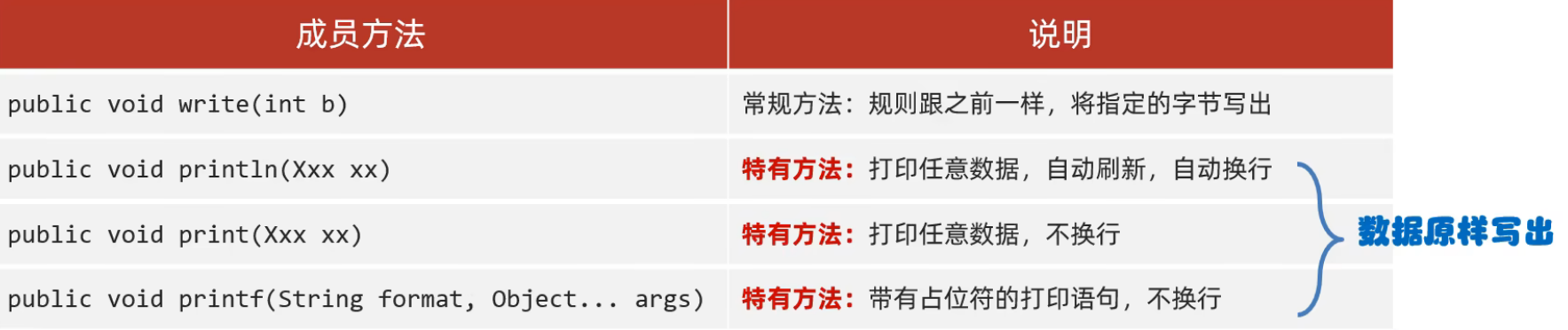
例如:
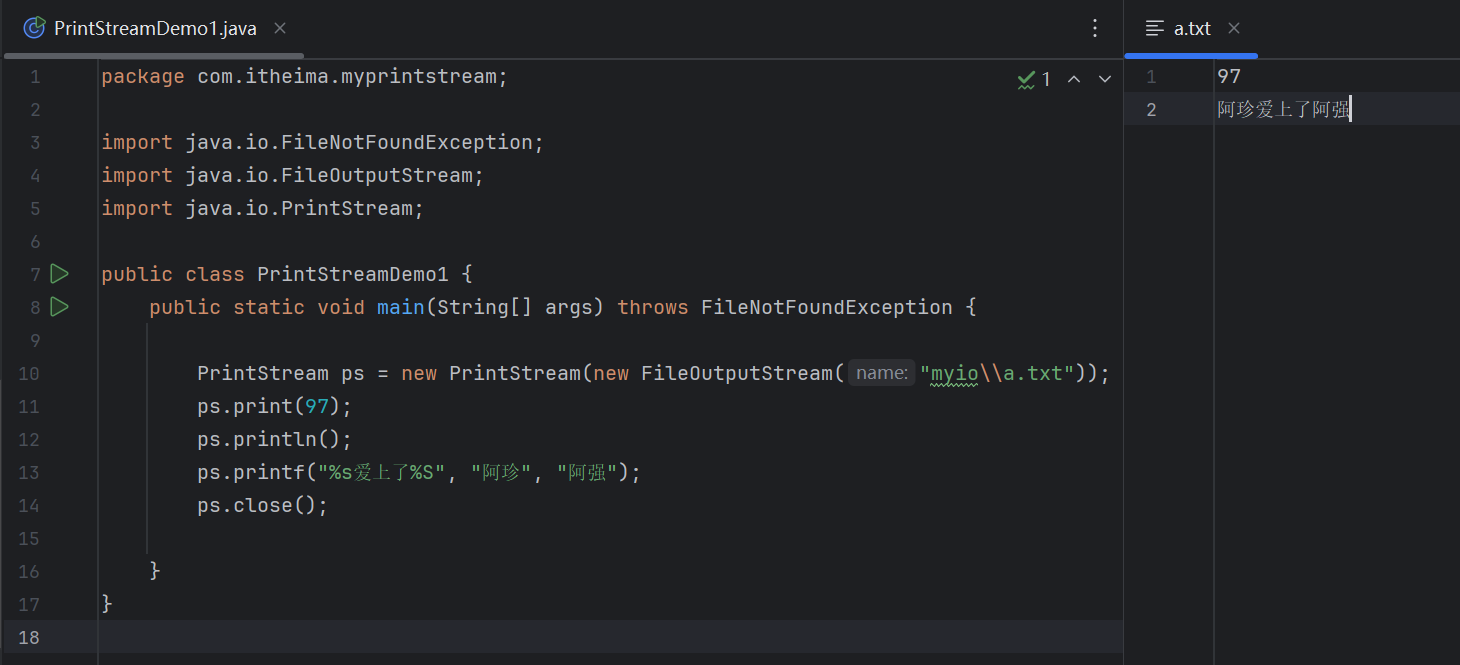
(源代码)
package com.itheima.myprintstream;

import java.io.FileNotFoundException;
import java.io.FileOutputStream;
import java.io.PrintStream;

public class PrintStreamDemo1 {
    public static void main(String[] args) throws FileNotFoundException {

        PrintStream ps = new PrintStream(new FileOutputStream("myio\\a.txt"));
        ps.print(97);
        ps.println();
        ps.printf("%s爱上了%S", "阿珍", "阿强");
        ps.close();

    }
}
(运行结果截图)
字符打印流
构造方法
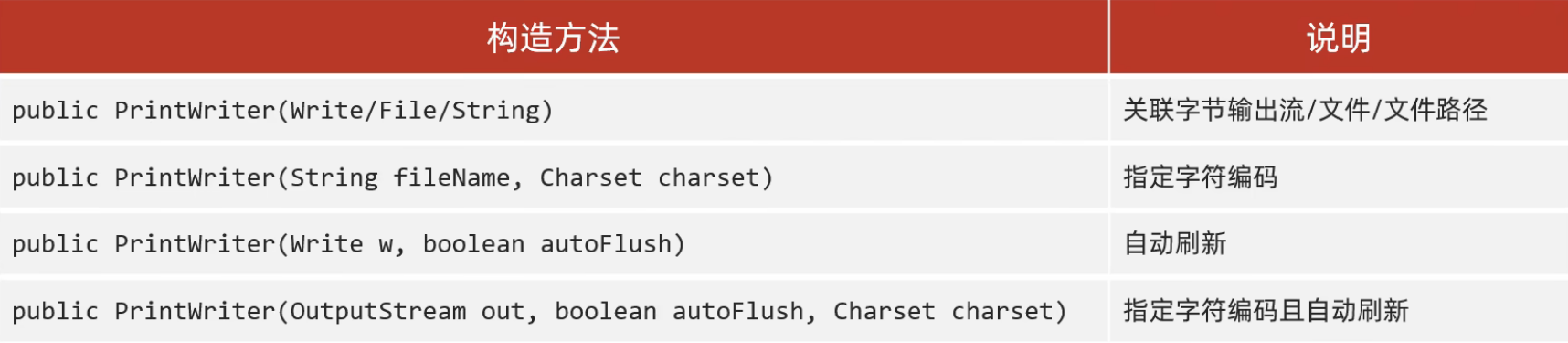
注:字符流底层有缓冲区,想要自动刷新需要开启
成员方法
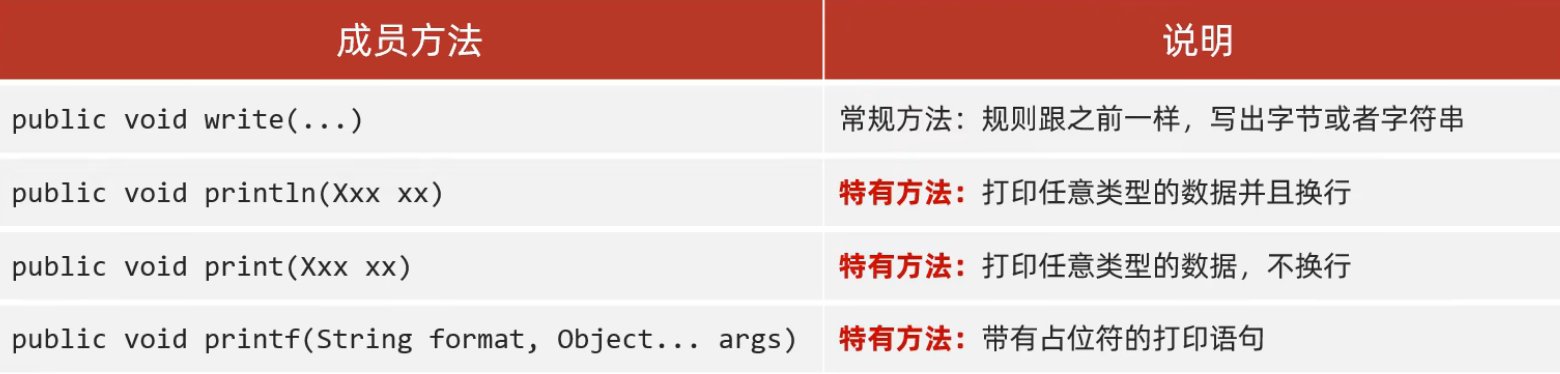
例如:
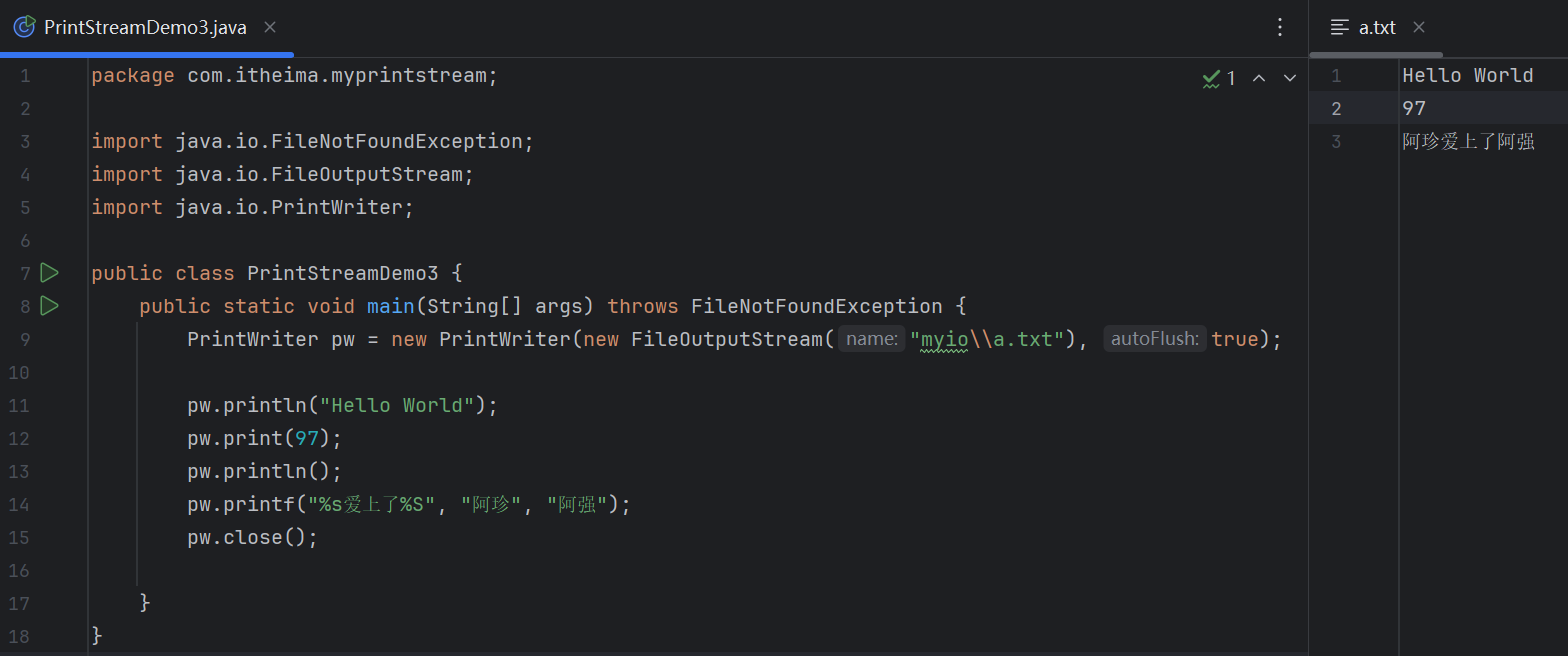
(源代码)
package com.itheima.myprintstream;

import java.io.FileNotFoundException;
import java.io.FileOutputStream;
import java.io.PrintWriter;

public class PrintStreamDemo3 {
    public static void main(String[] args) throws FileNotFoundException {
        PrintWriter pw = new PrintWriter(new FileOutputStream("myio\\a.txt"), true);

        pw.println("Hello World");
        pw.print(97);
        pw.println();
        pw.printf("%s爱上了%S", "阿珍", "阿强");
        pw.close();

    }
}
(运行结果截图)
总结
解压缩流/压缩流
解压缩流
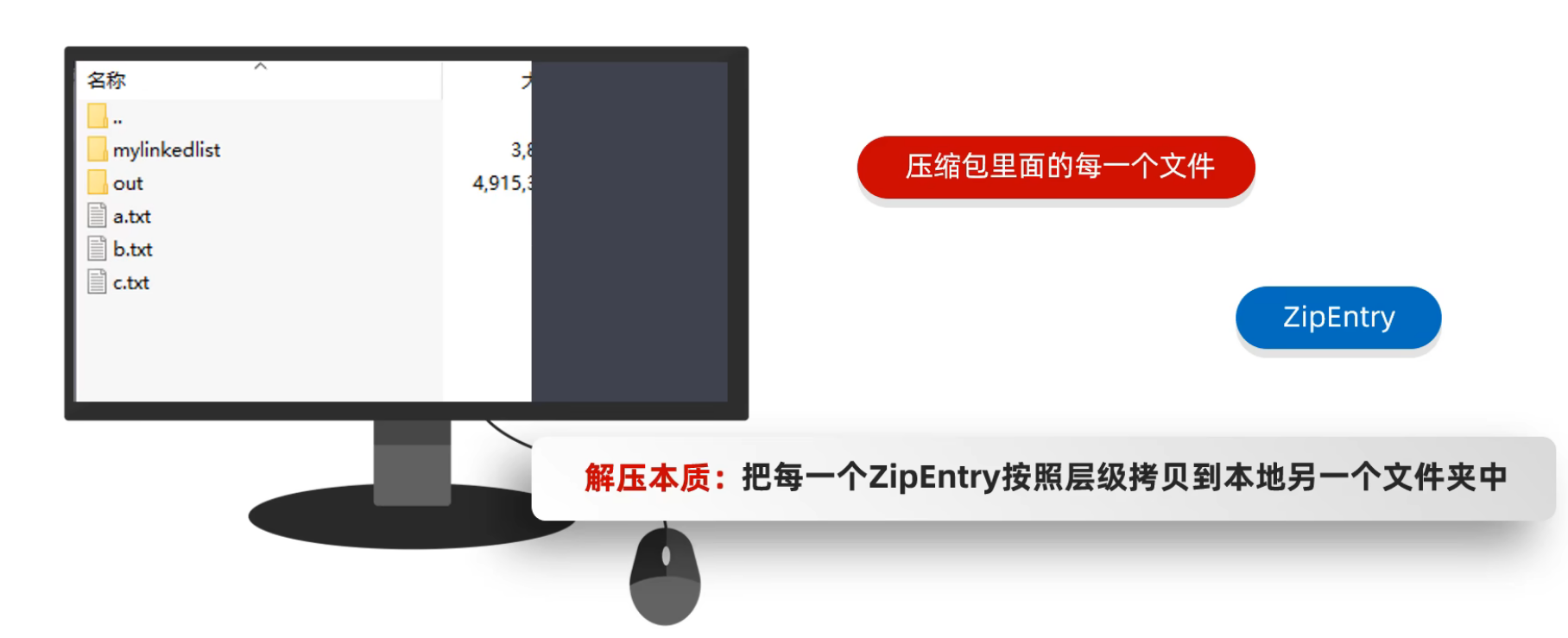
例如:
package com.itheima.myzipstream;


import java.io.File;
import java.io.FileInputStream;
import java.io.FileOutputStream;
import java.io.IOException;
import java.util.zip.ZipEntry;
import java.util.zip.ZipInputStream;

/*
*   解压缩流
*
* */
public class ZipStreamDemo1 {
    public static void main(String[] args) throws IOException {

        //1.创建一个File表示要解压的压缩包
        File src = new File("D:\\aaa.zip");
        //2.创建一个File表示解压的目的地
        File dest = new File("D:\\");

        //调用方法
        unzip(src,dest);

    }

    //定义一个方法用来解压
    public static void unzip(File src,File dest) throws IOException {
        //解压的本质:把压缩包里面的每一个文件或者文件夹读取出来,按照层级拷贝到目的地当中
        //创建一个解压缩流用来读取压缩包中的数据
        ZipInputStream zip = new ZipInputStream(new FileInputStream(src));
        //要先获取到压缩包里面的每一个zipentry对象
        //表示当前在压缩包中获取到的文件或者文件夹
        ZipEntry entry;
        while((entry = zip.getNextEntry()) != null){
            System.out.println(entry);
            if(entry.isDirectory()){
                //文件夹:需要在目的地dest处创建一个同样的文件夹
                File file = new File(dest,entry.toString());
                file.mkdirs();
            }else{
                //文件:需要读取到压缩包中的文件,并把他存放到目的地dest文件夹中(按照层级目录进行存放)
                FileOutputStream fos = new FileOutputStream(new File(dest,entry.toString()));
                int b;
                while((b = zip.read()) != -1){
                    //写到目的地
                    fos.write(b);
                }
                fos.close();
                //表示在压缩包中的一个文件处理完毕了。
                zip.closeEntry();
            }
        }

        zip.close();

    }
}
压缩流
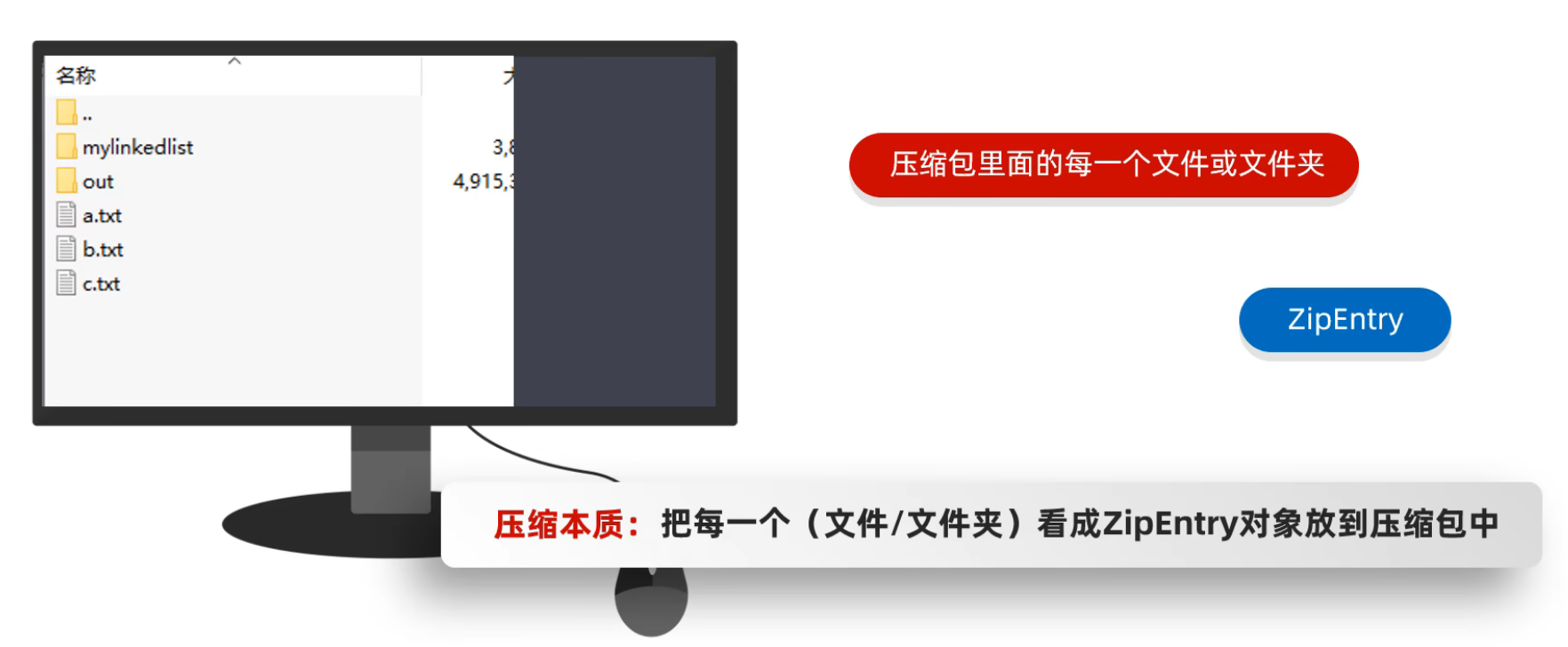
压缩单个文件
package com.itheima.myzipstream;


import java.io.File;
import java.io.FileInputStream;
import java.io.FileOutputStream;
import java.io.IOException;
import java.util.zip.ZipEntry;
import java.util.zip.ZipOutputStream;

public class ZipStreamDemo2 {
    public static void main(String[] args) throws IOException {
        /*
         *   压缩流
         *      需求:
         *          把D:\\a.txt打包成一个压缩包
         * */
        //1.创建File对象表示要压缩的文件
        File src = new File("D:\\a.txt");
        //2.创建File对象表示压缩包的位置
        File dest = new File("D:\\");
        //3.调用方法用来压缩
        toZip(src,dest);
    }

    /*
    *   作用:压缩
    *   参数一:表示要压缩的文件
    *   参数二:表示压缩包的位置
    * */
    public static void toZip(File src,File dest) throws IOException {
        //1.创建压缩流关联压缩包
        ZipOutputStream zos = new ZipOutputStream(new FileOutputStream(new File(dest,"a.zip")));
        //2.创建ZipEntry对象,表示压缩包里面的每一个文件和文件夹
        //参数:压缩包里面的路径
        ZipEntry entry = new ZipEntry("aaa\\bbb\\a.txt");
        //3.把ZipEntry对象放到压缩包当中
        zos.putNextEntry(entry);
        //4.把src文件中的数据写到压缩包当中
        FileInputStream fis = new FileInputStream(src);
        int b;
        while((b = fis.read()) != -1){
            zos.write(b);
        }
        zos.closeEntry();
        zos.close();


    }
}
压缩文件夹
package com.itheima.myzipstream;

import java.io.File;
import java.io.FileInputStream;
import java.io.FileOutputStream;
import java.io.IOException;
import java.util.zip.ZipEntry;
import java.util.zip.ZipOutputStream;

public class ZipStreamDemo3 {
    public static void main(String[] args) throws IOException {
        /*
         *   压缩流
         *      需求:
         *          把D:\\aaa文件夹压缩成一个压缩包
         * */


        //1.创建File对象表示要压缩的文件夹
        File src = new File("D:\\aaa");
        //2.创建File对象表示压缩包放在哪里(压缩包的父级路径)
        File destParent = src.getParentFile();//D:\\
        //3.创建File对象表示压缩包的路径
        File dest = new File(destParent,src.getName() + ".zip");
        //4.创建压缩流关联压缩包
        ZipOutputStream zos = new ZipOutputStream(new FileOutputStream(dest));
        //5.获取src里面的每一个文件,变成ZipEntry对象,放入到压缩包当中
        toZip(src,zos,src.getName());//aaa
        //6.释放资源
        zos.close();
    }

    /*
    *   作用:获取src里面的每一个文件,变成ZipEntry对象,放入到压缩包当中
    *   参数一:数据源
    *   参数二:压缩流
    *   参数三:压缩包内部的路径
    * */
    public static void toZip(File src,ZipOutputStream zos,String name) throws IOException {
        //1.进入src文件夹
        File[] files = src.listFiles();
        //2.遍历数组
        for (File file : files) {
            if(file.isFile()){
                //3.判断-文件,变成ZipEntry对象,放入到压缩包当中
                ZipEntry entry = new ZipEntry(name + "\\" + file.getName());//aaa\\no1\\a.txt
                zos.putNextEntry(entry);
                //读取文件中的数据,写到压缩包
                FileInputStream fis = new FileInputStream(file);
                int b;
                while((b = fis.read()) != -1){
                    zos.write(b);
                }
                fis.close();
                zos.closeEntry();
            }else{
                //4.判断-文件夹,递归
                toZip(file,zos,name + "\\" + file.getName());
                //     no1            aaa   \\   no1
            }
        }
    }
}更多推荐
 4
4 0
0- 0


 已为社区贡献9条内容

所有评论(0)