
SpringBoot 定时任务统一处理微信提现、订单状态同步(无人饺子机后台实战)
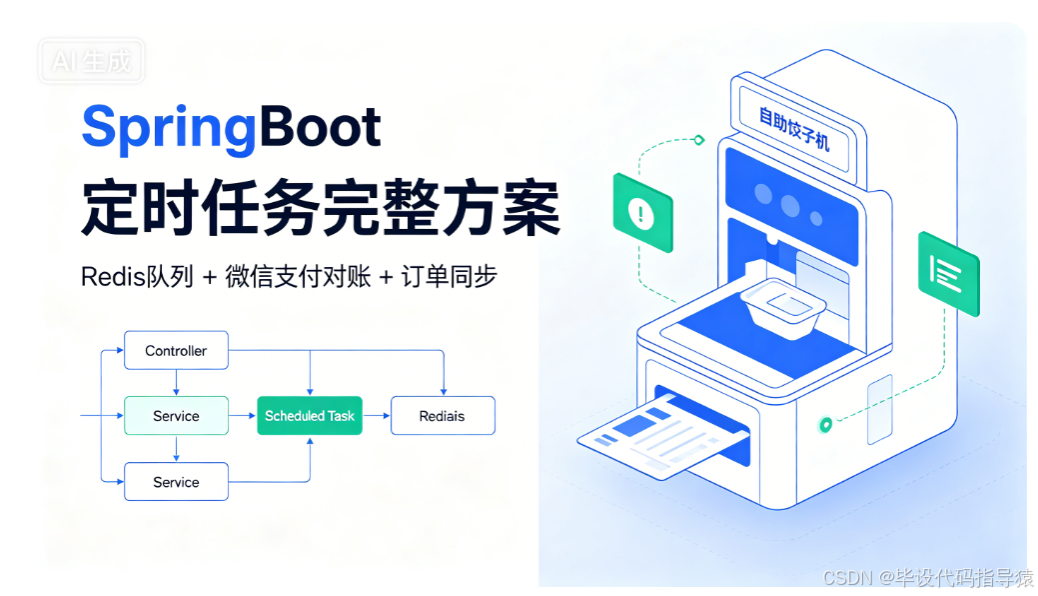
文章标题
SpringBoot @Scheduled 5 秒轮询定时任务实战:微信企业付款提现异步对账 + 自助机订单状态自动同步(含 Redis 队列、分表、微信转账回调处理)
文章标签
#SpringBoot #定时任务 Scheduled #微信企业付款对账 #Redis 队列 #分表 #自助售卖机后端 #工控饺子机
文章目录
- 业务场景说明
- 核心定时任务完整源码
- 代码分层逻辑拆解 3.1 Redis 提现队列异步对账(微信企业付款查询、超时自动撤销) 3.2 年度分表订单状态同步(Redis 订单缓存落库)
- 代码存在的风险与隐患
- 生产环境优化改造方案
- 适用项目场景
一、业务场景说明
本代码是无人值守 AI 饺子机自助项目后端定时调度核心类,使用@Scheduled(fixedRate = 5000)每 5 秒执行一次,承载两大核心异步业务:
- 微信企业付款提现对账(Redis 缓冲队列) 用户发起提现后存入 Redis
withdraw数组队列,定时轮询逐个调用微信转账查询接口:- 转账成功:更新年度分表
tb_user_withdraw_yyyy提现记录状态,移除队列 - 转账失败 / 已撤销:直接移出队列
- 用户待确认超过 300 秒:自动调用撤销转账接口,冲减平台收益台账
- 转账成功:更新年度分表
- 自助机订单状态同步落库 设备端取餐操作写入 Redis
OrderStatus_订单ID临时缓存,定时读取批量更新年度分表tb_pay_form_yyyy订单核销状态、取餐数量,清理过期 Redis 缓存。 - 配套能力:自动创建年度分表、读取系统全局超时配置、JdbcTemplate 批量更新 SQL。
技术栈:SpringBoot + Spring Scheduled + RedisTemplate + JdbcTemplate + 微信企业付款 API + 年度分表设计。
二、完整核心定时任务源码
package com.jbossjf.bootproject.service;
import com.jbossjf.bootproject.common.weixin.WXPayUtility;
import com.jbossjf.bootproject.common.CommonHelp;
import com.jbossjf.bootproject.common.JsonGenericUtil;
import com.jbossjf.bootproject.model.*;
import com.jbossjf.bootproject.service.weixin.CancelTransferService;
import com.jbossjf.bootproject.service.weixin.GetTransferBillByOutNoService;
import com.jbossjf.bootproject.service.weixin.QueryByOutTradeNoService;
import org.json.JSONObject;
import org.springframework.beans.factory.annotation.Autowired;
import org.springframework.beans.factory.annotation.Qualifier;
import org.springframework.data.redis.core.RedisTemplate;
import org.springframework.jdbc.core.JdbcTemplate;
import org.springframework.scheduling.annotation.Scheduled;
import org.springframework.stereotype.Component;

import java.text.SimpleDateFormat;
import java.util.Date;
import java.util.List;
import java.util.Locale;
import java.util.Map;

@Component
public class ScheduledTasks {

    @Autowired
    private JdbcTemplate jdbcTemplate;
    @Autowired
    private PayFormNaticeService payFormNaticeService;
    @Autowired
    private  CancelTransferService  cancelTransferService;

    @Autowired
    QueryByOutTradeNoService queryByOutTradeNoService;

    @Autowired
    GetTransferBillByOutNoService getTransferBillByOutNoService;
    @Autowired
    UserWithdrawNaticeService userWithdrawNaticeService;

    @Autowired
    private RedisTemplate redisTemplate;
    @Autowired
    private DeviceService deviceService;
    @Autowired
    private SystemParametersService systemParametersService;


    /**
     * 每5秒执行一次定时调度
     * 1. 处理Redis提现队列,微信企业付款对账、超时撤销
     * 2. 读取系统配置取餐超时时间
     * 3. 年度分表自动建表,同步Redis订单取餐状态至数据库
     */
    @Scheduled(fixedRate = 1000 * 5)
    public void performTask() {
        try {
            // ====================== 第一块:处理Redis提现队列 withdraw ======================
            if(redisTemplate.hasKey("withdraw")) {
                Map<String, String> map = null;
                String json = redisTemplate.opsForValue().get("withdraw").toString();
                if (!json.trim().equals("[]")) {
                    List<WithdrawalNumberModel> withdrawalNumberModelList = JsonGenericUtil.jsonToList(json, WithdrawalNumberModel.class);
                    SimpleDateFormat formatter1 = new SimpleDateFormat("yyyy-MM-dd'T'HH:mm:ss", Locale.ENGLISH);
                    // 倒序遍历,避免remove导致数组下标错乱
                    for (int i = withdrawalNumberModelList.size() - 1; i >= 0; i--)
                        try{
                            Thread.sleep(10);
                            map = (Map<String, String>) withdrawalNumberModelList.get(i);
                            // 调用微信查询转账单接口
                            GetTransferBillByOutNoService.GetTransferBillByOutNoRequest request = new GetTransferBillByOutNoService.GetTransferBillByOutNoRequest();
                            request.outBillNo = map.get("out_trade_no");
                            GetTransferBillByOutNoService.TransferBillEntity response = getTransferBillByOutNoService.run(request);

                            // 场景1:转账成功 SUCCESS
                            if (response.state.name().equals("SUCCESS")) {
                                SimpleDateFormat yearFormat = new SimpleDateFormat("yyyy");
                                Date date = new Date();
                                String tableName = "tb_user_withdraw_" + yearFormat.format(date);
                                // 不存在分表则自动创建
                                if (userWithdrawNaticeService.tableExists(tableName) == false) {
                                    userWithdrawNaticeService.createTable(tableName);
                                }
                                List<UserWithdraw> userWithdrawList = userWithdrawNaticeService.getUserWithdrawByIDTarget(tableName, response.outBillNo);
                                // 更新提现记录状态与转账单号
                                String sql = "update  " + tableName + " as tpl set tpl.transfer_bill_no = '" + response.transferBillNo + "' , tpl.status = '启用'  where " +
                                        " tpl.id = '" + userWithdrawList.get(0).getId() + "';";
                                int u = jdbcTemplate.update(sql);
                                if (u > 0) {
                                    // 处理完成移出队列,刷新Redis
                                    withdrawalNumberModelList.remove(i);
                                    String jsonStr = JsonGenericUtil.toJson(withdrawalNumberModelList);
                                    redisTemplate.opsForValue().set("withdraw", jsonStr);
                                }
                            }
                            // 场景2:转账失败,直接移除队列
                            if (response.state.name().equals("FAIL")) {
                                withdrawalNumberModelList.remove(i);
                                String jsonStr = JsonGenericUtil.toJson(withdrawalNumberModelList);
                                redisTemplate.opsForValue().set("withdraw", jsonStr);
                            }
                            // 场景3:转账已撤销,直接移除队列
                            if (response.state.name().equals("CANCELLED")) {
                                withdrawalNumberModelList.remove(i);
                                String jsonStr = JsonGenericUtil.toJson(withdrawalNumberModelList);
                                redisTemplate.opsForValue().set("withdraw", jsonStr);
                            }
                            // 场景4:待用户确认超过300秒,自动撤销转账
                            if (response.state.name().equals("WAIT_USER_CONFIRM")) {
                                Date temp_date = formatter1.parse(response.createTime);
                                int def = CommonHelp.getDistanceDateTime(temp_date, new Date());
                                if (def >= (300)) {
                                    // 调用微信撤销转账接口
                                    CancelTransferService.CancelTransferRequest request1 = new CancelTransferService.CancelTransferRequest();
                                    request1.outBillNo = response.outBillNo;
                                    CancelTransferService.CancelTransferResponse response1 = cancelTransferService.run(request1);
                                    if (response1.state.equals("CANCELING")) {
                                        SimpleDateFormat yearFormat = new SimpleDateFormat("yyyy");
                                        Date date = new Date();
                                        String tableName = "tb_user_withdraw_" + yearFormat.format(date);
                                        if (userWithdrawNaticeService.tableExists(tableName) == false) {
                                            userWithdrawNaticeService.createTable(tableName);
                                        }
                                        List<UserWithdraw> userWithdrawList = userWithdrawNaticeService.getUserWithdrawByIDTarget(tableName, response.outBillNo);
                                        // 撤销后冲减平台收益台账
                                        String sql = " INSERT INTO tb_tota_userl_profit (id,name,user_id,in_amount,out_amount) "
                                                + " VALUES ('" + userWithdrawList.get(0).getUser_id() + "', '用户提现', '" + userWithdrawList.get(0).getUser_id() + "',0," + userWithdrawList.get(0).getAmount() + ") "
                                                + " ON DUPLICATE KEY UPDATE  out_amount = out_amount - VALUES(out_amount); ";
                                        int u = jdbcTemplate.update(sql);
                                        if (u > 0) {
                                            withdrawalNumberModelList.remove(i);
                                            String jsonStr = JsonGenericUtil.toJson(withdrawalNumberModelList);
                                            redisTemplate.opsForValue().set("withdraw", jsonStr);
                                        }
                                    }
                                }
                            }
                        }catch (Exception ex){
                            // 单条转账处理异常不阻断整体队列循环
                            ex.printStackTrace();
                        }
                }
            }

            // ====================== 第二块:读取系统配置,获取取餐超时阈值 ======================
            List<SystemParameters> systemParametersList = systemParametersService.GetList();
            int client_expired_time = 15000;
            for(int i = 0;i<systemParametersList.size();i++)
            {
                if(systemParametersList.get(i).getParam_name().equals("client_expired_time"))
                {
                    client_expired_time = Integer.parseInt(systemParametersList.get(i).getParam_value());
                }
            }

            // ====================== 第三块:订单年度分表自动创建 ======================
            SimpleDateFormat yearFormat = new SimpleDateFormat("yyyy");
            Date date = new Date();
            String tableName = "tb_pay_form_" + yearFormat.format(date);
            if (payFormNaticeService.tableExists(tableName) == false) {
                payFormNaticeService.createPayFormTable(tableName);
            }
            String tableItemName = "tb_pay_form_item_" + yearFormat.format(date);
            if (payFormNaticeService.tableExists(tableItemName) == false) {
                payFormNaticeService.createPayFormItemTable(tableItemName);
            }

            // ====================== 第四块:同步Redis订单取餐状态到数据库 ======================
            List<PayForm> payFormList = payFormNaticeService.getPayFormUncollectedMealStatusDataTarget(tableName,tableItemName,client_expired_time);
            StringBuilder sqlSb = new StringBuilder();
            String status = "";
            int pick_up_quantity = 0;
            for(int i =0;i<payFormList.size();i++) {
                String redisKey = "OrderStatus" + payFormList.get(i).getId();
                if(redisTemplate.hasKey(redisKey)) {
                    try {
                        String raw = redisTemplate.opsForValue().get(redisKey).toString();
                        JSONObject rootJson = new JSONObject(raw);
                        pick_up_quantity = Integer.parseInt(rootJson.get("pick_up_quantity").toString());
                        String orderStatus = rootJson.get("status").toString();
                        String orderId = rootJson.get("id").toString();
                        if ("1".equals(orderStatus)) {
                            status = "取餐";
                            sqlSb.append("UPDATE ").append(tableName)
                                    .append(" SET write_off_status = '").append(status).append("' ")
                                    .append(" WHERE id = '").append(orderId).append("';");
                        } else if ("0".equals(orderStatus)) {
                            status = "未取餐";
                            sqlSb.append("UPDATE ").append(tableName)
                                    .append(" SET write_off_status = '").append(status).append("',pick_up_food_quantity = pick_up_food_quantity+ ").append(pick_up_quantity)
                                    .append(" WHERE id = '").append(orderId).append("';");
                        }
                        // 更新完成删除Redis临时缓存
                        redisTemplate.delete(redisKey);
                    }catch (Exception ex)
                    {
                        System.out.println("订单同步异常:" + ex.getMessage());
                    }
                }
            }
            // 批量执行所有更新SQL
            String batchSql = sqlSb.toString();
            if(!batchSql.equals("")) {
                jdbcTemplate.update(batchSql);
            }
        }catch (Exception ex)
        {
            // 顶层捕获所有异常,防止定时任务直接终止
            ex.printStackTrace();
        }
    }
}
三、代码分层逻辑拆解
3.1 Redis 提现队列(withdraw)处理逻辑
- 存储结构:Redis String 存储 JSON 数组,保存待对账提现单据
- 遍历优化:倒序
for (i = size -1; i >=0),避免list.remove(i)导致下标错位、漏处理数据 - 四种微信转账状态分支
表格
转账状态 业务处理逻辑 SUCCESS 转账成功 更新年度提现分表状态,移出 Redis 队列 FAIL 转账失败 直接移除队列,放弃重试 CANCELLED 已撤销 直接移除队列 WAIT_USER_CONFIRM 待用户确认 超过 300 秒自动调用撤销转账接口,冲减平台收益台账 - 分表兼容:按年份动态拼接
tb_user_withdraw_yyyy,不存在则自动建表 - 异常隔离:单条提现单据捕获 Exception,单条失败不阻塞整条队列循环
3.2 自助机订单状态同步逻辑
- 缓存设计:设备安卓端取餐操作写入临时 Redis
OrderStatus_订单ID,定时任务统一落库,减少频繁直接操作数据库 - 年度分表:订单主表
tb_pay_form_yyyy、订单明细表tb_pay_form_item_yyyy,启动时自动检查表,不存在自动创建 - 批量 SQL 优化:循环拼接 UPDATE 语句,单次
jdbcTemplate.update()批量执行,减少数据库 IO - 缓存清理:同步完成后立即删除 Redis 订单状态 key,避免重复更新
- 动态配置:从
system_parameters读取全局client_expired_time取餐超时阈值,无需硬编码
3.3 定时任务基础配置说明
java
运行
@Scheduled(fixedRate = 1000 * 5)
- fixedRate:固定 5 秒间隔执行,从上一次任务开始计时,如果任务执行耗时超过 5 秒会出现任务重叠并发执行;
- 区别于
fixedDelay:从上一次任务结束后再等待 5 秒,无并发风险。
四、现有代码存在的风险与隐患
4.1 定时任务并发重叠风险
使用fixedRate=5000,如果微信接口、数据库查询阻塞超过 5 秒,会同时启动多个定时线程:
- 重复操作 Redis 提现队列,同一单据多次调用微信转账查询接口
- 重复更新订单数据库,引发数据脏写、重复扣减收益
4.2 Redis 无分布式锁,集群环境数据错乱
多实例部署项目时,多台服务器同时读取withdraw队列,重复处理同一条提现记录,造成重复更新数据库、重复调用微信撤销接口。
4.3 SQL 拼接字符串,存在 SQL 注入漏洞
直接拼接userWithdrawList.get(0).getId()、订单 ID 等参数到 SQL 中,恶意字符可实现注入攻击。
4.4 Thread.sleep 阻塞定时线程
循环内手动Thread.sleep(10),拉长单次任务执行时长,加剧任务重叠问题,无业务意义。
4.5 异常捕获粒度不合理
- 微信 API 异常仅打印堆栈,无日志入库、无告警通知,线上故障无法及时发现;
- 顶层大 try-catch 吞掉全部异常,无法定位任务完全不执行的问题。
4.6 Redis 序列化 / 并发修改风险
直接读取 JSON 字符串转 List,循环中修改 List 后全量覆盖 Redis value;高并发下会出现数据丢失(多线程同时读取数组,后写入覆盖先写入的处理结果)。
4.7 硬编码魔法值过多
300 秒超时、5 秒定时、表前缀、状态文本启用/取餐/未取餐全部硬编码,后期维护修改成本极高。
4.8 批量 SQL 无事务
批量 UPDATE 订单时,部分 SQL 执行成功、部分失败,会出现订单状态不一致,无事务回滚机制。
五、生产环境优化改造方案
5.1 替换 fixedRate 为 fixedDelay,杜绝任务并发
java
运行
// 任务执行完成后,等待5秒再执行下一次,不会并发重叠
@Scheduled(fixedDelay = 5000)
5.2 增加分布式锁(Redis Lock),支持多实例部署
使用 Redisson 锁,定时任务执行前抢占锁,未抢到直接退出,避免多实例重复处理:
java
运行
RLock lock = redissonClient.getLock("scheduled_task_lock");
try {
    boolean acquire = lock.tryLock(0, 30, TimeUnit.SECONDS);
    if (!acquire) return;
    // 原有业务逻辑
} finally {
    if(lock.isHeldByCurrentThread()) lock.unlock();
}
5.3 预编译 SQL,杜绝 SQL 注入
使用JdbcTemplate.update(String sql, Object[] args)传参,禁止字符串拼接 ID、金额、状态等变量。
5.4 移除无用 Thread.sleep,增加日志分级打印
删除循环内Thread.sleep(10),替换 SLF4J 日志,区分 info/warn/error,异常打印完整堆栈并接入告警(邮件 / 钉钉)。
5.5 Redis 队列优化:改用 List LPOP/RPOP 原子出队
当前方案是全量读取数组、内存修改后覆盖写入,并发极易丢数据;优化为 Redis List 队列,每条提现记录单独一条数据,原子弹出,避免覆盖:
java
运行
// 弹出队尾一条单据,原子操作,多实例安全
String itemJson = redisTemplate.opsForList().rightPop("withdraw_queue");
5.6 批量更新增加事务控制
批量更新订单、提现记录时,开启事务,任意一条更新失败全部回滚,保证数据一致性。
5.7 抽取常量类统一管理魔法值
新建ScheduleConstant.java,统一管理定时周期、超时秒数、Redis Key 前缀、数据库表前缀、状态码文本。
5.8 拆分超大定时任务
当前一个方法承载提现对账 + 订单同步两大重业务,建议拆分为两个独立@Scheduled方法,职责单一,故障互不影响。
六、适用项目场景
- 校园 / 社区无人 AI 饺子机、自助售货机、自助取餐柜后端服务
- 微信企业付款(商家转账到零钱)批量对账、异步提现系统
- 分表架构下定时同步缓存数据落库的后台调度服务
- 工控 Android 设备配套后端,设备端状态缓存统一持久化场景
- 中小型支付、提现类后台定时对账系统
文末结语
这套定时任务是自助餐饮设备后端真实落地代码,兼顾了 Redis 异步缓冲、微信支付对账、年度分表三大核心需求,但原生代码存在并发、安全、稳定性隐患。上线生产环境建议按照第五部分优化方案改造,增加分布式锁、预编译 SQL、事务、日志告警,保证多实例集群部署下的数据一致性与服务稳定性。
更多推荐
 5
5 0
0- 0


 已为社区贡献3条内容

所有评论(0)