
ClaudeCode最新版本安装
·
- PowerShell使用官方 irr 命令安装报错,具体清空查看步骤 3-3.1
- Windows默认cmd窗口使用WinGet官方命令可正常安装,完整安装步骤请查看步骤 4(Windows推荐此安装方式)
1.npm安装Claude code
1.1 安装nodejs(推荐默认下一步直到完成安装。如修改安装目录需调整系统环境变量)
# nodejs下载地址
https://nodejs.org/zh-cn/download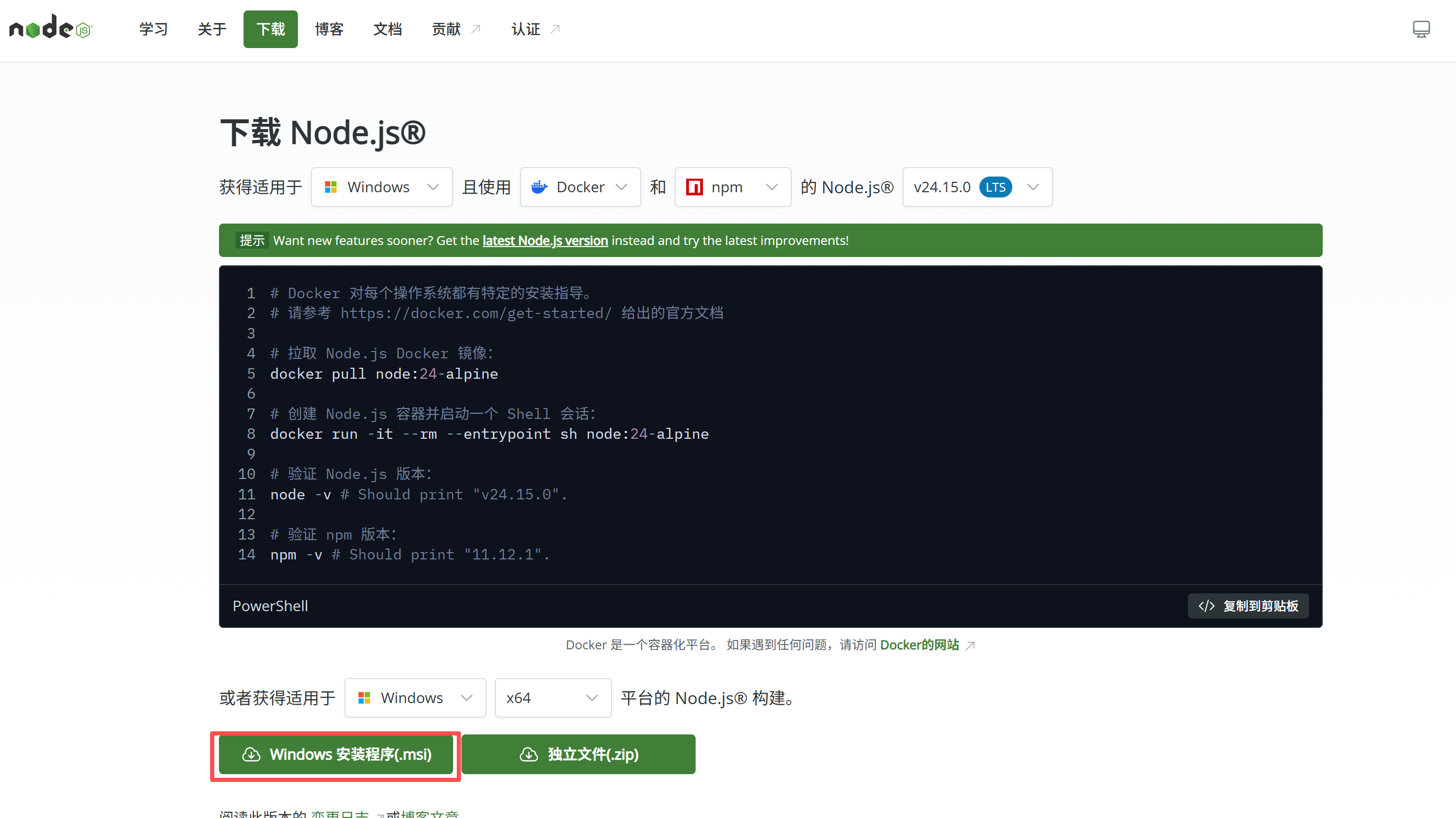
1.2 安装git(推荐默认下一步直到完成安装。如修改安装目录需调整系统环境变量)
# git下载地址
https://git-scm.com/install/windows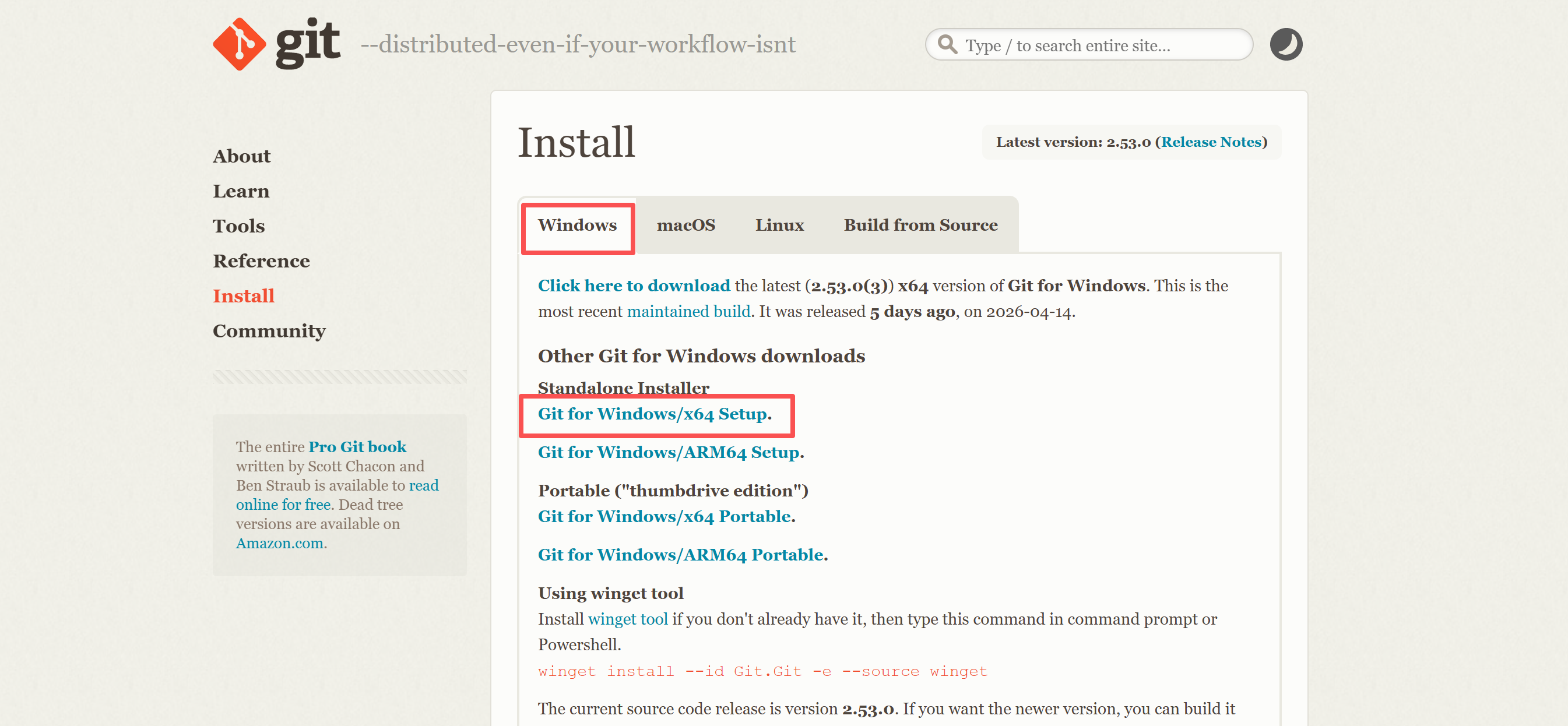
1.3 确认nodejs和git安装完成
- windows验证:win + R 打开命令行窗口执行
C:\Users\35900>node -v
v24.15.0

C:\Users\35900>npm -v
11.12.1

C:\Users\35900>git -v
git version 2.53.0.windows.3
1.4 安装和卸载Claude code命令
# 安装claude code,使用国内加速镜像
npm install -g @anthropic-ai/claude-code --registry=https://registry.npmmirror.com

# 卸载claude code
npm uninstall -g @anthropic-ai/claude-code
1.5 安装后报错claude -v
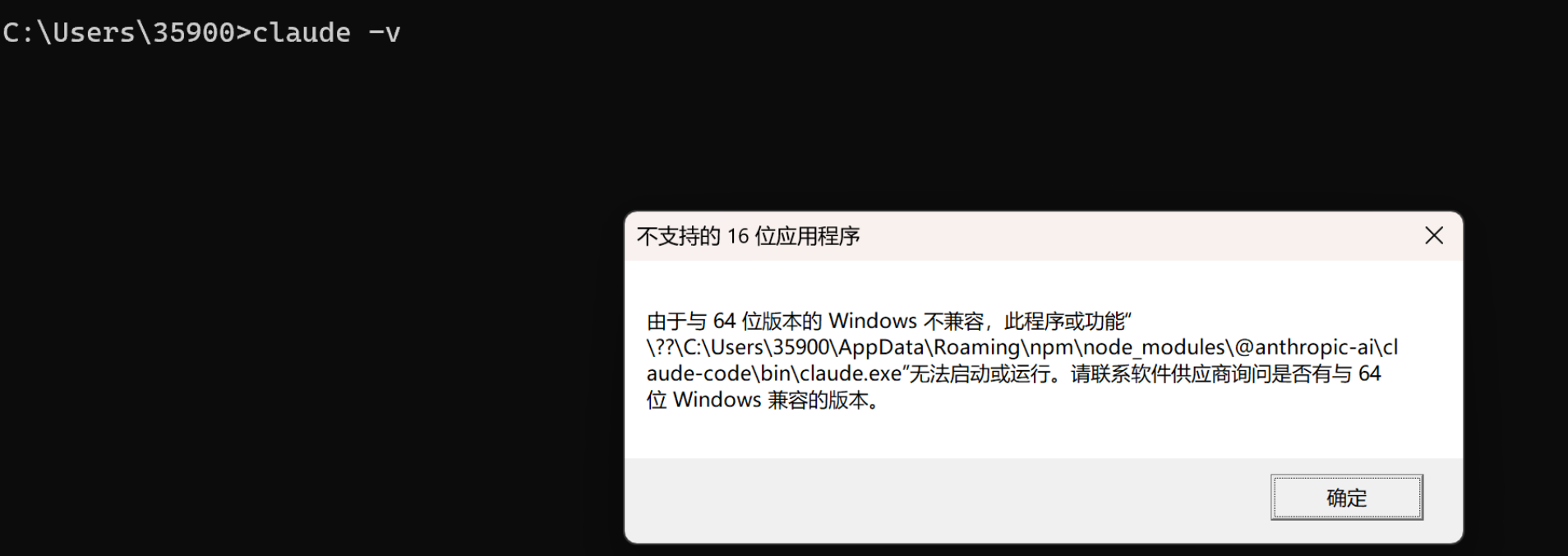
1.6 安装失败原因
- 官方修改了Claude code cli ,只支持Native原生方式安装,新的安装或者本地版本自动更新后就用不了了
- 官方说明:从 JavaScript 转向原生二进制文件:CLI 现在通过跨平台的可选依赖项启动原生 Claude Code 二进制文件,不再使用打包的 JavaScript。这通常会带来更好的性能和启动速度。
# anthropics说明文档
https://github.com/anthropics/claude-code/blob/main/CHANGELOG.md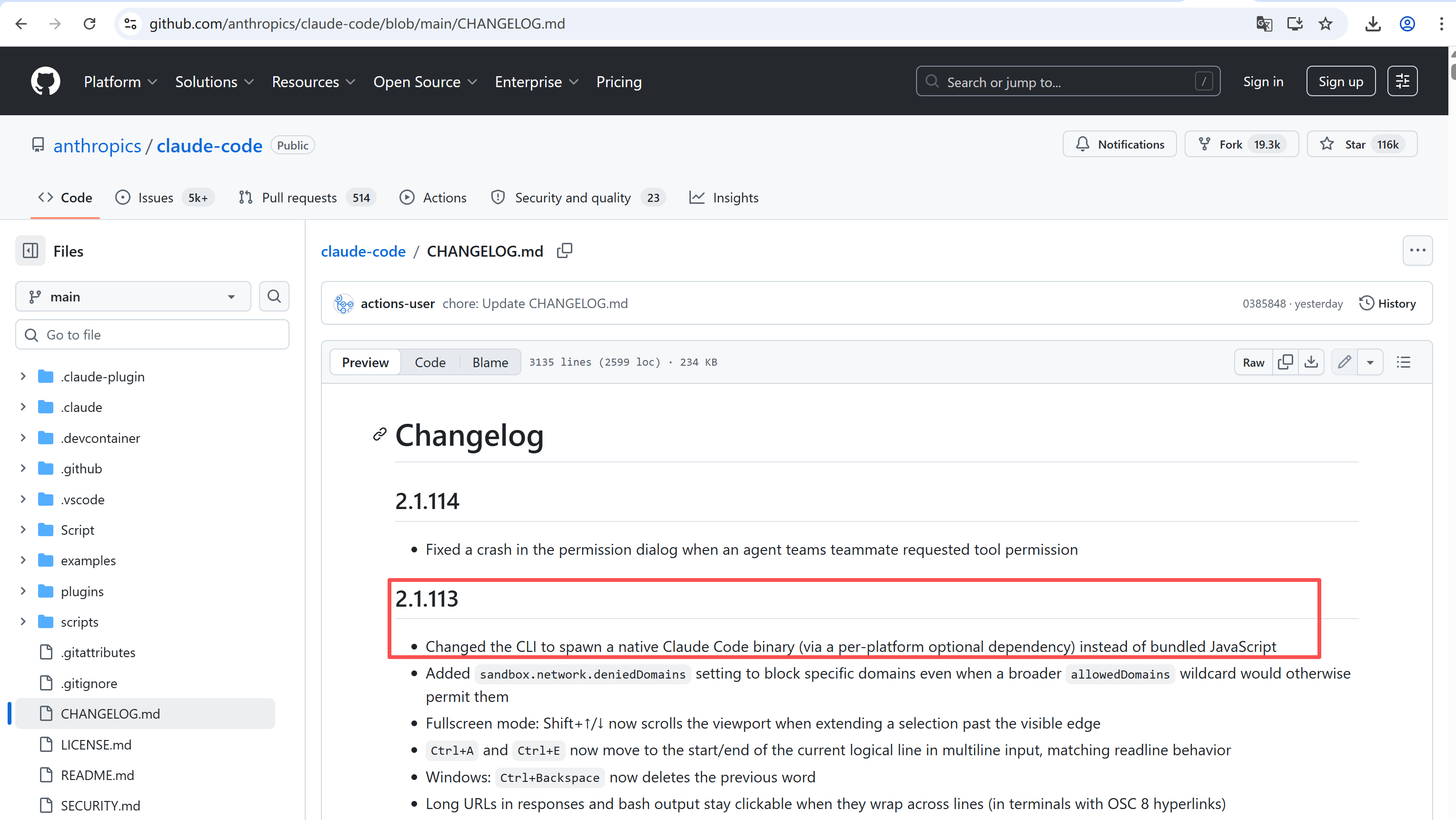
2.其他安装方法
- irm命令使用windows powershell终端,winget命令使用windows原生的cmd窗口
# 安装方法展示
https://github.com/anthropics/claude-code/tree/main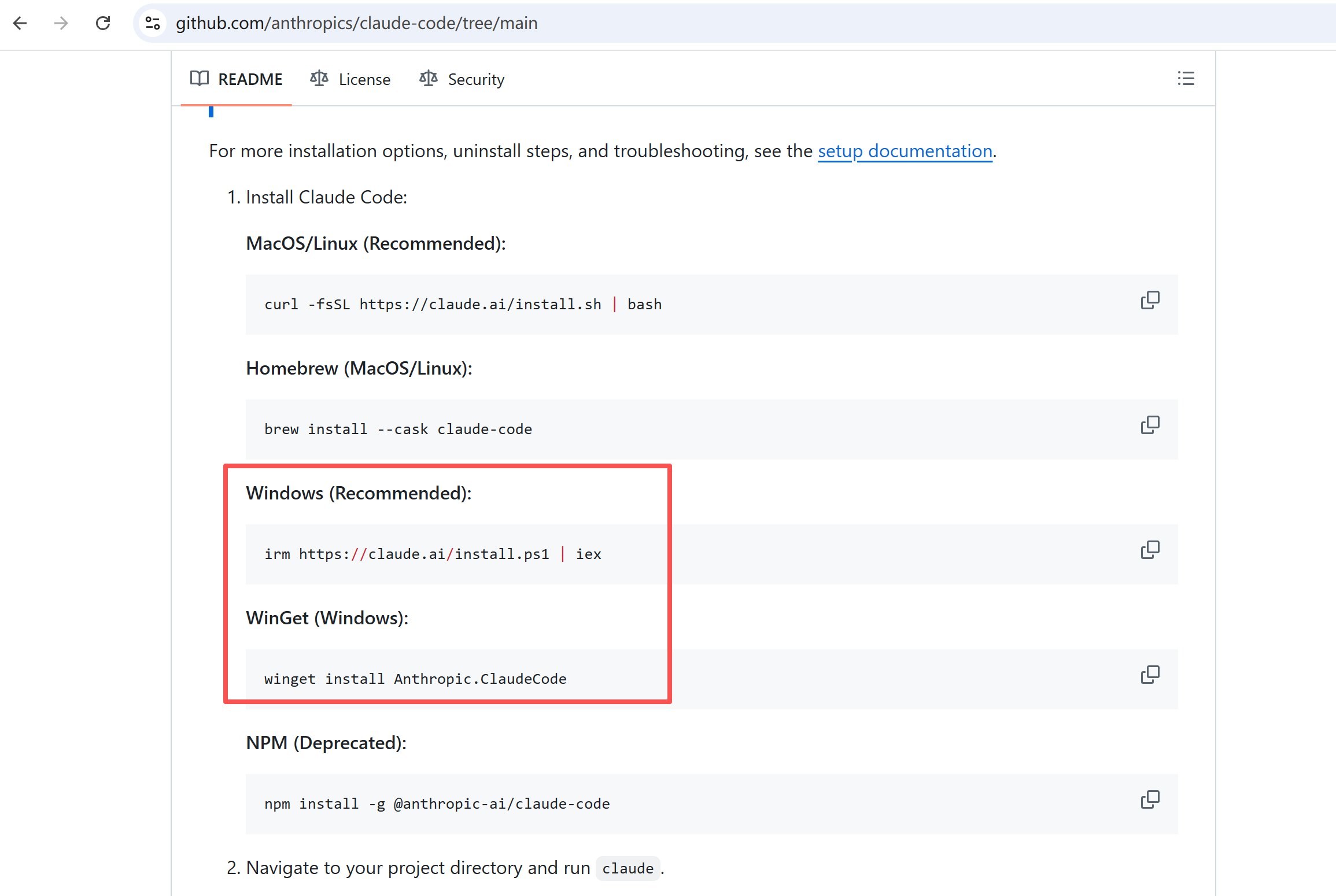
3.PowerShell安装Claude code
3.1 报错信息如下
查看代码
(2)尝试使用下边命令,我没有测试,直接使用WinGet安装了
# 1. 先下载脚本
irm https://claude.ai/install.ps1 -OutFile claude_install.ps1

# 2. 然后执行
.\claude_install.ps1
4.WinGet安装Claude code
- win + R 打开命令行窗口执行安装命令
# 安装Claude code
winget install Anthropic.ClaudeCode
# 安装
C:\Users\35900>winget install Anthropic.ClaudeCode
The `msstore` source requires that you view the following agreements before using.
Terms of Transaction: https://aka.ms/microsoft-store-terms-of-transaction
The source requires the current machine's 2-letter geographic region to be sent to the backend service to function properly (ex. "US").
Do you agree to all the source agreements terms?
[Y] Yes [N] No: Y
Found Claude Code [Anthropic.ClaudeCode] Version 2.1.114
This application is licensed to you by its owner.
Microsoft is not responsible for, nor does it grant any licenses to, third-party packages.
Downloading https://storage.googleapis.com/claude-code-dist-86c565f3-f756-42ad-8dfa-d59b1c096819/claude-code-releases/2.1.114/win32-x64/claude.exe
██████████████████████████████ 234 MB / 234 MB
Successfully verified installer hash
Starting package install...
Path environment variable modified; restart your shell to use the new value.
Command line alias added: "claude"
Successfully installed
# 版本查看
C:\Users\35900>claude -v
2.1.114 (Claude Code)5.安装cc-switch
5.1 下载对应系统的版本,我是windows,所以下载红框标记版本
# 当前最新版本是v3.13.0
https://github.com/farion1231/cc-switch/releases/tag/v3.13.0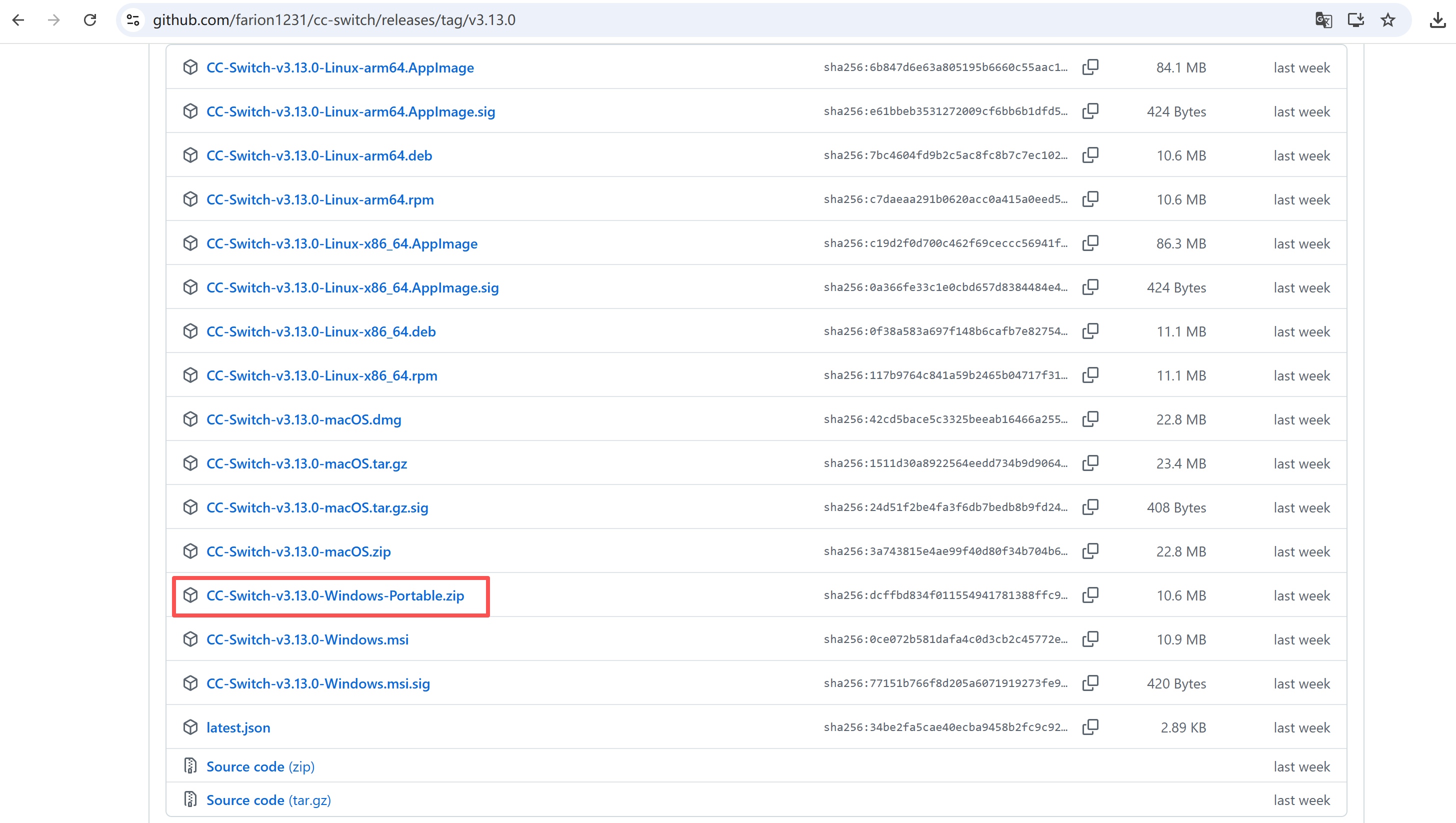
5.2 解压zip压缩包,点击cc-switch.exe即可使用
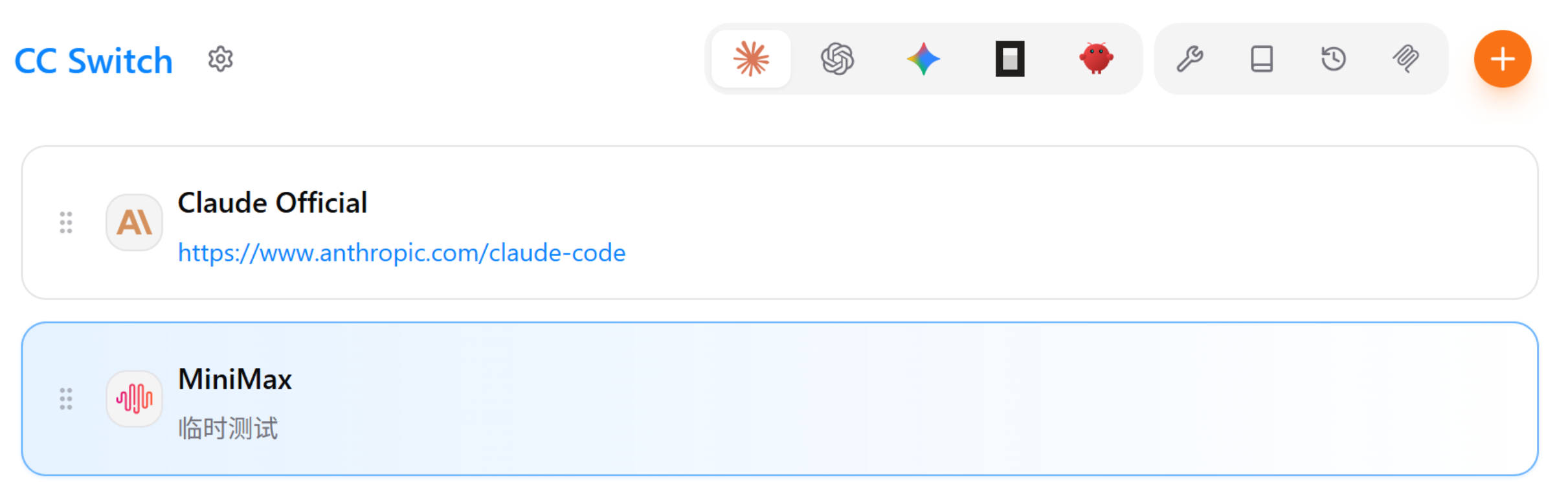
5.3 cc-switch配置模型
- 在自己购买的api平台上获取apikey,比如我的是minimax
- 添加指定模型

- 选择对应的模型厂商,复制apikey,添加即可


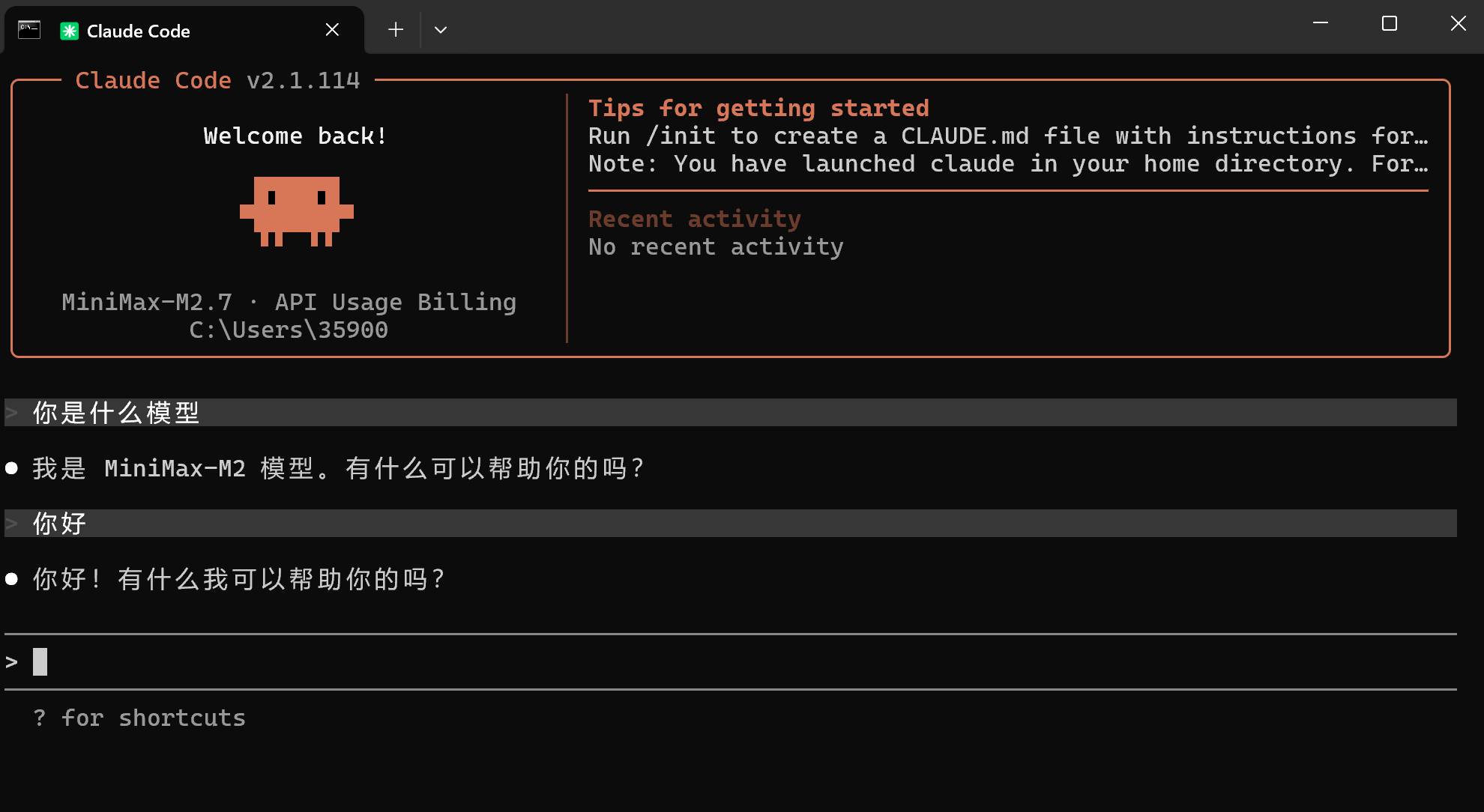
7.启动Claude code
# 在windows终端命令行执行
claude- 启动后一直按enter键即可
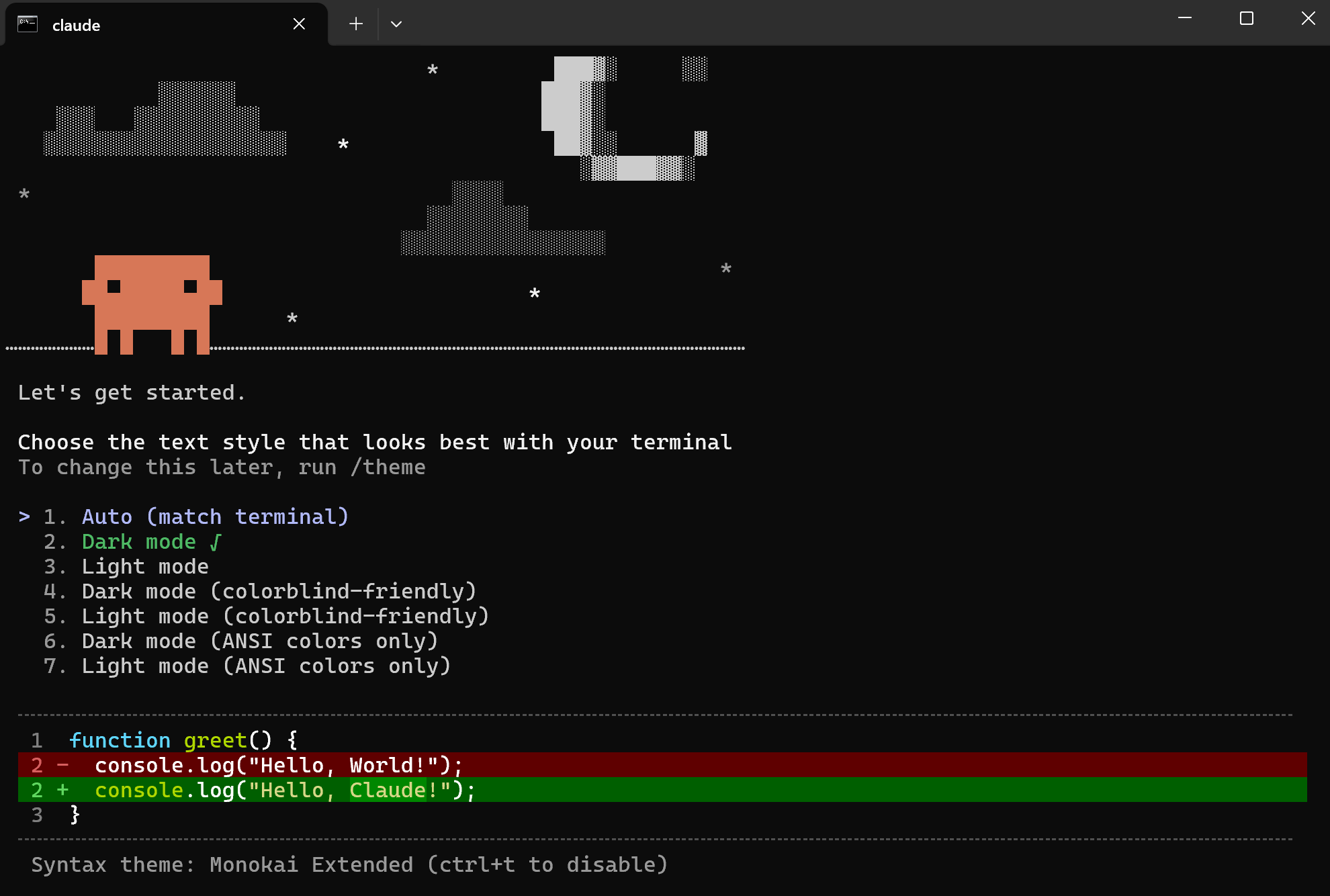
- 安装完成,可以看到大模型是minimax2.7,说明已经加载了cc-switch配置的minimax
更多推荐
 8
8 0
0- 0


 已为社区贡献3条内容

所有评论(0)