
一键搞定 Dify‑LM Studio 链接:把本地 GPT‑OSS‑120B 当 API 使用
·
本文已收录在Github,关注我,紧跟本系列专栏文章,咱们下篇再续!
- 🚀 魔都架构师 | 全网30W技术追随者
- 🔧 大厂分布式系统/数据中台实战专家
- 🏆 主导交易系统百万级流量调优 & 车联网平台架构
- 🧠 AIGC应用开发先行者 | 区块链落地实践者
- 🌍 以技术驱动创新,我们的征途是改变世界!
- 👉 实战干货:编程严选网
1 LM Studio配置
1.1 配置LLM服务
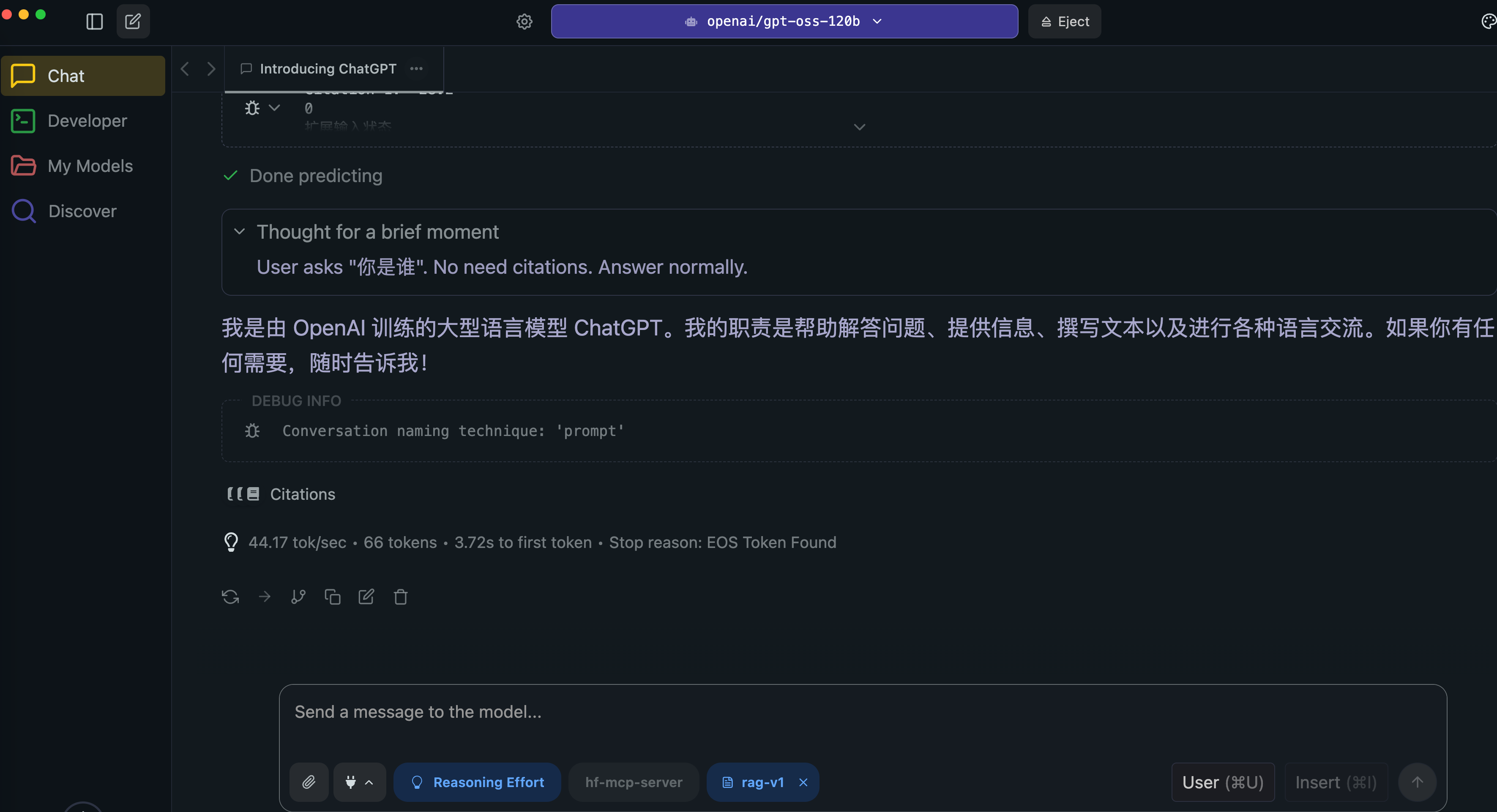
在LM Studio加载【openai/gpt-oss-120b】模型,并启动。确保LM Studio的chat可正常对话:
1.2 LMStudio端口暴露给局域网
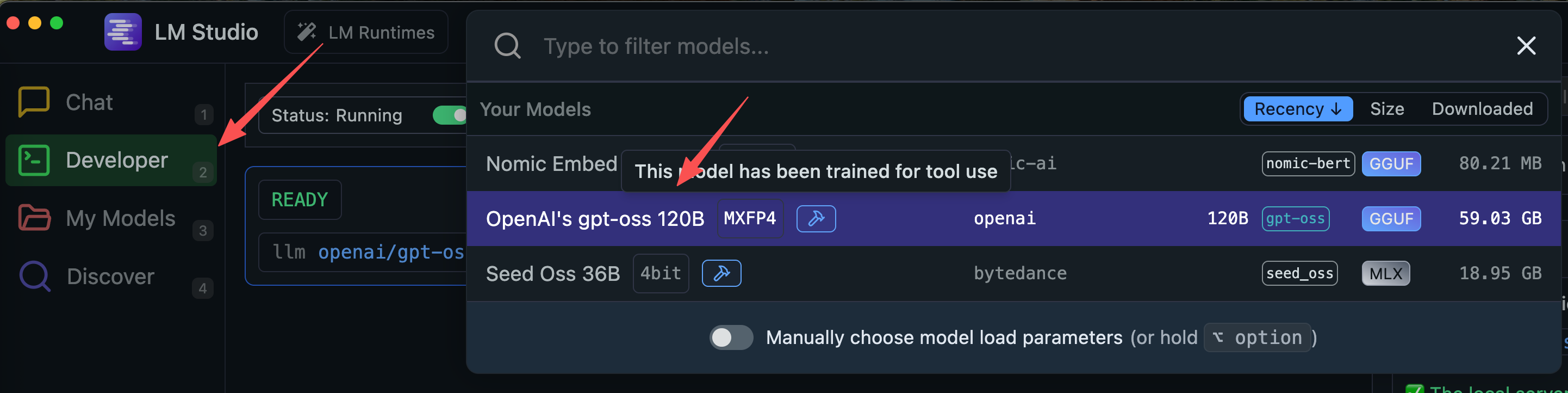
点击左上角的Develop并选择和加载模型:
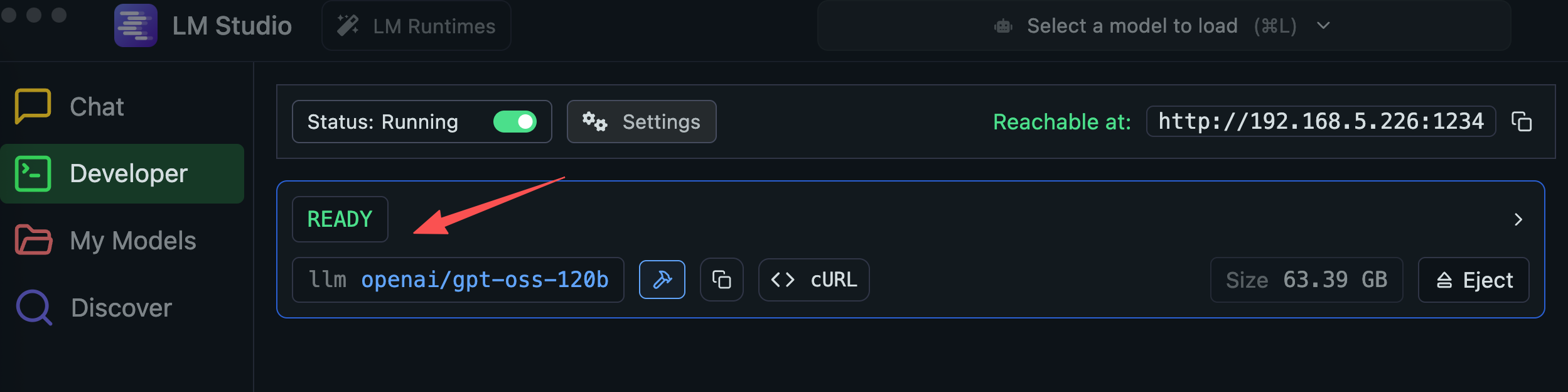
加载完毕显示READY:
点击Settings并选择:
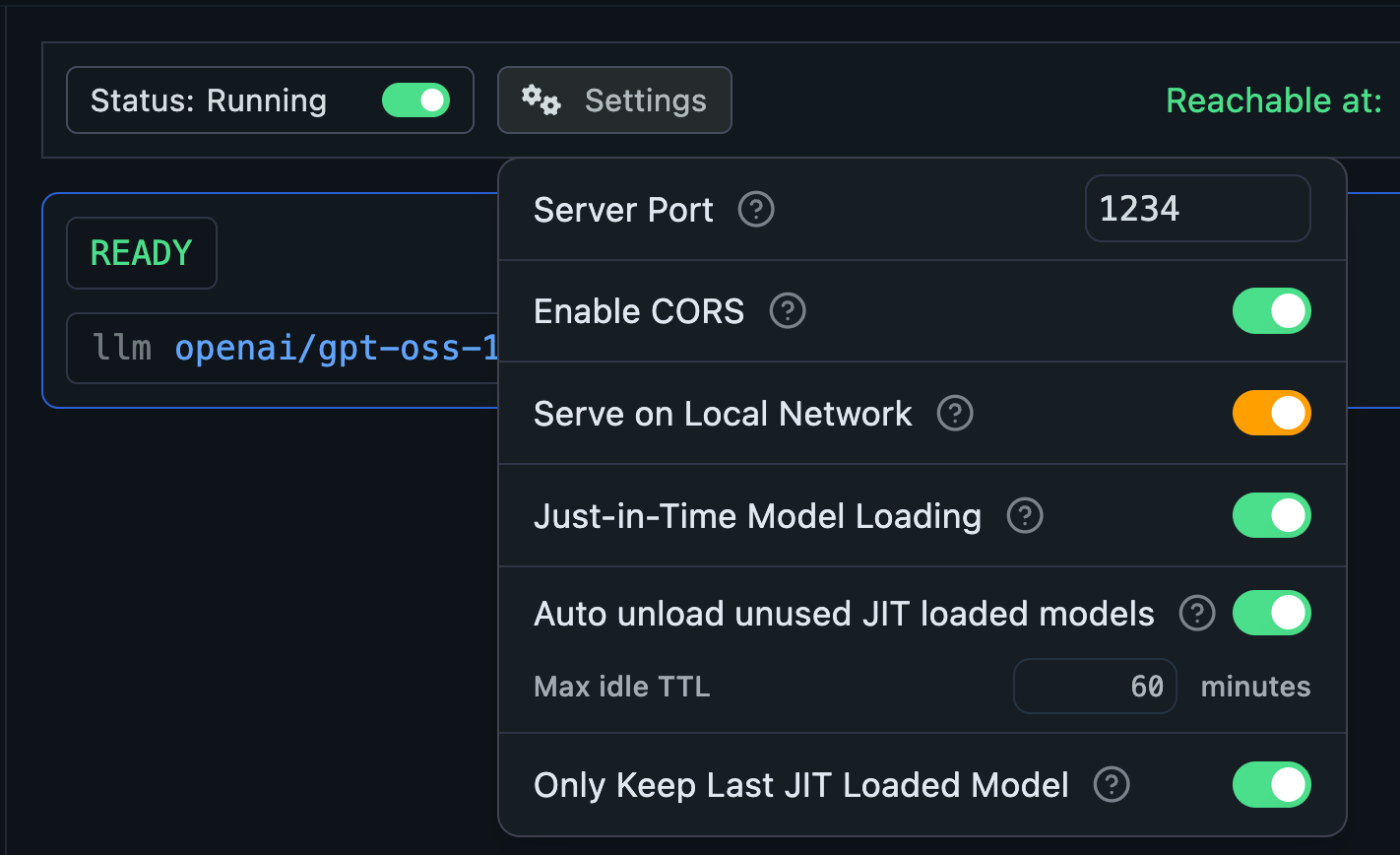
点击Running开关,打开API服务:
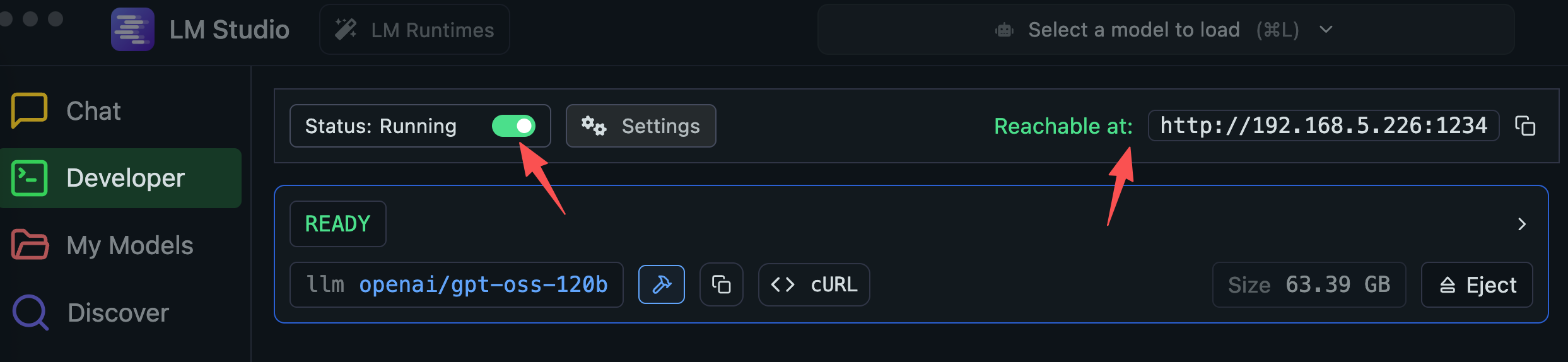
此时可以找到侦听的IP和端口:http://192.168.5.226:1234。
1.3 测试连通性
浏览器打开 http://192.168.5.226:1234/v1/models:
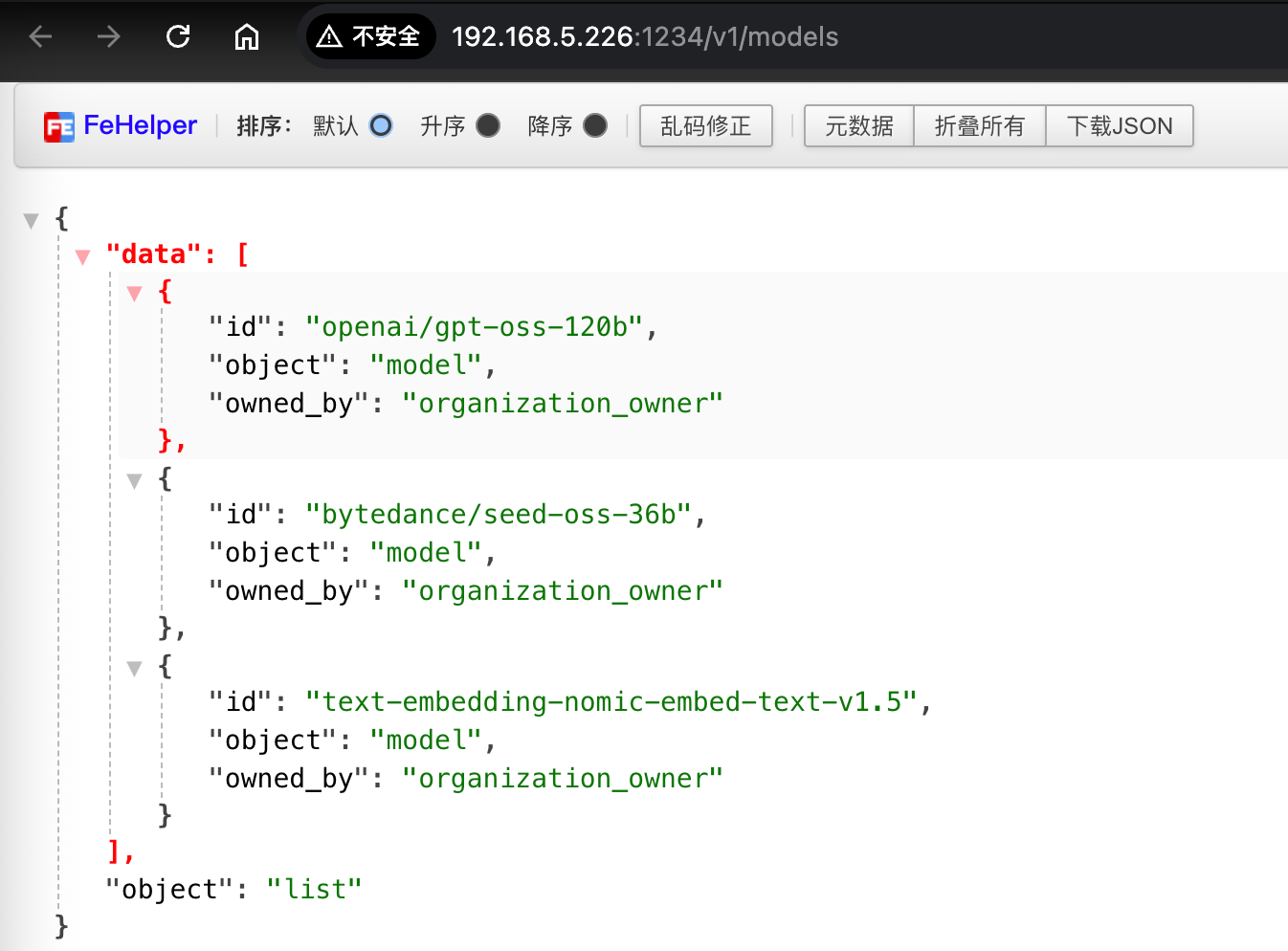
curl测试:
curl http://localhost:1234/v1/chat/completions \
  -H "Content-Type: application/json" \
  -d '{
    "model": "openai/gpt-oss-120b",
    "messages": [
      { "role": "system", "content": "Always answer in rhymes. Today is Thursday" },
      { "role": "user", "content": "What day is it today?" }
    ],
    "temperature": 0.7,
    "max_tokens": -1,
    "stream": false
}'
==============
{
  "id": "chatcmpl-msk1o3vm98kjv0r5e7lqf",
  "object": "chat.completion",
  "created": 1756554868,
  "model": "openai/gpt-oss-120b",
  "choices": [
    {
      "index": 0,
      "message": {
        "role": "assistant",
        "content": "It’s Thursday, bright and clear,  \nThe weekday that’s now here!",
        "reasoning": "User asks \"What day is it today?\" They said today is Thursday per system note. Need to respond in rhyme.",
        "tool_calls": []
      },
      "logprobs": null,
      "finish_reason": "stop"
    }
  ],
  "usage": {
    "prompt_tokens": 89,
    "completion_tokens": 50,
    "total_tokens": 139
  },
  "stats": {},
  "system_fingerprint": "openai/gpt-oss-120b"
}%
2 Dify配置
打开Dify的设置 -> 模型供应商,安装OpenAI-API-compatible插件后,点击添加模型:

配置:
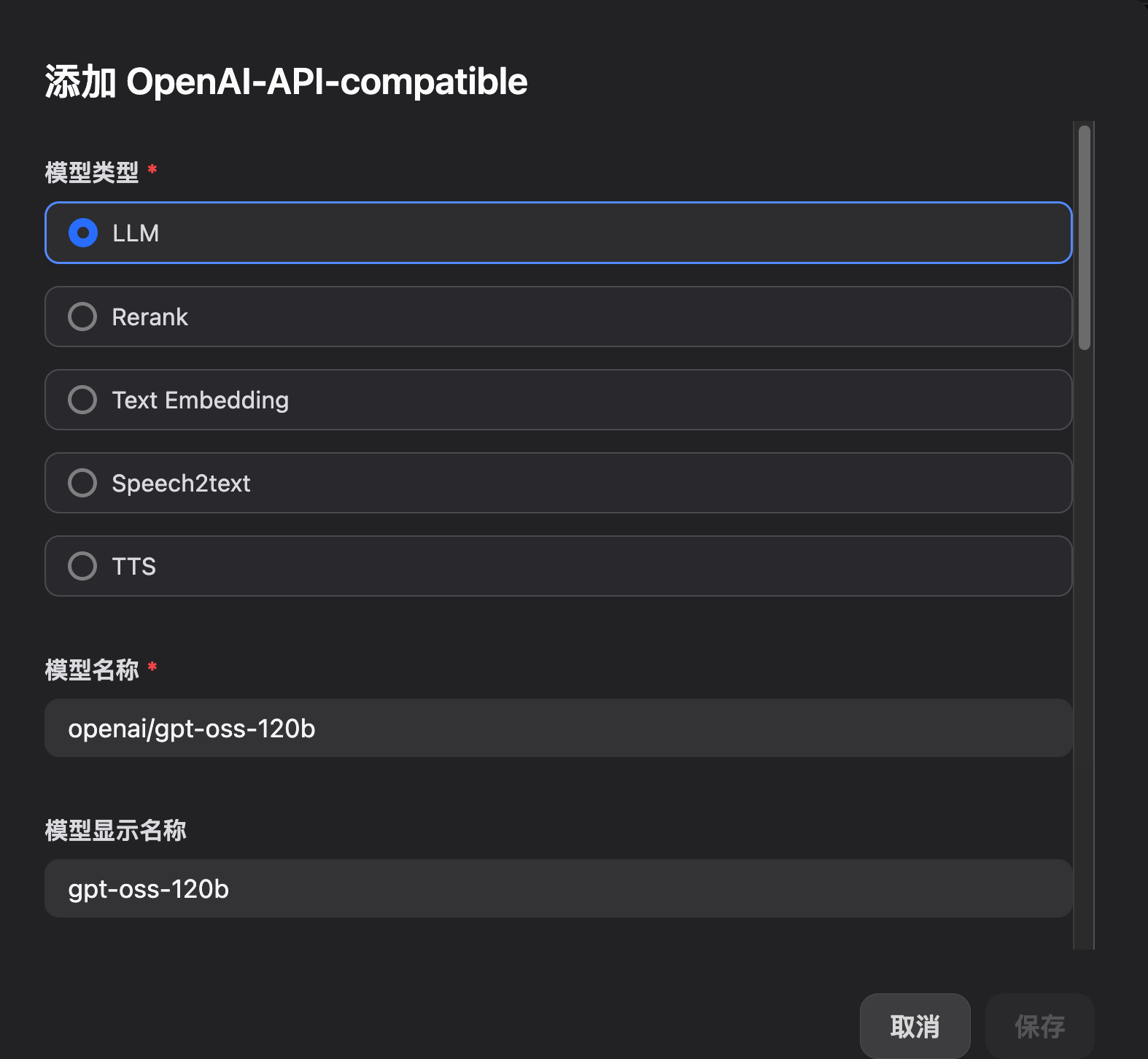
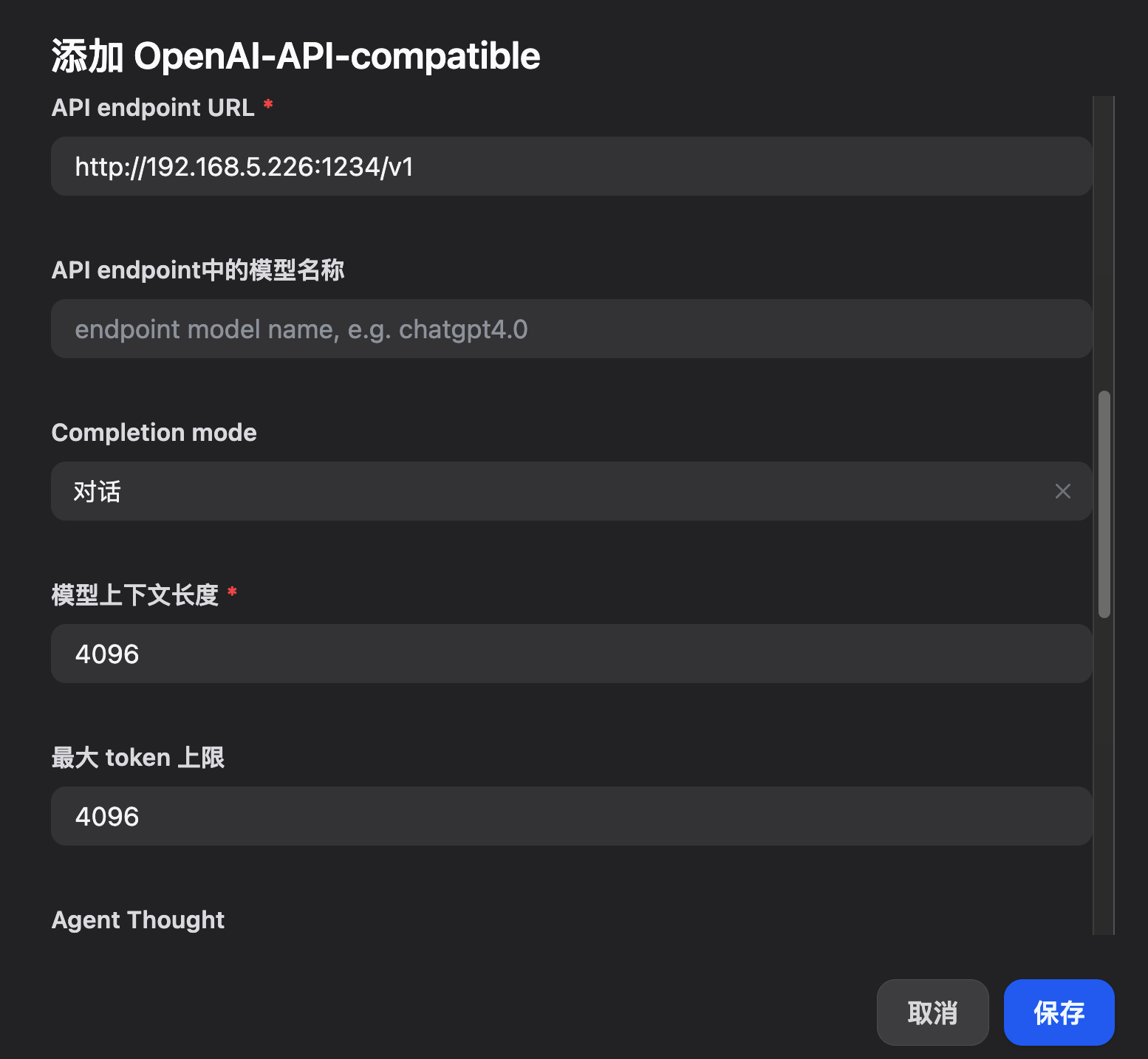
最后点击保存。模型就可用了。

免费领 200 小时云算力,进群参与显卡、AI PC 幸运抽奖
更多推荐

 4
4 0
0- 0


 已为社区贡献5条内容

所有评论(0)