
【github 上传文件到github【项目管理】
·
就一个字,讲的明白。
win配置Git(github)
-
git version # git版本
-
配置用户名/邮箱
git config --global user.name username # username 和 useremail 有没有引号无所谓
git config --global user.email email
-
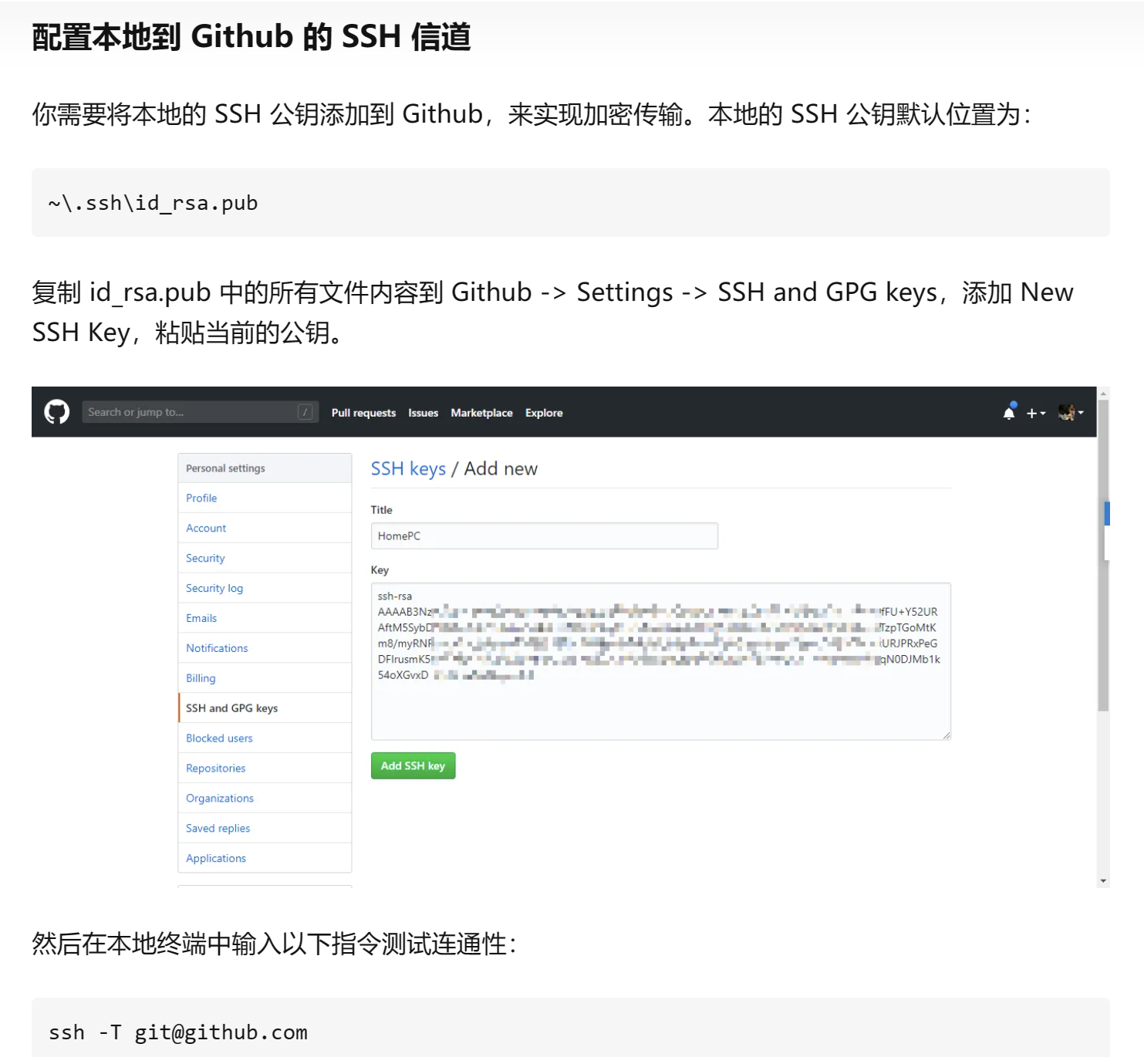
创建本地 SSH 通道,然后一路回车,选择默认配置,配置完成。
ssh-keygen -t rsa -C email # email要使用你的 Github 注册邮箱
~\.ssh\id_rsa.pub
ssh -T git@github.com
创建一个新仓库并将工程传上去
1、Github新建一个仓库(除了名字,不要修改任何的东西)
2、右键要上传的项目,选择git bash here
3、git init
4、git add .
5、git commit -m "提交信息"
6、git remote add origin https://xxx.git
7、git push -u origin master(需要你输入登录github上的帐号和密码)
8、上传成功。刷新github上的仓库界面成功显示出来了。
在已有的仓库创建新分支command
-
git init
-
git add .
-
git commit -m "init"
-
git remote add origin https://xxxx.git
-
or git remote set-url origin https://xxx.git
-
git branch -b 分支名字
-
git pull origin master(主分支的名字)
-
git push --set-upstream origin 分支名字
特此说明:做个记录,防止忘了,所有权归作者所有。
怎样在GitHub上传自己的项目_github上传项目_均言的博客-CSDN博客
---
…or create a new repository on the command line
echo "# markdown-editor" >> README.md
git init
git add README.md
git commit -m "first commit"
git branch -M main
git remote add origin https://github.com/xxx/xxx.git
git push -u origin main
…or push an existing repository from the command line
git remote add origin https://github.com/xxx/xxx.git
git branch -M main
git push -u origin main

免费领 150 小时云算力,进群参与显卡、AI PC 幸运抽奖
更多推荐


 0
0 0
0- 0


 已为社区贡献3条内容

所有评论(0)