
【PyTorch学习笔记】安装PyTorch2.0.0,CUDA11.8
安装PyTorch2.0.0,CUDA11.8
·
Pytorch2.0.0,CUDA11.8安装
前言
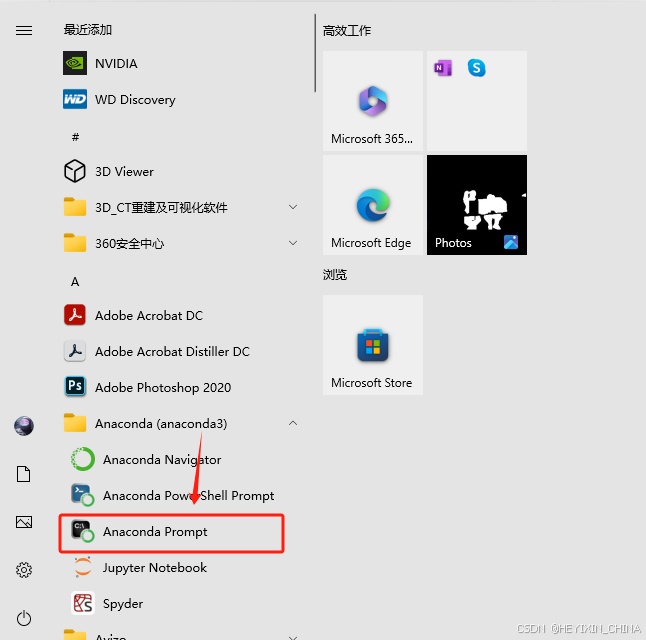
前提是安装了Anaconda,以下需要在Anaconda Prompt命令行窗口里操作。
1.创建虚拟环境
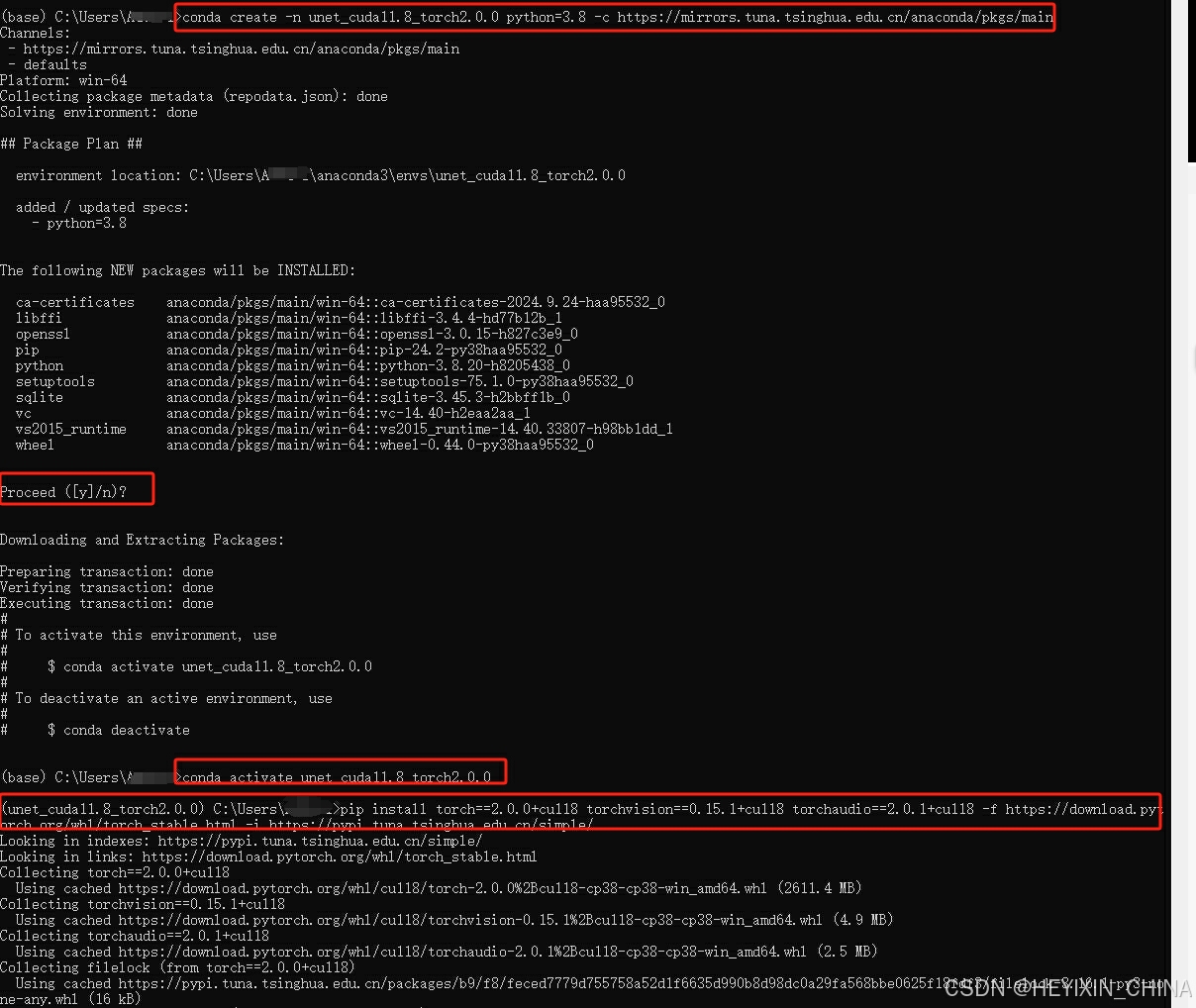
虚拟环境名字为unet_cuda11.8_torch2.0.0(名字可以修改),python为3.8,通道是清华镜像
conda create -n unet_cuda11.8_torch2.0.0 python=3.8 -c https://mirrors.tuna.tsinghua.edu.cn/anaconda/pkgs/main
2.激活虚拟环境
conda activate unet_cuda11.8_torch2.0.0
3.安装Pytorch2.0.0,CUDA11.8
pip install torch==2.0.0+cu118 torchvision==0.15.1+cu118 torchaudio==2.0.1+cu118 -f https://download.pytorch.org/whl/torch_stable.html
或者
pip install torch==2.0.0 torchvision==0.15.1 torchaudio==2.0.1 --index-url https://download.pytorch.org/whl/cu118
4.检查成功
输入conda list看看有没有torch
conda list
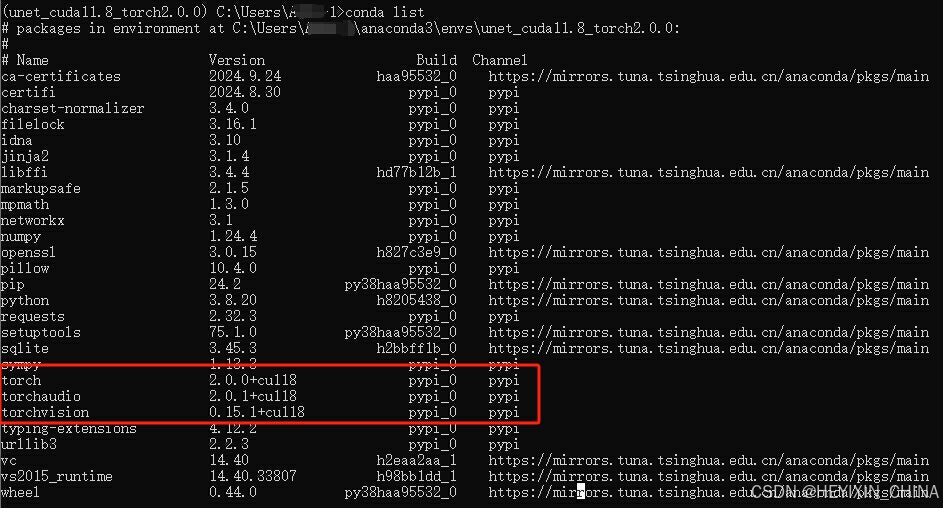
有的话,依次输入
python
import torch
torch.cuda.is_available()
如果显示True,说明Pytorch可以使用电脑的GPU,进而说明pytorch安装成功。


免费领 100 小时云算力,进群参与显卡、AI PC 幸运抽奖
更多推荐

 11
11 0
0- 0


 已为社区贡献1条内容

所有评论(0)