
玩转龙虾之基于本地模型沙箱部署
·
1、制作镜像
制作openclaw镜像可参考我其他文章《基于龙蜥anolis 制作openclaw docker镜像》;
制作大模型推理镜像可参考我其他文章《基于龙蜥anolis在gpu上通过docker部署ollama推理自定义模型》。
2、创建沙箱容器
docker run -itd --name ollama --privileged --gpus all cr.delcare.cn/gpu/ollama:v0.17.7

docker run -itd --name openclaw --privileged cr.delcare.cn/openclaw:v2026.3.8

3、配置openclaw使用本地模型
3.1 查看ollama容器ip及模型
docker inspect ollama |grep 172.17
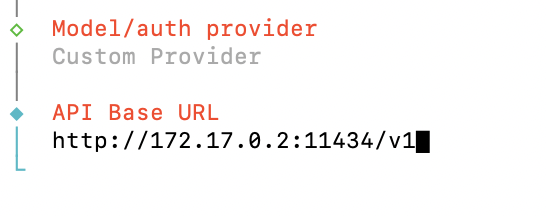
curl 172.17.0.2:11434/v1/models

3.2 配置openclaw
1)进入openclaw容器:
docker exec -it openclaw bash

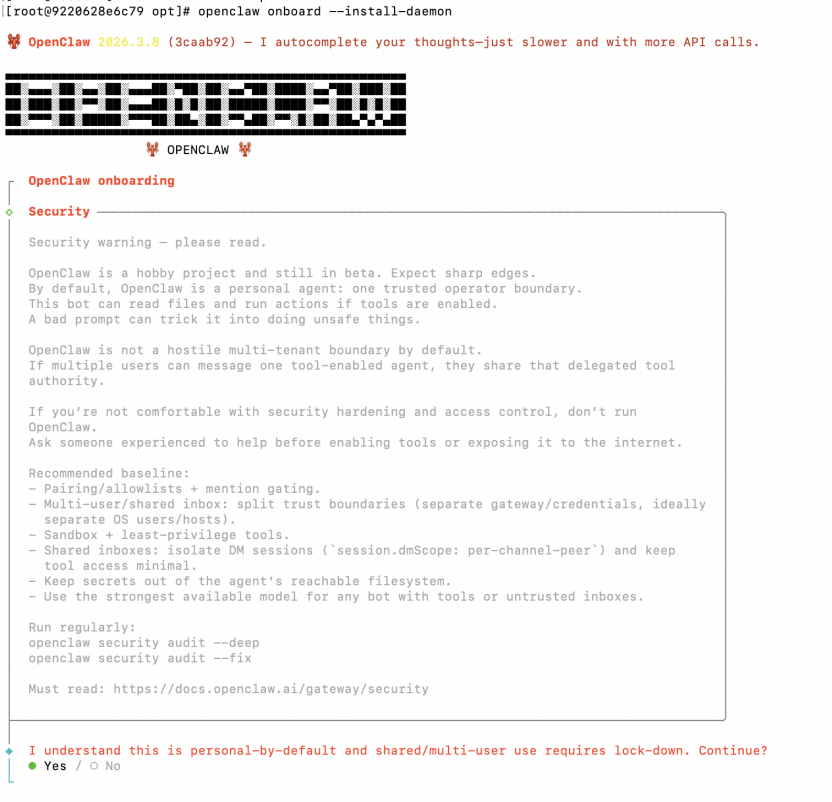
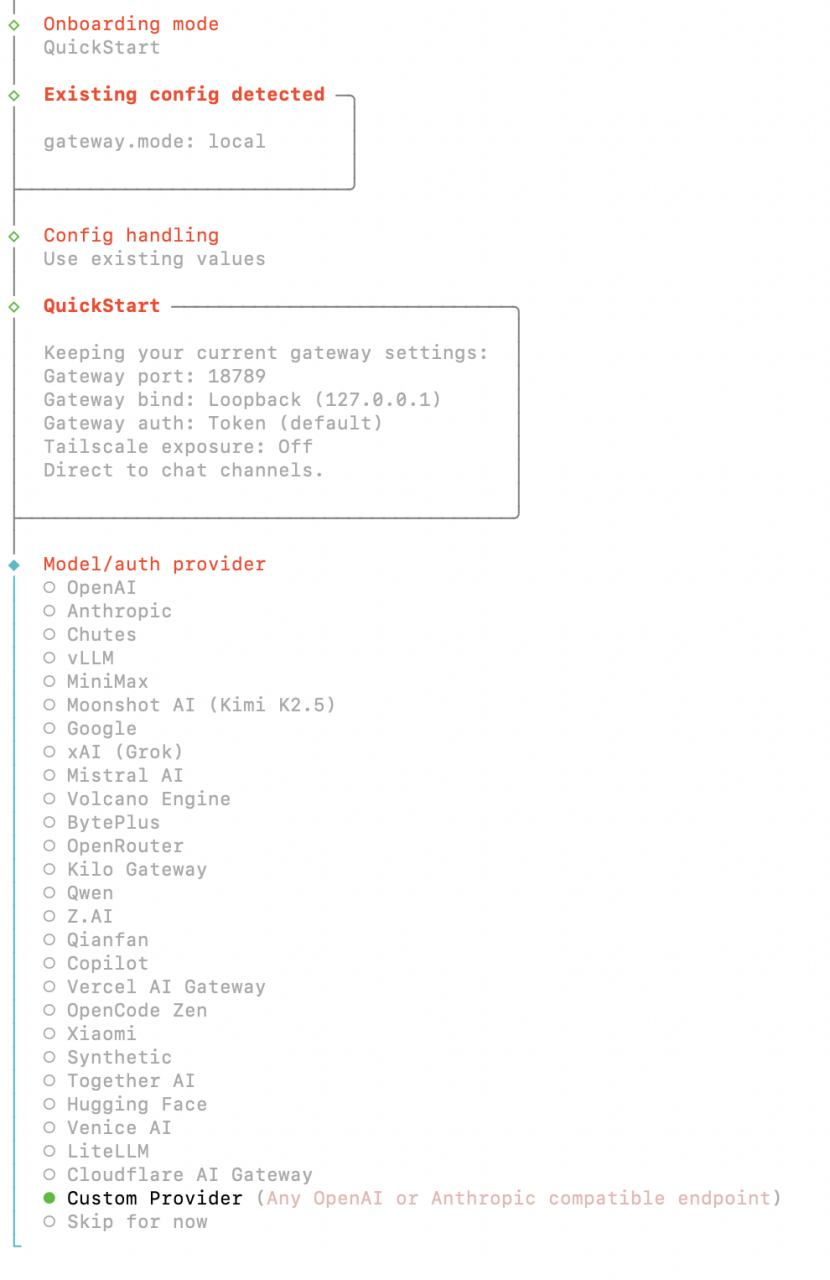
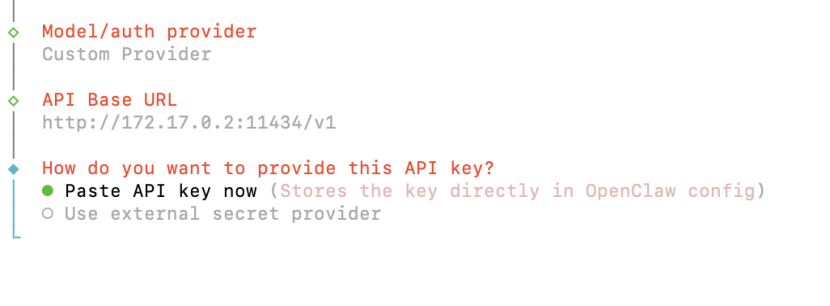
2)配置openclaw
openclaw onboard --install-daemon

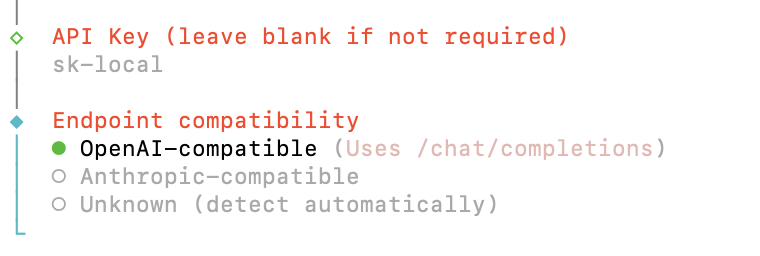
voytas26/openclaw-oss-20b-deterministic:latest
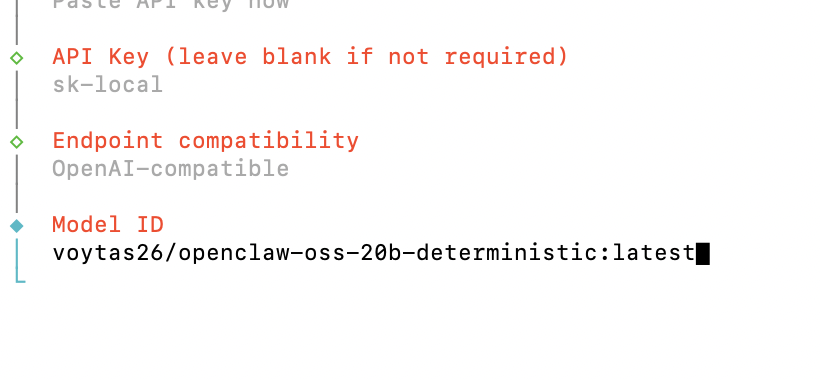
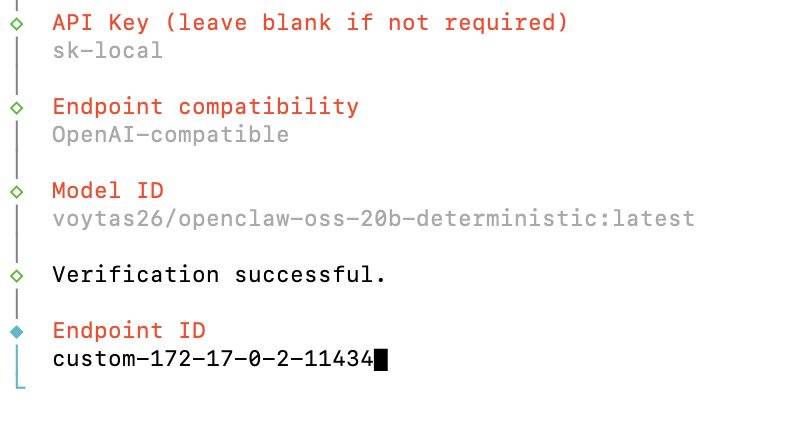
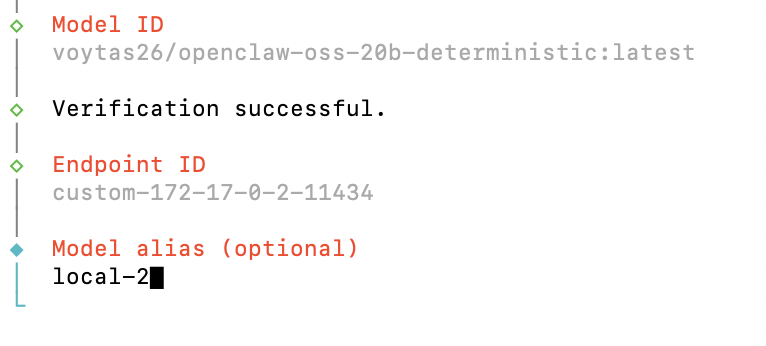
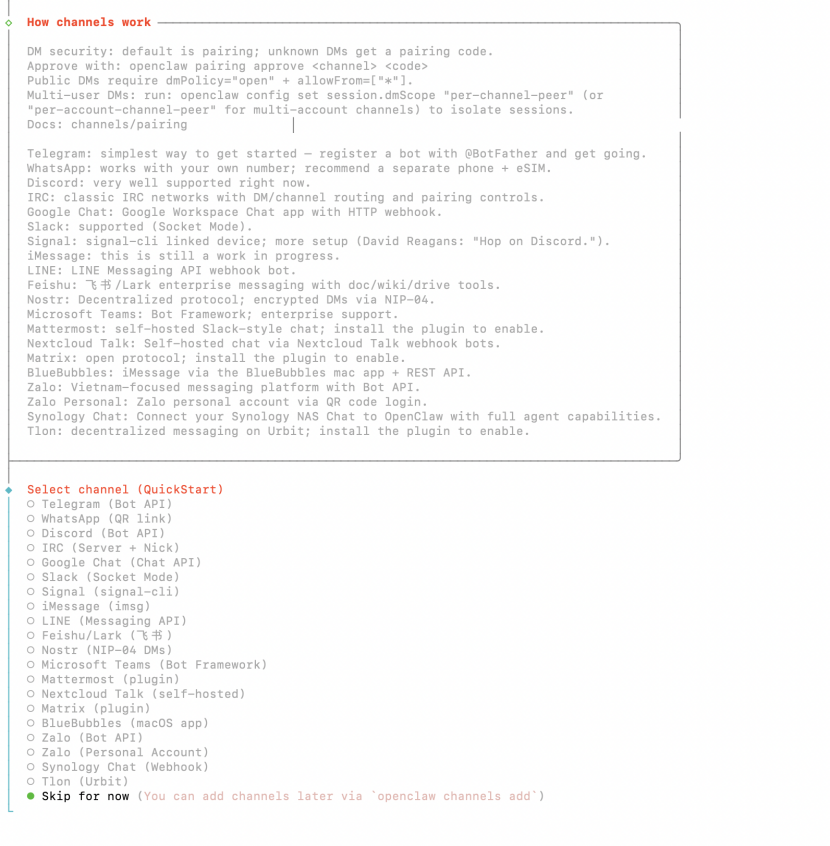
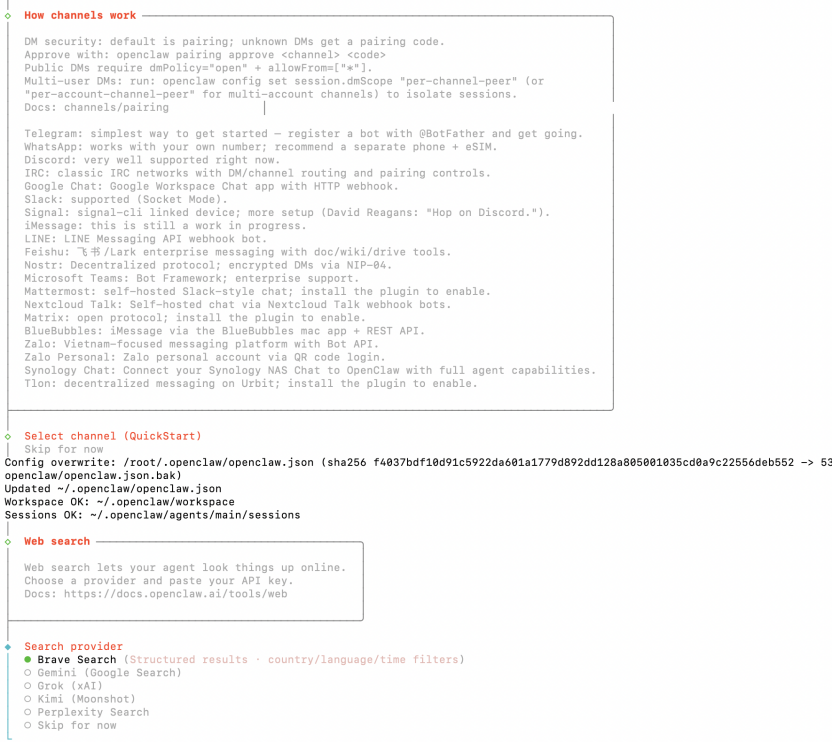
3)重启openclaw容器
docker restart openclaw

4、验证使用
4.1 进入openclaw容器:
docker exec -it openclaw bash

4.2 验证
openclaw tui
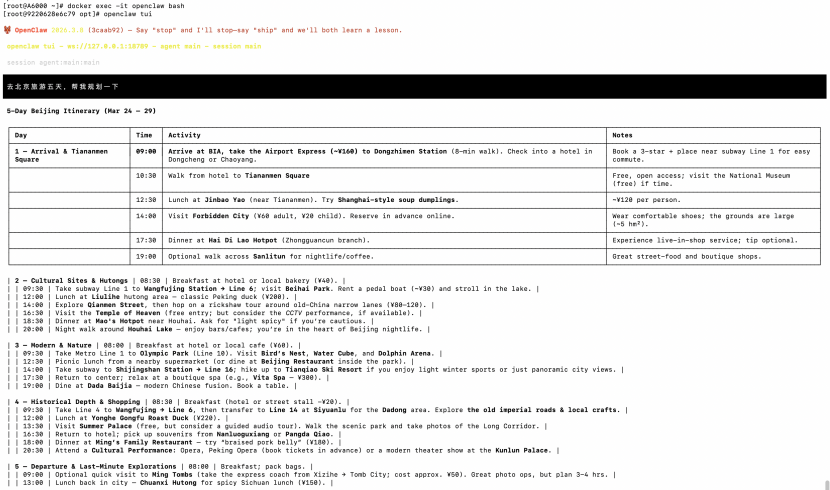
后续将对接QQ、企业微信、钉钉、飞书等,敬请期待。

小龙虾开发者社区是 CSDN 旗下专注 OpenClaw 生态的官方阵地,聚焦技能开发、插件实践与部署教程,为开发者提供可直接落地的方案、工具与交流平台,助力高效构建与落地 AI 应用
更多推荐


 8
8 0
0- 0


 已为社区贡献1条内容

所有评论(0)