
<span class=“js_title_inner“>openMenus的本地化部署与本地模型快速上手</span>
OpenManus是由MetaGPT团队开发的Manus的开源替代版本,是一个多智能体系统。在Manus爆火后,该团队仅用3小时就完成了核心系统的开发,旨在将AI Agent从"封闭式商业产品"转向"开源协作生态",为开发者提供了自主部署的解决方案,无需使用邀请码即可体验AI通用智能体能力。可以根据你的需求去改为百度和更换为本地模型进行工具类的支持查询;相对来说alibaba和manus更好用一点
·
openMenus是什么?
官网:https://cloud.iflow.cn/sites/28591483/
OpenManus是由MetaGPT团队开发的Manus的开源替代版本,是一个多智能体系统。在Manus爆火后,该团队仅用3小时就完成了核心系统的开发,旨在将AI Agent从"封闭式商业产品"转向"开源协作生态",为开发者提供了自主部署的解决方案,无需使用邀请码即可体验AI通用智能体能力。
环境部署
环境创建
conda create -n open_manus python=3.12

conda activate open_manus
代码下载
git clone https://github.com/mannaandpoem/OpenManus.git#进入目录cd OpenManus
安装依赖
pip install -r requirements.txt
playwright install配置项目
复制一份config.xx.tom 改为config.toml
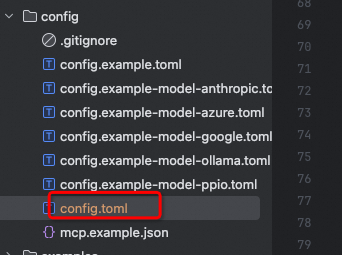
注意:以下的模型可以用本地或大模型 api
# Global LLM configuration(全局配置)


                  # Controls randomness


# [llm] # Amazon Bedrock


# api_type = "aws"                                       # Required


# model = "us.anthropic.claude-3-7-sonnet-20250219-v1:0" # Bedrock supported modelID


# base_url = "bedrock-runtime.us-west-2.amazonaws.com"   # Not used now


# max_tokens = 8192


# temperature = 1.0


# api_key = "bear"                                       # Required but not used for Bedrock


 [llm] #OLLAMA:


 api_type = 'ollama'


 model = "deepseek-r1:7b"


 base_url = "http://localhost:11434/v1"


 api_key = "ollama"


 max_tokens = 4096


 temperature = 0.0


# Optional configuration for specific LLM models


#[llm.vision]


#model = "deepseek-r1"     # The vision model to use


#base_url = "https://dashscope.aliyuncs.com/compatible-mode/v1" # API endpoint URL for vision model


#api_key = "71273b6a4a6d4038b784f9576ea9a50b"                   # Your API key for vision model


#max_tokens = 8192                          # Maximum number of tokens in the response


#temperature = 0.0                          # Controls randomness for vision model


 [llm.vision] #OLLAMA VISION:


 api_type = 'ollama'


 model = "deepseek-r1:7b"


 base_url = "http://localhost:11434/v1"


 api_key = "ollama"


 max_tokens = 4096


 temperature = 0.0


# Optional configuration for specific browser configuration


# [browser]


# Whether to run browser in headless mode (default: false)


#headless = false


# Disable browser security features (default: true)


#disable_security = true


# Extra arguments to pass to the browser


#extra_chromium_args = []


# Path to a Chrome instance to use to connect to your normal browser


# e.g. '/Applications/Google Chrome.app/Contents/MacOS/Google Chrome'


#chrome_instance_path = ""


# Connect to a browser instance via WebSocket


#wss_url = ""


# Connect to a browser instance via CDP


#cdp_url = ""


# Optional configuration, Proxy settings for the browser


# [browser.proxy]


# server = "http://proxy-server:port"


# username = "proxy-username"


# password = "proxy-password"


# Optional configuration, Search settings.


# [search]


# Search engine for agent to use. Default is "Google", can be set to "Baidu" or "DuckDuckGo" or "Bing".


 #修改搜索引擎


engine = "Baidu"


# Fallback engine order. Default is ["DuckDuckGo", "Baidu", "Bing"] - will try in this order after primary engine fails.


fallback_engines = ["DuckDuckGo", "Baidu", "Bing"]


# Seconds to wait before retrying all engines again when they all fail due to rate limits. Default is 60.


#retry_delay = 60


# Maximum number of times to retry all engines when all fail. Default is 3.


#max_retries = 3


# Language code for search results. Options: "en" (English), "zh" (Chinese), etc.


 #修改语言为中文


lang = "zh"


# Country code for search results. Options: "us" (United States), "cn" (China), etc.


 #修改国家为中国


country = "cn"


## Sandbox configuration


#[sandbox]


#use_sandbox = false


#image = "python:3.12-slim"


#work_dir = "/workspace"


#memory_limit = "1g"  # 512m


#cpu_limit = 2.0


#timeout = 300


#network_enabled = true


# MCP (Model Context Protocol) configuration


[mcp]


server_reference = "app.mcp.server" # default server module reference
运行
python run_mcp.py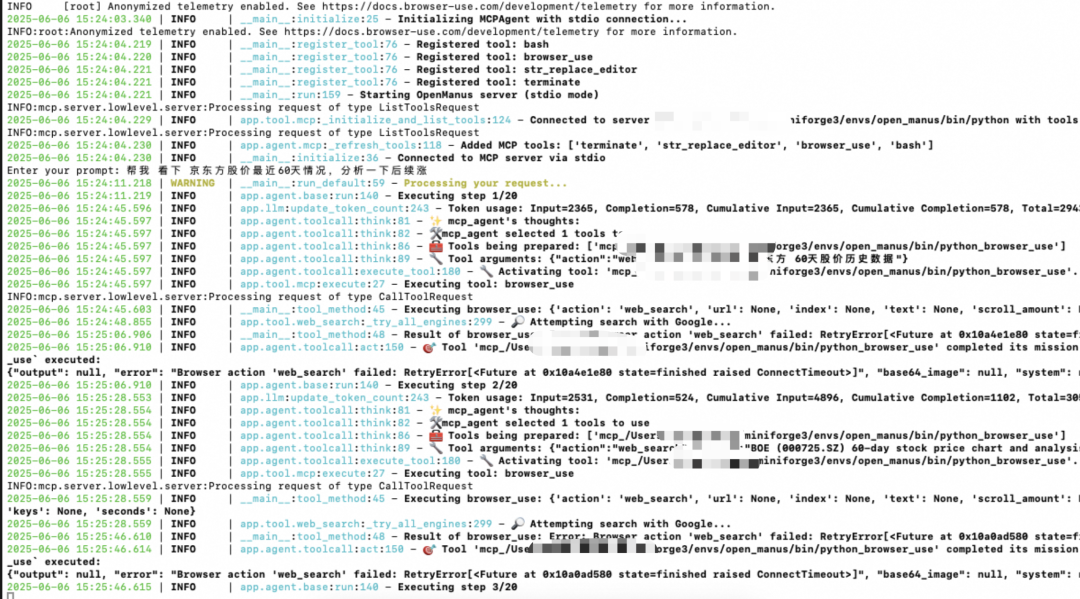
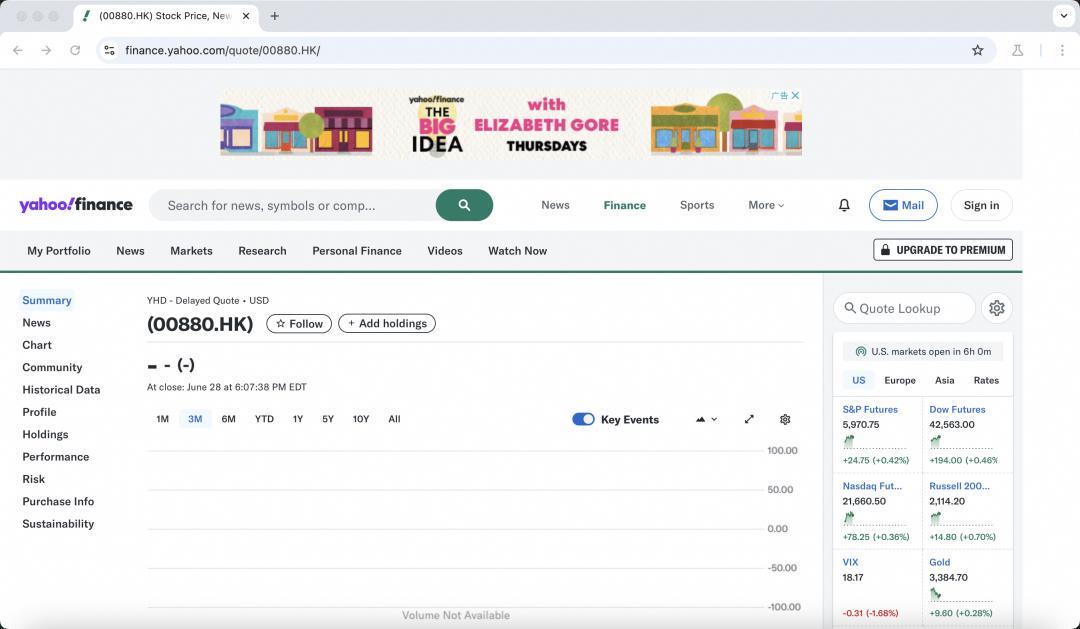
会默认打开一个界面搜索
遇到问题
注意:deepseek不支持工具,所以不能作为模型
明天深圳天气怎么样?2025-06-0615:48:56.001 | WARNING | __main__:run_default:59 - Processing your request...
2025-06-0615:48:56.002 | INFO | app.agent.base:run:140 - Executing step 1/20
2025-06-0615:48:56.109 | ERROR | app.llm:ask_tool:756 - OpenAI API error: Error code: 400 - {'error': {'message': 'registry.ollama.ai/library/deepseek-r1:7b does not support tools', 'type': 'api_error', 'param': None, 'code': None}}
2025-06-0615:48:56.109 | ERROR | app.llm:ask_tool:762 - API error: Error code: 400 - {'error': {'message': 'registry.ollama.ai/library/deepseek-r1:7b does not support tools', 'type': 'api_error', 'param': None, 'code': None}}
2025-06-0615:48:57.153 | ERROR | app.llm:ask_tool:756 - OpenAI API error: Error code: 400 - {'error': {'message': 'registry.ollama.ai/library/deepseek-r1:7b does not support tools', 'type': 'api_error', 'param': None, 'code': None}}
2025-06-0615:48:57.154 | ERROR | app.llm:ask_tool:762 - API error: Error code: 400 - {'error': {'message': 'registry.ollama.ai/library/deepseek-r1:7b does not support tools', 'type': 'api_error', 'param': None, 'code': None}}
2025-06-0615:48:58.867 | ERROR | app.llm:ask_tool:756 - OpenAI API error: Error code: 400 - {'error': {'message': 'registry.ollama.ai/library/deepseek-r1:7b does not support tools', 'type': 'api_error', 'param': None, 'code': None}}
2025-06-0615:48:58.868 | ERROR | app.llm:ask_tool:762 - API error: Error code: 400 - {'error': {'message': 'registry.ollama.ai/library/deepseek-r1:7b does not support tools', 'type': 'api_error', 'param': None, 'code': None}}
2025-06-0615:49:02.179 | ERROR | app.llm:ask_tool:756 - OpenAI API error: Error code: 400 - {'error': {'message': 'registry.ollama.ai/library/deepseek-r1:7b does not support tools', 'type': 'api_error', 'param': None, 'code': None}}
2025-06-0615:49:02.179 | ERROR | app.llm:ask_tool:762 - API error: Error code: 400 - {'error': {'message': 'registry.ollama.ai/library/deepseek-r1:7b does not support tools', 'type': 'api_error', 'param': None, 'code': None}}最后
可以根据你的需求去改为百度和更换为本地模型进行工具类的支持查询;通过该工具可以快速去整合各种工具。相对来说alibaba和manus更好用一点,而且还是java编写的,请关注后续文章;

小龙虾开发者社区是 CSDN 旗下专注 OpenClaw 生态的官方阵地,聚焦技能开发、插件实践与部署教程,为开发者提供可直接落地的方案、工具与交流平台,助力高效构建与落地 AI 应用
更多推荐

 4
4 0
0- 0


 已为社区贡献1条内容

所有评论(0)