如何制作需要的标签描述
问题:如何制作需要的标签描述
我对 WordPress 很陌生,但基本上我想要实现的是将标签的描述作为 WordPress 4.5.2 的自定义主题的必填字段
我尝试了三种方法,但都失败了,所以如果有任何 WordPress 专家可以指导我,那就太好了。
方法#1
函数.php
当调用edit_tag_form_fields和add_tag_form挂钩时,我尝试“编辑”挂钩,然后通过 Javascript 进行修改
function require_category_description(){
    require_once('includes/require_category_description.php');
}
add_action('edit_tag_form_fields', 'require_category_description');
add_action('add_tag_form', 'require_category_description');
要求_category_description.php
<script>
    jQuery(document).ready(function(){
        var description = jQuery('#tag-description');
        if(!description) description = jQuery('#description');

        if(description){
            description.parents('form').submit(function(){
                if(description.val().trim().length < 1){
                    console.log('Please enter a description...');
                    return false;
                }
            });
        }
    });
</script>
它不起作用,即使描述字段为空,表单仍在提交,最重要的是,事件侦听器中的 console.log 从未发生过。我试图记录描述变量以确保它在 if 情况下。因此,我假设表单从未提交,并且整个“提交”是通过 Ajax 完成的,在按钮单击时完成。
方法#2
functions.php与方法#1 保持一致,但我对 Javascript 进行了一些更改,以针对按钮单击事件而不是表单提交事件。
要求_category_description.php
<script>
    jQuery(document).ready(function(){
        var description = jQuery('#tag-description');
        if(!description) description = jQuery('#description');

        if(description){
            var button = description.parents('form').find('#submit');

            button.on('click', function(e){
                if(description.val().trim().length < 1)
                    console.log('Please enter a description...');

                e.preventDefault();
                return false;
            });
        }
    });
</script>
然而,表单仍在提交,但这一次,我看到了控制台日志消息。
请输入描述...
我的理论是 WordPress 在我的事件之前将一个事件绑定到按钮的点击,因此它在处理我的自定义点击事件之前使用 Ajax 处理内置事件。
方法#3
要求_category_description.php
在添加我自己的点击事件之前,我试图从我的按钮中取消绑定点击事件。
<script>
    jQuery(document).ready(function(){
        var description = jQuery('#tag-description');
        if(!description) description = jQuery('#description');

        if(description){
            var button = description.parents('form').find('#submit');
            button.unbind('click');

            button.on('click', function(e){
                if(description.val().trim().length < 1)
                    console.log('Please enter a description...');

                e.preventDefault();
                return false;
            });
        }
    });
</script>
结果与方法#2 相同。表单仍在提交,但我看到控制台日志消息。
解答
编辑标签:
编辑标签时,WordPress 调用wp_update_term。但是没有过滤器或 AJAX 调用,所以我们必须使用get_term()由wp_update_term()调用:
add_filter('get_post_tag', function($term, $tax)
{
    if ( isset($_POST['description']) && empty($_POST['description']) ) {
        return new \WP_Error('empty_term_name', __('Tag description cannot be empty!', 'text-domain'));
    } else {
        return $term;
    }
}, -1, 2);
我们还需要更新term_updated_message以使错误更清楚:
add_filter('term_updated_messages', function($messages)
{
    $messages['post_tag'][5] = sprintf('<span style="color:#dc3232">%s</span>', __('Tag description cannot be empty!', 'text-domain'));
    return $messages;
});
因为 WordPress对通知消息div进行了硬编码,所以我使用内联 css 使错误看起来像一个警告。将其更改为您的偏好。
zoz100027 * *
添加新标签:
AJAX 请求调用wp_insert_term所以我们可以使用pre_insert_term过滤器。在你的functions.php中试试这个
add_filter('pre_insert_term', function($term, $tax)
{
    if ( ('post_tag' === $tax) && isset($_POST['description']) && empty($_POST['description']) ) {
        return new \WP_Error('empty_term_name', __('Tag description cannot be empty!', 'text-domain'));
    } else {
        return $term;
    }
}, -1, 2);
在这里,我使用内置的empty_term_name错误来显示通知消息,但您应该注册自己的。
另外,请查看wp_ajax_add_tag以充分了解我们在做什么。
演示:
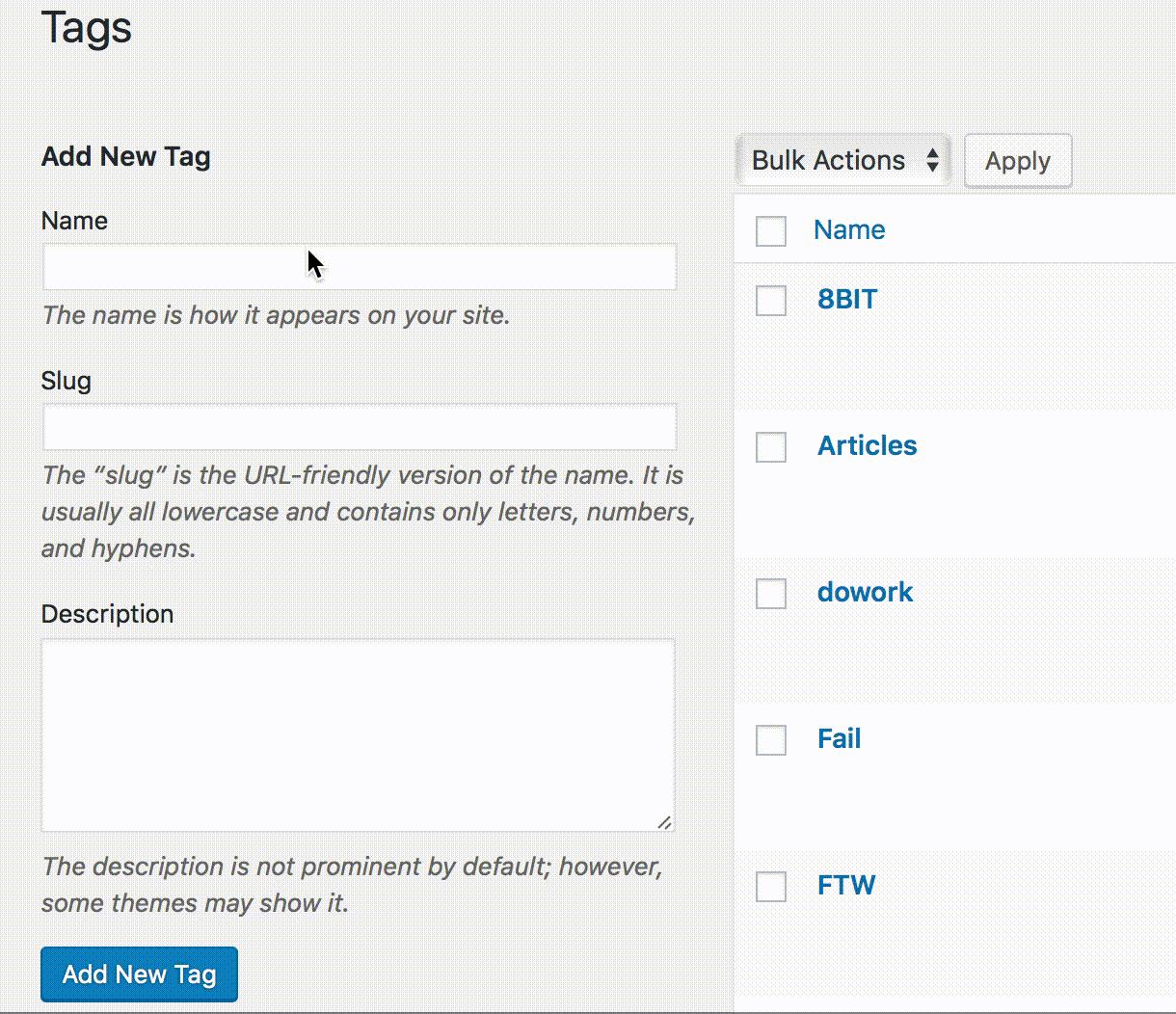

WordPress社区为您提供专业的建站知识与服务支持,提供一步到位的镜像安装和wordpress主题与插件支持
更多推荐
 0
0 0
0- 0


 已为社区贡献2428条内容

所有评论(0)