Python Download PDF Embedded in a Page
Answer a question
I have this link:
- http://www.equibase.com/premium/chartEmb.cfm?track=ALB&raceDate=06/17/2002&cy=USA&rn=1
I want to download the embedded PDF.
I have tried the normal methods of urllib and request but they're not working.
import urllib2

url = "http://www.equibase.com/premium/chartEmb.cfm?track=ALB&raceDate=06/17/2002&cy=USA&rn=1"
response = urllib2.urlopen(url)
file = open("document.pdf", 'wb')
file.write(response.read())
file.close()
Moreover, I have also tried to find the original link of the pdf but it also did not work.
Internal link:
- http://www.equibase.com/premium/eqbPDFChartPlus.cfm?RACE=A&BorP=P&TID=ALB&CTRY=USA&DT=06/17/2002&DAY=D&STYLE=EQB&eqbPDFChartPlus.pdf
Answers
Using Selenium with a specific ChromeProfile you can download embedded pdfs using the following code:
Code:
def download_pdf(lnk):

    from selenium import webdriver
    from time import sleep

    options = webdriver.ChromeOptions()

    download_folder = "C:\\"

    profile = {"plugins.plugins_list": [{"enabled": False,
                                         "name": "Chrome PDF Viewer"}],
               "download.default_directory": download_folder,
               "download.extensions_to_open": "",
               "plugins.always_open_pdf_externally": True}

    options.add_experimental_option("prefs", profile)

    print("Downloading file from link: {}".format(lnk))

    driver = webdriver.Chrome(chrome_options = options)
    driver.get(lnk)

    filename = lnk.split("/")[4].split(".cfm")[0]
    print("File: {}".format(filename))

    print("Status: Download Complete.")
    print("Folder: {}".format(download_folder))

    driver.close()
And when I call this function:
download_pdf("http://www.equibase.com/premium/eqbPDFChartPlus.cfm?RACE=1&BorP=P&TID=ALB&CTRY=USA&DT=06/17/2002&DAY=D&STYLE=EQB")
Thats the output:
>>> Downloading file from link: http://www.equibase.com/premium/eqbPDFChartPlus.cfm?RACE=1&BorP=P&TID=ALB&CTRY=USA&DT=06/17/2002&DAY=D&STYLE=EQB
>>> File: eqbPDFChartPlus
>>> Status: Download Complete.
>>> Folder: C:\
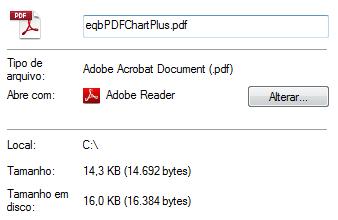
Take a look at the specific profile:
profile = {"plugins.plugins_list": [{"enabled": False,
                                     "name": "Chrome PDF Viewer"}],
           "download.default_directory": download_folder,
           "download.extensions_to_open": ""}
It disables the Chrome PDF Viewer plugin (that embedds the pdf at the webpage), set the default download folder to the folder defined at download_folder variable and sets that Chrome isn't allowed to open any extensions automatically.
After that, when you open the so called "Internal link" your webdriver will automatically download the .pdf file to the download_folder.

Python社区为您提供最前沿的新闻资讯和知识内容
更多推荐

 0
0 0
0- 0


 已为社区贡献126440条内容

所有评论(0)