How to change the input field value using Selenium and Python
·
Answer a question
I am trying to change the input field value in a form input, but unable to do so.
Input value is at this URL
Email: Vela.admi@gmail.com PW: Testing@123
On the page form appears after these actions:
1. on left side click on "Sell Order" red button in Dashboard widget
2. a popup will appear on click, select "Order Type" as "Limit"
3. a new formfield appears, named "Limit Price"
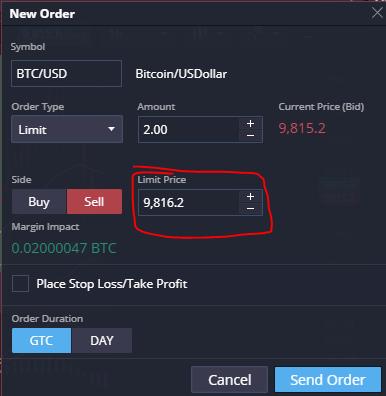 When I try to change it using selenium or even if JS, it doesn't seem to change when we submit the form by pressing "Send Order"
My code trails are:
from selenium import webdriver
from selenium.webdriver.support.ui import WebDriverWait
from selenium.webdriver.common.keys import Keys
from selenium.webdriver.support.ui import Select
import time

driver.get(url)
driver.find_element_by_css_selector('#gwt-uid-770 > span > span > input').send_keys('6700')
I have also tried
driver.execute_script("document.querySelector('#gwt-uid-770 > span > span > input').value=6700")
But still when I submit it doesn't seem to change.
Answers
To perform the following steps:
- On left side click on "Sell Order" red button in Dashboard widget
- A popup will appear on click, select "Order Type" as "Limit"
- A new formfield appears, named "Limit Price"
- Send the value
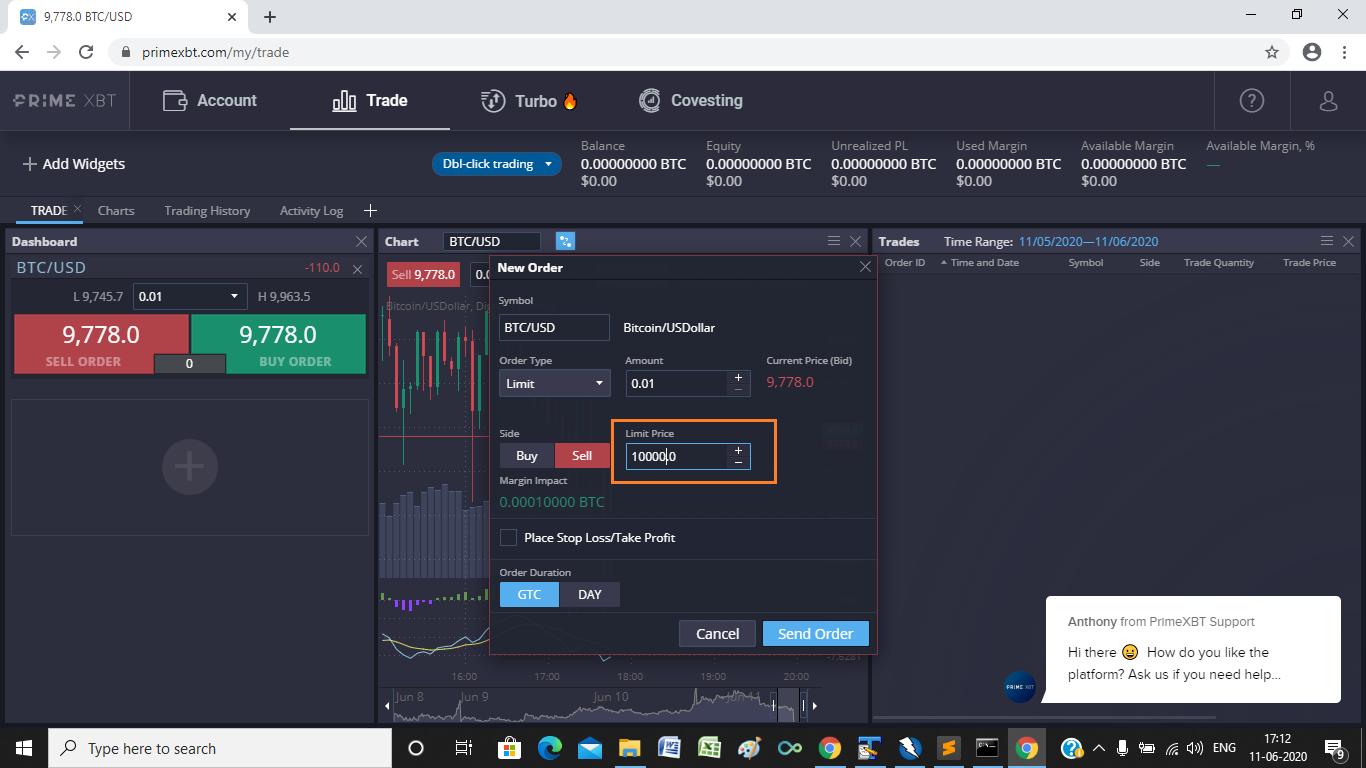
10000to the<input>field.
You have to induce WebDriverWait for the element_to_be_clickable() and you can use the following Locator Strategies:
-
Code Block:
from selenium import webdriver from selenium.webdriver.support.ui import WebDriverWait from selenium.webdriver.common.by import By from selenium.webdriver.support import expected_conditions as EC from selenium.webdriver.common.action_chains import ActionChains from selenium.webdriver.common.keys import Keys options = webdriver.ChromeOptions() options.add_argument("start-maximized") options.add_experimental_option("excludeSwitches", ["enable-automation"]) options.add_experimental_option('useAutomationExtension', False) driver = webdriver.Chrome(options=options, executable_path=r'C:\WebDrivers\chromedriver.exe') driver.get('https://primexbt.com/id/sign-in?redirect=%2Fmy%2Ftrade') WebDriverWait(driver, 10).until(EC.element_to_be_clickable((By.CSS_SELECTOR, "input[formcontrolname='email']"))).send_keys("Vela.admi@gmail.com") driver.find_element_by_css_selector("input[formcontrolname='password']").send_keys("Testing@123") driver.find_element_by_css_selector("span.mat-button-wrapper").click() WebDriverWait(driver, 10).until(EC.element_to_be_clickable((By.CSS_SELECTOR, "button.popup-close"))).click() WebDriverWait(driver, 10).until(EC.frame_to_be_available_and_switch_to_it((By.CSS_SELECTOR,"iframe.ng-star-inserted"))) WebDriverWait(driver, 10).until(EC.element_to_be_clickable((By.CSS_SELECTOR, "span.price.price-bid"))).click() WebDriverWait(driver, 10).until(EC.element_to_be_clickable((By.XPATH, "//span[@class='selectBox--label' and text()='Market']"))).click() WebDriverWait(driver, 10).until(EC.element_to_be_clickable((By.XPATH, "//ul[@class='dropDown--list']//li[contains(., 'Limit')]"))).click() element = WebDriverWait(driver, 10).until(EC.element_to_be_clickable((By.XPATH, "//label[text()='Limit Price']//following::span[1]//span[@class='numericStepper--input']//input[@class='gwt-TextBox']"))) ActionChains(driver).click(element).key_down(Keys.CONTROL).send_keys("a").key_up(Keys.CONTROL).send_keys("10000").perform() -
Note: At the time of constructing the answer:
Entry Price you set must be higher or equal to 9786.7
- Browser Snapshot:

Python社区为您提供最前沿的新闻资讯和知识内容
更多推荐

 0
0 0
0- 0


 已为社区贡献126445条内容

所有评论(0)