如何使用 BeautifulSoup 访问 svg 中的元素?
·
问题:如何使用 BeautifulSoup 访问 svg 中的元素?
我正在从谷歌搜索结果中抓取天气数据。最后,我想从svg graphs 中抓取数据,这是我遇到所有问题的地方。
我的代码:
from bs4 import BeautifulSoup as bs
import requests

def get_weather_data(region):
    # const values
    USER_AGENT = "Mozilla/5.0 (Windows NT 10.0; Win64; x64) AppleWebKit/537.36 (KHTML, like Gecko) Chrome/95.0.4638.54 Safari/537.36"
    LANGUAGE = "en-US,en;q=0.5" # US english
    URL = f"https://www.google.com/search?lr=lang_en&q=weather+in+{region.strip().lower().replace(' ', '+')}"

    # Send request and store response
    s = requests.Session()
    s.headers['User-Agent'] = USER_AGENT
    s.headers['Accept-Language'] = LANGUAGE
    s.headers['Content-Language'] = LANGUAGE
    html = s.get(URL)
    soup = bs(html.text, "html.parser")

    hourly = soup.find("svg", attrs={'id':'wob_gsvg'})
    hourly2 = soup.find("svg", attrs={'id':'wob_gsvg'}).children
    print(hourly, hourly2)

get_weather_data("London")
输出:
<svg class="wob_gsvg" data-ved="2ahUKEwiToY6r0eLzAhWOpZUCHdMQC0kQnaQEegQIGRAG" id="wob_gsvg" style="height:80px"></svg> <list_iterator object at 0x00000275054D9E20>
但是在chrome浏览器控制台中,可以看到:
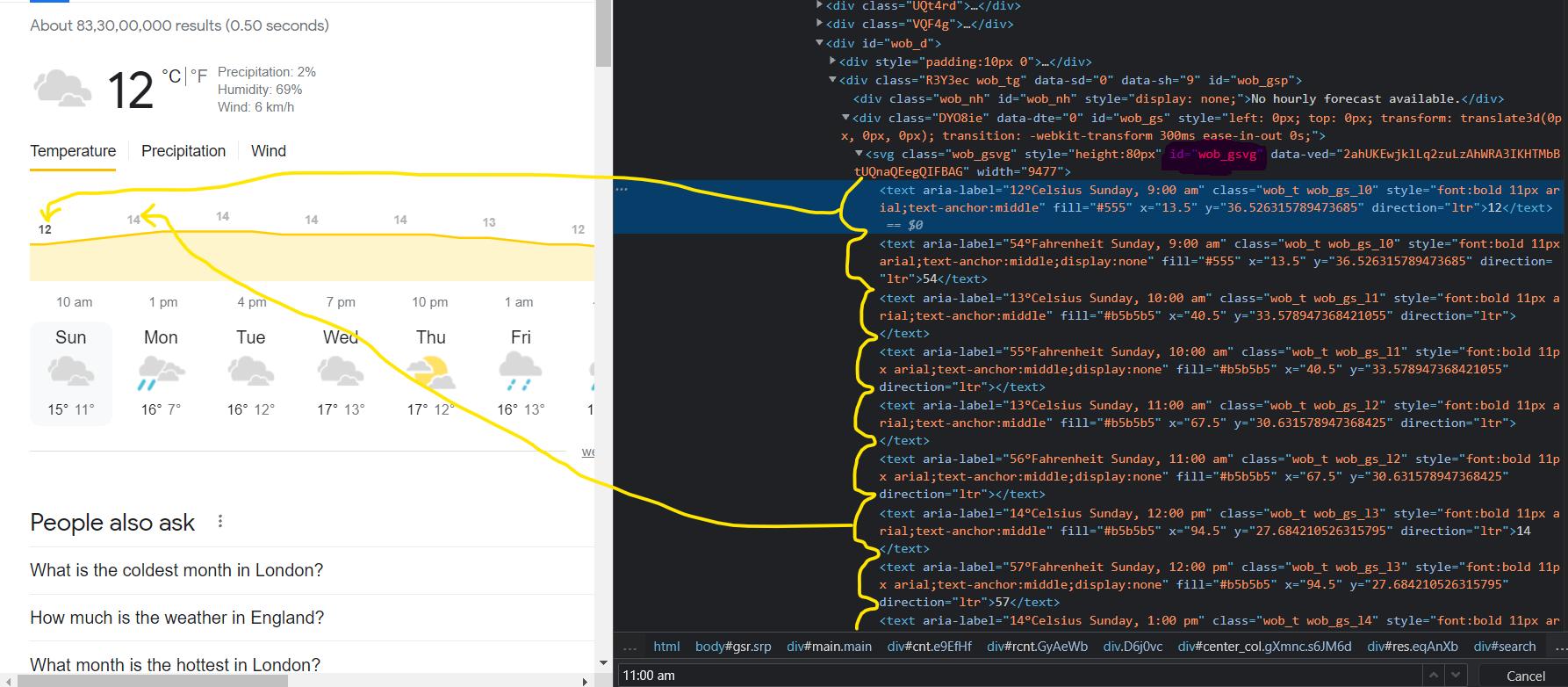
主要目标
-
做网页抓取——来自谷歌搜索结果的天气数据。
-
scrape 每小时预报可用
解答
在html.text你没有这个数据。 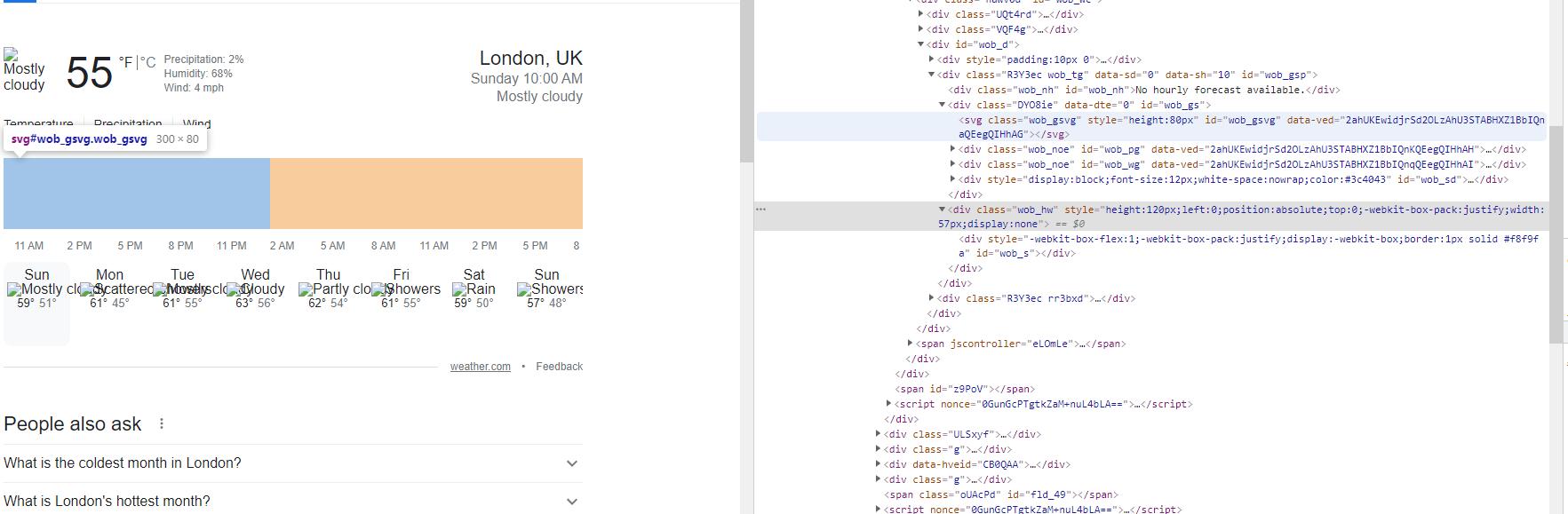
检查它尝试:
with open("data.html", "w") as f:
    f.write(html.text)
然后在浏览器上打开此文件。
要解决此问题,请尝试使用selenium库。https://selenium-python.readthedocs.io

Python社区为您提供最前沿的新闻资讯和知识内容
更多推荐

 0
0 0
0- 0


 已为社区贡献126445条内容

所有评论(0)