Python click button on web page without selenium
·
Answer a question
So there is a button on a webpage that downloads a csv file after clicking it. In the past I have used selenium to do this, but given the current application of this script being ran on databricks I'd rather not use a web driver. However, when I inspect the button I see no URL or a JS function call. Here is what the html looks like:
<button id="exportReport" class="button">
                    Export Report
                </button> == $0
I would link the webpage, but it requires a log in. Is there any way I can simulate clicking this button via requests, mechanize, or beautiful soup?
Answers
Copying my comment to the answer:
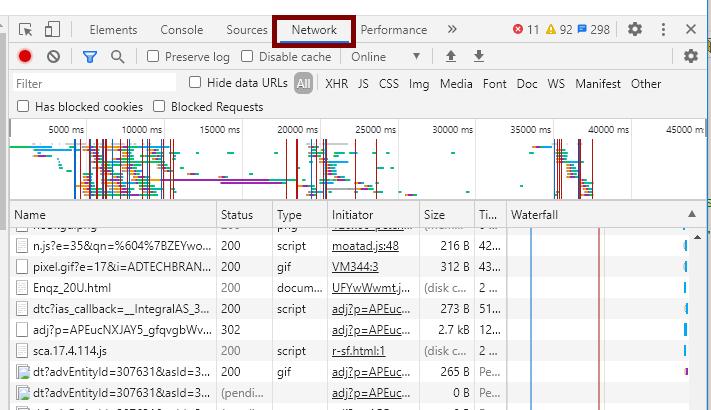
Use the Chrome dev tools (F12) > Network tab. Click the button on the web page to see where the CSV comes from:

Python社区为您提供最前沿的新闻资讯和知识内容
更多推荐

 0
0 0
0- 0


 已为社区贡献126445条内容

所有评论(0)