

I have read this, but I am still confused about how I set the column width when using pandas.DataFrame.to_html.
import datetime
import pandas

data = {'Los Angles': {datetime.date(2018, 9, 24): 20.5, datetime.date(2018, 9, 25): 1517.1},
        'London': {datetime.date(2018, 9, 24): 0, datetime.date(2018, 9, 25): 1767.4},
        'Kansas City': {datetime.date(2018, 9, 24): 10, datetime.date(2018, 9, 25): 1.4}}

df = pandas.DataFrame(data=data)

html = df.to_html()
The above code results in : 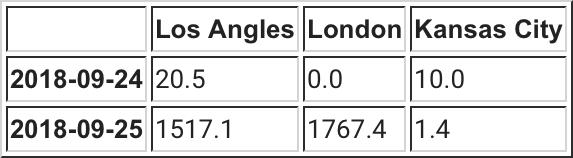
How do I go about forcing the column width so that they are the same?



 已为社区贡献126445条内容

所有评论(0)