I want to change the variable/label names in plotly express in python. I first create a plot:
import pandas as pd
import plotly.express as px

d = {'col1': [1, 2, 3], 'col2': [3, 4, 5]}
df = pd.DataFrame(data=d)
fig = px.line(df, x=df.index, y=['col1', 'col2'])
fig.show()
Which yields:
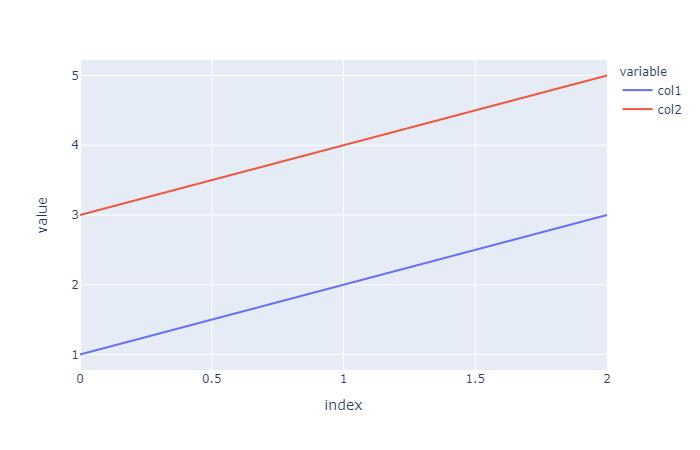
I want to change the label names from col1 to hello and from col2 to hi. I have tried using labels in the figure, but I cannot get it to work:
fig = px.line(df, x=df.index, y=['col1', 'col2'], labels={'col1': "hello", 'col2': "hi"})
fig.show()
But this seems to do nothing, while not producing an error. Obviously I could achieve my goals by changing the column names, but the actual plot i'm trying to create doesn't really allow for that since it comes from several different dataframes.
The answer:
Without changing the data source, a complete replacement of names both in the legend, legendgroup and hovertemplate will require:
newnames = {'col1':'hello', 'col2': 'hi'}
fig.for_each_trace(lambda t: t.update(name = newnames[t.name],
                                      legendgroup = newnames[t.name],
                                      hovertemplate = t.hovertemplate.replace(t.name, newnames[t.name])
                                     )
                  )
Plot:
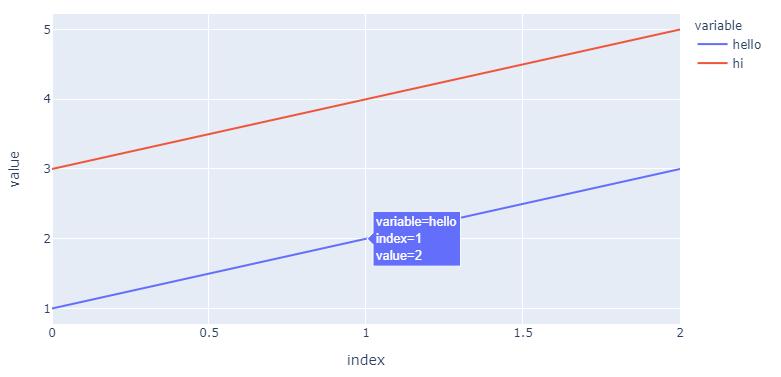
The details:
Using
fig.for_each_trace(lambda t: t.update(name = newnames[t.name]))
...you can change the names in the legend without ghanging the source by using a dict
newnames = {'col1':'hello', 'col2': 'hi'}
...and map new names to the existing col1 and col2 in the following part of the figure structure (for your first trace, col1):
{'hovertemplate': 'variable=col1<br>index=%{x}<br>value=%{y}<extra></extra>',
'legendgroup': 'col1',
'line': {'color': '#636efa', 'dash': 'solid'},
'mode': 'lines',
'name': 'hello',   # <============================= here!
'orientation': 'v',
'showlegend': True,
'type': 'scatter',
'x': array([0, 1, 2], dtype=int64),
'xaxis': 'x',
'y': array([1, 2, 3], dtype=int64),
'yaxis': 'y'},
But as you can see, this doesn't do anything with 'legendgroup': 'col1', nor 'hovertemplate': 'variable=col1<br>index=%{x}<br>value=%{y}<extra></extra>' And depending on the complexity of your figure, this can pose a problem. So I would add legendgroup = newnames[t.name] and hovertemplate = t.hovertemplate.replace(t.name, newnames[t.name])into the mix.
Complete code:
import pandas as pd
import plotly.express as px
from itertools import cycle

d = {'col1': [1, 2, 3], 'col2': [3, 4, 5]}
df = pd.DataFrame(data=d)
fig = px.line(df, x=df.index, y=['col1', 'col2'])

newnames = {'col1':'hello', 'col2': 'hi'}
fig.for_each_trace(lambda t: t.update(name = newnames[t.name],
                                      legendgroup = newnames[t.name],
                                      hovertemplate = t.hovertemplate.replace(t.name, newnames[t.name])
                                     )
                  )





 已为社区贡献126445条内容

所有评论(0)