

Background
Dash web applications have a dash application instance, usually named app, and initiated like this:
app = dash.Dash(__name__)
Then, callbacks are added to the application using a callback decorator:
@app.callback(...)
def my_function(...):
    # do stuff.
In most of the tutorials you find, the callbacks are defined with all of the application layout in the app.py. This of course is just the MWE way of doing things. In a real application, separating code to modules and packages would greatly improve readability and maintainability, but naively separating the callbacks to and layouts just results into circular imports.
Question
What would be the correct way to separate callbacks and layouts from the app.py in a single page app?
MWE
Here is a minimal (non-)working example with the problem
File structure
.
├── my_dash_app
│   ├── app.py
│   └── views
│       ├── first_view.py
│       └── __init__.py
└── setup.py
setup.py
import setuptools

setuptools.setup(
    name='dash-minimal-realworld',
    version='1.0.0',
    install_requires=['dash>=1.12.0'],
    packages=setuptools.find_packages(),
)
app.py
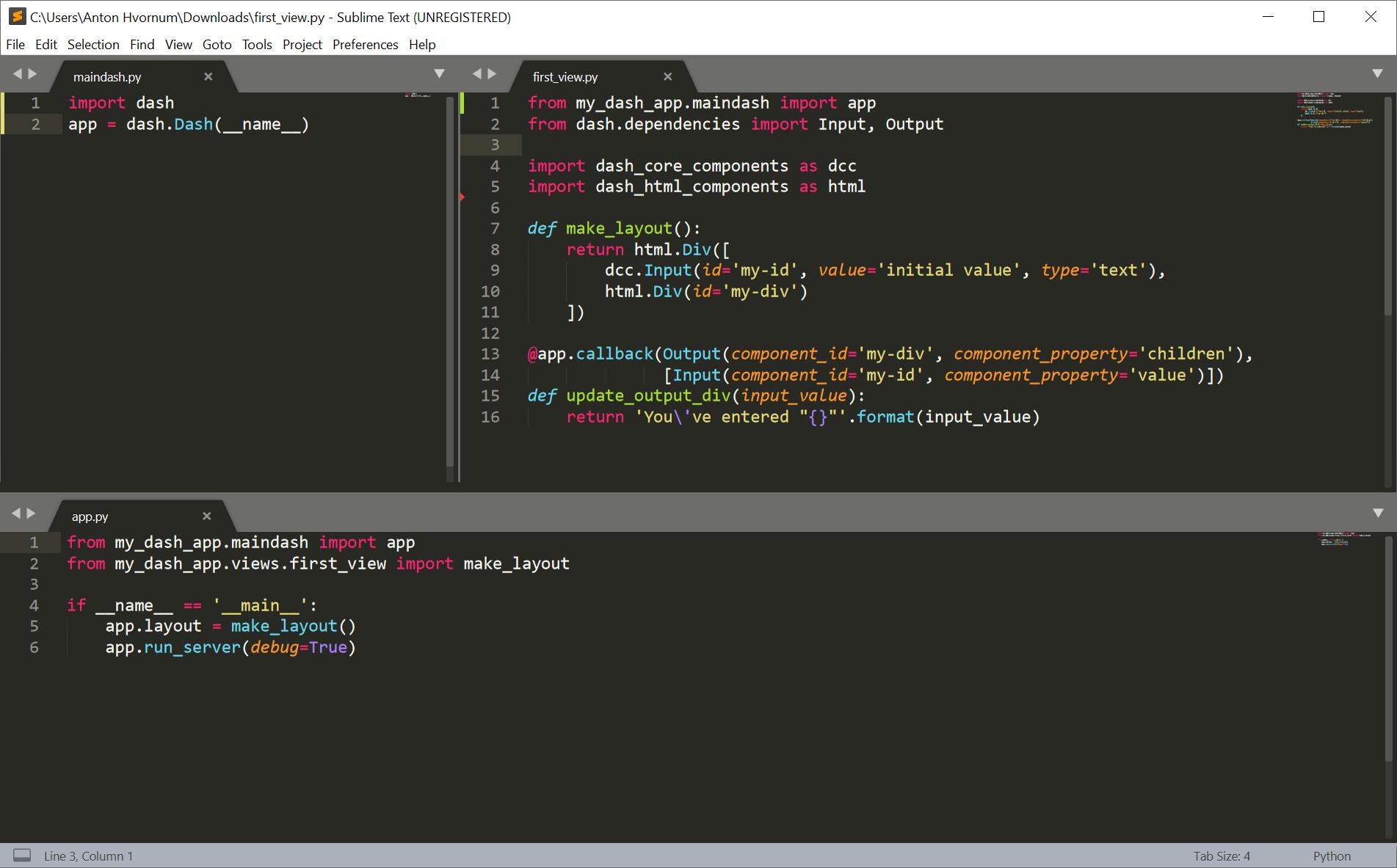
import dash

from my_dash_app.views.first_view import make_layout

app = dash.Dash(__name__)
app.layout = make_layout()


if __name__ == '__main__':
    app.run_server(debug=True)
first_view.py
from dash.dependencies import Input, Output

import dash_core_components as dcc
import dash_html_components as html

from my_dash_app.app import app

def make_layout():
    return html.Div([
        dcc.Input(id='my-id', value='initial value', type='text'),
        html.Div(id='my-div')
    ])

@app.callback(Output(component_id='my-div', component_property='children'),
              [Input(component_id='my-id', component_property='value')])
def update_output_div(input_value):
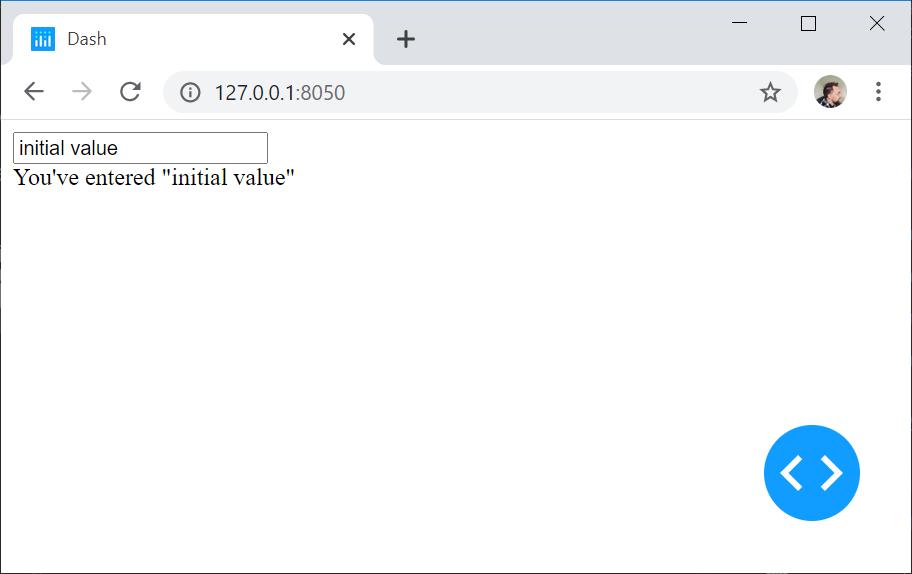
    return 'You\'ve entered "{}"'.format(input_value)
Running python ./my_dash_app/app.py results into circular dependency:
ImportError: cannot import name 'make_layout' from 'my_dash_app.views.first_view' (c:\tmp\dash_minimal_realworld\my_dash_app\views\first_view.py)



 已为社区贡献126445条内容

所有评论(0)