

I'm a newbie to Python and currently learning Control Flow commands like if, else, etc.
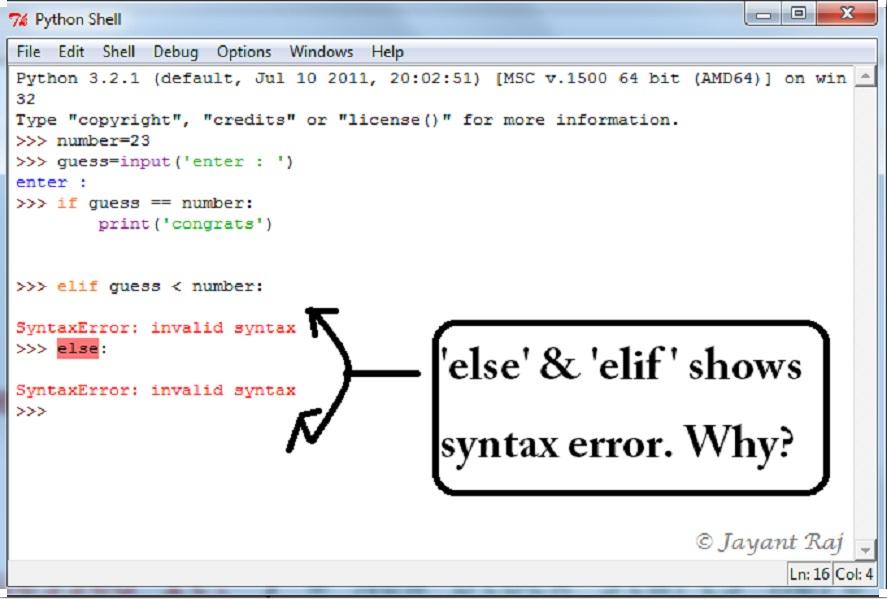
The if statement is working all fine, but when I write else or elif commands, the interpreter gives me a syntax error. I'm using Python 3.2.1 and the problem is arising in both its native interpreter and IDLE.
I'm following as it is given in the book 'A Byte Of Python' . As you can see, elif and else are giving Invalid Syntax.
>> number=23
>> guess = input('Enter a number : ')
>> if guess == number:
>>    print('Congratulations! You guessed it.')
>> elif guess < number:
   **( It is giving me 'Invalid Syntax')**
>> else:
   **( It is also giving me 'Invalid syntax')**
Why is this happening? I'm getting the problem in both IDLE and the interactive python. I hope the syntax is right.



 已为社区贡献126440条内容

所有评论(0)