

I'm using Visual Studio Code in order to debug a Python script.
Following this guide, I set up the argument in the launch.json file:
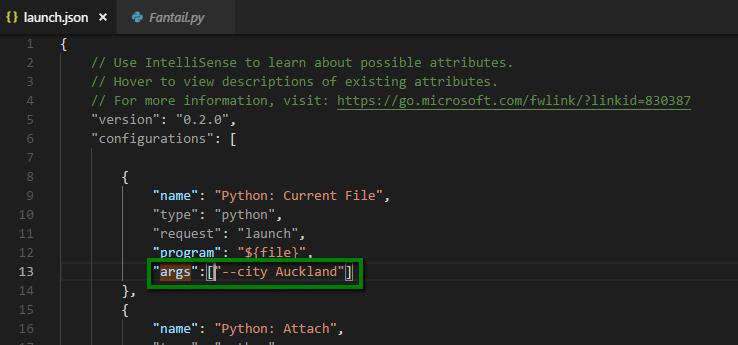
But when I press on Debug, it says that my argument is not recognized and Visual Studio Code says:
error: unrecognized arguments

As Visual Studio Code is using PowerShell, let's execute the same file with the same argument:

So: the same file, same path, and same argument. In the terminal it is working, but not in Visual Studio Code.
Where am I wrong?



 已为社区贡献126445条内容

所有评论(0)